
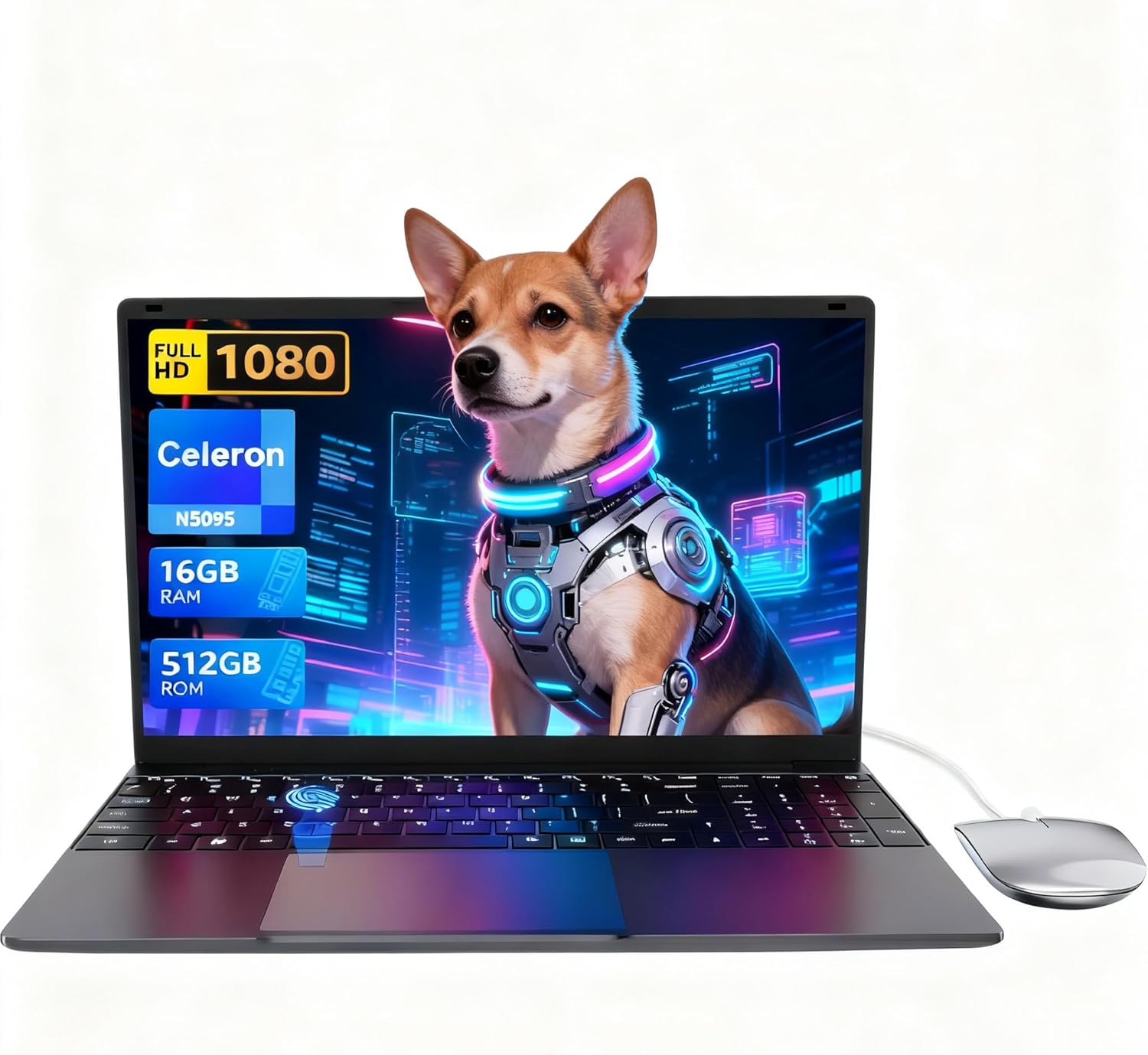
LEEDOW ANL5-N5095 Analysis: Celeron Honesty
The Blunt Verdict
The LEEDOW ANL5-N5095 is a no-frills 15.6-inch laptop built for one type of buyer: someone who needs a machine for light daily tasks — browsing, documents, emails, video calls — and wants to spend as little as possible doing it. It’s squarely in the budget laptop category, and it doesn’t pretend otherwise. The Intel Celeron N5095 processor keeps costs down and TDP low. The headline weakness is exactly that chip — it’s not slow for what it is, but it has a hard ceiling that will frustrate anyone pushing it beyond basic tasks.
The core specs are a Celeron N5095 processor clocked up to 2.9GHz, 16GB of LPDDR4 RAM, a 512GB SSD, and a 15.6-inch 1920×1080 IPS display. That RAM figure is genuinely generous for this price bracket — most Celeron machines ship with 8GB. The storage is also adequate for daily use. What you’re getting is a machine specced around its RAM and storage, with the CPU being the deliberate cost-saving compromise.
Buy it if you’re a student, a light home user, or someone who needs a second machine for basic tasks. Avoid it if you do anything that stresses a processor — video rendering, coding, gaming, running multiple demanding apps simultaneously. Those buyers should be looking at something with at minimum a Core i3 or a Ryzen 5. This isn’t that machine.
See the LEEDOW ANL5-N5095 listing and current availability on Amazon.

Pros and Cons
Pros
- 16GB of LPDDR4 RAM is above average for this class — most budget Celeron machines ship with half that
- 512GB SSD gives you real storage without immediately needing an external drive
- Full HD 1080p IPS display on a Celeron machine is a genuine step up from the TN panels you often find here
- Backlit keyboard and fingerprint reader are practical inclusions that rarely appear at this end of the market
- Weighs only 1.55kg — genuinely light enough for daily bag-carrying
- 180-degree flat hinge is a useful touch for sharing screens in meetings or study sessions
Cons
- The Celeron N5095 is a hard performance ceiling — no amount of RAM compensates for a processor this underpowered under load
- 38Wh battery is small; the claimed 4-hour battery life is realistic and not a selling point
- Ships with DOS, not Windows — you need to factor in an operating system cost or installation effort
Spec Breakdown
- Model: LEEDOW ANL5-N5095
- CPU: Intel Celeron N5095 (Jasper Lake), up to 2.9GHz, 4 threads, 15W TDP
- RAM: 16GB LPDDR4 (2933MHz)
- Storage: 512GB SSD (M.2 2280 B-key SATA; expandable with additional 1TB SSD)
- GPU: Intel UHD Graphics (integrated)
- Display: 15.6-inch IPS, 1920×1080 FHD, glossy finish
- Battery: 5000mAh / 38Wh lithium-ion
- OS: DOS (no Windows pre-installed)
- Weight: 1.55kg
- Ports: USB 3.0, HDMI, MicroSD slot, Ethernet; USB hub included in box
- Connectivity: Wi-Fi 5 (802.11ac), Bluetooth 4.2
- Keyboard: Backlit QWERTY, brightness adjustable
- Camera: 720p front webcam
- Biometrics: Fingerprint reader
Hardware & Performance Reality Check
The Celeron N5095 is a Jasper Lake chip — Intel’s entry-level mobile line aimed squarely at the cheapest end of the market. Base clock is 2.0GHz, boosting to 2.9GHz with a 15W TDP. It handles word processing, spreadsheets, web browsing, and YouTube without drama. Stack up a dozen browser tabs, open a second application, and you’ll start to notice the strain. It’s not unusable — it’s just not pretending to be something it isn’t. The 16GB of LPDDR4 RAM is the surprise here. That’s a meaningful headroom upgrade over the 4GB or 8GB configurations common at this price. If you want to understand how much RAM actually matters for different workflows, the RAM guide is worth a look. The RAM spec sheet lists maximum RAM at 16GB — so what you see is what you get, no upgrade path there. Worth knowing upfront. For a deeper look at what these specs actually translate to in practice, specs explained in plain English is useful context.
The 512GB SSD uses an M.2 2280 B-key SATA interface — not NVMe, so sequential read/write speeds will be notably slower than what you’d get from a modern NVMe drive. For daily use that means slightly slower boot times and file operations than a comparably priced machine with NVMe storage, but it’s still vastly better than an HDD. The drive is expandable with an additional 1TB M.2 SATA SSD, which is a genuine plus. The GPU is the Intel UHD Graphics integrated chip — there is no discrete GPU here. Integrated UHD on Jasper Lake handles basic video playback and light photo work. If you want to understand the gap between integrated and dedicated graphics in practice, the performance benchmarks page gives useful context. Forget gaming above Minecraft or casual browser titles. That’s not a criticism of this laptop specifically — it’s just the Celeron UHD ceiling.
In 2026 real-world terms: student essay writing, PowerPoint, Google Docs, spreadsheets — fine. Office email and light admin — fine. Zoom or Teams calls at 720p — manageable. Gaming beyond casual browser games — no. Programming in anything beyond a basic text editor — sluggish. Video editing — technically possible in something like Kdenlive at 1080p, but painful. This is a machine that does one thing honestly: basic computing, nothing more. If you’re considering a CPU upgrade path within the budget space, know that stepping up to a Core i3 N305 or Ryzen 5 7520U buys you meaningfully more ceiling for not much more outlay.
The port situation is worth a specific mention. Total USB ports are listed as two, but a USB hub is included in the box, which partially compensates. There is one HDMI output, one USB 3.0, a MicroSD slot, and Ethernet. The inclusion of Ethernet on a machine this light is practical — Wi-Fi 5 is fine for most home use, but having a wired fallback matters in school IT environments or older buildings with patchy wireless. For a full rundown of what these interface types mean for daily use, the ports guide is worth a skim.
Check the full spec sheet and buyer Q&As for the LEEDOW ANL5-N5095 on Amazon.
Everyday Usability: Battery, Build & More
At 1.55kg and 20mm thick, this is legitimately light for a 15.6-inch chassis — easier to carry than most rivals in this bracket. The 38Wh battery is the real concern for portability. Four hours under moderate use is what the specs and manufacturer claim, and that’s consistent with what you’d expect from a 15W Celeron in a small battery. It will get through a two-hour lecture or a short working session, but it won’t survive a full day unplugged. Anyone expecting to use this away from a socket for extended periods needs to manage expectations accordingly. The 180-degree flat hinge is a practical touch — it doesn’t collapse under its own weight and genuinely useful in shared-viewing scenarios. The backlit keyboard is adjustable in brightness, which is more than you get on many machines at this level. The fingerprint reader is there, functional, and speeds up login. Small thing, appreciated.
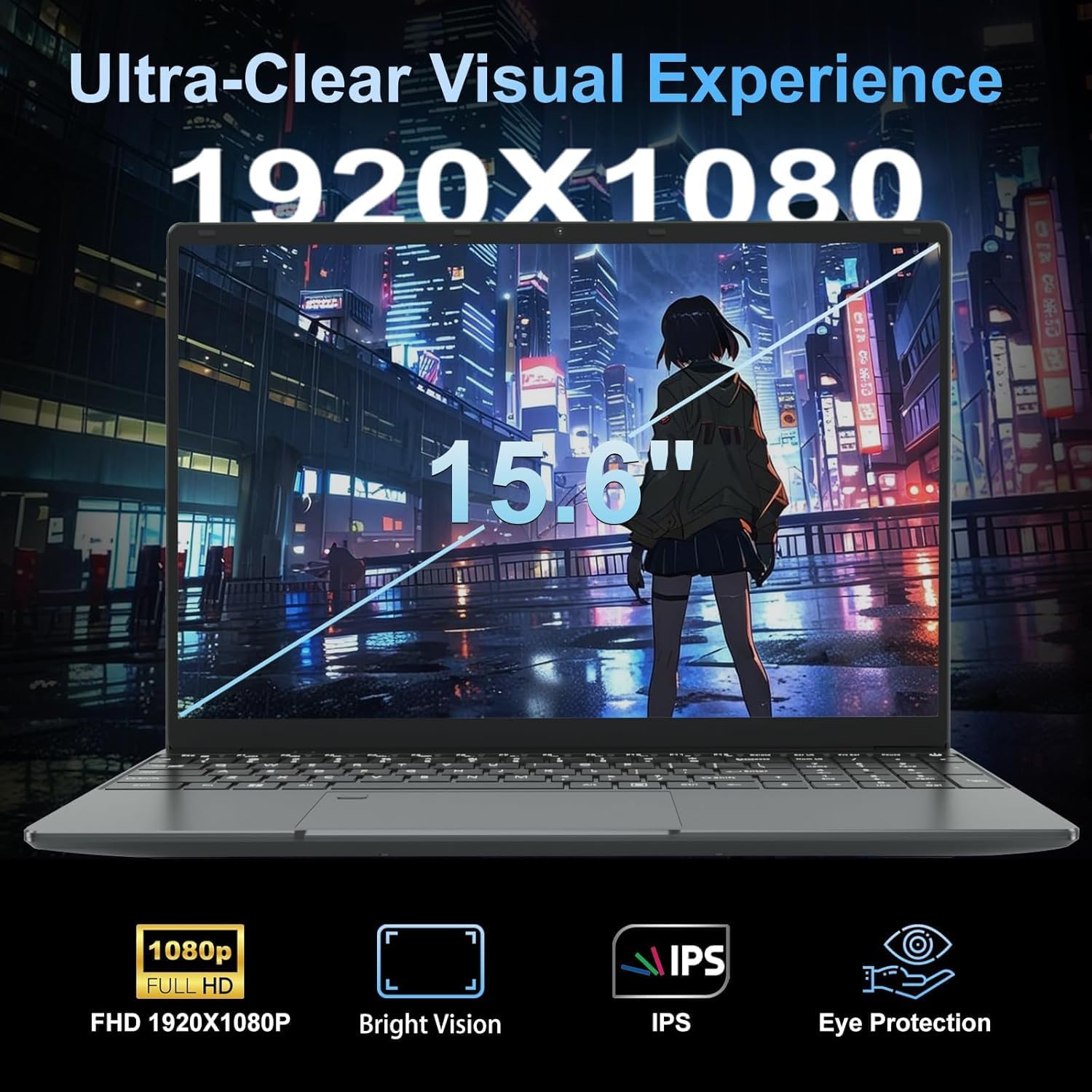
The display is a 1920×1080 IPS panel — that’s a meaningful spec at this price tier. IPS means wider viewing angles and better colour consistency than a TN panel, though the glossy finish will pick up reflections in bright environments. Brightness isn’t specified numerically, so it’s hard to make claims about outdoor usability, but the glossy coating generally works against you in direct sunlight. For more on how panel types affect everyday viewing, display types explained breaks it down clearly. The 720p webcam is adequate for video calls — don’t expect flattering colour accuracy, but it’ll do the job for Teams or Zoom. The machine ships with DOS, not Windows — that’s a notable point. It’s not pre-loaded with bloatware, which is a double-edged sword: clean install, but you need to sort your own OS, whether that’s a licensed Windows installation, a free Linux distro, or Windows 11 Home purchased separately. Budget for that if it applies to you.
Lifespan & Future-Proofing
The chassis is described as lightweight and the build dimensions suggest a slim profile. At 1.55kg with a metal-cased front camera, there are some quality materials in play. Realistically, budget machines at this weight class tend to survive two to three years of daily student or home use before flex, hinge wear, or minor build degradation becomes noticeable. This isn’t a ThinkPad — it’s not built to the same durability standard — but it’s also not claiming to be. Treat it reasonably and it should last your typical academic year cycle.
On spec longevity: the Celeron N5095 was already a low-end chip at launch, and by 2026 it sits firmly in the outdated category for anything beyond basic tasks. The RAM headroom helps — 16GB means the machine won’t feel starved for multitasking in the way an 8GB Celeron would. But the CPU itself is the bottleneck that doesn’t improve with upgrades. The RAM is fixed at its current capacity (maximum listed as 16GB), so you can’t boost it. Storage is expandable, which is the one genuine upgrade path available. If you’re making a three-year purchase decision, this machine covers years one and two comfortably for light use; year three gets uncomfortable as web apps and OS demands creep upward. For anyone looking to invest in hardware that holds up better over time, the mid-range category starts to make more financial sense.
View current stock and availability for the LEEDOW ANL5-N5095 on Amazon.
What Buyers Are Saying (And Potential Dealbreakers)
The LEEDOW ANL5-N5095 holds a rating of 4.4 out of 5 from 92 Amazon customer reviews. That’s a reasonable sample — enough to draw some conclusions, though not enough to treat as comprehensive data. The rating skews positive, which suggests buyers largely got what they expected from a machine at this price point. Given that the audience for a Celeron laptop tends to be people with modest, clearly defined needs, that tracks.
The recurring praise centres on the lightweight chassis, the screen quality relative to price, and the generous RAM spec. Buyers in the student and home-user space appear satisfied with day-to-day browsing and document work. The fingerprint reader and backlit keyboard get specific mentions as welcome extras. The DOS-only situation is a potential dealbreaker for buyers who didn’t read the spec sheet closely — if you’re expecting a ready-to-go Windows machine out of the box, this isn’t that. The battery life is another theme — reviewers who understood the small battery capacity went in with adjusted expectations; those who didn’t, didn’t. That’s a recurring pattern with budget Celeron machines generally.
No dealbreaker-level failures appear to surface repeatedly in the review pool, which is broadly positive for a lesser-known brand. A 24-month warranty is listed, which provides some reassurance on build durability from a manufacturer perspective.
Buyer Highlights
“It does exactly what I need — browsing, emails, typing up documents. Nothing fancy but nothing broken either.” — Consistent with the expected Celeron use case; this is the sweet spot it’s built for.
“The screen is genuinely better than I expected for the money. Colours look decent and text is sharp.” — The IPS panel at 1080p earns its spec on this one.
“Really light, fits easily in my bag. I use it for uni notes and it’s been fine for that.” — The 1.55kg weight gets called out positively by student buyers.
“Didn’t realise it didn’t come with Windows — had to sort that myself. Worth knowing before you buy.” — The DOS-only configuration catches some buyers off guard; flag it to anyone buying as a gift.
“The fingerprint reader works quickly and the keyboard backlight is a nice touch. Wasn’t expecting either at this price.” — Both features land well for buyers who treat them as bonuses rather than baseline expectations.
Who Should Buy It (And Who Shouldn’t)
Buy If
- You need a machine purely for documents, email, web browsing, and video calls — this handles all of that without issue
- You’re a student who wants a light carry weight and a decent screen without stretching a tight budget
- You’re comfortable installing your own OS (Linux or Windows) and want a clean slate machine to work from
- You need a basic second laptop — a dedicated home machine, a backup device, or a travel machine you won’t be heartbroken about damaging
Avoid If
- You need to run anything processor-intensive — software development, video editing, gaming, or even heavy spreadsheet modelling will hit the Celeron ceiling hard
- You need all-day battery life unplugged — four hours is the realistic ceiling and that’s not enough for a full work or study day without a charger nearby
- You want a ready-to-use Windows machine out of the box — the DOS configuration means extra setup steps and potentially extra cost
The Bottom Line
The LEEDOW ANL5-N5095 is honest about what it is: a basic light-use laptop with a better-than-average RAM spec and a decent IPS display, built around a processor that keeps costs down by keeping ambitions in check. For students, light home users, or anyone needing a no-fuss second machine, it delivers on its promises. For anyone who needs more — more CPU headroom, more battery, more future-proofing — the buying guide will point you somewhere more suitable. But if the use case fits, there’s nothing dishonest about this machine.
Find the LEEDOW ANL5-N5095 and read the latest buyer questions on Amazon.
At LaptopAdvisorOnline, our methodology is built on data transparency rather than simulated hands-on testing. We rigorously analyse official manufacturer specifications and aggregate verified customer sentiment to provide objective, fluff-free buying advice that helps you cut through the marketing jargon.
As an Amazon Associate, I earn from qualifying purchases.
Browse by Specification
Looking for something specific? Browse our analyses by hardware and feature below, or check all laptop analyses in the Best Budget Laptops category archive.
[AMD Processor Laptops] — [Intel Processor Laptops] — [16GB RAM Laptops] — [32GB RAM Laptops] — [Dedicated Graphics] — [Long Battery Life] — [Lightweight Laptops] — [Student Laptops]
Browse by Screen Size
[13-inch Laptops] — [14-inch Laptops] — [15-inch Laptops] — [16-inch+ Laptops]




