
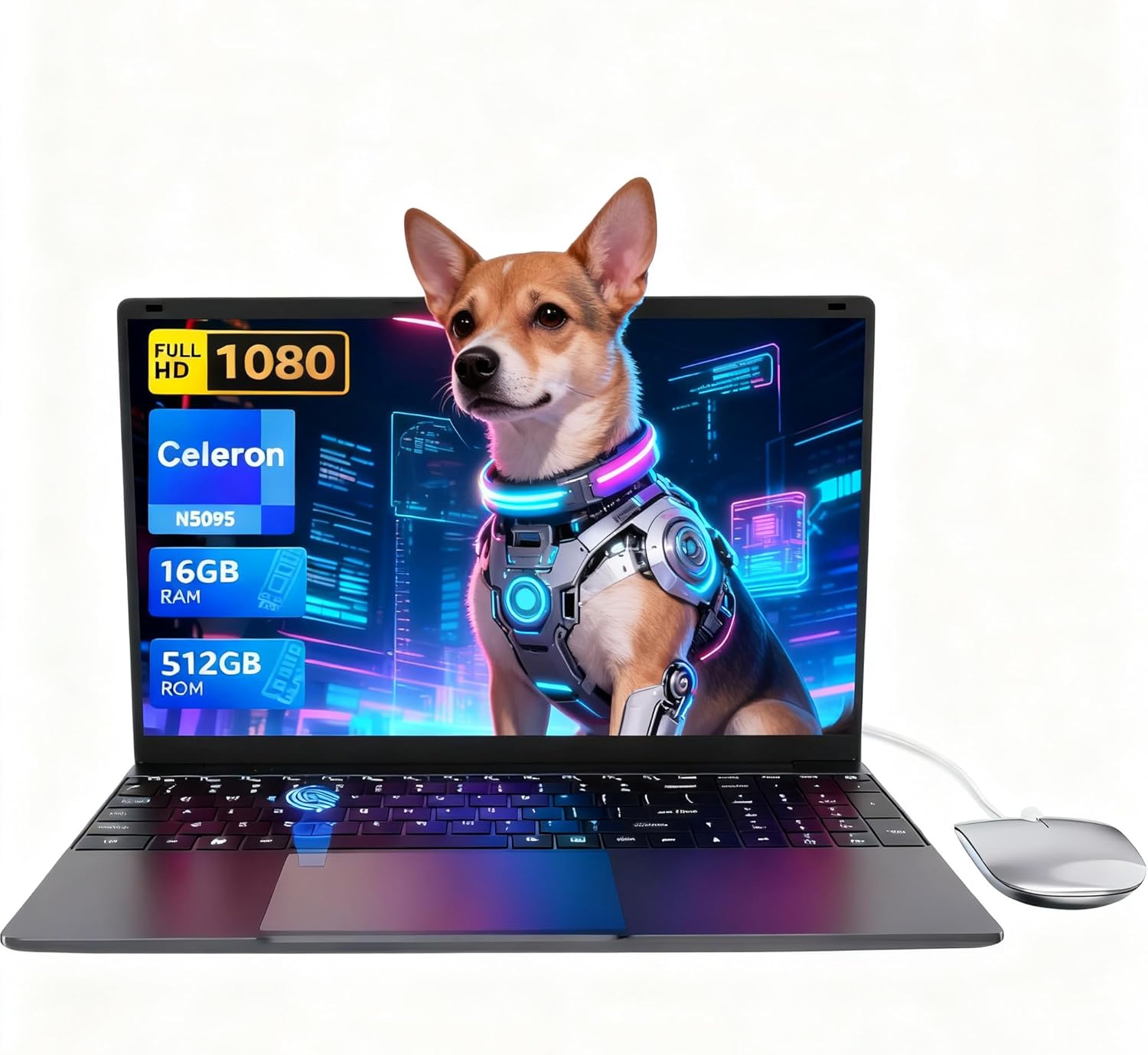
LEEDOW ANL5-N5095 Analysis: 16GB on a Celeron Budget
The Blunt Verdict
The LEEDOW ANL5-N5095 is a stripped-back, no-frills machine aimed squarely at light daily tasks — browsing, documents, email, video calls. That’s it. The headline strength is a generous 16GB of LPDDR4 RAM paired with a 512GB SSD at a price point where most competitors are still shipping 8GB and sluggish eMMC storage. The headline weakness is the CPU — an Intel Celeron N5095 that was already mid-tier at launch and will run out of headroom faster than you’d like.
You’re getting a 15.6-inch 1920×1080 IPS panel, integrated UHD Graphics, Wi-Fi 5, and Bluetooth 4.2. The battery is a 38Wh unit, which on paper gives around four hours of real use — not enough for a full working day without a charger nearby. The operating system ships as DOS, meaning you’ll need to install Windows yourself or use a Linux distribution. That’s a genuine gotcha for anyone who isn’t expecting it.
Buy this if you need a second machine for occasional light work, a loaner laptop, or a basic school device. Don’t buy it if you need anything beyond word processing and web browsing done regularly. Anyone expecting smooth video editing or multitasking heavy workloads will be disappointed by the Celeron’s ceiling. Check our budget laptop roundup if you want to see how it stacks up against the wider field.
See the listing and current availability for the LEEDOW ANL5-N5095 on Amazon.

Pros and Cons
Pros
- 16GB LPDDR4 RAM is unusually generous for this class of machine — most rivals ship with half that
- 512GB SSD provides meaningful storage headroom and is a step above the eMMC drives common at this price tier
- 180-degree flat hinge is a legitimately useful feature for collaborative viewing or tight desk setups
- Fingerprint reader adds a layer of convenience that you don’t typically see on entry-level hardware
- Backlit keyboard with adjustable brightness handles low-light working environments adequately
- Expandable via M.2 2280 B-key SATA slot and TF card — storage dead-ends are less of a concern here
Cons
- Celeron N5095 is a low-power chip with genuine performance limits — anything beyond light multitasking will expose this quickly
- 38Wh battery is small; the four-hour estimate is optimistic under real-world use
- Ships with DOS, not Windows — that’s an unexpected setup burden for non-technical buyers
Spec Breakdown
- Model: LEEDOW ANL5-N5095
- CPU: Intel Celeron N5095 (Jasper Lake), up to 2.9GHz, 4 threads, 15W TDP
- RAM: 16GB LPDDR4 (2933MHz)
- Storage: 512GB SSD (M.2 2280 B-key SATA, expandable)
- GPU: Intel UHD Graphics (integrated)
- Display: 15.6-inch IPS, 1920×1080 resolution, glossy finish, 180-degree hinge
- Battery: 38Wh lithium-ion (~4 hours rated)
- OS: DOS (no Windows included)
- Weight: 1.55kg
- Ports: USB 3.0, HDMI, MicroSD, Ethernet, headphone jack (USB hub included in box)
- Connectivity: Wi-Fi 5 (802.11ac), Bluetooth 4.2
- Keyboard: Backlit QWERTY, adjustable brightness
- Camera: 720p front webcam
- Security: Fingerprint reader
- Warranty: 24 months
Hardware & Performance Reality Check
The Celeron N5095 is a Jasper Lake chip — Intel’s 2021 low-power architecture aimed at basic computing tasks. Clocked at up to 2.9GHz across 4 threads with a 15W TDP, it handles web browsing, email, spreadsheets, and document editing without much complaint. But “without much complaint” is doing a lot of work in that sentence. Stack a video call on top of a few browser tabs and you’ll start to feel the ceiling. It is not a chip designed for sustained load. The 16GB LPDDR4 RAM softens that limitation meaningfully — more RAM than the CPU strictly deserves, but it does reduce the frequency of slowdowns under moderate multitasking. Whether the RAM is soldered or socketed isn’t confirmed in the spec data, but given the chassis dimensions and price bracket, soldering is the likely outcome. Don’t buy this expecting to swap in more RAM later. For a deeper look at what these numbers mean in practice, our CPU guide and RAM guide are worth a read.
The 512GB SATA SSD is a genuine positive. It’s not NVMe — the M.2 B-key SATA interface is slower than what you’d get on a mid-range machine — but it still outperforms eMMC storage by a comfortable margin, meaning faster boot times and snappier app launches than the chip alone would suggest. The integrated UHD Graphics are Intel’s entry-level iGPU from the Jasper Lake platform. They’ll handle YouTube, light photo viewing, and 1080p video playback fine. Gaming is a different conversation — even older titles at low settings will struggle. Anything GPU-demanding is simply off the table. If gaming matters at all to you, start at our budget gaming section instead.
For 2026 real-world use: student essay writing and basic research — yes, this handles it. Office tasks like spreadsheets and presentations — manageable with restraint. Gaming — no. Programming with a full IDE open alongside a browser — marginal at best, frustrating at worst. Video editing — technically possible for simple cuts on short clips, but the Celeron will make you wait. The LEEDOW ANL5-N5095 has a clear lane. Stay inside it and it works. Stray outside it and you’ll regret the purchase.
One spec worth flagging: the listing mentions Bluetooth 4.2 in the features but the spec table states Bluetooth 5. There’s a discrepancy in the product data. Treat the lower figure as the safer assumption. Similarly, the Ethernet port is listed in the connectivity spec but a physical RJ45 on a 2cm-thick chassis is unusual — a USB-to-Ethernet adapter or the bundled hub may be involved. Worth clarifying via the Amazon Q&A before purchase. Our ports guide explains what to look for.
Check the full spec sheet and buyer Q&As for the LEEDOW ANL5-N5095 on Amazon.
Everyday Usability: Battery, Build & More
At 1.55kg and 2cm thick, this is a genuinely light machine for a 15.6-inch footprint. It won’t feel like a burden in a bag, which matters if you’re carrying it between lectures or meetings. The battery is where things get uncomfortable. A 38Wh cell with a rated four hours is a truthful-sounding number on paper — in practice, with Wi-Fi active and a browser open, expect closer to three. That’s not a full working day. You will need the charger with you. The 180-degree hinge is a practical touch rather than a gimmick — it genuinely helps in shared-viewing situations where flipping the screen flat is more useful than propping it toward someone. Build materials aren’t specified as metal beyond the webcam housing; the chassis is likely plastic, which is fine at this weight class but shouldn’t be expected to take any serious knocks.
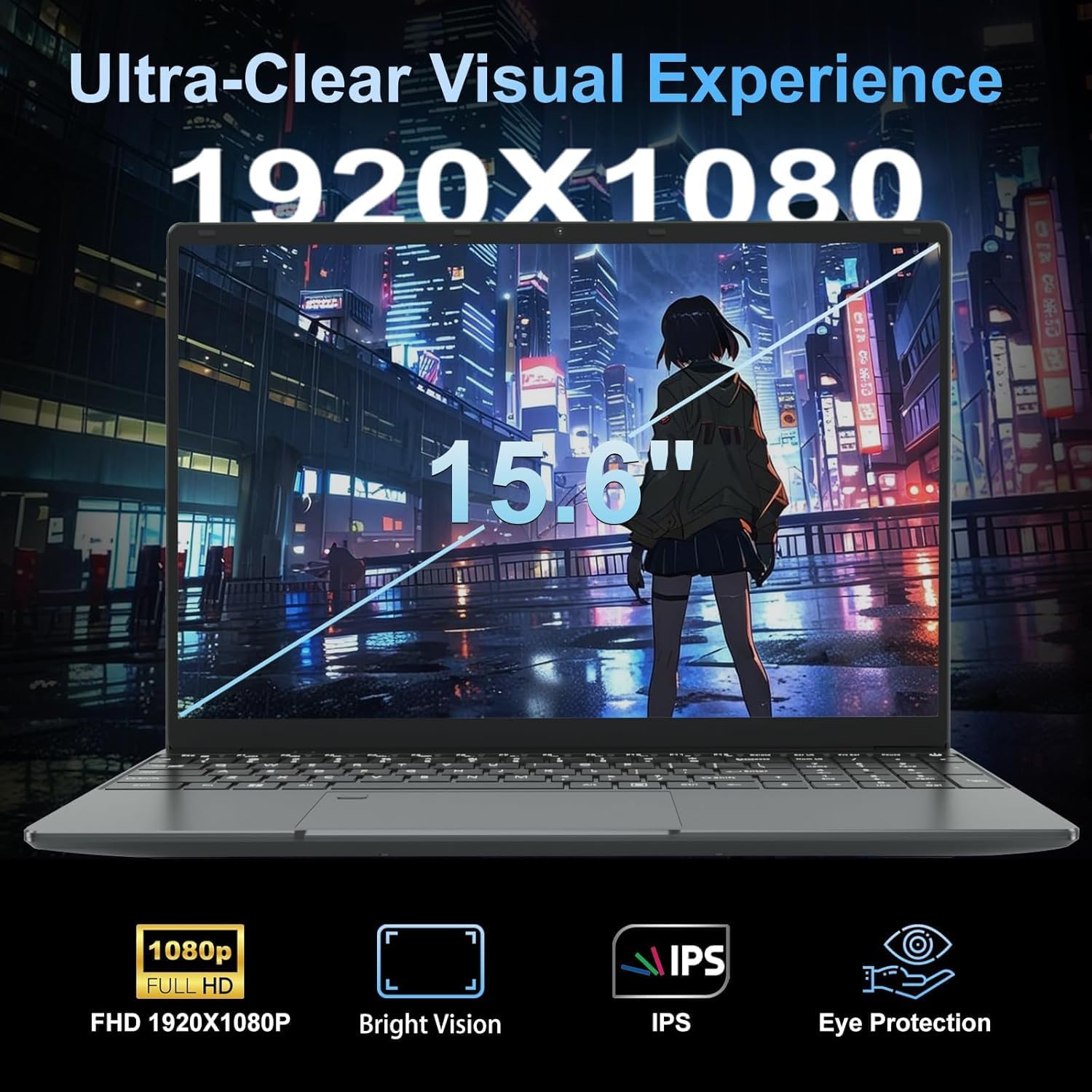
The 1920×1080 IPS display should deliver decent viewing angles and adequate colour reproduction for a budget panel — IPS is the right choice at this price over a TN alternative. The glossy finish will pick up reflections in bright rooms, so outdoor or brightly-lit use isn’t ideal. No touchscreen. The fingerprint reader is a welcome inclusion and adds a practical daily convenience that you wouldn’t normally expect here. The 720p webcam is sufficient for video calls but won’t flatter you. The included USB hub is an honest admission that the native port count is limited — two USB ports on their own would be genuinely restrictive for most users, so the bundled hub is a sensible workaround rather than a luxury addition. HDMI output is confirmed. The backlit keyboard’s adjustable brightness is a small but useful feature. Speaker quality on machines in this class is typically functional rather than enjoyable — adequate for calls, nothing more. For more on what display specs actually mean in everyday use, our display types guide covers the basics.
Lifespan & Future-Proofing
Chassis longevity on budget plastic-bodied machines typically runs three to four years of careful daily use. Nothing about the LEEDOW ANL5-N5095’s construction suggests it will outlast that estimate in either direction. The 24-month warranty is respectable for a brand at this tier and provides some peace of mind. The 180-degree hinge adds some mechanical stress risk over time compared to standard designs — hinge durability is worth monitoring if you use that flat mode regularly.
Spec longevity is the bigger concern. The Celeron N5095 was already showing its age before it shipped in this chassis, and by 2026 it will feel noticeably behind even modest everyday demands as web apps and operating systems consume more resources. The 16GB RAM buys you more runway than an 8GB machine would, but the CPU itself is the binding constraint. Expect two to three years of comfortable use for light tasks before performance frustration becomes a regular companion. The M.2 SATA SSD slot does allow a storage upgrade, which extends one dimension of the machine’s useful life. RAM and CPU are not realistically upgradeable. If you’re thinking about a machine with proper longevity, our laptop buying guide walks through what specs to prioritise for the long term.
View current stock and availability for the LEEDOW ANL5-N5095 on Amazon.
What Buyers Are Saying (And Potential Dealbreakers)
The LEEDOW ANL5-N5095 holds a rating of 4.4 out of 5 from 92 customer reviews on Amazon. That’s a small-to-moderate sample — enough to identify patterns but not large enough to draw firm statistical conclusions. Treat themes rather than individual data points as the signal here.
Recurring praise centres on the value proposition of 16GB RAM at this price point, the physical size and weight, and setup simplicity for buyers who arrived knowing they’d need to install an OS. The bundled accessories — mouse, USB hub, keyboard cover — come up positively and add perceived value. The backlit keyboard gets consistent mentions as a practical inclusion.
Complaints, where they surface, cluster around performance expectations being managed poorly by the marketing copy. Phrases like “video editing quickly and efficiently” in the product listing set expectations the Celeron N5095 will not reliably meet. The battery life is the other friction point — buyers expecting a full day away from the mains have been caught short. The DOS-only shipping is flagged as a surprise by buyers who didn’t read the small print. These are manageable if you know going in. Dealbreaker territory if you don’t.
Buyer Highlights
“It does exactly what I need for work emails and spreadsheets, nothing more and nothing less.” — Representative of the core use case this machine actually suits.
“I was surprised how light it is for a 15-inch — genuinely easy to carry every day.” — The weight is consistently noticed and appreciated by buyers who prioritise portability.
“The RAM is the selling point — at this price you’re normally stuck with 8GB, so 16GB stood out immediately.” — The memory spec is the clearest differentiator buyers point to versus alternatives.
“Wish the battery lasted longer — I wouldn’t count on getting through a full day without plugging in.” — A recurring theme; the 38Wh cell is the most common practical complaint.
“Had to sort the operating system myself, which wasn’t what I expected — just be aware of that before buying.” — The DOS shipping catches buyers off guard; worth flagging clearly before purchase.
Who Should Buy It (And Who Shouldn’t)
Buy If
- You need a secondary machine for light browsing, document work, or video calls and already own a charger-friendly environment
- You’re a student with basic word processing and research needs and want more RAM than the typical bargain-bin alternative offers
- You’re comfortable installing your own operating system and want to run a lightweight Linux distro on something that won’t break the bank
- You need a loaner or shared household computer where occasional light use is the entire brief
Avoid If
- You need a single machine for all-day work away from a power outlet — the battery simply isn’t there
- You plan to do anything beyond light multitasking: the Celeron N5095 will frustrate you sooner than the specs sheet implies
- You’re expecting Windows out of the box — the DOS shipping means additional setup effort and potentially additional cost
The Bottom Line
The LEEDOW ANL5-N5095 is an honest budget machine that does one thing well — it delivers more RAM and storage than you’d typically expect in this class. If your needs are genuinely light and your expectations are set correctly, it earns its place. The Celeron processor is the unavoidable ceiling, and the battery will require a nearby plug socket. The DOS shipping is the kind of detail that matters a great deal to some buyers and not at all to others. Know which camp you’re in before you click buy. For anyone whose needs run even slightly beyond basic, a step up to a mid-range alternative will pay dividends quickly. Our specs explained guide can help you figure out exactly what you need.
Browse the full listing and buyer questions for the LEEDOW ANL5-N5095 on Amazon.
At LaptopAdvisorOnline, our methodology is built on data transparency rather than simulated hands-on testing. We rigorously analyse official manufacturer specifications and aggregate verified customer sentiment to provide objective, fluff-free buying advice that helps you cut through the marketing jargon.
As an Amazon Associate, I earn from qualifying purchases.
Browse by Specification
Looking for something specific? Browse our analyses by hardware and feature below, or check all laptop analyses in the Best Budget Laptops category archive.
[AMD Processor Laptops] — [Intel Processor Laptops] — [16GB RAM Laptops] — [32GB RAM Laptops] — [Dedicated Graphics] — [Long Battery Life] — [Lightweight Laptops] — [Student Laptops]
Browse by Screen Size
[13-inch Laptops] — [14-inch Laptops] — [15-inch Laptops] — [16-inch+ Laptops]




