
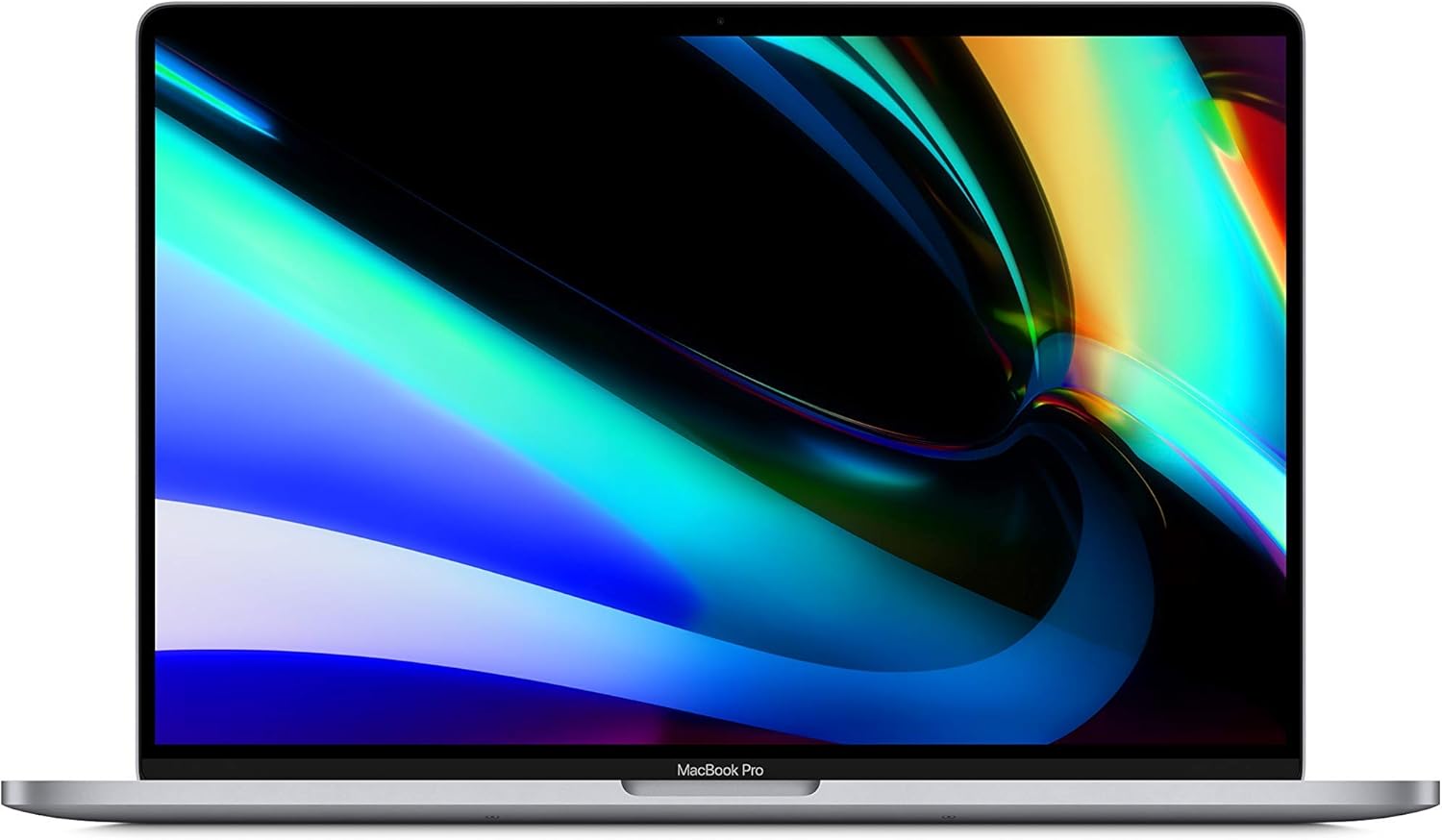
Apple MacBook Pro 16-Inch (2019) Analysis: Intel’s Last Stand
The Blunt Verdict
The Apple MacBook Pro 16-Inch (2019) is a refurbished machine that makes a compelling case for itself if you’re a Mac user who needs a large, capable screen and can live without the latest Apple Silicon. It’s built around an Intel Core i7-9750H — a 9th-gen six-core processor that still handles real workloads in 2025 — paired with 16GB of RAM and a 512GB SSD. The headline weakness: you’re buying older Intel hardware in a world that has moved to M-series chips, and some newer Mac apps will simply refuse to run on it.
That said, the hardware here is not embarrassing. The 16-inch display runs at a native 2560 x 1600 resolution, the battery is a substantial 99.8Wh unit, and the build quality is Apple’s aluminium unibody — which doesn’t age the way plastic chassis do. Most refurbished units are arriving in genuinely good cosmetic condition according to buyers, which matters when you’re talking about a second-hand purchase.
Buy it if you want a large-screen Mac for creative work, office tasks, or general use and don’t need bleeding-edge Apple Silicon compatibility. Skip it if you rely heavily on cutting-edge App Store titles that now require M-series chips, or if you need a machine that’ll stay fully software-supported without compromise through the late 2020s.
See the listing and current availability for the Apple MacBook Pro 16-Inch (2019) on Amazon.

Pros and Cons
Pros
- 16-inch 2560 x 1600 Retina display is genuinely excellent for creative and professional work
- 99.8Wh battery is large by any standard — buyers consistently report strong real-world battery life
- Apple aluminium unibody construction means refurbished units arrive in far better cosmetic shape than similarly aged plastic laptops
- Four Thunderbolt 3 USB-C ports give you real flexibility for displays, docks, and fast external storage
- Arrives well-packaged and in condition that multiple buyers describe as functionally indistinguishable from new
Cons
- Intel architecture means some newer Mac App Store titles require M-series chips and won’t run — this is a known, growing limitation
- RAM is soldered to the board — what you buy is what you get, forever; no upgrade path
- At least one buyer reported a unit that failed after a few days, and another noted a faulty charger — refurbished quality control is inconsistent
Spec Breakdown
- Model: Apple MacBook Pro 16-Inch (2019) — Renewed/Refurbished
- CPU: Intel Core i7-9750H, 2.6GHz, 6-core
- RAM: 16GB (soldered)
- Storage: 512GB SSD
- GPU: Intel UHD Graphics 630 (integrated) — note: the 2019 16-inch also shipped with AMD Radeon Pro discrete options depending on configuration; the listing data specifies Intel UHD 630
- Display: 16-inch LED-backlit LCD, native 2560 x 1600 pixels
- Battery: 99.8Wh Lithium-Ion, rated up to 11 hours
- Operating System: macOS
- Ports: 4x Thunderbolt 3 (USB-C)
- Connectivity: Wi-Fi 802.11ac, Bluetooth 5
- Keyboard: Backlit, with Touch Bar
- Colour: Space Grey
Hardware & Performance Reality Check
The Intel Core i7-9750H is a six-core, twelve-thread processor from Intel’s 9th generation. It’s not slow. For the kind of work most people actually do — document editing, spreadsheets, web browsing, video calls, Lightroom, Logic Pro, light video editing — it handles itself well. 16GB of RAM is a reasonable amount for those tasks, and the fact that it runs at 2400MHz is fine in practice. What you need to know is that this RAM is soldered directly to the logic board. There is no slot, no upgrade, no way to add more later. If you need more than 16GB, you need a different machine. For a detailed look at how much memory actually matters for different workloads, the RAM guide is worth a read before you commit.
The 512GB SSD is Apple’s proprietary NVMe storage — fast, and Apple’s SSDs have a solid reputation for reliability. That capacity is tight if you work with large media files, but manageable for most users with cloud backup or external drives. The GPU situation in the spec data is worth addressing directly: the listing specifies Intel UHD Graphics 630 as the graphics coprocessor. Apple’s 2019 16-inch MacBook Pro configurations typically included AMD Radeon Pro discrete graphics alongside the Intel integrated graphics — if the AMD Radeon Pro is present in your unit, that meaningfully changes the GPU story. Based on the data provided, treat this as Intel integrated. That means general tasks and light creative work are fine; sustained GPU-heavy workloads like 3D rendering or AAA gaming are not this machine’s territory. For a breakdown of what integrated versus dedicated graphics actually means day-to-day, see the specs explained guide.
In 2026 terms: student use, office productivity, music production (Logic Pro runs well on Intel Macs), and photo editing in Lightroom or Photoshop all sit comfortably within what the i7-9750H can handle. Programming — yes, including Xcode, though build times will be noticeably slower than M-series. Video editing in Final Cut Pro at 4K will work but expect the fans to make themselves known. Full AAA gaming is not what this machine is for. The bigger practical concern isn’t raw speed — it’s software. Apple’s Rosetta 2 handles Intel-to-Apple-Silicon translation for most apps, but native M-series-only apps are increasingly appearing in the App Store. One buyer called this out directly: a couple of creative writing apps they used on iPhone wouldn’t run on the Intel Mac because they require an M-series chip. This will only become more common over time. Check whether your critical apps support Intel Macs before buying. The CPU guide has more context on how Intel’s older mobile chips compare in current use.
The port situation is worth a dedicated note. You get four Thunderbolt 3 USB-C ports and nothing else. No USB-A, no HDMI, no SD card slot, no headphone jack — wait, actually Apple kept the 3.5mm jack on the 16-inch 2019 model, which is worth knowing. But if you need USB-A or HDMI without an adapter, you’ll need a hub or dock. That’s a legitimate daily friction point if you regularly plug in older peripherals. The ports guide covers what Thunderbolt 3 actually gives you in terms of display and data throughput.
Check the full spec sheet and buyer Q&As for the Apple MacBook Pro 16-Inch (2019) on Amazon.
Everyday Usability: Battery, Build & More
The build quality is the strongest argument for this machine over a similarly specced Windows laptop of the same era. Apple’s unibody aluminium chassis is genuinely robust — it doesn’t flex, it doesn’t creak, and it ages gracefully. Multiple buyers mention receiving units that look functionally new. The 16-inch display is a Retina panel at 2560 x 1600 — that’s sharp, well-calibrated by default, and noticeably better than most budget Windows displays in the same price bracket. Colours are accurate enough for photography and design work out of the box. There is no touchscreen on this machine — that is not a macOS feature and never has been on the MacBook Pro line.

The keyboard uses Apple’s revised scissor-switch mechanism — the 2019 16-inch was specifically the model where Apple ditched the notoriously unreliable butterfly keyboard and returned to a proper scissor-switch design. Buyers who mention the keyboard are positive about it. The Touch Bar sits above the function row — it’s a small OLED strip that changes dynamically based on the app you’re using. Opinions on it vary, but several buyers here specifically call it out as genuinely useful once you get used to it. Battery life from the 99.8Wh cell is rated at 11 hours; buyers report real-world figures that feel strong, though nobody here has done systematic drain testing. For a machine this size it’s a genuine strength. Fan noise under load is real — the i7-9750H runs warm under sustained workloads and the fans will spin up audibly during heavy video exports or extended compilation. For light to moderate use, they stay quiet. The speaker system on the 2019 16-inch MacBook Pro is notably good for a laptop — buyers specifically mention audio quality, and it holds up. For professional use cases that involve content creation or client presentations, the audio alone is a meaningful advantage over most competitors.
Lifespan & Future-Proofing
The chassis will outlast most laptops. Apple’s aluminium unibody construction is one of the most durable in the industry — units from 2015 still look reasonable today. If you’re buying a refurbished unit already in “excellent” condition, the physical chassis has likely another five or more years of reasonable service in it. Battery health is the wildcard — a refurbished unit may have a partially degraded battery, and macOS will tell you the cycle count under System Information. Worth checking when the unit arrives.
The spec longevity picture is more complicated. The i7-9750H and 16GB of soldered RAM will handle everyday tasks without embarrassment for another two to three years. What creates the real ceiling here isn’t raw performance — it’s software compatibility. Apple is actively moving its ecosystem toward Apple Silicon exclusivity. macOS security updates for Intel Macs will continue for the near term, but the window is closing. By 2026 and beyond, an increasing number of apps will require M-series hardware, and the gap will only widen. This machine is not a five-year purchase if software compatibility matters to you. It’s a two-to-three-year practical proposition, after which you’ll likely feel the software walls more than the hardware limits. The RAM being soldered means there is no upgrade path — you cannot extend its useful life by adding memory. For anyone who wants a fuller picture of what to look for before committing to a laptop, the buying guide covers longevity considerations in depth.
View current stock and availability for the Apple MacBook Pro 16-Inch (2019) on Amazon.
What Buyers Are Saying (And Potential Dealbreakers)
This machine carries a rating of 4.2 out of 5 from 330 customer reviews — a meaningful sample. The overall pattern skews strongly positive, with most buyers pleasantly surprised by both the cosmetic condition on arrival and the day-to-day performance. The refurbished angle generates the most interesting feedback, because buyers are often nervous about the purchase before it arrives and then relieved afterwards.
The recurring praise centres on three things: cosmetic condition that consistently exceeds expectations (“looks like new”, “blemish free”, “can’t find a single mark”), genuine build quality that holds up years in, and solid battery life. Several buyers specifically mention the screen quality and the speakers as standouts. The Touch Bar gets a mention as more useful than expected from buyers who hadn’t used one before.
The complaints are harder to ignore. One buyer reported the unit shutting down after a few days and not powering back on — a clear quality control failure that can happen with any refurbished stock. Another reported a faulty charger on arrival. These aren’t widespread themes, but they’re real risks with refurbished hardware. The Intel-vs-M-series software compatibility gap was flagged explicitly by one buyer, who found that certain newer App Store apps designed for Apple Silicon wouldn’t run. That’s a structural limitation of this hardware, not a refurbishment issue. If you’re evaluating this against other budget options, that compatibility ceiling is worth factoring in honestly.
Buyer Highlights
“I hunted all over it and couldn’t find a single mark — it arrived in basically new condition.” — A consistent theme across multiple buyers, suggesting the refurbishment process is thorough for most units.
“The battery life seems highly impressive — it handles everything I’ve thrown at it including several Steam games.” — Worth knowing if all-day battery is a priority for you.
“A couple of the latest App Store apps I use on my iPhone won’t run because they require an M-series chip, but there were plenty of alternatives and it’s a minor inconvenience compared to the price difference.” — A fair-minded take on the Intel compatibility ceiling from a buyer who looked at this rationally.
“I discovered the Touch Bar was actually really useful — I hadn’t used one before and hadn’t expected much from it.” — Consistent with other first-time Touch Bar user feedback.
“The packaging was in many ways better than Apple’s own — the laptop was in a rigid inflatable plastic cocoon inside a stiff cardboard carton.” — Useful context if you’re worried about transit damage on a refurbished purchase.
Who Should Buy It (And Who Shouldn’t)
Buy If
- You’re an existing Mac user wanting to upgrade from a pre-2019 MacBook without paying full new-machine money
- You need a large, high-resolution display for creative work — photo editing, design, music production — and the Retina panel is a genuine requirement
- Your daily software stack is established and you’ve verified it runs on Intel Macs — Logic Pro, Lightroom, Photoshop, Office all work fine
- You want Apple build quality and macOS ecosystem integration (iPhone/iPad continuity features) at a lower entry point
Avoid If
- You rely on or plan to rely on newer Apple Silicon-only apps — the software compatibility ceiling will frustrate you sooner than you’d like
- You want a machine that will stay fully relevant and upgradeable for five or more years — the soldered RAM and Intel architecture make this a medium-term purchase at best
- You need USB-A or HDMI without carrying adapters — four Thunderbolt 3 ports and nothing else requires a hub for most standard peripherals
The Bottom Line
The Apple MacBook Pro 16-Inch (2019) is a genuinely capable machine in refurbished form — strong display, excellent build, good battery, and performance that handles most real workloads without complaint. The catch is structural and it’s not going away: Intel Macs are a platform that Apple is actively moving past, and the software compatibility gap will grow. For two to three years of productive use in a macOS environment with an established software stack, it makes sense — especially as a step up from an older MacBook without the cost of buying new. For anything longer-term, or for users who live in the App Store and want access to whatever comes next, the M-series is the only honest recommendation. If you’re still weighing up which direction to go, it’s worth checking the mid-range options and the performance benchmarks before deciding. Also worth checking the display comparison resources at laptop display types — the Retina panel here is one of the genuine strengths of this machine and it’s worth understanding what you’re getting.
Find the Apple MacBook Pro 16-Inch (2019) and read the latest buyer questions on Amazon.
At LaptopAdvisorOnline, our methodology is built on data transparency rather than simulated hands-on testing. We rigorously analyse official manufacturer specifications and aggregate verified customer sentiment to provide objective, fluff-free buying advice that helps you cut through the marketing jargon.
As an Amazon Associate, I earn from qualifying purchases.
Browse by Specification
Looking for something specific? Browse our analyses by hardware and feature below, or check all laptop analyses in the Best Budget Laptops category archive.
[AMD Processor Laptops] — [Intel Processor Laptops] — [16GB RAM Laptops] — [32GB RAM Laptops] — [Dedicated Graphics] — [Long Battery Life] — [Lightweight Laptops] — [Student Laptops]
Browse by Screen Size
[13-inch Laptops] — [14-inch Laptops] — [15-inch Laptops] — [16-inch+ Laptops]




