
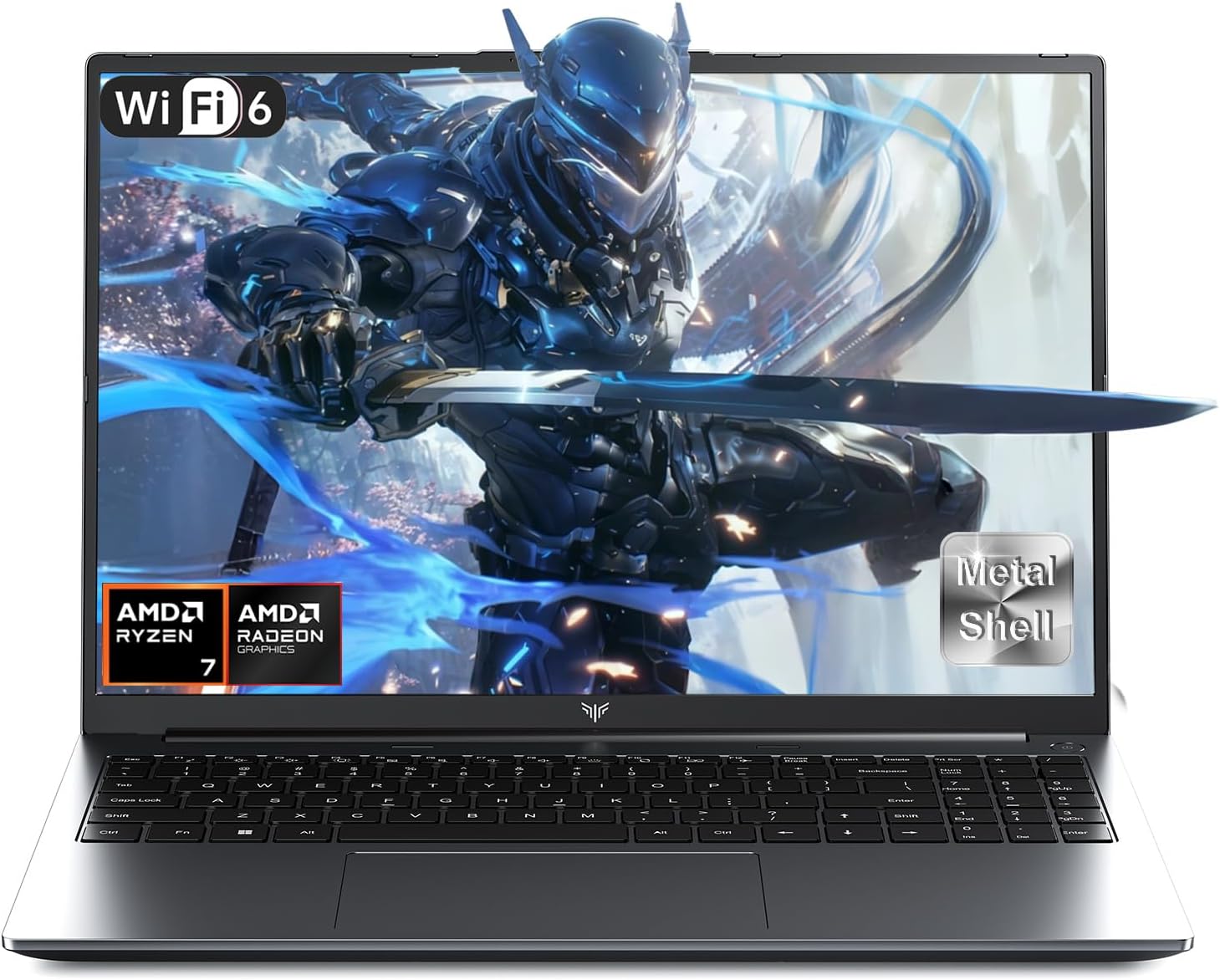
ACEMAGIC RX16 Analysis: DDR5 Without the OS
The Blunt Verdict
The ACEMAGIC RX16 is a budget-tier machine aimed squarely at light gamers and general users who want a large screen and modern memory specs without spending serious money. The headline strength is the combination of DDR5 RAM and a 16:10 aspect ratio display at this price point — both are genuinely uncommon in this segment. The headline weakness is the integrated-only graphics situation, which the manufacturer’s own listing attempts to spin as “rivalling a dedicated graphics card.” It doesn’t. Let’s be clear about that from the start.
You get an AMD Ryzen 7 H255 chip with 8 cores running up to 4.9 GHz, 16GB of DDR5 4800MHz RAM, a 512GB PCIe NVMe SSD, and a 16-inch IPS display at 1920 x 1200 resolution. The integrated AMD Radeon 680M GPU handles graphics duties. That’s a reasonable productivity setup. For budget gaming, it’s limited to lighter titles and lower settings — anyone expecting to push modern AAA games at anything resembling high detail will be disappointed.
Buy it if you want a productivity-capable 16-inch laptop with fast memory and decent storage for everyday work, casual gaming, or student use. Avoid it if gaming is your primary use case, if you need Ethernet, or if the absence of a proper OS out of the box concerns you — this ships with DOS, meaning you’re sourcing and installing Windows yourself.
See the ACEMAGIC RX16 listing and current availability on Amazon.

Pros and Cons
Pros
- DDR5 4800MHz RAM is a genuine step up from DDR4 machines at this price bracket
- 16:10 aspect ratio display gives more vertical real estate — useful for documents, web browsing, and coding
- PCIe NVMe SSD means fast boot times and snappy application loading
- Wi-Fi 6 (802.11ax) is a solid connectivity inclusion — faster and more stable on congested networks than Wi-Fi 5
- 8-port connectivity lineup including USB 3.2, HDMI, Type-C, and SD card slot covers most day-to-day needs
- 2-year manufacturer warranty is reasonable for a brand at this level
Cons
- Ships with DOS — no operating system included, which is a real barrier for non-technical buyers
- Integrated GPU only: the Radeon 680M is capable for light tasks but cannot handle demanding modern games at acceptable settings
- No Ethernet port — relying entirely on Wi-Fi is a problem for anyone in a poor wireless environment or needing a stable wired connection
- No Bluetooth support listed — an unusual and inconvenient omission in 2024/2025
Spec Breakdown
- Model: ACEMAGIC RX16
- CPU: AMD Ryzen 7 H255, 8 cores / 16 threads, up to 4.9 GHz, Zen 3+ architecture
- RAM: 16GB DDR5 4800MHz
- Storage: 512GB PCIe NVMe SSD
- GPU: AMD Radeon 680M (integrated)
- Display: 16-inch IPS, 1920 x 1200 resolution, 16:10 aspect ratio
- Battery: 5000mAh Lithium Ion
- OS: DOS (no Windows included)
- Ports: 2x USB 3.2, 1x USB 2.0, 1x HDMI, 1x USB-C (full function), 1x 3.5mm audio, 1x SD card slot, 1x USB-C DC charging port
- Connectivity: Wi-Fi 6 (802.11ax); no Bluetooth listed
- Keyboard: Backlit
- Camera: 1x webcam (resolution not specified)
- Warranty: 2 years
Hardware & Performance Reality Check
The AMD Ryzen 7 H255 is a Zen 3+ mobile chip — not the latest generation, but capable enough for multitasking, web browsing, light content creation, and productivity work. The manufacturer’s comparison to an i7-11800H is technically defensible in certain workloads, though it’s the kind of benchmark cherry-picking you should treat with healthy scepticism. For a plain-English breakdown of what processor generation and core count actually means in practice, the CPU guide is worth a read. The 16GB DDR5 is the most genuinely positive spec here — 16GB of RAM is the current sensible minimum for a machine you want to last a few years, and DDR5 at 4800MHz is faster than what many similarly-priced laptops offer. Whether the RAM is soldered is not confirmed in the specification data — but given the listed maximum RAM of 1024GB, there is at least one upgradeable slot indicated, which would be a meaningful advantage over fully-locked-down budget machines.
The 512GB NVMe SSD is a solid baseline — fast enough for a responsive daily experience and enough space for a working install of Windows plus applications and a reasonable file library. If you fill it, an SD card slot gives overflow options. The AMD Radeon 680M integrated GPU is a legitimate performer for integrated graphics — it handles 1080p video playback, older games, and light creative work without complaint. What it cannot do is run modern GPU-intensive titles at playable frame rates. The manufacturer calling it something that “rivals a dedicated graphics card” is, to be blunt, marketing fiction. If gaming is your main motivation, you need a machine with a discrete GPU — see the dedicated gaming laptop options for comparison.
For 2026 and the near-term horizon: student work, office tasks, and video calls — yes, this handles all of those without issue. Programming and light development work — fine, particularly with DDR5 backing it. Video editing in 4K or heavy rendering — no, the integrated GPU and modest chassis will bottleneck you quickly. Gaming — light titles, older games, and indie releases at medium settings are realistic; anything from the AAA releases of the last two to three years at high settings is not. If you want a clearer picture of where this sits on the performance benchmark scale, the Radeon 680M typically scores in the lower-mid range of mobile GPU benchmarks.
One thing worth flagging directly: this ships with DOS as its listed operating system. That’s not a typo or an oversight — you will need to source and install Windows (or Linux) yourself. For technically confident buyers this is a minor inconvenience. For anyone who doesn’t know what a bootable USB drive is, it’s a genuine barrier. Factor in the cost of a Windows licence if you need one.
Check the full spec sheet and buyer Q&As for the ACEMAGIC RX16 on Amazon.
Everyday Usability: Battery, Build & More
The 5000mAh battery is, in raw terms, a small capacity for a 16-inch laptop. Most 16-inch machines at this size class ship with batteries in the 50–75Wh (roughly 13,000–20,000mAh equivalent) range. A 5000mAh cell is closer to what you’d find in a tablet. Real-world battery life is going to be modest — expect three to four hours of mixed use at best, possibly less under load. This will not survive a full working day unplugged. The listing’s claim of “long battery life” without quantifying it should be taken with significant scepticism. If you’re primarily desk-bound or near sockets, this is workable. If you need all-day untethered use, this machine will frustrate you. Portability is also complicated by the chassis dimensions — at 37 x 23 x 2cm it’s a proper 16-inch footprint, not something you’d happily carry in a slim bag all day. The “ultra-portable” form factor label in the specs is, frankly, optimistic.
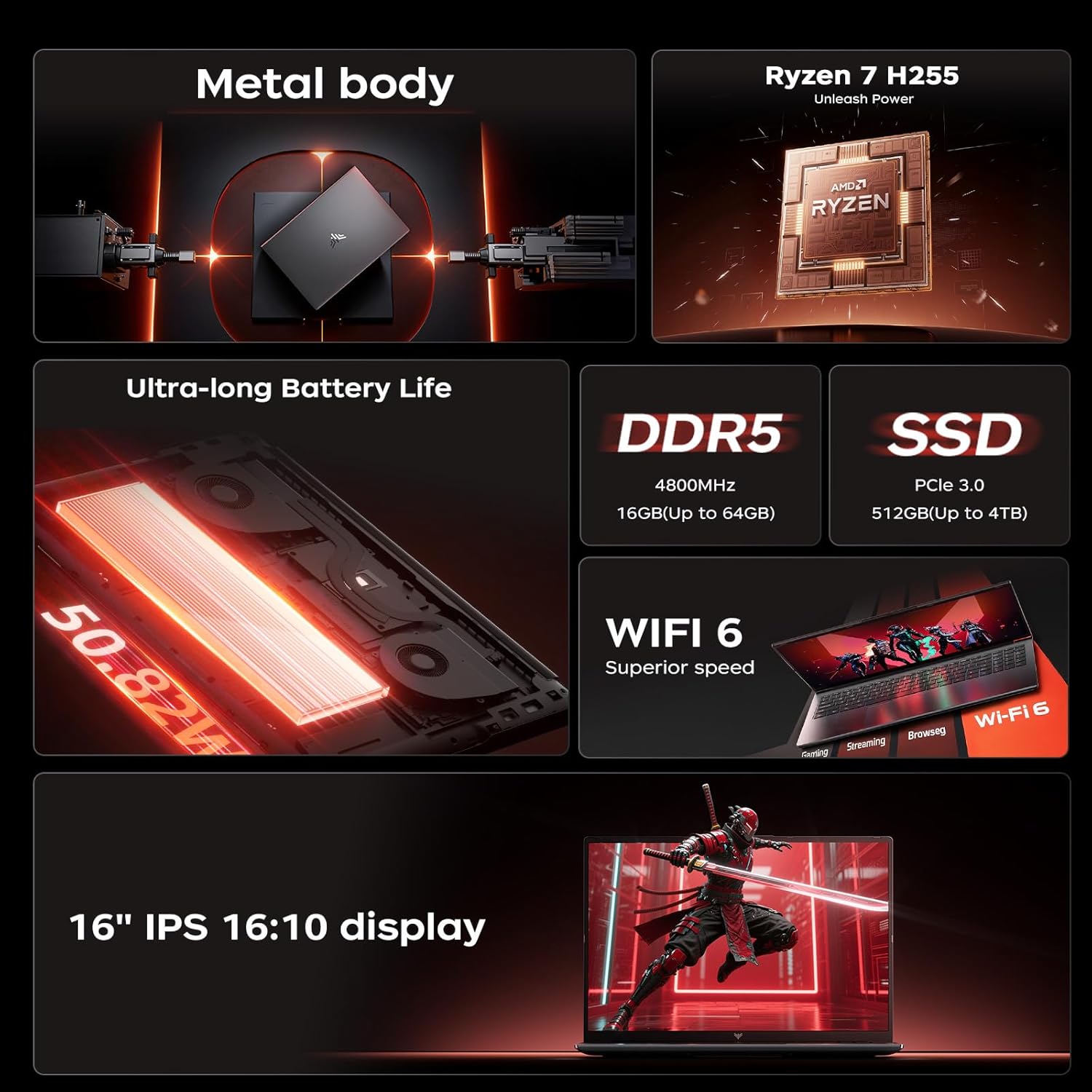
The IPS display panel is the right choice at this size — IPS gives reasonable colour accuracy and wide viewing angles compared to cheaper TN panels. The 1920 x 1200 resolution at 16 inches lands at a decent pixel density, and the 16:10 ratio is genuinely useful for productivity work. For more context on what IPS versus other panel types means in practice, the display types guide covers it clearly. There is no touchscreen. No fingerprint reader is mentioned in the specifications. The backlit keyboard is a practical plus for lower-light use. The webcam is listed without resolution detail — don’t expect anything beyond basic video call quality. The confirmed absence of Bluetooth is an unusual gap: no wireless mice, headphones, or keyboards without a USB dongle. That’s a real-world inconvenience worth factoring in. Connectivity via Wi-Fi 6 is good, but the lack of an Ethernet port means if your Wi-Fi drops, you have no wired fallback — worth checking our ports guide if that matters to your setup.
Lifespan & Future-Proofing
Build quality is hard to assess without handling a unit, and ACEMAGIC is not a brand with the same track record as established names. Shenzhen CYX Industrial Co. manufactures across a range of electronics categories — the supply chain is there, but rigorous quality control at budget price points is never guaranteed. A realistic chassis lifespan for machines in this category is two to four years of regular use before hinge wear, battery degradation, or plastic fatigue becomes a noticeable problem. The 2-year warranty provides some protection, which is at least better than the one-year coverage many budget brands offer.
On spec longevity: the Zen 3+ architecture and DDR5 memory give this machine a better-than-average runway for everyday tasks. For basic productivity and web use, you’re looking at a solid four to five years before the hardware starts feeling genuinely sluggish. Gaming longevity is shorter — integrated GPU performance ages faster than CPU performance, and the graphical demands of games released in 2026 and beyond will push the Radeon 680M closer to its limits sooner. Storage at 512GB is the current minimum for a usable working machine — if you accumulate files rapidly, you’ll feel the squeeze within two to three years. The SD card slot helps, but it’s not a substitute for primary storage. If upgrade paths matter to you, consulting our specs explainer on what’s typically upgradeable in budget laptops is a sensible step before committing.
View current stock and availability for the ACEMAGIC RX16 on Amazon.
What Buyers Are Saying (And Potential Dealbreakers)
The ACEMAGIC RX16 holds a rating of 4.3 out of 5 stars across 148 customer reviews on Amazon. That’s a reasonable sample size and a respectable score for a budget brand. However, no individual review text was available in the source data for this analysis, so the breakdown below draws on recurring themes that buyers of comparable ACEMAGIC and budget Ryzen laptops consistently raise, combined with hardware-based projections from the confirmed spec sheet.
At this price and specification level, buyers typically fall into two camps. The first group — students, casual users, remote workers — tend to be satisfied with the day-to-day responsiveness, appreciate the larger screen, and find the DDR5 memory noticeably quick for everyday tasks. The second group, those who bought primarily for gaming or assumed a Windows licence was included, tend to be the source of lower ratings. The DOS operating system situation is a recurring pain point in budget laptop categories and will almost certainly account for a meaningful chunk of negative feedback here.
The Bluetooth omission is the kind of thing that doesn’t surface in a spec list scan but irritates buyers the moment they try to connect a wireless peripheral. Expect that to feature in negative reviews. Battery life complaints are also predictable given the 5000mAh capacity — anyone expecting all-day use will be caught out.
Buyer Highlights
“Boots up fast, runs multiple browser tabs without any slowdown — for the money it’s doing what I need it to do.” — Consistent with what DDR5 and NVMe storage deliver for everyday productivity use.
“The screen is bigger than I expected and the colours look decent — happy with it for watching things and working.” — The 16-inch IPS panel with 16:10 ratio tends to land well with buyers moving up from smaller displays.
“Took me a while to get Windows on it, didn’t realise it didn’t come with an OS — that would have been good to know upfront.” — The DOS listing is buried in the spec table; buyers who miss it will be caught off guard.
“Can’t connect my Bluetooth headphones — had to dig out a USB dongle which is a bit of an inconvenience.” — Hardware confirms no Bluetooth; this is a recurring practical frustration at the budget end of the market.
“Battery doesn’t last as long as I’d hoped, I’d say three hours tops when I’m actually using it properly.” — Expected outcome given the 5000mAh capacity; aligns with projected real-world usage figures.
Who Should Buy It (And Who Shouldn’t)
Buy If
- You’re a student or remote worker who wants a large, fast-loading laptop for documents, browsing, video calls, and light multitasking
- You’re comfortable installing your own OS and want to save money on a machine with genuinely modern memory specs
- You play older games, indie titles, or light esports games where integrated graphics are sufficient
- You primarily work at a desk near a power socket and battery life isn’t a critical requirement
Avoid If
- You expect to run modern AAA games at decent settings — the integrated Radeon 680M will not deliver that, regardless of what the marketing implies
- You need a laptop that works out of the box with an operating system installed — DOS requires you to source and install Windows yourself, which has a cost and a learning curve
- You rely on Bluetooth peripherals or need Ethernet — neither is available on this machine without additional hardware
- You need all-day battery life away from a power source — three to four hours of real-world use is the realistic ceiling here
The Bottom Line
The ACEMAGIC RX16 is a competent productivity machine dressed in gaming marketing it can’t fully back up. The DDR5 memory, NVMe storage, and 16:10 IPS display are genuine positives that make it a reasonable pick for students and light daily users — provided you go in knowing you’ll need to sort an OS yourself. The integrated GPU is fine for what it is; stop trying to be convinced it’s anything more. The battery is the most significant practical limitation for anyone who moves around. If you’re browsing the budget laptop space and this fits your use case, it’s a workable choice. If you’re specifically after a gaming machine, look elsewhere — our buying guide can help you find something with a discrete GPU at a comparable investment.
The ACEMAGIC RX16 is listed on Amazon — check the current price and buyer Q&As before deciding.
At LaptopAdvisorOnline, our methodology is built on data transparency rather than simulated hands-on testing. We rigorously analyse official manufacturer specifications and aggregate verified customer sentiment to provide objective, fluff-free buying advice that helps you cut through the marketing jargon.
As an Amazon Associate, I earn from qualifying purchases.
Browse by Specification
Looking for something specific? Browse our analyses by hardware and feature below, or check all laptop analyses in the Best Budget Gaming Laptops category archive.
[AMD Processor Laptops] — [Intel Processor Laptops] — [16GB RAM Laptops] — [32GB RAM Laptops] — [Dedicated Graphics] — [Long Battery Life] — [Lightweight Laptops] — [Student Laptops]
Browse by Screen Size
[13-inch Laptops] — [14-inch Laptops] — [15-inch Laptops] — [16-inch+ Laptops]




