
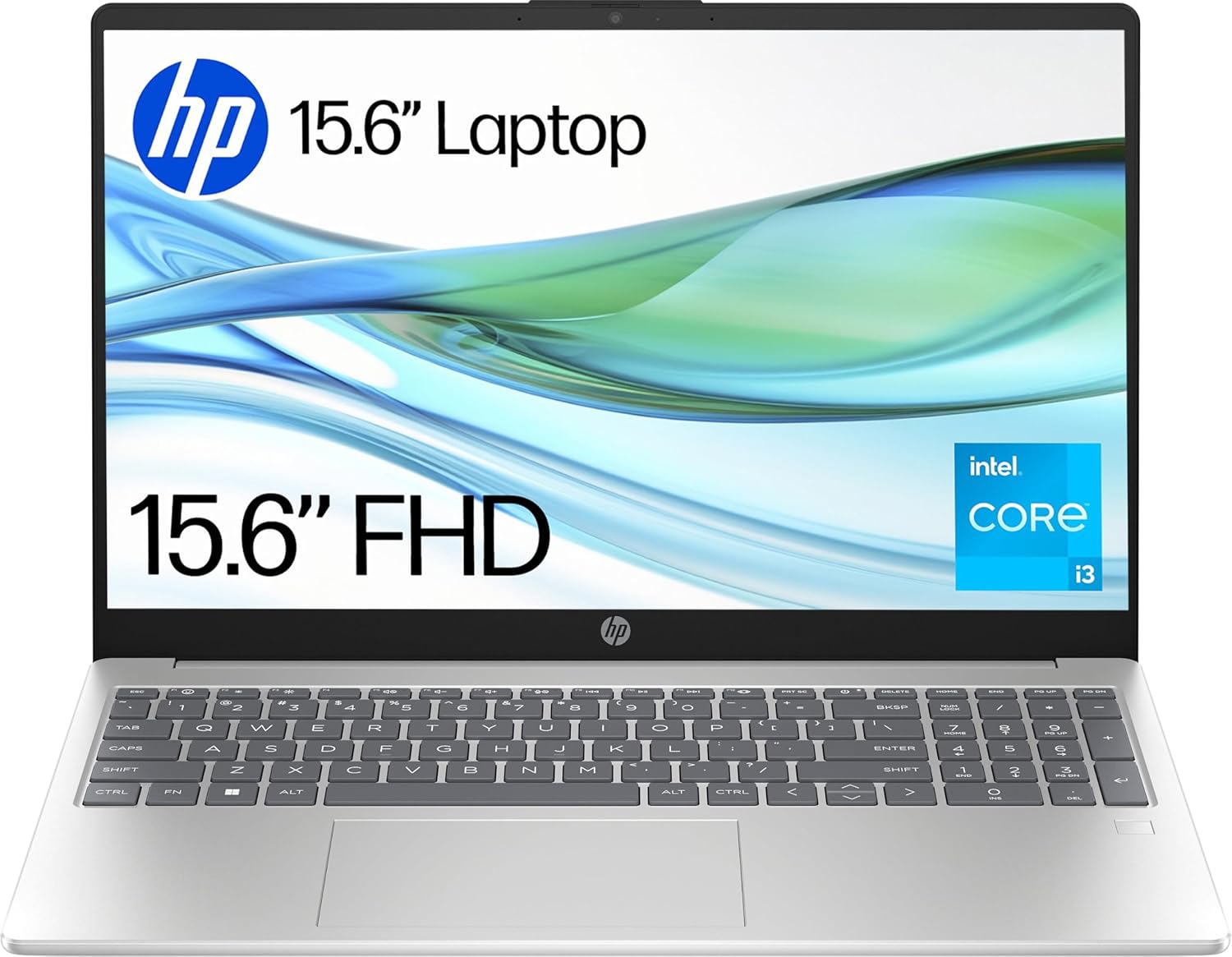
HP 15-fd0073sa Analysis: Honest About Its Limits
The Blunt Verdict
The HP 15-fd0073sa is a no-frills entry-level machine aimed squarely at students, home users, and anyone who needs a Windows laptop for browsing, documents, and light day-to-day tasks. It won’t embarrass itself at those jobs. What it won’t do is anything demanding — and you need to be clear-eyed about that before handing over your money.
Under the hood you’re getting an Intel Core i3-N305 processor, 8GB of DDR4 RAM running at 3200 MHz, and a 512GB SSD. The display is a 1920 x 1080 resolution panel at 16:9 across a 15.6-inch screen, with a claimed brightness of 250 nits. Connectivity includes Wi-Fi 6 and Bluetooth 5.3. On paper, for the intended audience, that’s a reasonable package.
If you want a budget laptop for everyday home use — web browsing, streaming, Word documents, video calls — this fits the brief. If you need anything beyond that: photo editing, gaming beyond casual titles, programming with heavy tooling, or running virtual machines, walk away now.
See the HP 15-fd0073sa listing and current availability on Amazon.

Pros and Cons
Pros
- 512GB SSD is a decent amount of local storage at this price tier — no cramped 128GB nonsense here
- Wi-Fi 6 support means this won’t become a wireless bottleneck when your router eventually gets upgraded
- Full-size keyboard with numeric keypad and backlight is genuinely useful for home office and student use
- Flicker-free display using DC dimming is a thoughtful inclusion for anyone who spends long hours at the screen
- At 1.59kg it’s not a featherweight, but it’s manageable for carrying between rooms or tossing in a bag
Cons
- RAM is listed at a maximum of 8GB — if that’s soldered, you have zero upgrade path when it starts feeling tight
- 250 nits brightness is low — outdoor or bright-room use will be a struggle regardless of the anti-glare coating
- The colour gamut is only 45% — colours will look flat compared to better panels, which matters for anything creative
Spec Breakdown
- Model: HP 15-fd0073sa (BM2W9EA#ABU)
- CPU: Intel Core i3-N305, up to 3.8 GHz, 8 cores, 6MB L3 cache
- RAM: 8GB DDR4 SDRAM, 3200 MHz
- Storage: 512GB SSD
- GPU: Intel UHD Graphics (integrated, shared memory)
- Display: 15.6-inch FHD, 1920 x 1080, 60Hz, 250 nits, 45% colour gamut, anti-glare, flicker-free
- Battery: 41Wh, 3-cell lithium polymer
- OS: Windows 11 Home
- Weight: 1.59kg
- Ports: 1x HDMI, USB 3.2 Gen 1, headphone jack
- Connectivity: Wi-Fi 6 (802.11ax), Bluetooth 5.3
- Keyboard: Full-size, backlit, with numeric keypad
- Camera: Front-facing webcam with privacy shutter and dual mics
- Dimensions: 36 x 23.6 x 1.9 cm
Hardware & Performance Reality Check
The Intel Core i3-N305 is an efficiency-core processor — that’s worth understanding before you buy. It’s not a traditional Core i3. The N-series chips are Intel’s Alder Lake-N line, designed for low power draw rather than raw grunt. Eight efficiency cores running up to 3.8 GHz sound reasonable on paper, but this chip consistently trails even budget Core i5 designs in sustained workloads. For web browsing, Office apps, and HD video streaming it’s perfectly adequate. Push it harder and you’ll notice. The 8GB of DDR4 RAM is fine for light multitasking — a dozen browser tabs plus a document or two — but the specifications list a maximum RAM size of 8GB, which strongly suggests this is soldered. If you want to know more about how much RAM you actually need, that matters here: you’re buying exactly what’s in the box, and you’re stuck with it.
The 512GB SSD is one of the better spec decisions HP made here. A solid-state drive means fast boot times, snappy app launches, and no mechanical drive to fail on you. The storage interface isn’t explicitly stated beyond “Solid State”, so whether it’s NVMe or SATA is unconfirmed — at this tier, SATA M.2 is the more likely scenario, which is still vastly better than an HDD. The GPU is Intel UHD Graphics, integrated and drawing from shared system memory. HP’s own marketing says you can stream 4K content and play games at 720p — which is technically true, but be honest with yourself about what that means. Old indie titles, casual 2D games, maybe some older esports titles at low settings. Anything with a modern 3D engine will struggle. If gaming is on your list, the budget gaming laptop category is a different conversation entirely.
In 2026 terms: student coursework, light coding in Python or HTML, spreadsheets, online research, Netflix — all fine. Compiling large codebases, running Docker containers, video editing in Premiere, gaming at modern settings — not what this machine is built for. Keep the use case honest and it’ll serve you well. Push it beyond its lane and you’ll be frustrated within six months. If you want a clearer picture of where this chip sits against alternatives, the performance benchmarks guide gives context worth reading.
The port setup is worth flagging: you get HDMI, USB 3.2 Gen 1, and a headphone jack, with a total of four ports listed. There is no Thunderbolt, no USB-C charging mentioned in the specs, and no Ethernet port. If you’re coming from a desktop setup expecting wired internet, you’ll need a USB adapter. The laptop ports guide explains why this matters more than people realise until it’s too late.
Check the full spec sheet and buyer Q&As for the HP 15-fd0073sa on Amazon.
Everyday Usability: Battery, Build & More
HP quotes up to 10.75 hours battery life in the product title, but the specification data lists battery life as 7.5 hours and the battery capacity as a modest 41Wh. Expect real-world longevity somewhere between those numbers depending on screen brightness, workload, and Wi-Fi activity. At moderate usage — browsing, documents, a bit of streaming — you’re likely looking at five to seven hours before you’re reaching for the charger. That’s passable for a day at college or a day working from home, but don’t bank on it lasting a full eight-hour shift away from a socket. The N-series chips are efficient, which helps, but the small battery capacity is the ceiling here.
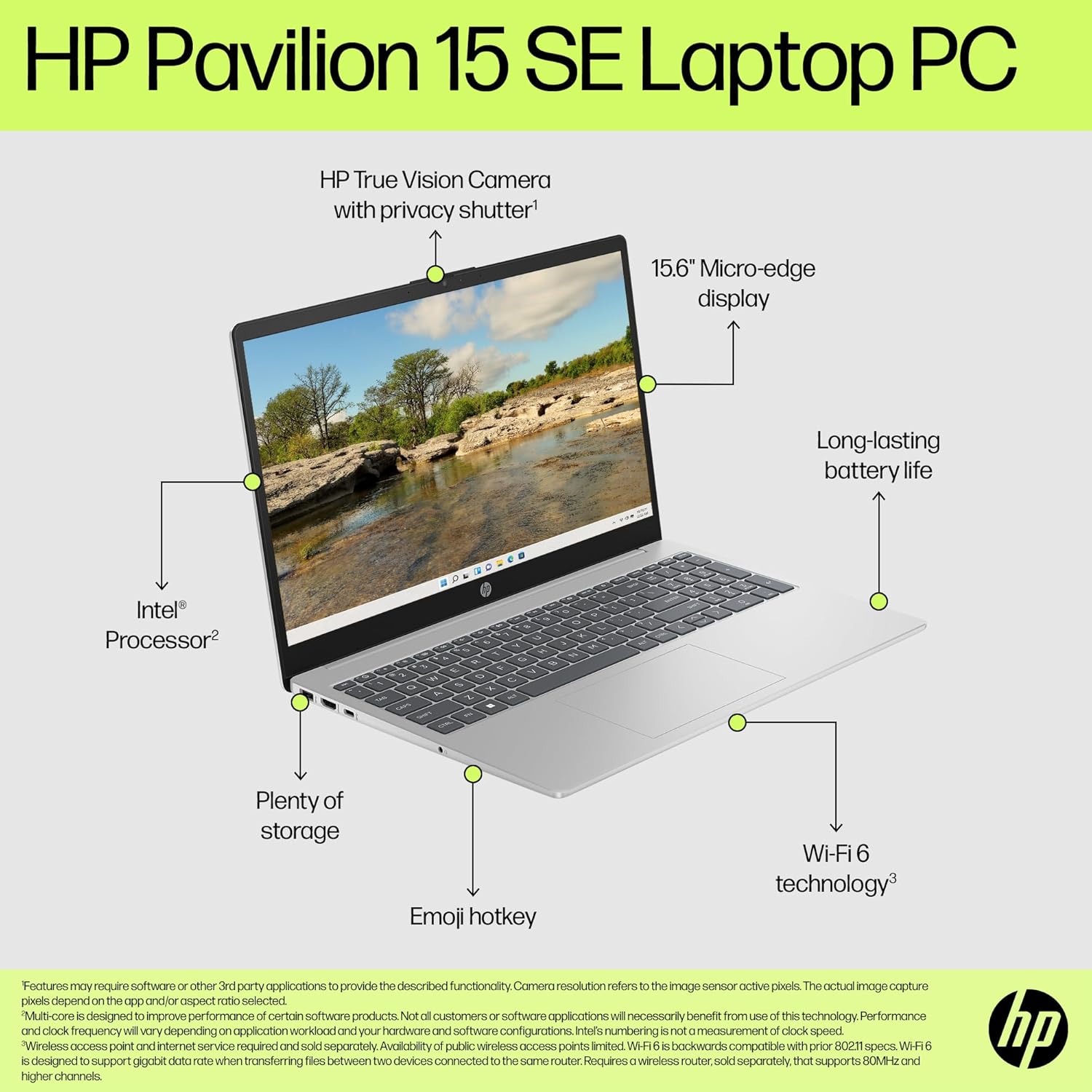
The 1920 x 1080 display is anti-glare and flicker-free, which are genuine wins for comfort — DC dimming is better for your eyes than PWM flickering panels. The problem is brightness. At 250 nits, this panel is dim by modern standards. Indoors with curtains open it’ll be adequate; outdoors or in a bright room it’ll wash out. The 45% colour gamut figure means colours are muted — fine for documents and video calls, poor for photo work or design. If display quality matters to you, the display types guide explains what to look for instead. The keyboard includes a backlight and a full numeric keypad, which is appreciated on a 15.6-inch chassis. The webcam includes a physical privacy shutter — a practical feature that’s not universal at this tier — paired with dual mics and noise reduction, making it a solid option for Teams calls or lectures. No fingerprint reader is listed in the specifications. No touchscreen either — this is a standard clamshell. The dual speakers will do the job for video calls and casual streaming, nothing more.
Lifespan & Future-Proofing
On build quality: HP’s consumer-tier plastics — including the recycled materials used here — tend to hold up reasonably well for three to four years under normal use. You’re not getting a MIL-SPEC chassis or anything close to it, but for home and light student use the physical construction should see you through without drama. The 1.9cm thickness suggests a fairly slim profile for the class, which can mean a tighter thermal arrangement, so expect the fan to spin up if you’re pushing the CPU for extended periods.
On spec longevity: this is where it gets blunt. The i3-N305 is a capable chip for its intended purpose today, but 8GB of RAM with no upgrade path means that as browsers get heavier, Windows updates accumulate, and background processes multiply, this machine will feel constrained sooner than a machine with headroom to grow. Realistically, for light home use, three to four years of comfortable daily use is reasonable. For anything more demanding, you’ll likely be looking to replace it in two to three years. The lack of RAM upgradeability is the sharpest limit here — there’s no fixing that later. If you’re buying for the long haul and want to understand where this sits against other options, the mid-range category offers machines that age more gracefully.
View current stock and availability for the HP 15-fd0073sa on Amazon.
What Buyers Are Saying (And Potential Dealbreakers)
The HP 15-fd0073sa currently holds a rating of 4.8 out of 5 from 5 customer reviews on Amazon. That’s a strong average, but five reviews is far too small a sample to draw firm conclusions from. Be sceptical of that number — it doesn’t tell you much yet. What follows is a combination of available buyer feedback and hardware-based projections grounded in what this chip and spec configuration typically delivers in practice.
The two usable reviews are consistent in tone: straightforward setup, functions as expected for basic use, no reported early failures. One buyer specifically mentions playing older games, which aligns with what the i3-N305 and Intel UHD graphics can realistically handle. Neither review raises complaints about build quality or software issues. On the hardware side, the absence of Ethernet is a genuine dealbreaker for some home setups — worth checking before you buy. The 250 nit display is the other likely friction point: buyers coming from phones or modern monitors with high brightness will notice the difference immediately.
Buyer Highlights
“Setup was dead easy and it does everything I need for normal browsing without any fuss.” — Consistent with what this processor handles comfortably; no surprises for everyday use.
“It plays some older games too, which was a nice bonus.” — Worth tempering expectations: older and lightweight titles only; anything modern will struggle.
“Fast delivery, does what it says on the tin.” — Short review, but no complaints about the hardware itself — a quiet positive sign for early reliability.
“Perfect for normal browsing — exactly what I needed.” — Reflects the machine’s natural ceiling; buyers in this use case are satisfied, those who want more are not the target audience.
Who Should Buy It (And Who Shouldn’t)
Buy If
- You need a home laptop for browsing, streaming, email, and Office documents and don’t need anything heavier
- You want a laptop for a student handling coursework, online research, and video calls — this covers all of it
- The backlit keyboard, numeric keypad, and privacy-shutter webcam represent genuine daily conveniences you’ll actually use
- You want Wi-Fi 6 and a decent SSD without stepping up to a higher budget
Avoid If
- You plan to do any gaming beyond casual or older titles — the integrated graphics simply won’t hold up, and there’s no upgrade path
- You work in bright environments or outdoors regularly — 250 nits will frustrate you within a week
- You’re buying for more than three or four years of active use — the capped 8GB RAM with no upgrade option will age poorly
The Bottom Line
The HP 15-fd0073sa is a straightforward, honest entry-level laptop that does what it’s designed to do without pretending to be something it isn’t. The i3-N305, 512GB SSD, Wi-Fi 6, backlit keyboard, and privacy webcam make for a reasonable package for home and student use. The low display brightness, 45% colour gamut, and locked 8GB RAM are genuine limitations you need to accept going in. Buy it for light daily use and it’ll serve you fine. If you want a deeper grounding before deciding, the laptop buying guide covers what to prioritise at this end of the market. And if you want to understand what the specs actually mean in plain English, the specs explained guide is worth five minutes of your time before committing.
Find the HP 15-fd0073sa on Amazon and check the latest buyer questions before deciding.
At LaptopAdvisorOnline, our methodology is built on data transparency rather than simulated hands-on testing. We rigorously analyse official manufacturer specifications and aggregate verified customer sentiment to provide objective, fluff-free buying advice that helps you cut through the marketing jargon.
As an Amazon Associate, I earn from qualifying purchases.
Browse by Specification
Looking for something specific? Browse our analyses by hardware and feature below, or check all laptop analyses in the Best Budget Laptops category archive.
[AMD Processor Laptops] — [Intel Processor Laptops] — [16GB RAM Laptops] — [32GB RAM Laptops] — [Dedicated Graphics] — [Long Battery Life] — [Lightweight Laptops] — [Student Laptops]
Browse by Screen Size
[13-inch Laptops] — [14-inch Laptops] — [15-inch Laptops] — [16-inch+ Laptops]




