
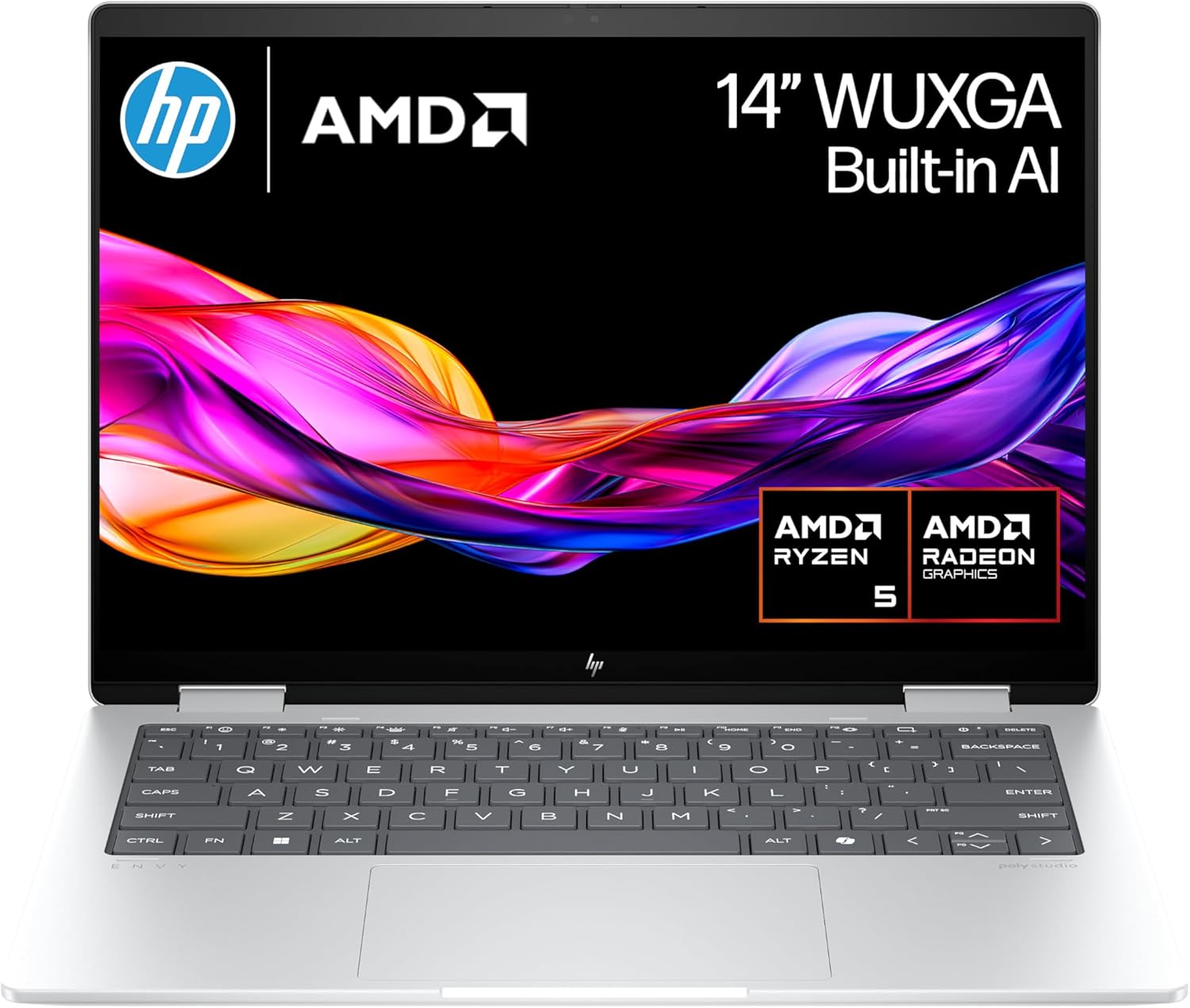
HP Envy x360 Review — Impressively Powerful 2-in-1 Laptop
This HP Envy x360 review covers a machine that arrives at a genuinely interesting moment for laptop buyers. The AMD Ryzen AI 5 340 inside the A2WA1EA UK configuration is not a re-badged older chip, not a budget architecture wearing a modern number — it is a legitimately current-generation processor built on AMD’s Zen 5 architecture, announced at CES 2025 and manufactured on TSMC’s 4nm process. After reviewing several budget laptops where the headline processor turns out to be architecturally two generations older than the branding implies, the HP Envy x360 14 is a refreshing change of pace: the specification is exactly what it appears to be.
Paired with a touchscreen display, a 360-degree hinge that converts the machine between laptop, tent, stand, and tablet modes, 16GB of RAM, and HP’s well-established Envy build quality, this HP Envy x360 review answers the question of whether the premium mid-range 2-in-1 market has a genuinely capable option for UK buyers in 2025 and 2026.
The short answer is YES, with two honest caveats worth understanding clearly before purchasing.
Specifications
| Spec | Detail |
|---|---|
| CPU | AMD Ryzen AI 5 340 (Krackan Point, 3x Zen 5 + 3x Zen 5c, 6 cores/12 threads, up to 4.8GHz) |
| RAM | 16GB LPDDR5x |
| Storage | 512GB NVMe PCIe Gen4 SSD |
| Display | 14″ touchscreen, 1920×1200 IPS, 60Hz, 16:10 aspect ratio |
| GPU | AMD Radeon 840M (RDNA 3.5, 4 compute units, up to 2.9GHz) |
| NPU | AMD XDNA 2 (50 TOPS AI performance) |
| Connectivity | Wi-Fi 6E, Bluetooth 5.3 |
| Ports | 2x USB-A 3.2 Gen 1, 1x USB-C 3.2 Gen 2 (data/display), 1x USB-C with Power Delivery and DisplayPort, 1x HDMI 2.1, 1x 3.5mm audio, 1x microSD |
| Battery | 51Wh |
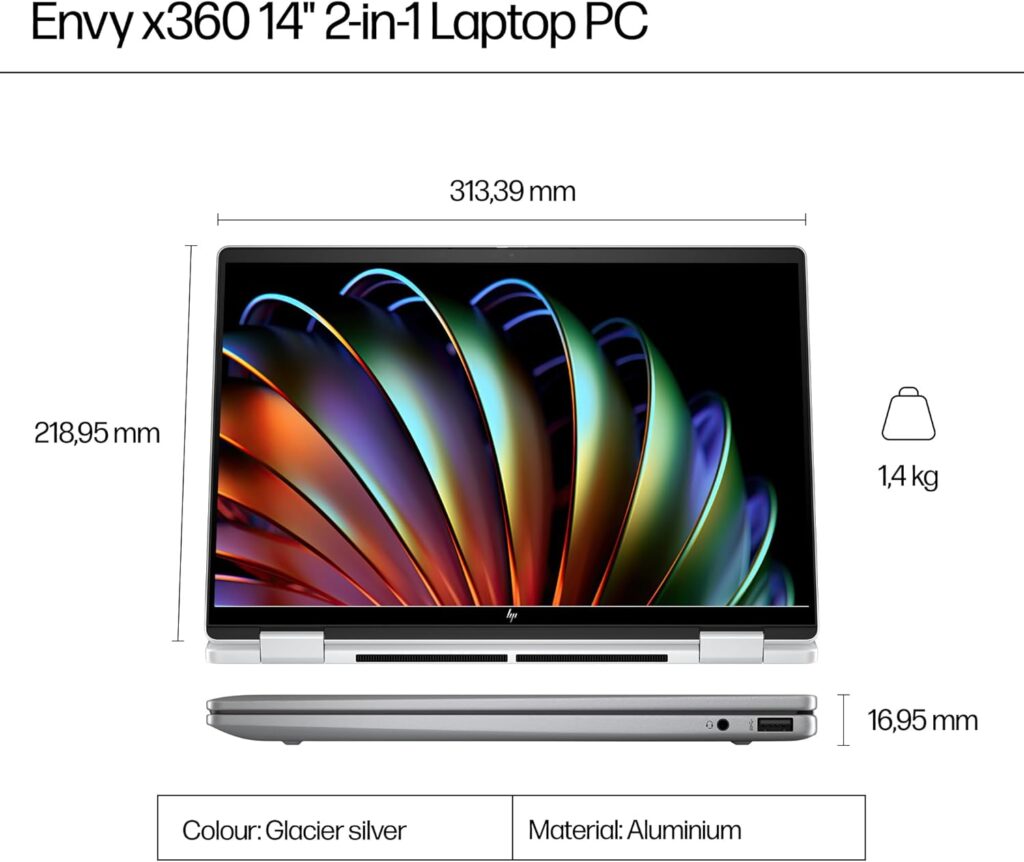
| Weight | 1.55kg |
| OS | Windows 11 Home |
| Hinge | 360-degree convertible |
| Pen support | Microsoft Pen Protocol (stylus sold separately) |
| Webcam | 5MP IR with Windows Hello face recognition |
A Note on the Processor Naming — and Why This One Is Different
Regular readers of this site’s laptop reviews will know we have flagged AMD’s budget processor re-badging practice multiple times — the Ryzen 5 7520U using Zen 2 cores, the Ryzen 5 7430U using Zen 3 cores despite the 7000-series branding. The HP Envy x360’s AMD Ryzen AI 5 340 deserves the opposite note: this is genuinely what it claims to be.
As NotebookCheck’s processor database confirms, the Ryzen AI 5 340 belongs to AMD’s Krackan Point family announced at CES 2025 — a hybrid architecture integrating 3 full Zen 5 cores with 3 Zen 5c cores, all manufactured on TSMC’s 4nm process. The Zen 5c cores are a slightly smaller and more power-efficient implementation of Zen 5, using less cache but the same fundamental architecture. The combined result is 6 cores, 12 threads, a base clock of 2.0GHz, and a maximum turbo of 4.8GHz on the Zen 5 cores — and critically, a 12–15% IPC improvement over Zen 4 as confirmed by CPU-Monkey’s architecture assessment.
The benchmark numbers reflect that current-generation positioning clearly. According to LaptopMedia’s processor data, the Ryzen AI 5 340 achieves 2,786 in Geekbench 6 single-core and 11,196 in Geekbench 6 multi-core. In Cinebench 2024, single-core reaches 681 — a strong result that places this processor well above the Intel Core i5-1355U in the ASUS Vivobook 15 at the top of our Best Budget Laptops UK guide, and competitive with Intel’s Core Ultra 5 series. CpuTronic’s independent assessment confirms Geekbench 6 single-core of 2,708 and multi-core of 10,632 — consistent across sources and reflecting genuine mid-range performance.
To put those numbers in context across this site’s reviewed machines: the Ryzen AI 5 340’s Geekbench 6 single-core score of approximately 2,786 is meaningfully ahead of the Ryzen 5 7430U (1,943), the Ryzen 7 5700U (1,605), the Intel Core i5-1355U (approximately 2,100), and squarely competitive with current Intel Core Ultra 5 series chips. This is a processor that genuinely belongs in the premium mid-range category it is priced for.
The base TDP is specified at 28W, with HP configuring the Envy x360 to operate between 15W and 54W depending on workload and performance mode. For everyday productivity tasks the machine runs efficiently and quietly. Under sustained load it can push toward the higher end of that range — relevant context for buyers who will occasionally push the machine harder. For a detailed explanation of what processor architecture means in practice for laptop performance, our Laptop CPU Guide covers AMD’s Zen 5 generation in context.
The integrated AMD Radeon 840M GPU uses RDNA 3.5 architecture with 4 compute units clocking at up to 2.9GHz. As WCCFTech’s GPU analysis confirms, the Radeon 840M scores approximately 19% higher than the previous Radeon 740M in OpenCL testing — adequate for 1080p video playback, hardware-accelerated streaming, light photo editing, and casual gaming at reduced settings on older titles. It is not a gaming GPU, but it handles the integrated graphics workloads this machine’s audience actually encounters in daily use.
The NPU (Neural Processing Unit) with 50 TOPS AI performance enables Microsoft’s Copilot+ PC features — real-time image generation, live captions, enhanced Windows AI tools — and qualifies this machine as a Copilot+ certified device. For buyers whose workflows include AI-assisted productivity tools, this is a meaningful hardware capability. For buyers who do not use these features, it adds nothing to daily use but costs nothing either.
See the HP Envy x360 on Amazon UK for current availability and pricing.
The 360-Degree Hinge — Four Modes, One Honest Assessment
The convertible form factor is the HP Envy x360’s defining characteristic and the primary reason to choose it over a conventional clamshell laptop at a similar price. The 360-degree hinge enables four distinct usage modes that serve genuinely different scenarios — and understanding which of those modes you will actually use is worth doing before purchasing.
Laptop mode is how most buyers will use this machine most of the time. The hinge opens to a standard working angle, the keyboard and touchpad function normally, and the 14-inch 16:10 display provides slightly more vertical screen space than the standard 16:9 format — the 1920×1200 resolution rather than 1920×1080 gives you an additional 200 rows of pixels that are genuinely useful for document work and web browsing.
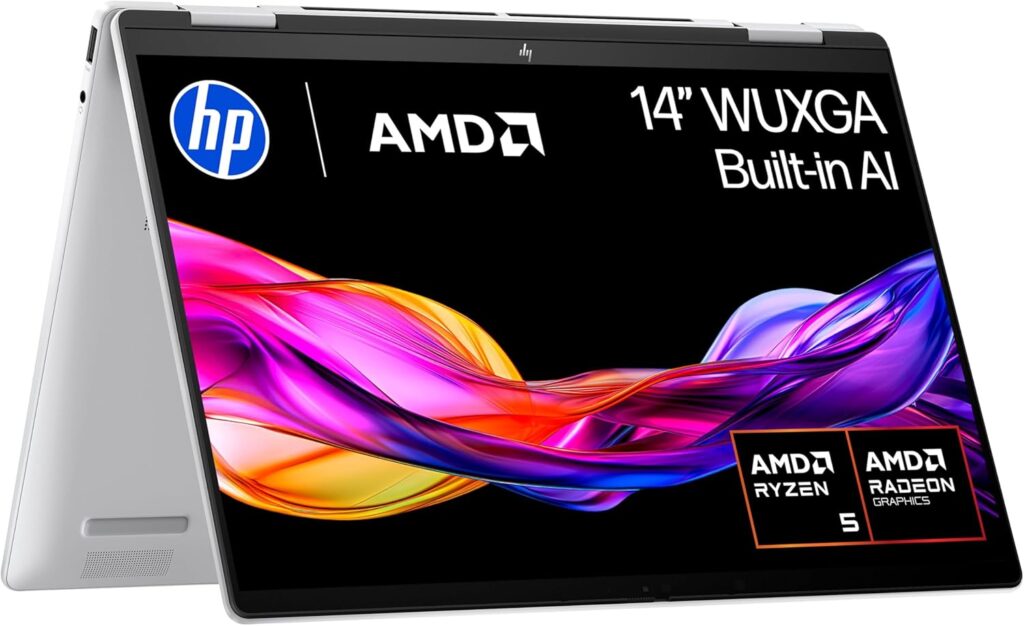
Tent mode — folding the laptop back into an inverted V shape — is practical for video watching on a surface without occupying the keyboard space, for kitchen counter viewing, or for presenting content to someone seated opposite without passing the machine across the table.
Stand mode — folding past tent into a near-flat position with the keyboard face-down — is useful for touch-heavy applications, drawing with the optional stylus, or using the machine as an interactive display at a desk.
Tablet mode — folding the display all the way back until the machine lies flat — is the form where the 2-in-1 compromise shows most clearly. At 1.55kg, this is a functional tablet but a heavy one. Holding it in hand for extended reading or annotation is less comfortable than a dedicated tablet, and the keyboard remaining accessible on the back surface is a mild inconvenience. For occasional tablet use — signing documents, sketching, presenting in a standing meeting — it works well. As a primary tablet replacement, a dedicated lightweight tablet serves the purpose more comfortably.
The hinge quality is consistently praised in HP Envy reviews from multiple independent sources. XDA Developers’ assessment found the hinge “strong and fluid” with no wobble during touch input — important for a touchscreen machine where prodding the display with a finger risks destabilising a weak hinge. Creative Bloq’s hands-on review confirmed the 360-degree hinge “allows fluid movement” without feeling flimsy despite the display assembly weight.
Microsoft Pen Protocol stylus support is included in the hardware — the pen itself is sold separately. For buyers who draw, annotate, or sign documents frequently, the stylus adds a useful creative and professional dimension. For buyers who do not, it is an irrelevant addition.
Display — Sharp, Spacious, and the Right Choice for This Machine
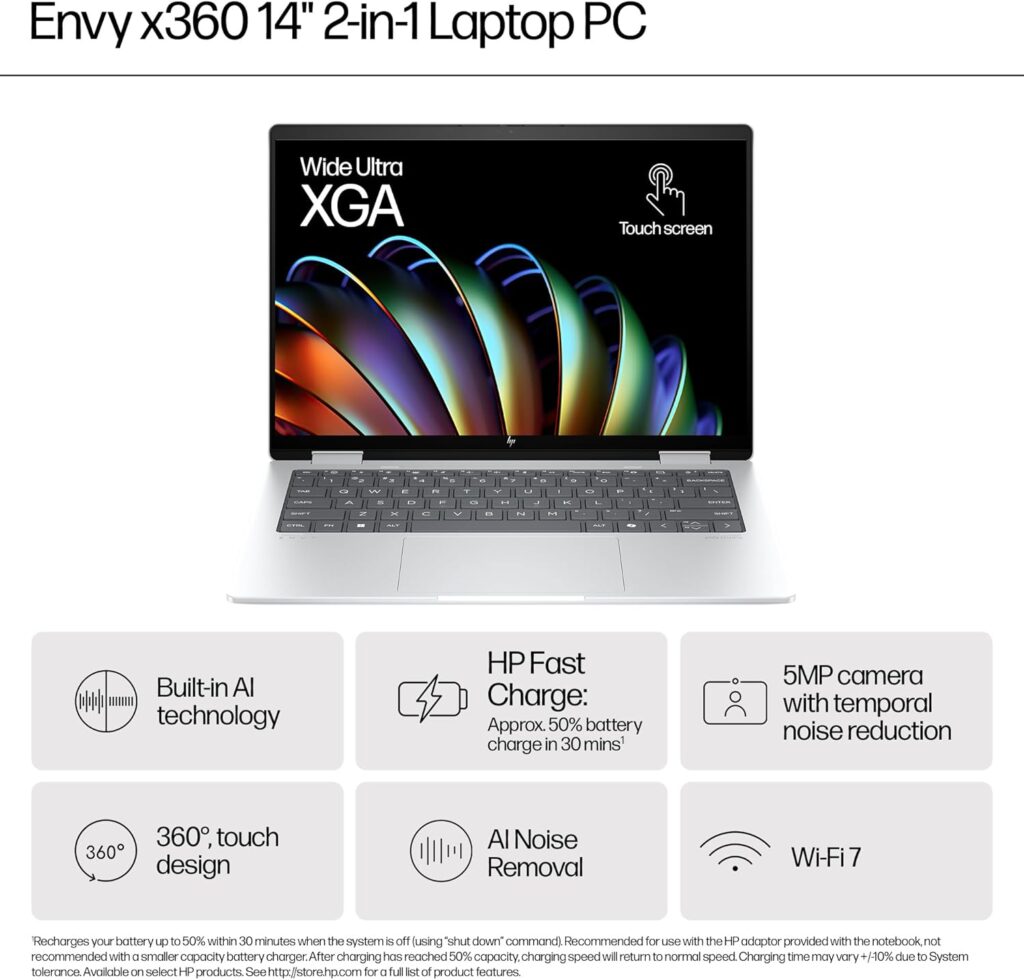
The 14-inch 1920×1200 IPS touchscreen at 16:10 aspect ratio is the correct display choice for this machine’s intended use case, and understanding why requires a brief context note.
Some HP Envy x360 14 configurations — primarily the higher-end variants reviewed by NotebookCheck and Digital Trends — carry an OLED 2.8K display. The A2WA1EA UK configuration (ASIN B0D1KCZFW1) uses an IPS FHD+ panel rather than OLED. This is worth being explicit about because several online sources conflate the OLED and IPS configurations of the Envy x360 14 — the OLED reviews, while genuinely impressive, describe a different display than the one in this specific UK listing.
The IPS 1920×1200 panel delivers what a quality IPS panel at this tier should: accurate colour reproduction, wide viewing angles that remain consistent well off-axis, good contrast for a non-OLED display, and anti-glare coating that manages indoor reflections effectively. The 16:10 aspect ratio is a genuine productivity benefit — the extra vertical space compared to 16:9 reduces the need to scroll in documents, fits more content on screen during web browsing, and gives video calls more natural framing.
Touch responsiveness on the IPS panel is smooth and accurate according to consistent Amazon UK customer feedback — important for a machine where touch input is part of the intended experience rather than an afterthought. The Corning Gorilla Glass surface handles fingerprints and repeated touch input without degradation in typical use.
For a full explanation of IPS versus OLED display characteristics and what each delivers in daily use, our Laptop Display Guide covers the practical differences in detail.
Build Quality — Where HP’s Reputation Is Earned
The HP Envy line has maintained a consistent build quality standard across multiple generations, and the x360 14 continues that tradition in ways that are immediately apparent during handling.
The aluminium chassis — HP describes the finish as Meteor Silver — feels genuinely premium. There is no flex in the lid, no chassis creaking during handling in any of the four modes, and no hinge wobble that would undermine touch input confidence. At 1.55kg the machine is light enough for daily bag transport without being the defining weight in a commuter pack. The slim profile suits both desk use and bag storage without the bulk of previous-generation convertibles.
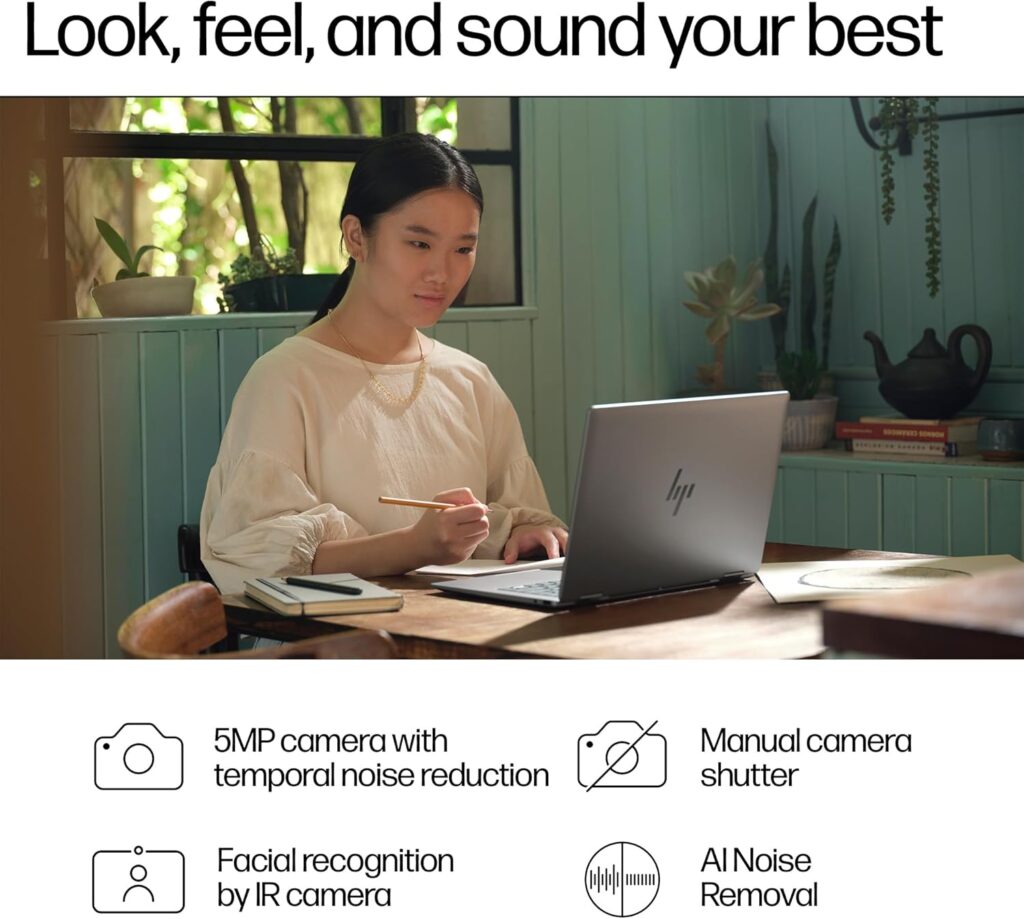
The 5MP IR webcam with Windows Hello face recognition is a meaningful specification upgrade from the 720p cameras found on budget machines. Face recognition login in under a second is a genuine quality-of-life improvement for users who log in and out of their machine repeatedly throughout a working day. The dual microphone array produces clear audio for video calls — confirmed by multiple Amazon UK reviewers who specifically mention call quality as a positive.
Check the HP Envy x360 full listing on Amazon UK for current availability.
The keyboard on the Envy x360 14 is one area where independent reviewers have occasionally noted a slight stiffness — XDA Developers’ review described the keyboard as “a bit stiff” compared to comparable machines, though comfortable for extended document work. The large touchpad receives consistently positive mentions for precision and palm rejection accuracy. No reviewer has identified the double-key registration issues noted on some budget machines.
The port selection is comprehensive for a 14-inch machine: two USB-A 3.2 Gen 1 ports, two USB-C ports (one with Power Delivery and DisplayPort support, one data and display), HDMI 2.1, a 3.5mm audio jack, and a microSD slot. The inclusion of both USB-A and USB-C — including a Power Delivery USB-C that enables charging through a compatible USB-C charger — means this machine avoids the adapter dependency that defines many premium thin laptops. Wi-Fi 6E provides faster and more consistent wireless connectivity in environments with multiple connected devices, and Bluetooth 5.3 is the current standard for peripheral pairing. For a full breakdown of what each port and wireless standard means in practice, our Laptop Ports Guide covers the relevant detail.
Battery Life — The Honest Caveat
The 51Wh battery is the HP Envy x360 review’s most important honest caveat, and it requires direct treatment rather than the vague optimism that laptop marketing typically applies.
Several reviews of the Envy x360 14 platform — specifically the Intel Core Ultra configurations tested by Digital Trends and IT Pro — found battery life underwhelming for a machine of this size and price, particularly with OLED configurations that consume more power. The IT Pro review found 11 hours in looped video playback — solid for video, but video playback is a light workload. Under mixed productivity use, 6–8 hours is a realistic real-world expectation for the Intel configurations.
The Ryzen AI 5 340’s Krackan Point architecture brings genuine efficiency improvements over the Intel Core Ultra U-series. AMD’s 4nm process and Zen 5’s improved IPC mean the processor accomplishes more work per watt than comparable Intel configurations. The A2WA1EA IPS display also consumes less power than the OLED panels in higher-end Envy x360 configurations. These two factors suggest the Ryzen AI 5 / IPS configuration reviewed here should achieve battery life toward the better end of the Envy x360 range — likely 7–9 hours under mixed productivity use. Independent benchmark data specifically for the A2WA1EA Ryzen AI 5 340 configuration is not yet available from major reviewers at time of writing, and we will update this review when it is.
The 51Wh battery does charge via USB-C Power Delivery, which means a compatible USB-C charger or power bank can top up the machine when a traditional power outlet is not available — a practical portability advantage that the proprietary charging connectors on older and cheaper machines cannot match.
View the HP Envy x360 on Amazon UK to read customer feedback on real-world battery experience.
Who Is the HP Envy x360 14 Actually For?
The HP Envy x360 14 A2WA1EA suits a clearly defined buyer — and it is worth being specific rather than covering every possible use case with vague recommendations.
This machine is the right choice for students, remote workers, and professionals who need a primary laptop capable of genuine productivity performance, want the flexibility of a convertible form factor for occasional tablet or tent use, and are operating in the £700–£900 mid-range bracket where build quality, genuine current-generation performance, and a reputable brand matter.
The Ryzen AI 5 340’s Zen 5 architecture, 16GB LPDDR5x RAM, and PCIe Gen4 SSD place this machine in a different performance league from the budget machines reviewed elsewhere on this site — not incrementally better, but categorically more capable for demanding everyday workloads including large spreadsheets, multiple simultaneous applications, light creative work, and AI-assisted productivity tools.
It is not the right machine for buyers who need maximum sustained performance for video rendering or professional creative production — a clamshell laptop with a higher-wattage processor serves that purpose more effectively. It is not suitable for gaming beyond casual older titles. And buyers who need absolute all-day battery life above all other criteria should investigate whether the specific A2WA1EA configuration meets their threshold before purchasing.
For buyers whose primary use is office productivity, web research, video calls, and document creation — the overwhelming majority of laptop use cases — the HP Envy x360 14 is a premium, well-specified, durably built machine that will serve comfortably for several years.
The HP Envy x360 is available on Amazon.co.uk — check current availability and pricing here.
HP Envy x360 Review Verdict — 8.6/10
The HP Envy x360 14 A2WA1EA is the strongest machine reviewed on this site to date. Genuine current-generation Zen 5 performance from the Ryzen AI 5 340, a premium aluminium chassis that earns its price point through build quality and convertible versatility, a comprehensive port selection including HDMI 2.1 and dual USB-C with Power Delivery, Wi-Fi 6E, and a 5MP IR webcam with Windows Hello — this is a coherently specified machine without the compromise trade-offs that define budget and entry-level alternatives.
The honest caveats are real: the IPS display rather than OLED in this specific configuration is a step below the premium Envy x360 variants reviewed elsewhere, and the 51Wh battery requires realistic expectations rather than HP’s optimistic marketing claims. Neither limitation undermines the machine’s fundamental quality.
For UK buyers in the mid-range bracket who want a reliable, well-built, genuinely capable laptop from a reputable manufacturer with current-generation architecture, the HP Envy x360 14 is the clearest recommendation on this site.
Pros:
- AMD Ryzen AI 5 340 — genuine Zen 5 current-generation architecture, no re-badging caveat
- Geekbench 6 single-core of 2,786 — competitive with Intel Core Ultra 5 series
- Premium aluminium chassis — build quality that justifies the mid-range price
- 360-degree convertible hinge — four usage modes executed reliably
- Comprehensive ports: USB-A, dual USB-C with Power Delivery, HDMI 2.1, microSD
- Wi-Fi 6E and Bluetooth 5.3 — current wireless standards
- 5MP IR webcam with Windows Hello — significant upgrade from budget 720p alternatives
- Copilot+ certified — supports Microsoft’s AI PC feature set via 50 TOPS NPU
- USB-C charging — no proprietary power adapter dependency
Cons:
- IPS display in this UK configuration — not the OLED found in premium Envy x360 variants
- 51Wh battery requires realistic expectations — 7–9 hours mixed use estimated
- Keyboard described as slightly stiff by some independent reviewers
- Stylus sold separately — not included despite pen support hardware
- Radeon 840M integrated graphics — capable for everyday tasks, not for gaming
Further Reading
For context on where the Ryzen AI 5 340 sits within AMD’s current processor lineup and what Zen 5 architecture means in practice, our Laptop CPU Guide covers AMD’s generational progression in detail. The Performance Benchmarks Explained guide translates the Cinebench 2024 and Geekbench 6 scores above into practical purchasing decisions. For display technology context — including the IPS versus OLED trade-off relevant to this machine’s configuration — our Laptop Display Guide covers the full technical picture. For buyers considering this machine alongside alternatives, our Best Mid-Range Laptops UK guide covers the broader competitive landscape at this price point.
As an Amazon Associate, I earn from qualifying purchases.