
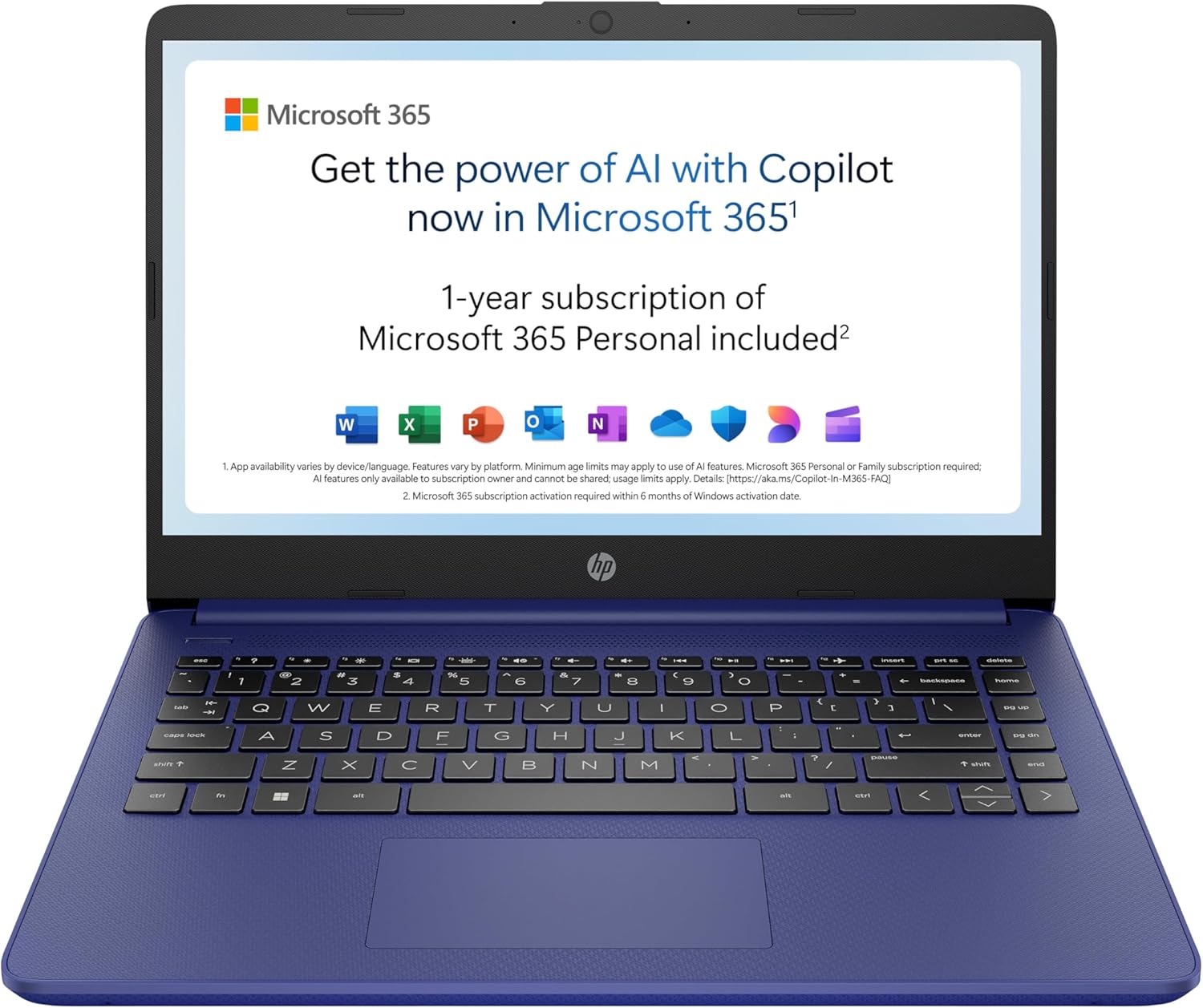
HP 14-dq6002sa Analysis: Low Ceiling, Clear Limits
The Blunt Verdict
The HP 14-dq6002sa is a bare-bones entry-level machine for people who need a laptop and not much more. Web browsing, Word documents, email — it handles those. Ask for anything beyond that and you’ll start hitting walls fast. The headline strength is its light weight and Wi-Fi 6 support at this price tier. The headline weakness is everything else: a 720p display in 2025, 4GB of RAM that’s almost certainly soldered, and storage that tops out at 128GB. It’s honest about what it is, which is more than most budget listings manage.
Under the hood you’ve got an Intel N150 processor — a low-power efficiency chip, not a Core-series chip regardless of HP’s marketing copy calling it “Intel Core Series 2” — paired with 4GB DDR4 RAM and 128GB UFS storage. The display is a 1366 x 768 SVA panel at 250 nits. Battery is rated at 41Wh with HP claiming up to 11 hours. That’s the complete picture of what you’re buying.
This is for someone who needs a secondary machine, a light-use home laptop, or a first computer for a child or elderly relative. It is not for students who run multiple apps, anyone who edits photos or video, and absolutely not for gaming. If you need a machine that grows with your workload, look at the mid-range options instead.
See the HP 14-dq6002sa listed on Amazon before reading further.

Pros and Cons
Pros
- Wi-Fi 6 and Bluetooth 5.4 are solid for the price tier — most competitors at this level still ship with Wi-Fi 5
- At 1.46kg it’s genuinely light and easy to carry around the house or slip into a bag
- Microsoft 365 Personal included for 12 months with 1TB OneDrive storage — that’s real added value for home users
- Anti-glare coating on the display reduces reflections in brighter rooms, which the screen brightness needs help with
- Windows 11 Home is the full version once you exit S mode — not permanently restricted
Cons
- 4GB RAM is tight in 2025 — Windows 11 alone eats a significant chunk of it, leaving precious little headroom for multitasking
- 1366 x 768 resolution on a 14-inch screen looks noticeably soft; text and images lack the sharpness of even budget 1080p panels
- Ships in Windows 11 S mode by default — exiting it is possible but has caused issues for buyers, as confirmed in the reviews
Spec Breakdown
- Model: HP 14-dq6002sa (BM2T6EA#ABU)
- CPU: Intel N150, 4 cores, up to 3.6GHz, 6MB L3 cache
- RAM: 4GB DDR4 at 3200MHz (max 4GB — no upgrade path)
- Storage: 128GB UFS
- GPU: Intel UHD Graphics (integrated)
- Display: 14-inch SVA, 1366 x 768 (HD), 250 nits, anti-glare, non-touch
- Battery: 41Wh, 3-cell lithium-ion, up to 11 hours (HP rated)
- OS: Windows 11 Home (ships in S mode)
- Weight: 1.46kg
- Ports: 1x HDMI, USB 3.2 Gen 1, USB 3.2 Gen 2, headphone jack
- Connectivity: Wi-Fi 6 (802.11ax), Bluetooth 5.4
- Keyboard: Full-size, no backlight
- Camera: Front-facing webcam with built-in microphone
- Colour: Blue
Hardware & Performance Reality Check
The Intel N150 is a low-power processor from Intel’s Alder Lake-N family. It is not a Core-series chip — HP’s marketing copy calling this “Intel Core Series 2” is a stretch that deserves calling out. In real terms, it handles light tasks well enough: web browsing with a handful of tabs, writing in Word, video calls on Teams or Zoom. Once you start stacking apps — say, a browser with 10 tabs open alongside Outlook and a PDF — you’ll feel it hesitate. The 4GB DDR4 RAM is the bigger problem. Amazon’s own spec sheet confirms the maximum RAM size is 4GB, which means this is almost certainly soldered and non-upgradeable. For context on why that matters, see our guide on how much RAM you actually need. Four gigabytes is survivable for very light use; it is not future-proof, and it will slow down as Windows updates accumulate.
The 128GB UFS storage is fast for reads compared to older eMMC but the capacity is the issue — not the speed. Windows 11 will consume around 30–40GB once installed and updated, leaving you roughly 80–90GB of usable space. That disappears quickly if you install Microsoft 365, save any files locally, or let OneDrive cache anything to disk. The Intel UHD Graphics is integrated and shares system memory. Streaming video on Netflix or YouTube is fine. Anything beyond that — photo editing, casual gaming, light video work — is either going to struggle or simply not run. HP’s own listing claims you can play games in 720p, and technically that’s not wrong, but the games you can actually run at that spec are limited to titles from a decade ago or simple browser games. If gaming is on your list at all, you need a completely different machine — our budget gaming laptop roundup is a better starting point.
For 2026 and beyond: student word processing and light web use — yes, this works. Office tasks like spreadsheets and email — fine, with caveats around multitasking. Programming — only the very lightest scripting or web development; anything involving a local server or heavier IDE will be painful. Video editing — no. The N150 has no hardware acceleration worth relying on and 4GB RAM is below the minimum spec for most editing software. This machine covers a narrow lane and it covers that lane adequately. Step outside it and you’ll know immediately. If you’re unsure how these specs stack up, our laptop performance benchmarks page gives useful context.
The port situation deserves a brief note. You get USB 3.2 Gen 1, USB 3.2 Gen 2, and 1x HDMI — that’s a total of two USB-A ports and one video output. No USB-C, no Thunderbolt, no Ethernet port. If you need a wired network connection you’ll need a USB adapter. For a full breakdown of what these ports mean practically, see our laptop ports guide. For a machine aimed at home use, the lack of Ethernet is a minor inconvenience rather than a dealbreaker — especially given the Wi-Fi 6 support.
Check the full spec sheet and buyer Q&As for the HP 14-dq6002sa on Amazon.
Everyday Usability: Battery, Build & More
At 1.46kg and 1.8cm thick, this is a genuinely light laptop for its size — easy to move between rooms or carry in a bag without noticing it. HP rates the battery at up to 11 hours, which with a low-power N150 processor and a low-resolution display pulling modest brightness, is not an unreasonable claim for very light use. Expect real-world figures of 6–8 hours depending on what you’re doing — Wi-Fi browsing and document work will be at the better end, streaming video at the lower. The 41Wh battery is small compared to machines above this price point, but the frugal chip helps offset that. HP Fast Charge is listed in the product description, which is useful if it’s confirmed by buyers — though none mention it specifically. No touchscreen — the spec data confirms this clearly, and it’s no surprise at the price. The display has an anti-glare coating which helps in living room lighting but the 250 nit maximum brightness is low — near a window in daylight you’ll be squinting.
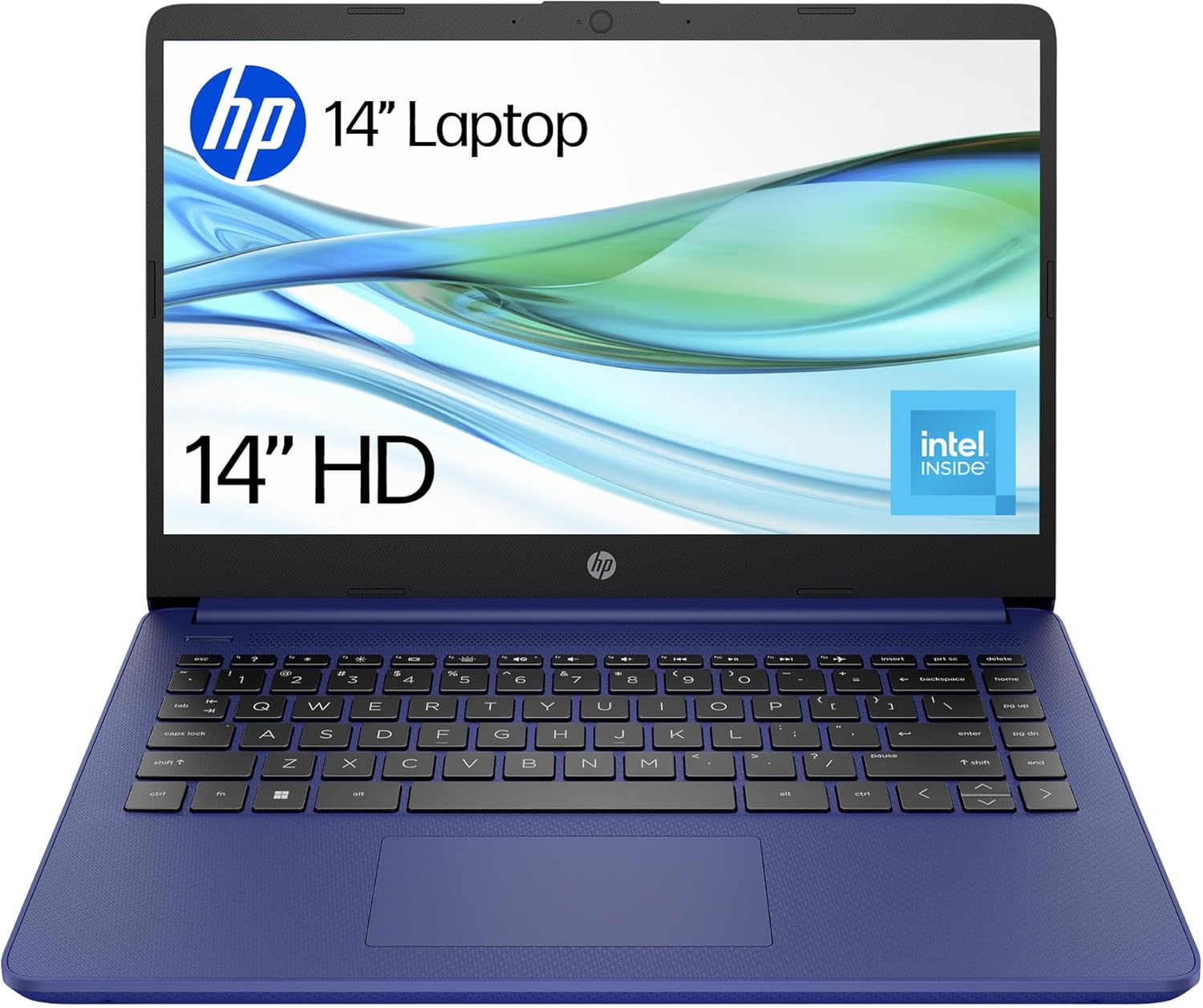
The keyboard is full-size with no backlight — one buyer flagged this as a miss, noting it wasn’t clearly advertised. If you type in low-light conditions that’s worth knowing upfront. The 1366 x 768 SVA display panel sits below the quality bar for anyone used to a 1080p screen — text is softer, images look less defined, and colour coverage is listed at just 45% sRGB which is noticeably washed out compared to even mid-range panels. The display types guide covers what SVA actually means in practical terms, but the short version is: it’s an entry-level TN-adjacent panel that prioritises low cost over colour accuracy or viewing angles. The machine ships with Windows 11 in S mode, which restricts app installation to the Microsoft Store only. Exiting S mode is free but one buyer spent three days trying before succeeding — that shouldn’t happen on a machine aimed at non-technical users, and it’s a genuine friction point HP should have resolved by now. The built-in webcam and microphone are present for video calls, but no resolution data is provided — expect functional rather than flattering.
Lifespan & Future-Proofing
Chassis longevity: the plastic build is lightweight but won’t win any durability awards. HP has given this EPEAT Gold with Climate+ registration and used some recycled plastics, which is good for the environment but doesn’t automatically mean it survives being knocked around. For home use with reasonable care, expect three to four years before physical wear becomes a nuisance. The 1-year HP warranty is thin — no on-site repair, no accidental damage cover. If it breaks after month 13, you’re on your own.
Spec longevity is the more pressing concern. In 2026, 4GB RAM is already on the edge of what Windows 11 runs comfortably. By 2027–2028, background processes, browser updates, and OS overhead will push this further into territory where the machine feels slow for tasks it handles fine today. The N150 has no meaningful upgrade path for the CPU, and the locked RAM means you can’t throw more memory at the problem. The 128GB storage will fill up faster than most users expect. If you need a machine that stays useful for four-plus years, this hardware won’t get you there without frustration setting in well before then. If you’re buying this as a two-to-three-year stopgap for very light use, that’s a realistic expectation. Buying it as a long-term investment is not. Anyone weighing up whether to stretch the budget should read our laptop buying guide first — the sections on RAM and future-proofing are directly relevant here.
View current stock levels for the HP 14-dq6002sa on Amazon.
What Buyers Are Saying (And Potential Dealbreakers)
The HP 14-dq6002sa holds a rating of 4.3 out of 5 from 18 reviews on Amazon. That’s an encouraging number but 18 reviews is a small sample — treat the sentiment as directional rather than conclusive. It’s not enough volume to confidently call out recurring failure patterns or to rule out reliability issues that a larger dataset would surface.
The buyers who are happy with it are largely in the intended audience: home users, first-time Windows 11 users, and people who wanted a no-fuss machine for basic tasks. The praise is straightforward — it does what was asked of it, setup was manageable, and the value proposition for light use stacks up. The single two-star review is brief but pointed: “too slow.” That’s from someone who likely hit the RAM ceiling quickly, and it’s a valid warning for anyone expecting more than the hardware can deliver.
The S mode issue is worth flagging as a potential dealbreaker. One buyer spent three days attempting to exit S mode before HP support helped them find a fix. This is a documented friction point — Windows 11 S mode is genuinely restrictive, and the process to remove it has caused problems beyond just this unit. If you buy this machine and want to use apps outside the Microsoft Store (which most people will), budget time and patience for that step.
Buyer Highlights
“Works great and does everything I’ve needed it for.” — Short but consistent with the pattern from satisfied buyers doing light everyday tasks.
“It’s good value for the price and I’m confident it’ll be an asset for the usage I need — I’d recommend it for entry level users and even those of us who consider ourselves fairly computer literate.” — Useful framing: this buyer explicitly sets expectations around use case, which is the right way to approach it.
“Not a lighted keyboard, but that was my own error for not checking — very easy to use in general and setup wasn’t a great problem.” — No backlight is a real omission worth confirming before you buy, particularly if you type in dim environments.
“After three days of failed attempts to exit S mode I’d almost sent it back, but a fix from HP support finally worked first time.” — S mode exit problems are real, not hypothetical. One buyer nearly returned the machine because of it.
“Too slow.” — One buyer’s verdict, no elaboration needed. It tells you what happens when this machine is pushed beyond its comfort zone.
Who Should Buy It (And Who Shouldn’t)
Buy If
- You need a light, no-fuss home laptop for browsing, email, and the occasional Word or Excel document — this covers that lane adequately
- You want a first laptop for a child, elderly relative, or someone who won’t push the hardware hard
- You’re buying a secondary machine to leave in the kitchen or living room and your primary computer handles the heavier lifting
- The included 12-month Microsoft 365 subscription is useful to you — it’s a real add-on that offsets part of the cost
Avoid If
- You multitask regularly, run more than a few browser tabs simultaneously, or use creative software — 4GB RAM will let you down noticeably and there’s no fix for it
- You want a machine that stays genuinely useful for four or more years without slowing to a crawl — the locked specs make that unrealistic; consider the wider range of budget laptops with better long-term headroom
The Bottom Line
The HP 14-dq6002sa is a honest entry-level machine that does exactly what its specs say and nothing beyond them. Light weight, Wi-Fi 6, a usable keyboard, and a Microsoft 365 subscription included — those are genuine positives. But 4GB of locked RAM, a 720p display, and 128GB of storage mean the ceiling is low and the upgrade path is nonexistent. For a very specific type of buyer — light home use, simple tasks, no ambition to push it — this is a reasonable choice. For anyone else, the money is better spent elsewhere. Understanding what these specs mean in plain English before committing is genuinely worthwhile.
Find the HP 14-dq6002sa on Amazon and check current availability.
At LaptopAdvisorOnline, our methodology is built on data transparency rather than simulated hands-on testing. We rigorously analyse official manufacturer specifications and aggregate verified customer sentiment to provide objective, fluff-free buying advice that helps you cut through the marketing jargon.
As an Amazon Associate, I earn from qualifying purchases.
Browse by Specification
Looking for something specific? Browse our analyses by hardware and feature below, or check all laptop analyses in the Best Budget Laptops category archive.
[AMD Processor Laptops] — [Intel Processor Laptops] — [16GB RAM Laptops] — [32GB RAM Laptops] — [Dedicated Graphics] — [Long Battery Life] — [Lightweight Laptops] — [Student Laptops]
Browse by Screen Size
[13-inch Laptops] — [14-inch Laptops] — [15-inch Laptops] — [16-inch+ Laptops]




