

Sifting through the best budget laptops UK has to offer in 2026 is a proper headache. Prices have crept up across the board, and the sub-£500 bracket is now full of machines that look reasonable on paper but fall apart under scrutiny. Manufacturers have got very good at hiding compromises behind impressive-sounding spec sheets.
I’ve narrowed it down to seven machines currently available on Amazon.co.uk. I’ve analysed each one using technical hardware data, independent benchmark results, and verified buyer sentiment to see which ones actually offer value and which ones are just clever marketing. I evaluate these based on six key areas — performance, value, build, display, battery, and ports — because a laptop that excels at one but fails at the rest is just a one-trick machine.
One important note on RAM: no laptop on this list has less than 16GB. In 2026, recommending a machine with 4GB of RAM would be negligent. Windows 11 alone consumes most of 4GB before you’ve opened a single application. Even 8GB is tight for comfortable daily use unless you’re on a MacBook. Every machine here meets the 16GB minimum I consider acceptable for a primary Windows laptop in 2026.
The price range covered runs from approximately £200 to £500. Anything above £500 moves into mid-range territory, covered separately in our Best Mid-Range Laptops UK guide.
| Machine | CPU | RAM | Storage | Display | Weight | Score |
|---|---|---|---|---|---|---|
| ACEMAGIC 15.6″ Ryzen 4300U | AMD Ryzen 3 4300U | 16GB DDR4 | 512GB | 15.6″ FHD IPS | ~1.8kg | 6.8/10 |
| Lenovo IdeaPad 1 15AMN7 | AMD Ryzen 5 7520U | 16GB LPDDR5 | 512GB | 15.6″ FHD TN | 1.63kg | 7.2/10 |
| HP 15-fc0004sa | AMD Ryzen 5 7520U | 16GB LPDDR5 | 512GB | 15.6″ FHD IPS | 1.59kg | 7.4/10 |
| Acer Aspire Go 15 AG15-42P | AMD Ryzen 5 5625U | 16GB DDR4 | 512GB | 15.6″ FHD IPS | 1.78kg | 7.6/10 |
| Lenovo IdeaPad Slim 3 14″ | Intel Core i5-12450H | 16GB LPDDR5 | 512GB | 14″ FHD IPS | 1.46kg | 7.8/10 |
| Dell 15 DC15250 | Intel Core i5-1334U | 16GB DDR4 | 512GB | 15.6″ FHD IPS 120Hz | 1.90kg | 8.0/10 |
| ASUS Vivobook 16 X1605VA | Intel Core 5-120U | 16GB DDR4 | 512GB | 16″ WUXGA IPS 16:10 | 1.88kg | 8.3/10 |
How I Evaluate Budget Hardware
I evaluate each machine based on raw hardware data and what actual buyers are saying—not manufacturer hype. I don’t take backhanders to list specific gear; if a laptop is a let-down, I’ll tell you straight. I look at six key areas to see if a machine is actually worth your cash:
Port Selection: I check if you can actually plug your kit in, or if you’ll be forced to carry a bag full of adapters just to use a mouse or a monitor.
Performance: I look at how the silicon actually handles a day’s work, using technical data from the likes of NotebookCheck to see past the marketing fluff.
Value for Money: I check if the hardware you’re getting is actually worth the price tag, or if you’re just paying a premium for a fancy logo on the lid.
Build Quality: I evaluate the chassis and hinges to see if the machine is sturdy or if it’s likely to give up the ghost after six months of commuting.
Display Quality: You’ll be staring at this for hours, so I look for decent brightness and panels that don’t make colours look washed out and grey.
Real-World Battery: Manufacturer claims are usually a work of fiction. I look for what you’ll actually get on a typical UK workday away from a plug.
No laptop on this list was selected because a manufacturer paid for placement. Affiliate relationships with Amazon do not influence scores or rankings.
7. ACEMAGIC 15.6″ Ryzen 4300U — 6.8/10
The one sentence summary: A no-frills budget machine with a chip that’s older than it should be in 2026 — but the 16GB RAM, expandable memory slots, and honest price make it the most transparent entry-level option on this list.
| Spec | Detail |
|---|---|
| CPU | IAMD Ryzen 3 4300U (Zen 2, 4 cores, up to 3.7GHz) |
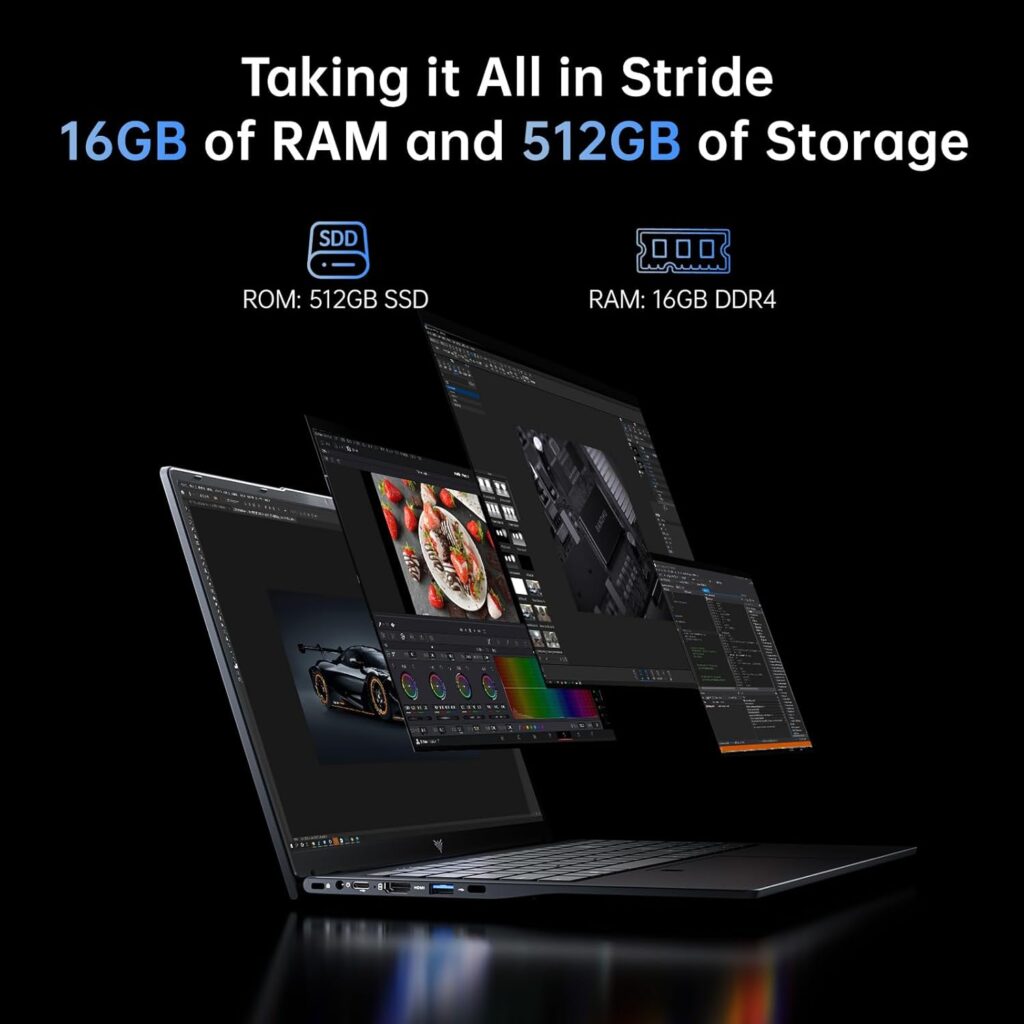
| RAM | 16GB DDR4 (2× SODIMM slots — upgradeable to 64GB) |
| Storage | 512GB M.2 SSD |
| Display | 15.6″ FHD 1920×1080, 60Hz |
| Weight | Approximately 1.8kg |
| Battery | 7.6V/5000mAh, approximately 5–7 hours real-world |
| OS | Windows 11 Home |
Let’s be straight about the processor first. The Ryzen 3 4300U is built on AMD’s Zen 2 architecture and was launched in 2020 — making it a six-year-old chip in 2026. ACEMAGIC’s own marketing claims it beats the N95, N100, and N150, which is accurate, but that’s a low bar. The relevant comparison is against the other machines on this list, where the 4300U sits clearly at the bottom of the performance stack. MightyGadget’s hands-on review of the closely related Tivique LX15 — which uses the same Ryzen 3 4300U — describes it as noticeably smoother than budget N-series machines for everyday tasks, but notes you still need to be mindful of resource management and will hit the limits if you open too many tabs simultaneously.
So why is it on this list? Because of two things most machines at this price can’t offer: genuinely accessible upgradeability and correct RAM out of the box. The 2× SODIMM slots support up to 64GB DDR4 — confirmed in ACEMAGIC’s own technical specifications. That is genuinely unusual at this price point and meaningfully extends the machine’s useful life. If 16GB becomes tight in two years, you can do something about it. The same cannot be said for the soldered configurations in the HP and Lenovo entries ranked above it.
The port selection is practical: three USB 3.2 ports, a USB-C data port, HDMI 1.4, a TF card slot, and a 3.5mm audio jack. No Ethernet. The 2-year warranty from ACEMAGIC is a genuine differentiator at this price — most budget brands offer 12 months. NotebookCheck’s review of the ACEMAGIC AX15 found the build quality solid with metal surfaces providing good stability — better than you might expect from an unfamiliar brand at this price.
Battery life from the 5000mAh pack is modest — expect 5–7 hours of real-world mixed use. Not the all-day machine the Lenovo IdeaPad 1 is, but functional for a working day with a charger nearby.
The honest assessment: The weakest performer on this list by a meaningful margin — the Ryzen 3 4300U is six years old and it shows in benchmarks. But the upgradeable RAM slots, 2-year warranty, 16GB DDR4 out of the box, and an honest price make it the most future-flexible entry-level option here. If your budget is genuinely tight and you understand the CPU ceiling, the upgradeability is worth something. If you can stretch even slightly further, the Lenovo IdeaPad 1 above it offers a materially better experience.
Pros:
- 2× SODIMM slots — upgradeable to 64GB DDR4, unique at this price point
- 16GB DDR4 out of the box — correctly specced for Windows 11
- 512GB SSD — generous storage
- 2-year warranty — better than most competitors at this tier
- Three USB 3.2 ports plus USB-C and HDMI
Cons:
- Ryzen 3 4300U is a 2020 chip — six years old in 2026, weakest CPU on this list
- Display brightness likely dim — typical of ACEMAGIC’s laptop range
- No Ethernet port
- Modest battery life — 5–7 hours real-world
- ACEMAGIC is a relatively unknown brand with limited independent UK review coverage
Best for: Buyers on the tightest budget who want upgradeability headroom and 16GB RAM out of the box, and understand the CPU is the honest trade-off.

- 【Ryzen 4300U PROCESSOR】ACEMAGIC LX15PRO Laptop powered by Ryzen 4300U processor (4C/4T, 6MB Cache, burst frequency 3.7GHz), it delivers lightning-fast performance.This laptop computer performs over 20% better than the 3500U.Integrated UHD graphics up to 1200MHz, with stronger graphics processing capability, ensuring a smooth user experience for work, study, and entertainment.
- 【16GB RAM & 512GB ROM】16GB DDR4 and 512GB high-speed SSD allow the notebook computer to be used smoothly even with multiple programs open.Still need more space? The small laptop can support expansion of 128GB TF card, allowing you to store more Digimon.At the same time, the computers laptop is equipped with a numeric keyboard and a large touchpad, and its ergonomic and comfortable design improves your work efficiency.
6. Lenovo IdeaPad 1 15AMN7 — 7.2/10
The one sentence summary: The battery life champion of this list — held back by soldered RAM, a weak display, and a processor that isn’t quite what the Ryzen branding implies.
| Spec | Detail |
|---|---|
| CPU | AMD Ryzen 5 7520U (Zen 2, 4 cores, up to 4.3GHz) |
| RAM | 16GB LPDDR5 (soldered — not upgradeable) |
| Storage | 512GB NVMe SSD |
| Display | 15.6″ FHD 1920×1080, TN panel |
| Weight | 1.63kg |
| Battery | 42Wh, up to 9–10 hours real-world |
| OS | Windows 11 Home |
The IdeaPad 1 15AMN7 carries AMD Ryzen 7000 branding, which in 2026 still carries a performance expectation it doesn’t entirely meet. The asterisk is important: the Ryzen 5 7520U uses Zen 2 cores — the same architecture AMD used in its 2020 Ryzen 4000 series — not the Zen 4 cores found in genuine current-generation Ryzen 7000 chips. AMD placed these Mendocino-platform chips inside 7000-series numbering as an ultra-budget tier. LaptopMedia’s review confirms this: the machine is affordable and efficient, but the Zen 2 architecture is architecturally two generations behind genuine Ryzen 7000 chips.
In practice, the Zen 2 cores handle the tasks this machine is designed for — documents, web browsing, video calls, streaming — without drama. The efficiency of the architecture is genuine: Lenovo’s own testing shows over 17 hours of local video playback at 150 nits, and real-world mixed productivity use consistently delivers 9–10 hours. That’s the headline advantage here, and it is a real one. For students who need a machine to last a full day of lectures without hunting for a socket, nothing else on this list competes on battery.
The 16GB LPDDR5 is entirely soldered to the motherboard. As Lenovo’s official PSREF documentation confirms: 16GB is the maximum and there is no SODIMM slot. You cannot upgrade this machine’s memory under any circumstances. 16GB is adequate for 2026 daily use, but the ceiling is fixed permanently.
The display is the IdeaPad 1’s clearest weakness. The TN panel has narrow viewing angles — colour and brightness shift noticeably when you view the screen from anything other than directly in front. It’s also dim. For single-user desk use with the screen perpendicular to your eyeline, it functions. For shared viewing or anything requiring colour accuracy, it falls short of the IPS panels on the rest of this list.
The honest assessment: An efficient, lightweight machine with outstanding battery life and the right RAM and storage for 2026. The TN display and Zen 2 processor are the real-world compromises. If all-day battery is your single most important requirement, this earns consideration. If display quality matters to you at all, look further up this list.
Pros:
- Outstanding battery life — 9–10 hours real-world, best on this list
- 16GB LPDDR5 — properly specced for Windows 11
- 512GB SSD — generous storage
- Lightweight at 1.63kg
- Flip to Start — powers on when you open the lid
Cons:
- Ryzen 5 7520U uses Zen 2 cores — two architectural generations behind genuine Ryzen 7000 chips
- TN display — dim, narrow viewing angles, weakest screen on this list
- 16GB RAM is soldered — no upgrade path whatsoever
- Single-channel memory limits Radeon 610M GPU performance
Best for: Students and light home users who prioritise battery life above all else.

- Secure your price for 6 months. If it drops, we will level the score (T&Cs apply)
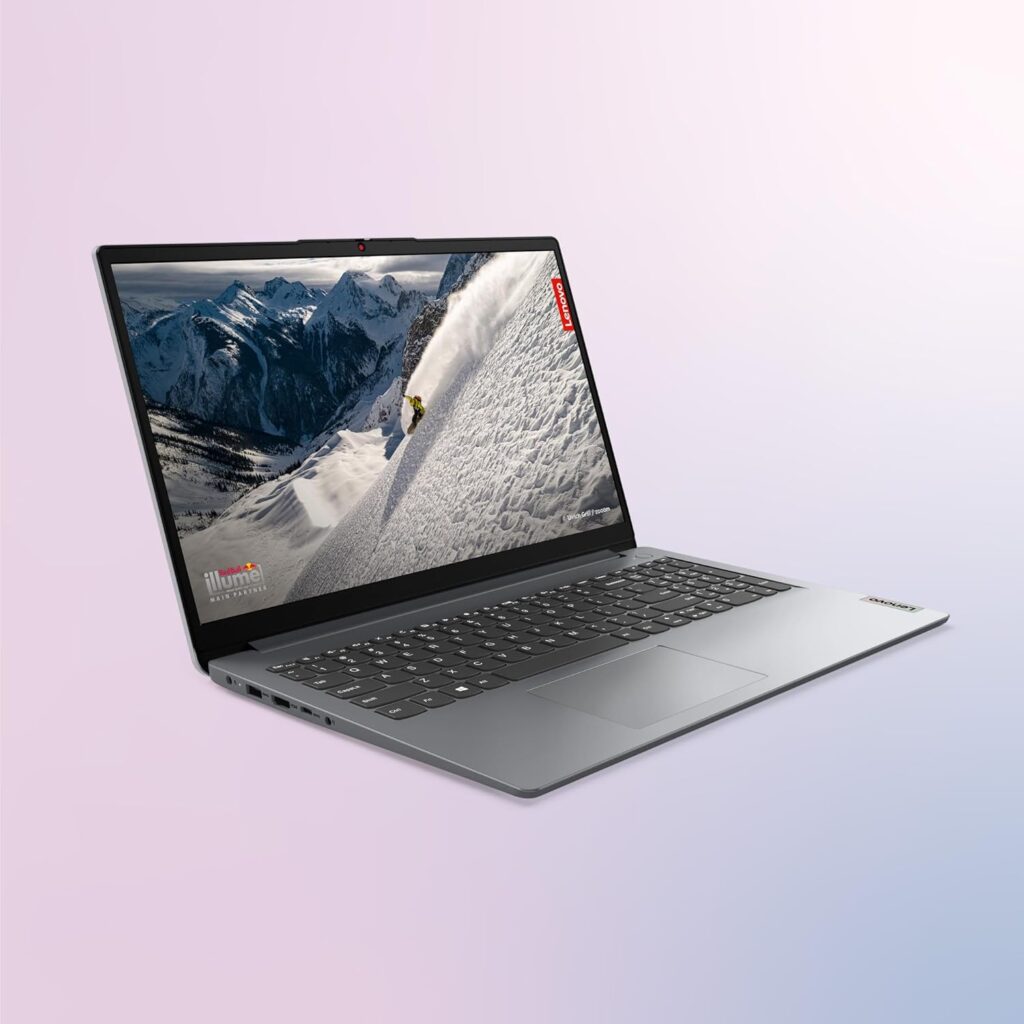
- The IdeaPad 1 packs responsive performance in a thin and compact 17.9 mm chassis, making multitasking on-the-go a breeze.
- The 15.6-inch Full HD (1920×1080) TN 250 nits Anti-glare display and integrated AMD Radeon 610M Graphics.
- Stay always connected with Bluetooth and Wi-fi 6. Work from anywhere with 11 hours of battery life and with High-Definition Audio.
- Boost your performance with AMD Ryzen 5 processor with 16GB RAM and 512GB of storage.
5. HP 15-fc0004sa — 7.4/10
The one sentence summary: A lightweight, well-specced everyday machine with a known CPU limitation that’s worth understanding before you buy.
| Spec | Detail |
|---|---|
| CPU | AMD Ryzen 5 7520U (Zen 2, 4 cores, up to 4.3GHz) |
| RAM | 16GB LPDDR5 (soldered) |
| Storage | 512GB NVMe SSD |
| Display | 15.6″ FHD 1920×1080, anti-glare IPS |
| Weight | 1.59 kg |
| Battery | 41Wh, approximately 6–7 hours real-world |
| OS | Windows 11 Home |
The HP 15-fc0004sa carries the same Ryzen 5 7520U as the Lenovo IdeaPad 1 above — and the same Zen 2 architecture caveat applies. This is not a genuine Ryzen 7000 chip in terms of architecture. That said, LaptopMedia’s detailed review of the HP 15 series found the 7520U sustaining 3.91GHz in short loads and 3.36GHz under sustained stress — respectable figures for an efficiency-class chip. For documents, spreadsheets, email, video calls, and general web browsing, it handles everything without friction.
Where the HP 15 pulls ahead of the Lenovo IdeaPad 1 is the display. The anti-glare IPS panel is a meaningful step up from the TN panel in the Lenovo — proper viewing angles, better colour accuracy, and more comfortable for extended use. Amazon UK buyer feedback is consistently positive on brightness and everyday use. The 41Wh battery delivers around 6–7 hours of real-world mixed use — adequate for a working day with a charger nearby, but not the all-day machine the Lenovo is.
The RAM is similarly soldered at 16GB LPDDR5 with no upgrade path. Connectivity is the machine’s honest weak point: two USB-A ports, one USB-C, HDMI, and a headphone jack — functional but minimal, with no Ethernet and no SD card reader. At 1.59kg, it is one of the lighter machines on this list for a 15.6-inch form factor.
The honest assessment: A competent lightweight everyday machine with the right RAM and storage, let down by a small battery, minimal ports, and a Zen 2 chip that doesn’t quite match its Ryzen 7000 branding. Honest value at the right price — just know what you’re getting.
Pros:
- IPS display — proper viewing angles, better than the TN panel in the IdeaPad 1
- 16GB LPDDR5 — correctly specced for Windows 11
- Lightweight at 1.59kg for a 15.6-inch machine
- Wi-Fi 6 and Bluetooth 5.4 — current wireless standards
- Anti-glare coating reduces reflections effectively
Cons:
- Ryzen 5 7520U is Zen 2 architecture — not a genuine current-gen chip
- 16GB RAM is soldered — no upgrade path
- 41Wh battery — 6–7 hours real-world, not an all-day machine
- No Ethernet, no SD card reader — connectivity is minimal
Best for: Students and light home users who want a portable IPS display machine and primarily work near a charger.
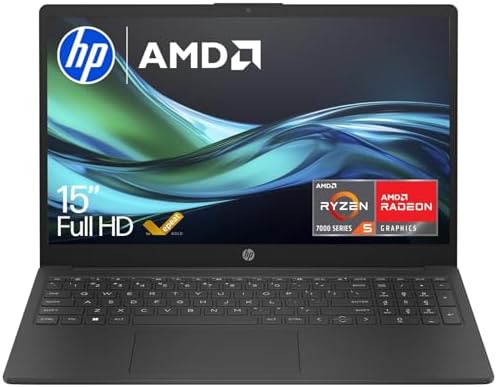
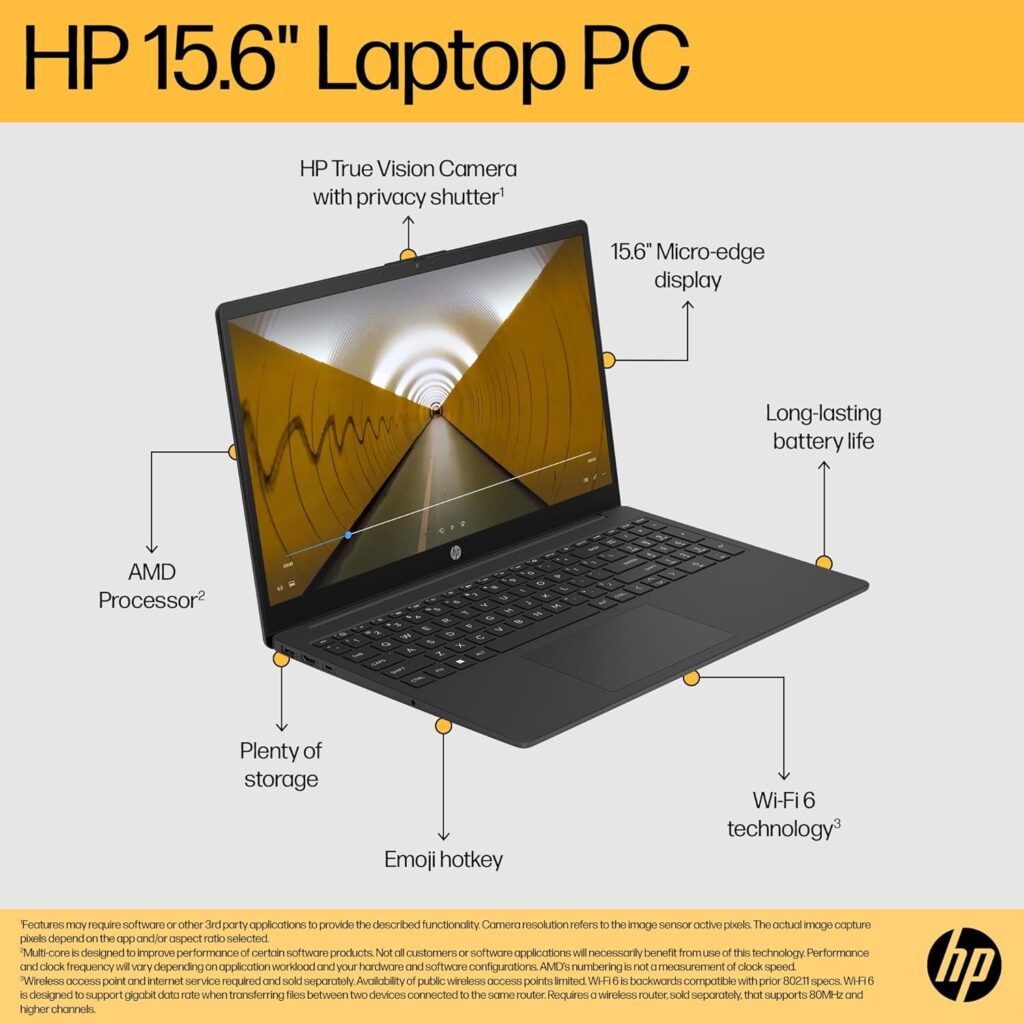
- STAY CONNECTED ON YOUR TERMS: Be seen and heard clearly and securely with a HP True Vision camera and background noise-reducing microphones
- YOUR ALL-DAY, ANYWHERE PRODUCTIVITY POWERHOUSE: Face the day with an AMD Processor , long battery life, ample storage, and fast wireless connections.
- AMD RYZEN 5 PROCESSOR: Tap into truly impressive notebook performance. A revolutionary new architecture with amazing battery life that delivers exceptional multithreaded processing and Vega graphics for intensive multimedia tasks.
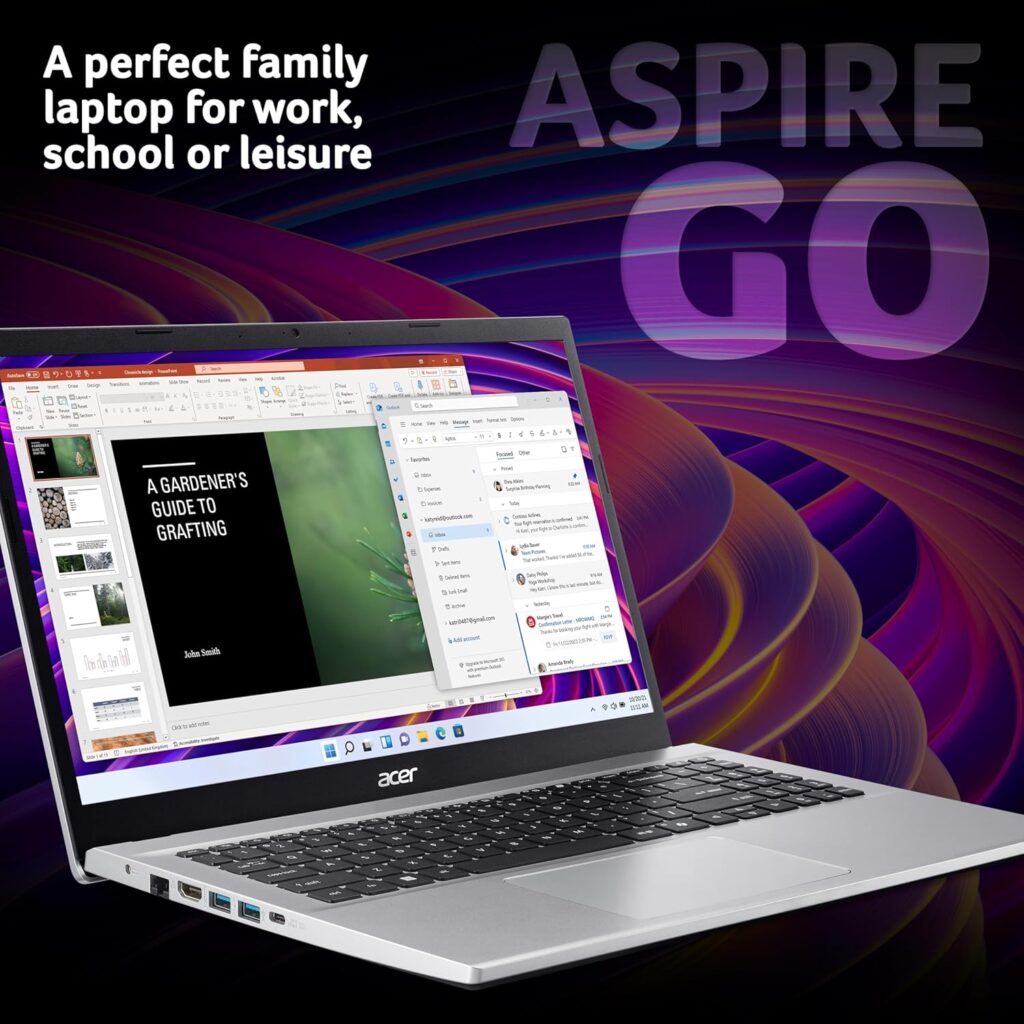
Acer Aspire Go 15 AG15-42P — 7.6/10
The one sentence summary: A surprisingly capable performer with real Zen 3 cores, a proper Ethernet port, and a display that independent reviewers consistently call its biggest let-down.
| Spec | Detail |
|---|---|
| CPU | AMD Ryzen 5 5625U (Zen 3, 6 cores, up to 4.3GHz) |
| RAM | 16GB DDR4 |
| Storage | 5512GB NVMe SSD |
| Display | 115.6″ FHD 1920×1080, IPS, 60Hz |
| Weight | 1.78kg |
| Battery | Approximately 7–9 hours real-world |
| OS | WWindows 11 |
The Acer Aspire Go 15 AG15-42P does something the two machines ranked below it don’t: it uses genuine Zen 3 architecture. The Ryzen 5 5625U is a 2022-vintage 6-core chip built on AMD’s 7nm process — not the Zen 2 re-badging found in the Ryzen 7520U below it. That architectural difference matters in practice. Expert Reviews’ hands-on assessment found the AG15-42P scoring 202 points in their 4K multimedia benchmark, outperforming an LG Gram running a 10-core Intel Core i5. The 6-core Zen 3 configuration with dual-channel 16GB DDR4 gives the Radeon Vega iGPU its full bandwidth to operate.
TechRadar’s review describes it as fast at executing everyday tasks and highlights battery life as a genuine strength — better than most Windows rivals in its class. NotebookCheck’s aggregated review scores cluster around 75–80%, with performance and value consistently rated as strengths.
The port selection includes a full RJ-45 Gigabit Ethernet port alongside USB-C, three USB-A ports, and HDMI — a genuinely practical selection that most machines at this price point skip in favour of thinness. For students who need a reliable wired connection in lecture halls or home workers who want a stable connection, this matters.
The display is where every independent review converges on the same conclusion. Expert Reviews calls it a severe disappointment. TechRadar flags it as too grainy and hard to see at many angles. NotebookCheck aggregated reviews describe the panel as the machine’s most consistent weak point. The IPS 1080p screen is functional for documents and browsing, but the panel quality falls below what the other IPS panels on this list deliver.
The honest assessment: Genuine Zen 3 performance, strong battery, a practical port selection including Ethernet, and solid everyday capability. The display is a real limitation that independent reviewers agree on. If you can live with a screen that’s adequate rather than good, the AG15-42P delivers more performance per pound than its position on this list suggests.
Pros:
- AMD Ryzen 5 5625U — genuine Zen 3 architecture, 6 cores, meaningfully faster than Zen 2
- 16GB DDR4 in dual-channel — full iGPU performance
- Gigabit Ethernet port — absent from most budget machines
- Three USB-A ports plus USB-C and HDMI — practical port selection
- Strong real-world battery life
Cons:
- Display consistently criticised by independent reviewers — grainy, poor viewing angles
- 1.78kg — heavier than most competitors on this list
- Ryzen 5000 series — 2022 chip, not current-gen
- No fingerprint reader, no backlit keyboard
Best for: Buyers who prioritise CPU performance and a practical port selection, and who use their laptop primarily at a desk in controlled lighting.

- ACER ASPIRE GO 15: This versatile laptop is ideal for families, children or students
- ALL-ROUND PERFORMANCE: You can easily handle all your daily tasks, thanks to the AMD Ryzen 5 CPU
- VISIBLY STUNNING: The 15.6″ Full HD (1920×1080) display provides plenty of sharp detail
- MULTI-TASKING MADE EASY: 16GB of RAM allows you to run multiple apps at the same time without slowing down
- PLENTY OF STORAGE: With a 512GB SSD, you have space for all your apps, documents and media
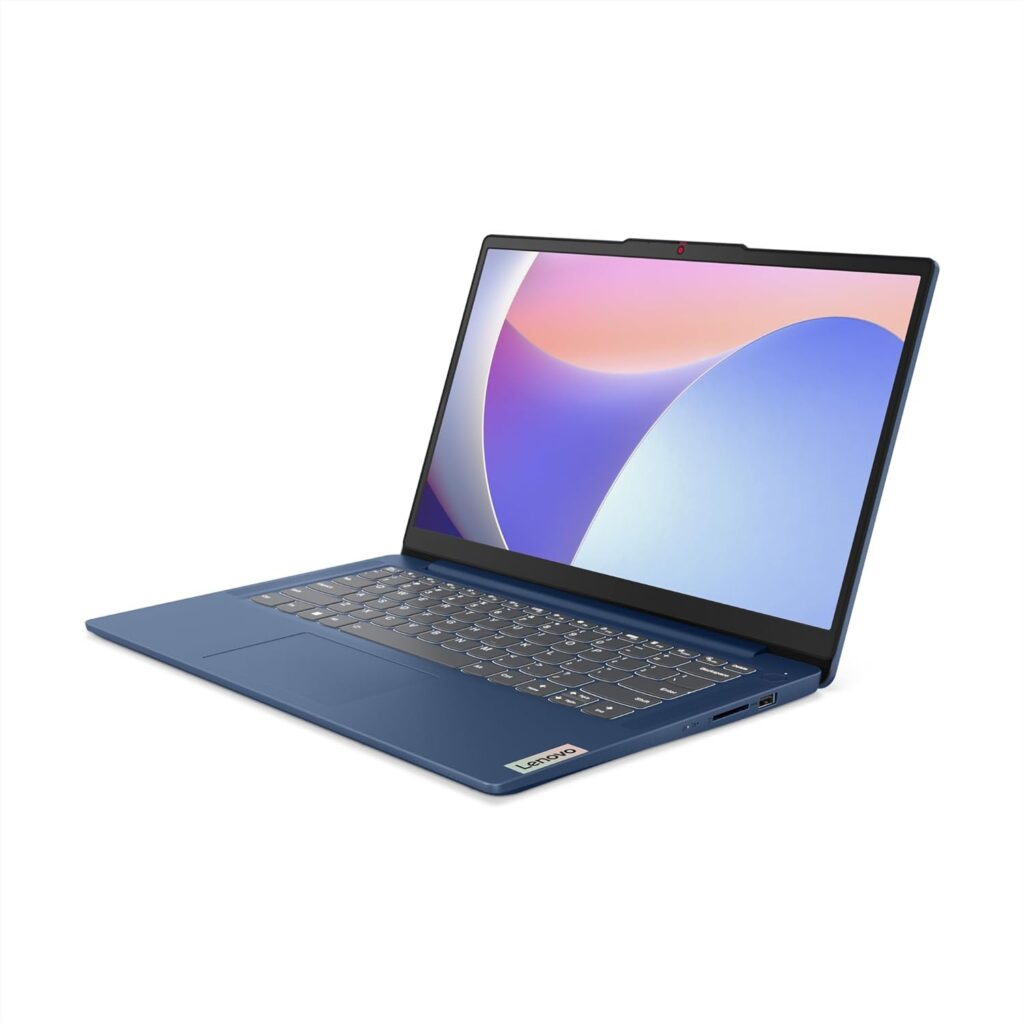
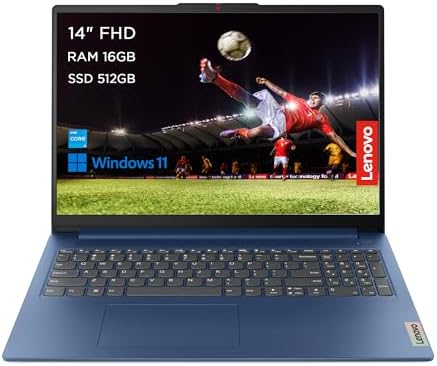
3. Lenovo IdeaPad Slim 3 14″ i5-12450H — 7.8/10
The one sentence summary: A compact 14-inch machine with a proper H-series Intel chip that delivers genuine performance headroom — but the display and soldered RAM are real compromises.
| Spec | Detail |
|---|---|
| CPU | Intel Core i5-12450H (12th Gen, 8 cores, up to 4.4GHz) |
| RAM | 16GB LPDDR5 (soldered) |
| Storage | 14″ FHD 1920×1080, IPS, 60Hz |
| Display | 15.6″ FHD 1920×1080 IPS, 60Hz |
| Weight | 1.46kg |
| Battery | Approximately 6–8 hours real-world |
| OS | Windows 11 Home |
The CPU in this machine deserves specific attention. The Intel Core i5-12450H is a 12th generation H-series processor — the H designation means it’s a higher-performance mobile chip, not the U-series low-power processors found in most budget laptops. It has 8 cores (4 performance + 4 efficiency) with a turbo ceiling of 4.4GHz on the performance cores. Lenovo’s official PSREF documentation confirms this configuration, and independent reviewers note it delivers meaningfully more horsepower than the U-series and Zen 2 chips on the rest of this list.
Amazon UK buyers confirm this in practice. One reviewer with several weeks of use reports handling 15–20 Chrome tabs open simultaneously alongside photo editing in GIMP and 1080p video playback without performance degradation. The machine is responsive for general work, though multiple buyers flag the display as the honest weak point. At approximately 250 nits, it is not dim by budget standards, but viewing angles are narrow — one Amazon UK buyer notes that viewing is not good unless you are directly in front of the display.
The 16GB LPDDR5 is soldered — confirmed by multiple reviewer teardowns. There is no SODIMM slot. The maximum memory is 16GB and it cannot be changed.
At 1.46kg, the IdeaPad Slim 3 14″ is the most portable Windows machine on this list. One WiFi issue worth flagging: several Amazon UK reviewers report losing WiFi connection after a few weeks of use, requiring network settings resets. This is not universal but appears with enough frequency to mention.
The honest assessment: The strongest CPU of any new machine on this list in a compact, lightweight chassis. The i5-12450H H-series chip genuinely separates this machine from the U-series and Zen 2 competition. The display and soldered RAM are real limitations, and the WiFi issue on some units is worth knowing. But pound for pound, the performance-to-weight ratio is the best on this list.
Pros:
- Intel Core i5-12450H — H-series chip, 8 cores, strongest CPU on any new machine here
- 1.46kg — lightest Windows laptop on this list
- 16GB LPDDR5 — correctly specced for daily use
- Compact 14-inch form factor — genuinely portable
- USB-C with DisplayPort support
Cons:
- Display viewing angles are poor — on-axis only
- 16GB RAM is soldered — no upgrade path
- WiFi connectivity issues reported by multiple Amazon UK buyers
- Battery life adequate but not exceptional
- No fingerprint reader on standard configuration
Best for: Students and commuters who prioritise processing power and portability in a compact 14-inch machine.
- Connections for all your needs: Wi-Fi 6 + Bluetooth, 2x USB 3.2 Gen 1, 1x USB-C 3.2 Gen 1, 1x HDMI 1.4, 1x Headphone / microphone combo jack (3.5mm), 1x Card reader, 1x Power connector
- Powerful performance – Engineered with military-grade quality, the IdeaPad Slim 3i Gen 8 laptop is ideal for on-the-go work, school, or entertainment. Powered by 12th Gen Intel Core i5 processors and 512GB of storage
- Immerse yourself in the experience – Narrow bezels and FHD stunning display, while yours stays focused on the 14-inch high-def wide-angle view. TÜV Certified Low Blue Light helps avoid eye fatigue. Dolby Audio ensures you’ll enjoy premium sound
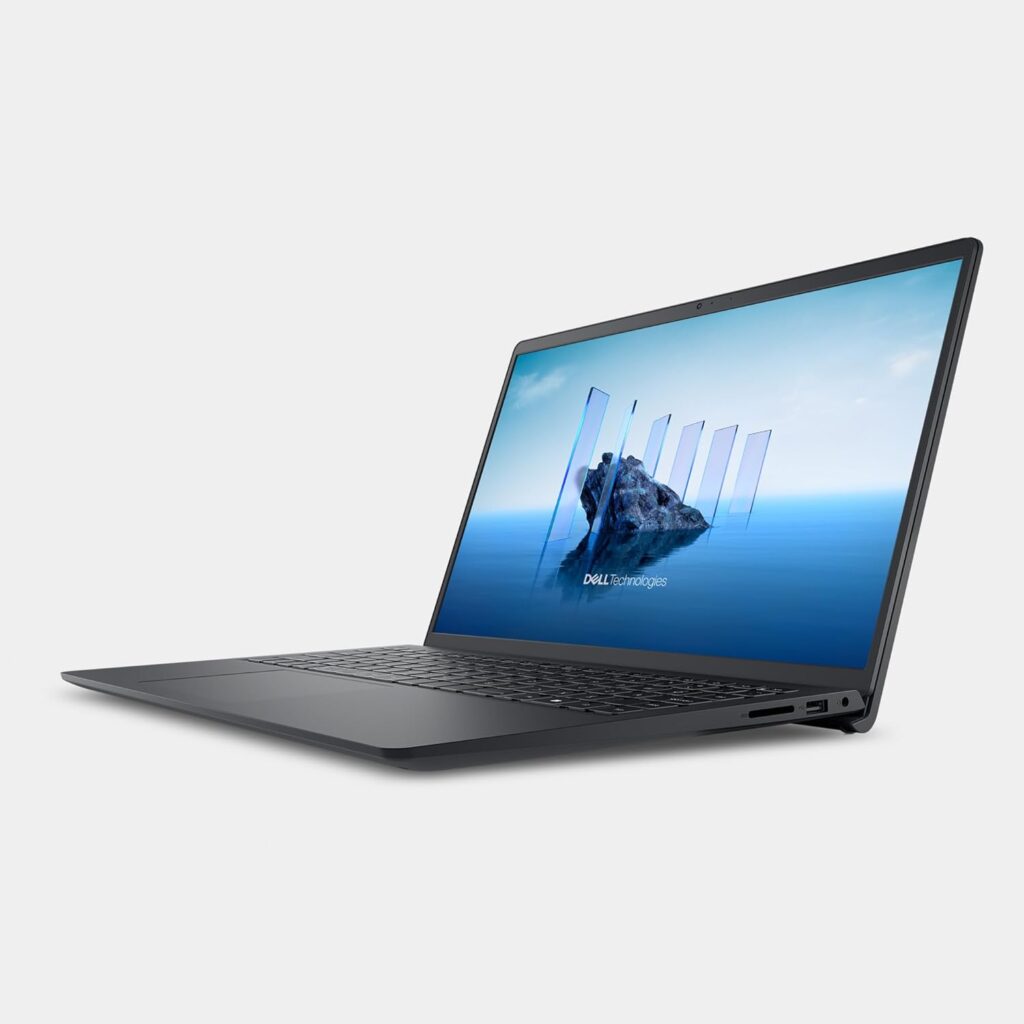
2. Dell 15 DC15250 — 8.0/10
The one sentence summary: A current-generation 13th Gen Intel machine with a 120Hz display that punches above its price — let down by modest battery life and a chassis that feels its budget origins.
| Spec | Detail |
|---|---|
| CPU | Intel Core i5-1334U (13th Gen, 10 cores, up to 4.6GHz) |
| RAM | 16GB DDR4 |
| Storage | 512GB NVMe SSD |
| Display | 15.6″ FHD 1920×1080, 120Hz IPS, anti-glare |
| Weight | 1.90kg |
| Battery | 41Wh, approximately 5–7 hours real-world |
| OS | Windows 11 Home |
The Intel Core i5-1334U is a genuine 13th generation chip with 10 cores (2 performance + 8 efficiency) and a turbo ceiling of 4.6GHz. This is current-generation Intel architecture, and the performance reflects it. Real-world testing by VividRepairs UK found 20+ browser tabs open simultaneously alongside Slack, Spotify, and Google Docs handled without performance degradation. Light RAW photo editing in Lightroom was described as perfectly usable.
The display is the DC15250’s standout feature. A 120Hz IPS panel at this price point is genuinely unusual — most budget laptops top out at 60Hz. The 120Hz refresh rate makes scrolling, video, and general Windows navigation noticeably smoother. The IPS technology gives proper viewing angles. LaptopMedia rates the display configuration as Very Good at 7.0 on their display scoring — the strongest display score for any machine on this list.
The port selection is practical: USB 3.2 Type-C, USB 3.2 Type-A, USB 2.0, HDMI 1.4, a microSD reader, and a headphone jack. No Ethernet. At 1.90kg, it is the heaviest machine on this list. The 41Wh battery delivers 5–7 hours real-world — enough for a working day with a charger nearby, but not a machine you’d trust through a full day away from a socket. Amazon UK buyer feedback is broadly positive on performance and value, with some buyers noting the keyboard feels less substantial than expected.
The honest assessment: The best display on this list, current-generation 13th Gen Intel performance, and a capable everyday machine. The weight and battery are genuine trade-offs. For a desk-based user who cares about screen quality and stays near a charger, this earns its second-place position. For anyone who needs a light, portable all-day machine, the ASUS above it is the better fit.
Pros:
- Intel Core i5-1334U — genuine 13th Gen, 10-core current-generation chip
- 120Hz IPS display — best screen on this entire list
- 16GB DDR4 and 512GB SSD — correctly specced
- USB-C with DisplayPort support
- Wi-Fi 6 and Bluetooth 5.2
Cons:
- 1.90kg — heaviest machine on this list by a clear margin
- 41Wh battery — 5–7 hours real-world, not for all-day untethered use
- No Ethernet port
- Keyboard feels less substantial than some competitors
- HDMI 1.4 — limited external display output
Best for: Desk-based home users and students who prioritise display quality and current-generation performance, and who primarily work near a charger.

- 15.6” FULL HD ANTI-GLARE DISPLAY FOR PRODUCTIVITY: Features a 15.6″ FHD (1920×1080) 120 Hz WVA display with narrow borders and anti-glare coating for comfortable viewing and multitasking in any lighting environment.
- EFFORTLESS MULTITASKING WITH INTEL CORE i5-1334U: Powered by the 13th Gen Intel Core i5-1334U processor (10 cores, 12 threads, up to 4.6GHz) for efficient performance across work, study, and everyday tasks.
- AMPLE MEMORY AND FAST STORAGE FOR DAILY USE: Comes with 16GB DDR4 RAM ( 2666 MT/s) and a 512GB PCIe M.2 SSD, delivering faster boot times, smooth app performance, and reliable data storage.
1. ASUS Vivobook 16 X1605VA — 8.3/10
The one sentence summary: The most complete new budget laptop available in the UK in 2026 — a 16-inch machine with military-grade build certification, 16GB RAM, and a 16:10 display at a price that nothing else on this list matches for overall capability.
| Spec | Detail |
|---|---|
| CPU | Intel Core 5-120U (10 cores, up to 4.6GHz) |
| RAM | 16GB DDR4 |
| Storage | 512GB NVMe SSD |
| Display | 16.0″ WUXGA 1920×1200 IPS, 16:10 aspect ratio |
| Weight | 1.88kg |
| Battery | Approximately 6–8 hours real-world |
| OS | Windows 11 Home |
The ASUS Vivobook 16 X1605VA takes the top position on this list for a reason that becomes clear once you look at what you get for the money: a 16-inch WUXGA display at 16:10 aspect ratio, MIL-STD-810H military-grade build certification, 16GB DDR4, 512GB SSD, a physical webcam shield, and a 10-core Intel processor — all at under £400.
The processor is worth understanding clearly. Intel has renamed their product lines and the Intel Core 5-120U is the rebranded equivalent of a 13th Gen Core i5-1335U. It uses the same hybrid architecture — 2 performance cores and 8 efficiency cores — with a turbo ceiling of 4.6GHz. Independent testing by VividRepairs UK confirmed the machine rated 4.4 out of 5 from 124 verified buyers, with the reviewer using it as their primary daily driver for three weeks across document editing, 15+ tab browsing, video calls, and photo editing without complaint.
The display is where the Vivobook 16 separates itself from the competition on this list. The 16:10 aspect ratio gives you noticeably more vertical screen space than the standard 16:9 panels on every other machine here — 1920×1200 versus 1920×1080. That extra height is immediately useful: more document visible without scrolling, more comfortable web browsing, better video call framing. ASUS’s NanoEdge slim-bezel design means the actual chassis footprint is more manageable than the screen size implies.
The MIL-STD-810H certification represents a testing standard covering drops, shock, vibration, temperature extremes from -25°C to 63°C, humidity, and pressure changes. At a budget price point, this certification is genuinely unusual. The 180° lay-flat hinge is a practical addition for shared viewing or desk collaboration. The physical webcam shield slides mechanically — no firmware, no software, just a cover you move when you want privacy.
Port selection includes USB-C 3.2 Gen 1 with Power Delivery, two USB 3.2 Gen 1 Type-A ports, a USB 2.0 port, HDMI output, and a 3.5mm audio combo jack. No Ethernet. Wi-Fi 6 handles wireless connectivity reliably. Battery life lands around 6–8 hours in real-world mixed use — carry the charger for an all-day session.
The honest assessment: The ASUS Vivobook 16 X1605VA is the strongest new budget laptop available in the UK in 2026. Military-grade build certification, a 16:10 display that gives you more screen real estate than anything else on this list, current-generation Intel performance, a physical webcam shield, and the right RAM and storage — at under £400. The display could be brighter and the battery isn’t exceptional, but for the overall package, nothing at this price competes.

Pros:
- MIL-STD-810H military-grade build certification — significantly better durability than standard budget machines
- 16″ WUXGA 16:10 display — more vertical screen space than any other machine on this list
- Intel Core 5-120U — 10-core current-generation architecture
- 16GB DDR4 and 512GB SSD — correctly specced for 2026
- Physical webcam shield — mechanical privacy without software
- 180° lay-flat hinge
- USB-C with Power Delivery
Cons:
- Display brightness below mid-range standards — not ideal in bright rooms
- 1.88kg — comparable to the Dell DC15250 despite the larger screen
- Battery life adequate but not exceptional
- No Ethernet port
- No fingerprint reader on this configuration
Best for: Students, home office workers, and everyday users who want the most capable, durable, well-specced new budget laptop available in the UK.
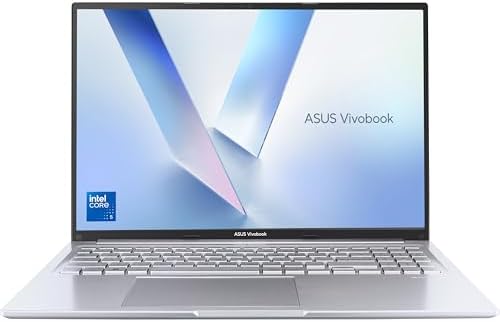
- Powered by Intel’s Core 5-120U 10-Core Processor (Up to 5GHz)
- 16GB RAM, paired with 512GB PCIe SSD
- 16.0″ WUXGA (1920 x 1200) 16:10 Screen
- Stress tested and compliant with the US MIL-STD 810H military-grade standard
Which Budget Laptop Should You Buy?
Every laptop on this list was chosen because it does something well. The right choice depends on what your daily use looks like.
Buy the ASUS Vivobook 16 X1605VA if you want the best all-round new machine — military-grade build, the biggest and best-proportioned display, and correct specs for 2026. For most people reading this guide, this is the recommendation.
Buy the Dell DC15250 if screen quality is your priority and you work primarily at a desk. The 120Hz IPS panel is the best display on this list. Accept the weight and carry the charger.
Buy the Lenovo IdeaPad Slim 3 14″ i5-12450H if portability and raw CPU performance matter more than display quality. The lightest machine here with the strongest H-series chip.
Buy the Acer Aspire Go 15 AG15-42P if you need Ethernet and don’t mind a grainy display. The genuine Zen 3 performance and full port selection make it the practical choice for wired-network environments.
Buy the HP 15-fc0004sa if you want a lightweight IPS display machine at a lower price and will primarily work near a charger.
Buy the Lenovo IdeaPad 1 15AMN7 if all-day battery is your absolute priority and you can live with a TN display and Zen 2 performance.
Buy the ACEMAGIC Ryzen 4300U only if your budget is very tight and upgradeability matters to you. The dual SODIMM slots are genuinely useful long-term, but the 2020 CPU is the honest trade-off at the bottom of this list.
For buyers whose needs extend above this price range, our Best Mid-Range Laptops UK guide covers the £500–£900 bracket where display quality, build, and performance take a meaningful step forward. For a thorough explanation of every specification mentioned in this guide, our Laptop Buying Guide UK covers everything from CPU architectures to RAM types in plain English.
External Resources
For independent benchmark data and technical depth beyond this guide: NotebookCheck and LaptopMedia are the two most rigorous independent laptop review sources available. Which? offers UK-specific lab testing and consumer rights context. For CPU performance comparisons, PassMark’s CPU comparison tool allows direct side-by-side benchmarking between any processors mentioned here.
More Budget Laptops
The kit above is what I’d put my own money on, but I’m always evaluating new best budget laptops as they hit the UK market. Every laptop in the feed below has gone through the same process: I’ve gutted the specs and vetted the buyer sentiment to see if they’re actually worth a look in 2026. If my top picks didn’t quite hit the mark, there might be something here that fits. Browse all budget laptop analyses in the Best Budget Laptops category archive.
Browse by Specification
Looking for something specific? Browse our analyses by hardware and feature:
[AMD Processor Laptops] — [Intel Processor Laptops] — [16GB RAM Laptops] — [32GB RAM Laptops] — [Dedicated Graphics] — [Long Battery Life] — [Lightweight Laptops] — [Student Laptops]
Browse by Screen Size
[13-inch Laptops] — [14-inch Laptops] — [15-inch Laptops] — [16-inch+ Laptops]
Note: I don’t do lab tests or hands-on reviews. Instead, I tear down the technical specs and aggregate verified buyer reports to see how these laptops actually perform in the wild. As an Amazon Associate, I earn from qualifying links.
-

LEEDOW ANL5-N5095 Analysis: 16GB on a Tight Budget
Reading Time: 10 minutesThe Blunt Verdict The LEEDOW ANL5-N5095 is a barebones budget machine aimed squarely at light daily use — browsing, documents,
-

LEEDOW ANL5-N5095 Analysis: Big Specs, Low Ceiling
Reading Time: 9 minutesThe Blunt Verdict The LEEDOW ANL5-N5095 is a no-frills, light-use laptop aimed squarely at students, older users, and anyone who
-

LEEDOW ANL5-N5095 Analysis: 16GB for the Price
Reading Time: 10 minutesThe Blunt Verdict The LEEDOW ANL5-N5095 is a no-frills entry-level laptop built for people whose daily digital life consists of
-

LEEDOW ANL5-N5095 Analysis: More RAM, Real Limits
Reading Time: 9 minutesThe Blunt Verdict The LEEDOW ANL5-N5095 is an entry-level 15.6-inch laptop designed for one specific kind of buyer: someone who
-

LEEDOW ANL5-N5095 Analysis: 16GB for a Celeron Price
Reading Time: 9 minutesThe Blunt Verdict The LEEDOW ANL5-N5095 is a no-frills entry-level machine aimed squarely at light daily users — students, people