
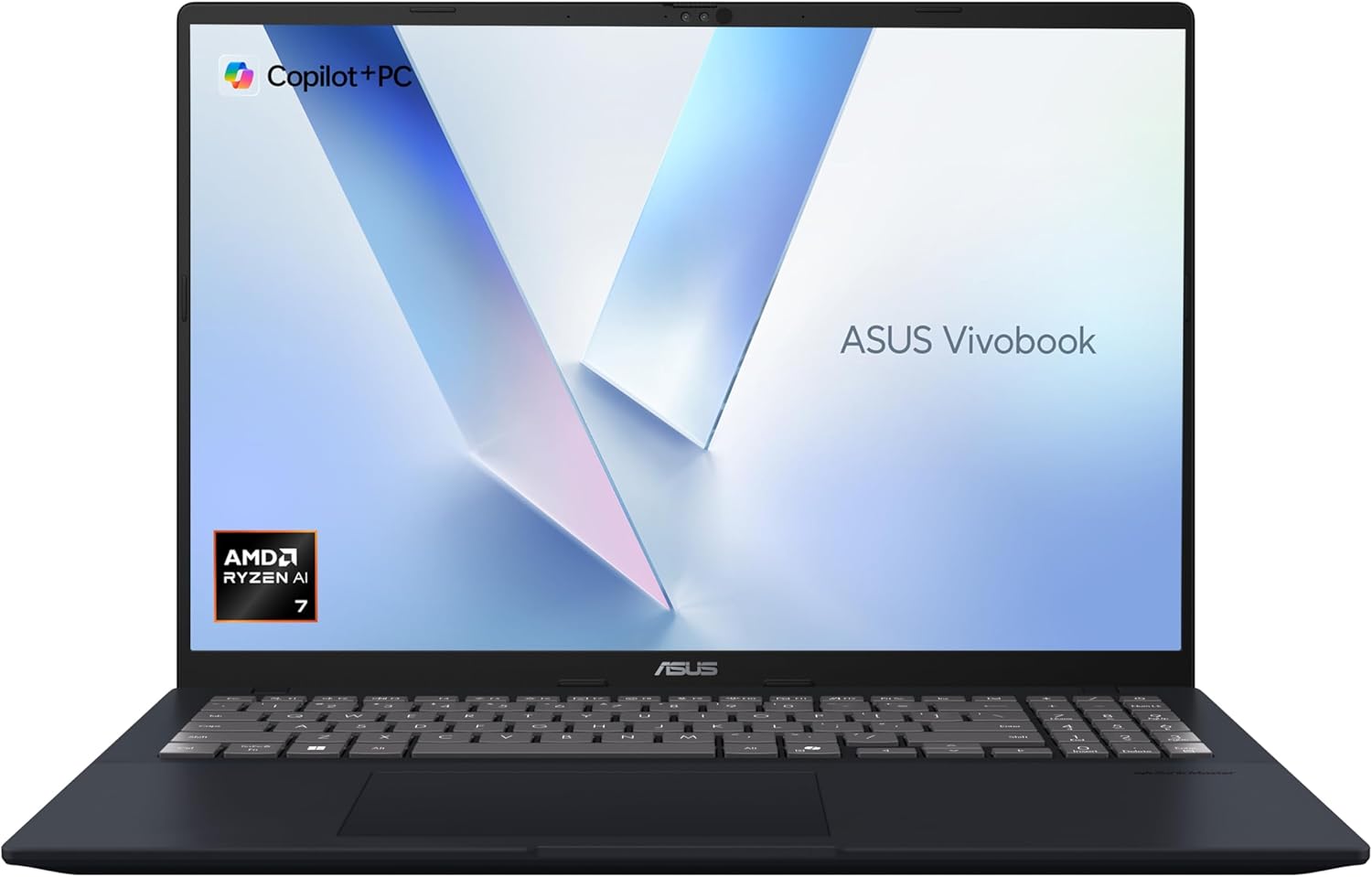
ASUS Vivobook 16 M1607KA Analysis: Battery Lies Exposed
The Blunt Verdict
The ASUS Vivobook 16 M1607KA is a solid mid-range workhorse aimed squarely at students, home users, and anyone who needs a capable everyday machine without drama. The headline strength is that AMD Ryzen AI 7 350 chip paired with 16GB of fast RAM and a generous 1TB SSD — that’s a genuinely well-specced package at this level. The headline weakness is the display: WUXGA at 1920×1080 on a 16-inch panel isn’t exactly pixel-dense, and ASUS’s own marketing is doing some creative gymnastics around battery life that buyers are already calling out.
You’re getting an AMD Ryzen AI 7 350 — an 8-core, 16-thread chip with AI acceleration built in (that’s the “Copilot+” designation, meaning it meets Microsoft’s NPU threshold for on-device AI tasks). Couple that with 16GB LPDDR5X RAM, a 1TB PCIe SSD, and the 16:10 aspect ratio screen, and you have a machine that can handle multitasking, light creative work, and a full day of productivity without much fuss. Integrated AMD Radeon 680M graphics handles everything except actual gaming — be clear-eyed about that.
Buy it if you’re a student or home user who wants a large-screen laptop with modern specs and won’t be gaming beyond casual titles. Skip it if you need a dedicated GPU, a sharper display, or if the battery life claim is the deciding factor for you — because the real-world numbers are almost certainly nothing like the advertised figure.
See the ASUS Vivobook 16 M1607KA listing and current availability on Amazon.
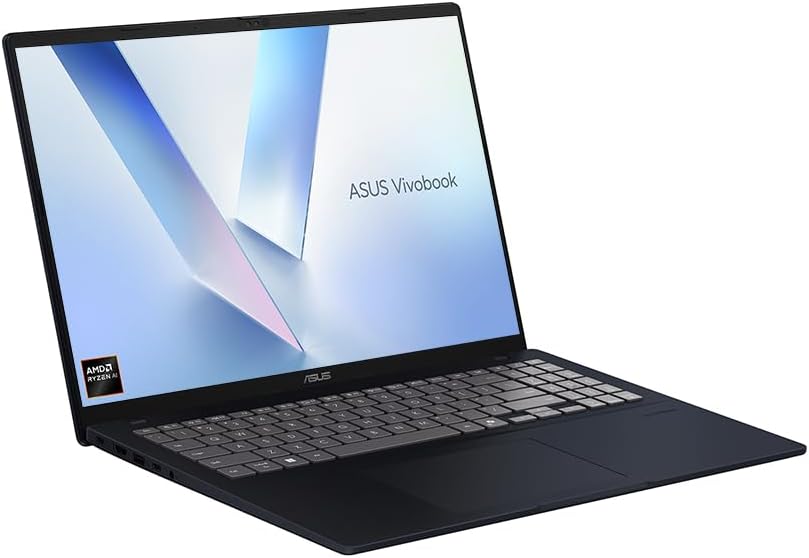
Pros and Cons
Pros
- AMD Ryzen AI 7 350 is a genuinely capable modern chip — eight cores and 16 threads gives it headroom most mid-range laptops lack
- 16GB LPDDR5X RAM is the right amount for comfortable multitasking in 2025, and the fast memory type helps integrated graphics performance too
- 1TB PCIe SSD is a proper storage allocation — no one’s running out of space or installing a secondary drive two months in
- 16:10 screen ratio gives you more vertical real estate than the typical 16:9, genuinely useful for documents, code, and browsing
- Touchscreen support adds flexibility if you occasionally want to interact directly with the display
- Copilot+ certification means this hardware is future-proofed for Microsoft’s on-device AI features as they roll out
Cons
- The 42Wh battery is small — the advertised 17-hour figure is a lab result and real-world use will likely land well short of that, as buyers are already discovering
- No dedicated GPU — AMD Radeon 680M integrated graphics will handle light workloads but rules out any serious gaming or GPU-accelerated creative tasks
- Only 3 USB ports total, and the spec sheet doesn’t confirm Thunderbolt — connectivity is lean for a 16-inch machine
Spec Breakdown
- Model: ASUS Vivobook 16 M1607KA
- CPU: AMD Ryzen AI 7 350, 8-core/16-thread, up to 3.5GHz
- RAM: 16GB LPDDR5X
- Storage: 1TB PCIe SSD
- GPU: AMD Radeon 680M (integrated)
- Display: 16-inch WUXGA, 1920×1080, 16:10 aspect ratio, IPS LED, touchscreen
- Battery: 42Wh lithium ion, rated 17 hours
- OS: Windows 11 Home
- Weight: 1.89kg
- Ports: 3x USB total
- Connectivity: Wi-Fi 5 (802.11ac), Wi-Fi 6 (802.11ax)
- Keyboard: QWERTY
- Camera: No webcam
- Colour: Blue
- Warranty: 1 year manufacturer
Hardware & Performance Reality Check
The AMD Ryzen AI 7 350 is a strong choice for this class of machine. Eight cores and 16 threads means it handles genuine multitasking without the performance cliff you’d hit on a quad-core budget chip — you can have a dozen browser tabs, a streaming app, and a document editor running simultaneously without things grinding down. The 16GB LPDDR5X RAM is the right pairing for this CPU, and LPDDR5X specifically (not just LPDDR4X like you’ll find on cheaper machines) helps the integrated GPU too since it shares system memory bandwidth. One thing worth flagging: the spec sheet lists RAM maximum size as 16GB, which is a strong indicator this RAM is soldered to the motherboard. That means what you buy is what you’re stuck with — there’s no upgrade path. For most users that’s fine, but it’s worth understanding before you commit. If you’re unsure what that means in practice, the RAM guide is worth a read.
The 1TB PCIe SSD is one of the better value points here. PCIe interface means fast read/write speeds versus the slower SATA SSDs that still appear on budget machines — Windows boots quickly, apps load fast, large file transfers don’t make you wait. The GPU situation is what it is: AMD Radeon 680M integrated graphics is genuinely the best integrated GPU AMD currently offers at this tier, and it’ll handle casual gaming (older titles, indie games, 2D games) reasonably well. But if you’re expecting to run anything graphically demanding, forget it. No dedicated GPU means no ray tracing, no VRAM buffer, no meaningful game performance on recent AAA titles. If gaming is on your radar, look at the budget gaming options instead.
For 2026 and beyond, this machine holds up well in practical terms. Student coursework, office productivity, video calls, web development, light photo editing — all fine for the foreseeable future. The CPU architecture here is current-generation and the AI-capable NPU (rated up to 66 TOPS) means it meets the hardware bar for next-generation Windows AI features. Video editing is possible for short clips and lower resolutions, but don’t expect to fly through a 4K timeline — integrated graphics is a real bottleneck there. Programming and development work will be comfortable; the CPU grunt handles compilation and tooling without issue. If you want to benchmark expectations against similar hardware, performance benchmark comparisons give useful context.
One hardware point worth flagging separately: the spec sheet confirms no webcam. That’s an unusual omission on a machine at this level and matters enormously if you’re doing video calls for work, study, or anything else. You’d need an external webcam — budget for that if this is going to be a work or study machine. Worth knowing up front, not when you’re on your first Teams call.
Check the full spec sheet and buyer Q&As for the ASUS Vivobook 16 M1607KA on Amazon.
Everyday Usability: Battery, Build & More
Portability is reasonable at 1.89kg — not ultrabook territory, but a 16-inch machine that comes in under 2kg is manageable in a bag. The dimensions (357mm x 251mm x 20mm) make it a proper full-size laptop without being a slab. Battery life is the elephant in the room. The ASUS marketing says 17 hours; the battery capacity is 42Wh. That’s a small cell. For comparison, many business laptops with similar claims carry 60–72Wh batteries. The maths doesn’t add up unless ASUS is running that figure at minimum brightness with Wi-Fi off, doing nothing. Buyers are already reporting significantly shorter real-world life — one review mentions 4–5 hours of use getting down to 10%. A realistic expectation for active screen-on use is somewhere in the 5–7 hour range. Enough for a half-day without a charger; not enough for a full working day unplugged. Manage expectations accordingly.

The 16-inch WUXGA display with 16:10 ratio is a legitimately good screen format for productivity — more vertical space than 16:9 makes a real difference on documents and web pages. At 1920×1080 on a 16-inch panel, pixel density sits around 142 PPI, which is softer than what you’d get on a higher-res panel. It’s not blurry by any means, but text won’t be as crisp as a 2K or OLED display. The touchscreen is a useful bonus if you want it, though at 60Hz you won’t notice it’s not a high-refresh panel during normal use. Connectivity is lean: 3 USB ports total with no Thunderbolt confirmed, and the spec listing doesn’t confirm HDMI or Ethernet explicitly. For anyone who needs external monitor output or a wired network connection, check the ASUS product page directly before buying — the ports guide explains what to look for. One buyer flagged an audio device installation issue on their unit, which may be an isolated case but is worth monitoring as more reviews come in. The missing webcam means you’ll need external hardware for video calls — that’s a genuine usability gap on a machine marketed partly at students and personal use.
Lifespan & Future-Proofing
ASUS claims military-grade durability for the Vivobook 16 M1607KA, which typically refers to MIL-STD-810H testing — drops, temperature extremes, humidity, vibration. That’s meaningful and not just marketing fluff; it sets a bar above standard consumer plastic. The chassis material and hinge quality are harder to assess from spec sheets alone, but at 1.89kg with those dimensions it’s not a flimsy build. Realistically, a well-maintained machine at this construction level should serve 4–5 years before you notice physical degradation. The buying guide has more on what to look for in build quality if that’s a priority decision point for you.
On spec longevity: the Ryzen AI 7 350 is a 2025 chip with current-generation architecture, and paired with 16GB LPDDR5X RAM and a fast NVMe SSD, this hardware won’t feel dated for everyday tasks until at least 2028–2029. The Copilot+ certification adds forward-compatibility for Microsoft’s AI feature roadmap. The one hard limit is that soldered RAM at 16GB maximum means you cannot upgrade if workloads grow — and the lack of a dedicated GPU is a permanent ceiling for any GPU-intensive work. Neither of those is a problem for the target user today, but they’re worth understanding as a long-term constraint. If you’re a student buying this for a four-year degree, you’ll be fine. If you’re buying it expecting to grow into heavier workloads, you’ll eventually need a different machine rather than an upgraded one.
View current stock levels for the ASUS Vivobook 16 M1607KA on Amazon.
What Buyers Are Saying (And Potential Dealbreakers)
The ASUS Vivobook 16 M1607KA currently sits at 4.2 out of 5 stars from 9 customer reviews on Amazon UK. That sample size is too small to draw firm conclusions — nine reviews is not a pattern, it’s a handful of early purchasers. What it does give us is a snapshot of first impressions, which are worth parsing alongside hardware-based projections.
One consistent theme: the machine does what it says on the box for general use. The positive feedback calls it good value and confirms the specs deliver as expected. The problem areas already surfacing are more pointed. Battery life is the sharpest complaint — one buyer explicitly calls out the gap between the advertised figure and real-world results after 4–5 hours of use. That’s not surprising given the 42Wh cell, and it’s a genuine dealbreaker if you planned around the marketing claim. The other flagged issue is a BitLocker security trigger that one buyer encountered several weeks after purchase — this is a Windows 11 Home behaviour rather than a hardware fault, but it’s disruptive if you don’t know it’s coming and don’t have your recovery key saved. Worth noting, and worth setting up your Microsoft account properly before it catches you off guard.
One buyer also raised concerns about Amazon-sold units being potentially refurbished, citing an audio driver issue. That’s an isolated report and can’t be confirmed, but it’s worth buying from Amazon directly (sold and fulfilled by Amazon) rather than third-party sellers on the platform if this is a concern for you.
Buyer Highlights
“All as promised — good value, everything worked as expected out of the box.” — The core offering delivers for straightforward everyday use.
“Three weeks in I got hit by a BitLocker security lock and had to reload Windows 11 from scratch — that was painful and not something I was warned about.” — Save your BitLocker recovery key immediately after setup, it’s in your Microsoft account.
“The battery is nowhere near what they advertise — 4 to 5 hours of actual use and it’s already nearly dead.” — Hardware-based projection agrees: 42Wh cells rarely survive heavy use beyond 5–6 hours.
“The audio device wasn’t even installed when I got it — combined with the battery I’m sending it back.” — An isolated report, but worth checking audio and all hardware functions immediately on receipt.
Who Should Buy It (And Who Shouldn’t)
Buy If
- You’re a student or home user who needs a large-screen machine for coursework, browsing, productivity apps, and light creative work — the specs are well-matched to exactly this use case
- You want modern AI-capable hardware without paying a premium — Copilot+ certification and the Ryzen AI 7 350 put this in the same hardware bracket as machines that cost considerably more elsewhere
- Storage space matters to you — 1TB is a genuinely generous allocation at this level and means you won’t be managing files or deleting things to make room
- You primarily work plugged in or have a charger nearby — the hardware is solid and the battery constraint matters less if you’re mostly desk-based
Avoid If
- You need genuinely all-day unplugged battery life — the 42Wh cell simply cannot deliver the 17 hours ASUS advertises under real conditions, and if this is your primary mobility requirement you’ll be let down
- You need a webcam built in — there isn’t one, and that’s a significant gap for anyone doing regular video calls for work, study, or anything else
- You’re planning to game beyond casual or older titles — integrated graphics is the ceiling here, and no upgrade path exists to change that
The Bottom Line
The ASUS Vivobook 16 M1607KA is a well-specced mid-range option that gets the fundamentals right — a current-generation AMD chip, fast RAM, generous storage, and a good screen format — but the battery life marketing is borderline dishonest and the missing webcam is a real oversight. If you go in with accurate expectations on battery, this is a capable and modern machine for students and home users. If you’re making the purchase based on that 17-hour claim, you’ll be disappointed. Sort out your BitLocker recovery key on day one, check your audio hardware works straight away, and buy from a reputable seller. Beyond those caveats, the hardware here earns a genuine recommendation for its intended audience.
Find the ASUS Vivobook 16 M1607KA on Amazon and read the latest buyer questions and answers.
At LaptopAdvisorOnline, our methodology is built on data transparency rather than simulated hands-on testing. We rigorously analyse official manufacturer specifications and aggregate verified customer sentiment to provide objective, fluff-free buying advice that helps you cut through the marketing jargon.
As an Amazon Associate, I earn from qualifying purchases.
Browse by Specification
Looking for something specific? Browse our analyses by hardware and feature below, or check all laptop analyses in the Best Mid-Range Laptops category archive.
[AMD Processor Laptops] — [Intel Processor Laptops] — [16GB RAM Laptops] — [32GB RAM Laptops] — [Dedicated Graphics] — [Long Battery Life] — [Lightweight Laptops] — [Student Laptops]
Browse by Screen Size
[13-inch Laptops] — [14-inch Laptops] — [15-inch Laptops] — [16-inch+ Laptops]




