
Laptop performance benchmarks are one of the most useful tools available to a laptop buyer — and one of the most misunderstood. A benchmark score sitting in a review carries real meaning if you know how to read it. Read incorrectly, the same number can lead you toward a machine that disappoints in daily use or away from one that would have served you perfectly. This guide explains what laptop performance benchmarks actually measure, why the same processor can produce wildly different scores in different laptops, which benchmark tools matter and which do not, and how to use benchmark data practically when comparing machines before purchase.
Understanding laptop performance benchmarks properly takes perhaps twenty minutes. That investment will pay dividends every time you read a laptop review for the rest of your life.
What a Benchmark Actually Is — and What It Is Not
A performance benchmark is a standardised test that runs a defined workload on a piece of hardware and produces a numerical score. The score represents how quickly or efficiently the hardware completed that workload. Higher scores generally indicate faster hardware, and because the workload is standardised, scores from different machines can be directly compared.
The crucial word is “standardised.” A benchmark’s value comes entirely from consistency — running the same test under the same conditions on different hardware produces comparable results. Change the conditions and the comparison breaks down. This is why benchmark methodology matters as much as the scores themselves, and why results from different testing environments or different versions of the same benchmark tool cannot be directly compared.
What a benchmark is not is a complete picture of how a laptop will perform in your specific daily use. Benchmarks measure defined, controlled workloads. Real laptop use involves unpredictable combinations of applications, background processes, browser tabs, communication tools, and creative software running simultaneously at varying intensities. A benchmark score tells you how fast a processor rendered a 3D scene under controlled conditions. It does not tell you how the machine handles your specific combination of Photoshop, Chrome, Teams, and Spotify simultaneously — though it provides a useful indication.
The relationship between benchmark scores and real-world experience is strong but not perfect. Understanding where it breaks down is as important as understanding what the scores mean.
Synthetic vs Real-World Benchmarks — The Critical Distinction

All laptop performance benchmarks fall into one of two categories, and the distinction between them fundamentally affects how their results should be interpreted.
Synthetic benchmarks run artificial workloads specifically designed to stress hardware components in controlled, repeatable ways. They are not real applications — they are purpose-built tests that isolate specific aspects of hardware performance. Cinebench, Geekbench, and 3DMark are synthetic benchmarks. Their strength is comparability and repeatability: the same test on the same hardware produces consistent results, making cross-machine comparison reliable. Their limitation is that they measure theoretical capability rather than real-world application performance. A processor that excels in a Cinebench rendering test may or may not feel proportionally faster when running Adobe Premiere Pro, because Premiere Pro introduces variables — file codec, effects stack, export settings, background applications — that a synthetic test deliberately excludes.
Real-world benchmarks use actual applications to measure performance. PCMark 10, for example, uses simulated productivity tasks including web browsing, video conferencing, spreadsheet work, and photo editing to produce a score that more closely reflects everyday laptop use. SPECworkstation uses professional application workloads. Real-world benchmarks sacrifice some comparability for relevance — results depend partly on the specific software versions and settings used — but they provide a more meaningful picture of how a machine will actually behave.
The best approach when evaluating a laptop is to use both types together. Synthetic benchmarks tell you about raw hardware capability. Real-world benchmarks tell you how that capability translates into the kind of work you actually do. A machine that scores well on both is genuinely fast in practice. A machine that scores well on synthetic benchmarks but poorly on real-world tests is bottlenecked somewhere — perhaps by a slow SSD, insufficient RAM, or thermal throttling under sustained load.
As Lenovo’s hardware assessment guidance notes, synthetic benchmarks may not accurately reflect real-world usage, and looking for consistent performance across multiple benchmarks rather than a single impressive score gives a far more reliable picture of a machine’s genuine capability.
The Benchmark Tools That Matter in 2026
These are the performance benchmark tools you will encounter most frequently in laptop reviews, what each measures, and how to interpret their results.
Cinebench 2026
Cinebench, developed by Maxon, is the industry standard CPU benchmark for laptop and desktop reviews. It measures processor performance by rendering a complex 3D scene using Maxon’s Redshift engine — the same renderer used in Cinema 4D production work. Because it uses a real rendering engine rather than a purely synthetic algorithm, Cinebench scores correlate reasonably well with actual 3D rendering, video production, and compute-intensive creative workloads.
Cinebench 2026 launched in late 2025 and represents a significant update from previous versions. The new version uses the latest Redshift engine and is approximately six times more demanding in multi-threaded tests compared to Cinebench 2024, as confirmed by Tom’s Hardware’s coverage of the release. A new SMT (Simultaneous Multithreading) test has been added, allowing direct comparison of a processor’s single-thread versus dual-thread per-core performance — particularly revealing for evaluating how well a CPU’s threading implementation works in practice.
Critical point: Cinebench 2026 scores are not comparable with scores from Cinebench 2024, R23, R20, or any earlier version. Each version uses a different rendering engine, different scene, and different scoring scale. Comparing a Cinebench 2026 score against a Cinebench R23 score from an older review is meaningless. Always confirm which version was used before comparing results across reviews.
Cinebench produces two key scores: single-core and multi-core. Single-core performance reflects how fast the processor handles tasks that cannot be parallelised — general interface responsiveness, many web applications, gaming. Multi-core performance reflects how the processor handles tasks that scale across all available cores — video rendering, compilation, multi-threaded creative workloads. Both numbers matter, and which matters more depends on what you do with your laptop.
By default, Cinebench 2026 runs the test multiple times over a minimum of ten minutes before calculating the final score. This sustained approach is deliberate — as HWCooling’s analysis of the benchmark explains, it is specifically designed to capture the behaviour of processors that deliver maximum performance only briefly before thermal throttling reduces their speed. A 10-minute sustained run reveals real sustained performance rather than a brief peak that most users will rarely see in practice.
Geekbench 6
Geekbench 6, developed by Primate Labs, is a cross-platform benchmark covering CPU and GPU performance that works across Windows, macOS, Linux, iOS, and Android. This cross-platform compatibility makes it uniquely useful for comparing performance across different processor architectures — including Intel, AMD, and Apple Silicon — using a single consistent test.
Geekbench 6 scores are calibrated against a baseline score of 2,500, which represents the performance of an Intel Core i7-12700. This baseline gives scores immediate context — a score above 2,500 exceeds that reference point, below 2,500 falls short of it. Current mid-range laptop processors score between 2,500 and 3,500 in single-core and between 10,000 and 15,000 in multi-core. Flagship chips push beyond these ranges.
Geekbench’s strength is its breadth and its Apple Silicon support, making it the primary tool for comparing Windows and macOS laptops on equal terms. Its limitation is that it tests a broader and somewhat more abstract range of workloads than Cinebench, making its scores slightly less directly applicable to specific professional tasks like 3D rendering or video production.
PCMark 10
PCMark 10, developed by UL Benchmarks, is the leading real-world laptop performance benchmark. Rather than running synthetic algorithms, it simulates actual productivity tasks — web browsing, video conferencing, spreadsheet manipulation, photo editing, and writing — and produces scores reflecting how the whole system handles everyday work.
PCMark 10 is particularly valuable because it tests the entire laptop system, not just the processor. A machine with a fast CPU but a slow SSD will score differently from an identical machine with an NVMe drive. A machine with insufficient RAM that pages to storage during the test will score lower than the same machine with adequate memory. PCMark 10 catches bottlenecks that CPU-only benchmarks miss entirely.
For buyers whose primary use is productivity rather than creative work or gaming, PCMark 10 scores from independent reviewers are more directly relevant than Cinebench or Geekbench results. A PCMark 10 score above 5,000 is considered good for a mainstream laptop; above 6,000 is excellent; above 7,000 reflects a high-performance productivity machine.
3DMark
3DMark is the standard benchmark for GPU and gaming performance, testing graphics card capability through demanding 3D rendering scenarios at various quality levels. For buyers considering laptops for gaming or GPU-accelerated creative work, 3DMark results in reviews provide the most reliable basis for GPU comparison.
3DMark includes several test suites at different intensity levels — Time Spy for DirectX 12 gaming performance, Fire Strike for DirectX 11, and Steel Nomad for the highest-end systems. When reading gaming laptop reviews, Time Spy scores in the range of 5,000–8,000 indicate solid 1080p gaming capability. Above 10,000 reflects strong 1440p performance. Above 15,000 represents high-end capability.
PassMark
PassMark maintains one of the largest databases of CPU benchmark results, updated daily with results from user submissions worldwide. While PassMark scores are less precise than controlled review benchmarks — they come from varied user environments rather than standardised testing conditions — the sheer scale of the database makes it useful for quick, broad comparisons across a huge range of processors.
PassMark is best used as a sanity check rather than a primary comparison tool. If a processor you are evaluating scores dramatically higher or lower than alternatives in the same price bracket on PassMark, that gap is meaningful. Small differences of less than 10% should not be the basis for a purchasing decision given the variability in the source data.
Why the Same Laptop Scores Differently Across Reviews — The Throttling Problem
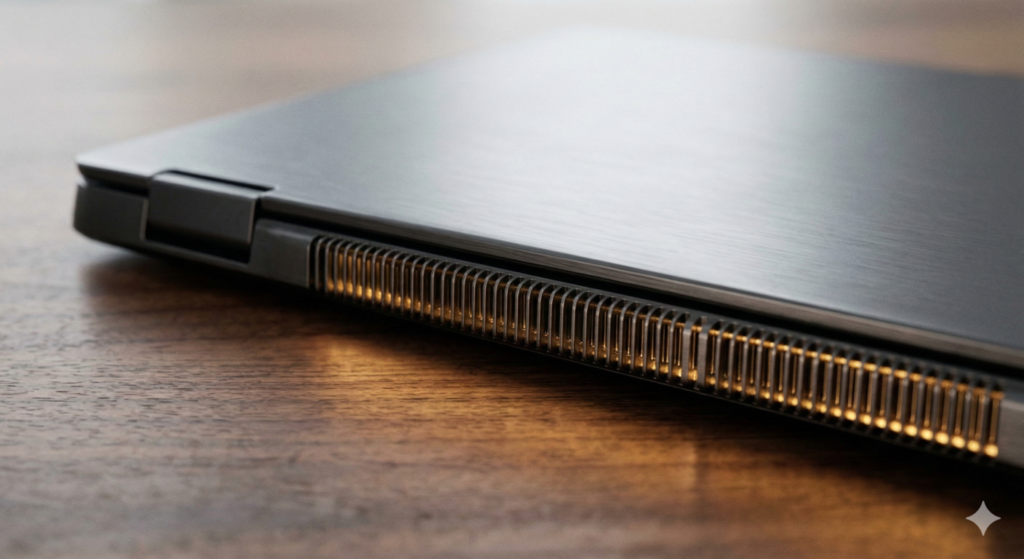
This is the most practically important section of this entire guide. Understanding it will prevent a specific and common frustration: buying a laptop based on benchmark scores from one review, then feeling the machine underperforms compared to what you expected.
Two laptops carrying the same processor can produce meaningfully different benchmark scores depending on how that processor has been configured in each chassis. As covered in our Laptop CPU Guide, every laptop processor operates within power limits set by the laptop manufacturer — the PL1 sustained power limit and the PL2 burst power limit. A thin ultrabook might cap the same Intel Core Ultra 7 at 20 watts sustained. A thicker machine with better cooling might run it at 45 watts. The benchmark performance difference between these two configurations can be 30–40% in sustained multi-core workloads.
But the same machine can also score differently across reviews even when the hardware and configuration are identical. As Back2Gaming’s Cinebench 2026 guide explains in detail, scores are influenced by cooling quality, ambient temperature, power limits, firmware behaviour, and driver versions. Two reviewers testing the same laptop in different rooms at different ambient temperatures can legitimately produce different results. A machine tested in a warm room will throttle sooner and score lower than the same machine tested in a cool environment.
Additional variables that cause the same machine to score differently include:
Background processes — a machine with cloud sync, antivirus scanning, and browser tabs open during testing produces lower scores than a clean test environment with all non-essential processes closed.
Power plan settings — Windows power plans affect how aggressively the processor boosts. A machine tested on Balanced mode scores lower than the same machine on Performance mode.
Thermal state — a machine tested cold from boot scores differently from one that has been running for an hour and reached thermal equilibrium.
Driver and firmware versions — processor manufacturers regularly release firmware updates that affect power management behaviour. A machine running older firmware may score differently from the same machine after an update.
The practical implication for buyers is to treat benchmark scores as indicative rather than definitive, seek results from multiple independent reviewers to identify consistent patterns, and prioritise sustained performance results — tests run over 10+ minutes — over peak burst results. A machine that scores impressively in a brief benchmark but throttles significantly during sustained load will disappoint in real use. A machine with modest peak scores but consistent sustained performance will feel reliably fast throughout a long working day.
How to Read a Good Benchmark Score — Practical Reference Points
Understanding benchmark scores in isolation is useful, but knowing what constitutes a good score for a specific use case makes them actionable. Here are practical reference points for the most common scenarios in 2026.
Cinebench 2026 Reference Points
These figures reflect current performance levels and will shift upward as new processor generations arrive.
Single-core scores:
- Below 80 — entry-level, budget processors, adequate for basic tasks
- 80–120 — mainstream mid-range, comfortable for everyday productivity
- 120–160 — upper mid-range, strong general performance
- Above 160 — high-end, excellent for demanding single-threaded workloads
Multi-core scores:
- Below 500 — entry-level, 4-core budget processors
- 500–1,000 — mid-range 6–8 core processors, good everyday performance
- 1,000–2,000 — upper mid-range, strong for content creation
- Above 2,000 — high-end 12–16 core processors, excellent for rendering and heavy multi-threaded work
As FoxRenderfarm’s Cinebench 2026 guide notes, these ranges reflect the new scoring scale introduced with the 2026 version — scores are approximately three times higher than equivalent Cinebench 2024 results due to the recalibrated scoring system and more demanding test scene.
Geekbench 6 Reference Points
Single-core:
- Below 1,500 — entry-level
- 1,500–2,500 — mainstream, the Intel Core i7-12700 baseline sits at 2,500
- 2,500–3,500 — upper mid-range, current generation mid-tier processors
- Above 3,500 — high-end, current flagship processors
Multi-core:
- Below 8,000 — entry-level
- 8,000–12,000 — mainstream mid-range
- 12,000–18,000 — upper mid-range and high-performance
- Above 18,000 — flagship, including Apple M4 Pro and AMD Ryzen 9 HX series
PCMark 10 Reference Points
- Below 4,000 — entry-level productivity performance
- 4,000–5,500 — adequate for most everyday tasks
- 5,500–7,000 — strong productivity performance
- Above 7,000 — excellent, high-performance productivity machine
Benchmarks and Battery Life — the Hidden Trade-Off
One important dimension that benchmark scores rarely capture is the relationship between performance and battery consumption. A processor running at high boost frequencies produces excellent benchmark scores but also consumes substantially more power and generates more heat than the same processor running at sustained efficiency frequencies.
This trade-off matters for laptop buyers because battery life and performance are in direct tension. A machine configured to prioritise performance in benchmarks may deliver shorter battery life in real use than a machine with a lower benchmark score but better power efficiency. Apple’s M-series chips are the clearest illustration of this — they consistently produce exceptional performance per watt, meaning their benchmark scores reflect real sustained performance while their battery life remains class-leading.
According to Axis Intelligence’s 2026 laptop performance analysis, NPU-accelerated AI workloads consume 40–60% less battery than the same tasks run on the GPU, which is a meaningful real-world efficiency difference for buyers who use AI features regularly. This kind of system-level efficiency data rarely appears in raw benchmark scores but significantly affects day-to-day laptop experience.
When reading laptop reviews, look for battery life test results alongside benchmark scores. A machine that scores highly on Cinebench but delivers only four hours of real-world battery life has made a different set of compromises from one that scores slightly lower but sustains eight hours. Neither is objectively better — the right choice depends on your usage pattern and priorities.
Using Benchmark Data Practically — A Buyer’s Checklist

Translating benchmark knowledge into a concrete purchasing process is the ultimate goal. Here is a practical approach.
Step 1 — Identify your primary workload Different benchmarks are relevant to different use cases. For gaming, prioritise 3DMark and real-game frame rate data. For video editing and rendering, prioritise Cinebench multi-core sustained scores. For general productivity, prioritise PCMark 10. For comparing across platforms including Apple Silicon, use Geekbench 6.
Step 2 — Find benchmark data from multiple independent sources A single reviewer’s score may reflect testing conditions, driver versions, or thermal environment specific to their setup. Sources like NotebookCheck, Laptop Mag, and AnandTech run consistent benchmark suites across many machines, making their comparisons reliable. Tom’s Hardware’s CPU benchmark hierarchy provides regularly updated processor rankings with consistent methodology.
Step 3 — Prioritise sustained performance results over burst results A 30-second benchmark run captures peak burst performance. A 10-minute run captures sustained performance. The latter is what you will experience during a long video export, a complex render, or an extended gaming session. When available, seek sustained benchmark data rather than peak results.
Step 4 — Cross-reference with real-world workload tests If a reviewer tested the machine using applications relevant to your work — Premiere Pro export times, Blender render times, game frame rates in titles you play — those results are more directly applicable than any synthetic score.
Step 5 — Check whether the benchmark was run on battery or plugged in Many laptops reduce processor power limits significantly when running on battery to preserve charge. A machine tested plugged in may score 30–40% higher than the same machine running on battery power. For buyers who work unplugged regularly, battery-mode benchmark results are the relevant figure.
Further Reading
For a deeper understanding of how processor architecture affects benchmark performance, our Laptop CPU Guide covers Intel vs AMD performance characteristics, the PL1/PL2 power limit system, and what TDP throttling means in practice. Our Laptop Display Guide explains how display specifications interact with GPU performance — relevant for buyers evaluating gaming or creative laptops where the GPU benchmark results matter as much as the CPU scores. For complete laptop recommendations with confirmed benchmark data, our guides to best budget laptops, best mid-range laptops, and best professional laptops provide tested performance context alongside every recommendation.
The most important thing benchmark data can do is give you confidence that you are comparing honestly and on equal terms. A laptop that performs well across multiple independent benchmarks, under sustained load, and with consistent results from multiple reviewers is a machine you can trust. That confidence is worth the twenty minutes it takes to understand how to read the numbers properly.
I bring years of experience in IT infrastructure and tech reviews for British buyers. Any affiliate links on this site do not shape our evaluations.
As an Amazon Associate, I earn from qualifying purchases.