
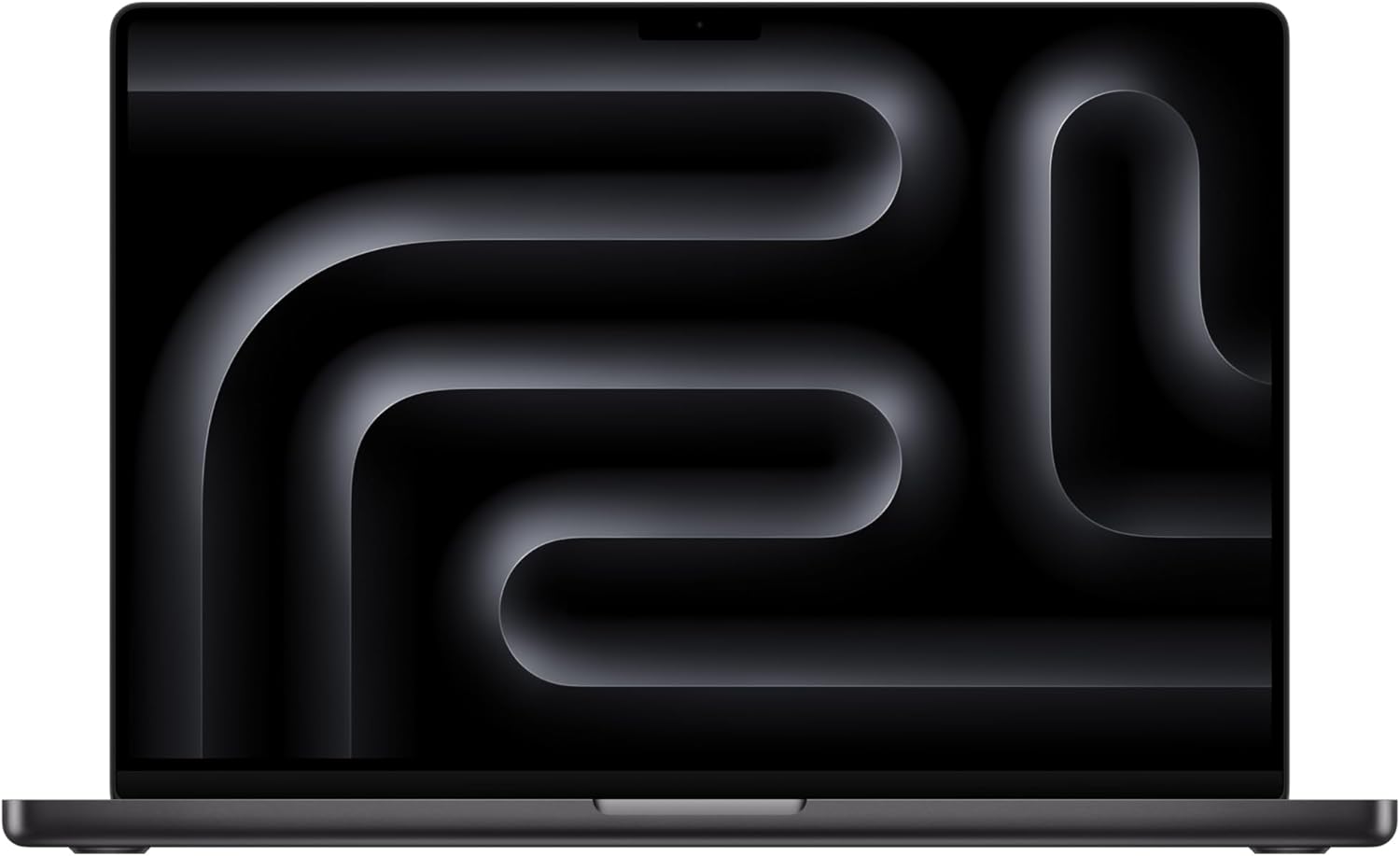
Apple MacBook Pro M4 Pro 16-inch Analysis: Silent Muscle
The Blunt Verdict
The Apple MacBook Pro M4 Pro 16-inch is a machine built for professionals who need genuine computational muscle and are prepared to pay for it. This is not a laptop you buy because it was on offer or because the spec sheet looked decent. You buy it because you need sustained, silent performance for demanding creative or technical work — and because you’ve accepted that Apple’s ecosystem is where you’re staying. The Apple MacBook Pro M4 Pro 16-inch earns its place at the top of the professional laptop heap for good reasons.
The headline specs: Apple M4 Pro chip with a 14-core CPU and 20-core GPU, 24GB of unified memory, 512GB SSD, and a 16.2-inch Liquid Retina XDR display. That unified memory architecture is worth understanding — it’s not RAM in the traditional sense, but a shared, high-bandwidth pool accessible by both CPU and GPU simultaneously. In practice that means heavy creative applications run faster and more smoothly than the raw number implies when compared to Windows machines. The 512GB storage is the one area where this configuration shows its compromise, and buyers running large media libraries will hit that ceiling faster than they’d like.
If you work in creative software — Lightroom, Photoshop, After Effects, video editing, code compilation — this is genuinely one of the strongest laptops you can buy. If you want to game, it’s not the machine for you; check the serious gaming options instead. If you’re on a tight budget, look elsewhere entirely — the budget end of the market exists for a reason. This machine is for people who have a specific, demanding workload and need it handled without complaint.
See the Apple MacBook Pro M4 Pro 16-inch listing and buyer Q&As on Amazon.

Pros and Cons
Pros
- M4 Pro chip delivers exceptional sustained performance with no fan noise reported under typical creative workloads — confirmed by multiple buyers running Lightroom, Photoshop, and After Effects
- Battery life consistently described by buyers as lasting a full working day and beyond, which aligns with Apple’s claimed up to 24 hours
- Liquid Retina XDR display with over 1,000 nits brightness for SDR and up to 1,600 nits for HDR content — one of the best panels on any laptop at this size
- 12MP Center Stage webcam and studio-quality three-mic array put it well ahead of the average laptop on video calls
- Build quality described as premium across all buyer feedback, with a chassis that feels like it’s designed to last
- Runs macOS with iWork pre-installed — documents are compatible with Microsoft Office formats without needing to buy additional software
Cons
- 512GB of SSD storage is tight for a machine at this tier — anyone handling large video files or RAW photo libraries will need external storage quickly
- Weight is a legitimate drawback — buyers switching from a 13-inch MacBook or lightweight Windows machine notice the heft immediately
- One buyer flagged the Space Black keyboard lettering as faint compared to previous MacBook keyboards — a minor but genuine ergonomic irritant in low light
Spec Breakdown
- Model: Apple MacBook Pro M4 Pro 16-inch (Space Black, 2024)
- CPU: Apple M4 Pro — 14-core CPU
- RAM: 24GB unified memory
- Storage: 512GB SSD
- GPU: Apple M4 Pro — 20-core GPU (integrated unified architecture)
- Display: 16.2-inch Liquid Retina XDR, up to 1,600 nits peak brightness
- OS: macOS
- Camera: 12MP Centre Stage camera
- Audio: Six-speaker sound system with Spatial Audio; three-mic array
- Colour: Space Black
Hardware & Performance Reality Check
The Apple M4 Pro chip with its 14-core CPU is a serious piece of silicon. For a deeper understanding of how Apple’s chip architecture compares to Intel and AMD, the CPU guide covers this well. The short version: Apple’s unified memory architecture means the 24GB of unified memory serves both CPU and GPU tasks simultaneously from a single high-bandwidth pool. This is categorically different to a Windows laptop with 24GB of DDR5 RAM and a separate VRAM allocation. For applications that can use both CPU and GPU resources — which is most professional creative software — the practical outcome is faster, smoother processing. The catch, and it is a real one, is that this memory is soldered to the board. You cannot upgrade it after purchase. If you buy the 24GB configuration, that’s what you have for the life of the machine. If there’s any chance you’ll need more headroom in two or three years, spending up to 48GB at the point of purchase is the only option. Check our RAM guide if you’re unsure what you actually need.
The 512GB SSD is fast — Apple’s SSD speeds are consistently among the fastest in any consumer laptop — but the capacity is modest for a machine at this level. Photographers shooting RAW, video editors working with 4K footage, or anyone with a large sample library will chew through 512GB quickly. An external SSD is the standard workaround, and buyers in the reviews confirm it works without drama. The GPU here is the 20-core integrated GPU within the M4 Pro — not a discrete card in the traditional sense, but Apple’s architecture means it punches significantly above what “integrated” implies on a Windows machine. It handles GPU-accelerated tasks in creative software, drives external displays without breaking a sweat, and manages light 3D work. It is not a gaming GPU. If your workflow is gaming-first, this machine won’t serve you — full stop. See performance benchmarks for how Apple silicon stacks up against discrete GPU machines on specific workloads.
For 2026 real-world use: student work — handled with ease, this is significant overkill for essays and spreadsheets. Office tasks — effortless. Gaming — no. Programming and code compilation — multiple buyers confirm the M4 Pro tears through compilation tasks, and this matches what Apple silicon has been doing to x86 machines on developer benchmarks for two generations. Video editing — one of the strongest laptops available for this use case, particularly in Final Cut Pro which is optimised specifically for Apple silicon. Lightroom and Photoshop both run well; After Effects users report smooth performance, which historically has been the most demanding of the Adobe suite on any hardware.
The display deserves its own mention from a hardware perspective. The 16.2-inch Liquid Retina XDR panel with its Extreme Dynamic Range capability and pro reference modes is genuinely one of the better screens available on any laptop. For anyone doing colour-critical work, this matters. It’s not just bright — it’s calibrated for accuracy, which is a different thing entirely. The display types guide explains the difference between standard IPS, OLED, and XDR panels if you want the technical context.
Everyday Usability: Battery, Build & More
Battery life is where this machine is genuinely hard to argue with. Apple claims up to 24 hours; real-world use for professional workloads is obviously lower than the quoted figure, but multiple buyers confirm it lasts a full working day without hunting for a plug. One buyer specifically notes it powers through “a full day of work and study” running heavy software. The thermal design is equally worth flagging — the M4 Pro is reported by buyers as running silently even under loads that would have a comparable Intel or AMD machine spinning fans audibly. One buyer switched from a 2017 MacBook Pro where fans were a constant presence during photo editing; on the M4 Pro, they haven’t needed to run once. That’s not marketing copy — that’s what the chip architecture actually does.

Weight is the usability trade-off that comes up consistently. Moving from a 13-inch MacBook to this 16-inch machine is a noticeable shift; one buyer bought a MacBook Air separately specifically for portable carry, keeping the Pro at the desk. If you’re commuting daily with this in a bag, that weight accumulates. On the display: buyers describe the screen as looking great in daily use, which tracks with what a Liquid Retina XDR panel should deliver. No touchscreen — this is a standard point to note given some buyers coming from Windows machines expect it, but macOS doesn’t use touch input in the same way and the trackpad on MacBook Pro models is widely regarded as the best in the industry. Connectivity is solid — the MacBook Pro 16-inch ships with HDMI, multiple Thunderbolt 4 ports, an SD card slot, and MagSafe charging. For full port detail see the ports guide. No built-in Ethernet, but that’s standard for a machine at this profile. The six-speaker Spatial Audio system is noted by one buyer as greeting them with “HiFi sound” on first open — that’s not an exaggeration, it’s a standout audio system for a laptop of any kind. The Space Black finish and the finger mark question: one buyer specifically tested this and found it less of an issue than expected. Useful to know if the aesthetic matters to you.
Lifespan & Future-Proofing
Apple’s chassis longevity is genuinely strong. One reviewer’s previous MacBook Pro ran for eight years before being retired — not because it broke, but because Apple ended software support. The unibody aluminium construction on the MacBook Pro line has a track record of holding up to daily professional use without hinge failure, flex, or cosmetic deterioration that would embarrass a machine of this cost. Realistically, this chassis will last five to eight years of hard use without significant degradation.
Spec longevity is a different question. The soldered 24GB unified memory and 512GB SSD mean there is no upgrade path once you’ve bought. What you configure at purchase is what you run for the machine’s entire life. The M4 Pro chip is current-generation silicon as of its late 2024 release, which means it has a comfortable runway before it starts feeling underpowered for everyday tasks — you’re looking at 2026, 2027, and well beyond before this chip struggles with the workflows it’s designed for. Apple also has a strong track record of supporting its hardware with software updates for six or more years, so macOS compatibility shouldn’t be a concern for quite some time. The storage ceiling, however, will become apparent much sooner than the performance ceiling if you’re working with large files regularly. That’s the honest limitation of the base 512GB configuration — not the chip, not the memory, the storage.
View current availability and stock status for the Apple MacBook Pro M4 Pro 16-inch on Amazon.
What Buyers Are Saying (And Potential Dealbreakers)
The Apple MacBook Pro M4 Pro 16-inch carries a rating of 4.6 out of 5 from 84 customer reviews on Amazon. That’s a meaningful sample — enough to draw genuine conclusions. The tone across the feedback is strongly positive, with criticism sparse and mostly focused on the weight and, in one case, keyboard legibility in low light.
The dominant theme in buyer feedback is performance relative to expectations — specifically the absence of fan noise during tasks that previously generated significant heat and noise on older hardware. Buyers running Adobe Lightroom, Photoshop, and After Effects report smooth, quiet operation. One buyer explicitly compares this to a previous Mac setup where fans were a constant irritant. The battery life claims hold up in real-world feedback: multiple buyers confirm a full day’s use on a charge without anxiety. Build quality receives consistent, specific praise — the “expensive feel” is mentioned more than once and maps to what you’d expect from a unibody aluminium chassis.
The one genuine complaint worth calling out as a potential dealbreaker: a buyer flagged that the Space Black keyboard lettering is faint — less bold than their previous MacBook — causing readability issues in dim environments. This is a single data point, but it’s a specific ergonomic observation rather than general dissatisfaction. If you work in low light regularly, it’s worth being aware of. The weight concern is legitimate and recurring — not a flaw, but a consequence of the 16-inch form factor that some buyers underestimated before purchase. And the 512GB storage ceiling is addressed by at least one buyer who solved it with an external SSD — functional, but adds cost and a cable to your setup. For a broader view of how specs translate to real-world use, the specs explained guide is a useful reference point when comparing configurations.
Buyer Highlights
“The fans haven’t run once since I switched — Lightroom and Photoshop just fly through everything.” — Consistent with multiple buyers coming from older Mac hardware or Windows machines.
“Battery genuinely lasts a full day’s work and then some — I don’t carry a charger anymore.” — Matches the pattern across several independent reviewers, not just one enthusiastic outlier.
“I didn’t get much internal storage but an external SSD has worked fine — just something to factor in.” — Practical workaround that works, but worth budgeting for before you buy.
“It’s a little heavy for carrying all day — I actually bought a MacBook Air as well just for that.” — Worth factoring in if daily commuting with this in a bag is part of the plan.
“This is my fourth MacBook and the quality is exactly what I expect — superb.” — Useful signal from repeat buyers who have a direct comparison point across generations.
Who Should Buy It (And Who Shouldn’t)
Buy If
- You work daily in demanding creative software — Lightroom, Photoshop, After Effects, Final Cut Pro, Premiere Pro — and need sustained performance without fan noise or thermal throttling
- You’re already in the Apple ecosystem (iPhone, iPad, iCloud) and want the workflow integration that comes with macOS
- Battery life is non-negotiable and you want a machine that genuinely lasts a full working day on a single charge
- You’re a developer who compiles regularly — Apple silicon’s performance on compilation tasks has been well-documented since M1 and the M4 Pro extends that lead
Avoid If
- PC gaming is part of your plan — macOS game support is limited and the M4 Pro’s GPU, however capable, is not positioned for the gaming library available on Windows
- You need more than 512GB of on-device storage and can’t justify the cost of a higher-capacity configuration — the base storage will create friction faster than the chip will
- You’re coming from Windows and have no particular reason to switch ecosystems — the learning curve and software differences are real, and this is not the machine to test the waters on at this cost
The Bottom Line
The Apple MacBook Pro M4 Pro 16-inch is one of the strongest professional laptops available right now, with a chip architecture that handles demanding creative and technical workloads without noise, heat, or hesitation, backed by a display and audio system that genuinely earn their place. The 512GB storage configuration is the only real compromise in this build — it works, but buyers with large file demands should either budget for external storage or configure up at purchase. If your work fits this machine, it will serve you well and for a long time. If you’re unsure whether a machine at this level is right for your needs, the laptop buying guide is worth a read before committing.
At LaptopAdvisorOnline, our methodology is built on data transparency rather than simulated hands-on testing. We rigorously analyse official manufacturer specifications and aggregate verified customer sentiment to provide objective, fluff-free buying advice that helps you cut through the marketing jargon.
As an Amazon Associate, I earn from qualifying purchases.
Browse by Specification
Looking for something specific? Browse our analyses by hardware and feature below, or check all laptop analyses in the Best Professional Laptops category archive.
[AMD Processor Laptops] — [Intel Processor Laptops] — [16GB RAM Laptops] — [32GB RAM Laptops] — [Dedicated Graphics] — [Long Battery Life] — [Lightweight Laptops] — [Student Laptops]
Browse by Screen Size
[13-inch Laptops] — [14-inch Laptops] — [15-inch Laptops] — [16-inch+ Laptops]




