
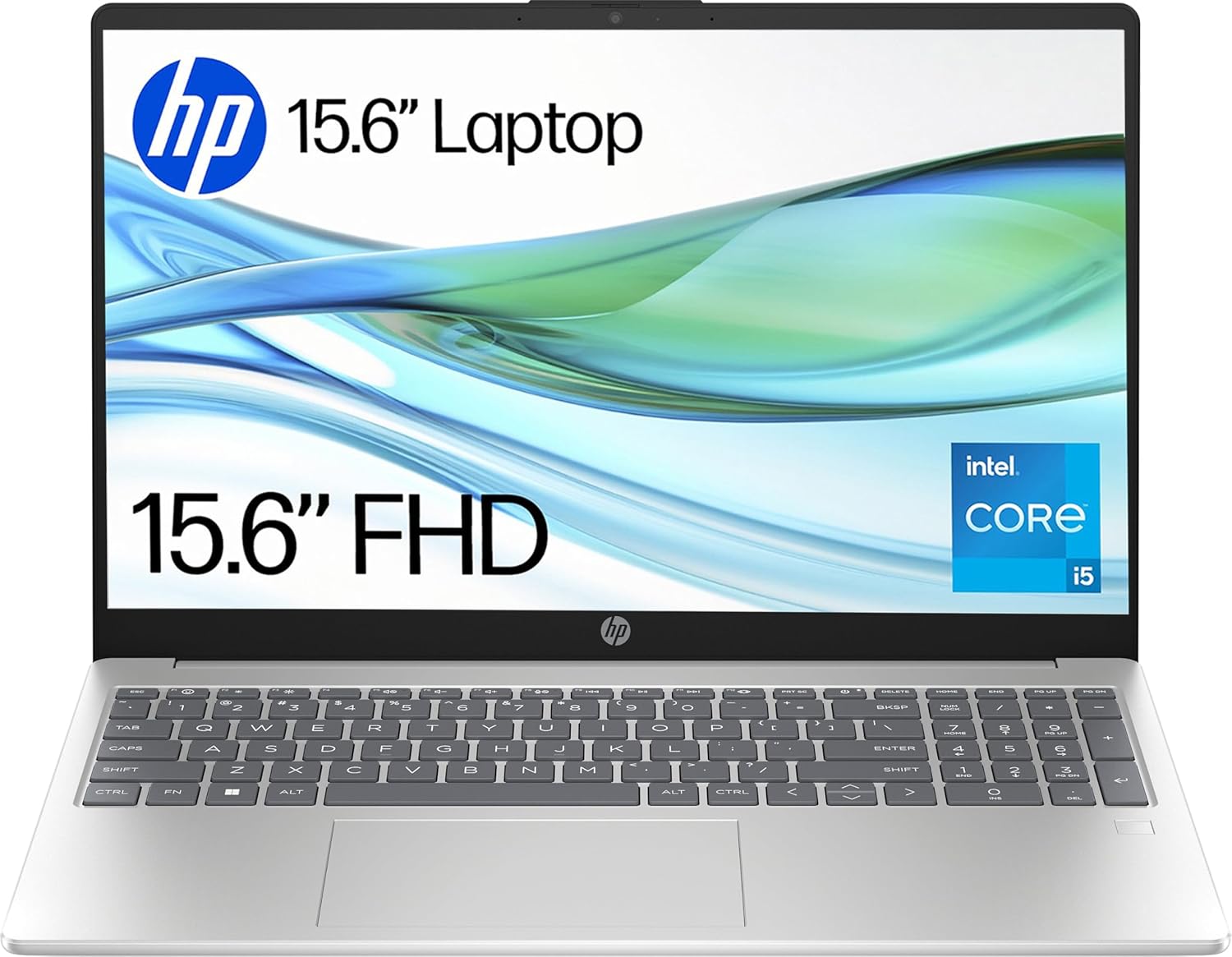
HP 15-fd0003sa Analysis: Backlit Keyboard? Not Quite
The Blunt Verdict
The HP 15-fd0003sa is a mid-range 15.6-inch laptop aimed squarely at home users and light office workers who need a capable daily driver without complicating their lives. It brings a genuinely solid hardware package — 16GB of RAM and a 1TB SSD are legitimately good specs at this tier — and the Intel Core i5-1334U is a proper modern processor. That’s the good news. The bad news is a display that falls short on brightness, confirmed reports that the backlit keyboard is not actually backlit in practice, and battery life that real-world buyers report as considerably shorter than HP’s marketing claims.
On paper, the spec sheet looks reasonable for the mid-range bracket. The i5-1334U is a 13th Gen Intel chip with 10 cores and a boost clock of 4.6GHz, paired with 16GB DDR4 RAM and a 1TB solid-state drive. The display is 1920×1080 at 60Hz with a quoted brightness of just 250 nits — workable in a dim room, poor in sunlight. Intel Iris Xe handles graphics as an integrated solution, meaning there’s no dedicated GPU on board.
This is a laptop for someone who browses, writes documents, does video calls, and streams content. If you want all-day battery life or a backlit keyboard for evening use, look carefully at the caveats below before committing. If you’re a student, home worker, or someone replacing an ageing machine and not doing anything intensive, the core hardware is genuinely decent — you just need to go in with accurate expectations.
See the HP 15-fd0003sa listing and current availability on Amazon.

Pros and Cons
Pros
- 16GB DDR4 RAM is generous for this segment and handles genuine multitasking without complaint
- 1TB SSD gives you room for large file collections, software installs, and years of documents without needing an external drive
- The i5-1334U is a modern 13th Gen chip — fast enough for the daily tasks this machine targets
- Physical webcam privacy door is a thoughtful inclusion for home workers and video callers who actually care about security
- Wi-Fi 6 (802.11ax) and Bluetooth 5.3 mean wireless connectivity is genuinely current-spec
- Buyers consistently found setup straightforward and the machine responsive out of the box
Cons
- Multiple buyers confirmed the keyboard is not backlit despite HP listing it as a feature — a clear spec mismatch that matters if you type in low light
- Real-world battery life of 2–3 hours under active use is well below HP’s stated figures and a genuine limitation
- Display brightness at 250 nits is mediocre — fine indoors, a problem anywhere near a window in daylight
Spec Breakdown
- Model: HP 15-fd0003sa (BM2V1EA#ABU)
- CPU: Intel Core i5-1334U (13th Gen, 10 cores, up to 4.6GHz)
- RAM: 16GB DDR4 (3200MHz)
- Storage: 1TB SSD
- GPU: Intel Iris Xe Graphics (integrated)
- Display: 15.6-inch FHD, 1920×1080, 60Hz, 250 nits, anti-glare LED
- Battery: 41Wh, 3-cell lithium polymer
- OS: Windows 11 Home
- Weight: 1.59kg
- Ports: 1x USB-A (USB 3.2 Gen 1), 1x HDMI, headphone jack
- Connectivity: Wi-Fi 6 (802.11ax), Bluetooth 5.3
- Keyboard: Full-size with numeric keypad (backlit as listed — see buyer reports)
- Camera: Front-facing webcam with physical privacy door, dual mics
Hardware & Performance Reality Check
The Intel Core i5-1334U is a sensible chip for what this laptop is targeting. It’s a hybrid-architecture processor with two performance cores and eight efficiency cores — good for snappy responsiveness on everyday tasks and efficient enough to help with thermal management. For a deeper look at how Intel’s hybrid core design affects day-to-day use, the CPU guide breaks it down in plain terms. Paired with 16GB of DDR4 RAM at 3200MHz, you’re well above the floor for comfortable multitasking — browser with a dozen tabs, a spreadsheet, Teams call running simultaneously, all fine. Whether the RAM is soldered or socketed isn’t confirmed in the data, but at this price point and chassis thickness, assume it’s soldered — don’t buy this expecting to upgrade later. If RAM capacity matters for your workflow, understanding how much RAM you actually need is worth five minutes of reading before committing.
The 1TB SSD is one of this machine’s stronger selling points — you genuinely won’t be cramped for space doing normal things, and solid-state storage means fast boot times and snappy file access. Graphics are handled by Intel Iris Xe, which is integrated — meaning it shares system memory rather than having dedicated VRAM. Iris Xe is capable enough for YouTube, light photo editing in something like Lightroom at reduced settings, and even older or less demanding games. Don’t expect it to run anything graphically modern at playable frame rates. For anything that needs a real GPU, you’d be looking at a dedicated GPU machine at a different price tier entirely.
For 2026 daily use: student work and essay writing — absolutely fine. Office tasks and video calls — handled without issue. Programming in Python or web development — workable, though heavier IDE environments will feel the CPU’s efficiency limits under sustained load. Video editing — basic cuts and light exports in something like DaVinci Resolve are possible but slow; anything complex will test your patience. Gaming — casual titles and older games only, nothing demanding. The 60Hz display refresh rate and integrated graphics together cap the gaming ceiling fairly firmly. Check performance benchmarks for the i5-1334U if you want raw numbers for comparison.
One hardware characteristic worth flagging directly: the 41Wh battery is small. It’s not unusual for a budget 15.6-inch machine, but it is meaningfully smaller than the competition in this class. That physical capacity is the primary reason real-world buyers are reporting 2–3 hours under active use, regardless of what HP quotes. The chip is efficient, but a 41Wh cell has a hard ceiling, and the 250-nit display running at full brightness will drain it faster still.
Check the full spec sheet and buyer Q&As for the HP 15-fd0003sa on Amazon.
Everyday Usability: Battery, Build & More
Battery life is the number that will make or break this purchase for many buyers. HP claims up to 9.75 hours; one reviewer mentions 7.75 hours in the spec data. Real-world buyers report 2–3 hours under continuous active use — and one buyer noted it runs longer when they’re doing intermittent work rather than hammering it continuously, which tracks with how the efficiency cores behave. If you’re desk-based with access to a power socket most of the day, this is manageable. If you genuinely need to be untethered for a full working day, the HP 15-fd0003sa will disappoint. Budget for a seat near a plug, or reconsider. The machine also draws heat on the left side under load — one buyer specifically flagged this, even while using a cooling pad — and the fan is reported as audible during heavier tasks. Not uncommon for a 15.6-inch chassis, but worth knowing if you’re working in quiet environments.
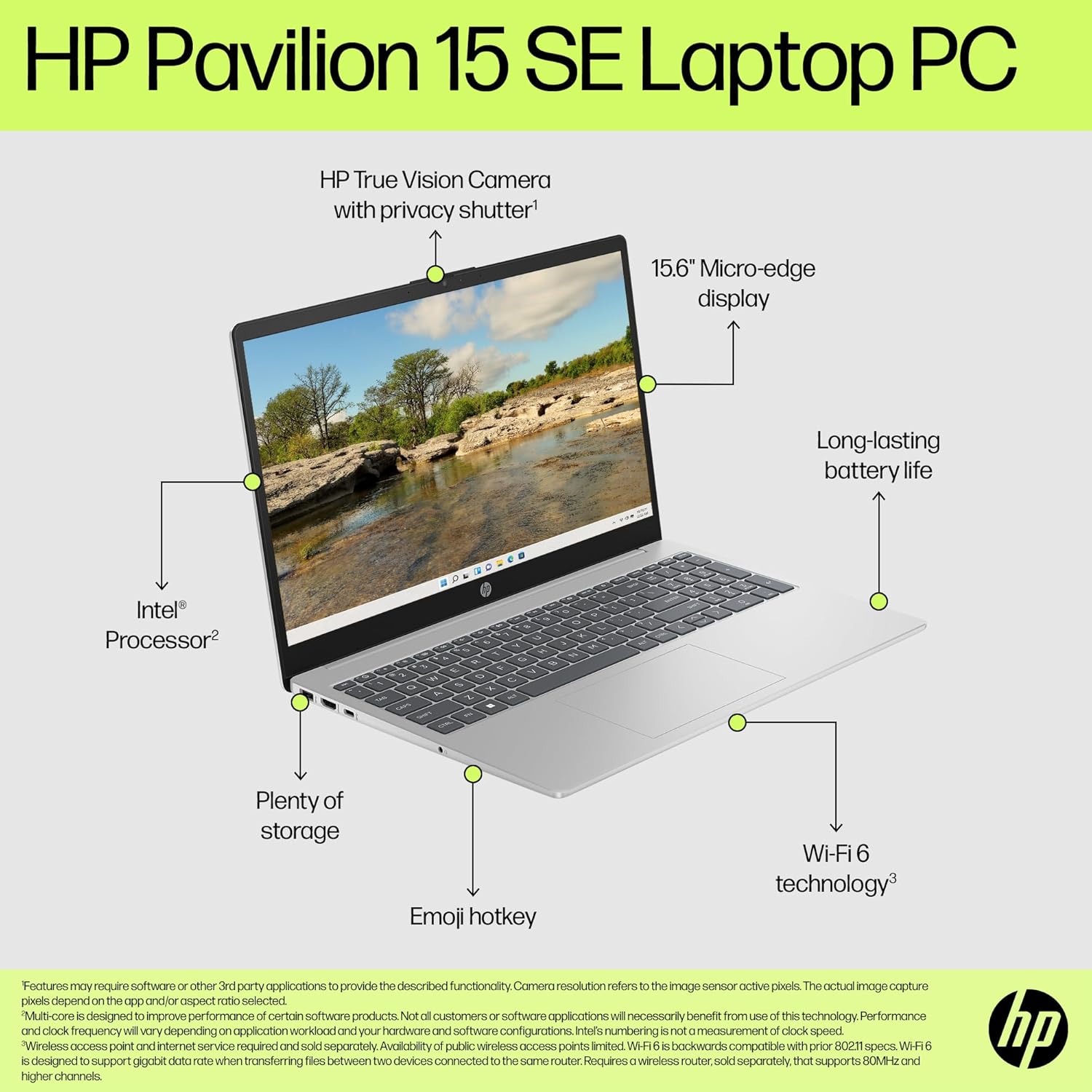
The display merits a direct comment. At 1920×1080 on a 15.6-inch panel, pixel density is acceptable — content looks clean at normal viewing distance. The anti-glare coating helps indoors. But 250 nits of peak brightness is genuinely mediocre; this is a screen that works in a dim office and struggles the moment sunlight enters the equation. Colour coverage sits at a quoted 45% of a colour gamut — that’s sRGB at a rough estimate — which means colours look fine for general use but are not accurate enough for serious photo work. It’s a functional display rather than a good one. For more on what panel specs actually mean in practice, the display types guide is worth a look. There is no touchscreen. The backlit keyboard issue raised by multiple buyers is a real problem worth repeating: two separate reviewers confirmed the keyboard does not actually illuminate, despite HP’s product listing stating otherwise. One buyer photographed it and kept the laptop anyway; another returned it on that basis alone. Go in knowing this may be what you receive. The webcam includes a physical privacy shutter — a genuinely useful feature HP doesn’t oversell — and dual microphones with noise reduction, which makes this reasonable for video calls. The 1x HDMI port covers external monitor use, and Wi-Fi 6 connectivity is solid for home network use. There is no Ethernet port listed, which is typical for slim 15.6-inch machines but worth confirming before purchase if you’re wired-network dependent. No fingerprint reader is present in the spec data. Connectivity options are covered in more depth in the ports guide if you need to compare against other machines.
Lifespan & Future-Proofing
The chassis is 1.59kg, which is unremarkable but fine. HP builds budget and mid-range consumer machines with plastics that hold up reasonably well for two to four years under normal use — not ThinkPad-grade durability, but not falling apart in a year either. The recycled plastics construction HP mentions isn’t a negative; it doesn’t affect durability. Don’t abuse it and it’ll last. That’s about as honest an assessment as the data allows without physical testing.
On spec longevity: the i5-1334U is current enough that it won’t feel slow for everyday tasks for at least three to four years. The 16GB RAM gives it more headroom than most competitors in this class. The 1TB SSD means you’re unlikely to run out of space for years. What limits this machine’s future is the upgrade path — or lack of one. If the RAM is soldered (likely), you can’t expand beyond 16GB. The display won’t get brighter. The battery is small and will degrade further over time. For general home use and light productivity through the late 2020s, this hardware is adequate. If your workload grows significantly, you’ll be replacing the machine rather than upgrading it. That’s a realistic ceiling to plan around, not a flaw unique to this model — it’s just the reality of consumer-tier laptops at this price point. If you want context on how to evaluate these trade-offs for any machine, the laptop buying guide covers the key questions worth asking before you commit.
View current stock levels for the HP 15-fd0003sa on Amazon.
What Buyers Are Saying (And Potential Dealbreakers)
The HP 15-fd0003sa currently holds a rating of 4.1 out of 5 from 24 customer reviews on Amazon. That’s a small sample — 24 reviews is not enough to draw firm statistical conclusions, and the spread here is particularly wide, ranging from five-star satisfaction to a one-star unit failure. Treat the sentiment below as directional rather than definitive, and check for more recent reviews before purchasing.
The positive feedback clusters around setup ease, speed for daily tasks, and initial satisfaction. Several buyers used words like “quick,” “easy to navigate,” and “works fine” — straightforward feedback that suggests the machine does what it’s supposed to do for uncomplicated home use. One buyer describes getting around three hours of battery under continuous heavy use, which aligns with the concerns flagged elsewhere. There are no glowing reports about the display or build quality specifically.
The negative feedback divides into two serious concerns. First, the backlit keyboard: two separate buyers confirmed independently that the keyboard does not illuminate, directly contradicting the product listing. One photographed it and noted the camera privacy door is a small switch rather than the sliding mechanism shown in some marketing images. Second, battery life: one buyer specifically reports the battery dying after two to three hours, the machine running hot on the left side, and the fan being audibly loud — three complaints that suggest a thermal and power management picture that doesn’t match HP’s marketing. The most alarming review is a single one-star report of the unit simply refusing to power on within weeks of purchase — a potential early failure, though isolated at this sample size.
The backlit keyboard issue is the one that warrants the most direct attention. It’s not a minor quibble — it’s a feature listed on the product page that multiple buyers confirm doesn’t exist as described. If you’re buying this specifically because you want to type in low light, verify this before purchase or assume you won’t get it.
Buyer Highlights
“Quick and easy to navigate — I get around three hours of constant work on battery, much longer when I’m using it on and off.” — Useful calibration for anyone planning to use this away from the mains.
“Great piece of kit, easy to set up, would recommend.” — Consistent with other first-time setup feedback; no complaints about the out-of-box experience.
“The keyboard is not backlit — the description of the laptop was not accurate.” — Flagged by more than one buyer with photographic evidence; a concrete product listing issue, not a one-off complaint.
“Battery dies after two to three hours, heats up on the left side even on a cooling tray, and the fan is loud.” — The clearest summary of the machine’s practical limitations from any single buyer.
“Bought it in November, it won’t turn on anymore — trying to find a way to return it.” — One reported early failure within weeks of purchase; worth knowing even as an isolated data point.
Who Should Buy It (And Who Shouldn’t)
Buy If
- You’re a home user who needs a capable everyday machine for browsing, documents, video calls, and streaming — this handles all of it without fuss
- You work primarily at a desk with reliable access to a power socket and don’t depend on all-day battery life
- Storage and RAM matter to you — the 1TB SSD and 16GB DDR4 combination is genuinely above average for this class and gives real headroom
- You do regular video calls and value a physical webcam privacy shutter over a software toggle
Avoid If
- You need a backlit keyboard for working in low light — verified buyer reports directly contradict HP’s own product listing on this feature
- You need genuine all-day battery life away from a charger — the 41Wh cell and real-world reports point consistently to under three hours of active use
- You’re a student, nurse, or anyone regularly working in variable lighting conditions who was counting on keyboard illumination as a feature
The Bottom Line
The HP 15-fd0003sa is a competent home laptop let down by two significant issues: a battery that doesn’t last nearly as long as advertised, and a backlit keyboard that multiple buyers confirm doesn’t actually light up. Strip those away and you have a machine with genuinely good core specs — 16GB RAM, a 1TB SSD, a modern i5-1334U processor, and current-gen wireless — that will handle everyday home computing reliably. If you’re desk-bound and the keyboard lighting doesn’t matter to you, the hardware foundations are solid. If either of those caveats is a dealbreaker, there are better-matched options in the mid-range laptop category worth comparing first. Eyes open, this is a reasonable buy for the right person. Not for everyone.
Read the latest buyer questions and answers for the HP 15-fd0003sa on Amazon.
At LaptopAdvisorOnline, our methodology is built on data transparency rather than simulated hands-on testing. We rigorously analyse official manufacturer specifications and aggregate verified customer sentiment to provide objective, fluff-free buying advice that helps you cut through the marketing jargon.
As an Amazon Associate, I earn from qualifying purchases.
Browse by Specification
Looking for something specific? Browse our analyses by hardware and feature below, or check all laptop analyses in the Best Mid-Range Laptops category archive.
[AMD Processor Laptops] — [Intel Processor Laptops] — [16GB RAM Laptops] — [32GB RAM Laptops] — [Dedicated Graphics] — [Long Battery Life] — [Lightweight Laptops] — [Student Laptops]
Browse by Screen Size
[13-inch Laptops] — [14-inch Laptops] — [15-inch Laptops] — [16-inch+ Laptops]




