
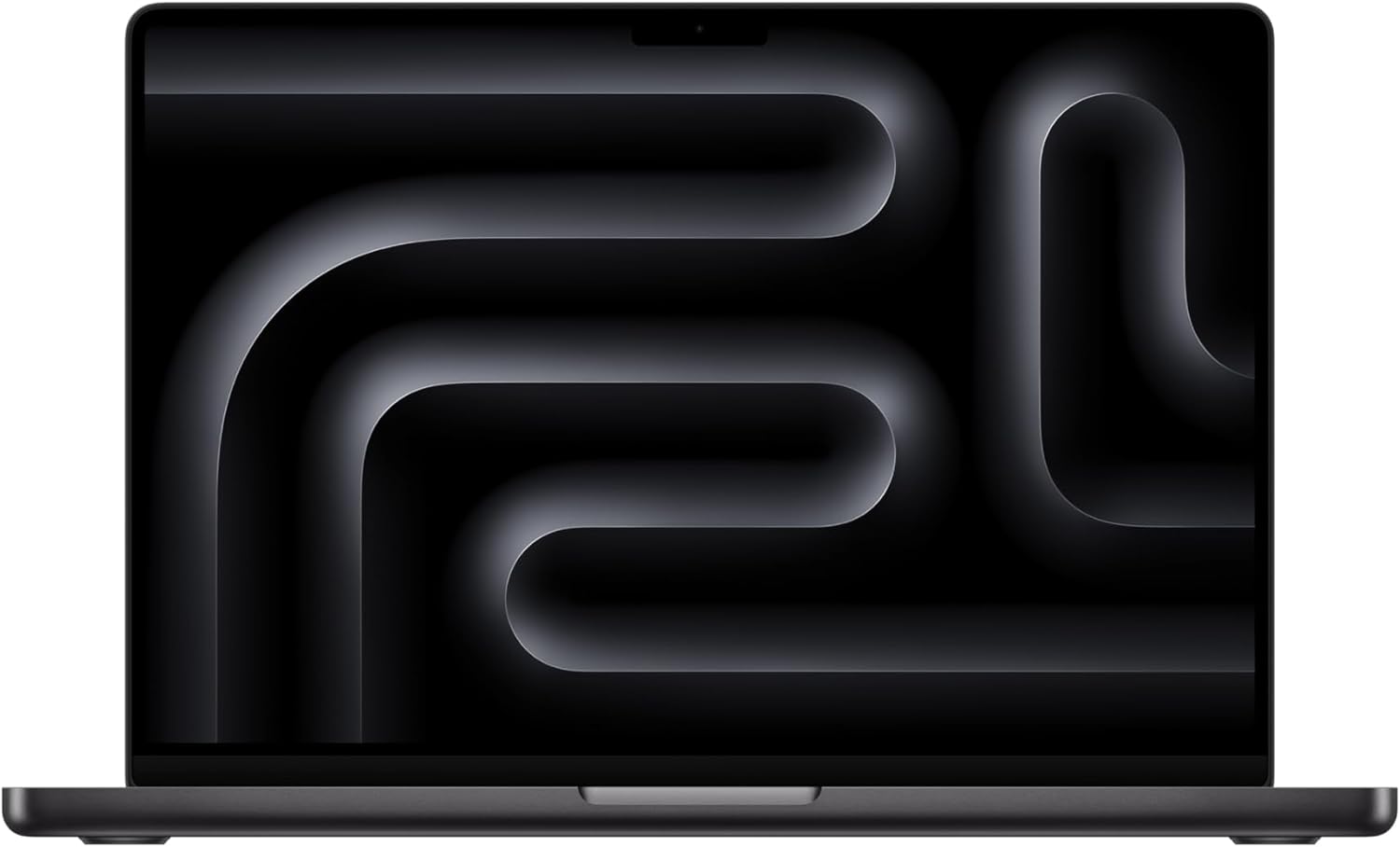
Apple MacBook Pro 14 M5 Analysis: No Adapter, No Apology
The Blunt Verdict
The Apple MacBook Pro 14 M5 is one of the most capable 14-inch laptops you can buy right now. If you’re a developer, creative professional, or anyone who hammers their machine for hours on end and expects it to stay quiet and fast, this is the machine. The headline strength is that extraordinary combination of chip efficiency and display quality. The headline weakness is the price — and the fact that Apple still ships this without a power adapter in the box.
You get a 10-core M5 CPU, 10-core integrated GPU, 24GB unified memory, and a 1TB SSD in a chassis that weighs 2.34kg. The display is a 14.2-inch Liquid Retina XDR panel. That unified memory architecture is Apple’s own design — it’s not comparable to conventional DDR5 RAM, and for most workflows it punches significantly above its number. For professional use, it’s formidable.
If you’re in the Apple ecosystem or you do serious creative or development work and you want a machine that won’t have you reaching for the charger every two hours, buy it. If you’re a Windows user who games on PC, you’re on the wrong page entirely — look at serious gaming laptops instead. And if someone else is paying for your kit and the budget is genuinely unrestricted, this is the one to get.
See the Apple MacBook Pro 14 M5 listing and current availability on Amazon.

Pros and Cons
Pros
- M5 chip delivers class-leading CPU and GPU efficiency — fast under load, stays cool doing it
- 24GB unified memory handles developer workflows, light ML tasks, and creative apps without complaint
- Liquid Retina XDR display is genuinely among the best screens you’ll find on any 14-inch laptop
- Battery life is exceptional — multiple buyers confirm full-day use without touching a charger
- Fanless operation under most workloads means near-silent use in quiet environments
- Six-speaker array with Spatial Audio is unusually good for a laptop this size
Cons
- No power adapter in the box — Apple confirmed this in small print, and buyers are understandably annoyed
- RAM is soldered and completely non-upgradeable — you’re locked in at purchase
- macOS is a genuine barrier if you’re heavily invested in Windows software or workflows
Spec Breakdown
- Model: Apple MacBook Pro M5 (14-inch, Space Black)
- CPU: Apple M5 — 10-core CPU
- RAM: 24GB unified memory
- Storage: 1TB SSD
- GPU: Apple M5 — 10-core integrated GPU
- Display: 14.2-inch Liquid Retina XDR — 1,600 nits peak brightness, 1,000,000:1 contrast
- OS: macOS
- Weight: 2.34kg
- Camera: 12MP Centre Stage webcam
- Audio: Six speakers with Spatial Audio, Dolby Atmos support, three studio-quality microphones
- Keyboard: Backlit keyboard with fingerprint reader (Touch ID)
- Ports: HDMI (confirmed by buyer feedback), USB-C
- Graphics type: Integrated (unified architecture)
Hardware & Performance Reality Check
The 10-core M5 CPU is Apple’s latest silicon, and if you want the full picture on how Apple chips stack up against Intel and AMD competition, the CPU guide is worth a read. In practical terms: the M5 handles sustained multi-threaded workloads — video exports, compilation tasks, running multiple apps simultaneously — without the thermal throttling that plagues equivalently specced Windows machines. The 24GB unified memory is soldered directly to the chip. That’s not a flaw unique to Apple, but it does mean what you buy is what you’re stuck with forever. If you’re unsure whether 24GB is enough for your use case, the RAM guide breaks this down properly. For most professional workflows — development, creative work, light ML — it’s more than adequate. Power users running heavy virtualisation should read the developer reviewer’s note: get as much RAM as possible if VMs are a regular fixture.
The 1TB SSD is fast — Apple’s SSD controllers have consistently measured well in independent benchmarks, and one buyer specifically called out improved SSD speeds over the M4. That matters for large file workflows: video editing timelines, big codebases, Lightroom catalogues. The GPU is a 10-core integrated design within the M5 package, not a discrete card. It will not run AAA PC games. It is, however, an unusually capable integrated GPU that handles GPU-accelerated creative tasks — video rendering, image processing, even some light 3D work — at a level that would embarrass most mid-range discrete laptop GPUs. Just don’t buy this to play the latest titles. It isn’t built for that.
For 2026 real-world use: student work — yes, easily. Office tasks — absurdly overpowered, but it’ll do them brilliantly. Gaming — no, unless you’re playing through Apple Arcade or older titles. Programming — this is arguably one of the best developer laptops available, particularly if your work touches iOS, macOS, or anything Swift-related. Video editing — Final Cut Pro on M5 is genuinely fast, and even Premiere and DaVinci Resolve perform well. The Apple MacBook Pro 14 M5 earns its place in any serious performance comparison at this tier.
The port situation is worth flagging. Apple confirmed HDMI is present, which one buyer was specifically pleased about after switching from an older MacBook Air that lacked it. USB-C is there. If you need a more thorough breakdown of what ports matter for which use cases, the ports guide covers it. What’s not present out of the box is the power adapter — and that’s not a minor omission on a machine at this price point.
Check the full spec sheet and buyer Q&As for the Apple MacBook Pro 14 M5 on Amazon.
Everyday Usability: Battery, Build & More
Battery life is one of this machine’s strongest cards. Apple claims up to 24 hours, which is marketing-speak, but the real-world feedback aligns with “all day without a charger” across multiple buyers — including one who does active development work. That’s unusual at this level of performance. Most laptops that push comparable workloads pay for it thermally or in battery terms. The M5 architecture sidesteps that trade-off more convincingly than anything running x86. Fan noise is near-nonexistent under everyday loads, with one buyer contrasting it directly against a Windows machine that sounded like it was preparing for takeoff. Portability at 2.34kg is solid — not featherweight, but genuinely manageable for daily commuting.

The 14.2-inch Liquid Retina XDR display is — without much debate — one of the best laptop screens available. The display technology behind it combines mini-LED backlighting, ProMotion adaptive refresh, and extreme contrast for a panel that genuinely looks different to what most people are used to. Multiple buyers describe it as vivid and brilliant, and the hardware backs that up: 1,600 nits peak brightness and a 1,000,000:1 contrast ratio are not numbers you see on budget or mid-range panels. No touchscreen — this is standard for MacBooks and unlikely to change. The 12MP Centre Stage webcam is among the best built-in laptop cameras available, with subject tracking that works well for video calls. The six-speaker audio setup with Dolby Atmos support is another standout — one buyer specifically noted the speaker and headphone jack quality as something to mention. For a 14-inch chassis, it’s genuinely impressive. Build quality across all feedback is described as having no equal. The Space Black aluminium finish is solid and premium in feel. The backlit keyboard and Touch ID fingerprint reader are both confirmed by spec. One consistent complaint worth naming clearly: no power adapter is included. Budget for one separately.
Lifespan & Future-Proofing
Apple’s unibody aluminium construction is about as durable as laptop chassis design gets. MacBooks routinely last five to seven years in daily use without structural degradation — that’s not marketing, it’s borne out by the fact that buyers are still switching from 2019 models that functioned fine. The Space Black finish is a machined aluminium anodisation, not a coating that chips or scratches easily. Build longevity is not a concern here.
Spec longevity is a more nuanced conversation. The 24GB unified memory is generous by current standards, and Apple’s memory management is efficient enough that this configuration will feel quick well into the back half of this decade. The 1TB of storage gives real headroom. The M5 chip itself is current as of 2026 and will receive macOS updates and Apple Intelligence feature releases for years. The non-upgradeable RAM is the one genuine caveat: if your workloads grow significantly — heavy virtualisation, larger ML models, more demanding video formats — you can’t add more later. The machine you buy today is the machine you’ll have in six years. Factor that into your configuration choice at purchase time, not after.
View current stock and delivery options for the Apple MacBook Pro 14 M5 on Amazon.
What Buyers Are Saying (And Potential Dealbreakers)
The Apple MacBook Pro 14 M5 holds a rating of 4.5 out of 5 from 44 customer reviews on Amazon UK. That’s a reasonably sized sample for a relatively new machine, and the sentiment is overwhelmingly positive — with one clear and recurring complaint that cuts through the praise.
The consistent themes from buyers: battery life that genuinely lasts a full day, a display that impresses even people who’ve owned premium laptops before, and performance that handles video editing, development, and creative workloads without breaking a sweat. A developer who programmes and runs light ML models describes it as handling everything easily. A buyer switching from Windows to macOS describes it as a straightforward transition with no meaningful friction. The build quality earns specific praise more than once.
The one genuine dealbreaker that surfaces repeatedly: no power adapter in the box. One buyer gave a one-star review solely because of this. Another, upgrading from a 2019 MacBook Air, flags it as something to be aware of but less shocked by — they already had a USB-C plug. Apple’s decision to exclude the adapter is buried in small print on the packaging, which genuinely caught buyers off guard. If you don’t already own a compatible USB-C charger, you’ll need to buy one. Factor that cost in.
Buyer Highlights
“It handles anything from video editing to gaming, battery lasts all day and the build quality has no equal.” — From a buyer who switched from Windows; consistent with the broader pattern across reviews.
“If you want to work with virtual machines, get as much RAM as possible.” — Practical flag from a developer using it for programming, browsing, and light ML — worth heeding if VMs are part of your workflow.
“Runs at the speed of sound, and they’ve really optimised this for efficiently getting stuff done — and the HDMI port is back.” — From a buyer upgrading from a 2019 MacBook Air; the HDMI addition was specifically noted as a welcome change.
“The machine stays quiet unlike the Windows laptop that constantly sounds like an aircraft getting ready for takeoff.” — Thermal behaviour that multiple buyers reference, even if not all in those exact words.
“The item did not come with a power adapter — I now have to purchase one at extra cost and feel like I’ve been misled.” — A genuine dealbreaker for at least one buyer; check what you already own before purchasing.
Who Should Buy It (And Who Shouldn’t)
Buy If
- You’re a developer, creative professional, or power user who needs sustained performance without fan noise or thermal throttling
- You’re already in the Apple ecosystem — iPhone mirroring, AirDrop, Handoff, and iMessage continuity all work seamlessly on this machine
- You need a laptop that will survive a full working day on a single charge, reliably, without coddling the battery
- Display quality matters to your work — colour grading, photo editing, or just staring at a screen for eight hours a day
Avoid If
- You’re a PC gamer — macOS gaming support is limited and the integrated GPU, however capable, is not a substitute for a dedicated card
- You rely heavily on Windows-only software that has no macOS equivalent or viable alternative
- You need to upgrade RAM down the line — there is no upgrade path once you’ve bought it, full stop
The Bottom Line
The Apple MacBook Pro 14 M5 is a machine that earns its reputation without needing to shout about it. The M5 chip, 24GB unified memory, and Liquid Retina XDR display combine to make this one of the best 14-inch professional laptops available. Battery life is genuinely class-leading. Build quality is, as multiple buyers put it, unmatched. The missing power adapter is a legitimate gripe and you should budget for one. The soldered RAM means your configuration decision at purchase is permanent. If you can live with both of those, this is a machine you’ll still be happy with years from now — and for creative professionals and developers especially, it’s difficult to argue against.
Find the Apple MacBook Pro 14 M5 on Amazon and read the latest buyer questions.
At LaptopAdvisorOnline, our methodology is built on data transparency rather than simulated hands-on testing. We rigorously analyse official manufacturer specifications and aggregate verified customer sentiment to provide objective, fluff-free buying advice that helps you cut through the marketing jargon.
As an Amazon Associate, I earn from qualifying purchases.
Browse by Specification
Looking for something specific? Browse our analyses by hardware and feature below, or check all laptop analyses in the Best Professional Laptops category archive.
[AMD Processor Laptops] — [Intel Processor Laptops] — [16GB RAM Laptops] — [32GB RAM Laptops] — [Dedicated Graphics] — [Long Battery Life] — [Lightweight Laptops] — [Student Laptops]
Browse by Screen Size
[13-inch Laptops] — [14-inch Laptops] — [15-inch Laptops] — [16-inch+ Laptops]




