
HP EliteBook 830 G8 Analysis: Refurbished Risk Assessed
The Blunt Verdict
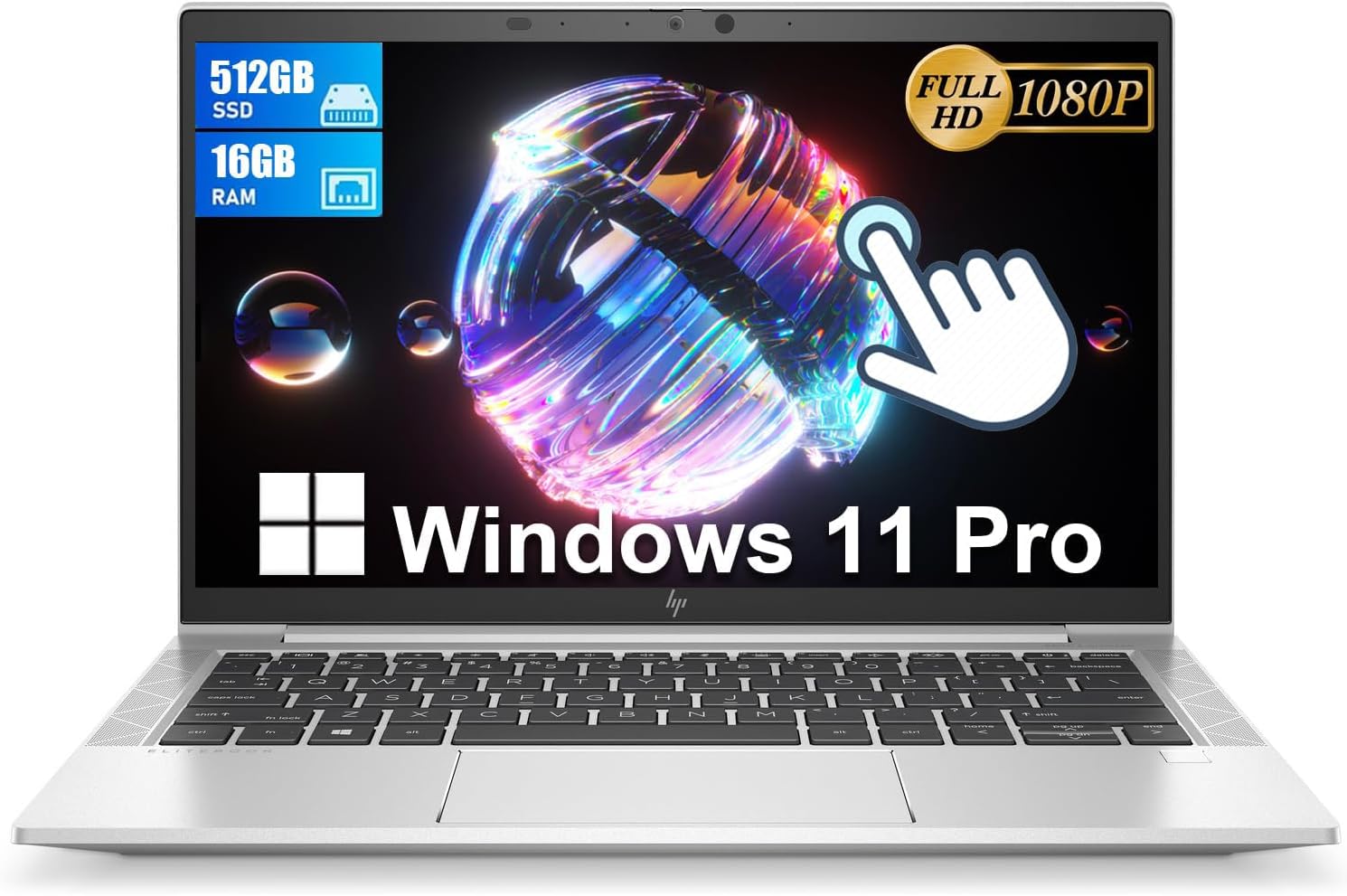
The HP EliteBook 830 G8 is a refurbished business machine — and that word “refurbished” does a lot of heavy lifting here. Strip away the listing fluff and what you’ve got is a compact 13.3-inch business notebook with a capable 11th-gen processor, a touchscreen, and a Thunderbolt 4 port lineup that most machines at this tier wouldn’t dare include. For light professional work and general office use, it earns its place. The headline weakness? Battery degradation on refurbished units is a real lottery, and at least one buyer has already lost that gamble.
The specs look good on paper: an Intel Core i7-1185G7 running up to 4.7 GHz, 16GB of DDR4 RAM, and a 512GB SSD. That’s a genuinely usable configuration for office tasks, light creative work, and multitasking. The 1920 x 1080 display is full HD with touch support, and the port selection — including HDMI and Thunderbolt 4 — is stronger than most laptops twice its weight. Integrated graphics means no gaming, but that was never the brief here. If you want to understand what those specs actually translate to day-to-day, our laptop specs explained guide is worth five minutes of your time.
This is specifically for someone who needs a compact, capable professional laptop and is comfortable with the trade-offs of buying renewed. Students who need a light machine for writing and research will find it more than adequate. If you need all-day battery you can rely on, or if you want anything approaching gaming capability, look elsewhere.
See the current listing and availability for the HP EliteBook 830 G8 on Amazon.

Pros and Cons
Pros
- Thunderbolt 4 on a refurbished machine at this tier is genuinely unusual and useful for docking stations and fast external storage
- Intel Core i7-1185G7 still handles office workloads, video calls, and browser-heavy multitasking without complaint in 2025
- 16GB DDR4 RAM means you won’t be throttled by memory on typical business and student tasks
- Full HD touchscreen on a 13.3-inch panel is a practical bonus for Windows 11 navigation
- Multiple buyers confirm clean physical condition — looks close to new out of the box
Cons
- Battery condition on refurbished units is inconsistent — at least one confirmed buyer received a unit draining in under an hour from a full charge
- One buyer received a unit with a damaged webcam, which is a meaningful issue on a machine marketed for business use
- Only a 90-day warranty — thin coverage for anything that surfaces after the first few months of use
Spec Breakdown
- Model: HP EliteBook 830 G8 (Renewed)
- CPU: Intel Core i7-1185G7, 4 cores, 2.8 GHz base / 4.7 GHz boost
- RAM: 16GB DDR4
- Storage: 512GB SSD
- GPU: Intel Integrated Graphics
- Display: 13.3-inch FHD, 1920 x 1080, LED, capacitive touchscreen
- OS: Windows 11 Pro (64-bit)
- Ports: Thunderbolt 4, HDMI, headphone/microphone combo jack
- Connectivity: Wi-Fi (802.11a/b/g/n/ac), Bluetooth
- Keyboard: US QWERTY (keyboard layout stickers included for AZERTY, QWERTZ, Spanish, Italian)
- Camera: Yes (webcam present)
- Dimensions: 32 x 21 x 2.5 cm
- Warranty: 90 days limited
Hardware & Performance Reality Check
The Intel Core i7-1185G7 is an 11th-generation Tiger Lake chip — not cutting-edge anymore, but still a solid performer for the tasks this machine is designed around. It’s a 4-core processor that boosts to 4.7 GHz, which means email, spreadsheets, video calls, document editing, and browser multitasking all run without friction. Paired with 16GB of DDR4 SDRAM, you’ve got enough headroom to keep 20+ browser tabs, a PDF, and a Teams call going at once. If you want more detail on what this generation means in daily practice, the CPU guide covers it well. One important caveat: the EliteBook 830 G8’s RAM configuration is not user-upgradeable — the maximum installed size listed is 16GB, and this is the ceiling. For most business use that’s fine, but worth knowing before you commit. See also: how much RAM you actually need.
The 512GB SSD is a fast boot and quick-load drive — applications open promptly, file transfers are brisk, and you won’t be waiting around. That storage capacity comfortably handles a typical professional’s working files, though if you’re storing large media libraries locally you’ll want an external drive. The GPU here is Intel integrated graphics — there’s no dedicated card, and that’s the right call for a 13.3-inch business ultrabook. What it means in practice: Office, Zoom, light photo editing, YouTube at full resolution — all fine. Video editing at 4K or any serious gaming — not happening. This machine was not built for either of those things, so don’t buy it expecting them.
For 2026 use cases: student work — yes, comfortably. Office tasks — yes, no issues. Programming with a lightweight IDE — yes. Video editing above 1080p — no. Gaming — no. Anything Adobe Creative Cloud heavy — borderline, and you’ll feel it. The performance benchmarks guide gives a clear picture of where 11th-gen Intel integrated sits in the current landscape if you want numbers rather than prose.
The port setup on the HP EliteBook 830 G8 deserves a separate mention because it’s genuinely one of this machine’s standout features. Thunderbolt 4 is rare at this price bracket and opens up a full docking station ecosystem — one cable for power, displays, and peripherals. The HDMI port handles external monitor connections without adapters. The total port count is modest at three, so heavy peripheral users should plan around a dock. Full ports breakdown context is worth reading if connectivity is a priority in your setup.
Check the full spec sheet and buyer Q&As for the HP EliteBook 830 G8 on Amazon.
Everyday Usability: Battery, Build & More
Physical build quality on the EliteBook line has always been one of HP’s genuine strengths — these are MIL-SPEC chassis machines built for corporate environments. Multiple buyers confirm the renewed units are arriving clean and in good cosmetic condition, which matters when you’re buying refurbished. The 13.3-inch form factor makes it genuinely compact at 32 x 21 x 2.5 cm — this fits in a bag without drama. The display is a 1920 x 1080 LED panel with capacitive touch support, and buyers report good screen quality in practice. If you want more background on what LED panel types mean for brightness and colour, the display types guide lays it out clearly. Wi-Fi covers 802.11ac which is standard and fine, though the spec sheet doesn’t confirm Wi-Fi 6 — something worth noting if you’re on a congested network.

Battery life is where you need to be clear-eyed. On a new EliteBook 830 G8, battery life is solid. On a refurbished unit, it’s a gamble — and one buyer confirmed they drew the short straw, with the battery capping at 96% charge and draining in under an hour. That’s not a minor inconvenience; it makes the machine tethered to a wall. There’s no way to know what you’ll receive until it arrives. The 90-day warranty should cover it if the battery is genuinely degraded, but that means a returns process and a wait. The webcam is confirmed present, but one buyer received a non-functional unit, so checking it immediately on arrival is non-negotiable. No Ethernet port is listed — for wired network users that’s a meaningful gap, and you’d need a Thunderbolt or USB adapter. There’s no mention of a fingerprint reader in the spec data, though the EliteBook 830 G8 platform did originally ship with one on certain configurations — this is not confirmed for this specific listing.
Lifespan & Future-Proofing
The EliteBook chassis is built to last. These machines were designed for corporate fleets that get knocked around in transit and deployed in demanding environments. Physically, a well-maintained 830 G8 should have several years of reliable use left in it — the build quality is a genuine differentiator versus budget consumer laptops. Hinges, keyboard deck, and lid rigidity on the EliteBook line are consistently above average. That said, you’re buying someone else’s used hardware, and the degree of previous wear isn’t always visible from condition grading alone.
On spec longevity: the i7-1185G7 with 16GB DDR4 will handle everyday office and productivity tasks without feeling sluggish well into the latter half of this decade. By 2026 and beyond, it’s already a generation or two behind current silicon, but for the workloads it’s rated for — documents, email, web browsing, video calls — it has runway. The ceiling is fixed though: RAM cannot be expanded beyond 16GB, and if future applications demand more, you’re buying a new machine rather than upgrading this one. The 512GB SSD is replaceable in principle but adds cost and complexity. If you’re looking at this as a 5-year machine, the specs will likely outlast the battery’s second life before they feel genuinely inadequate for business tasks. For context on how this sits in the broader market, our mid-range laptop roundup shows what new hardware at a similar tier looks like right now.
View current stock and availability for the HP EliteBook 830 G8 on Amazon.
What Buyers Are Saying (And Potential Dealbreakers)
The HP EliteBook 830 G8 currently holds a rating of 3.7 out of 5 from 14 customer reviews on Amazon. That’s a small sample — too small to draw firm statistical conclusions — so treat the sentiment as directional rather than definitive. What’s there is worth reading carefully, though, because the split is stark.
Seven of the nine usable reviews are five stars, and the positives are consistent: clean physical condition on arrival, speed that matches expectations, and screen quality buyers are genuinely happy with. The praise doesn’t feel like outliers — multiple independent buyers are saying similar things, which adds some weight even with a small sample.
The negatives are more pointed and they matter more than the numbers suggest. One buyer received a unit with a damaged chassis and a non-functional webcam — on a machine positioned for business use, a broken webcam is a serious problem. Another buyer confirmed a battery that caps at 96% charge and empties in under an hour. A third, reviewing from Germany, received a defective charger. Three out of nine critical issues — all hardware reliability failures — in a small sample is a yellow flag. These aren’t subjective complaints about performance; they’re units that arrived broken. If you’re going to buy the HP EliteBook 830 G8, test everything immediately and know your return window.
Buyer Highlights
“It does exactly what it says on the tin — fast, clean, and looks brand new.” — Consistent theme from buyers who received good units.
“The battery charges to 96% maximum and goes flat in under an hour — be very careful before you buy.” — A direct warning from one buyer that battery condition varies significantly between units.
“Screen resolution is very good, speed is optimum, and the battery life is solid.” — Worth noting that some units clearly arrived with healthy batteries, making the contrast with the faulty ones starker.
“The webcam wasn’t working when it arrived — the item came damaged.” — Check the webcam and all hardware the moment it’s out of the box, before the return window gets tight.
Who Should Buy It (And Who Shouldn’t)
Buy If
- You need a compact, light business machine for office tasks, video calls, and document work, and you’re comfortable with the refurbished risk
- Thunderbolt 4 docking station compatibility matters to you — this gives you a one-cable desk setup that cheaper machines won’t support
- You want Windows 11 Pro on a premium chassis without paying new-hardware prices, and you’ll test everything thoroughly on arrival
Avoid If
- You need reliable all-day battery life — the refurbished lottery is real here and at least one buyer has confirmed a critically degraded unit slipped through
- You need a machine for gaming, serious video editing, or any GPU-dependent work — integrated graphics simply cannot serve those use cases
- A 90-day warranty feels too short for your comfort — if you want longer coverage, browse the budget laptop options where new machines come with at least a year’s manufacturer warranty as standard
The Bottom Line
The HP EliteBook 830 G8 is a good business laptop in a risky wrapper. The hardware spec is legitimate — Thunderbolt 4, a capable i7, 16GB RAM, and a full HD touchscreen on a chassis built to proper commercial standards. If you receive a good unit, you’ll likely be happy with it. The problem is that “if” is doing real work in that sentence. Battery degradation, a damaged webcam, and a defective charger have all shown up in a sample of fewer than fifteen buyers. The 90-day warranty offers some protection but it’s a short window. Go in with a clear checklist, test everything on day one, and if anything’s off — return it immediately. If the refurbished risk doesn’t sit right with you, our laptop buying guide walks through what to look for in new alternatives at a similar spec level.
Read the latest buyer questions and answers for the HP EliteBook 830 G8 on Amazon.
At LaptopAdvisorOnline, our methodology is built on data transparency rather than simulated hands-on testing. We rigorously analyse official manufacturer specifications and aggregate verified customer sentiment to provide objective, fluff-free buying advice that helps you cut through the marketing jargon.
As an Amazon Associate, I earn from qualifying purchases.
Browse by Specification
Looking for something specific? Browse our analyses by hardware and feature below, or check all laptop analyses in the Best Budget Laptops category archive.
[AMD Processor Laptops] — [Intel Processor Laptops] — [16GB RAM Laptops] — [32GB RAM Laptops] — [Dedicated Graphics] — [Long Battery Life] — [Lightweight Laptops] — [Student Laptops]
Browse by Screen Size
[13-inch Laptops] — [14-inch Laptops] — [15-inch Laptops] — [16-inch+ Laptops]




