
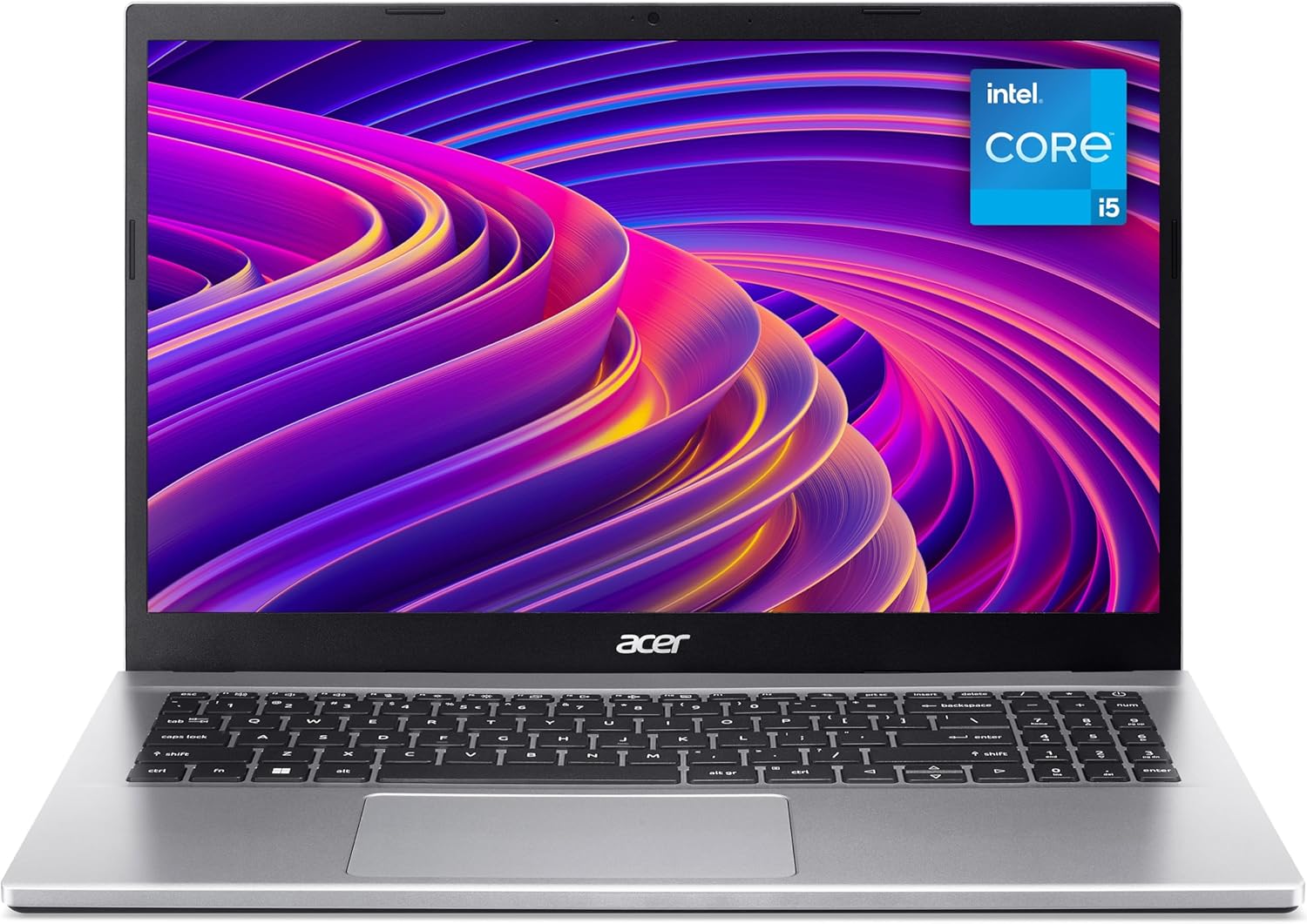
Acer Aspire 3 A315-59 Analysis: Honest Budget Pick
The Blunt Verdict
The Acer Aspire 3 A315-59 is a no-fuss, no-surprises laptop aimed squarely at students, home users, and anyone who needs a dependable machine for browsing, documents, video calls, and light media consumption. It does those things without drama. The headline strength is a genuinely capable 12th Gen processor paired with a decent IPS screen at a price point where most of the competition is still shipping e-waste. The headline weakness is equally clear: 8GB of RAM with limited upgrade headroom and a 256GB SSD that will feel tight inside eighteen months.
Under the lid you get an Intel Core i5-1235U, which is a 12th Gen hybrid chip with a boost up to 4.4GHz. That’s paired with 8GB DDR4 RAM and a 256GB SSD over a Serial ATA interface. The display is a 15.6-inch 1920×1080 IPS panel with a matte finish — one of the few genuinely good spec decisions Acer made here. Connectivity is Wi-Fi 5 (802.11ac) with Bluetooth 5, and the battery sits at 56Wh. Nothing here is going to blow anyone away. But for the intended use case, it holds together.
Buy it if you’re a student, a home worker who lives in a browser and Office, or someone replacing an ageing machine for everyday use. Skip it if you do any video editing, gaming, or run memory-hungry workflows — 8GB DDR4 is tight for that, and the integrated Intel GPU won’t be picking up the slack. For a wider look at what’s available at this level, the budget laptops roundup is worth a look before you commit.
See the Acer Aspire 3 A315-59 listing and current availability on Amazon.

Pros and Cons
Pros
- 12th Gen Intel Core i5-1235U delivers noticeably snappier everyday performance than the older i3/i5 chips still lurking in rival budget machines at this price
- IPS panel with matte finish gives wider viewing angles and reduced glare compared to the TN and glossy screens that dominate this price bracket
- 56Wh battery is a reasonable size for a 15.6-inch laptop — enough for a working day of light tasks on a single charge
- Numeric keypad included, which anyone who regularly handles spreadsheets or data entry will appreciate more than Acer’s marketing suggests
- AI noise reduction on the dual microphones is a legitimate feature for video calls, not just a bullet point — buyers specifically mention setup being quick and calls coming through clearly
Cons
- 256GB SSD on a Serial ATA interface rather than NVMe — slower than it needs to be, and the capacity will feel cramped once Windows updates, apps, and a year of files pile up
- 8GB RAM ceiling is a genuine constraint; the spec sheet lists 16GB as maximum, but whether either slot is accessible without voiding the warranty depends on the specific configuration — soldered or socketed, Acer doesn’t shout about it
- Wi-Fi 5 only — not a dealbreaker today, but Wi-Fi 6 is the standard on anything calling itself current in 2024 and beyond
Spec Breakdown
- Model: Acer Aspire 3 A315-59 (NX.K6SEK.00M)
- CPU: Intel Core i5-1235U (12th Gen, up to 4.4GHz)
- RAM: 8GB DDR4 (max 16GB)
- Storage: 256GB SSD (Serial ATA)
- GPU: Intel Integrated Graphics
- Display: 15.6-inch IPS, 1920×1080 (Full HD), matte finish
- Battery: 56Wh, Lithium Ion
- OS: Windows 11
- Connectivity: Wi-Fi 5 (802.11ac), Bluetooth 5
- Ports: 3x USB (including USB 3.0), HDMI, 4 total ports listed
- Camera: 720p HD webcam with TNR (Temporal Noise Reduction)
- Keyboard: QWERTY with numeric keypad
- Colour: Silver
- Dimensions: 36.3 x 19.9 x 24.1 cm
- Warranty: 1 year limited
Hardware & Performance Reality Check
The Intel Core i5-1235U is a legitimate bright spot here. It’s a 12th Gen hybrid architecture chip — two performance cores and eight efficiency cores — and it handles the things this laptop is designed for without breaking a sweat: browser sessions with a dozen tabs, Office documents, video calls, light photo browsing. For a deeper look at what these CPU generations actually mean in practice, the CPU guide breaks it down plainly. The 8GB DDR4 is workable but genuinely the floor for Windows 11 in 2024. Two apps open simultaneously is fine. Chrome plus Teams plus Outlook is where you start noticing the squeeze. If you want to understand where 8GB sits relative to your actual workload, the RAM guide gives you a straight answer. The spec sheet lists 16GB as the maximum supported, which suggests at least one user-accessible slot may exist — but Acer hasn’t confirmed this publicly for this SKU, so treat any upgrade as uncertain until you’ve checked the service manual.
The 256GB SSD on a Serial ATA interface is the one spec that quietly frustrates. SATA SSDs aren’t slow in absolute terms, but NVMe drives — which most mid-range machines now ship with — are noticeably faster for file operations and boot times. More pressing is the capacity: Windows 11 eats roughly 30–40GB out of the box, leave room for a recovery partition and your apps, and you’re looking at under 150GB of usable space before you’ve saved a single file. An external drive or cloud storage isn’t optional here, it’s mandatory. The Intel Integrated Graphics does exactly what it says on the tin — handles 1080p video playback, basic photo work, and nothing more. Gaming is off the table for anything beyond browser-based titles and decade-old indie games. If gaming is part of the brief, look at the budget gaming laptops category instead.
For its stated 2026 use cases — student coursework, home working, remote learning, casual streaming — the Acer Aspire 3 A315-59 does the job honestly. Word processing, spreadsheets, video calls, YouTube, Netflix: all handled without complaint. Programming with lightweight IDEs like VS Code is manageable, though running a local server alongside will push the RAM. Video editing is not realistic — even basic timeline work in DaVinci Resolve will be a chore with integrated graphics and 8GB of memory. Office tasks and general productivity sit squarely in this machine’s comfort zone; anything more demanding does not. For benchmarked performance expectations across budget CPUs, the performance benchmarks page gives useful context.
The port situation deserves a brief mention. You get HDMI out, which is useful for anyone connecting to an external monitor or TV. Three USB ports including at least one USB 3.0 covers most peripheral needs. There’s no Thunderbolt, no USB-C power delivery confirmed, and no Ethernet port listed — the latter is worth knowing if your home broadband relies on a wired connection. A USB-to-Ethernet adapter solves it, but it’s an extra item to carry. For a full rundown on what ports actually matter, the ports guide is worth a read.
Check the full spec sheet and buyer Q&As for the Acer Aspire 3 A315-59 on Amazon.
Everyday Usability: Battery, Build & More
The 56Wh battery is sensible rather than spectacular. On light tasks — docs, browsing, the occasional video call — expect six to eight hours in real use. That’s enough for a full college day or a working-from-home shift without hunting for a socket. Push it harder with streaming or multiple apps and you’ll land closer to five. The matte 1920×1080 IPS panel is one of the genuinely good decisions Acer made on this machine. IPS means decent viewing angles — you’re not watching the colours invert when someone leans over to look at your screen — and the matte coating cuts glare from overhead lighting far better than the glossy panels you find on competitors at this tier. Brightness figures aren’t published, but buyers haven’t flagged it as a problem indoors. For a plain-English breakdown of what IPS means versus other panel types, the display types guide is worth two minutes of your time. There is no touchscreen on this machine — it’s a standard click-and-type setup.

The keyboard layout includes a numeric keypad, which takes up space but is legitimately useful for anyone who handles numbers regularly. Key travel and comfort aren’t things Amazon reviews tend to quantify, but buyers haven’t complained about it — one specifically called out the wide keyboard as a positive. The 720p webcam with Acer’s TNR (Temporal Noise Reduction) technology is a cut above the blurry fixed-focus units typically bolted onto budget machines; the dual microphones with AI noise reduction mean you’re not broadcasting your household in the background on every call. The chassis is plastic throughout — that’s expected at this price — and the silver finish is inoffensive rather than distinctive. Thermal performance on the i5-1235U is generally well-managed in fanless-to-light-fan operation during typical tasks, though sustained loads will bring the fan in. Nothing buyers have flagged as bothersome. No fingerprint reader is listed in the specs.
Lifespan & Future-Proofing
Chassis longevity on a plastic budget Acer is realistically three to four years of daily use before the hinges get sloppy, the keyboard starts feeling mushy, or the battery capacity drops enough to matter. That’s not a knock specific to Acer — it’s the honest trajectory of any plastic-bodied machine at this price. Treat it carefully and it’ll outlast that. Drop it regularly and it won’t.
Spec longevity is a different conversation. The i5-1235U has enough grunt to handle everyday computing tasks for another four or five years without feeling genuinely obsolete — it’s a 12th Gen chip, not ancient silicon. The 8GB DDR4 is the pressure point. Windows and browser memory usage trends upward every year, and 8GB is already the minimum for comfortable multitasking in 2024. By 2026 and beyond, it will feel tight. If the RAM is upgradeable to 16GB (which the spec sheet implies is the ceiling), that’s a worthwhile investment early on. The 256GB SATA SSD will likely need supplementing with external storage within the first year of regular use. There’s no upgrade path for the GPU — it’s integrated, it stays integrated. Anyone expecting this machine to grow with increasingly demanding software over a five-year horizon will hit a wall. For a more detailed look at how to evaluate specs against longevity, the laptop buying guide covers it properly.
View current stock and availability for the Acer Aspire 3 A315-59 on Amazon.
What Buyers Are Saying (And Potential Dealbreakers)
The Acer Aspire 3 A315-59 carries a rating of 4.7 out of 5 from 29 Amazon customer reviews in the UK. That’s a high average, but 29 reviews is a small sample — enough to flag clear patterns but not enough to treat as statistically definitive. Take the consensus as directionally useful rather than conclusive.
The recurring themes are consistency and ease. Buyers repeatedly describe it as quick to set up, responsive in daily use, and good value for the money. Nobody is calling it a powerhouse — the praise is measured and practical, which is actually a good sign. People who bought it knowing what it is are satisfied with what they got. The one negative review (one star, item returned) cites being unable to get it working at all — that’s likely a defective unit or setup issue rather than a systemic fault, and it’s isolated against seven five-star reviews.
The only genuine dealbreaker surfacing in reviews is the one you’d expect: this is a machine for straightforward tasks. Buyers who came to it with modest expectations — browsing, school work, everyday use — are consistently happy. No one bought this expecting gaming performance or professional-grade power, and that self-selection is probably keeping the rating clean.
Buyer Highlights
“Everything is responsive and quick to use — very good value for home or office.” — Echoes the general consensus: no lag complaints, no crashes, just a machine that does what it’s told.
“Wide keyboard, good price — accessed quite quickly.” — The full-size layout with numeric keypad is genuinely appreciated by buyers who’ve lived with cramped budget keyboards before.
“Set up quickly, ready for school — well made and easy to carry.” — Specifically bought as a student machine, and it delivered on arrival without fuss.
“Nice looking, easy to use — ideal for what I need it to do and not bad value.” — Typical of first-time laptop buyers or those returning to a new machine after years: the learning curve is gentle.
“Decent little laptop for general purpose use.” — No hyperbole, no complaints. Sums up the majority sentiment in one sentence.
Who Should Buy It (And Who Shouldn’t)
Buy If
- You’re a student who needs a machine for coursework, research, and the occasional video call — the i5-1235U handles all of that without drama
- You work from home and your entire workflow lives in a browser, Office suite, or video conferencing app — this is exactly the use case it was designed for
- You want a 15.6-inch IPS screen with a matte finish at a budget price — that specific combination is harder to find than it should be at this tier
- You’re upgrading from a machine that’s five or more years old — the jump in responsiveness will be noticeable and satisfying
Avoid If
- You edit video, process large photo libraries, or run any creative software that leans on GPU acceleration — integrated graphics and 8GB RAM will make that experience genuinely unpleasant
- You’re planning to hold onto the machine for five-plus years without upgrading storage — the 256GB SSD will become a daily irritation well before that point, and the SATA interface limits how much you can extract from even an upgrade drive
- You need a wired Ethernet connection — no port is listed, so you’d need an adapter, which isn’t ideal if reliability matters
The Bottom Line
The Acer Aspire 3 A315-59 is an honest machine. It doesn’t pretend to be more than it is, and for the right buyer — students, home workers, light everyday users — it delivers exactly what it promises: a responsive 12th Gen CPU, a proper IPS screen, a functional keyboard, and a setup that doesn’t require technical knowledge to get running. The storage is tight, the RAM is the minimum you’d want, and there’s no upgrade path for the GPU. But at this end of the market, the question isn’t whether it’s flawless — it isn’t — the question is whether the compromises matter for your actual use. For most people buying a budget laptop for everyday tasks, they don’t. Recommended for what it is.
Find the Acer Aspire 3 A315-59 on Amazon and read the latest buyer questions and answers.
At LaptopAdvisorOnline, our methodology is built on data transparency rather than simulated hands-on testing. We rigorously analyse official manufacturer specifications and aggregate verified customer sentiment to provide objective, fluff-free buying advice that helps you cut through the marketing jargon.
As an Amazon Associate, I earn from qualifying purchases.
Browse by Specification
Looking for something specific? Browse our analyses by hardware and feature below, or check all laptop analyses in the Best Budget Laptops category archive.
[AMD Processor Laptops] — [Intel Processor Laptops] — [16GB RAM Laptops] — [32GB RAM Laptops] — [Dedicated Graphics] — [Long Battery Life] — [Lightweight Laptops] — [Student Laptops]
Browse by Screen Size
[13-inch Laptops] — [14-inch Laptops] — [15-inch Laptops] — [16-inch+ Laptops]




