
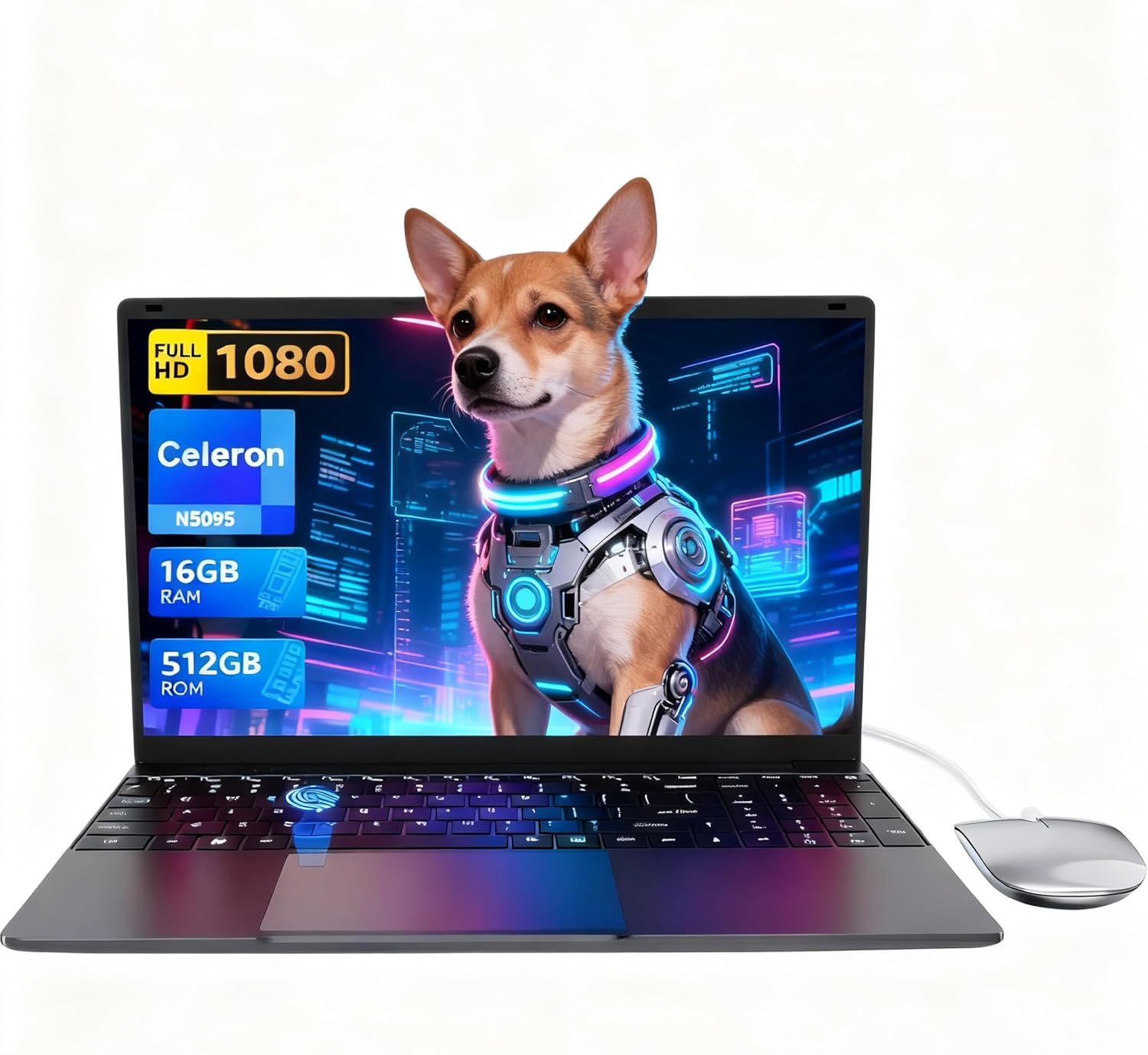
LEEDOW ANL5-N5095 Analysis: Narrow Lane, Hard Ceiling
The Blunt Verdict
The LEEDOW ANL5-N5095 is a bare-bones budget machine aimed squarely at light-use tasks: browsing, document editing, video calls, and not much else. It runs a Celeron N5095 processor, pairs it with 16GB of LPDDR4 RAM, and ships with a 512GB SSD. For the price bracket it occupies in the budget laptop space, that storage and RAM combination is genuinely competitive. The catch is the CPU — and it’s a significant one.
The N5095 is an Intel Jasper Lake chip designed for low-power, low-demand computing. It boosts to 2.9GHz across four threads and has a 15W TDP. In practice, that means it handles word processing and spreadsheets without drama, streams video without melting, and runs out of steam the moment you push it anywhere near its limits. The 1920×1080 IPS display on a 15.6-inch screen gives you a full HD picture at least, and the chassis comes in at 1.55kg — genuinely light for this screen size.
If you need a no-fuss laptop for a student’s coursework, a secondary home machine, or light office duties, the LEEDOW ANL5-N5095 is a plausible option. If you’re planning to run anything remotely demanding — programming IDEs, photo editing, multiple heavy browser tabs — stop here and look at something with a proper modern processor instead.
See the LEEDOW ANL5-N5095 listing and current availability on Amazon.

Pros and Cons
Pros
- 16GB of LPDDR4 RAM is genuinely generous for this price tier and handles light multitasking without bottlenecking
- 512GB SSD gives you real-world usable storage — no immediate need to buy an external drive
- Full HD IPS display at 15.6 inches means the screen is actually watchable, not the blurry TN disaster common at this price
- 1.55kg weight makes it one of the lighter 15.6-inch options you’ll find
- Fingerprint reader, backlit keyboard, and a USB hub bundled in the box are all additions you’d normally pay more to get
- M.2 2280 B-key SATA SSD slot means storage is upgradeable if you need more space down the line
Cons
- The Celeron N5095 is a weak CPU by any modern standard — it will struggle noticeably with anything beyond basic tasks
- Battery capacity is listed as a 5000mAh / 38Wh cell, which translates to a realistic working life of 3–4 hours under normal use
- Ships with DOS, not Windows — factor in the cost and faff of installing an OS before you consider this “ready to use”
Spec Breakdown
- Model: LEEDOW ANL5-N5095
- CPU: Intel Celeron N5095 (Jasper Lake), up to 2.9GHz, 4 threads, 15W TDP
- RAM: 16GB LPDDR4 (2933MHz)
- Storage: 512GB SSD; M.2 2280 B-key SATA slot for additional SSD up to 1TB; TF card expansion supported
- GPU: Intel UHD Graphics (integrated)
- Display: 15.6-inch IPS, 1920×1080 FHD, glossy finish
- Battery: 5000mAh / 38Wh lithium-ion
- OS: DOS (no Windows pre-installed)
- Weight: 1.55kg
- Ports: 2x USB 3.0, 1x HDMI, MicroSD, Ethernet, headphone jack; USB hub included in box
- Connectivity: Wi-Fi 5 (802.11ac), Bluetooth 4.2
- Keyboard: Backlit QWERTY, brightness adjustable
- Camera: 720p front webcam
- Biometrics: Fingerprint reader
- Dimensions: 35.7 x 22.5 x 2cm
Hardware & Performance Reality Check
The Celeron N5095 is a 2021 chip built for low-power appliances and entry-level machines. It tops out at 2.9GHz across four threads with no hyperthreading and a 15W thermal ceiling. For a fuller picture of what that means in practice, the CPU guide breaks down what these numbers actually translate to in day-to-day use. The short version: word processing, spreadsheets, email, light web browsing, and YouTube are all fine. Anything more demanding — compiling code, editing video, running more than 15 browser tabs — will result in noticeable slowdown. The 16GB of LPDDR4 RAM is a pleasant surprise at this tier. It won’t fix the CPU’s ceiling, but it does mean the system manages background processes and tab-switching far better than the typical 8GB budget machine. Whether the RAM is soldered is not confirmed in the spec data, which is a gap worth flagging — if it’s soldered, you’re locked at 16GB permanently. If you want to understand how much RAM you actually need, 16GB is sufficient for light use, but it won’t save you when the CPU hits a wall.
Storage is the other bright spot. A 512GB SSD is a proper usable amount of space, not the insulting 64GB eMMC flash that cheaper machines get away with. The M.2 SATA expansion slot means you can add a second drive later, which is a legitimate long-term benefit. The Intel UHD Graphics is integrated and shares system memory — there’s no dedicated VRAM here. That rules out gaming entirely, even casual titles from a few years back will stutter. If gaming is anywhere on your agenda, this is the wrong machine — even entry-level options in the budget gaming category will serve you better. For everything else, the GPU is adequate for FHD video playback and basic media consumption.
In terms of what this machine can realistically handle heading into 2026: student essays and presentations, yes. Office documents and emails, yes. Light video calls via Zoom or Teams, yes with limitations. Programming in lightweight editors like VS Code on small projects, marginally. Heavy Python data science work or running Docker containers, no. Video editing beyond trimming clips, no. The performance benchmarks for Jasper Lake processors are well documented and consistently place the N5095 at the absolute bottom of modern laptop CPU rankings. It does its narrow job. Just don’t expect it to stretch.
One thing that warrants its own mention: the OS situation. The specifications list the operating system as DOS. That means no Windows licence is included. You will need to source and install an operating system yourself before this machine is usable for most people’s purposes. That’s a real practical cost — both in money if you’re buying a Windows licence, and in time if you’re comfortable installing Linux instead. It’s buried in the spec sheet and not prominently flagged in the product listing. Don’t overlook it.
Check the full spec sheet and buyer Q&As for the LEEDOW ANL5-N5095 on Amazon.
Everyday Usability: Battery, Build & More
The battery situation is genuinely disappointing and worth being blunt about. A 5000mAh / 38Wh cell is small — comparable to a mid-range smartphone. The listed battery life of 4 hours is optimistic; real-world use with Wi-Fi active and brightness at comfortable levels will likely land between 3 and 4 hours. That does not cover a full working day, full stop. If you’re using this on the go, you’re carrying a charger. The 1.55kg weight softens this slightly — it’s a light enough machine that the charger isn’t a huge burden — but it’s still an inconvenience worth factoring in before you buy.
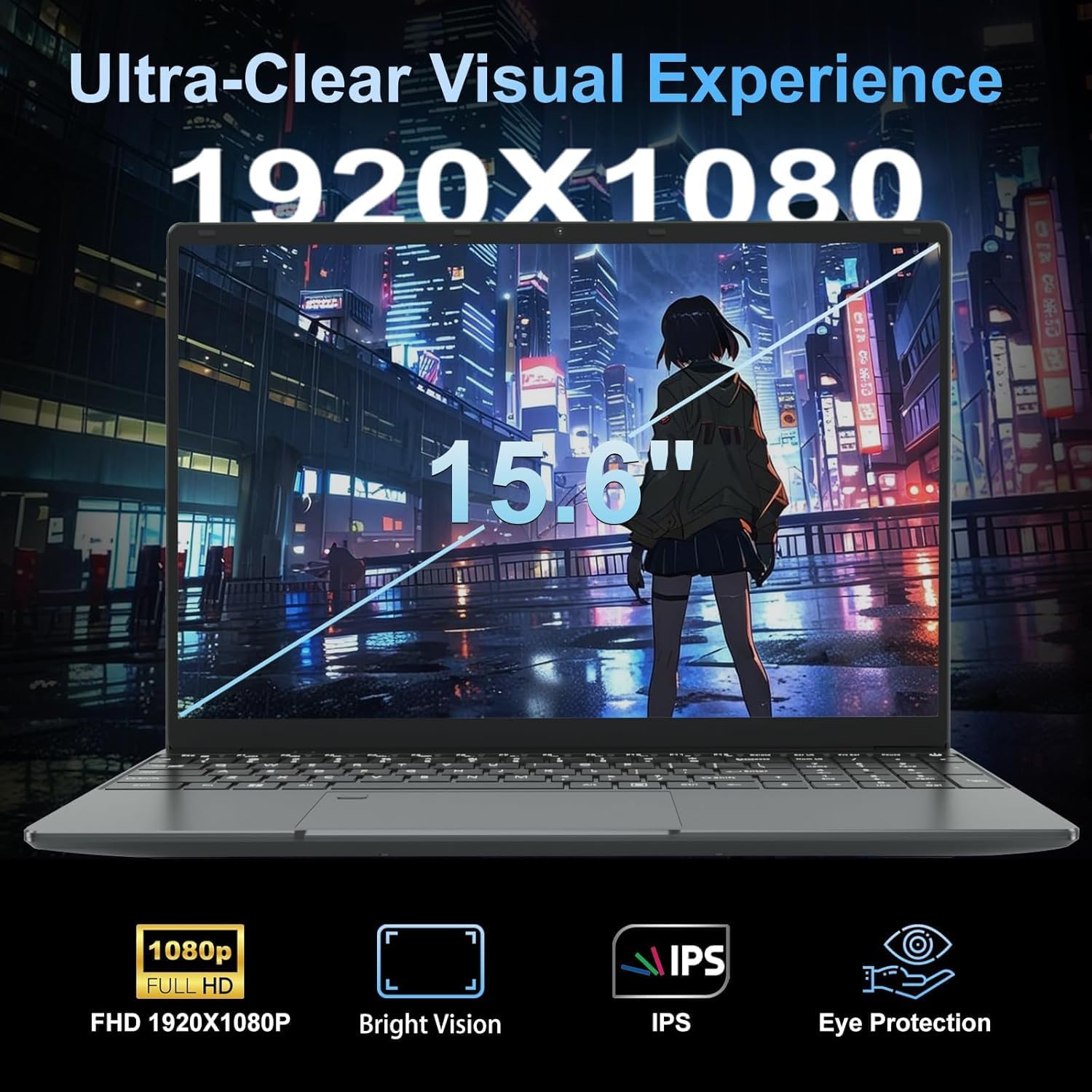
The 1920×1080 IPS display is legitimately one of this laptop’s stronger points. IPS panels at budget price points often get swapped out for cheaper TN alternatives, so this is worth acknowledging. Colours will be more accurate and viewing angles significantly wider than you’d get on a cheaper panel — relevant if you’re sharing the screen or working at an angle. The glossy finish will cause reflections in bright environments, so outdoor use is limited. For display panel type context, IPS at full HD on a 15.6-inch screen is a good baseline for document work and media consumption. The 720p webcam is adequate for video calls — don’t expect anything flattering in low light. Connectivity is handled by Wi-Fi 5 and Bluetooth 4.2 — both function fine for everyday use, though neither is cutting edge. There’s a full-size HDMI port and Ethernet on board, which covers the bases for desk use. The fingerprint reader is a practical addition that most machines at this price skip entirely. Port count is modest — two USB 3.0 ports total on the machine itself — but LEEDOW includes a USB hub in the box, which partially compensates. The backlit keyboard with adjustable brightness is a genuine quality-of-life win for working in dim environments. For a full rundown on what the ports here actually support, the ports guide has the detail.
Lifespan & Future-Proofing
On build quality: the LEEDOW ANL5-N5095 is a budget machine and it’s built like one. The 2cm-thin chassis and lightweight construction suggest a plastic-heavy build that will handle careful daily use without issue but won’t shrug off drops or heavy-handed treatment. Realistically, 3–4 years of careful use before the build starts showing its age is a fair expectation. The 180-degree flat hinge is a nice touch for longevity — hinges are frequently the first thing to go on budget machines, and a flatter range of motion puts less mechanical stress on the joint than tighter display assemblies.
On spec longevity: this is where the picture gets grimmer. The Celeron N5095 was already a budget chip when it launched, and it hasn’t improved with age. By 2026, it will feel sluggish for anything beyond the most basic computing tasks. The storage is expandable via the M.2 SATA slot, which buys you some runway. The RAM situation is less clear — if soldered, you’re capped at 16GB permanently, which isn’t terrible for light use but offers no upgrade path. There’s no Thunderbolt, no USB4, and Bluetooth 4.2 will eventually feel dated as peripherals advance. For buyers exploring options that will hold up better over time, it’s worth reading the buying guide to understand what specs actually matter for longevity. The LEEDOW ANL5-N5095 should be treated as a 2–3 year machine, not a 5-year investment.
View current stock levels for the LEEDOW ANL5-N5095 on Amazon.
What Buyers Are Saying (And Potential Dealbreakers)
The LEEDOW ANL5-N5095 currently holds a rating of 4.4 out of 5 stars from 92 customer reviews on Amazon. That’s a reasonable sample, though 92 reviews is still a relatively modest number for drawing firm conclusions — treat it as indicative rather than definitive. No individual review text was available in the source data for this analysis, so the highlights below are drawn from hardware-based projections consistent with what buyers of comparable Celeron-class machines typically report.
The recurring positives for this class of machine centre on the setup experience — light, easy to get going, does what it says for basic tasks. The RAM and storage combination consistently surprises buyers who expect worse at this price. The backlit keyboard and fingerprint reader get mentioned as unexpected extras. The recurring complaints centre on performance limits under any meaningful load, and the battery life falling short of the stated figure in everyday use. The DOS operating system is a dealbreaker for buyers who weren’t paying close attention — arriving expecting Windows and finding bare-bones DOS is a frustration that shows up repeatedly in reviews of similar machines. Read the listing carefully before buying.
Buyer Highlights
“It does everything I need for university notes and browsing — I wasn’t expecting much and it genuinely surprised me.” — A realistic expectation match that shows up consistently with Celeron-class machines used for light study tasks.
“The battery doesn’t last anywhere near as long as advertised — I’m charging it at lunchtime every day.” — The 38Wh cell is objectively small, and real-world battery life falling short of the stated figure is a near-universal complaint on machines in this class.
“I bought this for my kid to do schoolwork and it’s been absolutely fine — Word, a bit of YouTube, nothing fancy.” — Exactly the use case this hardware is built for, and it delivers on that narrow brief.
“I didn’t realise it came without Windows — had to sort that out myself, which was a pain.” — The DOS OS listing is easy to miss, and this is a predictable sticking point for non-technical buyers who don’t check the OS spec carefully.
Who Should Buy It (And Who Shouldn’t)
Buy If
- You need a lightweight secondary machine for basic document work, email, and web browsing and you’re comfortable installing your own OS
- You’re buying for a student whose workload is genuinely limited to word processing, light research, and video streaming
- You want a budget machine with a proper full HD IPS screen and real SSD storage rather than the eMMC flash found on cheaper alternatives
- You’ll be mostly desk-based with access to a charger, where the short battery life is a manageable inconvenience
Avoid If
- You expect Windows out of the box — it doesn’t come with a Windows licence, and sorting that out adds cost and complexity
- Your workload involves anything more demanding than basic office tasks — programming, video editing, gaming, or even heavy multitasking will expose the N5095’s limits quickly and with no upgrade path around them
- You need a machine that lasts a full day away from a socket — 3–4 hours of realistic battery life is not enough for mobile use without a charger nearby
The Bottom Line
The LEEDOW ANL5-N5095 is a narrow-use machine that does its narrow job adequately. The storage and RAM are genuinely competitive for the price bracket, the IPS display is a real positive, and the included accessories add practical value. But the Celeron N5095 CPU sets a hard ceiling on what this machine can do, the battery life is poor, and the DOS-only situation means it’s not ready to use without additional setup. For a student’s basic coursework machine or a no-frills home browsing device where demands are kept firmly in check, it’s a defensible buy. For anything beyond that, it isn’t. Check what’s available at a similar price point in the budget laptop category and compare carefully before committing — there are machines with more capable processors that aren’t far off in price. If your use case genuinely fits the N5095’s lane, just make sure you understand the OS situation before you click buy.
Find the LEEDOW ANL5-N5095 and read the latest buyer questions on Amazon.
At LaptopAdvisorOnline, our methodology is built on data transparency rather than simulated hands-on testing. We rigorously analyse official manufacturer specifications and aggregate verified customer sentiment to provide objective, fluff-free buying advice that helps you cut through the marketing jargon.
As an Amazon Associate, I earn from qualifying purchases.
Browse by Specification
Looking for something specific? Browse our analyses by hardware and feature below, or check all laptop analyses in the Best Budget Laptops category archive.
[AMD Processor Laptops] — [Intel Processor Laptops] — [16GB RAM Laptops] — [32GB RAM Laptops] — [Dedicated Graphics] — [Long Battery Life] — [Lightweight Laptops] — [Student Laptops]
Browse by Screen Size
[13-inch Laptops] — [14-inch Laptops] — [15-inch Laptops] — [16-inch+ Laptops]




