
Samsung Galaxy Chromebook Plus Analysis: Big Screen, Chrome OS Limits
The Blunt Verdict
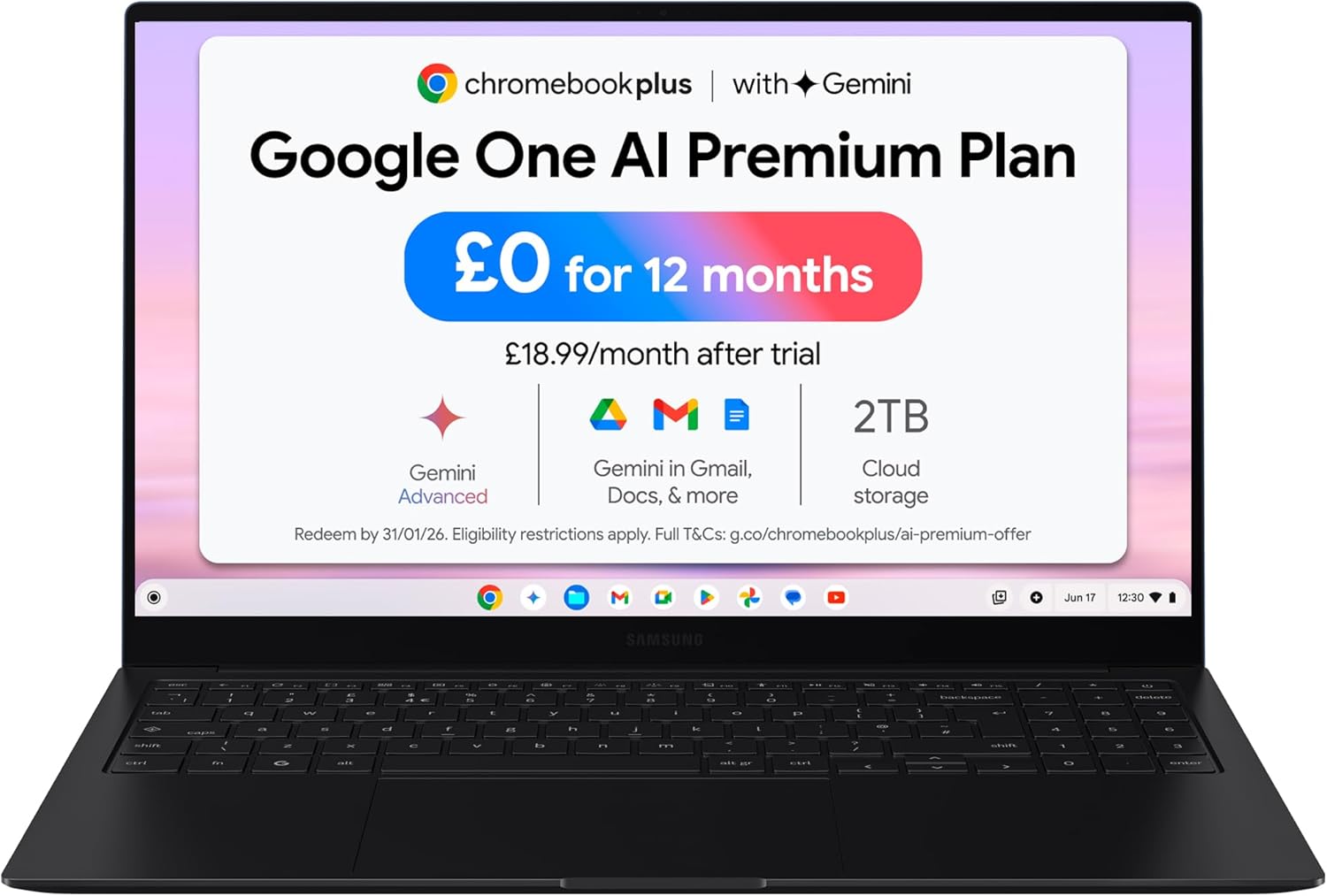
The Samsung Galaxy Chromebook Plus is a well-built, thin-and-light machine running Chrome OS on an Intel Core 5 120U processor. It’s aimed at people who live in a browser, use Google Workspace daily, and want a big, gorgeous screen in a chassis that doesn’t weigh them down. The Samsung Galaxy Chromebook Plus is not a Windows replacement for power users — and if you need offline desktop software, it never will be. That’s not a knock; it’s the most important thing to understand before you spend your money.
The headline specs: 8GB of RAM, 256GB SSD storage, a 15.6-inch AMOLED display at 1920 x 1080, and a 68Wh battery rated at up to 13 hours. On paper that’s a solid daily-driver package. Chrome OS keeps the overhead low, which means that Core 5 chip and 8GB of memory punch above their weight compared to what they’d manage under Windows.
Buy it if you want a large, vivid screen in a genuinely lightweight frame and you’re already living inside Google’s ecosystem. Avoid it if you need Windows software, serious local processing, or anything beyond light gaming via Android apps or browser-based titles.
See the Samsung Galaxy Chromebook Plus listing and current availability on Amazon.

Pros and Cons
Pros
- AMOLED display on a Chromebook at this size is rare and buyers consistently single it out as the standout feature
- At 1.17kg for a 15.6-inch machine, the weight-to-screen-size ratio is genuinely unusual — most 15.6-inch laptops are closer to 1.8kg
- Chrome OS keeps the system snappy; the Intel Core 5 120U has no Windows overhead dragging it down
- Built-in HDMI, two USB-C ports, USB 3.2 Type-A, microSD, and a 3.5mm jack — proper port selection with no dongle tax
- Samsung ecosystem integration (Phone Hub, Quick Share, Samsung Notes) works well if you already own a Samsung Android phone
- Gemini AI tools (HelpMeRead, HelpMeWrite) are baked in and accessible via a dedicated Quick Insert key
Cons
- Chrome OS means no Windows or macOS desktop software — if you need Photoshop, AutoCAD, or any native Windows application, this is a hard stop
- No fingerprint reader — several buyers noticed this, and on a machine in this category it’s a meaningful omission
- Android app support on ChromeOS is still patchy; Google’s own apps often don’t behave cleanly at full screen on a 15.6-inch display
Spec Breakdown
- Model: Samsung Galaxy Chromebook Plus (XE530XGA)
- CPU: Intel Core 5 120U, up to 5.0GHz
- RAM: 8GB LPDDR5X (maximum 8GB)
- Storage: 256GB SSD (SATA)
- GPU: Intel integrated (shared)
- Display: 15.6-inch AMOLED, 1920 x 1080, 60Hz, 400 nits, touch (capacitive)
- Battery: 68Wh lithium-ion, rated up to 13 hours
- OS: Chrome OS
- Weight: 1.17kg
- Ports: 2x USB-C (USB 3.1), 1x USB 3.2 Type-A, HDMI, microSD, 3.5mm audio
- Connectivity: Wi-Fi 6E (802.11a/b/g/n/ac), Bluetooth 5.3
- Keyboard: Membrane with Quick Insert key
- Camera: Yes (webcam capability confirmed)
Hardware & Performance Reality Check
The Intel Core 5 120U is a 12th-generation Alder Lake part with a base clock of 1.4GHz and a boost to 5.0GHz. Under Windows that chip is adequate for everyday tasks but nothing more. Under Chrome OS, the story is different. ChromeOS is lean — it’s essentially a browser OS with a Linux layer — which means that same CPU feels noticeably faster here than it would driving a full Windows install. Paired with 8GB LPDDR5X RAM, you’ll handle multiple browser tabs, streaming, Google Docs, and Sheets without breaking a sweat. The RAM is soldered, though — 8GB is your ceiling, full stop. There’s no upgrade path. For most Chromebook use cases that’s fine, but if you’re someone who runs 40+ tabs habitually, you’ll feel it occasionally. If you want to understand why that matters in plain English, the RAM guide is worth a read.
The 256GB SSD on a SATA interface is enough storage for Chrome OS, which offloads most of its data to the cloud by design. Local storage on a Chromebook is used more as a staging area than a primary home for files — download something, use it, push it to Drive. SATA rather than NVMe means sequential reads won’t match what you’d get on a higher-end machine, but for Chrome OS workloads the difference in day-to-day feel is negligible. The GPU is Intel integrated — there’s no discrete card here. That means no serious gaming, no GPU-accelerated video rendering, and nothing that requires dedicated VRAM. For browser-based gaming or light Android titles it’s fine. For anything heavier, look at budget gaming options on Windows instead.
For 2026 use cases: student essay writing, research, video calls, note-taking — absolutely yes. Office tasks like spreadsheets, email, presentations — yes, via Google Workspace or the web versions of Office. Light video editing in browser-based tools like Clipchamp or Canva — workable. Programming with local IDEs — limited; Linux on Chrome OS is possible for lightweight development but it’s not the same as a full Linux or Windows dev environment. Video editing in DaVinci Resolve or Premiere — no. Gaming beyond browser titles — no. For anyone considering this for study or general productivity, it earns its place easily. For anything that requires locally installed Windows or macOS software, it doesn’t. Check the performance benchmarks guide if you want a clearer frame of reference for where this CPU sits.
The Wi-Fi 6E support is a genuine practical plus — faster wireless throughput and less congestion on modern routers. Bluetooth 5.3 is current-gen. The port layout deserves a mention too: two USB-C ports, a full-size HDMI, USB 3.2 Type-A, microSD, and a headphone jack. For a machine this thin, that’s a proper set of ports. No Ethernet on the machine itself — if you need a wired connection you’ll need a USB-C to Ethernet adapter. Full port context is covered in the ports guide if you’re figuring out your setup.
Check the full spec sheet and buyer Q&As for the Samsung Galaxy Chromebook Plus on Amazon.
Everyday Usability: Battery, Build & More
The battery is rated at 68Wh with a claimed 13-hour runtime. Samsung’s methodology uses a mixed workload including browsing, email, documentation, and video streaming at around 80 nits brightness. Real-world use at higher brightness with heavier tab loads will land lower, but buyers aren’t reporting early battery deaths — the AMOLED panel and Chrome OS’s efficient power management work in its favour. You’ll comfortably get through a full working day without hunting for a socket. The 45W charger in the box supports fast charging, which is a sensible inclusion. Portability is a genuine strength: 1.17kg and 11.8mm thick for a 15.6-inch machine is unusual. Most budget 15.6-inch laptops sit closer to 1.8–2kg. One reviewer noted the slim bezels make it feel more like a 14-inch machine despite the screen size — that’s consistent with the dimensions.

The AMOLED display is the hardware showpiece. AMOLED on a Chromebook at this price point is not standard — most budget laptops at this size ship with mediocre IPS panels. AMOLED means proper deep blacks, high contrast, and vivid colour. The 400-nit brightness and 60Hz refresh rate are competent if not exceptional. The touch display works via capacitive input, though there’s no stylus support confirmed in the specs. The keyboard uses a membrane switch design with the addition of the Quick Insert key for Gemini access — buyers report it as comfortable to type on, though no one’s singling it out as a standout keyboard either. Speakers are described as good rather than great. The webcam is present but no resolution spec is listed. No fingerprint reader — the only biometric unlock is through a linked phone or PIN, which one buyer specifically called out as inconvenient. Build quality is aluminium with a Neptune Blue finish; buyers consistently mention it looks and feels premium. For a broader look at how the display technology compares, the display types guide gives useful context.
Lifespan & Future-Proofing
The aluminium chassis should hold up well physically. Samsung builds to a decent standard and the Neptune Blue finish is anodised metal, not paint over plastic. Hinge durability isn’t flagged as a concern in buyer feedback. Realistically you’re looking at five or more years of chassis life before anything starts feeling structurally worn — assuming normal use rather than being chucked around a bag without a sleeve.
Spec longevity is a more nuanced conversation for a Chromebook than a Windows machine. Google guarantees ChromeOS updates for a set number of years — the Samsung Galaxy Chromebook Plus, as a 2024 model, should receive ChromeOS updates until at least 2032 based on Google’s Auto Update Expiry policy for current Chromebook Plus devices. That’s actually a stronger software support commitment than most Windows laptops receive. The 8GB RAM ceiling and the SATA SSD are real limits, but Chrome OS’s efficiency means this hardware will feel usable for longer than the same specs would under Windows. In 2026 terms, this machine handles its target workloads comfortably — and the software support runway means it’s not getting left behind any time soon. The Intel Core 5 120U is not a chip you’d choose for demanding computation, but for its intended use case it’s not the bottleneck. The upgrade dead-end (soldered RAM, no storage expansion beyond microSD) is something to accept upfront — this is the spec you’ll have in three years too. If that’s a concern, the buying guide covers what to look for when upgrade flexibility matters.
View current stock and availability for the Samsung Galaxy Chromebook Plus on Amazon.
What Buyers Are Saying (And Potential Dealbreakers)
The Samsung Galaxy Chromebook Plus holds a rating of 4.7 out of 5 from 21 verified Amazon reviews. That’s a strong score, though 21 reviews is a relatively small sample — enough to identify consistent themes but not enough to be statistically definitive. Take the patterns seriously; treat any individual data point with some caution.
The recurring positives are clear and consistent: the screen quality, the chassis thinness and weight, and the speed of Chrome OS. Multiple buyers mention upgrading from older Chromebooks and being struck by how much better this display is. The Samsung ecosystem integration — Phone Hub, Quick Share, Samsung Notes — draws genuine praise from buyers who already own Samsung phones. Nobody’s reporting lag, freezing, or thermal issues under normal workloads.
The recurring frustrations are equally consistent. Android app behaviour on the large screen is the main complaint — apps that are designed for phones or 10-inch tablets often don’t scale cleanly to a 15.6-inch display, and some don’t work properly at full screen at all. This isn’t a Samsung hardware problem; it’s a Google ChromeOS problem, but it affects the experience on this machine. The absence of a fingerprint reader is the other repeated gripe. One buyer specifically noted that the workaround — unlocking via linked phone then pressing Enter — is less convenient than a direct fingerprint scan, particularly because ChromeOS requires a minimum 6-digit PIN rather than the 4-digit option most people would prefer. One buyer returned it because it didn’t suit their specific use case, though they didn’t elaborate — a useful reminder to check that Chrome OS covers what you actually need before committing. If you’re unsure whether this is the right class of machine, the specs explainer gives a good baseline for comparing platforms.
Buyer Highlights
“It’s so fast, much faster than a Windows counterpart — and carrying it around in a bag is a breeze.” — Consistent with both the ChromeOS efficiency advantage and the unusually low weight for a 15.6-inch machine.
“The screen size is incredible, and the bezels are so slim it feels more like a 14-inch laptop.” — Worth knowing if you want a large display without a large footprint.
“Android apps are not there yet for this laptop — you’ll probably end up using PWAs instead, but if Google fixes PWA notifications it’s actually better anyway.” — Honest and useful context from a buyer with clearly realistic expectations about ChromeOS.
“No fingerprint reader — I find myself just typing the passcode most of the time because the phone-unlock workaround takes too many steps.” — A genuine daily friction point, not a dealbreaker for everyone but worth knowing upfront.
“The screen is especially good — exactly as I expected.” — Short, but consistent with every other buyer who mentions the display.
Who Should Buy It (And Who Shouldn’t)
Buy If
- You work primarily in a browser — Google Workspace, email, streaming, video calls — and want a large, vivid display in a machine that barely weighs anything
- You’re already in the Samsung Android ecosystem and want your phone and laptop to work together without fuss
- You want a student or secondary work machine with long battery life, a proper port set, and genuine build quality without Windows complexity
- You’re a buyer who understands Chrome OS and wants the best hardware execution of it at this screen size
Avoid If
- You need to run Windows or macOS software — Chrome OS cannot run native Windows applications, and no amount of horsepower changes that
- You plan to use Android apps heavily on the large screen — the experience is currently inconsistent and that’s a Google-level problem with no near-term fix
- You rely on fingerprint unlock as part of your daily workflow — there isn’t one here
The Bottom Line
The Samsung Galaxy Chromebook Plus is one of the most well-executed Chromebooks available at 15.6 inches. The AMOLED display, the sub-1.2kg weight, a proper port selection, and Chrome OS’s inherent speed advantage over Windows make this a compelling package for the right buyer. The right buyer is someone who lives in Google’s ecosystem, doesn’t need Windows software, and wants a large, light, genuinely good-looking machine for daily productivity and streaming. If that’s you, this earns a confident recommendation. If it isn’t — if you need Windows apps, serious gaming, or Android apps that actually work properly at full screen — look elsewhere.
Find the Samsung Galaxy Chromebook Plus on Amazon and check buyer questions before deciding.
At LaptopAdvisorOnline, our methodology is built on data transparency rather than simulated hands-on testing. We rigorously analyse official manufacturer specifications and aggregate verified customer sentiment to provide objective, fluff-free buying advice that helps you cut through the marketing jargon.
As an Amazon Associate, I earn from qualifying purchases.
Browse by Specification
Looking for something specific? Browse our analyses by hardware and feature below, or check all laptop analyses in the Best Budget Laptops category archive.
[AMD Processor Laptops] — [Intel Processor Laptops] — [16GB RAM Laptops] — [32GB RAM Laptops] — [Dedicated Graphics] — [Long Battery Life] — [Lightweight Laptops] — [Student Laptops]
Browse by Screen Size
[13-inch Laptops] — [14-inch Laptops] — [15-inch Laptops] — [16-inch+ Laptops]




