
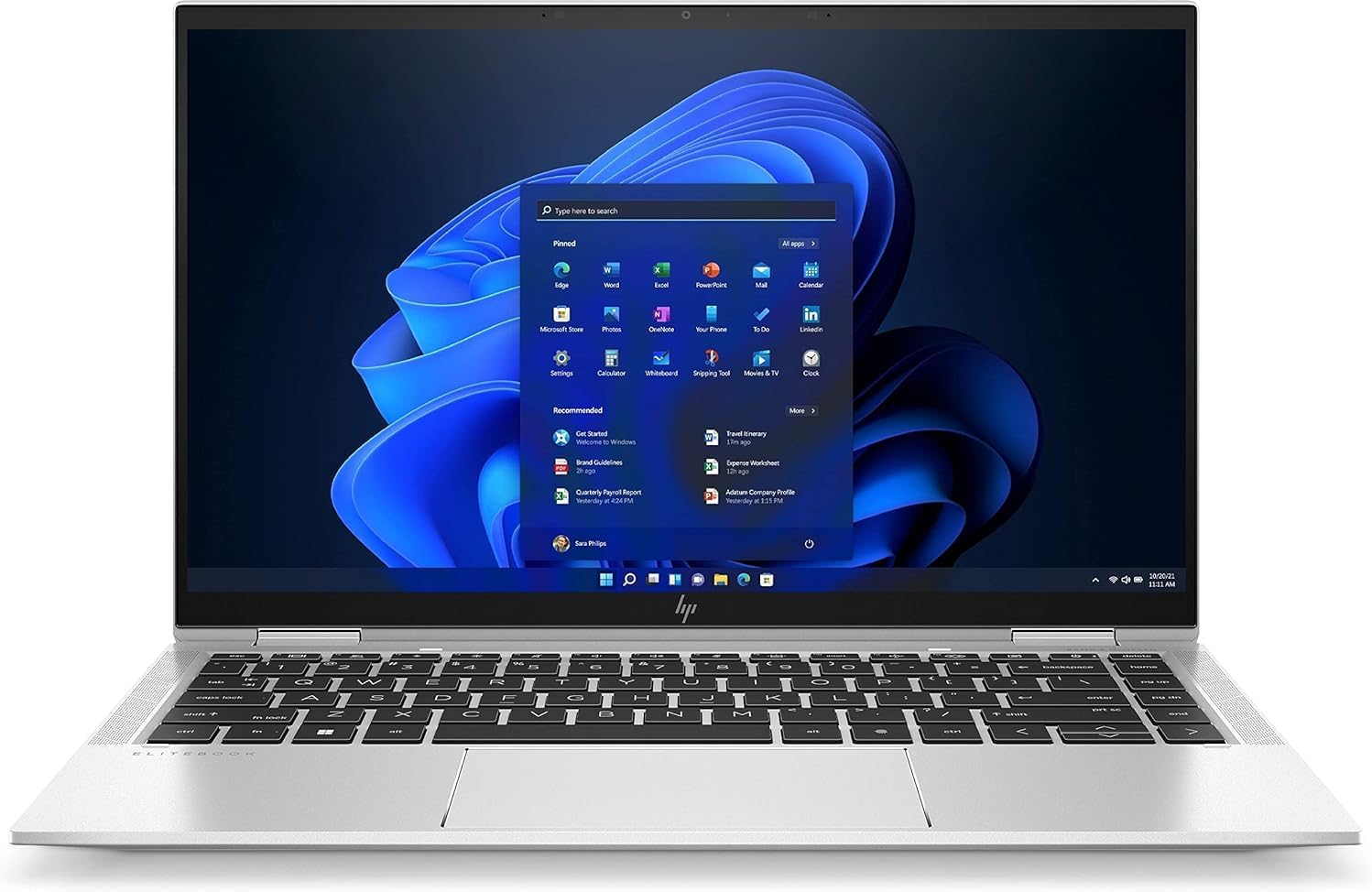
HP EliteBook x360 1040 G8 Analysis: Battery Caveat
The Blunt Verdict
The HP EliteBook x360 1040 G8 is a refurbished business convertible that punches well above what you’d expect for the money. You’re getting a machine that was originally built to corporate spec — MIL-STD durability, premium build, top-tier connectivity — and it’s arrived on the secondhand market with its best features largely intact. For anyone who wants a proper work machine without paying new-machine money, this is one of the more sensible routes to take.
The headline specs are strong. 32GB of LPDDR4x RAM and a 512GB NVMe SSD sit alongside an Intel Core i7-1185G7 — that’s an 11th-gen Tiger Lake chip that still holds up for office and productivity tasks. The 14-inch 1920 x 1080 touchscreen, Wi-Fi 6, and dual Thunderbolt 4 ports round out a spec sheet that would’ve cost serious money new. The elephant in the room is the battery — it’s a 54Wh cell and buyers are already flagging short runtime. We’ll get into that properly below.
If you do professional work on the go and need a flexible, well-built machine that won’t embarrass you in a meeting room, this deserves your attention. If your entire use case depends on unplugged battery life lasting a full working day, look elsewhere before committing.
See the HP EliteBook x360 1040 G8 listing and current availability on Amazon.
Pros and Cons
Pros
- 32GB of LPDDR4x RAM is genuinely generous — multitasking and heavier workloads have room to breathe
- Dual Thunderbolt 4 ports and HDMI 2.0 make this one of the best-connected laptops at this end of the market
- The 360-degree hinge and touchscreen open up tablet and presentation modes that most laptops simply can’t do
- Several buyers received units in better condition than advertised — Samsung NVMe drive spotted inside one unit, which is a good sign for storage quality
- Wi-Fi 6 and Bluetooth 5.0 keep wireless connectivity current for the next few years
- Bang & Olufsen speakers are a genuine perk on a business machine — audio quality typically sits well above the norm
Cons
- Battery life is a real concern — one buyer reports it lasting only a couple of hours, and the 54Wh cell combined with the power demands of the i7-1185G7 makes that plausible
- At least one buyer had a battery failure within two months, with slow seller response on the return — a reminder that refurbished hardware always carries a degree of risk
- 720p webcam is mediocre for 2025 standards — fine for internal calls, but not what you’d expect from a flagship-tier machine
Spec Breakdown
- Model: HP EliteBook x360 1040 G8
- CPU: Intel Core i7-1185G7 (Tiger Lake, 11th Gen), 4-core, 3.0GHz base / 4.8GHz boost, 12MB cache
- RAM: 32GB LPDDR4x (soldered)
- Storage: 512GB NVMe SSD
- GPU: Intel Iris Xe Graphics (integrated)
- Display: 14-inch, 1920 x 1080, Full HD, LED, matte touchscreen, 60Hz
- Battery: 54Wh, Lithium Ion
- OS: Windows 11 Pro
- Weight: 3kg
- Ports: 2x Thunderbolt 4 (USB4 Type-C, 40Gbps, USB Power Delivery, DisplayPort 1.4), 1x HDMI 2.0
- Connectivity: Wi-Fi 6 (802.11ax), Bluetooth 5.0
- Keyboard: Backlit, UK QWERTY
- Camera: 720p HP Sure Shutter hybrid webcam
- Audio: Bang & Olufsen speakers
- Form factor: 2-in-1 convertible (360-degree hinge)
- Condition: Renewed (refurbished)
Hardware & Performance Reality Check
The Intel Core i7-1185G7 is a four-core Tiger Lake processor from 2020, and that context matters. It’s not a current-generation chip, but it’s still a capable one for everyday professional use. It handles document editing, spreadsheets, video calls, browser-heavy workflows, and even light coding without complaint. The CPU has a turbo ceiling of 4.80GHz, which gives it short burst performance adequate for most office tasks. Pair that with 32GB of LPDDR4x RAM and you have a machine that won’t stall under normal multitasking. Worth flagging: that RAM is almost certainly soldered — this is typical of the EliteBook 1040 line’s ultra-thin chassis design, which means RAM cannot be upgraded post-purchase. The 32GB you get is the 32GB you keep. At least it’s a good number to start with.
The 512GB NVMe SSD is fast for day-to-day use — boot times are quick, app launches are snappy, and file transfers move at proper NVMe speeds rather than the sluggish pace of SATA. One buyer confirmed the drive is a Samsung unit, which is reassuring given the refurbished context — Samsung drives have a strong reliability record. On the GPU side, the Intel Iris Xe Graphics is integrated, meaning it shares memory with the system and has no dedicated VRAM of its own. It handles light image editing, YouTube, and even some very light creative work. It does not handle gaming, 3D rendering, or serious video production. If those are on your list, this machine isn’t the answer — have a look at options in the mid-range space with dedicated graphics instead.
For 2026 real-world use: student work and office tasks — yes, comfortably. Programming in Python, JavaScript, or similar — yes, for most development workflows. Video editing — basic cuts in Resolve or Premiere are feasible, but render times will be slow and 4K timelines will struggle. Gaming — genuinely not viable beyond very light indie titles. This is a productivity machine, not a multimedia workstation. Check performance benchmarks for the i7-1185G7 if you want hard numbers to compare against, but the practical summary is: fast enough for professional work, not enough headroom for GPU-dependent tasks.
The port configuration on this machine is genuinely good and worth a paragraph of its own. Two Thunderbolt 4 ports with USB4 at 40Gbps is the kind of connectivity usually found on machines costing significantly more. Add HDMI 2.0 capable of pushing 4K at 60Hz and you have a machine that can drive an external display properly or daisy-chain peripherals through a single Thunderbolt dock. There’s no Ethernet port listed, which is the one gap — if you need wired network access, you’ll want a USB-C to Ethernet adapter.
Check the full spec sheet and buyer Q&As for the HP EliteBook x360 1040 G8 on Amazon.
Everyday Usability: Battery, Build & More
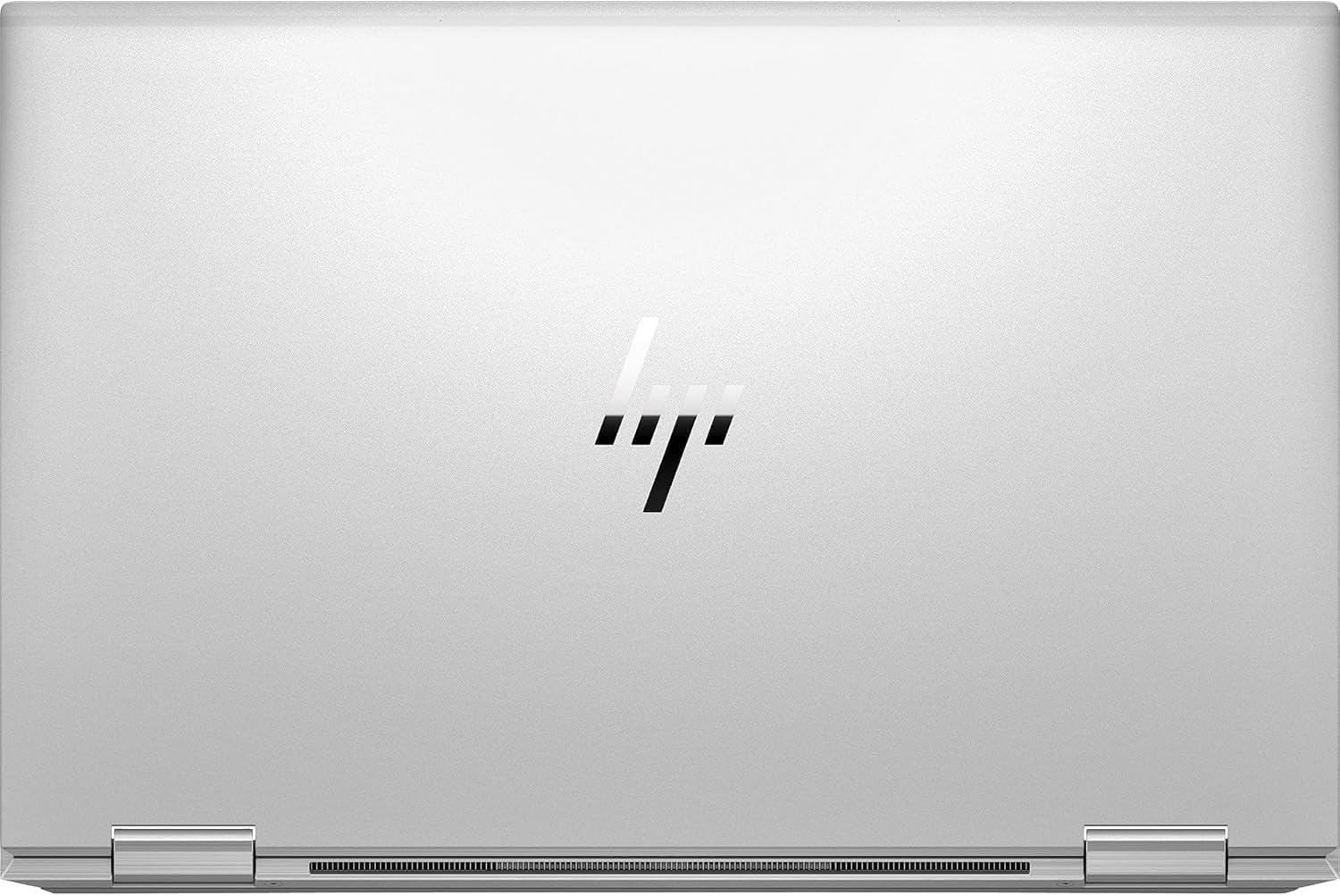
The build quality of the EliteBook 1040 line is well-documented — HP engineered these to MIL-STD-810 military durability standards, meaning the chassis is designed to cope with drops, pressure, temperature variation and humidity. The aluminium body feels premium and holds up well in daily carry. At 3kg it’s not feather-light for a 14-inch machine, but that weight comes with structural integrity. The 360-degree hinge opens up four usage modes — laptop, tent, stand, and flat tablet — and that flexibility is legitimately useful if you regularly present from your screen or take notes with a stylus. The matte 1920 x 1080 display is a sensible choice over glossy for office environments — it handles reflections better, though maximum brightness will determine how well it copes outdoors. Colours on IPS-based EliteBook displays tend to be accurate rather than vivid, which suits document work more than media consumption.

Battery life is where this machine takes its biggest hit in practice. The 54Wh cell is modest for a machine with an i7 chip, and buyer feedback confirms it — one reviewer reports no more than a couple of hours of runtime. Whether a refurbished battery has degraded to that point or whether the original capacity was genuinely limited depends on the specific unit, but either way, plan to carry the charger. The keyboard is backlit and reportedly comfortable for long sessions, which matters if you’re typing all day. Speaker quality via the B&O setup should be above average for a business laptop — real-world buyer impressions on audio haven’t surfaced specifically in the reviews, but B&O-tuned audio in the EliteBook line has a consistent track record. The 720p webcam is usable but dated — HP’s Sure Shutter physical privacy switch is a nice security touch, though the image quality itself won’t impress on high-res video calls. No Ethernet is the one connectivity gap worth flagging for anyone in an office that still relies on wired network drops.
Lifespan & Future-Proofing
The chassis on the EliteBook 1040 was built to last. HP designed these for corporate fleets where hardware needs to survive years of daily use, so the physical build quality should comfortably outlast many consumer-grade alternatives. The aluminium construction, reinforced hinge, and MIL-STD ratings give this machine a realistic chassis lifespan of five or more years from the point of purchase, assuming normal use and no battery failures. The refurbished context means the clock started before you got it — but if you receive a unit in the condition most buyers are reporting, there’s still plenty of service life ahead.
Spec longevity is where things get more nuanced. The i7-1185G7 and Intel Iris Xe Graphics are 11th-generation hardware from 2020. For everyday tasks — web browsing, documents, email, video calls — this setup will remain perfectly adequate for another three to four years without feeling like a bottleneck. Windows 11 support extends to 2025 with extended security updates continuing beyond that, so the OS side is fine for the medium term. The ceiling is the integrated GPU and the soldered RAM. You can’t add more RAM later, and integrated graphics age faster than dedicated hardware for anything visually intensive. If your workload stays in the professional productivity lane, this machine has several good years left in it. If you’re planning for 2029 and beyond, a newer platform would serve you better for longevity.
View current stock and availability for the HP EliteBook x360 1040 G8 on Amazon.
What Buyers Are Saying (And Potential Dealbreakers)
The HP EliteBook x360 1040 G8 carries a rating of 4.3 out of 5 from 49 customer reviews on Amazon. That’s a reasonable sample — not enormous, but enough to draw some meaningful conclusions. The dominant theme across positive reviews is that the refurbished condition exceeded expectations. Multiple buyers received units in better shape than the grade they paid for, which is a good sign for the seller’s grading process.
The 2-in-1 form factor earns specific praise — one buyer highlights how the convertible hinge adds genuine day-to-day flexibility rather than just being a marketing feature. Speed and responsiveness get consistent mentions, with buyers across different use cases finding the machine more than adequate for work and daily tasks. One buyer independently confirmed the internal SSD was a Samsung unit, which matters because the quality of the drive in a refurbished machine isn’t always guaranteed.
The dealbreaker risk is battery performance. Two buyers flag it — one reports only a couple of hours of runtime, another had the battery fail outright within two months. That second case also raises a concern about the seller’s after-sales process, with slow response to a return request. That’s worth factoring into your risk assessment. One buyer also encountered a microphone detection issue, though in that case the seller resolved it via software — which shows responsiveness is inconsistent rather than uniformly poor. If battery reliability is non-negotiable for your use case, this is a genuine risk on a refurbished unit.
Buyer Highlights
“I got a Samsung SSD inside and the battery was at 98% — for a refurbished machine at this price, that was honestly better than I expected.” — Unit condition varies, but some buyers are getting near-new internals.
“I took the grade with minor scratches but when it arrived I couldn’t see anything wrong with it at all.” — Several buyers report the actual condition exceeded the listed grade.
“Battery doesn’t last more than a couple of hours — wish that was better.” — A consistent weak spot across multiple buyers, and worth taking seriously.
“There was a microphone issue but the seller helped me sort it with a software fix.” — Minor teething problems have been resolved for some buyers, though seller response time appears inconsistent based on other feedback.
“It converts into a tablet and I use it in that mode all the time — that feature alone makes it stand out.” — The 360-degree hinge gets specific praise as a practical differentiator, not just a spec bullet point.
Who Should Buy It (And Who Shouldn’t)
Buy If
- You want a well-built business machine with strong connectivity — dual Thunderbolt 4, HDMI 2.0, and Wi-Fi 6 are hard to beat at this price point
- You need 32GB of RAM for multitasking, browser-heavy workflows, or running virtual machines on a tight budget — this is rare to find in the budget laptop space
- You want the flexibility of a 2-in-1 convertible for presentations, note-taking, or occasional tablet use — the 360-degree hinge is a genuine feature here, not a gimmick
- You’re comfortable with refurbished hardware and understand the trade-offs — the build quality and spec sheet are strong enough that the risk-reward ratio is reasonable for most professional buyers
Avoid If
- Your work requires reliable unplugged battery life throughout a full day — the 54Wh cell and buyer feedback make this a genuine risk, not a minor inconvenience
- You need dedicated graphics for gaming, video editing, or 3D work — Intel Iris Xe is not the GPU for any of those tasks; check the buying guide for machines with dedicated hardware if those are your priorities
- You’re risk-averse about after-sales support — one buyer had a difficult experience returning a faulty unit, which is worth weighing if you have zero tolerance for that kind of friction
The Bottom Line
The HP EliteBook x360 1040 G8 is a refurbished business convertible with a spec sheet that genuinely justifies consideration — 32GB RAM, Thunderbolt 4, Wi-Fi 6, and a durable chassis at a fraction of the original cost. The CPU is ageing but still capable for professional work, and the 2-in-1 form factor adds practical flexibility. The battery is the real concern: short runtime and at least one early failure in the review pool mean you need to go in with open eyes. If you’re plugged in for most of your day and want a proper business machine without a new-machine price tag, this is a genuinely strong option. If you need all-day unplugged running, keep looking.
Find the HP EliteBook x360 1040 G8 on Amazon and read the latest buyer questions and answers.
At LaptopAdvisorOnline, our methodology is built on data transparency rather than simulated hands-on testing. We rigorously analyse official manufacturer specifications and aggregate verified customer sentiment to provide objective, fluff-free buying advice that helps you cut through the marketing jargon.
As an Amazon Associate, I earn from qualifying purchases.
Browse by Specification
Looking for something specific? Browse our analyses by hardware and feature below, or check all laptop analyses in the Best Budget Laptops category archive.
[AMD Processor Laptops] — [Intel Processor Laptops] — [16GB RAM Laptops] — [32GB RAM Laptops] — [Dedicated Graphics] — [Long Battery Life] — [Lightweight Laptops] — [Student Laptops]
Browse by Screen Size
[13-inch Laptops] — [14-inch Laptops] — [15-inch Laptops] — [16-inch+ Laptops]




