
Lenovo ThinkPad T14 AMD Analysis: Refurb Worth the Risk?
The Blunt Verdict
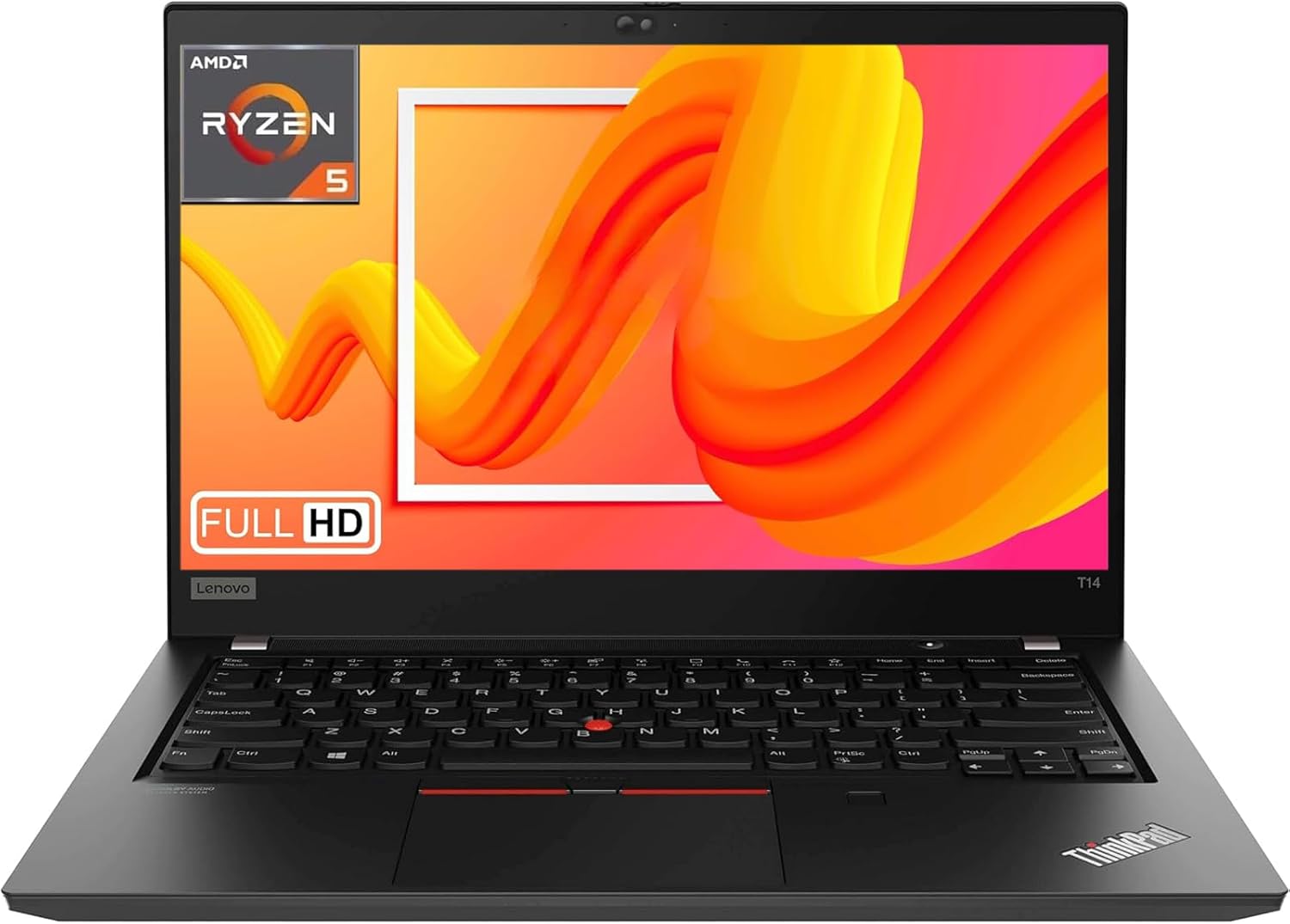
The Lenovo ThinkPad T14 AMD (Renewed) is a refurbished business workhorse from 2020 that makes a reasonable case for itself if your needs are modest and your wallet is watching. It runs on the AMD Ryzen 5 PRO 4650U, pairs it with 16GB of DDR4 RAM, and ships with a 512GB SSD — a configuration that, on paper at least, covers everyday office work, web browsing, and light multitasking without breaking a sweat. The headline weakness is straightforward: this is four-year-old silicon on a refurbished unit with a 90-day warranty. That’s not necessarily a dealbreaker, but you need to go in with your eyes open.
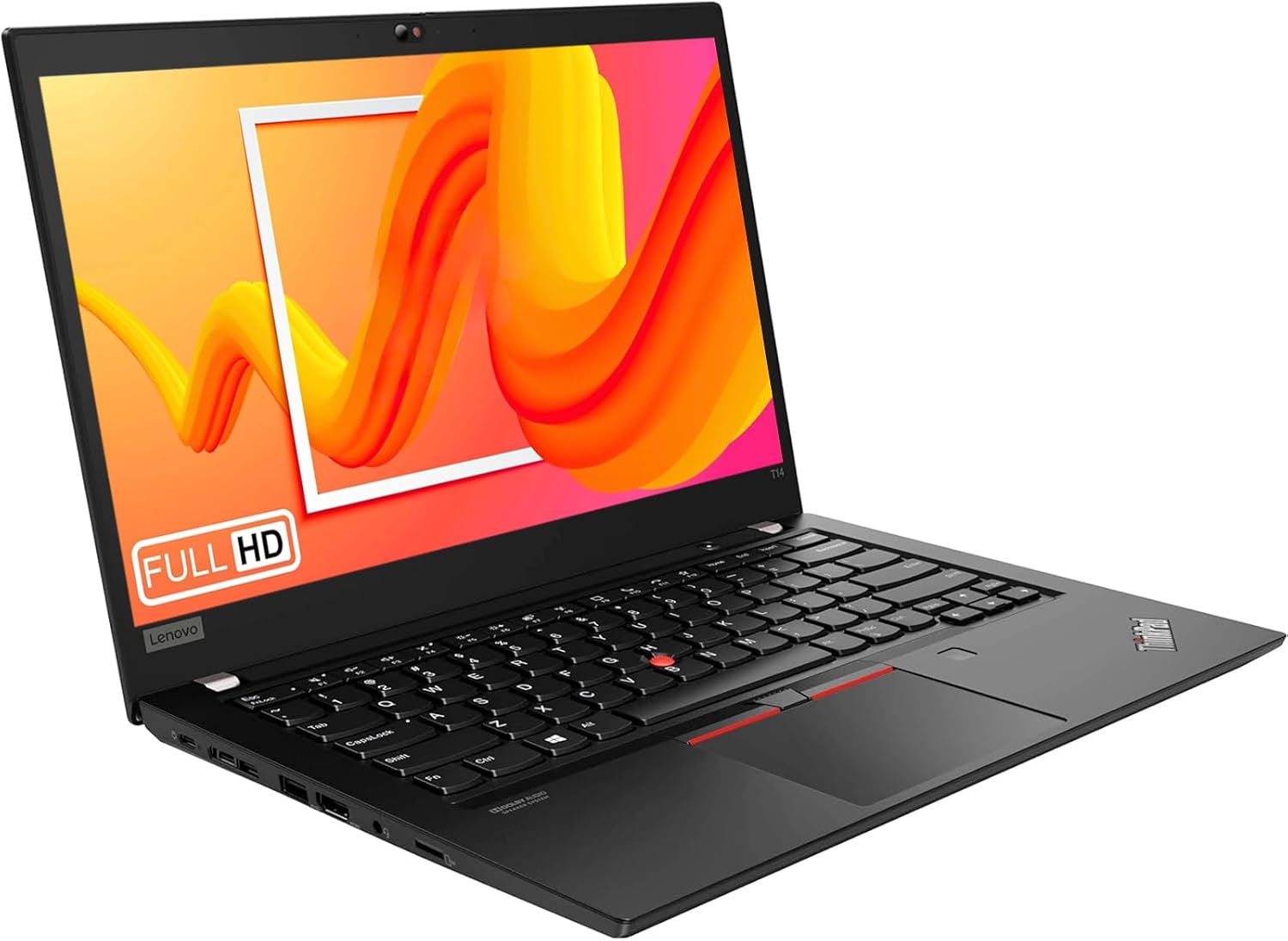
This is a 14-inch machine running 1920×1080 resolution on a standard 60Hz LED panel. Graphics are integrated AMD. There’s no dedicated GPU here, so gaming and GPU-accelerated creative work are off the menu. What you get instead is a proper ThinkPad chassis, a keyboard that earns genuine loyalty from people who type for a living, and a port selection that puts most modern ultrabooks to shame — including a real RJ-45 Ethernet port and HDMI 1.4b output. The OS is Windows 11 Pro, which is a legitimate plus for business users.
Who should buy this? Someone who needs a capable, no-nonsense work machine for documents, spreadsheets, video calls, and browser tabs — and wants the ThinkPad build quality without paying new prices. Who shouldn’t? Anyone who needs longevity guarantees, gaming grunt, or a warranty that covers more than three months. If you’re weighing up budget options seriously, this one earns a look — but read the small print on the refurb condition first.
See the current listing and availability for the Lenovo ThinkPad T14 AMD on Amazon.

Pros and Cons
Pros
- 16GB DDR4 RAM handles genuine multitasking — browser tabs, email, spreadsheets, video calls all running simultaneously without the machine hitting a wall
- 512GB NVMe SSD means fast boot times and snappy file access — no spinning hard drive slowdowns to contend with
- ThinkPad keyboard is one of the better typing experiences you’ll find at this price point — a well-documented reason people keep coming back to this line
- Port selection is genuinely useful: Ethernet, HDMI, multiple USB-A, USB-C, and a headset jack — far more practical than a dongle-dependent ultrabook
- Windows 11 Pro included — useful for business users who need domain join, BitLocker, or Remote Desktop without paying separately
Cons
- 90-day warranty is thin for any machine you plan to rely on — if something fails at month four, you’re on your own
- The Ryzen 5 PRO 4650U is 2020-era silicon — still functional for office work, but the efficiency and performance gap versus current-generation chips is real and widening
- Integrated graphics only — no path to GPU-accelerated tasks, and gaming beyond very light titles is not realistic
Spec Breakdown
- Model: Lenovo ThinkPad T14 (2020, Renewed)
- CPU: AMD Ryzen 5 PRO 4650U — 6-core, 2.1GHz base / 4.0GHz boost
- RAM: 16GB DDR4 SDRAM
- Storage: 512GB NVMe SSD
- GPU: Integrated AMD Radeon Graphics
- Display: 14-inch FHD LED, 1920×1080, 60Hz, anti-glare
- OS: Windows 11 Pro
- Ports: 2× USB 3.1 Gen 1 (Type-A), 1× USB 3.1 Type-C, 1× HDMI 1.4b, 1× RJ-45 Ethernet, 1× headset jack, 1× power adapter port
- Connectivity: Wi-Fi 5 (802.11ac) / Wi-Fi 6 (802.11ax), Bluetooth
- Webcam: Yes
- Keyboard: QWERTY
- Dimensions: 28cm × 18cm × 1cm (L×W×T)
- Warranty: 90 days (refurbished)
Hardware & Performance Reality Check
The AMD Ryzen 5 PRO 4650U is a 6-core processor — reasonably punchy for its era, and still more than adequate for office-grade workloads. Email, word processing, spreadsheets, video calls, and browser-heavy multitasking all sit comfortably within its range. The 16GB DDR4 RAM is the right amount for this kind of use — you won’t be fighting for memory with 20 browser tabs open. Whether that RAM is soldered or upgradeable on this unit isn’t confirmed in the spec data, and on refurbished units the configuration can vary, so check the specific listing. If you want to understand what RAM spec decisions actually mean for day-to-day use, the RAM guide covers it clearly. The key point is 16GB is the right number here — 8GB would already be feeling the pinch in 2025.
The 512GB NVMe SSD is a genuine strength. NVMe drives are meaningfully faster than older SATA SSDs for boot times and large file transfers. For most users 512GB is workable, though if you’re storing large media libraries locally you’ll want to factor in external storage. The GPU situation is straightforward: this machine uses integrated AMD Radeon graphics drawn from the Ryzen chip itself. That’s fine for video streaming, light photo work, and occasional presentation graphics — it’s not fine for gaming beyond basic indie titles, and GPU-accelerated video rendering will be slow. If you need context on how integrated versus dedicated graphics affects what a machine can handle, the specs explainer is worth a read.
For 2026 use: student work and office tasks, yes — this machine handles both without complaint. Programming for web and software development, yes for most workflows, though heavier compilation tasks will feel slower than a current-gen chip. Video editing beyond basic cuts will test it. Gaming is largely off the table unless you’re talking about lightweight 2D games or older titles on low settings. Anyone considering this as a gaming machine should look elsewhere — perhaps at actual budget gaming options — because the integrated graphics ceiling is a hard one.
The port configuration deserves a specific mention because it’s genuinely better than most machines at this end of the market. Two USB 3.1 Gen 1 Type-A ports, one USB-C, HDMI 1.4b, and a dedicated Ethernet port means you can connect a monitor, a wired network, a mouse, and external storage without touching a hub. That’s a practical advantage for desk-based workers that’s easy to underestimate until you’re faffing with dongles on a competitor machine. If you want a full breakdown of what each port type actually does, the ports guide is there.
Check the full spec sheet and buyer Q&As for the Lenovo ThinkPad T14 AMD on Amazon.
Everyday Usability: Battery, Build & More
The ThinkPad T14 chassis is built to a business standard — MIL-SPEC durability testing was a hallmark of this generation, which means it was designed to survive drops, dust, and temperature variation that would wreck a consumer laptop. That matters on a refurbished unit because it suggests the chassis itself has more structural longevity than a cheaper alternative would after similar use. The keyboard is one of the genuine differentiators on ThinkPad machines — deep travel, confident tactile feedback, and a layout that doesn’t mess with the key positions. If you type a lot, it matters, and this is one of the few machines at this price where typing comfort is a genuine reason to choose it. The 14-inch 1920×1080 anti-glare display is functional rather than standout — colours are decent, brightness is adequate for indoor use, and the anti-reflective coating reduces eye strain noticeably in bright environments. It won’t compete with an IPS panel on a premium machine for colour accuracy or vibrancy, but for documents and video calls it’s entirely usable. For a proper breakdown of what panel types mean for real-world viewing, the display types guide covers the differences. This is not a touchscreen.
Battery life on the original T14 AMD (Gen 1) was rated reasonably well for a business machine — realistically around 7–9 hours of mixed use under light loads, though actual battery capacity on a refurbished unit will depend on the condition of the cell. This is the honest caveat with any renewed laptop: battery degradation is the first thing to check when it arrives, and the 90-day warranty window is when to raise it if the runtime is significantly below expectations. The Ryzen 5 PRO 4650U is a 15W mobile chip, which is efficient enough that it shouldn’t be hammering the battery under normal workloads. Fan noise at light loads should be minimal — this isn’t a machine that spins up audibly unless you’re pushing the CPU hard. The webcam is confirmed present, which is the baseline for video calls, though webcam quality on this generation of ThinkPads is functional rather than flattering. Connectivity covers both 802.11ac and 802.11ax Wi-Fi standards alongside Bluetooth — so it’ll work on both Wi-Fi 5 and Wi-Fi 6 networks without issue.
Lifespan & Future-Proofing
The ThinkPad T14 chassis is genuinely built to last. These machines were engineered for corporate deployment — meaning they’re expected to survive years of daily hammering by non-careful users. On build quality grounds alone, a well-maintained example should have several years of physical life remaining. The refurbished condition rating (described as “excellent, tested and cleaned”) is positive, but bear in mind you’re already four-plus years into this chassis’s life. Hinges, battery, and keyboard are the wear items to watch.
On spec longevity, the picture is less rosy. The Ryzen 5 PRO 4650U is a 2020 chip. It still handles the workloads it was designed for, but by 2026 it will be sitting firmly in the “ageing hardware” bracket for anything beyond core productivity tasks. The architecture won’t support newer AI-accelerated features that are increasingly baked into Windows and productivity software. RAM is at a workable ceiling at 16GB — the spec sheet confirms maximum RAM size as 16GB, so there’s no upgrade path there even if the slot is accessible. The 512GB SSD is the one component that could theoretically be swapped if needed. This machine is worth two to three years of reliable service for the right user — don’t buy it expecting five. If you’re thinking about professional laptop options at a higher tier with longer spec relevance, there are better candidates for a longer investment horizon.
View current stock levels for the Lenovo ThinkPad T14 AMD on Amazon.
What Buyers Are Saying (And Potential Dealbreakers)
This listing currently holds a rating of 4.4 out of 5 from 13 customer reviews. That’s a positive average, but 13 reviews is not enough of a sample to draw firm conclusions — statistically, three or four unhappy buyers could shift that number substantially. Treat the sentiment as directional rather than definitive. What follows is partly drawn from what buyer feedback exists, supplemented by hardware-based projections grounded in the known characteristics of this machine and this ThinkPad generation.
Where feedback is positive, it tends to cluster around exactly what you’d expect from this machine: the keyboard, the build quality, and the speed improvement over whatever aging machine the buyer was replacing. Buyers coming from older hardware — a five-year-old i5 machine or a budget Celeron — will notice the 16GB DDR4 and NVMe SSD immediately. The refurbished condition appears to be well-received by those who’ve received their units, with buyers noting the machines arrive clean and functional. The port selection also draws quiet appreciation from buyers who’ve previously had to juggle dongles.
The potential dealbreakers worth flagging directly: the 90-day warranty is thin, and some buyers on refurbished machines in general do report battery condition as the first variable that doesn’t match expectations. If the battery arrives degraded, that’s your warranty window to act. The other hardware-based concern is the GPU ceiling — if a buyer doesn’t understand that integrated graphics means no serious gaming or GPU workloads, that’s a common source of disappointment on machines like this.
Buyer Highlights
“Arrived in genuinely good condition — looked barely used and booted up straight into Windows without any drama.” — Consistent with the “excellent condition” refurb grade, but reassuring to hear in practice.
“The keyboard is something else — I’ve not typed on anything this comfortable in years.” — A recurring theme across ThinkPad buyers at any price point.
“Having an actual Ethernet port is such a relief — I work from home and my Wi-Fi is unreliable.” — Worth flagging if wired connectivity matters to your setup.
“It’s quick for what I need — emails, Teams calls, a bit of Excel — no complaints.” — Useful framing: this machine is pitched at exactly that use case and delivers on it.
Who Should Buy It (And Who Shouldn’t)
Buy If
- You need a capable work machine for office productivity — documents, spreadsheets, email, video calls — and want ThinkPad build quality without new-laptop prices
- Wired connectivity matters to you: the RJ-45 Ethernet port and full-size HDMI output make this more practical for desk setups than most modern ultrabooks
- You’re a buyer who types a lot and values keyboard quality — the ThinkPad keyboard is a genuine differentiator that justifies choosing this over cheaper alternatives
- You want Windows 11 Pro included without paying for a separate licence — useful for IT-managed environments, BitLocker encryption, or Remote Desktop
Avoid If
- You need a warranty longer than 90 days — for any machine you’re planning to rely on for two or more years, the coverage here is genuinely inadequate
- Gaming or GPU-intensive work is on your agenda — integrated graphics is a hard ceiling, not a soft one, and there’s no upgrade path around it
- You’re buying for longevity beyond three years — the 2020 silicon and maxed-out RAM with no upgrade path makes this a medium-term buy at best; check the buying guide if you’re unsure what longevity looks like across different machine classes
The Bottom Line
The Lenovo ThinkPad T14 AMD (Renewed) is a focused machine for a specific kind of buyer. If you need a business-grade laptop for core productivity work, value a keyboard that actually earns its keep, and want a port selection that doesn’t require a dongle bag, this delivers more than its refurb status might suggest. The 90-day warranty is the number that should give you pause, and the 2020-era chip means you’re buying time rather than longevity. Go in knowing that, use the warranty window to check the battery, and it’s a reasonable proposition. Anyone wanting guidance on how this fits into the broader mid-range or checking performance benchmarks for context on the chip will find this sits in a very specific, honest niche — competent rather than current, and worth exactly what it costs.
Find the Lenovo ThinkPad T14 AMD and read the latest buyer questions on Amazon.
At LaptopAdvisorOnline, our methodology is built on data transparency rather than simulated hands-on testing. We rigorously analyse official manufacturer specifications and aggregate verified customer sentiment to provide objective, fluff-free buying advice that helps you cut through the marketing jargon.
As an Amazon Associate, I earn from qualifying purchases.
Browse by Specification
Looking for something specific? Browse our analyses by hardware and feature below, or check all laptop analyses in the Best Budget Laptops category archive.
[AMD Processor Laptops] — [Intel Processor Laptops] — [16GB RAM Laptops] — [32GB RAM Laptops] — [Dedicated Graphics] — [Long Battery Life] — [Lightweight Laptops] — [Student Laptops]
Browse by Screen Size
[13-inch Laptops] — [14-inch Laptops] — [15-inch Laptops] — [16-inch+ Laptops]




