
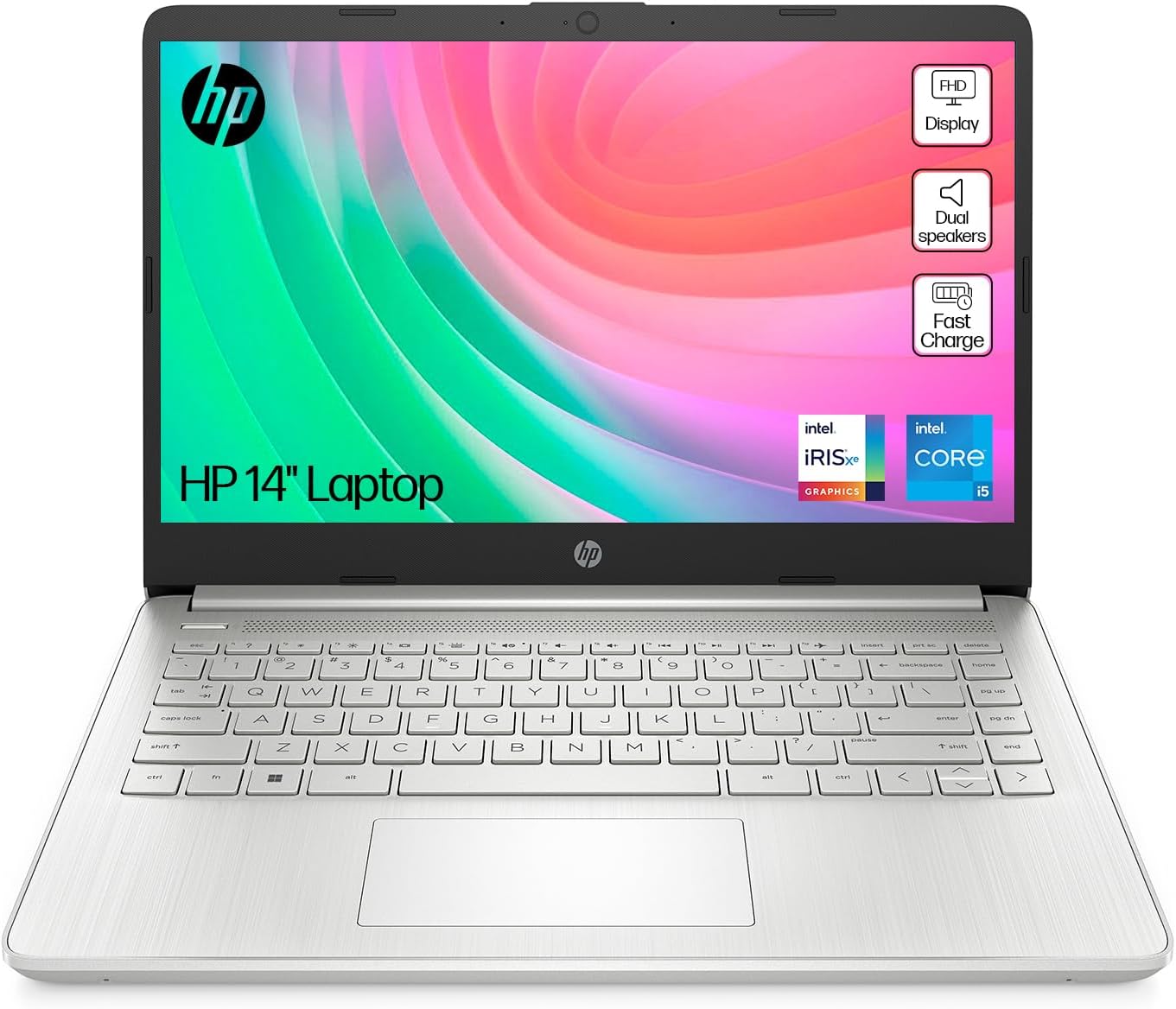
HP 14s-dq5010sa Analysis: The Touchscreen Lie
The Blunt Verdict
The HP 14s-dq5010sa is a competent everyday laptop that hits a sensible mid-range sweet spot for light workers, students, and anyone who just needs a machine that gets out of the way and does the job. The Intel Core i5-1235U paired with 16GB of DDR4 RAM is a genuinely decent combination for daily use, and the 512GB SSD gives you real storage room to breathe. It’s not a machine that’s going to wow you — it’s one that’s going to work.
The headline weakness? The Amazon listing claims this is a touchscreen laptop. It is not. Multiple buyers received it, went to touch the screen, and nothing happened. That’s not a minor discrepancy — it’s a fundamental mismatch between what’s advertised and what you actually get. If touchscreen was on your list, stop here and look elsewhere. If it wasn’t, this gets a lot more interesting.
Buy it if you want a no-fuss, light-use laptop with enough RAM to handle proper multitasking and enough storage to avoid cloud dependency. Avoid it if you want a touchscreen, need more than 8 hours of real-world battery, or are expecting any gaming or creative work beyond basic photo edits.
See the HP 14s-dq5010sa listing and current availability on Amazon.

Pros and Cons
Pros
- 16GB of DDR4 RAM is above the floor for this class — most light-use rivals ship with 8GB
- 512GB SSD storage means you won’t be rationing files or depending entirely on cloud backups
- Intel Core i5-1235U handles everyday multitasking without complaint — browser-heavy workflows included
- Weighs just 1.46kg, which makes it genuinely easy to carry day to day
- Buyers consistently praise the keyboard feel and sound quality for the class
Cons
- The listing advertises touchscreen functionality — the laptop does not have it, and multiple buyers confirm this
- 250 nits display brightness is below average and will struggle outdoors or in bright rooms
- Real-world battery life appears shorter than the advertised 8 hours based on buyer feedback
Spec Breakdown
- Model: HP 14s-dq5010sa (A2WB4EA#ABU)
- CPU: Intel Core i5-1235U (12th Gen, up to 4.4GHz, 10 cores)
- RAM: 16GB DDR4 (3200MHz)
- Storage: 512GB SSD
- GPU: Intel Iris Xe Graphics (shared memory)
- Display: 14-inch FHD, 1920 x 1080, LED LCD, micro-edge, 250 nits
- Battery: 41Wh, 3-cell Lithium Ion, up to 8 hours (claimed)
- OS: Windows 11 Home
- Weight: 1.46kg
- Ports: USB 3.0 Type-A (x2), USB 3.0 Type-C (x1), HDMI
- Connectivity: Wi-Fi 5 (802.11ac), Bluetooth
- Camera: Front-facing webcam, built-in microphone
- Speakers: Dual speakers
- Colour: Natural Silver
Hardware & Performance Reality Check
The Intel Core i5-1235U is a 12th Gen hybrid-architecture chip — two performance cores and eight efficiency cores doing the work of ten. For anything in the daily productivity bracket, it’s more than sufficient. Emails, spreadsheets, browser sessions with 15 tabs, Teams calls, streaming — it handles all of that without drama. Pair that with 16GB of DDR4 at 3200MHz and you’ve got a machine that can genuinely multitask. If you want to understand how much RAM actually matters for your use case, the difference between 8GB and 16GB at this level is real and noticeable. One caveat: HP’s spec page lists the maximum RAM as 16GB, which strongly suggests it’s soldered. That means no upgrade path — what you buy is what you live with for the machine’s entire life.
The 512GB SSD is a solid allocation — enough for Windows 11, a full software suite, and a decent media library without immediately reaching for an external drive. The Intel Iris Xe Graphics is integrated — it shares system memory rather than having its own dedicated VRAM. That’s fine for everything this laptop is designed to do: office work, YouTube, light photo editing, video calls. What it is not fine for is gaming beyond very light indie titles, any kind of video rendering at scale, or 3D work. This is not a machine for that. If that’s what you need, the budget gaming category is a different conversation entirely.
For a 2026 buyer thinking about real-world use: student assignments, note-taking, research, office productivity — yes, easily. Light coding and web development — yes, it’ll cope. Video editing at 4K or working with large Premiere Pro timelines — no. Gaming — the odd indie title at low settings, nothing more. The i5-1235U isn’t a new chip at this point, but it remains entirely capable for the tasks this laptop is sold for. Anyone expecting more needs to look at a different category.
One thing worth flagging on connectivity: this machine carries Wi-Fi 5 (802.11ac) rather than Wi-Fi 6. In practice, for everyday browsing and streaming, that won’t bother you — but if you’re in a congested Wi-Fi environment or regularly transfer large files over wireless, Wi-Fi 6 handles that more cleanly. No Ethernet port is listed in the spec data, so a wired fallback isn’t an option without an adapter. Worth knowing before you buy. For a full breakdown of what each port does and why it matters, the ports guide is worth a read.
Check the full spec sheet and buyer Q&As for the HP 14s-dq5010sa on Amazon.
Everyday Usability: Battery, Build & More
HP claims up to 8 hours of battery life from the 41Wh three-cell pack. Buyer feedback suggests you’ll land somewhere below that under normal use — one reviewer explicitly noted the battery doesn’t last a full working day. That’s not unusual for a 41Wh cell, and it’s worth being honest: this is on the smaller end of what laptops ship with. If you’re commuting or spending extended time away from a socket, take the charger. The upside is HP Fast Charge support, so topping it back up is quick. At 1.46kg, the machine itself is easy to carry — light enough that it doesn’t become a burden in a bag.

The 1920 x 1080 display is a standard FHD panel — fine for the intended use case, but the 250 nits brightness ceiling is low. Indoors in normal lighting it’s workable. Outside in daylight or next to a window, you’ll be squinting. The colour gamut is listed at 45% — that’s NTSC, and it’s on the weaker end. For document work and streaming it’s acceptable; for anything colour-accurate, it isn’t. On display panel quality, this is firmly in the functional-but-not-notable category. On the touchscreen question: to be absolutely clear — this laptop does not have a touchscreen despite what the listing states. Buyers across multiple reviews confirm this. It is a standard non-touch display. Factor that into your decision.
The keyboard gets genuine praise from buyers — described as comfortable and easy to type on, which matters more than it sounds for a daily-use machine. The dual speakers also drew a positive mention for sound quality, which is somewhat unusual at this level. The front-facing webcam and built-in microphone are present for video calls, though no spec data on resolution is available. The port selection — two USB 3.0 Type-A, one USB 3.0 Type-C, and HDMI — is functional for most users, though the absence of Ethernet limits you to wireless-only connectivity without an adapter.
Lifespan & Future-Proofing
HP’s build quality on the 14s series is adequate rather than distinguished. The plastic chassis will handle everyday use well enough but don’t expect the rigidity of a ThinkPad or the confidence of a MacBook. For a machine used at a desk or in a bag to and from work or university, it’ll last. Physically, expect a realistic lifespan of four to five years with normal care. The 1-year limited warranty from HP is standard and covers parts and labour — no on-site repair, and terms apply. That’s the minimum you’d expect, nothing more.
On spec longevity: the i5-1235U and 16GB of RAM will handle everyday tasks without feeling slow for at least three to four years from purchase. By 2026 it’s already a generation behind the current laptop mainstream, but for browsing, Office, streaming, and light productivity it has sufficient headroom. The problem is the dead-end. With RAM almost certainly soldered at the 16GB ceiling and no upgrade path evident from the specs, this machine cannot grow with you. The SSD may be replaceable depending on the exact chassis configuration, but that information isn’t confirmed in the available data. Buy it for what it is now, not what you might want it to be in three years.
View current stock and availability for the HP 14s-dq5010sa on Amazon.
What Buyers Are Saying (And Potential Dealbreakers)
The HP 14s-dq5010sa holds a rating of 4.1 out of 5 from 82 Amazon customer reviews. That’s a meaningful sample — not huge, but enough to identify patterns. The split is interesting: a cluster of strong positives about day-to-day usability, and a separate thread of genuinely angry buyers who received a non-touch display after the listing explicitly promised touchscreen functionality.
The performance praise is consistent. Buyers using this for standard productivity — document editing, web browsing, video streaming — report it working well without lag or frustration. One buyer specifically noted running multiple browser tabs, editing documents, and streaming simultaneously without issue. That tracks with the hardware: 16GB of RAM at this workload level is enough to stay comfortable. Several buyers mention the keyboard positively, and at least one highlights the speakers as a genuine bright spot.
The touchscreen complaint isn’t a one-off. At least three separate verified buyers mention it explicitly, with ratings of 4, 3, and 1 star respectively tied to that specific issue. One buyer returned the unit. Another raised the question of whether the seller should correct the listing. This is a real problem that HP or the marketplace listing needs to address — and it’s something any prospective buyer should be clear about before purchasing. If you’re reading this having already bought it expecting a touchscreen, you have grounds for a return. Battery life also draws mild criticism — one buyer found it doesn’t consistently reach the claimed 8 hours during typical daily use, which aligns with the modest 41Wh capacity.
Buyer Highlights
“I had multiple tabs open, was editing documents and streaming, and there was no noticeable lag at all.” — Reassuring if everyday multitasking is your main use case.
“The keyboard is so easy to type on — it’s comfortable and I don’t find myself making mistakes like I did on my old laptop.” — Consistent enough across feedback to be taken as a genuine strength.
“The 14-inch screen is clear and bright, and I’m particularly pleased with the sound quality.” — The speakers get more credit than you’d expect at this level.
“I bought this because it said touchscreen — it doesn’t have one, and I sent it back.” — A dealbreaker for multiple buyers and worth taking seriously before purchasing.
“Battery life isn’t too good — it doesn’t last the whole day.” — Worth factoring in if you work long hours away from a plug socket.
Who Should Buy It (And Who Shouldn’t)
Buy If
- You want a light, manageable laptop for everyday office tasks, studying, or general browsing and have no interest in a touchscreen
- You need 16GB of RAM without stretching into a higher price bracket — this is one of the few machines at this level that ships with a full 16GB as standard
- You value portability and keyboard comfort over raw power or display quality
- You want a clean Windows 11 setup with enough storage to work locally without depending on cloud services
Avoid If
- A touchscreen is important to you — the listing claims it, the hardware doesn’t deliver it, full stop
- You need all-day battery away from a charger — the 41Wh pack and buyer feedback both suggest this won’t reliably last 8 hours under normal workloads
- You’re planning to game, edit video, or do any GPU-dependent work — the integrated Iris Xe isn’t built for it
The Bottom Line
The HP 14s-dq5010sa is a straightforward, honest workhorse for light daily use — decent specs, a comfortable keyboard, reasonable weight, and enough RAM to handle real multitasking. What it is not is a touchscreen laptop, regardless of what the listing says. If you go in with clear eyes on that point, and you’re shopping for a student or office machine rather than anything with creative or gaming ambitions, this earns a measured recommendation. For anything more demanding, check the broader mid-range laptop options before committing — and if you’re still finding your footing on what specs to look for, the laptop buying guide is a useful starting point. Read the performance benchmarks context for this chip class if you want a clearer sense of where it sits.
At LaptopAdvisorOnline, our methodology is built on data transparency rather than simulated hands-on testing. We rigorously analyse official manufacturer specifications and aggregate verified customer sentiment to provide objective, fluff-free buying advice that helps you cut through the marketing jargon.
As an Amazon Associate, I earn from qualifying purchases.
Browse by Specification
Looking for something specific? Browse our analyses by hardware and feature below, or check all laptop analyses in the Best Mid-Range Laptops category archive.
[AMD Processor Laptops] — [Intel Processor Laptops] — [16GB RAM Laptops] — [32GB RAM Laptops] — [Dedicated Graphics] — [Long Battery Life] — [Lightweight Laptops] — [Student Laptops]
Browse by Screen Size
[13-inch Laptops] — [14-inch Laptops] — [15-inch Laptops] — [16-inch+ Laptops]




