
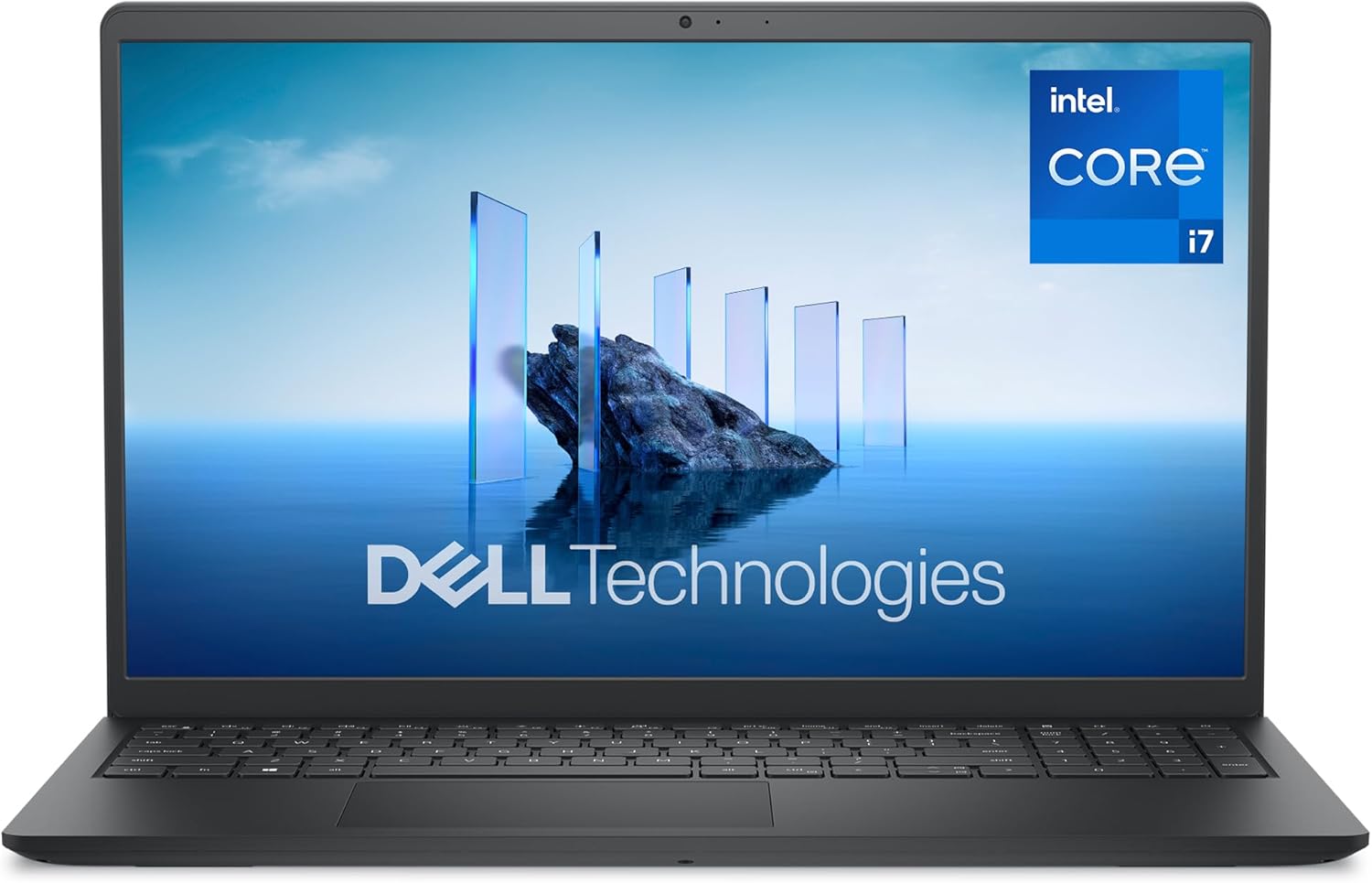
Dell 15 DC15250 Analysis: Build Quality vs Specs
The Blunt Verdict
The Dell 15 DC15250 is a workhorse for everyday computing — documents, browsing, video calls, light media — and not much else. It pairs a competent Intel Core i7-1355U with 16GB DDR4 RAM and a 512GB SSD, which is a solid combination for general productivity. The 120Hz display at Full HD 1920×1080 is genuinely unusual at this price point for a mainstream laptop. What it isn’t: a gaming machine, a video editing rig, or a chassis that will inspire confidence if you handle it roughly.
The i7-1355U is a 13th-gen Intel U-series chip — efficient, not blistering. It’s built for battery life and thermal headroom in thin-and-light machines, not sustained heavy workloads. Sixteen gigabytes of DDR4 is enough for most people. The 512GB PCIe SSD is usable, though buyers who collect media will find it fills up faster than expected. What’s missing is any dedicated GPU — the Intel UHD Graphics are fine for spreadsheets and YouTube, and nothing more.
Buy it if you want a mid-range Dell with a higher-refresh display for office and study use. Avoid it if you need durability, all-day battery life, or a backlit keyboard in a dim environment. The build quality complaints in buyer feedback are consistent enough to take seriously.
Check the Dell 15 DC15250 listing and buyer Q&As on Amazon before reading further.

Pros and Cons
Pros
- 120Hz refresh rate on a mainstream laptop display is genuinely rare and makes scrolling and general UI noticeably smoother
- 16GB DDR4 RAM handles multitasking comfortably — enough for most office and student workloads without constant page file thrashing
- Wi-Fi 6 is future-ready connectivity and meaningfully faster on supported routers
- Dell’s 1-year onsite warranty — they come to you — is a real differentiator over brands that make you post the machine back
- Speakers draw specific praise from buyers: noticeably louder and clearer than the typical laptop offering in this class
- Fingerprint reader adds a practical layer of security without relying on a PIN every time
Cons
- No backlit keyboard — a real omission at this tier, and one that Dell fails to flag clearly in its own marketing
- Build quality is plastic and feels it — multiple buyers flagged flex in the chassis and a trackpad that feels fragile under regular use
- Fan behaviour has caused genuine concern: one buyer reported constant fan activity even at near-zero CPU load, and Dell’s remote fix didn’t resolve it
Spec Breakdown
- Model: Dell 15 DC15250 (DDC15250-7599BLK-PGB)
- CPU: Intel Core i7-1355U, 13th Gen, 10 cores, 12 threads, up to 5.0GHz
- RAM: 16GB DDR4 (3200 MT/s, 1 available slot)
- Storage: 512GB PCIe SSD
- GPU: Intel UHD Graphics (integrated, shared memory)
- Display: 15.6-inch FHD (1920×1080), 120Hz, WVA, 250 nits, anti-glare, non-touch
- Battery: 54Wh, 4-cell; ExpressCharge support (80% in ~1 hour)
- OS: Windows 11 Home
- Weight: 1.62kg
- Ports: 1× HDMI 1.4, 1× USB 3.2 Gen 1 Type-A, 1× USB 3.2 Gen 1 Type-C, 1× USB 2.0, microSD reader, audio jack, power jack
- Connectivity: Wi-Fi 6, Bluetooth
- Keyboard: Full-size UK QWERTY with numeric keypad, no backlight
- Camera: Front-facing webcam
- Security: Fingerprint reader
- Warranty: 1-year onsite after remote diagnosis
Hardware & Performance Reality Check
The Intel Core i7-1355U is a U-series mobile chip — that “U” matters. It’s optimised for efficiency in thin chassis rather than raw sustained throughput. For the use cases Dell targets here — documents, spreadsheets, web browsing, video calls, light media editing — it’s more than adequate. Check the CPU guide if you want to understand what U-series versus H-series actually means in practice. The 16GB DDR4 RAM is the right amount for most users in 2025 — genuinely comfortable for multitasking with 10–20 browser tabs, multiple Office apps, and background processes running simultaneously. If you want to understand whether 16GB is actually enough for your specific workload, the breakdown at how much RAM do I need is worth a read. One flag: the spec sheet lists only 1 available memory slot, which limits future expansion significantly. You can’t add a second stick — you’d have to replace the existing one entirely, which may or may not be possible depending on whether it’s soldered. Dell hasn’t published clarity on this for the DC15250, so treat the 16GB as your ceiling.
The 512GB PCIe SSD is fast by the standards of what came before it, but 512GB is becoming tight in 2025 — particularly if you use this as your primary machine and store photos, videos, or large project files. An external drive or cloud storage plan is a realistic expectation. The Intel UHD Graphics are integrated — meaning no dedicated VRAM, no discrete GPU, and no gaming beyond casual 2D titles or very old games at low settings. If you’re looking at this for anything beyond light gaming, stop here and check the budget gaming laptops section instead. For everything else — HD streaming, presentation software, photo viewing, even light photo adjustments — integrated graphics handles it without complaint.
For 2026 use cases: student work and office productivity, this holds up well. Programming in Python, JavaScript, or similar — fine, no issues. Video editing at 4K — not realistic. Gaming — no. The 120Hz panel is a nice bonus that makes the OS and browser experience feel snappier than a 60Hz screen, even with integrated graphics. Check performance benchmarks if you want to put numbers to what the i7-1355U actually delivers in real workloads. For the majority of buyers at this tier, it won’t disappoint on day-to-day tasks.
The port situation is worth flagging. You get HDMI 1.4, one USB 3.2 Gen 1 Type-C, one USB 3.2 Gen 1 Type-A, and one USB 2.0. That’s three USB ports total — and one of them is the slower USB 2.0 standard. There’s no Thunderbolt, no Ethernet port (you’d need a USB-C or USB-A adapter), and the HDMI tops out at 1.4. Workable for most home users, but desk workers with multiple peripherals will almost certainly need a hub. Full breakdown of what these port specs mean in practice at the ports guide.
See the full spec sheet and buyer questions for the Dell 15 DC15250 on Amazon.
Everyday Usability: Battery, Build & More
Battery life is moderate at best. The 54Wh 4-cell battery with ExpressCharge support sounds promising — 80% in an hour is genuinely useful when you need a quick top-up. In practice, one buyer reported 3–4 hours under regular use with YouTube and multiple tabs, which is below average even for a U-series chip. Dell’s own claims of all-day battery depend heavily on how you define “all-day” — light document work at reduced brightness, maybe. Normal mixed use? Plan to be near a socket. The 1.62kg weight is genuinely light for a 15.6-inch machine, which is a plus for commuters, but the chassis flexibility undermines confidence when you pick it up by a corner.

The 15.6-inch WVA display at 1920×1080 with a 120Hz refresh rate is the standout hardware feature here — WVA panels offer wider viewing angles than TN, and 120Hz is legitimately noticeable versus the 60Hz displays that dominate this tier. That said, at 250 nits peak brightness, outdoor use or bright rooms will cause issues. One buyer noted colours looked “a bit muted,” which is consistent with typical WVA calibration out of the box. It is a non-touch display. The anti-glare coating helps under office lighting. For a fuller understanding of what WVA means versus IPS or OLED, the display types breakdown covers it clearly. On audio: the speakers are a genuine highlight. Multiple buyers specifically called them out as loud and clear — rare feedback for a budget-adjacent laptop, and worth noting if you care about media consumption without headphones. Connectivity includes Wi-Fi 6 and Bluetooth, with no Ethernet built in. The fingerprint reader is present and functional. Fan noise is a concern flagged in reviews — one user reported near-constant fan activity even at idle, which Dell’s remote support failed to resolve satisfactorily. That’s not a widespread finding across the review set, but it’s worth knowing it’s happened.
Lifespan & Future-Proofing
Chassis longevity is the genuine weak point here. Multiple buyers independently described the build as flimsy — the trackpad feeling like it’s about to give way, the plastic body flexing under light pressure. Compare that to a ThinkPad or even a MacBook and you understand the gap. Dell uses post-consumer recycled plastic in the construction — admirable from a sustainability angle, less so from a structural rigidity standpoint. Realistically, this chassis should hold up fine if you treat it carefully at a fixed desk. If it lives in a bag and gets picked up and put down multiple times a day, three years of regular travel use is probably the ceiling before something physically fails. Don’t hold a 15.6-inch laptop by one corner — this one especially.
Spec longevity is more forgiving. The Intel Core i7-1355U and 16GB DDR4 are sufficient for everyday tasks well into the late 2020s. By 2026 and 2027, you won’t feel the CPU struggling with documents, web apps, or video calls. Where things get tighter: if RAM is soldered and capped at 16GB, and storage stays at 512GB, there’s no meaningful upgrade path. The integrated graphics situation doesn’t improve with software updates. Anyone whose workload evolves toward content creation, data processing, or more demanding applications will hit the ceiling within three to four years. For static office and study use that doesn’t change significantly, this covers you for five or more years of serviceable use — assuming the chassis cooperates. Check the laptop buying guide for advice on how to think about longevity before committing to any machine at this tier.
View current availability for the Dell 15 DC15250 on Amazon.
What Buyers Are Saying (And Potential Dealbreakers)
The Dell 15 DC15250 holds a rating of 4.0 out of 5 from 53 customer reviews on Amazon UK. That’s enough of a sample to identify patterns, though 53 reviews is still a relatively modest pool — directional rather than definitive. The overall split is top-heavy with 5-star and 4-star ratings, but the lower-star reviews contain specific and detailed concerns that deserve attention.
Positive sentiment clusters around three things: performance for everyday tasks, the display quality, and the speakers. Buyers using this for university work, office productivity, or as a secondary home machine consistently report it does what they need without fuss. One parent bought it for a student at university and reported no performance issues even under heavy usage. Quick startup times get a mention from multiple buyers — the PCIe SSD delivers on that front. Dell’s brand reputation carries weight in several reviews, with buyers citing expected quality from Dell as part of their decision.
The complaints are more pointed. No backlit keyboard is the most consistent gripe — and it’s a legitimate one, because Dell’s product listing language gives the impression of a polished machine without making this omission explicit. Battery life came in at 3–4 hours under mixed use for one buyer, which is below expectations for a U-series chip on a modern machine. The most serious report involves fan behaviour: constant fan activity at near-zero CPU load, which Dell’s remote support team failed to resolve and actually made worse before the unit was returned. One buyer described the trackpad as feeling like it was about to break within days of use. Another noted the chassis flexed when picked up — and that picking it up from the edges inadvertently triggered keystrokes, which is a hardware design issue with real consequences. That buyer returned it.
For professional use, the build quality feedback is a meaningful concern. These aren’t isolated aesthetic complaints — they point to structural choices that affect daily handling. Worth factoring into your decision before committing.
Buyer Highlights
“Bought it for my son at uni — compact, fast, no issues with performance despite heavy usage.” — Consistent with what the i7-1355U handles comfortably at student workload levels.
“The speakers are arguably the best I’ve seen — super loud and clear.” — Multiple buyers echoed this independently, which makes it credible.
“The fan ran 95% of the time even with under 5% CPU usage — Dell’s remote fix didn’t cure it and made it worse.” — A dealbreaker for that buyer, and a known risk worth tracking if you buy.
“The trackpad already feels like it’s on the verge of breaking and the plastic could snap easily — compare it to a MacBook and it feels like it’s about to fall apart.” — Not isolated feedback; build quality is the recurring concern across multiple lower-rated reviews.
“Does not have a backlit keyboard as per spec — this wasn’t made clear.” — Confirmed by several buyers. If you work in dim conditions, this matters.
Who Should Buy It (And Who Shouldn’t)
Buy If
- You need a capable productivity and study laptop — documents, spreadsheets, video calls, web — and will use it at a desk most of the time
- You want the smoothness of a 120Hz display at a tier where most competitors are still shipping 60Hz panels
- Dell’s onsite warranty matters to you — having a technician come to you rather than posting the machine back has real practical value
- You’re a student or home user with predictable, non-intensive daily tasks and no plans to push the hardware hard
Avoid If
- You carry your laptop around regularly and handle it in varied conditions — the chassis flex and trackpad fragility are real concerns for a machine that moves often
- You work in low-light environments and need a backlit keyboard — there isn’t one, and Dell doesn’t make this clear upfront
- You need anything beyond casual use from your GPU — no dedicated graphics means gaming, video editing, and 3D rendering are off the table entirely
The Bottom Line
The Dell 15 DC15250 earns its place as a reasonable productivity laptop for buyers who stay at a desk, don’t push the hardware hard, and value the Dell brand and its onsite warranty. The 120Hz display is a genuine plus, the performance is adequate for its target audience, and the speakers are better than they have any right to be. The build quality, however, is the machine’s most significant liability — and the fan behaviour issue flagged in reviews is specific enough to take seriously. If you’re after something sturdier with a longer physical lifespan, look at the specs comparison across a few alternatives before deciding. For buyers whose needs match exactly what this machine does well, it’s a fair option. For everyone else, there are better-built alternatives in the same class.
The Dell 15 DC15250 is available on Amazon — see the current listing for stock and buyer questions.
At LaptopAdvisorOnline, our methodology is built on data transparency rather than simulated hands-on testing. We rigorously analyse official manufacturer specifications and aggregate verified customer sentiment to provide objective, fluff-free buying advice that helps you cut through the marketing jargon.
As an Amazon Associate, I earn from qualifying purchases.
Browse by Specification
Looking for something specific? Browse our analyses by hardware and feature below, or check all laptop analyses in the Best Premium Gaming Laptops category archive.
[AMD Processor Laptops] — [Intel Processor Laptops] — [16GB RAM Laptops] — [32GB RAM Laptops] — [Dedicated Graphics] — [Long Battery Life] — [Lightweight Laptops] — [Student Laptops]
Browse by Screen Size
[13-inch Laptops] — [14-inch Laptops] — [15-inch Laptops] — [16-inch+ Laptops]




