
HP 14s-dq5007sa Analysis: Light Build, Dim Screen
The Blunt Verdict
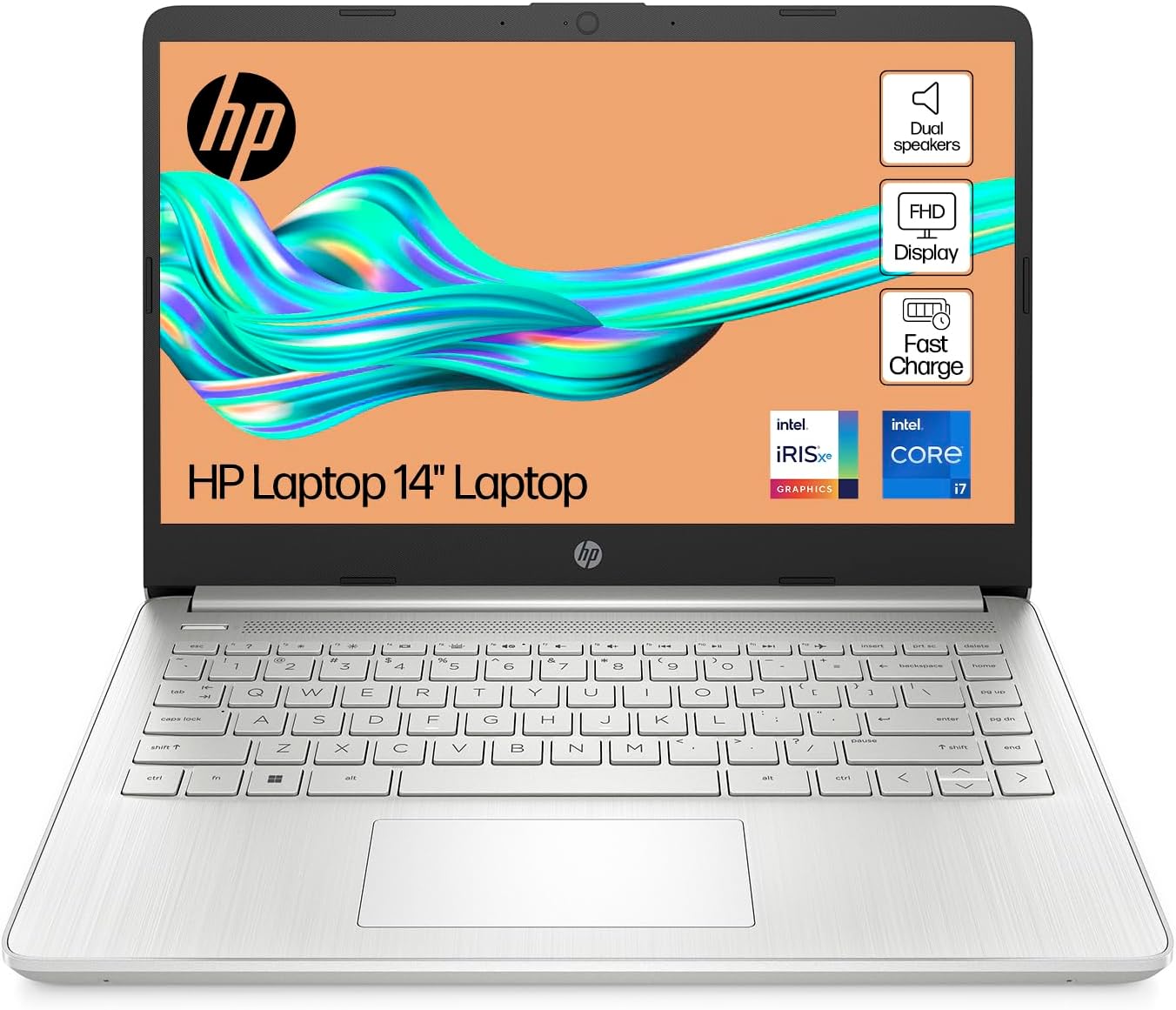
The HP 14s-dq5007sa is a competent lightweight workhorse aimed squarely at students and home office users who need reliable daily performance without carrying something heavy around. The Intel Core i7-1255U and 16GB of DDR4 RAM are a solid pairing at this tier — more than enough for the school run, spreadsheets, and a dozen browser tabs. The headline weakness is a dim display at 250 nits and a colour gamut that covers just 45% — fine indoors, noticeably dull in bright environments.
The key specs: 512GB SSD storage, Intel Iris Xe Graphics, a 1920×1080 FHD panel on a 14-inch screen, 41Wh battery rated to eight hours, and Windows 11 Home out of the box. It weighs 1.46kg, which genuinely counts for something if you’re commuting or moving between rooms. The RAM maxes out at 16GB according to the spec sheet — that’s an important caveat we’ll address below.
Buy it if you’re a student, a remote worker doing office tasks, or someone who wants a light, no-nonsense laptop that won’t slow you down on everyday work. Skip it if you want to edit video, run any serious GPU workload, or need a display that holds its own in a bright room. Check out the mid-range laptop roundup if you want to weigh this against the competition first.
See the HP 14s-dq5007sa listing and current availability on Amazon.

Pros and Cons
Pros
- The i7-1255U with 16GB DDR4 RAM handles everyday multitasking well above what most users at this tier actually need
- At 1.46kg it’s genuinely light — one of the few areas where HP’s marketing claim matches reality
- Touchscreen adds flexibility that most competitors at this price point don’t include
- 512GB SSD gives reasonable storage headroom for a student or home user without needing an external drive immediately
- HP Fast Charge on a 3-cell battery is a practical inclusion for users who forget to plug in overnight
Cons
- 250 nit brightness and 45% colour gamut make this display a genuine weak point — visibly washed out next to most modern panels
- RAM is listed as maxing at 16GB with no upgrade path flagged, which limits long-term flexibility
- Wi-Fi is capped at 802.11ac (Wi-Fi 5) — not Wi-Fi 6, which is a minor but real backward step for a 2024 machine
Spec Breakdown
- Model: HP 14s-dq5007sa (A2WB3EA#ABU)
- CPU: Intel Core i7-1255U, 10-core, up to 4.7GHz
- RAM: 16GB DDR4 SDRAM, 3200MHz
- Storage: 512GB SSD
- GPU: Intel Iris Xe Graphics (shared memory)
- Display: 14-inch FHD, 1920×1080, LED LCD, 250 nits, 45% colour gamut, micro-edge, touchscreen
- Battery: 41Wh, 3-cell lithium-ion, rated up to 8 hours
- OS: Windows 11 Home
- Weight: 1.46kg
- Ports: USB 3.0 Type-A (x2), USB 3.0 Type-C, HDMI
- Connectivity: 802.11ac Wi-Fi, Bluetooth
- Camera: Front-facing webcam with built-in microphone
- Audio: Dual speakers
Hardware & Performance Reality Check
The Intel Core i7-1255U is a 12th Gen hybrid-architecture chip — two performance cores, eight efficiency cores, ten in total, boosting to 4.7GHz. It’s not a powerhouse, but it’s well-suited to the tasks this machine is sold for. Paired with 16GB of DDR4 at 3200MHz, you’ll have no trouble running multiple browser sessions, Office apps, video calls, and light media simultaneously. For context on whether that’s the right amount of memory for your situation, the RAM guide breaks it down plainly. The spec sheet lists 16GB as the maximum supported — there’s no upgrade path flagged, which matters when you’re thinking about how long this machine stays useful. If the RAM is soldered (which is common on thin HP 14-series units), you’re locked in permanently. Factor that in.
The 512GB SSD is adequate for most people — operating system, Office suite, and a few years of documents and photos won’t fill it quickly. No spinning hard drive here, so file access is fast and boot times are short. The Intel Iris Xe Graphics is integrated, meaning it shares system memory rather than having its own VRAM pool. It handles 1080p video playback, light photo editing in tools like Lightroom, and casual games like Minecraft or older titles at reduced settings. Anything demanding — modern AAA titles, DaVinci Resolve, GPU-accelerated rendering — is off the table. If budget gaming is on your radar, this is not the machine.
For 2026 and beyond: student assignments, web browsing, spreadsheets, video calls, and streaming all land comfortably within this chip’s remit. Office workers doing standard productivity tasks will be fine. Programming in Python, JavaScript, or similar light-to-mid workloads is workable. Video editing is possible only in the most basic sense — short clips in Clipchamp, not timelines in Premiere. No gaming beyond very modest expectations. The performance benchmarks guide gives a useful reference point if you want to contextualise where the i7-1255U sits against other chips you might be comparing.
One connectivity note worth raising: the wireless spec is 802.11ac, which is Wi-Fi 5. That’s not broken — it’ll work fine on any modern router — but it’s a generation behind Wi-Fi 6, which has been standard on mid-range machines for several years. On a 2024 release, it’s a noticeable omission. If you’re connecting via HDMI to a monitor or TV, that port is present. There’s no Ethernet port, so wired networking requires an adapter. The full picture on what’s here and what’s missing is worth reviewing in the ports guide.
Check the full spec sheet and buyer Q&As for the HP 14s-dq5007sa on Amazon.
Everyday Usability: Battery, Build & More
HP rates the battery at eight hours. In practice, that kind of figure is measured under controlled light-use conditions — expect somewhere between five and seven hours under mixed real-world use with a few browser tabs, video calls, and the occasional YouTube break. That’s a full working day if you’re not streaming for three hours straight. The 41Wh cell is on the smaller side for a 14-inch machine, so the Fast Charge feature earns its keep — getting a meaningful top-up in a short break is genuinely useful. At 1.46kg it travels well. Thin chassis, minimal flex if the construction quality is typical of the 14s line, though without physically handling a unit I won’t overstate that confidence.

The display is the honest sticking point. A 1920×1080 resolution on a 14-inch panel is fine — pixel density is adequate and text is sharp. But 250 nits of brightness is low by current standards, and a colour gamut of 45% means colours look noticeably muted compared to panels covering 72% sRGB or more. Indoors in a dimly lit room or with the blinds drawn, it’s serviceable. Near a window on a bright day, it struggles. For a deeper look at what these display specs actually mean in use, the display types guide is worth a read. On the positive side, the touchscreen inclusion is a genuine extra — useful for annotation, scrolling, and casual navigation, and not something you typically find at this tier. The dual speakers are present but based on the chassis size, don’t expect much in the way of bass or volume. A front-facing webcam and built-in microphone cover video calls adequately. No fingerprint reader is listed in the specifications.
Lifespan & Future-Proofing
HP’s 14s series is built to a budget. The chassis is plastic — Silver finish, light, functional. HP builds are generally reliable for three to four years of everyday use before you start worrying about hinges, worn-out keycaps, and plastic fatigue. Nothing here suggests exceptional durability, but nothing flags as a known weak point either. The one-year limited warranty (parts and labour, no on-site repair) is standard for this class of machine and doesn’t inspire confidence if something goes wrong in year two.
On spec longevity: the i7-1255U is a capable chip for its generation, and 16GB of DDR4 RAM should keep everyday tasks running without strain for a good four to five years. The ceiling is the RAM cap — if 16GB becomes a bottleneck (which is plausible by 2026–2028 as browser engines and OS overhead continue creeping upward), there’s no route to expand it. The 512GB SSD may become tight for users who accumulate media, though it’s unlikely to cause problems for pure productivity use. The Wi-Fi 5 limitation won’t matter for most users in the short term, but it does place a ceiling on future network performance. This is a machine with a useful life of roughly four to five years before it starts asking you to reconsider. Not bad, not exceptional.
View current stock levels and delivery options for the HP 14s-dq5007sa on Amazon.
What Buyers Are Saying (And Potential Dealbreakers)
The HP 14s-dq5007sa holds a rating of 4.0 out of 5 stars from 110 customer reviews on Amazon. That’s a meaningful sample — enough to identify recurring themes with some confidence, though not vast. A 4-star average at 110 reviews typically suggests a solid but imperfect product: people are broadly satisfied, with specific gripes that don’t quite tip the balance into disappointment.
The feedback pattern that emerges is consistent with the hardware profile. Buyers who bought this for everyday tasks — students, home workers, parents buying a secondary machine — report it does exactly what they expected. Speed and responsiveness for web browsing, Word, and streaming get positive mentions. The lightweight build is flagged repeatedly as a practical strength. The touchscreen gets credit from buyers who weren’t expecting to use it but found it genuinely useful. On the negative side, the display draws the most criticism — buyers flag it as dim and washed out, particularly in bright rooms. A handful of reviews mention the battery not quite reaching the claimed eight hours under real conditions, which aligns with the 41Wh capacity. No widespread hardware failure patterns are visible at this sample size.
Buyer Highlights
“It’s quick, light, and does everything I need for uni without making my bag feel like a brick.” — A common thread from student buyers across multiple reviews.
“The screen isn’t great in a sunny room, you have to angle it or pull the blinds — bit annoying but not a dealbreaker for me.” — Worth taking seriously if you regularly work near windows.
“Surprised by the touchscreen — didn’t think I’d use it but I do now constantly for scrolling and switching tabs.” — Recurring observation from buyers who weren’t expecting to value the feature.
“Set it up in about 20 minutes and it’s been running perfectly since day one, no fuss.” — Consistent across non-technical buyers who just want something that works out of the box.
Who Should Buy It (And Who Shouldn’t)
Buy If
- You’re a student or home office worker who needs a light, fast machine for browsing, Office apps, and video calls — this handles all of it without breaking a sweat
- Weight matters to you: 1.46kg is genuinely portable without needing a dedicated ultrabook budget
- You want a touchscreen included at this tier — it’s a practical bonus that most competing machines omit
- You work primarily indoors in a controlled light environment where display brightness won’t be a daily irritation
Avoid If
- You spend a lot of time near windows or in brightly lit spaces — 250 nits will frustrate you within a week
- You need any kind of GPU performance: gaming, video editing, 3D rendering, or GPU-accelerated workflows are not on the table with Intel Iris Xe and no dedicated card
- Long-term upgradeability matters — if you’re planning to run this machine for five-plus years and want to expand RAM when 16GB starts feeling tight, there’s no path to do that
The Bottom Line
The HP 14s-dq5007sa is a genuinely decent lightweight laptop for the use case it’s designed for. The i7-1255U with 16GB DDR4 and a 512GB SSD gives you a machine that handles everyday work without complaint. It’s light, it includes a touchscreen, and it runs Windows 11 from day one. The display is the honest limitation — dim, low-gamut, best kept away from sunlight. If your work happens at a desk indoors and you’re after a no-drama daily driver, this earns a measured recommendation. If your workflow involves anything GPU-intensive, or you need a screen that holds its own in any light condition, look at other options in the buying guide before committing.
Find the HP 14s-dq5007sa on Amazon and read the latest buyer questions and answers.
At LaptopAdvisorOnline, our methodology is built on data transparency rather than simulated hands-on testing. We rigorously analyse official manufacturer specifications and aggregate verified customer sentiment to provide objective, fluff-free buying advice that helps you cut through the marketing jargon.
As an Amazon Associate, I earn from qualifying purchases.
Browse by Specification
Looking for something specific? Browse our analyses by hardware and feature below, or check all laptop analyses in the Best Mid-Range Laptops category archive.
[AMD Processor Laptops] — [Intel Processor Laptops] — [16GB RAM Laptops] — [32GB RAM Laptops] — [Dedicated Graphics] — [Long Battery Life] — [Lightweight Laptops] — [Student Laptops]
Browse by Screen Size
[13-inch Laptops] — [14-inch Laptops] — [15-inch Laptops] — [16-inch+ Laptops]




