
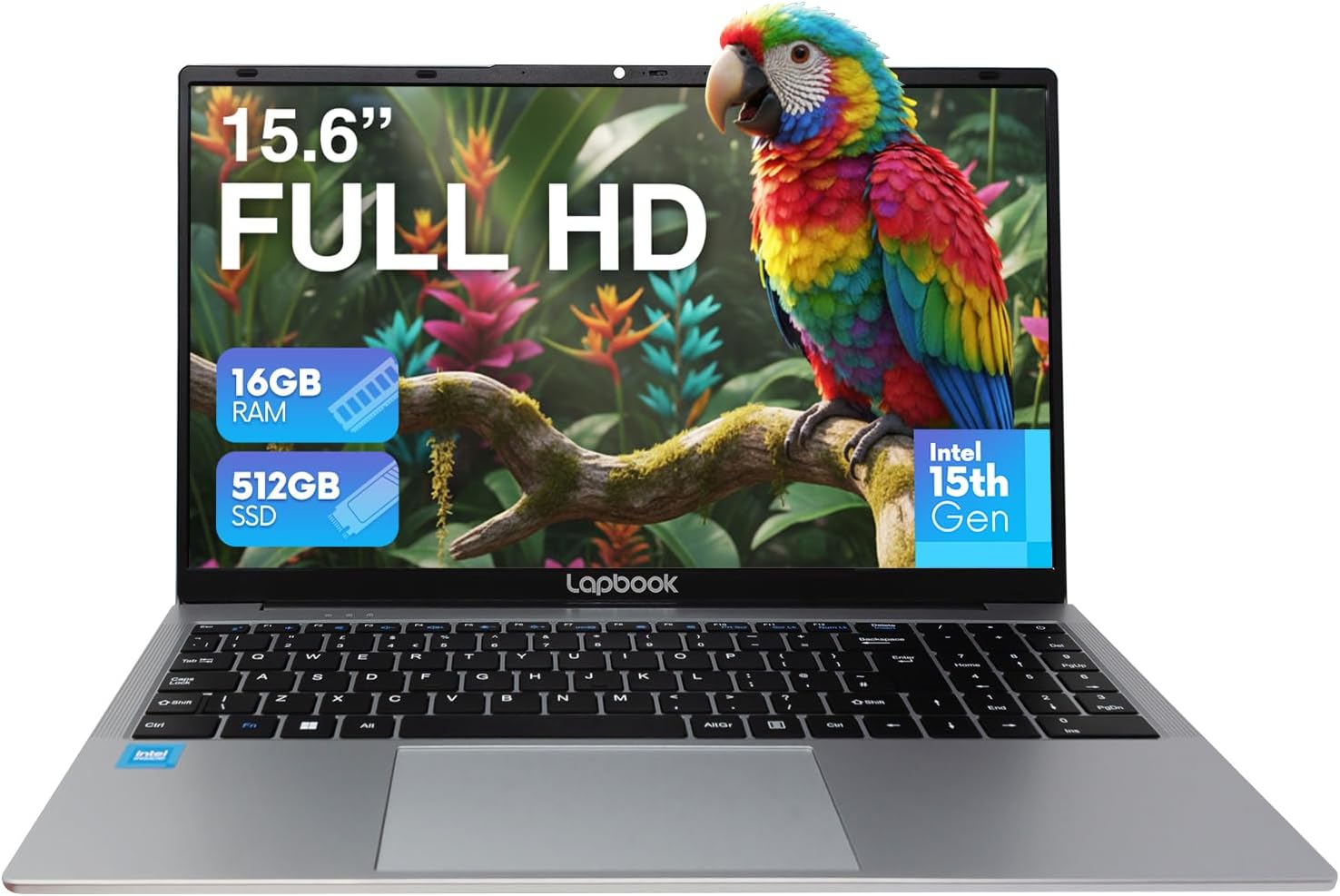
Lapbook S15 N6 Intel 15th Gen 16GB 512GB Analysis: Tiny Battery, Big Caveat
The Blunt Verdict
The Lapbook S15 N6 Intel 15th Gen 16GB 512GB is a no-frills machine aimed squarely at people who need a laptop for browsing, emails, and light office work — and don’t want to spend a lot getting there. It’s not pretending to be something it isn’t, which is refreshing. The Intel N150 chip keeps things moving for basic tasks, and 16GB of RAM gives it more headroom than most rivals at this level. That’s the good bit.
The bad bit is the battery. 18Wh is genuinely tiny — we’re talking around 4 hours of real use, possibly less with the screen brightness up. That alone is a dealbreaker for anyone expecting to go a full working day untethered. Everything else is broadly what you’d expect from a lightweight entry-level machine: integrated graphics, a 1920×1080 IPS panel, and connectivity that covers the basics without anything exotic.
Buy this if you’re a student, a light home user, or someone who needs a secondary machine and will mostly use it near a socket. Avoid it if you need all-day battery, any GPU capability, or a machine that’ll still feel adequate for demanding workloads in three or four years. For budget options in this category, context matters — and the Lapbook S15 N6 Intel 15th Gen 16GB 512GB sits at the lighter end of the spectrum in more ways than one.
See the listing and current availability for the Lapbook S15 N6 Intel 15th Gen 16GB 512GB on Amazon.

Pros and Cons
Pros
- 16GB of DDR4 RAM is genuinely above average for this price tier — most competitors ship with 8GB
- 512GB M.2 SSD means fast boot times and decent storage for documents, photos, and light media libraries
- Full port spread — USB 3.0, USB 2.0, USB-C, HDMI, and RJ45 Ethernet all included, which is more than many thin budget laptops manage
- Lightweight at 1,734g — easy to carry between rooms or throw in a bag for short trips
- Includes a numeric keypad, which is a genuine plus for anyone doing data entry or working with spreadsheets
- 1920×1080 IPS display with 500 nits claimed brightness is a reasonable screen spec for this class of machine
Cons
- 18Wh battery is one of the smallest you’ll find in a 15.6-inch laptop — real-world battery life will disappoint anyone expecting to work away from a plug
- Intel N150 is an efficiency-focused chip, not a performance one — it’ll handle everyday tasks but struggles the moment workloads get heavier
- RAM is capped at 16GB with a single slot — no upgrade path if you need more down the line
Spec Breakdown
- Model: Lapbook S15 N6 Intel 15th Gen 16GB 512GB
- CPU: Intel N150 Quad-Core (1.8GHz base / 3.6GHz boost), 15th Gen
- RAM: 16GB DDR4 SDRAM, 2400MHz, 1 slot (max 16GB)
- Storage: 512GB M.2 SSD
- GPU: Intel UHD Graphics 600 (integrated)
- Display: 15.6-inch IPS, 1920×1080, 500 nits (claimed)
- Battery: 18Wh Lithium Polymer, ~4 hours claimed
- OS: Windows 11 Home
- Weight: 1,734g
- Ports: USB 3.0, USB 2.0, USB-C (charging + display out), HDMI, RJ45 Ethernet, headphone jack
- Connectivity: Wi-Fi 5 (802.11ac) dual-band, Bluetooth 5.0
- Keyboard: Chiclet QWERTY with numeric keypad
- Camera: Integrated Full HD webcam with built-in microphone
- Dimensions: 37.5 × 24 × 1.4cm
Hardware & Performance Reality Check
The Intel N150 is a quad-core efficiency chip, not a performance chip — and that distinction matters. It’s built for low power draw and thermal simplicity, not raw speed. For checking emails, streaming video, writing documents, and light multitasking, it’s absolutely fine. Pair that with 16GB of DDR4 RAM and you’ve got a machine that won’t choke on a dozen browser tabs or a few open Office documents simultaneously. That 16GB figure is genuinely useful here — it’s double what a lot of competing machines in this bracket ship with. The downside is that the single RAM slot is capped at 16GB maximum, so there’s no future upgrade path. You get what you get. If you want to understand how RAM affects day-to-day use, there’s a plain-English breakdown in our RAM guide.
The 512GB M.2 SSD is a proper fast-boot drive — none of the eMMC storage nonsense that plagues the very bottom of the market. Boot times will be quick, app launches will feel snappy, and you’ve got enough space for most people’s day-to-day file libraries without worrying too much. The GPU is Intel UHD Graphics 600 — integrated, sharing system memory, and not capable of running games beyond very old or very simple titles. Photo editing in Lightroom is pushing it. Video editing is a slow, frustrating experience. This isn’t a budget gaming machine and shouldn’t be treated as one.
For a 2026 practical use breakdown: student essay writing, research, and video calls — yes, handles it cleanly. Office admin, spreadsheets, cloud-based tools — yes, with no issues. Programming with light IDEs like VS Code — probably fine for beginners working on small projects. Anything heavier — Xcode, Android Studio with emulators, large data sets — no. Video editing or 3D rendering — no. Gaming beyond browser games or very old titles — no. The N150 is an honest chip for honest everyday work, nothing more. For a deeper look at how it stacks up, our CPU guide has context on the N-series in plain terms.
One additional note on connectivity: the inclusion of RJ45 Ethernet alongside dual-band Wi-Fi 5 (802.11ac) and Bluetooth 5.0 is genuinely good for this price tier. Wired internet access is frequently absent from ultra-thin budget laptops, so having it here is useful for anyone working from home with a router nearby. The USB-C port supports both charging and external display output, which adds flexibility. A full breakdown of what each port type does is in our ports guide.
Check the full spec sheet and buyer Q&As for the Lapbook S15 N6 Intel 15th Gen 16GB 512GB on Amazon.
Everyday Usability: Battery, Build & More
Let’s be straight about the battery: 18Wh is not a lot. Even the claimed 4 hours is optimistic under typical use — screen brightness up, Wi-Fi active, a few apps open. Realistically, you’re looking at 3 to 3.5 hours before reaching for the charger. For anyone who needs to work untethered — in lectures, on the train, at a café — this is a genuine problem. The machine weighs 1,734g and measures just 1.4cm thick, so it’s genuinely easy to carry. But if you’re mobile, you’ll need to carry the charger too. Worth factoring in before you buy. Check our buying guide if battery life is a priority — it’ll help you calibrate what to look for.

The 1920×1080 IPS display with a claimed 500 nits of brightness is a reasonable panel on paper, and buyers generally report it as clear and usable for everyday tasks. The screen is listed as having a smooth/likely glossy finish — so reflections in bright rooms may be an issue. No touchscreen here, which is standard for this class. The integrated full HD webcam and built-in microphone are functional for video calls — multiple buyers mention staying connected for meetings and calls without issues, which is about as much as you’d want from a built-in camera. Speakers are described in the specs as stereo, but at least one buyer notes they’re not very loud — background noise in a room may make them feel thin. The chiclet keyboard includes a numeric keypad, which several buyers specifically mention as useful for data entry and spreadsheet work. For a no-frills everyday machine used near a power outlet, the overall usability picture is decent — just don’t expect premium build materials or a chassis that feels hewn from solid aluminium. It’s plastic, it’s light, and it does the job.
Lifespan & Future-Proofing
The chassis is plastic and lightweight — that’s fine for regular home or office use, but it won’t take the same punishment as a ThinkPad or a MacBook. Buyers describe it as slim and well-built for the price, and there are no widespread reports of build quality failures in the reviews available. Realistically, treat this as a 3-to-4-year machine under regular light use. If it’s going in and out of a bag daily, or being used by someone who isn’t gentle with hardware, longevity may be shorter. It’s not built to the same standard as professional-grade laptops — and it’s not priced like one either, so that’s a fair trade.
On spec longevity: the Intel N150 will handle everyday tasks in 2026 without complaint, but this is not a chip that ages gracefully under heavier workloads. In two to three years, as browser engines and cloud apps get more demanding, the N150 will start to feel its age. The RAM is soldered to a single slot, capped at 16GB — you cannot upgrade it. The M.2 slot gives you the option to swap or upgrade storage down the line, which is at least something. But there’s no expansion path for RAM and no GPU upgrade possibility. What you buy is what you get for the lifespan of the machine. For a light-use secondary laptop, that’s acceptable. As a primary machine you’re expecting to use hard for five years, it’s a tighter call than most people want to make at purchase time.
View current stock and availability for the Lapbook S15 N6 Intel 15th Gen 16GB 512GB on Amazon.
What Buyers Are Saying (And Potential Dealbreakers)
The Lapbook S15 N6 Intel 15th Gen 16GB 512GB currently holds a rating of 4.4 out of 5 from 61 customer reviews on Amazon. That’s a small-to-moderate sample, and most of the reviews skew positive — so there’s a slight selection bias to be aware of, but the feedback is consistent enough to draw useful conclusions.
Recurring praise covers three things: ease of setup, everyday speed for light tasks, and weight. Non-technical buyers specifically mention being surprised by how straightforward it was to get going. Several buyers coming from older or more expensive machines note that the Lapbook S15 N6 holds up well for browsing, emails, and streaming. No one is reporting slowdowns on basic tasks — which aligns with what the N150 and 16GB of RAM should deliver.
The one negative review worth flagging is a report of a unit that was intermittently unresponsive and had issues with wireless peripheral connectivity — the buyer needed to return it. A single faulty unit at 61 reviews isn’t a pattern, but it’s a data point. What’s notable is that the seller reportedly included a card in the box asking buyers to contact them before leaving a negative review — which is a reasonable customer service posture, but worth knowing about if you hit a problem. Battery life is mentioned in passing by a couple of buyers as adequate rather than strong, which is consistent with the 18Wh capacity figure.
Buyer Highlights
“It’s nice and slim, lightweight, and was easy to set up — I didn’t have any issues installing other apps.” — Consistent feedback from buyers upgrading from older budget machines.
“The 15.6″ Full HD screen is clear, Windows 11 runs smoothly, and setup was quick and easy.” — Particularly relevant if you’re buying for a less tech-confident family member.
“Battery is good and the speed is fine — speakers could be better as they’re not very loud.” — Worth knowing: audio is functional but thin, so external speakers or headphones help.
“For my needs — surfing the web, word processing, storing and editing pics, watching downloaded shows — at the price I got it for, I couldn’t have done much better.” — Useful calibration from a self-described average-tech buyer who clearly knew what they needed.
“Light in weight so easy to carry around, loads pages quickly, and was really easy to set up even for an average tech-minded person.” — The setup experience seems genuinely straightforward, not just marketing copy.
Who Should Buy It (And Who Shouldn’t)
Buy If
- You need a secondary or backup laptop for browsing, emails, and basic office tasks — and you’ll mostly use it near a power socket
- You’re a student who needs something light to carry to lectures, use for essays, and join video calls, without spending a lot
- You’re a non-technical buyer who wants a machine that’s genuinely easy to set up and use straight out of the box
- You work with spreadsheets or data entry and want a numeric keypad without paying for a mid-range machine
Avoid If
- You need all-day battery life away from a charger — the 18Wh cell makes this impractical for long untethered sessions
- You’re planning to use it for video editing, gaming, programming with heavy IDEs, or any CPU/GPU-intensive work — the N150 and Intel UHD Graphics 600 are not built for that; check our performance benchmarks page for realistic comparisons
- You want a machine that’ll scale with you over five-plus years — the capped RAM and efficiency-class CPU mean you’ll hit its ceiling sooner than you might with a mid-range alternative
The Bottom Line
The Lapbook S15 N6 Intel 15th Gen 16GB 512GB is a lightweight, easy-to-use budget laptop that does what it says on the tin — provided what it says matches what you actually need. The 16GB of RAM is a genuine differentiator at this level, the port selection is solid, and the setup experience appears consistently smooth. The battery is the elephant in the room: 18Wh is genuinely restrictive, and anyone buying this as a mobile workhorse will be disappointed. For home use, light office tasks, or as a spare machine, it earns its place. Go in with accurate expectations and you’ll probably be satisfied. Go in expecting all-day battery or any kind of heavy lifting, and you won’t.
At LaptopAdvisorOnline, our methodology is built on data transparency rather than simulated hands-on testing. We rigorously analyse official manufacturer specifications and aggregate verified customer sentiment to provide objective, fluff-free buying advice that helps you cut through the marketing jargon.
As an Amazon Associate, I earn from qualifying purchases.
Browse by Specification
Looking for something specific? Browse our analyses by hardware and feature below, or check all laptop analyses in the Best Budget Laptops category archive.
[AMD Processor Laptops] — [Intel Processor Laptops] — [16GB RAM Laptops] — [32GB RAM Laptops] — [Dedicated Graphics] — [Long Battery Life] — [Lightweight Laptops] — [Student Laptops]
Browse by Screen Size
[13-inch Laptops] — [14-inch Laptops] — [15-inch Laptops] — [16-inch+ Laptops]




