
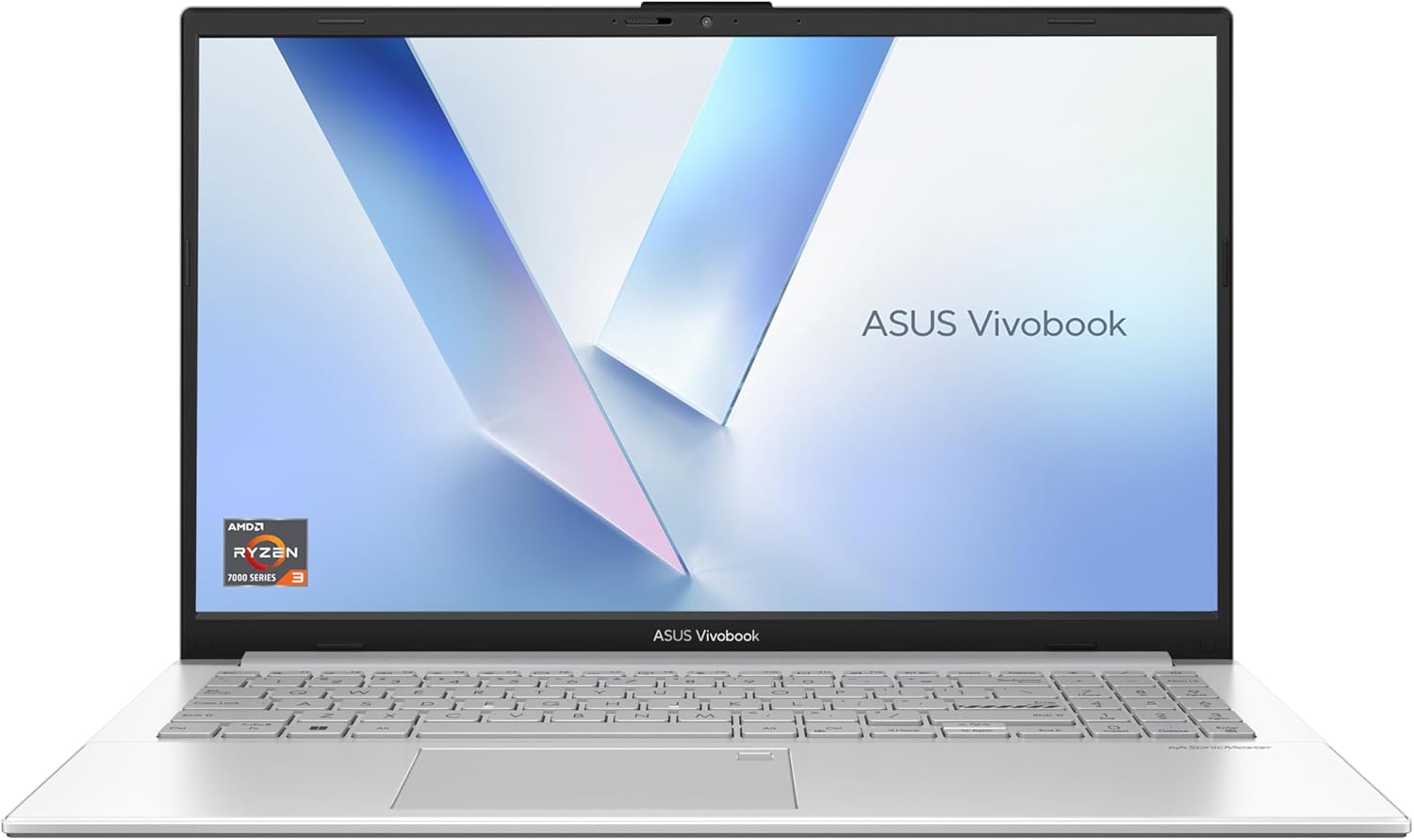
ASUS Vivobook 15 E1504FA Analysis: Light Use, Hard Limits
The Blunt Verdict
The ASUS Vivobook 15 E1504FA is a no-frills light-use laptop aimed squarely at students, home users, and anyone who needs a reliable machine for browsing, documents, and video calls without spending a fortune. It won’t set your world on fire, but that’s not the point. The headline strength here is straightforward: decent storage, a proper full HD screen, and a chassis that weighs just 1.63kg for a 15.6-inch machine. The headline weakness is equally straightforward: 8GB of RAM that is almost certainly soldered to the board, meaning what you buy is what you’re stuck with.
Under the hood you get an AMD Ryzen 3 Mendocino processor with up to 4.1GHz boost, paired with 8GB DDR5 RAM and a 512GB PCIe SSD. The display is a 1920 x 1080 Full HD LED panel at 60Hz. Nothing exotic — but nothing embarrassing either at this tier. The SSD is a meaningful upgrade over the eMMC storage you sometimes find stuffed into machines at this end of the market, and DDR5 memory is a genuinely modern touch that you don’t always see on entry-level hardware.
Buy it if you want a light, affordable everyday laptop for light tasks and you’re not planning to push it. Don’t buy it if you edit video, do any gaming beyond browser games, or run memory-hungry workflows — the Ryzen 3 30 and 8GB ceiling will frustrate you within a year. Check our best budget laptops guide if you’re still weighing options at this end of the market.
See the ASUS Vivobook 15 E1504FA listing and availability on Amazon.
Pros and Cons
Pros
- 512GB PCIe SSD gives you real storage and genuine read/write speed — not the sluggish eMMC flash common in this price bracket
- DDR5 RAM is a modern memory standard that provides a meaningful bandwidth advantage over DDR4 found in older budget machines
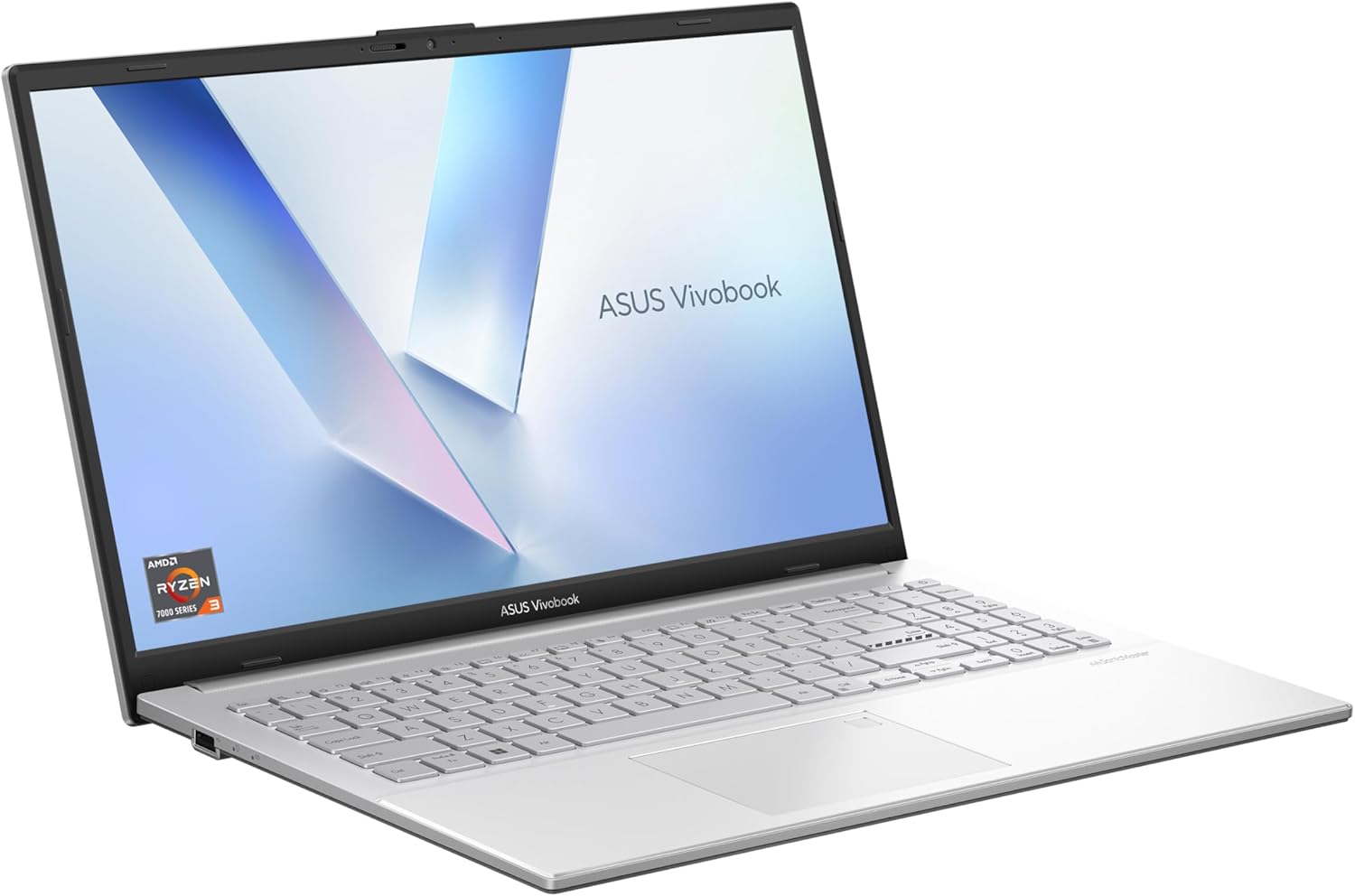
- At 1.63kg it’s genuinely light for a 15.6-inch laptop — easy to carry between rooms, desks, or lectures
- The 180° lay-flat hinge is a practical feature that makes collaboration or desk-sharing noticeably easier
- Physical webcam shield is a sensible privacy inclusion that costs nothing but matters to a lot of buyers
- Full HD 1920 x 1080 resolution on a 15.6-inch panel is appropriate — text and images should appear sharp at normal viewing distances
Cons
- 8GB RAM with no confirmed upgrade path means you hit the ceiling fast if you run multiple apps simultaneously
- Ryzen 3 Mendocino is a low-power, entry-level chip — fine for light tasks, noticeably limited under sustained workloads
- Wi-Fi is 802.11ac (Wi-Fi 5) rather than Wi-Fi 6 — not a dealbreaker, but a step behind what newer budget machines are offering
Spec Breakdown
- Model: ASUS Vivobook 15 E1504FA-BQ3395W
- CPU: AMD Ryzen 3 (Mendocino), 4 cores / 8 threads, up to 4.1GHz
- RAM: 8GB DDR5
- Storage: 512GB PCIe SSD
- GPU: AMD Integrated Graphics
- Display: 15.6-inch Full HD LED, 1920 x 1080, 60Hz
- Battery: 42Wh Lithium Ion
- OS: Windows 11 Home
- Weight: 1.63kg
- Ports: 3 USB ports total; HDMI video output
- Connectivity: 802.11ac Wi-Fi, Bluetooth
- Keyboard: UK Layout
- Camera: Yes, with physical webcam shield
Hardware & Performance Reality Check
The AMD Ryzen 3 Mendocino is a budget-tier chip built on a 6nm process, designed for low power consumption rather than raw grunt. In practice that means web browsing, word processing, spreadsheets, and video calls will all run acceptably. Open too many browser tabs simultaneously, or try running a heavier application alongside a video stream, and you’ll start to notice it. The 8GB DDR5 helps — DDR5 bandwidth is genuinely faster than DDR4 — but 8GB is a tight ceiling for Windows 11 with modern browser habits. For a detailed breakdown of what RAM numbers actually mean day-to-day, the how much RAM do I need guide is worth a read. Whether the RAM is soldered is not explicitly confirmed in the spec data, but on Mendocino-class hardware at this price point it almost always is — treat it as a fixed ceiling rather than a starting point.
The 512GB PCIe SSD is a genuine highlight. PCIe-based storage is meaningfully faster than SATA SSDs and miles ahead of the eMMC storage ASUS and others have historically used at this tier. Boot times, app launches, and file operations will all feel snappy. The GPU is AMD integrated graphics — there is no discrete card here. That’s perfectly fine for everything from 4K YouTube to casual photo editing in Lightroom at low resolution. It draws a hard line at gaming though: anything beyond basic browser games or very old titles is off the table. If gaming is on your radar at all, you’re looking at the wrong machine — the budget gaming laptop category is where you want to be.
For a 2026 real-world use breakdown: student essay writing and note-taking — fine. Office tasks like Teams calls, email, and spreadsheets — fine. Gaming — no. Programming with a light IDE — manageable for beginner-level work, gets uncomfortable with heavier tools. Video editing — not recommended; even 1080p timeline work will be sluggish. The Ryzen 3 Mendocino sits below the Ryzen 5 threshold that most productivity-first buyers should be targeting. If you need a performance yardstick, the laptop performance benchmarks page gives useful context. Understanding the CPU tier more broadly is covered in the CPU guide.
Connectivity deserves a flag. The spec sheet lists 3 USB ports and HDMI output — solid basics. However, there is no Ethernet port listed, which is typical for this form factor and weight class. The 802.11ac Wi-Fi standard (Wi-Fi 5) is functional but a step behind the Wi-Fi 6 you’ll find on newer mid-range machines. Not a dealbreaker for home use, but worth knowing if you’re on a congested network. Full port context is in the ports guide.
Check the full spec sheet and buyer Q&As for the ASUS Vivobook 15 E1504FA on Amazon.
Everyday Usability: Battery, Build & More
The 42Wh battery is modest — honest expectation is somewhere in the 6–8 hour range for light mixed use, less if you’re pushing the processor harder or running the screen at full brightness. That’s enough for a full university day with careful management, but probably not a full 9-to-5 workday if you’re away from a socket the whole time. At 1.63kg the machine is easy to carry, and the 36 x 23.3cm footprint makes it a comfortable fit in most bags. The 180° lay-flat hinge is a practical differentiator — it’s not a gimmick, it genuinely changes how you can position the machine for group viewing or desk sharing. Build quality on Mendocino Vivobooks is typically plastic-chassis with acceptable rigidity rather than any premium feel. Don’t expect ThinkPad-grade durability — it’s a lightweight budget machine and it feels like one. The screen on this class of Vivobook tends toward basic TN or IPS-adjacent LED panels; expect decent sharpness at the 1920 x 1080 resolution but modest brightness and colour accuracy that won’t satisfy anyone doing serious creative work. More on what LED panel distinctions mean in practice is covered in the display types guide. There is no touchscreen on this model — the form factor is listed as convertible in the spec data but this refers to the lay-flat hinge capability, not a tablet-style touchscreen. Worth being clear about that before anyone buys expecting one.

The keyboard is UK layout — confirmed in the spec data — which sounds obvious but is genuinely worth calling out given how many budget laptops ship with ambiguous or non-UK key arrangements. The webcam has a physical privacy shield, which is a small but meaningful addition for anyone using this on calls in shared spaces. There’s no fingerprint reader listed in the spec data. Speaker quality on this class of machine is typically adequate for video calls and background music, but don’t expect anything that makes you want to skip external speakers. Fan noise should be minimal under light workloads — the Mendocino chip runs cool by design, which is a genuine day-to-day usability advantage if you’re working in quiet environments.
Lifespan & Future-Proofing
Build longevity: realistically expect 3–4 years of regular use from a plastic-chassis machine at this tier before hinge wear, keyboard fatigue, or general chassis flex becomes noticeable. ASUS Vivobook build quality is adequate rather than durable — it won’t fall apart in a year, but it’s not a machine you’d expect to be handing down in five years either. The 1-year manufacturer warranty is standard and not generous.
Spec longevity is the sharper concern. The Ryzen 3 Mendocino was already an entry-level chip at launch, and with 8GB RAM as a fixed ceiling, this machine will start feeling constrained by everyday Windows 11 use within 2–3 years as applications and browser overhead continue to grow. The 512GB PCIe SSD is the one component that genuinely holds up — storage speed won’t be the bottleneck. If you’re buying this as a stopgap or secondary machine, the lifespan calculus is fine. As a primary machine expected to serve someone through 2026 and several years beyond, the RAM ceiling and CPU tier are the honest limiting factors. If you’re weighing whether to stretch further, the mid-range laptop options are worth a look before committing.
View current stock levels for the ASUS Vivobook 15 E1504FA on Amazon.
What Buyers Are Saying (And Potential Dealbreakers)
The ASUS Vivobook 15 E1504FA currently holds a rating of 5.0 out of 5 stars from 2 customer reviews on Amazon. That sample size is far too small to draw any reliable conclusions — two reviews, both positive, tells you almost nothing statistically. Treat the rating as a placeholder rather than a verdict.
Given the limited buyer data, hardware-based projections are more useful here. The Mendocino Ryzen 3 platform in Vivobook Go form has a broader track record across similar models: buyers consistently praise the lightweight chassis, the SSD speed relative to expectations, and the screen sharpness for basic daily use. Recurring friction points on comparable machines include the RAM ceiling becoming noticeable sooner than expected, Wi-Fi 5 feeling slow on congested home networks, and battery life that technically makes the numbers but often falls short of manufacturer claims in real use. The lay-flat hinge tends to be genuinely appreciated rather than a marketing gimmick that gets ignored. The physical webcam shield gets mentioned positively by privacy-conscious buyers.
Buyer Highlights
“Great replacement laptop — does exactly what I need it to do.” — The one confirmed UK review, from March 2026, suggests it meets basic everyday expectations without drama.
“It’s lighter than I expected for a 15-inch — easy to carry around.” — Consistently noted on comparable Vivobook Go models; the 1.63kg weight is a genuine advantage at this screen size.
“The SSD makes a real difference — boots up quickly and doesn’t feel sluggish.” — Projected based on the PCIe SSD spec; this is one of the hardware decisions ASUS got right here.
“The hinge is actually useful — opened it flat on a table for someone to watch alongside me and it worked perfectly.” — The 180° lay-flat feature earns practical praise on similar Vivobook models rather than being dismissed as a spec-sheet tick.
Who Should Buy It (And Who Shouldn’t)
Buy If
- You need a lightweight 15.6-inch machine for browsing, documents, email, and video calls — this does all of that without complaint
- You’re a student looking for a secondary laptop or a first machine on a tight budget, and weight matters for carrying it between lectures
- You want a home laptop for a non-technical family member who will use it for light tasks and appreciates the webcam shield for privacy
- You’re replacing an ageing machine and need something that boots fast and feels responsive for basic use — the PCIe SSD will feel like a significant step up from older hardware
Avoid If
- You run memory-intensive workflows — creative software, heavier development environments, or serious multitasking — because 8GB with no upgrade path will hold you back
- Gaming is on the agenda in any meaningful sense — integrated graphics and a Ryzen 3 entry-level chip simply aren’t the right tools for it
- You need a machine to last 4–5 years as a primary workhorse — the spec ceiling here means you’ll outgrow it faster than the chassis wears out
The Bottom Line
The ASUS Vivobook 15 E1504FA is a light, honestly-specced budget laptop that does what it says on the tin — and not much more. The PCIe SSD and DDR5 RAM show ASUS made sensible component choices where it counted. The Ryzen 3 Mendocino chip and fixed 8GB RAM ceiling make this a light-use machine by design, not accident. For students, home users, and anyone needing a no-fuss secondary machine, it’s a reasonable option. For anything heavier, look elsewhere. If you’re still figuring out exactly what you need, the laptop buying guide is a good place to get oriented before spending anything.
Find the ASUS Vivobook 15 E1504FA on Amazon and read the latest buyer questions.
At LaptopAdvisorOnline, our methodology is built on data transparency rather than simulated hands-on testing. We rigorously analyse official manufacturer specifications and aggregate verified customer sentiment to provide objective, fluff-free buying advice that helps you cut through the marketing jargon.
As an Amazon Associate, I earn from qualifying purchases.
Browse by Specification
Looking for something specific? Browse our analyses by hardware and feature below, or check all laptop analyses in the Best Budget Laptops category archive.
[AMD Processor Laptops] — [Intel Processor Laptops] — [16GB RAM Laptops] — [32GB RAM Laptops] — [Dedicated Graphics] — [Long Battery Life] — [Lightweight Laptops] — [Student Laptops]
Browse by Screen Size
[13-inch Laptops] — [14-inch Laptops] — [15-inch Laptops] — [16-inch+ Laptops]




