
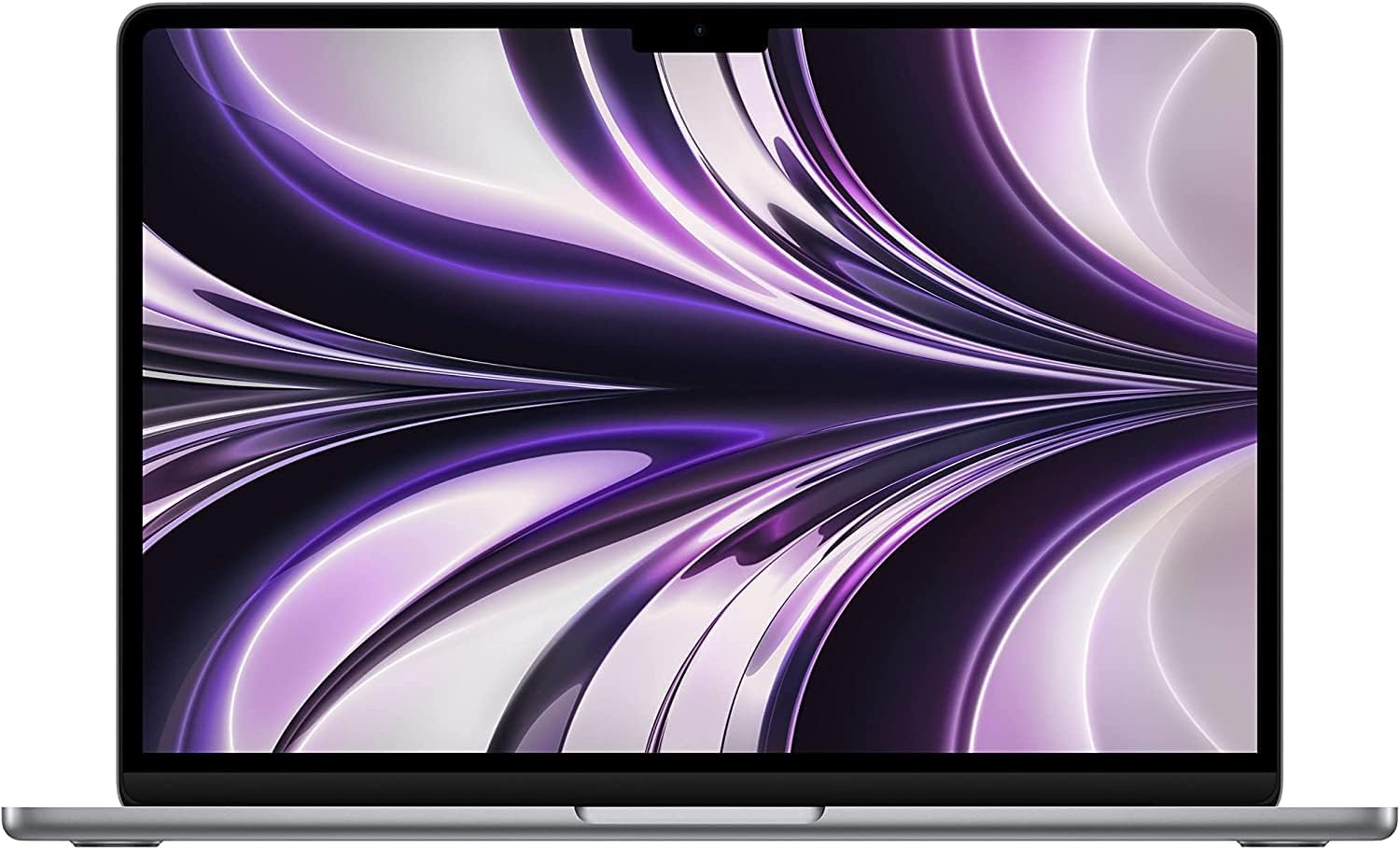
Apple MacBook Air 13-inch (M2, 2022) Analysis: Renewed Risk
The Blunt Verdict
The Apple MacBook Air 13-inch (M2, 2022) in its renewed form is one of the few refurbished laptops worth taking seriously. The M2 chip remains genuinely fast for the work most people actually do, the fanless design means it runs silently under everyday loads, and the battery life is among the best you’ll find at this screen size. The headline weakness is straightforward: 8GB of RAM is the base tier, it’s soldered in, and you cannot change that after purchase. That single fact will determine whether this machine is right for you or not.
You’re getting an Apple M2 chip with an 8-core CPU and 8-core GPU, 8GB of unified memory, a 256GB SSD, and a 13.6-inch Liquid Retina display running at a native resolution of 1440 x 900 pixels. The 52.6Wh battery is rated at 18 hours. The build is recycled aluminium. It weighs 1.67kg. This is a machine Apple designed to be light, quiet, and long-lasting — and by most accounts, it delivers on all three.
Students, writers, general office users, and anyone doing creative work on relatively light projects will get on brilliantly here. If you need to run Windows natively, play PC games, connect to a wired network without a dongle, or regularly handle large video files, this isn’t the machine for you — renewed or otherwise. Go in with clear eyes on what the 256GB of storage and base RAM mean for your actual workflows, and this is a strong machine. Go in expecting a Windows replacement with full port parity and you’ll be disappointed.
See the Apple MacBook Air 13-inch (M2, 2022) listing and current availability on Amazon.

Pros and Cons
Pros
- M2 chip handles photo editing, music production, coding, and office multitasking without complaint
- Fanless design means genuinely silent operation — no fan spin-up during calls, writing sessions, or light creative work
- 18-hour battery rating is credible; multiple buyers confirm all-day use without reaching for a charger
- Renewed units arriving in near-pristine condition is a consistent theme across customer reviews — several describe them as looking brand new
- MagSafe charging frees up both Thunderbolt ports for accessories and external displays
- Recycled aluminium unibody chassis holds up physically and feels substantially more solid than most plastic laptops at this tier
Cons
- Multiple buyers received a different colour than ordered — wrong colour on arrival is a documented pattern, not a one-off
- 8GB of soldered unified memory cannot be upgraded; once you’ve bought this config, you’re locked in
- Some units arrived non-functional on first boot — one reviewer reported the machine wouldn’t turn on after over an hour of charging; a dead-on-arrival risk exists with any renewed product
Spec Breakdown
- Model: Apple MacBook Air 13-inch (M2, 2022) — Renewed
- CPU: Apple M2, 8-core, 3.49GHz
- RAM: 8GB DDR5 Unified Memory (soldered)
- Storage: 256GB SSD (Thunderbolt interface)
- GPU: Apple M2 8-core integrated GPU
- Display: 13.6-inch Liquid Retina LCD, 1440 x 900 native resolution, 500 nits brightness
- Battery: 52.6Wh Lithium-Ion, rated 18 hours
- OS: macOS
- Weight: 1.67kg
- Ports: MagSafe charging, 2x Thunderbolt / USB-C, 3.5mm headphone jack
- Connectivity: Wi-Fi, Bluetooth
- Keyboard: Backlit with Touch ID
- Camera: 1080p FaceTime HD
- Colour (listed): Midnight
Hardware & Performance Reality Check
The Apple M2 chip is a legitimate step up from the M1 in single-core tasks and handles the daily workload of most people without any friction. For CPU performance in real terms: document editing, web browsing, spreadsheets, video calls, music production in Ableton (confirmed by a buyer in the reviews), and light photo editing all run smoothly. The 8GB of unified memory is shared between CPU and GPU tasks — Apple’s architecture uses it more efficiently than conventional DDR RAM, so the real-world ceiling is higher than “8GB” sounds on paper. That said, if you routinely have 15+ browser tabs open alongside Lightroom, Logic Pro, and a video call simultaneously, you will hit the limit. The RAM is soldered — there are no memory slots, no upgrade path. If you think you might need more headroom, you need to buy the 16GB version from the outset. More on how much RAM you actually need is worth reading before committing.
The 256GB SSD is the other constraint that needs honest discussion. macOS itself consumes roughly 15–20GB out of the box, and once you add applications, project files, and a photo library, 256GB fills up faster than most people expect. An external drive or cloud storage subscription should be factored into the total cost of ownership. The M2 integrated GPU handles image editing, 4K video playback, and even light video export in Final Cut Pro competently. It will not run PC games — full stop. The GPU is Apple Silicon integrated, there is no discrete graphics option, and Windows gaming is not a viable use case here. If gaming matters to you at all, look at a budget gaming laptop instead.
In 2026, the M2 remains entirely capable for everyday computing. It’s not the newest chip Apple ships, but it outperforms most Intel Core i5 and i7 laptops from the same era in sustained workloads, largely because it doesn’t throttle under heat the way fan-cooled systems can. For students, remote workers, and content creators working in Apple’s software ecosystem, this chip has at least three to four more years of comfortable daily use ahead of it. For reference-level performance expectations, the M2 sits comfortably in the upper tier of 13-inch laptops.
The port situation is worth flagging clearly. You get two Thunderbolt ports and a MagSafe charging connector. There is no HDMI port. There is no Ethernet port. No SD card slot. No USB-A. If you need any of these — and most people do need at least one — you’re buying a hub or dongle on top of the laptop. One buyer specifically called this out and bought an expansion port for HDMI and Ethernet access. That’s not a dealbreaker, but it’s a real additional cost that the listing price doesn’t reflect. See the full port guide if you’re unsure what you need.
Check the full spec sheet and buyer Q&As for the Apple MacBook Air 13-inch (M2, 2022) on Amazon.
Everyday Usability: Battery, Build & More
Battery life is where this machine genuinely earns its stripes. The 52.6Wh cell with Apple’s power-efficient M2 architecture routinely gets buyers through a full day without charging — multiple reviewers confirm this without prompting. The 18-hour rated figure is optimistic under real loads, but six to ten hours of mixed use is realistic, and that’s ahead of most Windows alternatives at this size. The fanless design means no heat management noise whatsoever during document work, coding, and video calls. Under sustained heavy load — long video exports, for instance — the chassis can get warm to the touch, but there’s no fan to kick in and disturb you or anyone nearby. For shared spaces, libraries, and quiet offices, that matters.

The 13.6-inch Liquid Retina display panel is genuinely good — colour accuracy is strong, brightness at 500 nits makes it usable in most indoor environments including near windows, and the native resolution looks sharp at normal viewing distances. There is no touchscreen — this is a standard non-touch display, and that’s unlikely to change given Apple’s design philosophy. The 1080p webcam is better than the norm for laptops at this size, and multiple buyers mention video call quality as a genuine strength. The three-mic array and four-speaker setup both outperform what you’d expect from a machine this thin. The backlit keyboard includes Touch ID in the power button, which works quickly and reliably as a login method. One thing to watch: this is a renewed unit listed as Midnight, but several buyers received silver or starlight units instead — the colour you receive may not match the listing, which is a fulfilment issue rather than a hardware one, but it’s worth knowing.
Lifespan & Future-Proofing
The recycled aluminium unibody chassis on the Apple MacBook Air 13-inch (M2, 2022) is genuinely durable. Apple’s build quality here is not marketing spin — the casing resists everyday dents, flex, and wear better than most laptops in any category. Renewed units in near-perfect cosmetic condition after a couple of years of prior use speaks to how well the chassis holds up. A realistic physical lifespan, assuming normal use without drops, is seven or more years. The hinge mechanism has a solid reputation and the keyboard mechanism Apple moved to with the M-series is far more reliable than the butterfly keyboard era that preceded it.
Spec longevity is a different conversation. The 8GB of soldered unified memory and 256GB of soldered SSD storage cannot be upgraded — ever. If your needs grow, you buy a new machine. For light-to-moderate tasks, the M2 chip will remain capable well into the late 2020s. macOS updates are typically supported for seven years on Apple Silicon hardware, so software support isn’t an immediate concern. But if you’re already pushing the 8GB ceiling with your current habits, this configuration will feel constrained sooner rather than later. For anyone considering this as a professional work machine with heavier multitasking demands, the 16GB model is the one to seek out instead.
View current stock and availability for the Apple MacBook Air 13-inch (M2, 2022) on Amazon.
What Buyers Are Saying (And Potential Dealbreakers)
This renewed listing carries a rating of 4.2 out of 5 from 105 customer reviews. That’s a reasonable sample size for a renewed product. The overall sentiment is positive, but the spread of experiences is wider than a new product listing typically shows — which is entirely expected for refurbished stock.
The most consistent praise centres on physical condition. Multiple buyers describe receiving units that look brand new, with no scratches, marks, or signs of prior use. Performance satisfaction is also high — buyers mention running Ableton Live, college coursework, Netflix streaming, and general office work without issues. Battery life draws genuine compliments, with buyers pleasantly surprised by how long the machine lasts unplugged.
The most documented complaint, and the one that should give any buyer pause, is the colour mismatch issue. At least three reviewers ordered Midnight and received silver or starlight units. This is a fulfilment problem at the seller or warehouse level, not an Apple hardware issue, but it’s consistent enough across independent reviews to flag as a pattern rather than bad luck. One buyer also reported a unit that arrived dead — wouldn’t power on after over an hour of charging. That’s a dead-on-arrival scenario and warrants an immediate return, but it illustrates the inherent risk of any renewed purchase. A further complaint noted the charger supplied was a non-original commercial unit rather than Apple’s own. None of these are catastrophic, but they’re honest risks that come with the renewed category.
For buyers considering this as a first Mac, the keyboard layout is worth flagging separately. One reviewer specifically noted the keyboard arrived in US layout rather than UK — meaning the @ and “ keys are swapped, among other differences. Manageable, but annoying if you’re not expecting it.
Buyer Highlights
“I saved around £400 over the cost of a new one, and it looks brand new — zero wear and tear.” — Recurring sentiment from buyers who were hesitant about renewed but converted.
“I use it for Ableton Live and it runs without any hiccups — it’s the best tool available for this.” — Worth knowing for music producers considering the M2 for DAW work.
“It looks and feels practically brand new — not a scratch or mark on it, and it performs flawlessly.” — Consistent across several UK reviews, though cosmetic condition is not guaranteed given the colour mismatch reports.
“I’m a college student and the battery lasts all day — I use it for writing, Netflix, everything.” — Matches the specs; this machine genuinely handles student workloads with headroom.
“I ordered Midnight but got a silver one — it’s not a dealbreaker but I wish they’d sent the right colour.” — Multiple buyers report this; treat the colour listing as aspirational rather than guaranteed.
Who Should Buy It (And Who Shouldn’t)
Buy If
- You’re a student, writer, or office worker who wants a fast, silent, long-lasting machine and is already comfortable in — or open to — the macOS ecosystem
- You need strong battery life as a genuine priority and don’t want to carry a charger everywhere
- You do light creative work — music production, photo editing, video calls, light video editing — and want capable hardware without a new-device price
- You’re looking at the mid-range laptop tier and want the best build quality available in it
Avoid If
- You already regularly push 8GB of RAM with your current machine — you will hit this ceiling and there is no fix other than buying a different configuration
- You need HDMI, Ethernet, or USB-A without paying for a hub — the port selection is minimal by design and the extras cost real money
- You game on PC or need to run Windows natively — this is not the machine for either
The Bottom Line
The Apple MacBook Air 13-inch (M2, 2022) in renewed form is a genuinely strong option for the right buyer. The M2 chip is fast where everyday computing is concerned, the fanless operation is a practical advantage rather than a gimmick, and the battery life is among the best at this form factor. The constraints — 8GB soldered RAM, 256GB soldered storage, no HDMI, no Ethernet — are real and fixed. They’re not problems if your workflow fits within them; they’re dealbreakers if it doesn’t. The renewed category adds a modest layer of risk around colour accuracy and unit condition that the reviews confirm exists. Go in knowing what you’re getting, and this is a very capable machine for a significant saving over new.
Read the latest buyer questions and answers for the Apple MacBook Air 13-inch (M2, 2022) on Amazon.
At LaptopAdvisorOnline, our methodology is built on data transparency rather than simulated hands-on testing. We rigorously analyse official manufacturer specifications and aggregate verified customer sentiment to provide objective, fluff-free buying advice that helps you cut through the marketing jargon.
As an Amazon Associate, I earn from qualifying purchases.
Browse by Specification
Looking for something specific? Browse our analyses by hardware and feature below, or check all laptop analyses in the Best Mid-Range Laptops category archive.
[AMD Processor Laptops] — [Intel Processor Laptops] — [16GB RAM Laptops] — [32GB RAM Laptops] — [Dedicated Graphics] — [Long Battery Life] — [Lightweight Laptops] — [Student Laptops]
Browse by Screen Size
[13-inch Laptops] — [14-inch Laptops] — [15-inch Laptops] — [16-inch+ Laptops]




