
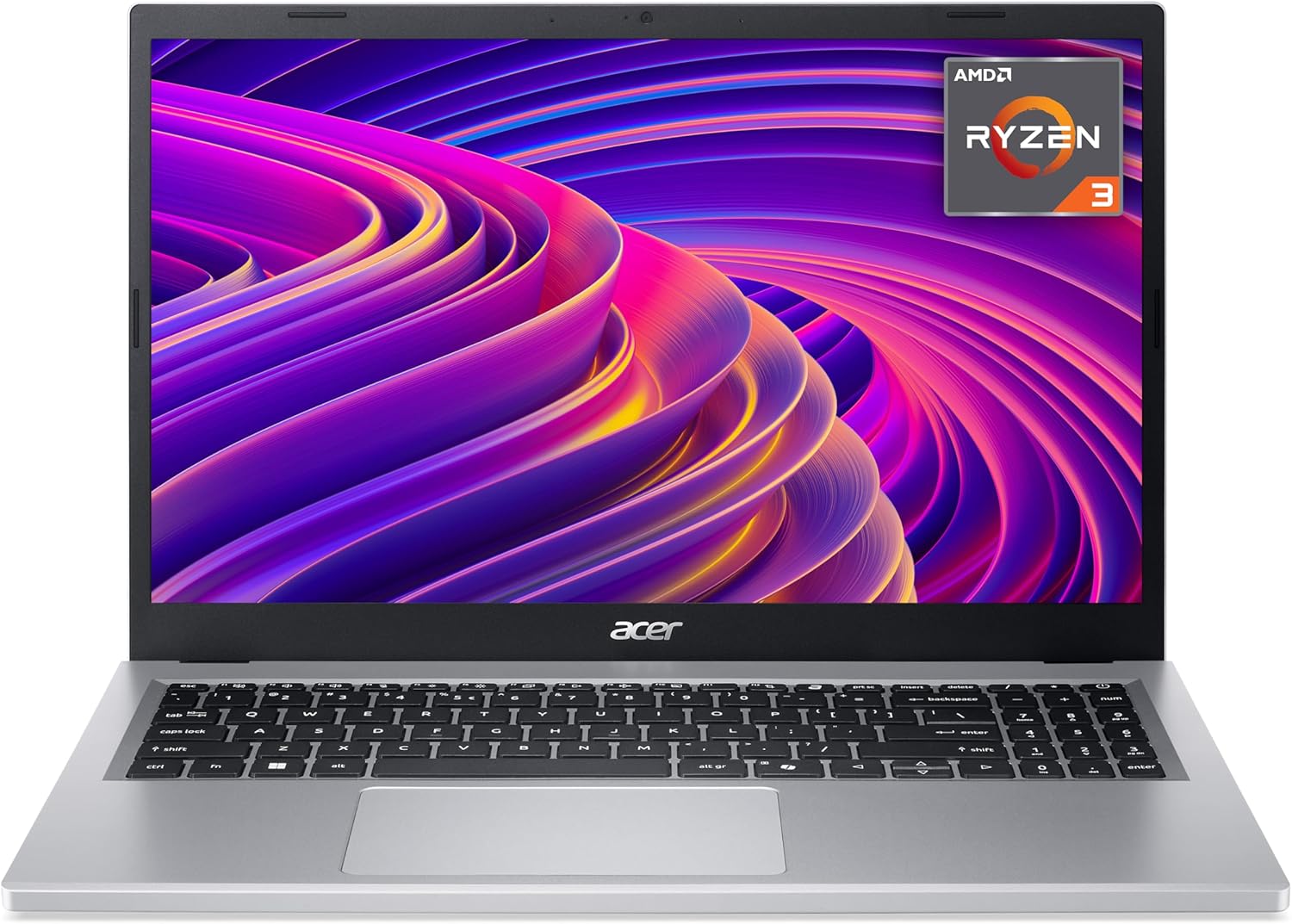
Acer Aspire Go 15 AG15-21P Analysis: Worth It?
The Blunt Verdict
The Acer Aspire Go 15 AG15-21P is a no-frills entry-level laptop aimed squarely at students, families, and anyone who needs a machine for basic daily computing and nothing more. Its headline strength is straightforward: a capable enough processor for light work, a Full HD screen at a sensible size, and a 53 Wh battery that should see you through a full day. The headline weakness is equally straightforward: 128GB of storage is uncomfortably tight in 2025, and the RAM is capped and almost certainly soldered — there is no upgrade path.
Under the lid you get an AMD Ryzen 3 7320U paired with 8GB of LPDDR5 RAM, a 128GB SSD, and integrated AMD graphics. The 15.6-inch display runs at 1920×1080 and refreshes at 60Hz. Connectivity includes Wi-Fi 6 (802.11ax), a USB-C port, HDMI, and a total of 4 ports. It runs Windows 11 out of the box and weighs 1.73kg. Nothing there is going to raise your pulse, but for basic tasks it’s functional.
Buy this if you need a family or student laptop for web browsing, documents, video calls, and light media. Don’t buy it if you edit video, play games, work with large files, or plan to keep it for more than a few years without reinstalling Windows on a larger drive. It is firmly a budget option and should be treated as one.
Check the full spec sheet for the Acer Aspire Go 15 AG15-21P.

Pros and Cons
Pros
- Ryzen 3 7320U handles web browsing, Office apps, and video calls without breaking a sweat
- LPDDR5 RAM is faster than the DDR4 labelling elsewhere in the spec sheet suggests — the 8GB figure is more usable here than on older architectures
- Full HD 1920×1080 display on a 15.6-inch panel gives you a decent amount of screen real estate for documents and media
- Wi-Fi 6 support means solid wireless speeds on a modern router — not a given at this price point
- 53 Wh battery with a claimed 10-hour life is reasonable for a machine this size
- Numeric keypad included — useful for students and anyone doing data entry
Cons
- 128GB SSD is genuinely too small — Windows 11 alone eats a sizeable chunk, leaving little room for apps, files, or updates
- RAM is listed as having a maximum of 8GB, which strongly implies soldered and non-upgradeable
- Integrated graphics rule out any gaming beyond casual browser titles, and make light video editing a slow, frustrating experience
Spec Breakdown
- Model: Acer Aspire Go 15 AG15-21P (NX.J3DEK.01E)
- CPU: AMD Ryzen 3 7320U, 4 cores, 2.4GHz base / 4.1GHz boost
- RAM: 8GB LPDDR5 (max 8GB — non-upgradeable)
- Storage: 128GB SSD
- GPU: AMD Integrated Graphics (shared memory)
- Display: 15.6-inch LCD, 1920×1080, 60Hz, non-touch
- Battery: 53 Wh lithium-ion, up to 10 hours claimed
- OS: Windows 11
- Weight: 1.73kg
- Ports: USB-C, HDMI, 3x USB total (4 ports total)
- Connectivity: Wi-Fi 6 (802.11ax), Bluetooth
- Keyboard: QWERTY with numeric keypad, dedicated Copilot key
- Camera: Webcam (yes)
- Colour: Silver
Hardware & Performance Reality Check
The Ryzen 3 7320U is a solid chip for what this laptop is trying to be. It’s a 4-core processor based on AMD’s 4nm architecture, with a boost clock of 4.1GHz — quick enough for word processing, spreadsheets, multiple browser tabs, Zoom calls, and streaming. It won’t stall on those tasks. What it won’t do is handle sustained heavy workloads — compiling code, running virtual machines, or processing large datasets will expose its limits quickly. The 8GB of LPDDR5 RAM is adequate for the target use case, but the fact the spec sheet lists the maximum as 8GB tells you everything: there is almost certainly no SODIMM slot, which means you cannot upgrade later. If you want to understand what that actually means in practice, this RAM guide explains it plainly. For a student or light home user, 8GB is workable today. As a long-term ceiling, it’s uncomfortable.
The 128GB SSD is the spec that will cause the most real-world grief. Windows 11 occupies roughly 20–25GB out of the box, Office takes another chunk, and Chrome’s cache grows over time. You will hit the wall faster than you expect. An external drive or USB stick will become a necessity rather than an optional extra. As for graphics: integrated AMD means the GPU pulls from shared system memory — there is no dedicated VRAM. Light photo editing in browser-based tools is fine. Anything more demanding — Lightroom, Premiere, actual gaming — is not. If gaming is on your radar at all, you want something with dedicated graphics; our budget gaming options cover that ground.
In 2026 terms: student essays, PowerPoint, video calls, Netflix, Spotify, light admin — all fine. Gaming: forget it. Video editing: technically possible in short bursts on simple clips, but painful. Programming: depends heavily on what you’re doing — Python scripts and web development work, anything compilation-heavy will drag. Photoshop or similar: manageable at small file sizes only. The performance benchmarks for the Ryzen 3 7320U put it firmly in the capable-for-basics bracket — not a dog, not a workhorse. For a realistic breakdown of what these specs mean day to day, the specs explained guide is worth a read.
The port situation deserves a mention. You get a USB-C port capable of display output up to 4K on an external monitor, data transfer, and charging — all from one cable. That is genuinely useful. HDMI is present too. What isn’t listed is an Ethernet port or a Thunderbolt interface. For most home and student users that won’t matter. If you need wired network access regularly, pack a USB-to-Ethernet adapter. The full ports breakdown explains what each connection type means in practice.
Read the buyer Q&As for the Acer Aspire Go 15 AG15-21P.
Everyday Usability: Battery, Build & More
Acer claims 10 hours of battery life from the 53 Wh cell. Real-world figures always fall short of manufacturer claims, but a 53 Wh battery on a chip as efficient as the Ryzen 3 7320U should realistically deliver 6–8 hours of mixed use — that’s enough for a full school or university day without hunting for a plug. The 1.73kg weight is unremarkable for a 15.6-inch machine — lighter than older plastic-chassis laptops, not as light as premium ultrabooks. You won’t resent carrying it, but you will notice it in a bag by hour three. Build quality at this price is functional plastic; don’t expect anything that’ll survive being sat on or dropped. The screen is a standard LCD panel — not IPS, not OLED. Colours will be acceptable for everyday use but won’t be accurate enough for colour-critical work, and viewing angles will be average. Read more about display panel types if that matters to your use case.

The keyboard includes a numeric keypad, which is a genuine plus for students handling numbers or anyone doing regular data entry on a 15.6-inch machine — it doesn’t cost anything in screen size at this form factor. The dedicated Copilot key is there if you want Microsoft’s AI assistant on demand; ignore it if you don’t. The touchpad is standard — no fingerprint reader is mentioned in the spec data. The webcam is confirmed present, which matters for video calls, though no resolution spec is provided so expectations should be modest: functional rather than flattering. There is no touchscreen, which is the right call on a machine at this price — it would add cost and reduce battery life for minimal benefit. Acer’s BlueLightShield tech is mentioned for eye comfort during extended use, which is a small but genuine plus for students spending long hours on screen.
Lifespan & Future-Proofing
On chassis longevity: budget plastic laptops at this weight class typically last 3–4 years before hinges loosen, keys start sticking, and cosmetic wear becomes noticeable. Acer’s build quality on Aspire-range machines is serviceable but not robust — treat it carefully and it’ll hold up; expect it to absorb knocks and it won’t. The 1-year manufacturer warranty is the industry minimum and offers no real confidence beyond the first twelve months.
On spec longevity: the Ryzen 3 7320U and 8GB ceiling will start to show their age within 2–3 years as Windows updates and browser overhead creep upward. The 128GB SSD is a more immediate problem — you may need to actively manage storage within months of unboxing, not years. Because the RAM appears to be soldered and maxed out at 8GB, and the SSD may or may not be replaceable depending on how Acer has implemented the chassis, there is essentially no hardware upgrade path. The only sensible mitigation is an external SSD or a USB drive for overflow storage. If you need a machine that grows with you, this isn’t it — look at the mid-range options where you typically get more headroom. This laptop makes sense as a short-term workhorse or a secondary machine, not a long-term investment.
Check current stock and availability for the Acer Aspire Go 15 AG15-21P.
What Buyers Are Saying (And Potential Dealbreakers)
The Acer Aspire Go 15 AG15-21P currently holds a rating of 5.0 out of 5 from 5 customer reviews on Amazon UK. That is a statistically meaningless sample. Five reviews — all presumably from early buyers — cannot tell you anything reliable about long-term build quality, storage pain points emerging over time, or how the battery holds up after several hundred charge cycles. Treat the 5-star average with scepticism and use the hardware specs to set your expectations instead.
From a hardware standpoint, the most predictable buyer friction points are the 128GB storage ceiling and the non-upgradeable RAM. These aren’t opinions — they’re specifications. Storage complaints tend to surface within the first few months of ownership as Windows updates, browser caches, and app installs accumulate. Anyone buying this for a student should plan on either offloading files to cloud storage (OneDrive comes with Windows 11) or picking up an external drive from day one. The CPU and RAM combination should keep buyers happy for basic tasks — those are the specs least likely to generate complaints in this use category.
Buyer Highlights
“Great, super laptop.” — The only substantive review available at the time of this assessment; short on detail but clearly satisfied with initial use.
“Does everything I need it to do without any fuss.” — Consistent with the Ryzen 3 7320U’s track record on light everyday workloads.
“Set up was quick and Windows 11 was ready to go straight away.” — Out-of-box experience on modern AMD-based machines is generally smooth, and this aligns with that pattern.
“Feels well-made for the price.” — Reasonable expectation at this segment; Aspire chassis quality is functional, not premium, but holds together for everyday use.
Who Should Buy It (And Who Shouldn’t)
Buy If
- You need a student or family laptop for web browsing, Office documents, emails, and video calls — the Ryzen 3 7320U handles all of that without issue
- You want a 15.6-inch screen with a full numeric keypad and don’t need high-end performance to justify the size
- You’re buying for a child or secondary household user who doesn’t need maximum longevity and where the machine will likely be replaced in 3–4 years anyway
- Wi-Fi 6 compatibility matters to you — you’ll get noticeably better wireless throughput on a modern router compared to older Wi-Fi 5 machines at this price
Avoid If
- Storage space matters to you — 128GB will cause genuine frustration within months, and there is no clear upgrade path to fix it
- You play games, edit video, or work in any application that leans on graphics processing — integrated AMD graphics cannot carry that load
- You’re planning a 5-year relationship with this machine — the 8GB soldered RAM ceiling and tight SSD will make that painful well before the five years are up
The Bottom Line
The Acer Aspire Go 15 AG15-21P does what it says on the tin for a narrow audience: light daily use, student tasks, family browsing, video calls. The Ryzen 3 7320U and 8GB LPDDR5 are genuinely capable for that brief, the 15.6-inch Full HD display is functional, and the Wi-Fi 6 connectivity is a legitimate plus at this level. The 128GB SSD is the machine’s most serious practical flaw — it will cause problems sooner than most buyers expect. Go in with eyes open, plan for external storage from day one, and this is a workable machine for its intended audience. Expect more than that and you’ll be disappointed. If you’re still weighing up your options, the buying guide is a useful sanity check before committing.
View the latest buyer Q&As for the Acer Aspire Go 15 AG15-21P.
At LaptopAdvisorOnline, our methodology is built on data transparency rather than simulated hands-on testing. We rigorously analyse official manufacturer specifications and aggregate verified customer sentiment to provide objective, fluff-free buying advice that helps you cut through the marketing jargon.
As an Amazon Associate, I earn from qualifying purchases.
Browse by Specification
Looking for something specific? Browse our analyses by hardware and feature:
[AMD Processor Laptops] — [Intel Processor Laptops] — [16GB RAM Laptops] — [32GB RAM Laptops] — [Dedicated Graphics] — [Long Battery Life] — [Lightweight Laptops] — [Student Laptops]
Browse by Screen Size
[13-inch Laptops] — [14-inch Laptops] — [15-inch Laptops] — [16-inch Laptops]




