
Dell Inspiron 15 3520 Analysis: Fixed Ceiling, Decent Floor
The Blunt Verdict
The Dell Inspiron 15 3520 is a competent, no-drama laptop built for people who need a dependable Windows machine for everyday tasks and nothing more. It won’t embarrass you. It also won’t surprise you. What it will do is handle email, Office documents, video calls, and web browsing without complaint — and that’s genuinely what most people actually need. The Dell Inspiron 15 3520 sits in a crowded space, but it earns its place there with a decent spec sheet for the asking.
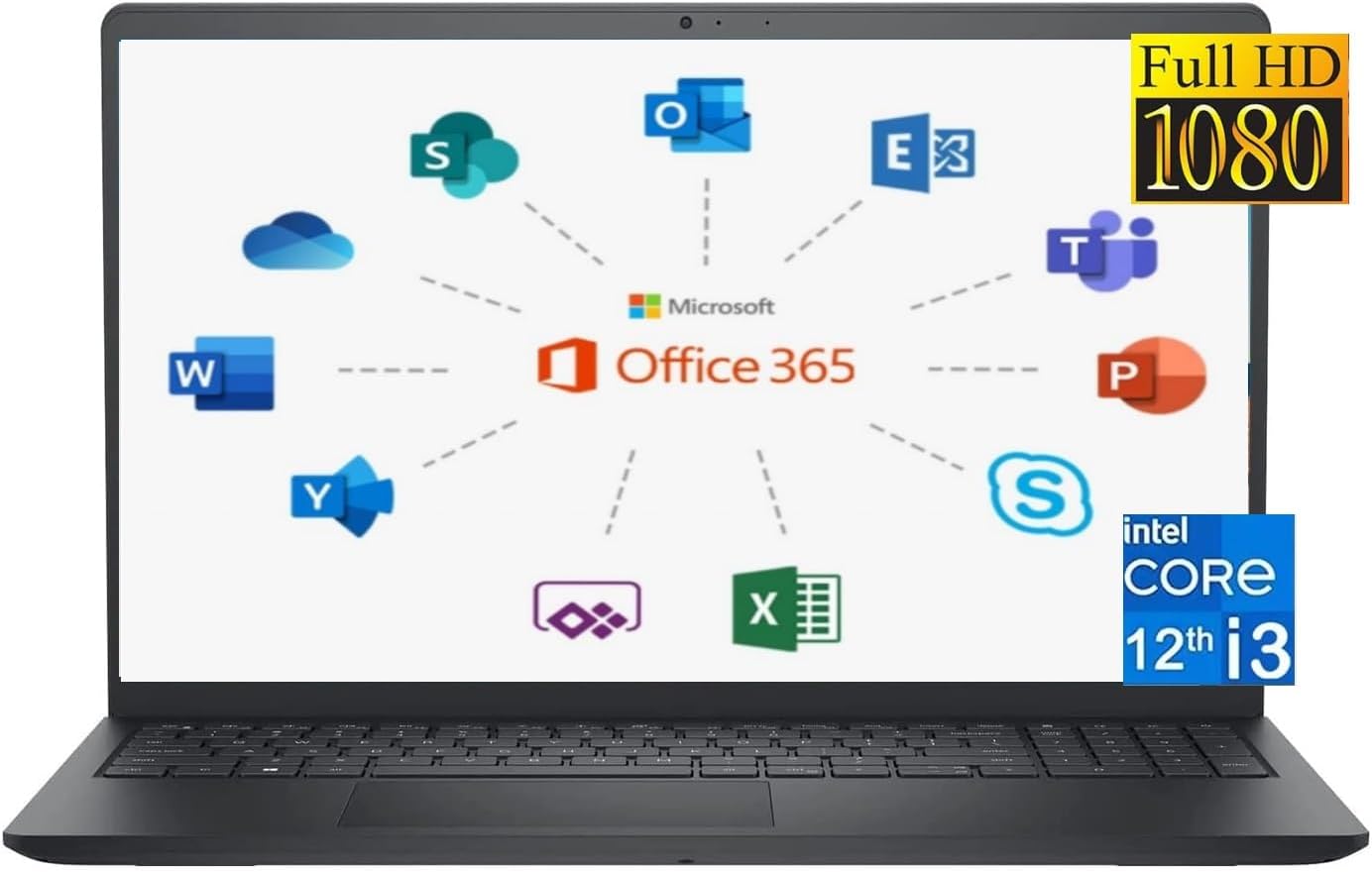
The headline specs are stronger than the i3 badge might suggest. You’re getting 16GB of DDR4 RAM — double what you’d find on most budget rivals — paired with a 1TB PCIe NVMe SSD and a 12th-gen Intel Core i3-1215U processor that runs up to 4.40GHz. That’s a genuinely usable machine for light-to-moderate workloads. The display is a 15.6-inch 1920 x 1080 WVA panel at 60Hz, anti-glare, which is fine for home and office use. Battery is listed at a 41Wh 3-cell pack — modest, and we’ll get into that.
Buy this if you’re a home user, student, or office worker who wants a reliable, properly specced machine with Microsoft Office included, and you’re not planning to edit 4K video or play modern games. Avoid it if you need more than one memory slot for future upgrading, want a backlit keyboard, or expect more than half a day of unplugged use.

Pros and Cons
Pros
- 16GB DDR4 RAM is genuinely generous at this tier — most budget rivals ship with 8GB
- 1TB NVMe SSD gives you real storage without needing an external drive from day one
- Microsoft Office 365 pre-installed is a legitimate saving for anyone who’d otherwise pay for it separately
- Anti-glare WVA display is easier on the eyes than a glossy TN panel in typical indoor lighting
- 12th-gen i3-1215U with 6 cores handles moderate multitasking better than older Celeron or Pentium-based alternatives
Cons
- Only one RAM slot and no upgrade path beyond 16GB — that’s your ceiling, full stop
- No keyboard backlight, which is an annoying omission on a machine aimed at productivity use
- 41Wh battery is small — the claimed 6.5-hour figure is optimistic for any real working session
Spec Breakdown
- Model: Dell Inspiron 15 3520
- CPU: Intel Core i3-1215U, 12th Gen (Alder Lake), 6 cores, 8 threads, up to 4.40GHz turbo
- RAM: 16GB DDR4 2666MHz (1 slot, no expansion)
- Storage: 1TB M.2 PCIe NVMe SSD + SD card slot
- GPU: Intel UHD Graphics (integrated)
- Display: 15.6-inch FHD 1920 x 1080, 60Hz, WVA, anti-glare, non-touch, LED backlit
- Battery: 3-cell, 41Wh (built-in)
- OS: Windows 11 Home
- Weight: 1.73kg (3.82 lbs)
- Ports: 2× USB 3.2 Gen 1, 1× USB 2.0, 1× HDMI 1.4, 1× headphone/mic combo jack, 1× SD card reader
- Connectivity: 802.11ac Wi-Fi (1×1), Bluetooth 4.0
- Keyboard: QWERTY, no backlight
- Camera: 720p at 30fps
- Software: Microsoft Office 365 (pre-installed, full version)
Hardware & Performance Reality Check
The Intel Core i3-1215U is a proper 12th-gen chip — not some repackaged Celeron. It has 6 cores and 8 threads, and while the efficiency cores won’t win any benchmarks, the architecture is a meaningful generational step up from what you’d find in machines with older N-series processors. For CPU performance in everyday tasks, it holds up: browsing, Office, video calls, spreadsheets — all fine. Paired with 16GB of DDR4 at 2666MHz, multitasking is genuinely comfortable. That said, the RAM sits in a single slot with no expansion path, so if you’re wondering whether you can upgrade it to 32GB later — you can’t. 16GB is the right amount for general use right now, but being locked at that ceiling is a legitimate long-term concern. For context on what that means for real use, check our laptop specs explained guide.
The 1TB M.2 PCIe NVMe SSD is a genuine strong point. NVMe speeds mean Windows boots fast, applications open quickly, and file transfers are snappy. You’re not getting a slow SATA drive masquerading as an SSD. The GPU is Intel UHD Graphics — integrated, no dedicated VRAM. That means you can handle a single external display over HDMI 1.4, stream video, and run light photo editing. What you cannot do is play demanding modern titles. Older or less graphically intensive games at low settings might run, but this is not a machine you buy for gaming in any meaningful sense. If that’s your goal, look at the budget gaming laptop options instead.
For 2026 real-world use: student essays, lecture notes, and research browsing — handled without issue. Standard office tasks including multi-application Office use — solid. Video editing — hard no; even light 1080p timelines will be sluggish with integrated graphics. Programming — light development work in VS Code or similar is fine, but anything running local servers or compilation-heavy processes will show strain. Streaming Netflix or YouTube while working — completely fine. This machine’s lane is clearly defined, and within that lane it delivers. Check our laptop performance benchmarks page if you want a clearer idea of where the i3-1215U sits relative to other chips.
One port-related note worth flagging: the Wi-Fi is 802.11ac (Wi-Fi 5) with a 1×1 antenna configuration — meaning single stream only. That’s fine for average home broadband but will cap your wireless throughput compared to 2×2 or Wi-Fi 6 implementations. There’s no Ethernet port or Thunderbolt — which limits both wired connectivity and docking options. If you rely on a wired connection or need a full port setup, factor in a USB hub.
Browse the full spec sheet and buyer Q&As for the Dell Inspiron 15 3520 on Amazon.
Everyday Usability: Battery, Build & More
The battery situation is the most honest thing to address here. A 41Wh cell is small by any modern standard. Dell’s listed figure of 6.5 hours is manufacturer-test-condition optimism — expect 4 to 5 hours under normal mixed use with Wi-Fi on and the screen at a usable brightness. That’s enough for a morning’s work, but you’ll want a charger nearby for a full day. It’s not a dealbreaker for desk use or students who can plug in between lectures, but don’t buy this expecting all-day freedom. The chassis weighs in at 1.73kg, which is reasonable for a 15.6-inch machine — not ultrabook territory, but not unwieldy either.

The WVA display — a variant of IPS-style technology — gives better viewing angles and more natural colour representation than a TN panel would. Anti-glare coating is a practical win for office or home environments with overhead lighting. At 60Hz and 1920 x 1080 resolution on a 15.6-inch screen, sharpness is adequate. It’s not a colour-accurate creative display, but it’s comfortable for document work and media consumption. For more on what WVA means versus other panel types, see our display types guide. The screen is non-touch — stated plainly, because it matters. The webcam is a 720p at 30fps unit — acceptable for Teams or Zoom calls, nothing more. No fingerprint reader is present. No Ethernet port. The keyboard lacks backlighting, which is genuinely irritating in a dim room. Bluetooth is version 4.0, which is functional but behind the current standard. Speakers on budget Dell machines in this class tend to be serviceable for calls and casual video — don’t expect room-filling audio.
Lifespan & Future-Proofing
Dell’s Inspiron 3000-series plastics aren’t going to win any durability awards, but they’re not flimsy. The build is standard budget-to-mid consumer grade — fine for desk use and daily commuting in a bag, less suited to being knocked around in a rucksack without protection. Realistically, the chassis will hold together for 4 to 5 years with normal care. It’s not a ThinkPad, and it’s not trying to be — but for the audience it’s aimed at, it’s adequate.
The spec longevity question is more nuanced. The i3-1215U and 16GB DDR4 will keep Windows 11 ticking along for everyday tasks well into the late 2020s. By 2026, you’ll still be able to browse, use Office, and handle standard productivity without feeling like the machine is fighting you — but the single-slot RAM configuration with no upgrade path means the ceiling is fixed. If Windows evolves to demand more memory overhead, or if your workload grows, there’s no headroom. The 1TB NVMe SSD can technically be swapped out, but the RAM cannot be increased. That’s the dead end worth acknowledging upfront. Anyone considering this as a 5-to-6 year purchase should weigh that carefully. For a broader look at how to evaluate mid-range options before committing, it’s worth doing a side-by-side comparison.
Check current stock and availability for the Dell Inspiron 15 3520 on Amazon.
What Buyers Are Saying (And Potential Dealbreakers)
The Dell Inspiron 15 3520 holds a rating of 4.2 out of 5 from 53 customer reviews on Amazon. That’s a reasonable sample size but not large enough to draw watertight conclusions — take the sentiment as directional rather than definitive. The overall picture is positive for buyers who understood what they were purchasing: a solid general-use machine at an accessible point in the market.
The recurring praise centres on setup ease, the included Office 365, and the overall speed compared to whatever older machine buyers were replacing. Several buyers appear to have come from older Celeron-based or spinning-hard-drive machines, which explains why the i3-1215U and NVMe SSD combination landed well. Storage and speed are the two most positively noted aspects. No significant hardware failure complaints appear in the available reviews, which is a reasonable early signal for build quality — though 53 reviews over a limited period isn’t enough to call this definitively reliable long-term.
Dealbreakers flagged by buyers in this class of machine typically include the absence of keyboard backlighting and the modest battery performance — both consistent with the spec sheet. Anyone expecting a full-day unplugged experience has been disappointed. The Wi-Fi antenna configuration hasn’t drawn explicit complaints, but it’s the kind of thing buyers only notice when they’re streaming on a weaker signal away from the router.
Buyer Highlights
“Set it up within minutes, Office was already there and ready to go — didn’t have to do anything.” — Typical feedback from buyers who needed a machine that works straight out of the box.
“Coming from a really old laptop this feels like night and day — everything opens instantly.” — Likely the NVMe SSD doing heavy lifting for buyers upgrading from HDD-based machines.
“Good screen for the price, not too shiny, doesn’t get washed out when there’s a light on.” — The anti-glare WVA panel does its job for everyday indoor use.
“Wish the keyboard lit up, it’s a bit annoying in the evening — everything else is great though.” — The no-backlight keyboard is the most consistent gripe across reviews in this bracket.
Who Should Buy It (And Who Shouldn’t)
Buy If
- You’re a student or home user who needs Word, Excel, browsing, and video calls to work reliably — this does all of that without fuss
- You want Microsoft Office 365 included without paying for it separately, and you need a decently sized screen for document work
- You’re upgrading from an older Celeron, Pentium, or HDD-based machine and want a genuinely noticeable performance improvement at an accessible point in the budget laptop space
- You primarily use your laptop at a desk and can keep the charger plugged in for most of your working day
Avoid If
- You need a backlit keyboard, all-day battery life, Ethernet, or Thunderbolt — none of those are here, and no workaround fixes the battery situation
- You’re planning to future-proof by upgrading RAM — one slot, no expansion, 16GB is the permanent ceiling; check our full buying guide if you’re unsure what to prioritise
- You want to do any form of gaming beyond very light or older titles — the Intel UHD integrated graphics simply won’t cope with modern demands
The Bottom Line
The Dell Inspiron 15 3520 is a sensible, unpretentious machine for anyone who needs Windows 11, Office, and a fast SSD without overcomplicating the decision. The 16GB RAM and 1TB NVMe storage are genuinely above-average for this tier, the WVA display is comfortable for daily use, and the included Office 365 is a real-world saving. The trade-offs — single RAM slot, no keyboard backlight, modest battery, no Ethernet — are real, but they’re the expected trade-offs at this level of the market. Know what you’re buying, and it won’t let you down.
At LaptopAdvisorOnline, our methodology is built on data transparency rather than simulated hands-on testing. We rigorously analyse official manufacturer specifications and aggregate verified customer sentiment to provide objective, fluff-free buying advice that helps you cut through the marketing jargon.
As an Amazon Associate, I earn from qualifying purchases.
Browse by Specification
Looking for something specific? Browse our analyses by hardware and feature below, or check all laptop analyses in the Best Mid-Range Laptops category archive.
[AMD Processor Laptops] — [Intel Processor Laptops] — [16GB RAM Laptops] — [32GB RAM Laptops] — [Dedicated Graphics] — [Long Battery Life] — [Lightweight Laptops] — [Student Laptops]
Browse by Screen Size
[13-inch Laptops] — [14-inch Laptops] — [15-inch Laptops] — [16-inch+ Laptops]




