
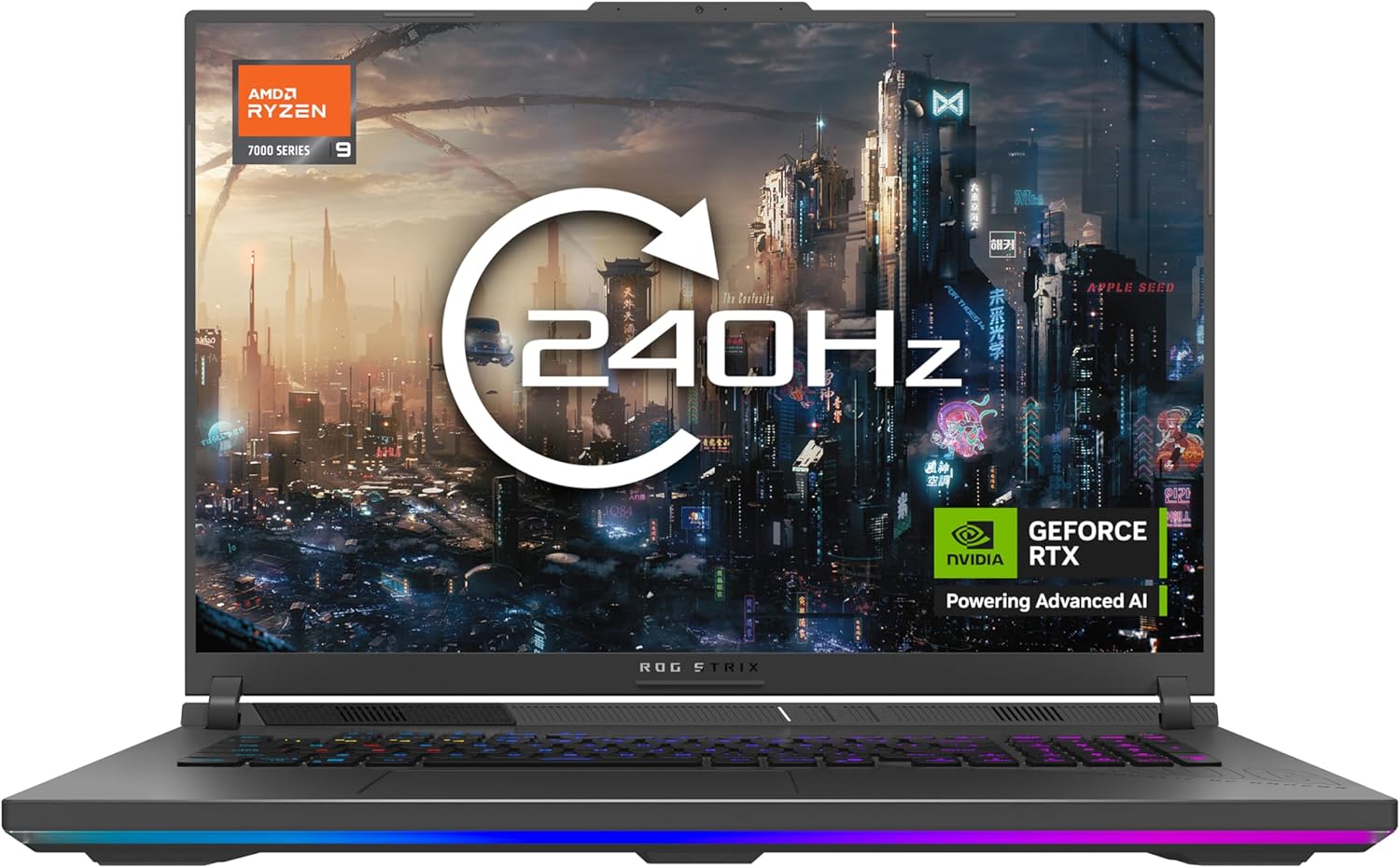
ASUS ROG Strix G18 G815LW Analysis: Desktop Muscle
The Blunt Verdict
The ASUS ROG Strix G18 G815LW is a desktop replacement that doesn’t pretend to be anything else. It’s built for one thing: maximum performance in a chassis you can technically carry around. If you’re in the market for the most capable serious gaming laptop money can buy right now, this is genuinely near the top of that pile. The headline weakness is equally obvious — at 3.42kg with a 330W power brick, this is not a machine you’re lugging through an airport.
Under the hood sits an Intel Core Ultra 9 275HX paired with an NVIDIA GeForce RTX 5080 with 16GB GDDR7 VRAM, 32GB DDR5-5600 RAM, and a 2TB PCIe SSD. The display is an 18-inch WQXGA (2560 x 1600) panel running at 240Hz. That’s not a spec list designed to impress on paper — that’s hardware that competes with mid-range desktop builds.
Buy it if you want the closest thing to a desktop gaming rig that still fits in a bag. Avoid it if you need something to run off battery for more than a couple of hours, or if portability genuinely matters to your use case. This machine is a commitment.
See the ASUS ROG Strix G18 G815LW listed on Amazon before reading further.

Pros and Cons
Pros
- RTX 5080 with GDDR7 VRAM delivers desktop-tier GPU performance that most gaming laptops can’t touch
- Tri-fan cooling with vapour chamber keeps thermals genuinely in check — GPU temperatures reportedly staying in the mid-60s°C under sustained load
- 240Hz WQXGA Nebula display with 100% DCI-P3 coverage and 500 nits brightness — rare to see a panel this good on a gaming machine
- Core Ultra 9 275HX hits top-tier multi-core benchmarks, trading blows with high-end desktop chips in Cinebench 2024
- 2TB SSD storage means you won’t be playing musical chairs with game installs any time soon
- Per-key RGB keyboard with dedicated hotkeys and spaced function keys — sensibly designed for actual use
Cons
- 3.42kg body plus a 330W power adapter makes genuine portability a fantasy — this lives on a desk
- RAM appears capped at 32GB with no mention of upgrade slots beyond the listed maximum — check this before buying if you’re planning to expand
- 90Wh battery under this kind of hardware means unplugged gaming is measured in minutes, not hours
Spec Breakdown
- Model: ASUS ROG Strix G18 G815LW
- CPU: Intel Core Ultra 9 275HX, up to 5.4GHz, 36MB cache
- RAM: 32GB DDR5-5600
- Storage: 2TB PCIe Gen 4 SSD
- GPU: NVIDIA GeForce RTX 5080, 16GB GDDR7
- Display: 18.0-inch WQXGA (2560 x 1600), 240Hz, LED, ROG Nebula
- Battery: 90Wh, Lithium Ion
- OS: Windows 11 Home
- Weight: 3.42kg
- Ports: 2x USB4 Type-C, HDMI 2.1, DisplayPort, 5 USB ports total
- Connectivity: Bluetooth, Wi-Fi (exact standard not confirmed in listing data)
- Keyboard: Per-key RGB backlit, UK layout
- Camera: Yes (webcam included)
- Dimensions: 399 x 298 x 32mm
Hardware & Performance Reality Check
The Core Ultra 9 275HX is Intel’s current flagship mobile processor — 24 cores, up to 5.4GHz, and 36MB of cache. To understand what that means practically, one verified buyer ran Cinebench 2024 multi-core and landed 2212 points, which puts it in the same conversation as desktop chips. For anyone doing CPU-heavy work — video rendering, 3D modelling, compiling code — this processor doesn’t bottleneck you. The 32GB DDR5-5600 RAM is ample for gaming, content creation, and heavy multitasking simultaneously. If you want to understand how RAM capacity affects your specific workflow, the RAM guide has a plain-English breakdown. The listed maximum RAM size matches the installed amount at 32GB — worth verifying with ASUS directly if expansion is on your mind.
The 2TB PCIe Gen 4 SSD via PCIe x4 interface means fast load times and enough room for a serious game library without constantly uninstalling things. The GPU here is the NVIDIA GeForce RTX 5080 — not the desktop version, but the laptop variant running at 175W TGP, which in this chassis appears to sustain that power target without thermal throttling. That’s not a given in gaming laptops. DLSS 4 support, 16GB GDDR7 VRAM, and access to NVIDIA’s frame generation tech mean you can push demanding titles at the native 2560 x 1600 resolution and still stay well above 100fps. For a deeper look at how GPU specs translate to actual gaming performance, the performance benchmarks page is worth a read.
In 2026, this machine’s hardware is firmly at the top end of what mobile computing offers. For student work, it’s complete overkill — but it’ll handle it effortlessly. Office tasks won’t touch the limits. Gaming at maximum settings in any current title is exactly what this was built for. Video editing, 3D rendering, and professional creative work are all well within its reach. Programming — even with multiple VMs running simultaneously — will feel trivial. The only context where this spec set starts to look inconvenient rather than impressive is a commuter trying to work off battery in a coffee shop.
The thermal design earns a separate mention. ASUS has fitted a full-width heatsink, tri-fan setup, and vapour chamber — and liquid metal (Conductonaut Extreme) is applied from the factory. Real-world benchmark logs show GPU core temps holding around 68°C under sustained FurMark load and CPU temps settling around 125W sustained after the initial burst. That kind of thermal headroom is not standard on gaming laptops and it’s a genuine differentiator here. More on the CPU architecture side if you want to understand what the Core Ultra 9 platform actually changes under the hood.
Check the full spec sheet and buyer Q&As for the ASUS ROG Strix G18 G815LW on Amazon.
Everyday Usability: Battery, Build & More
Battery life is the honest trade-off you make with this machine. The 90Wh battery is about as large as you’ll find in a gaming laptop, and on light tasks it’ll give you a few hours unplugged. Under gaming load, don’t expect much beyond an hour. That’s not a criticism — it’s physics. A 175W GPU pulling full power through a 90Wh cell isn’t a sustainable equation. The 330W charger is large but necessary, and at least ASUS includes it in the box. The two USB4 Type-C ports support power delivery, so there is some flexibility on charging options for lighter workloads. Build quality from buyer reports is described as tank-like despite being predominantly plastic — zero flex on the keyboard deck is specifically noted by one reviewer who ran stress tests for several days straight.

The 18-inch ROG Nebula display is genuinely good — 100% DCI-P3 coverage means colour accuracy that holds up for creative work, not just gaming. At 500 nits brightness it handles a well-lit room without washing out. The 2560 x 1600 resolution at a 16:10 aspect ratio gives you more vertical screen real estate than the typical 16:9 gaming panel, which helps in productivity contexts too. The 3ms response time and 240Hz refresh rate are what you’d expect at this level. For anyone who wants to understand how panel specs affect real-world viewing, the display types guide covers the key differences. No touchscreen — this is a clamshell gaming machine and that’s the right call. Fan noise in gaming mode is present but multiple buyers report it as quieter than expected for a machine running this kind of hardware — one owner switched from an Acer specifically because the noise level was dramatically lower. In silent mode during light tasks, it reportedly stays unobtrusive. The HDMI 2.1 port supports up to 4K 120Hz and 8K 60Hz output — useful if you want to connect to an external display or TV for gaming. No Ethernet port is confirmed in the listing data, so a USB adapter may be needed for wired networking. The webcam is present but no resolution spec is confirmed.
Lifespan & Future-Proofing
The chassis is built to last. ASUS ROG machines have a solid track record for structural durability, and the build descriptions from buyers back that up. Realistically, you’re looking at five or more years of physically sound hardware if you treat it reasonably. The tri-fan cooling system, if it continues to perform as described, should also extend component longevity by preventing the kind of sustained thermal stress that kills cheaper gaming laptops prematurely. Liquid metal cooling does dry out eventually — typically after several years — but that’s a manageable maintenance consideration, not a design flaw.
On spec longevity: the RTX 5080 and Core Ultra 9 275HX put this machine firmly ahead of the curve. By 2026 standards, this is the current generation of flagship mobile hardware. For gaming, it should remain competitive for four to five years without feeling bottlenecked. Video editing and rendering workloads will stay comfortable even longer. The main question mark is RAM — 32GB is plenty today, but if the cap is genuinely fixed at 32GB with no upgrade path, that could become a limitation for professional workloads further down the line. Check the connectivity and ports setup in full via the ports guide if future-proofing your I/O matters to your workflow. The two USB4 ports with Thunderbolt-compatible bandwidth keep this machine relevant for external GPU docks and high-speed storage expansion if you ever need it.
View current stock and availability for the ASUS ROG Strix G18 G815LW on Amazon.
What Buyers Are Saying (And Potential Dealbreakers)
The ASUS ROG Strix G18 G815LW currently holds a rating of 5.0 out of 5 from 9 reviews on Amazon. That’s a perfect score, but nine reviews is a very small sample — not enough to draw firm conclusions about long-term reliability or edge-case issues. Take the uniformly positive sentiment as encouraging rather than definitive. The pattern is consistent with what the hardware specs would lead you to expect from a well-executed flagship design, but a broader pool of buyers over time would be more meaningful.
Where the reviews do earn weight is in the detail. The most thorough account runs the machine through Cinebench 2024, FurMark, and HWiNFO logging — and the numbers hold up. Sustained GPU temps in the mid-60s°C under full load, CPU settling at 125W sustained power, and a core-to-core temperature delta of around 8-9°C suggesting a well-applied liquid metal installation. These are not marketing claims — they’re logged figures from someone who clearly knows what they’re looking at. The one minor issue raised (a headphone jack that needed some fiddling to work with specific audio hardware) was resolved and didn’t affect the final verdict for that buyer. No structural failures, no thermal throttling complaints, and no software stability issues appear in the current review set.
Buyer Highlights
“In Cinebench 2024 it hit a multi-core score of 2212 — roughly 25-30% faster than last year’s i9-14900HX and trading blows with high-end desktop processors.” — Worth knowing if CPU-heavy workloads are part of your use case.
“The GPU core stayed at 68°C and the hot spot only reached 70°C under FurMark — a 2-degree delta between core and hot spot is insane for a laptop.” — Directly relevant if you’re worried about long-term thermal wear.
“It’s an absolute beast and will play anything you throw at it — and it’s a very cool running machine. I actually can’t find a single fault with it.” — Consistent early sentiment from buyers putting it through gaming workloads.
“I think it’s the only laptop that has a good noise level when under load gaming — I had an Acer that felt like an aircraft in the house.” — Fan management is clearly a differentiator for buyers coming from noisier machines.
“It was expensive but isn’t everything now — you get what you pay for, and I’d recommend it to buy if you have the budget.” — Common thread across reviews: no one feels they’ve been shortchanged on hardware for the outlay.
Who Should Buy It (And Who Shouldn’t)
Buy If
- You want the closest thing to a high-end desktop gaming rig in a form factor that can move between rooms — this machine does that convincingly
- You work in video editing, 3D rendering, or content creation and need a single machine that handles both creative work and gaming without compromise
- Thermal longevity matters to you — the cooling system here is genuinely overbuilt relative to most gaming laptops, which matters for sustained workloads over years
- You want a display that holds up for colour-accurate creative work, not just fast refresh rates — 100% DCI-P3 at 500 nits is not standard at any price
Avoid If
- You need meaningful battery life away from a socket — this is a plugged-in machine and treating it otherwise will disappoint you
- You’re comparing it against mid-range options hoping to find similar performance at lower cost — the RTX 5080 hardware tier doesn’t come cheap, and there’s no budget-friendly equivalent
- Portability is a genuine daily requirement — 3.42kg plus a substantial power brick makes this a desk machine that occasionally travels, not a travel machine that occasionally sits on a desk
The Bottom Line
The ASUS ROG Strix G18 G815LW is about as good as gaming laptops get right now. The RTX 5080, Core Ultra 9 275HX, and a cooling system that actually keeps up with them combine to deliver desktop-class performance in a chassis that — by this tier’s standards — runs quietly and stays thermally composed. The display is excellent. The build is solid. The compromises are exactly what you’d expect: it’s heavy, it needs to be plugged in, and it costs accordingly. If those trade-offs don’t fit your lifestyle, look elsewhere. If they don’t matter to you because this is a desk machine that occasionally moves, it’s a genuinely strong buy. No hedging on that.
At LaptopAdvisorOnline, our methodology is built on data transparency rather than simulated hands-on testing. We rigorously analyse official manufacturer specifications and aggregate verified customer sentiment to provide objective, fluff-free buying advice that helps you cut through the marketing jargon.
As an Amazon Associate, I earn from qualifying purchases.
Browse by Specification
Looking for something specific? Browse our analyses by hardware and feature below, or check all laptop analyses in the Best Premium Gaming Laptops category archive.
[AMD Processor Laptops] — [Intel Processor Laptops] — [16GB RAM Laptops] — [32GB RAM Laptops] — [Dedicated Graphics] — [Long Battery Life] — [Lightweight Laptops] — [Student Laptops]
Browse by Screen Size
[13-inch Laptops] — [14-inch Laptops] — [15-inch Laptops] — [16-inch+ Laptops]




