
Acer Aspire Go 15 AG15-71P Analysis: GPU Is the Catch
The Blunt Verdict
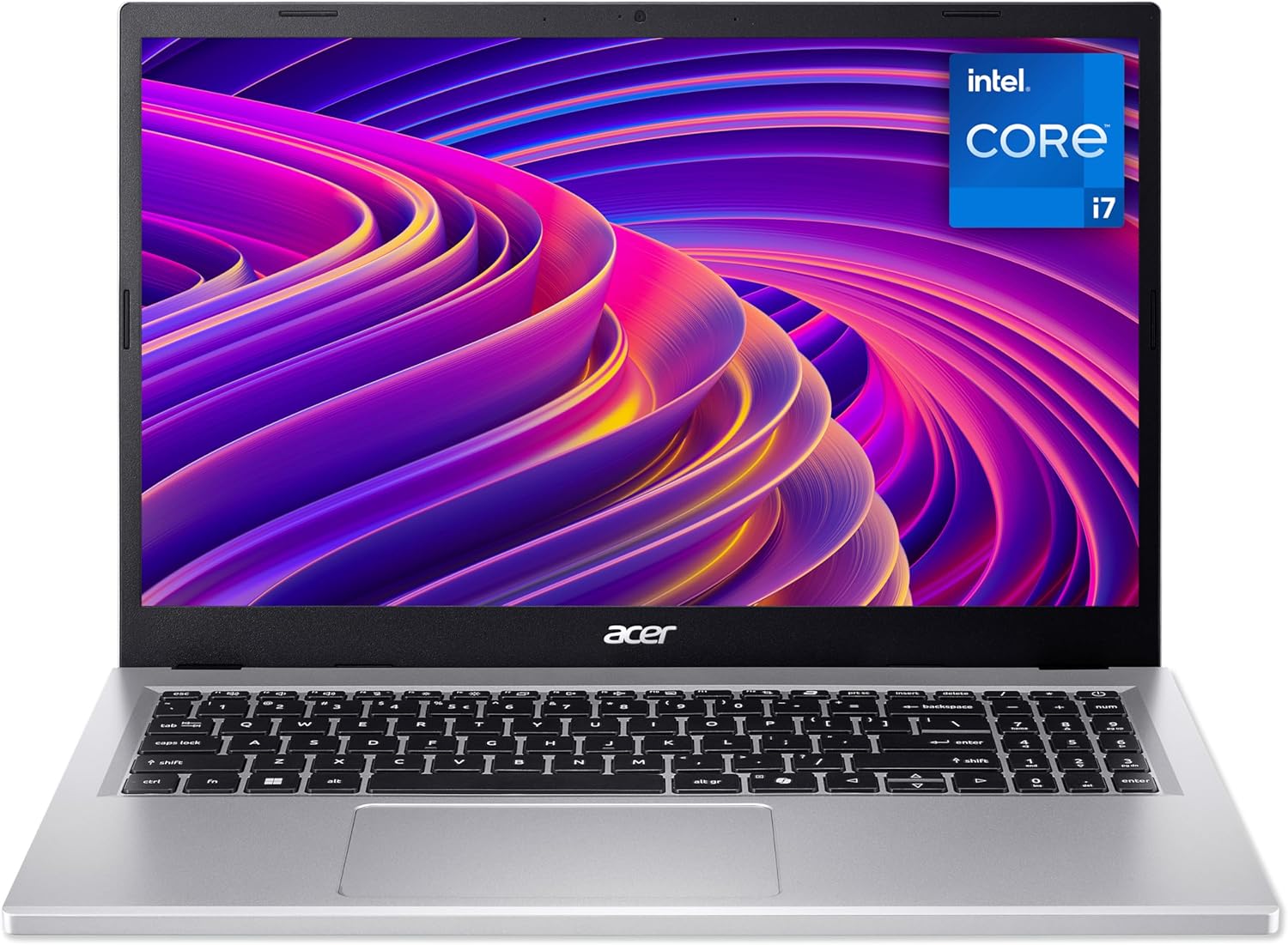
The Acer Aspire Go 15 AG15-71P is a straightforward mid-range laptop aimed squarely at students and families who need a capable daily driver without stepping into enthusiast territory. The headline strength is a genuinely solid processor paired with 16GB of DDR5 RAM — that’s a meaningful upgrade over the DDR4 still found in plenty of competitors at this level. The headline weakness is equally clear: integrated graphics and a 60Hz LCD panel that Acer’s marketing tries very hard to dress up as something more than it is.
Under the hood you get an Intel Core i7-13620H, a 10-core chip with a boost clock of 4.9GHz — it’s the same processor you’d find in machines that cost considerably more. Paired with 512GB of SSD storage and Wi-Fi 6 (802.11ax), the core spec sheet is genuinely competitive for everyday computing. What it isn’t is a machine for anything graphically demanding. Intel integrated graphics means light photo editing, not video production. Web browsing and documents, not 3D rendering.
If you’re a student, a home user handling productivity tasks, or a parent buying a household laptop, this makes reasonable sense on paper. If you want to game seriously, edit video at any meaningful resolution, or run GPU-intensive workloads, look elsewhere. There are better mid-range options with dedicated GPUs at a similar position in the market.
See the Acer Aspire Go 15 AG15-71P listing and availability on Amazon.

Pros and Cons
Pros
- Intel Core i7-13620H is a legitimately capable CPU — not a watered-down i7 in name only
- DDR5 RAM gives a genuine speed advantage over DDR4 machines at a similar tier
- Wi-Fi 6 support means faster wireless throughput on compatible routers, future-ready for home networks
- Dual USB-C ports with 4K output and charging support is a genuinely useful connectivity setup for a desk-bound student
- 53Wh battery with a rated 7-hour life is workable for a full lecture day, if not exceptional
- Numeric keypad included — useful for finance students, data entry, and anyone who lives in spreadsheets
Cons
- Integrated graphics only — rules out gaming above casual browser titles and any serious creative workload
- 60Hz LCD panel with no mention of IPS or high colour gamut coverage — Acer’s marketing says “visibly stunning”, which is doing a lot of heavy lifting for a standard TN or IPS-grade budget panel
- Only four reviews on Amazon at the time of writing — warranty repair experience from one buyer raises a flag about Acer’s UK after-sales support
Spec Breakdown
- Model: Acer Aspire Go 15 AG15-71P (NX.J4GEK.00M)
- CPU: Intel Core i7-13620H, 10-core, 2.4GHz base / 4.9GHz boost
- RAM: 16GB DDR5 (upgradeable to 32GB)
- Storage: 512GB SSD
- GPU: Intel Integrated Graphics (shared memory)
- Display: 15.6-inch Full HD (1920×1080), 60Hz, LCD
- Battery: 53Wh lithium-ion, rated 7 hours
- OS: Windows 11
- Weight: 1.8kg
- Ports: 2× USB-C (full function, 4K output, charging), HDMI, USB-A ×2 (total 4 USB ports, 5 total ports)
- Connectivity: Wi-Fi 6 (802.11ax), Bluetooth
- Keyboard: QWERTY with numeric keypad
- Camera: Yes (webcam present)
Hardware & Performance Reality Check
The Intel Core i7-13620H is the real talking point here. It’s a 13th-generation H-series chip — the H designation means it’s a proper performance-class processor, not one of the neutered U-series parts Acer and others often slot into budget-adjacent machines while keeping the i7 badge. Ten cores, boosting to 4.9GHz, this will handle browser-heavy workflows, video calls, Office applications, light coding, and even some moderate multitasking without breaking a sweat. The 16GB DDR5 RAM is a meaningful complement — DDR5 runs at higher bandwidth than DDR4, which matters when the CPU’s integrated graphics is leaning on system memory for anything visual. Acer lists the maximum RAM capacity at 32GB, which suggests at least one slot may be user-accessible rather than fully soldered — though the data doesn’t confirm the physical configuration, so verify before purchase if upgradability matters to you.
The 512GB SSD is adequate for most students — that’s enough for an OS, a full Office suite, a year’s worth of documents, and a reasonable media library before you start feeling the squeeze. No complaints there. The GPU situation, however, needs to be said plainly: Intel integrated graphics means this machine shares system RAM for all graphical tasks. For budget gaming — anything beyond browser games and very old titles at low settings — it simply isn’t equipped. Video editing in DaVinci Resolve or Premiere will be sluggish to painful depending on resolution. Photo editing in Lightroom is manageable. Don’t expect more than that from the GPU side.
In 2026 terms, this machine sits comfortably for student and productivity use. The i7-13620H isn’t a cutting-edge chip anymore, but it’s far from obsolete — it outperforms most of what was considered mid-range just two years ago. Office work, web research, light programming in VS Code, Zoom and Teams calls, streaming: all handled without issue. Video editing and gaming are where you hit the wall. Anyone considering this for a computer science degree involving local machine learning or GPU compute should look elsewhere. Check the performance benchmarks for the i7-13620H if you want exact figures — it scores well against other non-gaming laptops in its class.
One thing worth flagging: the display is a 60Hz LCD with a 1920×1080 resolution. Acer mentions BlueLightShield technology, which is a software-level filter, not a hardware panel upgrade. There’s no mention of IPS, sRGB coverage, or nits brightness in the spec data — which is either an oversight or a deliberate omission. If display quality is a priority, this is a gap worth researching before committing. See our display types guide if you’re not sure what to look for.
Check the full spec sheet and buyer Q&As for the Acer Aspire Go 15 AG15-71P on Amazon.
Everyday Usability: Battery, Build & More
At 1.8kg, the Acer Aspire Go 15 AG15-71P sits at the lighter end of 15.6-inch laptops — manageable for daily carry in a backpack without the shoulder pain that plagues heavier machines. The chassis dimensions (363 × 238mm footprint, 20mm thick) are standard for this class. Battery life is rated at 7 hours from a 53Wh cell, which in practice likely means five to six hours of mixed use with Wi-Fi active and screen brightness at a normal level. Enough for a full lecture day if you’re not hammering the CPU, less so if you’re running resource-heavy applications constantly. The Copilot key and AcerSense software are bundled in — AcerSense can manage power profiles which may help eke out a bit more battery longevity in balanced mode. The port layout is a strength: USB-C dual setup (both full-function with charging and 4K output), two USB-A ports, and HDMI output. No Ethernet port, so wired network users will need a USB adapter — worth knowing before you buy. If ports are a sticking point, our ports guide runs through what to look for. No fingerprint reader is confirmed in the spec data.

The keyboard includes a numeric keypad, which is a legitimate usability win for anyone doing data entry, spreadsheets, or accounting work — often absent on 15-inch machines at this level. Webcam is present but no resolution spec is confirmed, so treat it as a basic 720p unit until proven otherwise — fine for Teams and Zoom, not for streaming. The Acer PurifiedVoice feature aims to clean up microphone input, which is a software-side enhancement rather than a hardware upgrade. The display is not a touchscreen — there’s no touch input mentioned anywhere in the spec data. The silver finish and polycarbonate chassis construction is standard for this price band; it’s not going to feel premium, but it shouldn’t feel flimsy either. One buyer noted a minor Windows 11 cosmetic bug with wallpaper reverting to solid colour — annoying but not a hardware issue, and almost certainly fixable via a Windows update.
Lifespan & Future-Proofing
On build quality: polycarbonate chassis machines at this end of the market typically last three to four years before showing meaningful wear — hinge loosening, chassis flex, or cosmetic degradation. The Acer Aspire Go line isn’t built to ThinkPad standards, but it’s also not disposable. Treat it well, use a sleeve for transport, and it should see out a three-year degree without structural drama. That said, the warranty situation flagged by one Amazon reviewer — a machine sent for in-warranty repair sitting “awaiting parts” for over five weeks — is a real-world data point about Acer UK’s service infrastructure. One case isn’t a pattern, but it’s worth being aware of when weighing a purchase decision.
On spec longevity: the Intel Core i7-13620H and 16GB DDR5 combination will handle everyday computing tasks comfortably for four to five years. The ceiling is the integrated GPU — as software continues to offload more to GPU compute (AI features in Windows, browser rendering acceleration, collaborative tools), integrated graphics will increasingly become the bottleneck before the CPU does. The RAM is potentially upgradeable to 32GB, which extends the lifespan meaningfully if needed. Storage at 512GB is fine now, but if you’re running large project libraries or storing media locally, you’ll feel it within two to three years. The Wi-Fi 6 standard is genuinely future-ready — routers are still catching up to Wi-Fi 6 in most UK homes, so that won’t be the thing that ages first. For broader context on what specs age well, our laptop buying guide covers longevity considerations in detail.
View current stock levels for the Acer Aspire Go 15 AG15-71P on Amazon.
What Buyers Are Saying (And Potential Dealbreakers)
This machine has a rating of 3.4 out of 5 from just 4 Amazon reviews at the time of writing. That is far too small a sample to draw firm conclusions about reliability or satisfaction trends. What it does provide is two specific data points — one cautiously positive, one a serious concern.
The positive: a buyer described it as a “nice device” in overall use terms, suggesting day-to-day performance is at least meeting basic expectations. The negative is harder to dismiss: a machine failing to charge or receive power after seven months of use, followed by a five-week wait for in-warranty repair with no estimated completion date from Acer support. That’s a significant quality-of-service failure regardless of whether the hardware fault was a one-off. Anyone who relies on a laptop for study or work should factor that into the risk assessment.
Beyond those two reviews, hardware-based projections fill in the gaps. The i7-13620H runs warm under load — this is an H-series processor with a meaningful TDP, and in a slim chassis it will spin the fans audibly during sustained CPU tasks. Expect fan noise during exports, large downloads, or anything that keeps the processor busy for more than a few minutes. At idle and light use, it should be quiet. The 60Hz LCD panel is unlikely to draw praise from anyone who has used a higher-refresh or high-gamut display — it’ll look flat by comparison. For students upgrading from a Chromebook or a 2018-era laptop, it’ll feel like a step up. For anyone coming from a MacBook or a decent IPS panel, it won’t. Understanding what specs actually mean in daily use is worth a few minutes before pulling the trigger.
Buyer Highlights
“Nice device, so long as it keeps working — but getting it repaired under warranty has been a nightmare.” — A direct flag on Acer UK’s after-sales support speed, worth weighing seriously.
“It came with Windows 11 which randomly reverts my wallpaper to solid colour — never had that on Windows 10.” — A minor cosmetic bug rather than a performance issue, but indicative of Windows 11’s occasional quirks out of the box.
“After seven months the laptop just stopped charging altogether.” — A power delivery failure this early in the product’s life is concerning, even if it may be an isolated unit issue.
“The repair process started well with collection organised quickly, but then it just sat there with no updates for weeks.” — Relevant context for anyone who can’t afford to be without a machine for an extended period.
Who Should Buy It (And Who Shouldn’t)
Buy If
- You’re a student needing a solid daily driver for lectures, assignments, and research — the i7-13620H and 16GB DDR5 will handle that comfortably
- You work primarily in Office applications, web browsers, and video conferencing — this machine is well-specified for that workload
- You want the connectivity flexibility of dual USB-C with charging and 4K output — genuinely useful for docking at a desk with an external monitor
- You want a numeric keypad included as standard — absent on many 15-inch laptops at this tier
Avoid If
- You need to run GPU-demanding software — video editing, serious gaming, 3D modelling — the integrated graphics cannot support it; look at professional-grade options with a dedicated GPU instead
- You can’t afford to be without your laptop for weeks — the single warranty repair case on record is enough of a flag to give pause if machine downtime would genuinely affect your work or studies
- Display quality is a priority — the 60Hz LCD panel with no confirmed IPS or colour coverage spec is a known unknown that may disappoint anyone with a calibrated eye
The Bottom Line
The Acer Aspire Go 15 AG15-71P gets the fundamentals right where it counts most: a genuine performance-class CPU, fast DDR5 memory, solid connectivity, and a reasonable weight. For straightforward student and home productivity use, the core spec is hard to fault at this level. But the display panel is a gap, the integrated GPU draws a firm line under creative and gaming capability, and the single warranty repair complaint — while a small sample — raises enough of a question about Acer UK’s after-sales support that it’s worth considering. If your use case fits the target profile and you’ve accepted the GPU limitation going in, it’s a reasonable purchase. If you’re not sure whether this tier is right for you, our CPU guide can help clarify what the i7-13620H realistically delivers.
Find the Acer Aspire Go 15 AG15-71P on Amazon and read the latest buyer questions before deciding.
At LaptopAdvisorOnline, our methodology is built on data transparency rather than simulated hands-on testing. We rigorously analyse official manufacturer specifications and aggregate verified customer sentiment to provide objective, fluff-free buying advice that helps you cut through the marketing jargon.
As an Amazon Associate, I earn from qualifying purchases.
Browse by Specification
Looking for something specific? Browse our analyses by hardware and feature below, or check all laptop analyses in the Best Mid-Range Laptops category archive.
[AMD Processor Laptops] — [Intel Processor Laptops] — [16GB RAM Laptops] — [32GB RAM Laptops] — [Dedicated Graphics] — [Long Battery Life] — [Lightweight Laptops] — [Student Laptops]
Browse by Screen Size
[13-inch Laptops] — [14-inch Laptops] — [15-inch Laptops] — [16-inch+ Laptops]




