
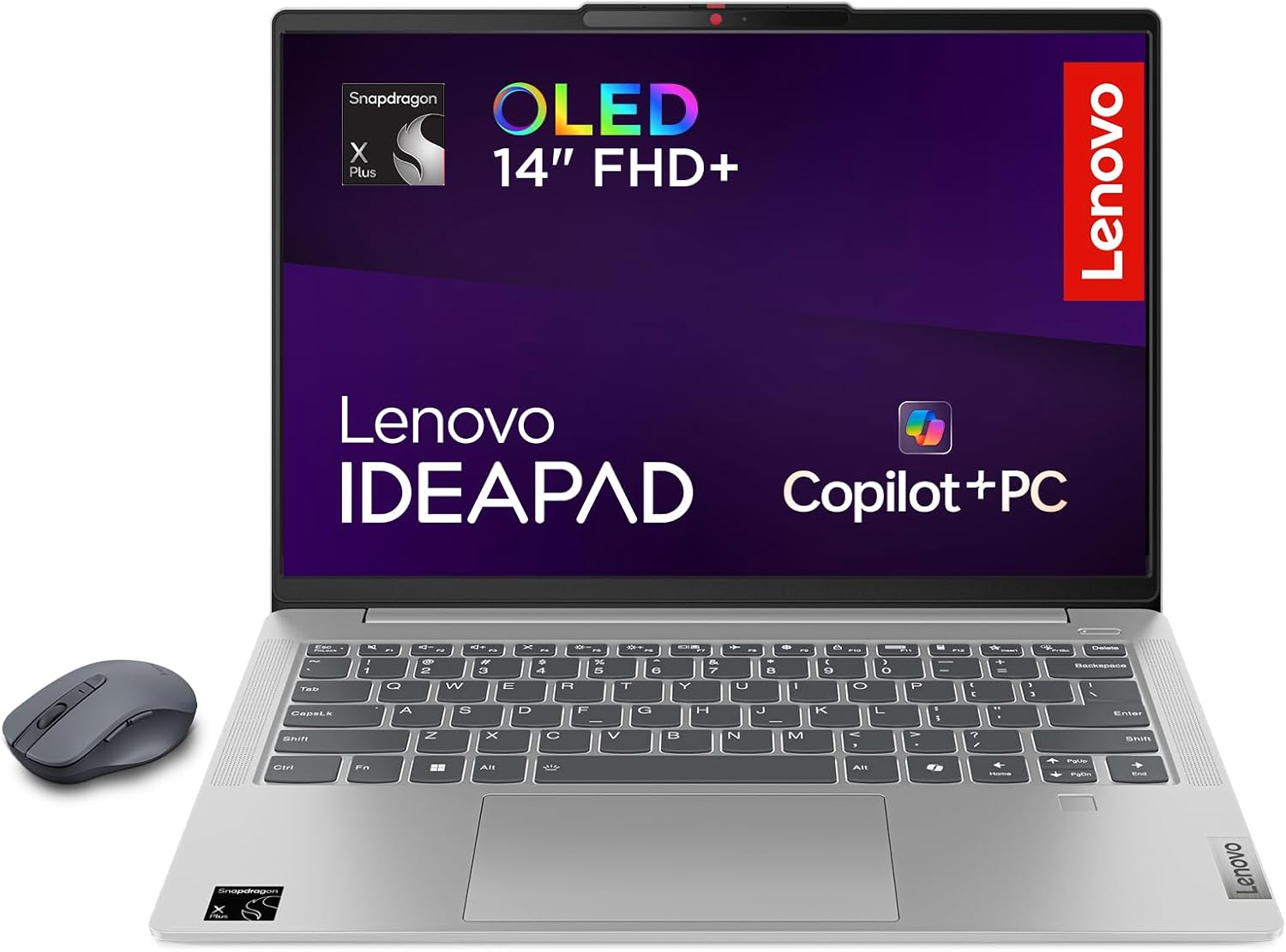
Lenovo IdeaPad Slim 5 14Q8X9 Analysis: OLED on ARM
The Blunt Verdict
The Lenovo IdeaPad Slim 5 14Q8X9 is built for one type of person: someone who wants a genuinely light, genuinely long-lasting laptop for work and study without dragging a charger everywhere. The Snapdragon X Plus X1P-42-100 ARM chip and 32GB of LPDDR5 RAM make it a strong pairing for productivity tasks, and the 14-inch OLED panel is the kind of display you genuinely don’t expect at this end of the mid-range market. The headline weakness is also worth saying plainly upfront: this is an ARM-architecture machine, and that still matters in 2025 for certain software and virtually all competitive online gaming.
You’re getting a 1TB SSD, a 57Whr battery, and a 1920 x 1200 resolution display at a 16:10 aspect ratio — the taller screen format is quietly one of the best things about this machine for anyone who spends time in documents or browsers. The chassis weighs 1.48kg and measures just 16.9mm thick, so it genuinely earns its ultra-portable badge. Port selection covers USB-C, USB-A, and HDMI, which is more than you typically get on machines this thin.
Buy it if you want outstanding battery life, a beautiful screen, and light-to-moderate workloads covered without compromise. Avoid it if you need Windows-native software that hasn’t been updated for ARM, rely on specific drivers, or want to play current multiplayer games. This isn’t a gaming machine — full stop.
See the current listing and availability for the Lenovo IdeaPad Slim 5 14Q8X9 on Amazon.
Pros and Cons
Pros
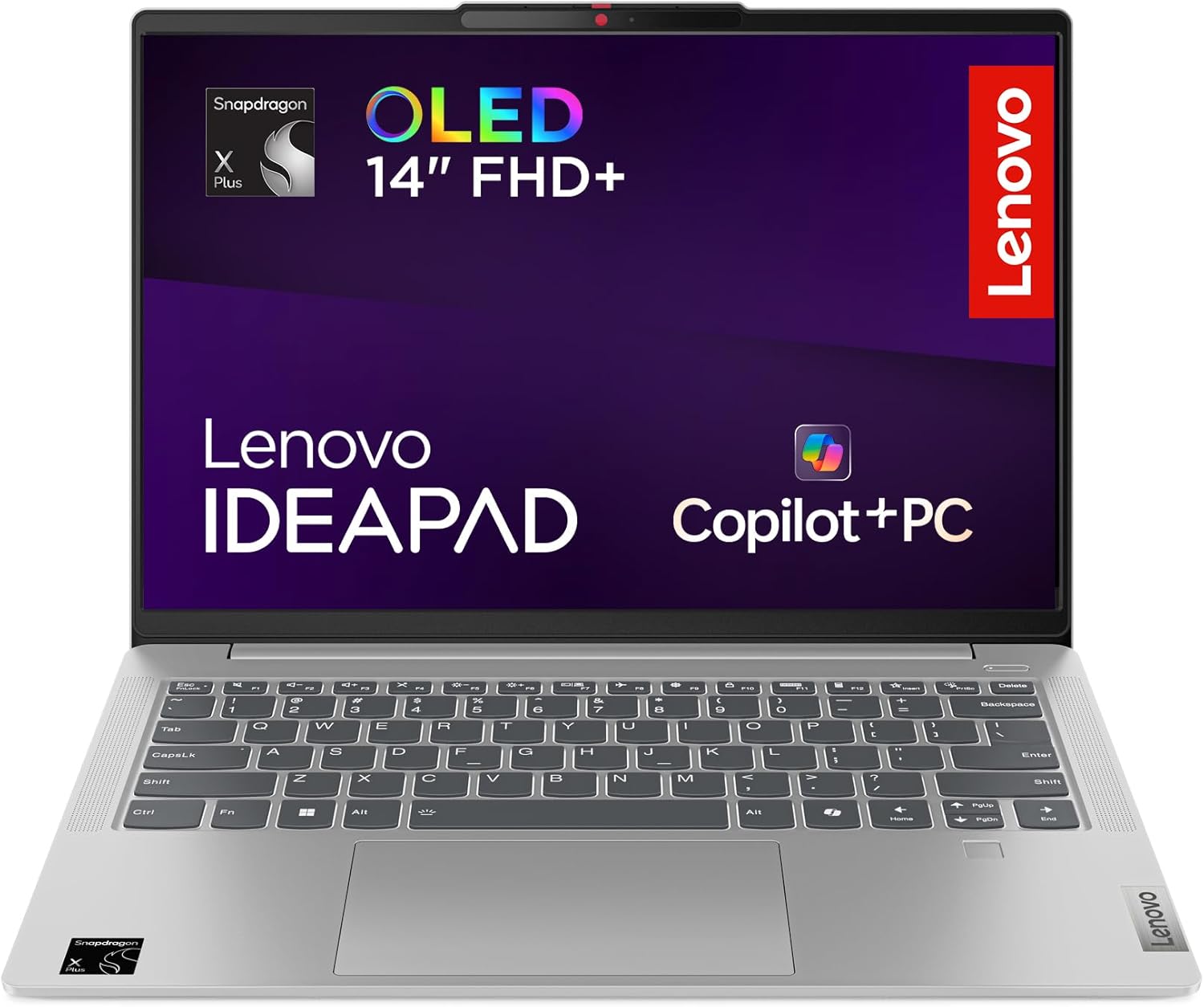
- OLED panel with 100% DCI-P3 coverage at a 16:10 ratio — legitimately one of the better screens in this price bracket
- Battery life holds up in real use; multiple buyers report 10–13 hours on light tasks
- 32GB of LPDDR5 RAM means multitasking headroom that’s rare at this level
- All-metal chassis at 1.48kg — light enough to carry without thinking about it
- Wi-Fi 7 connectivity future-proofs wireless performance when compatible routers become mainstream
- Generous port selection for the form factor, including full-size HDMI and a card reader
Cons
- ARM architecture means compatibility gaps — certain apps, most anti-cheat software, and many printer drivers won’t work without workarounds
- RAM is soldered — 32GB is the ceiling, not a starting point you can upgrade later
- OLED panels are sensitive to cleaning products; one buyer permanently damaged the screen with a wet wipe — standard microfibre cloth only
Spec Breakdown
- Model: Lenovo IdeaPad Slim 5 14Q8X9 (83HL0008UK)
- CPU: Qualcomm Snapdragon X Plus X1P-42-100, 3.4GHz, 8-core
- RAM: 32GB LPDDR5 (soldered, non-upgradeable)
- Storage: 1TB SSD (Serial ATA)
- GPU: Integrated (Qualcomm Adreno)
- Display: 14-inch OLED, 1920 x 1200 (WUXGA), 16:10, 60Hz, 300 nits, 100% DCI-P3, non-touchscreen
- Battery: 57Whr Lithium Polymer, up to 19 hours (manufacturer claim)
- OS: Windows 11 Home
- Weight: 1.48kg
- Ports: USB-C, USB-A, HDMI, SD card reader (4 ports total)
- Connectivity: Wi-Fi 7 (802.11ax), Bluetooth
- Security: Fingerprint reader
- Webcam: No
- Colour: Cloud Grey
- In the Box: Lenovo WL310 Bluetooth Silent Mouse
Hardware & Performance Reality Check
The Snapdragon X Plus X1P-42-100 is a competent chip for what this machine is designed to do. It’s not competing with Intel Core Ultra or AMD Ryzen 7 parts on raw compute throughput — if you need a CPU performance breakdown in plain terms, ARM-based chips trade some x86 compatibility for dramatically better power efficiency. In daily practice: Office apps, browsers with many tabs, VS Code, Spotify, Zoom — all run well. The 32GB of LPDDR5 RAM is a genuine asset here. It’s soldered to the motherboard, so what you buy is what you’ll have for the life of the machine — no upgrade path. At 32GB that’s fine; if this were a 16GB-only model it’d be a more serious concern. For anyone curious about how much RAM you actually need, 32GB is well clear of any near-term bottleneck for productivity use.
The 1TB SSD is spacious enough that most users won’t feel squeezed, even with a growing library of documents, photos, and downloaded media. The graphics are fully integrated — Qualcomm’s Adreno GPU. For everyday tasks and video streaming it’s fine; for anything GPU-intensive it isn’t. Light gaming is workable: 2D titles, older strategy games, and less demanding indie games run according to buyer feedback. Anything released after 2020 with heavy 3D rendering is a stretch. If you’re after a machine for casual budget gaming, this isn’t the right architecture — look at x86 machines with discrete graphics instead.
Heading into 2026, the honest picture is this: for student work, document editing, web browsing, video calls, and even lightweight coding, the Lenovo IdeaPad Slim 5 14Q8X9 handles it all without breaking a sweat. Office applications run natively, Chrome and Edge are fully ARM-compatible, and developer tools like VS Code have ARM builds. Video editing in basic tools works; serious timeline editing in Adobe Premiere is more hit-and-miss depending on plugin dependencies. The ARM compatibility story has improved significantly — but it hasn’t completely closed. Check your critical software before buying.
The display panel deserves its own mention here. An OLED at 1920 x 1200 with 100% DCI-P3 coverage is a genuine spec you’d normally pay a premium for. Colours are accurate, contrast is high, and the 16:10 ratio gives more usable vertical space than a standard 16:9 screen — for anyone who works in documents or spreadsheets, that extra height is quietly useful every single day. The 60Hz refresh rate is fine for productivity; gamers wanting fluid animation will notice its limits.
Check the full spec sheet and buyer Q&As for the Lenovo IdeaPad Slim 5 14Q8X9 on Amazon.
Everyday Usability: Battery, Build & More
Lenovo claims up to 19 hours of battery life. That’s a manufacturer ceiling, not a promise. Real-world buyer feedback lands closer to 10–13 hours for light tasks at moderate brightness — which is still exceptional by any reasonable standard. One buyer specifically noted around 13 hours doing Word, Excel, and web browsing at 40% screen brightness. Gaming on balanced mode drops that to 4–6 hours. Even the pessimistic real-world figure puts this comfortably ahead of most Windows laptops you’ll find at this tier. Standby drain is also low — one buyer reported only 5% overnight power loss in sleep mode. For anyone who wants a reliable daily machine that survives a full working day without a charger, this genuinely delivers.

The all-metal chassis at 1.48kg feels genuinely well-made for the price. Fan behaviour is sensible: in efficiency and balanced modes it’s near-silent or completely off, which multiple buyers flagged positively. Crank it to high performance and the fan becomes audible — but the sound profile is described as a clean whoosh rather than an irritating whine. Keyboard and trackpad feedback is positive across the reviews. Speakers are decent by laptop standards but won’t compete with anything in the premium tier. One hard fact worth repeating: the OLED panel is not touch-capable, and it is sensitive to cleaning — use only a dry or slightly damp microfibre cloth, nothing else. No webcam is listed in the specs, which is a notable omission for anyone who relies on video calls. The included Lenovo WL310 Bluetooth Silent Mouse is a welcome addition that adds tangible value. Port-wise, the connectivity coverage — USB-C, USB-A, full-size HDMI, and SD card reader — is better than average for a machine this thin. No Ethernet port, which is standard at this form factor but worth knowing. A fingerprint reader is present for quick login. Wi-Fi 7 support is a forward-looking feature; most routers don’t fully exploit it yet, but it means the wireless hardware won’t be a bottleneck when your network catches up.
Lifespan & Future-Proofing
Build quality longevity is strong. Military-grade certification and an all-metal chassis at this weight class suggests Lenovo has put real engineering into the structure rather than relying on plastic flex to absorb impact. Realistically, the physical hardware should last four to six years with normal use before anything mechanical becomes a concern — and that’s probably an underestimate if you treat it reasonably well. The OLED panel, as noted, requires careful handling; a scratched or damaged screen on a machine this thin is unlikely to be a cost-effective repair.
Spec longevity is more nuanced. The 32GB LPDDR5 RAM is fixed — you cannot add more. For productivity workloads, 32GB has comfortable runway through the late 2020s without feeling pinched. The 1TB SSD is enough for most users, though storage expandability via the SD card slot provides a partial workaround. The bigger question mark is the ARM architecture itself. Windows on ARM compatibility has improved substantially and will continue to do so — but it’s not guaranteed to match x86 parity across every application. If your software landscape is standard (Office, browsers, streaming, general tools), you’ll likely never notice. If you’re in a niche that relies on specialist or legacy Windows software, that compatibility ceiling will bite eventually. For a performance benchmark perspective, the Snapdragon X Plus sits comfortably in the mid-tier productivity bracket and should remain adequate for everyday tasks through to at least 2028.
View current stock and availability for the Lenovo IdeaPad Slim 5 14Q8X9 on Amazon.
What Buyers Are Saying (And Potential Dealbreakers)
The Lenovo IdeaPad Slim 5 14Q8X9 currently holds a rating of 3.8 out of 5 from 70 customer reviews on Amazon. That’s a sample worth taking seriously, but the distribution matters: the majority of detailed reviews skew positive, with the lower scores largely driven by a small number of critical experiences — including one buyer whose OLED screen was permanently damaged after cleaning with a wet wipe. That single incident pulls sentiment down significantly but represents a hardware sensitivity issue rather than a reliability pattern.
The consistent praise centres on battery life and screen quality. Multiple buyers flagged the battery as the best they’ve encountered on any laptop — not just in this category, but full stop. ARM compatibility comes up in nearly every detailed review: most found the transition smoother than expected, with Chrome, Office, and developer tools working without issue. The recurring concern is printer compatibility — one buyer specifically noted that most printers won’t communicate with the Snapdragon chip without an updated driver, and Epson was called out as one that works. That’s a practical dealbreaker for anyone who prints regularly and should be checked against your specific printer before buying.
Speaker quality is rated as acceptable but not strong — multiple buyers described it as below what you’d expect at this tier. For casual listening it’s fine; for anything you actually care about sonically, you’ll want headphones or external speakers. The one serious negative review involved catastrophic screen failure following cleaning with a wet wipe — a stark reminder that OLED panels and chemical cleaning agents don’t mix.
Buyer Highlights
“The battery life is insane — I’ve travelled with it, worked remotely, binged videos, all without hovering near a charger.” — Consistent feedback across multiple buyers, not a one-off report.
“ARM compatibility worried me going in, but the Prism emulation handled about 90% of what I threw at it without issue.” — Realistic framing from a buyer who was sceptical upfront — the 10% gap still matters for some use cases.
“Most printers won’t communicate with the new Snapdragon chip — you’ll need to check compatibility before you buy.” — Practical warning flagged independently by multiple reviewers.
“I cleaned the screen with a wet wipe and it went completely black — couldn’t reset, couldn’t do anything.” — An extreme outcome, but a useful warning: OLED panels on this machine need careful handling.
“It’s very fast compared to my old laptop and much lighter too — easy to set up and connected to the internet quickly.” — Feedback from a non-technical buyer, suggesting the out-of-box experience is straightforward.
Who Should Buy It (And Who Shouldn’t)
Buy If
- You want a full working day of battery life without managing power anxiety — real-world 10–13 hours is well above average
- You’re a student, remote worker, or light developer using mainstream software (Office, Chrome, VS Code, standard productivity tools)
- Display quality matters to you — the OLED panel with 100% DCI-P3 is genuinely rare at this price bracket
- You want a light, well-built machine you won’t resent carrying — 1.48kg in an all-metal chassis is hard to argue with
Avoid If
- You play competitive online games with anti-cheat software, or need GPU-intensive applications — integrated Adreno graphics on ARM is not the answer
- Your software stack includes legacy Windows applications, specialist driver-dependent tools, or a printer with no ARM driver support — check compatibility first, buy second
- You’re considering a professional-grade machine for heavy creative work — Adobe suite compatibility on ARM is improving but still uneven
The Bottom Line
The Lenovo IdeaPad Slim 5 14Q8X9 earns its recommendation for a specific type of buyer — one who prioritises battery life, screen quality, and portability over raw x86 compatibility and gaming capability. The OLED display is genuinely good, the 32GB RAM is well above average for this segment, and real-world battery figures from buyers back up the headline claims well enough to be trusted. The ARM architecture is the central caveat: it’s not a dealbreaker for most mainstream use cases, but it is a buying decision that requires a few minutes of honest software compatibility checking before you commit. Do that check, and if your software passes, this machine is a strong choice.
Read the latest buyer questions and answers for the Lenovo IdeaPad Slim 5 14Q8X9 on Amazon.
At LaptopAdvisorOnline, our methodology is built on data transparency rather than simulated hands-on testing. We rigorously analyse official manufacturer specifications and aggregate verified customer sentiment to provide objective, fluff-free buying advice that helps you cut through the marketing jargon.
As an Amazon Associate, I earn from qualifying purchases.
Browse by Specification
Looking for something specific? Browse our analyses by hardware and feature below, or check all laptop analyses in the Best Mid-Range Laptops category archive.
[AMD Processor Laptops] — [Intel Processor Laptops] — [16GB RAM Laptops] — [32GB RAM Laptops] — [Dedicated Graphics] — [Long Battery Life] — [Lightweight Laptops] — [Student Laptops]
Browse by Screen Size
[13-inch Laptops] — [14-inch Laptops] — [15-inch Laptops] — [16-inch+ Laptops]




