
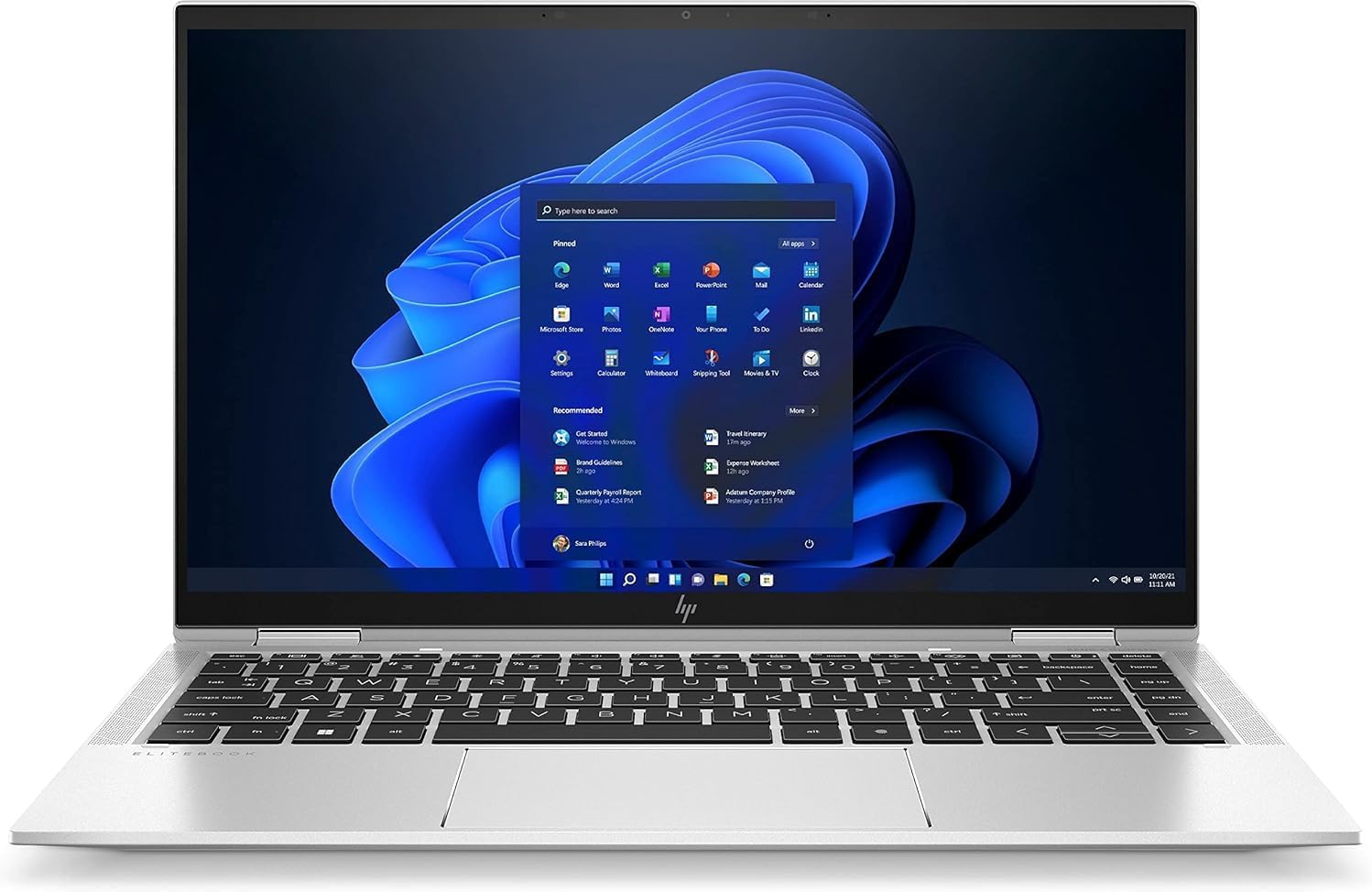
HP EliteBook x360 1040 G8 Review — A Premium 2-in-1 at a Fraction of the Original Price
When HP first sold the EliteBook x360 1040 G8, it retailed at over £1,500. It was aimed squarely at senior executives and security-conscious professionals who needed a premium convertible laptop with enterprise-grade protection built into every layer of the hardware and software. The i7-1185G7, 32GB of LPDDR4X RAM, touchscreen IPS display, Thunderbolt 4 ports, IR facial recognition, fingerprint reader, physical webcam shutter — and HP’s own Sure Start and Sure Sense security stack — made it one of the most comprehensively specified business 2-in-1s available.
This HP EliteBook x360 1040 G8 review covers the renewed version of that machine — refurbished and available at a fraction of its original price. The question, as always with premium refurbished laptops, is whether the hardware holds up in 2026 and whether the price of entry reflects real value or real compromise. Here the answer is almost entirely the former.
Check the current UK price of the HP EliteBook x360 1040 G8 on Amazon.
Specifications
| Spec | Detail |
|---|---|
| Processor | Intel Core i7-1185G7, 4 cores / 8 threads, 3.0GHz base / 4.8GHz turbo |
| Architecture | Intel Tiger Lake, 10nm SuperFin |
| RAM | 32GB LPDDR4X-4266MHz (soldered — not upgradeable) |
| Storage | 512GB PCIe NVMe M.2 SSD |
| Display | 14-inch FHD IPS touchscreen, 1920×1080, anti-glare, Corning Gorilla Glass 5 |
| GPU | Intel Iris Xe Graphics G7 (96EU) |
| Battery | 54Wh or 78.5Wh 4-cell (configuration dependent) |
| Ports | 2× Thunderbolt 4, 2× USB-A 3.2 Gen 1, HDMI 2.0, 3.5mm audio |
| Wireless | Wi-Fi 6 (802.11ax), Bluetooth 5.2 |
| Webcam | Full HD IR camera with physical shutter |
| Security | Fingerprint reader, IR facial recognition, TPM 2.0, HP Sure Start Gen6, HP Sure Sense |
| Form factor | 2-in-1 convertible (360-degree hinge) |
| Weight | From 1.37kg |
| Dimensions | 319.3 × 203 × 16.6mm |
| OS | Windows 11 Pro |
| Condition | Renewed (refurbished) |
Performance — The i7-1185G7 Is the Step Up That Matters
The Intel Core i7-1185G7 sits one tier above the i5-1135G7 found in the Dell Latitude 5420 we reviewed separately on this site. Both are 11th-generation Tiger Lake processors on Intel’s 10nm SuperFin architecture, but the i7-1185G7 brings a higher base clock (3.0GHz versus 2.4GHz), a faster turbo ceiling (4.8GHz versus 4.2GHz), a larger 12MB L3 cache versus 8MB, and critically — 96 Execution Units in the Iris Xe GPU versus 80. These differences translate into meaningfully faster single-core performance for tasks where turbo speed matters: opening applications, loading web pages, switching between tasks rapidly.
According to Geekbench 6 benchmark data from NanoReview, the i7-1185G7 scores 1,741 single-core and 4,775 multi-core — figures broadly consistent with the i5-1135G7’s 1,783 / 4,930 in the Latitude 5420, reflecting the similar Tiger Lake architecture. The i7 advantage shows more clearly in Cinebench R23, where multi-core scores of approximately 4,967 reflect the chip’s higher sustained clocks under real-world loads.
What distinguishes this machine in practice is not the raw CPU numbers alone but the combination of processor and RAM. 32GB of LPDDR4X at 4266MHz — dual channel, soldered — gives the i7-1185G7 significantly more memory bandwidth to work with than a 16GB configuration, which is directly relevant to the Iris Xe GPU performance. HP’s own spec documentation notes that Iris Xe requires dual-channel memory for full graphics capability; single-channel configurations fall back to UHD Graphics behaviour. With 32GB dual-channel on tap, the 96EU Iris Xe operates at full capability — meaningful for photo editing, light video work, and any GPU-accelerated task.
TechRadar’s real-world review described the machine as performing well across web browsing, light image editing, and word processing throughout a normal working day, with fans staying quiet unless pushed hard. That matches what the Tiger Lake architecture delivers in this thermal envelope — smooth, silent productivity performance that does not hit walls under everyday use.
The one honest caveat carries over from the Latitude 5420: under sustained heavy CPU loads, Tiger Lake chips in this thin chassis throttle to manage temperatures. For video rendering, large code compilation, or similar sustained workloads, the i7-1185G7 is not a workstation chip. For the professional productivity audience this machine serves, that ceiling is rarely encountered.
The 2-in-1 Design — When It Earns Its Keep
The 360-degree hinge is the defining feature that separates the EliteBook x360 1040 G8 from a standard business laptop, and it is executed well. The hinge mechanism is firm and well-damped — the kind of quality that comes from a machine originally costing over £1,500, where the manufacturer could not afford the embarrassment of a wobbly lid. The chassis flexes minimally in any mode, which matters particularly in tent mode and tablet mode where the structural rigidity of the hinge assembly determines whether the machine feels premium or precarious.
Four modes serve distinct use cases. Laptop mode is where most users spend most of their time — standard keyboard and trackpad setup, 14-inch screen at eye level. Tent mode folds the keyboard face-down and props the screen up for presentations or shared viewing — useful in meetings when you want to show content to someone across a desk. Stand mode sits the machine upside-down with the keyboard as the base — good for media consumption and video calls. Tablet mode folds flat and turns the screen into a proper handheld slate — where the touchscreen and the included HP Active Pen (on some configurations) come into their own.
For most professional buyers, the honest value of the 2-in-1 form factor comes down to two things: whether you present to others regularly, and whether you find yourself wishing for a touchscreen in laptop mode. If yes to either, the convertible design adds genuine utility. If you work exclusively at a desk with an external monitor, the 360-degree hinge is a non-factor — elegant engineering you will rarely use.
At 1.37kg starting weight and 16.6mm thick, the EliteBook x360 1040 G8 is slim and portable for a convertible. It sits between the MacBook Air and MacBook Pro in terms of dimensions — noticeably compact compared to most 14-inch Windows 2-in-1s.
See the HP EliteBook x360 1040 G8 on Amazon UK — check current stock and pricing.
Display — The Standout Feature
The 14-inch FHD IPS touchscreen is where the EliteBook x360 1040 G8 pulls clearly ahead of most refurbished business laptops at this price point — and ahead of many new machines. The panel is protected by Corning Gorilla Glass 5, which provides meaningful scratch and impact resistance that standard laptop panels lack. Anti-glare coating reduces reflections effectively.
Brightness on the standard FHD configuration is rated at 400 nits — significantly higher than the 250 nits on the Latitude 5420 and competitive with many current premium laptops. LaptopMedia rates the display as 8.0/10, describing it as excellent. The higher brightness makes the screen genuinely comfortable in well-lit environments and usable outdoors in shade, where the 250-nit Latitude 5420 panel starts to feel limited.
Colour coverage on the standard panel reaches approximately 72% NTSC — a meaningful step up from the 53% sRGB on budget business machines. For casual photo editing, video content, and presentation work, colours appear vibrant and accurate. For professional colour-critical work, a dedicated colour-accurate display monitor remains the right tool, but the EliteBook’s panel handles day-to-day creative tasks without the washed-out look of cheaper IPS screens.
The touchscreen layer adds a pleasant dimension to general use — scrolling through documents, pinching to zoom on PDFs, navigating Windows 11‘s touch-optimised interface. It is responsive and precise. The glass surface feels premium in hand in tablet mode.
One note on the Sure View Reflect privacy screen: some configurations of the 1040 G8 shipped with this optional feature, which uses a reflective backlight layer to narrow viewing angles at the press of a button. If the renewed unit you are purchasing specifies Sure View, be aware it reduces brightness noticeably when active — the trade-off for visual privacy in public spaces. The standard panel without Sure View is the better all-round choice for most buyers.
Build Quality — Aluminium That Announces Itself
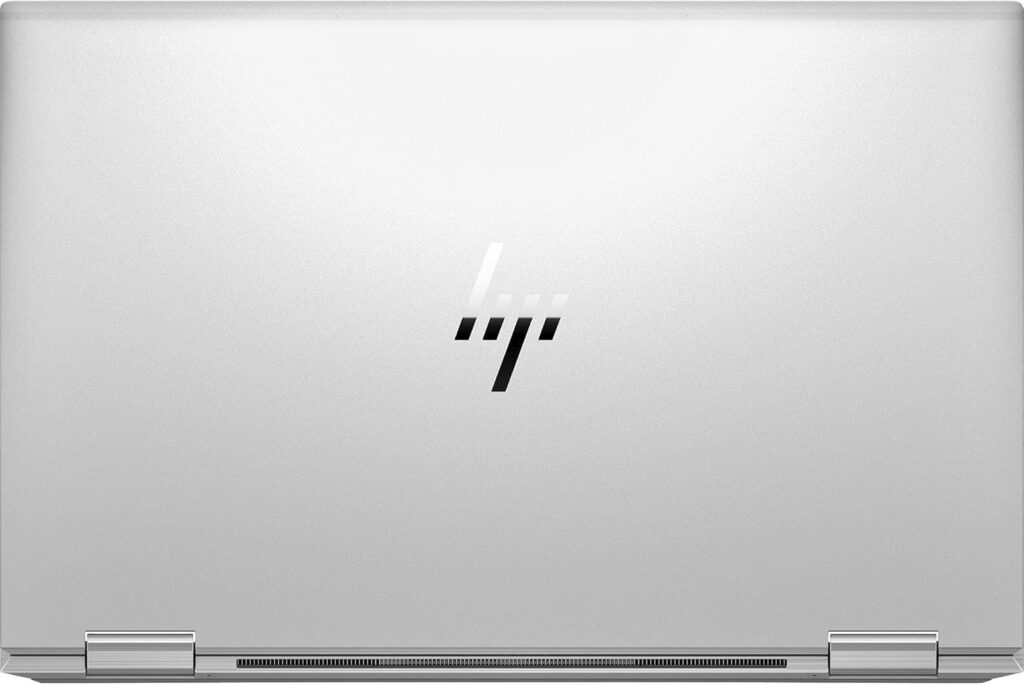
The chassis is machined aluminium — the same material and quality you find on premium laptops from Apple, Dell’s XPS line, and Lenovo’s ThinkPad X1 series. HP used 75% recycled aluminium in the A-cover (lid) and 90% recycled magnesium in the D-cover (base), which is notable for sustainability but irrelevant to how the machine feels in hand. What matters is that it is rigid, dense, and clearly well-made. There is no flex in the lid, no give in the keyboard deck, no rattling from the hinge.
The keyboard is backlit — a point worth noting because the Dell Latitude 5420 at the same price tier lacks keyboard backlighting on standard configurations. Key travel is good for a machine this thin, feedback is positive, and the layout is sensibly organised. The trackpad is large and smooth — one of the more capable integrated trackpads in its class, and notably better than the Latitude 5420’s redesigned clickpad.
The physical webcam shutter is present and properly executed — a sliding mechanism that mechanically blocks the camera. At 1.37kg and 16.6mm, the machine is slim and light enough to carry in a bag all day without noticing it. The premium feel persists beyond the first impression, which is the test that matters for a laptop you will use daily for several years.
Security — Enterprise-Grade, Not Just a Checklist
The security stack on the EliteBook x360 1040 G8 goes well beyond the standard fingerprint reader and TPM 2.0 that most business laptops offer. HP’s Sure ecosystem provides layered protection from firmware upward: Sure Start Gen6 is a self-healing BIOS that automatically detects and recovers from firmware attacks without user intervention. Sure Sense uses AI-based malware detection to identify threats that traditional signature-based antivirus misses. Sure Click isolates browser-based tasks in virtual containers so that malicious downloads cannot escape to the rest of the system.
The IR camera supports Windows Hello facial recognition — hands-free, instant login that works reliably in normal lighting. Combined with the fingerprint reader embedded in the power button, you have three authentication methods (password, fingerprint, face) and multiple layers of firmware and software protection. The physical webcam shutter adds mechanical privacy that no software vulnerability can defeat.
For most home office buyers, most of this security infrastructure runs silently in the background. For anyone handling sensitive client data, working in a regulated industry, or simply wanting a machine whose security architecture was designed for people who cannot afford breaches, the EliteBook x360 1040 G8 delivers a standard of protection that no budget laptop approaches.
Battery and Connectivity
Battery life depends on which configuration you receive. The EliteBook x360 1040 G8 shipped with either a 54Wh or 78.5Wh 4-cell battery. With the smaller 54Wh unit, expect 8–10 hours of mixed productivity use. With the 78.5Wh battery, independent testing recorded significantly longer runtimes — enough for a genuine full working day on a single charge. Charging is via the USB-C power adapter (65W included) through either Thunderbolt 4 port.
Port selection is strong: two Thunderbolt 4 ports providing 40Gbps data transfer, DisplayPort output, and Power Delivery charging; two USB-A 3.2 Gen 1 ports for standard peripherals; HDMI 2.0 for monitors and projectors; and a 3.5mm audio combo jack. Notably absent compared to the Latitude 5420 is a dedicated RJ-45 Ethernet port — if wired networking is essential, a USB-C adapter is required. Wi-Fi 6 and Bluetooth 5.2 handle wireless connectivity.

The One Significant Limitation — Soldered RAM
The single most important caveat about the EliteBook x360 1040 G8 is that the 32GB of LPDDR4X RAM is soldered to the motherboard. It cannot be upgraded after purchase. This is an architectural choice HP made to achieve the thin chassis dimensions and to use faster LPDDR4X memory — the performance and size benefits are real — but it means the 32GB you buy is the 32GB you will have for the lifetime of the machine.
For most buyers, 32GB is more than adequate for several years of heavy professional use — it comfortably handles dozens of browser tabs, video calls, multiple Office applications, light creative work, and anything outside of memory-intensive professional software. If your workflow involves virtual machines, large dataset analysis, or RAM-heavy applications, verify your requirements before purchasing. If your work is productivity, communication, and content consumption, 32GB will not become a limitation for a long time.
Who Is the HP EliteBook x360 1040 G8 For?
Professionals who present regularly and want one device for everything. The 360-degree hinge, bright touchscreen, and premium build make this genuinely useful as both a laptop and a presentation tool. Tent mode for sharing content across a desk, tablet mode for annotating documents — these are features the target buyer actually uses.
Security-conscious users handling sensitive data. The Sure ecosystem, IR facial recognition, physical webcam shutter, and Gorilla Glass-protected touchscreen provide a level of protection no budget machine approaches. For anyone in legal, finance, healthcare, or any regulated sector, the security architecture alone justifies the price premium over standard refurbished machines.
Home office workers who want a premium machine without a premium new-laptop price. With new mid-range laptop prices elevated 15–30% due to RAMageddon and the Iran conflict supply chain disruption — as we covered in detail in our article on why laptop prices are rising in 2026 — a well-refurbished premium machine becomes a compelling alternative to a new mid-range machine at comparable or higher cost. The EliteBook x360 1040 G8’s 32GB RAM, bright display, Thunderbolt 4, and aluminium chassis outperform what new machines at similar prices offer in 2026.
Power users who need 32GB RAM without paying for new. 32GB of LPDDR4X is double what most new laptops in this price range offer. If your workflow benefits from headroom — many browser tabs, virtual machines, large files — the memory configuration alone is a meaningful differentiator.
If your priority is the most current generation of processor, or if you need a dedicated GPU for gaming or serious GPU-accelerated work, our Best Mid-Range Laptops UK guide covers newer machines better suited to those requirements.
Verdict — 8.2/10
The HP EliteBook x360 1040 G8 is one of the strongest refurbished buys available in the UK in 2026. A genuinely premium aluminium 2-in-1 with 32GB of fast RAM, a bright 400-nit touchscreen protected by Gorilla Glass, Thunderbolt 4, Wi-Fi 6, IR facial recognition, fingerprint reader, backlit keyboard, and HP’s enterprise security stack — at a fraction of its original £1,500+ price. The i7-1185G7 handles all productivity work without difficulty. The display is the best of any refurbished machine we have reviewed at this tier.
The RAM is soldered — plan ahead. There is no RJ-45 Ethernet port — budget for a dongle if you need wired networking. These are known trade-offs that HP made deliberately in the original design, not compromises introduced by refurbishment. Neither detracts meaningfully from a machine that delivers premium experience across every dimension that matters for a professional user in 2026.
Pros
- 32GB LPDDR4X-4266MHz — the most RAM of any refurbished machine at this price tier
- 400-nit touchscreen with Gorilla Glass 5 — bright, scratch-resistant, excellent
- 360-degree convertible hinge — premium execution, genuinely useful in professional settings
- Thunderbolt 4 ×2, HDMI, USB-A ×2
- Backlit keyboard
- IR facial recognition + fingerprint reader + physical webcam shutter
- HP Sure Start, Sure Sense security stack
- Aluminium chassis — no flex, premium in hand
- Wi-Fi 6, Bluetooth 5.2
- Windows 11 Pro
- 1.37kg — genuinely portable
Cons
- RAM soldered to motherboard — 32GB is the maximum, cannot be upgraded
- No RJ-45 Ethernet port — USB-C adapter required for wired networking
- Battery size varies by configuration — verify before purchasing
- Tiger Lake thermal ceiling under sustained heavy loads
- Intel Iris Xe GPU — adequate for productivity and light creative work, not for gaming
The HP EliteBook x360 1040 G8 is available now on Amazon UK — click to check today’s price.
I have spent years working in IT infrastructure and reviewing technology for British buyers. Affiliate relationships with Amazon do not influence scores or editorial assessments on this site. As an Amazon Associate, I earn from qualifying purchases.