
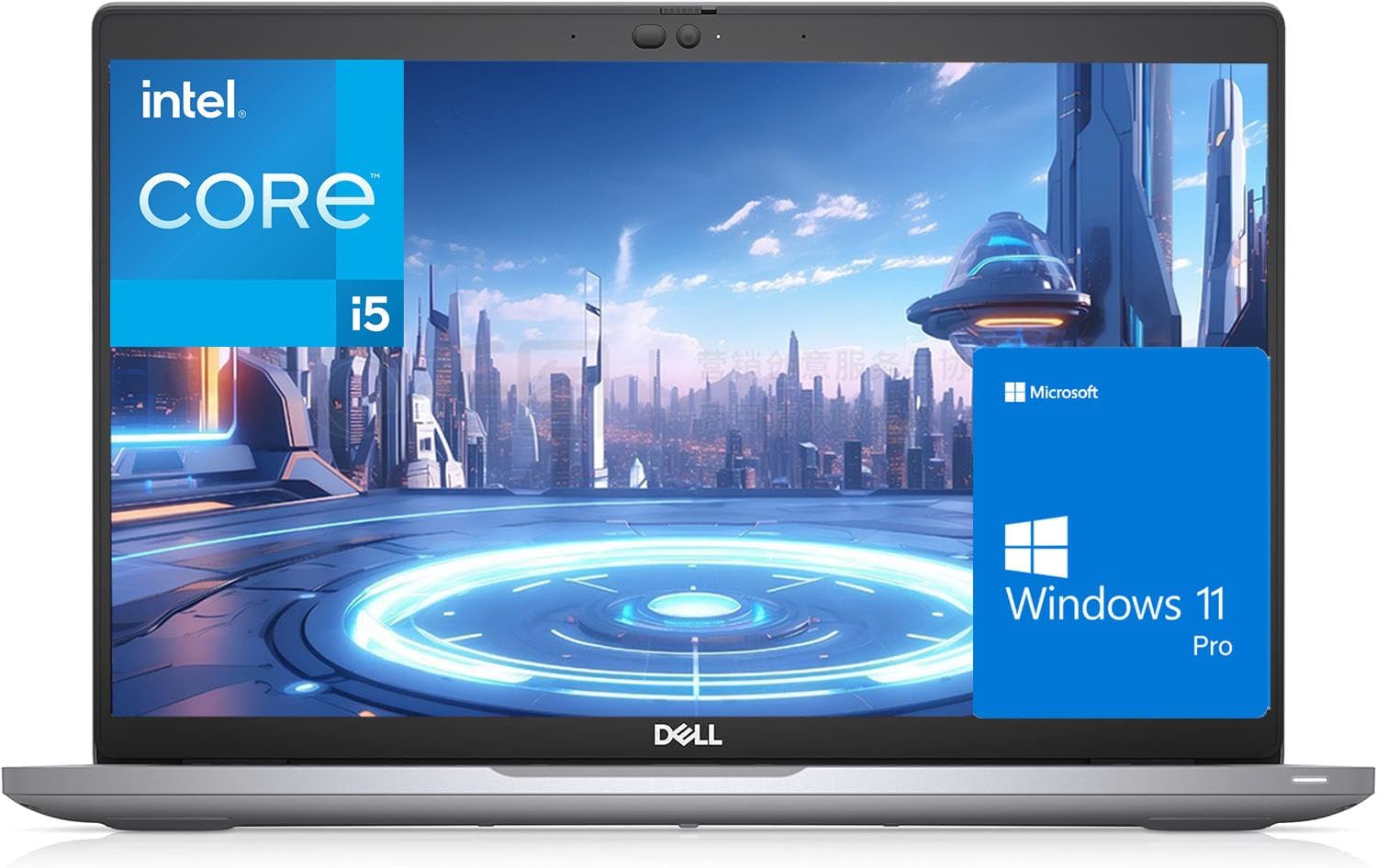
Dell Latitude 5420 Review — A Refurbished Business Workhorse That Still Earns Its Keep in 2026
This Dell Latitude 5420 review covers something slightly different from the usual new-laptop assessments on this site. The Latitude 5420 was originally a premium business machine retailing at over £1,000 when new. You can now pick up a refurbished unit — 16GB RAM, 512GB SSD, 14-inch FHD display, Windows 11 Pro, UK keyboard — at a fraction of that price. The question is whether a three-to-four-year-old corporate laptop holds up in 2026, or whether the price of entry reflects real limitations you’ll notice every day.
The honest answer: this is a machine with a split personality. For the right buyer, it is exceptional value — a genuinely robust, enterprise-grade laptop with a keyboard that puts most new budget machines to shame, connectivity that embarrasses laptops twice its current price, and battery life that still impresses. For the wrong buyer — anyone who cares deeply about display quality or needs processing power beyond productivity tasks — its weaknesses are real and worth knowing before you purchase.
Check the current price of the Dell Latitude 5420 on Amazon UK.
Specifications
| Spec | Detail |
|---|---|
| Processor | Intel Core i5-1135G7, 4 cores / 8 threads, 2.4GHz base / 4.2GHz turbo |
| Architecture | Intel Tiger Lake, 10nm SuperFin |
| RAM | 16GB DDR4 3200MHz (2× SODIMM slots, upgradeable to 64GB) |
| Storage | 512GB PCIe NVMe M.2 SSD |
| Display | 14-inch FHD IPS, 1920×1080, anti-glare, 250 nits |
| GPU | Intel Iris Xe Graphics G7 (80EU) |
| Battery | 63Wh (4-cell) |
| Ports | 2× Thunderbolt 4, 2× USB-A 3.2, HDMI 2.0, RJ-45 Ethernet, MicroSD, 3.5mm audio, Smart Card reader |
| Wireless | Wi-Fi 6 (802.11ax), Bluetooth 5.1 |
| Webcam | HD 720p with privacy shutter |
| Security | Fingerprint reader, optional IR facial recognition, TPM 2.0 |
| Weight | 1.37kg |
| OS | Windows 11 Pro |
| Condition | Renewed (refurbished) |
Performance — Solid for Everything It Was Designed For
The Intel Core i5-1135G7 is an 11th-generation Tiger Lake processor — not a current-generation chip, but a meaningfully capable one for the work this machine was built to do. According to Geekbench 6 data compiled from 775 samples, the i5-1135G7 scores 1,783 in single-core and 4,930 in multi-core. For context: that single-core score sits well above the Intel N-series chips found in budget Windows laptops at this price tier — the N97, for instance, scores around 1,100 single-core. The i5-1135G7 is a different class of processor built on Intel’s 10nm SuperFin architecture, with proper Turbo Boost to 4.2GHz and full Hyper-Threading across four physical cores.
What that means in practice: the Latitude 5420 handles office work — multiple browser tabs, Teams calls, email, spreadsheets, video playback — with ease and without the occasional hesitation you notice on N-series budget machines. Boot times are fast on the 512GB NVMe SSD. Application launches are snappy. Multitasking across a morning of productivity work never produces the kind of performance ceiling that cheaper processors hit when you push them. Cinebench R23 scores of approximately 1,344 single-core and 5,048 multi-core from NanoReview’s data confirm this sits firmly in the capable-business-laptop tier.
One honest caveat: under sustained heavy loads — video encoding, large batch photo edits, prolonged CPU-intensive tasks — the 5420’s thermal design throttles performance as temperatures rise. NotebookCheck’s testing found the CPU settling at around 35–40W long-term rather than its theoretical maximum, and temperatures touching 95°C under extreme synthetic loads. For the tasks the typical buyer runs on this machine, you will never notice. For anyone expecting laptop-class workstation performance from a 2021 business ultrabook, the thermal ceiling is real.
The Intel Iris Xe Graphics handles 4K video playback, casual photo editing, and light creative work competently. It is not a gaming chip, and anyone expecting to run recent titles at reasonable settings will be disappointed. For the audience this machine serves, the GPU is perfectly adequate.
View the Dell Latitude 5420 on Amazon UK and check current stock and delivery options.
Build Quality — Where This Machine Genuinely Earns Its Price
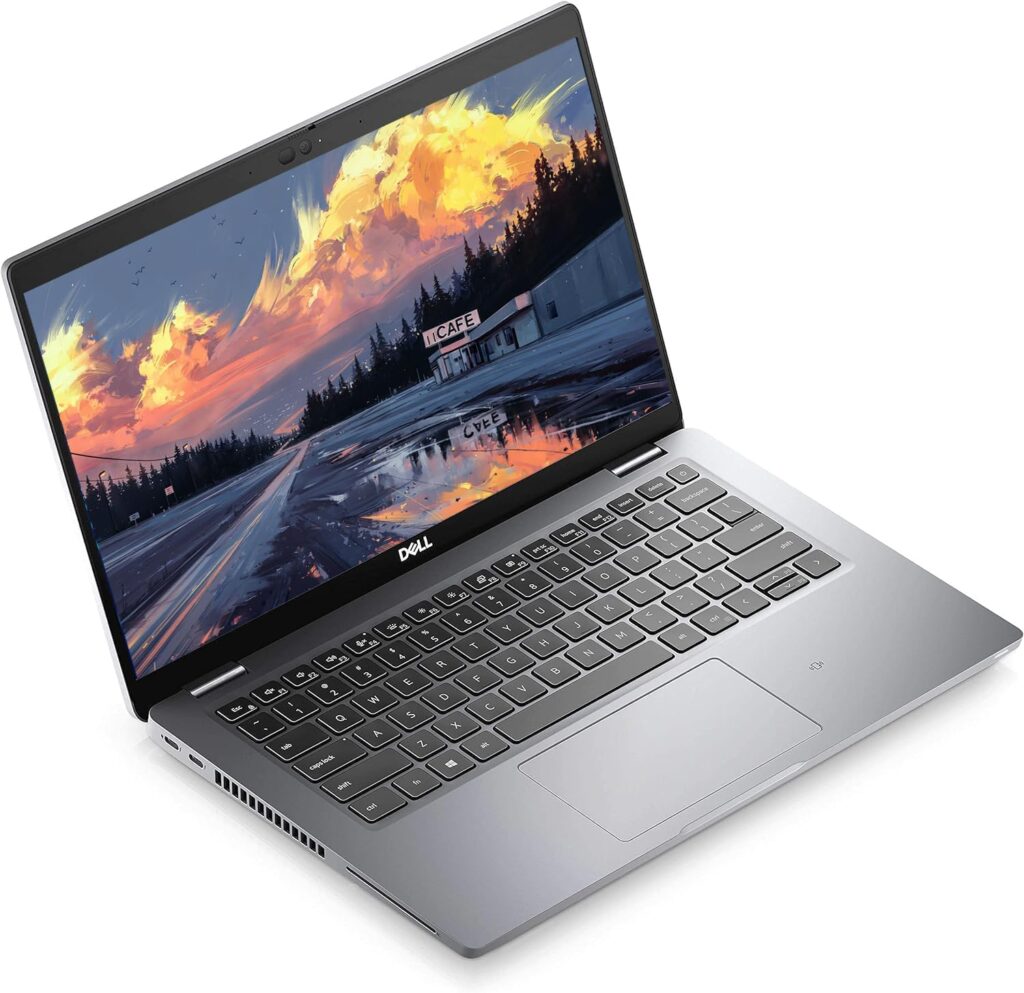
The Latitude 5420 chassis is carbon-fibre and magnesium reinforced — the same structural approach Dell used on its professional business line aimed at enterprise customers who need machines that survive years of daily commuting and field use. In hand, it communicates that clearly: there is no flex in the lid, no give in the keyboard deck, no creaking from the chassis under pressure. Picked up one-handed, it feels dense and solid in a way that budget plastic laptops never do.
At 1.37kg, it is light enough to carry comfortably all day. The matte black finish resists fingerprints reasonably well and gives the machine a professional, understated appearance — exactly what you want in a business laptop. The hinges are firm and well-damped, the lid requiring two hands to open, which is a minor inconvenience in exchange for stability. The 180-degree flat-open hinge is useful for sharing screens in meetings or tight desk setups.
The keyboard deserves specific mention because it is one of the genuine standout features of this machine. Key travel is deep and satisfying — noticeably more so than the shallow, cramped keyboards on most consumer laptops at this price point. Tactile feedback is precise. Full-size keys with a number row and properly spaced arrow keys make extended typing genuinely comfortable. Users across multiple independent reviews consistently identify the keyboard as a highlight; LaptopMedia described it approvingly, and alaTest’s aggregated user rating of 4.4/5 frequently cites keyboard quality as a reason for the score.
The trackpad is where the Latitude 5420 earns its most consistent criticism. Dell redesigned the clickpad on this generation, and the result divides opinion. It works, but it lacks the precision and smoothness of the best business trackpads — NotebookCheck described mixed feelings about it directly, and it is regularly cited as the weakest tactile element of an otherwise well-built machine. For anyone using an external mouse regularly, this is irrelevant. For anyone who relies on the trackpad for precision work, it is worth knowing.
Display — The One Clear Weakness
The 14-inch FHD IPS panel is the Latitude 5420’s most significant limitation, and it is worth being direct about it. The 250-nit brightness ceiling is low by current standards — fine for indoor use, but uncomfortable in brightly lit environments and effectively unusable in direct sunlight. The base panel covers approximately 53% of the sRGB colour gamut, which means colours appear noticeably muted compared to a modern IPS screen with 72% NTSC or 100% sRGB coverage.
Text is sharp at 1920×1080 across 14 inches. Viewing angles are good — IPS technology keeps colour accuracy consistent from reasonable off-axis positions. The anti-glare coating reduces reflections effectively. For reading documents, spreadsheets, and emails in normal office or home conditions, the display does its job. For photo editing where colour accuracy matters, or for anyone used to modern high-brightness panels, the display will feel dated.
It is worth noting that the Latitude 5420 was offered with higher-tier panel options when new — 300-nit and 400-nit configurations with 100% sRGB coverage existed in the product line. The renewed unit on Amazon UK specifies the standard 250-nit FHD display. If display quality is a priority in your buying decision, that context is important.
Battery Life — A Genuine Strength
The 63Wh battery is where the Latitude 5420 consistently impresses. LaptopMedia’s controlled testing recorded nearly 19 hours of web browsing and 11 hours and 49 minutes of video playback — figures that reflect the efficiency advantage of the 10nm Tiger Lake architecture combined with a properly sized battery. Real-world use will not match controlled-brightness lab figures, but the underlying headroom is substantial. Most buyers can realistically expect 10–14 hours of mixed productivity use — enough to get through a full working day without thinking about a charger.
The reviewed.com battery test at more realistic brightness settings recorded 9 hours 31 minutes of continuous web browsing — still excellent for a 14-inch business laptop. It is worth noting that some enterprise configurations shipped with a smaller 42Wh 3-cell battery, and users with those units report closer to 6–8 hours. The renewed listing specifies the standard configuration — verify the battery size if purchasing from a different source.
Charging is via USB-C, with either a 65W or 90W adapter depending on configuration. The Thunderbolt 4 ports support Power Delivery, meaning any quality USB-C charger will top up the machine — a practical advantage over laptops requiring proprietary charging ports.
Ports and Connectivity — The Latitude 5420’s Secret Weapon
This is where the Latitude 5420’s enterprise heritage pays clearest dividends, and where it embarrasses laptops costing significantly more at current 2026 prices.
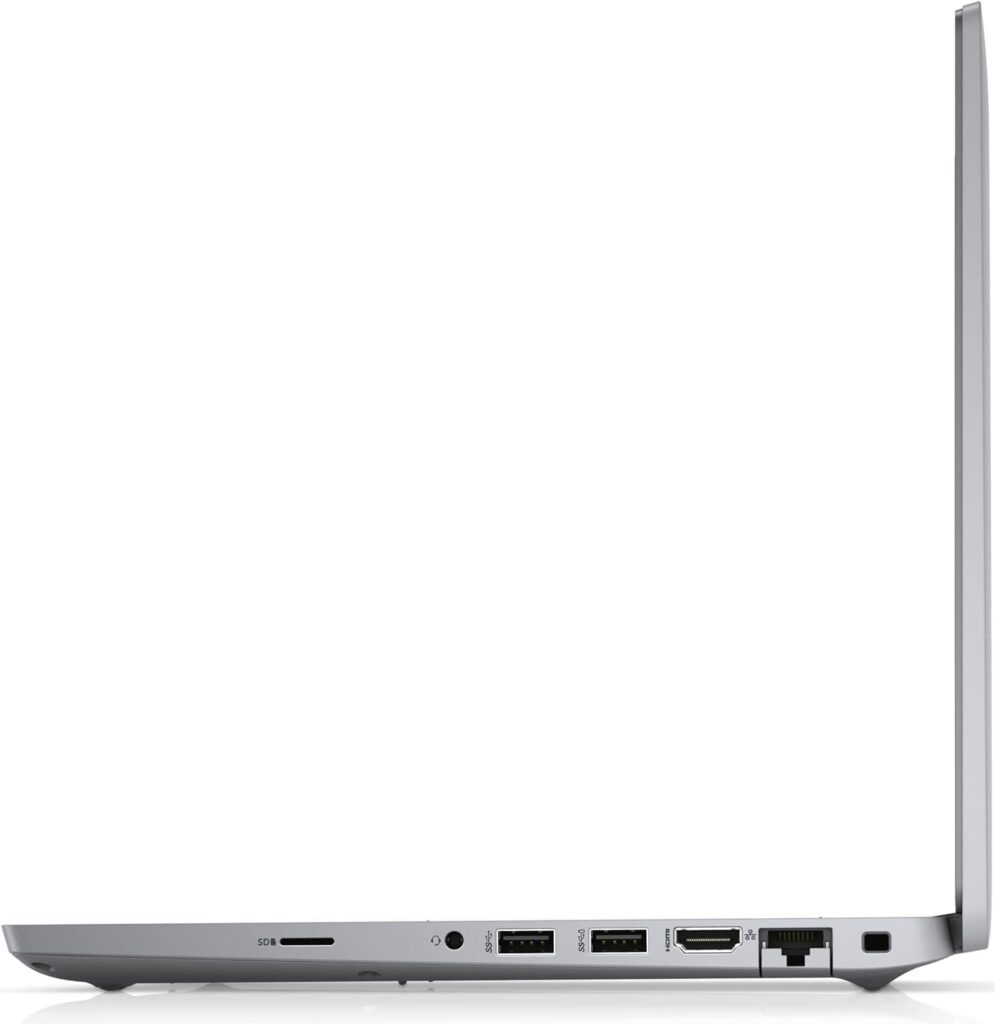
Two Thunderbolt 4 ports provide DisplayPort output, Power Delivery charging, and 40Gbps data transfer. Two USB-A 3.2 ports handle standard peripherals without needing adapters. HDMI 2.0 connects to monitors and projectors directly. A full RJ-45 Gigabit Ethernet port means wired networking without a dongle — still genuinely useful in offices, universities, and anywhere Wi-Fi is unreliable. A MicroSD card reader handles memory cards. A Smart Card reader is present for enterprise security authentication. A 3.5mm audio combo jack rounds things out.
Wi-Fi 6 (802.11ax) provides fast, modern wireless connectivity. Bluetooth 5.1 handles peripherals. The overall connectivity package is better than any new laptop at this price point and competitive with machines costing two to three times as much.
See the Dell Latitude 5420 renewed listing on Amazon UK.
Security Features — Enterprise-Grade on a Budget
Security is where the Latitude 5420 genuinely surprises buyers expecting a stripped-back budget experience. The fingerprint reader embedded in the power button handles Windows Hello login cleanly. TPM 2.0 is present. Optional IR facial recognition came on higher configurations. The Smart Card reader supports corporate authentication. A physical webcam privacy shutter is built into the chassis — no firmware, no software, just a mechanical cover you slide when you want the camera blocked.
For a home office worker, a student, or a small business owner, most of these features exist quietly in the background. For anyone handling sensitive documents or working in a regulated industry, the enterprise security stack is a genuine differentiator at this price point.
Who Is the Dell Latitude 5420 For?
Home office workers who want a proper business laptop without the new-laptop price. The keyboard, the port selection, the build quality, and the battery life are all better than new budget machines at this price. If you spend most of your day in documents, email, video calls, and a browser, this machine does all of it well.
Students and recent graduates. 16GB RAM handles university workloads comfortably. The keyboard makes writing essays and reports genuinely pleasant. Wi-Fi 6 and Ethernet keep you connected reliably. Windows 11 Pro is more capable than Home. The refurbished price makes the value proposition compelling in a market where new laptop prices have risen sharply due to RAMageddon and the Iran supply chain disruption — as we covered in our article on rising UK laptop prices.
Small businesses and freelancers replacing ageing machines. If your current laptop is five or more years old and running on 8GB RAM and a spinning hard drive, the Latitude 5420 is a substantial step up for a fraction of what a new equivalent would cost.
Anyone who needs Thunderbolt 4 without paying a premium price. Two Thunderbolt 4 ports on a refurbished machine at this price is unusual. If you use a Thunderbolt dock, an external GPU enclosure, or high-speed storage, you will not find this connectivity in new machines at the same price point.
This machine is not the right choice for anyone who needs colour-accurate display work, bright outdoor viewing, gaming, or processing power beyond productivity tasks. For those use cases, our Best Mid-Range Laptops UK guide covers machines better matched to those needs.
A Note on Buying Refurbished
The renewed listing on Amazon UK means the machine has been inspected, cleaned, and returned to working order by a qualified refurbisher. Key things to verify before purchasing: confirm the battery health is stated or carries a warranty, check that the UK QWERTY keyboard is confirmed (this listing specifies it), and note that renewed products on Amazon carry the standard Amazon returns policy.
One genuine advantage of a refurbished Latitude 5420 over new budget alternatives: Dell’s enterprise machines were built to a higher standard than consumer laptops of the same era, because their original buyers were businesses with IT departments who expected reliability and serviceability. The Latitude 5420 has two SODIMM slots (upgradeable to 64GB RAM), a replaceable M.2 NVMe SSD, and a repairability profile that no sub-£500 new laptop can match. If something does eventually need replacing, the parts ecosystem is well established.
Verdict — 7.6/10
The Dell Latitude 5420 renewed is a smart buy for the right person. Enterprise-grade build quality, a keyboard that outclasses everything near its price, Thunderbolt 4 connectivity that belongs on machines twice the cost, genuine all-day battery life, and 16GB RAM with a 512GB SSD pre-installed — all of this in a machine that, when new, was a serious professional laptop. The display is the honest limitation: 250 nits and 53% sRGB is dated by 2026 standards and will feel it if you’re used to modern panels.
If your priorities are durability, reliability, connectivity, and productivity performance — and if you can live with a screen that’s functional but not vibrant — the Latitude 5420 delivers exceptional value in 2026’s elevated-price laptop market. In a year when new mid-range laptops have risen 15–30% in price, a well-refurbished business machine with genuine enterprise credentials becomes a more compelling proposition than it would have been eighteen months ago.
Pros
- Outstanding keyboard — best in class at this price tier
- Thunderbolt 4 ×2, HDMI, USB-A ×2, RJ-45, MicroSD, Smart Card reader
- Genuine all-day battery life — 63Wh well utilised by Tiger Lake efficiency
- Carbon-fibre and magnesium chassis — no flex, no creak
- 16GB RAM upgradeable to 64GB, SSD replaceable
- Fingerprint reader, TPM 2.0, physical webcam shutter
- Wi-Fi 6
- Windows 11 Pro included
Cons
- Display: 250 nits and 53% sRGB — functional but not vibrant
- Trackpad below the standard of the rest of the machine
- Under sustained heavy loads, thermal throttling occurs
- 720p webcam — adequate but not impressive
- No backlit keyboard on standard configuration
The Dell Latitude 5420 renewed is available now on Amazon UK — click to check today’s price.
I have spent years working in IT infrastructure and reviewing technology for British buyers. Affiliate relationships with Amazon do not influence scores or editorial assessments on this site. As an Amazon Associate, I earn from qualifying purchases.