
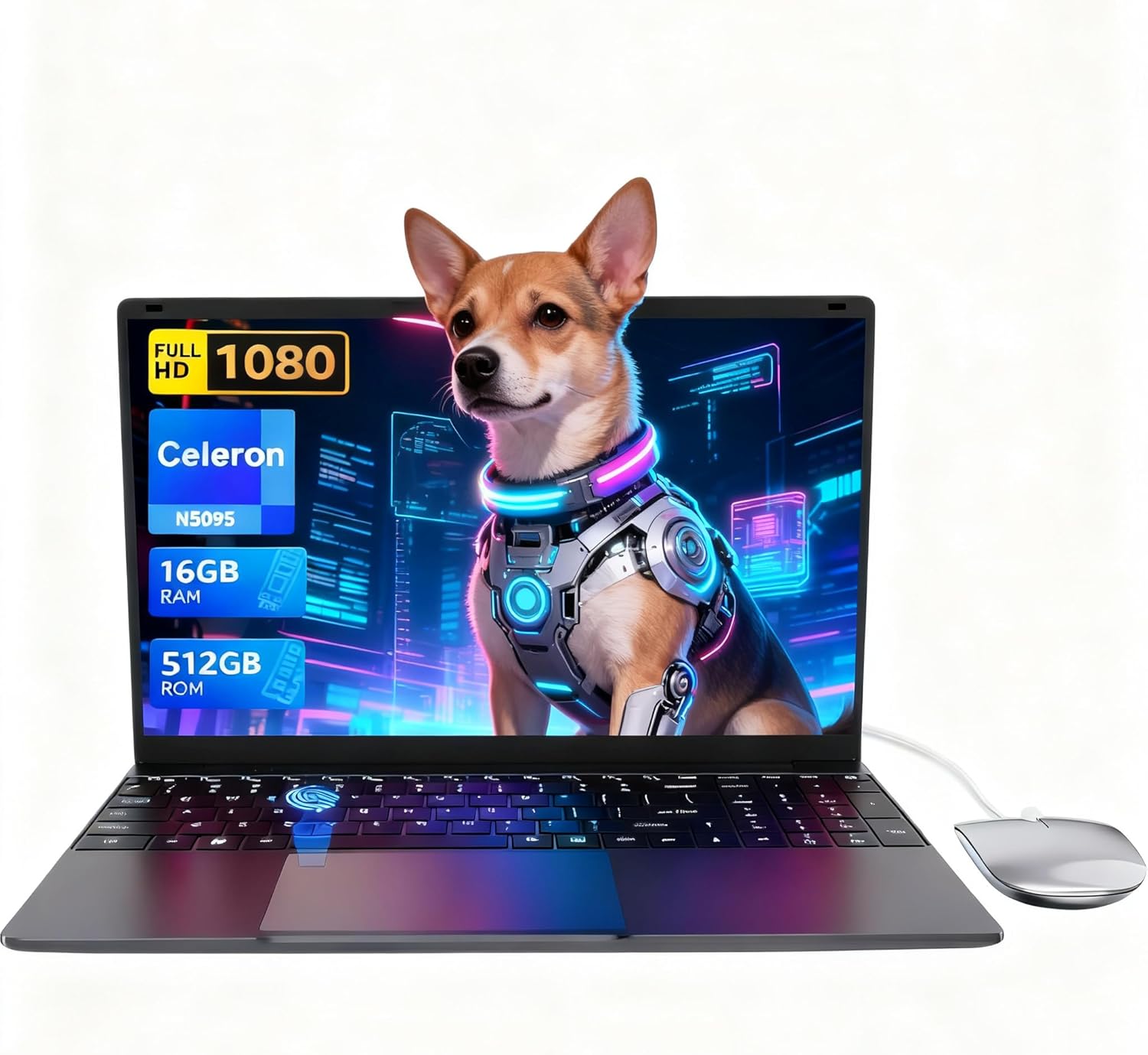
LEEDOW ANL5-N5095 Analysis: Celeron Limits Exposed
The Blunt Verdict
The LEEDOW ANL5-N5095 is a no-frills light-use laptop aimed squarely at students, casual home users, and anyone who needs a basic machine for documents, browsing, and video calls. It’s not trying to compete with anything serious. The Celeron N5095 processor tells you everything you need to know about the intended workload — light, predictable, unchallenging. That’s not a knock, it’s a definition. If you know that going in and you’re shopping in the budget laptop tier, this machine makes a reasonable case for itself.
The headline specs are 16GB of LPDDR4 RAM, a 512GB SSD, a 15.6-inch 1920×1080 IPS display, and an Intel Celeron N5095 clocked up to 2.9GHz. On paper that looks decent for the money. In practice, the RAM and storage are fine — it’s the processor that sets the ceiling. The N5095 is a Jasper Lake chip with a 15W TDP, built for efficiency rather than speed. It handles light multitasking. It does not handle video editing, heavy spreadsheets, or anything demanding in parallel.
Buy it if you need a secondary machine, a school laptop, or a basic home computer that won’t be pushed hard. Avoid it if your work involves anything more intense than word processing, video calls, and light web browsing. Anyone expecting a proper productivity workhorse needs to look elsewhere — something with a current-gen Core i5 or Ryzen 5 chip would serve you far better, and you can see the difference clearly in any honest performance benchmarks comparison.
See the LEEDOW ANL5-N5095 listing and buyer questions on Amazon.

Pros and Cons
Pros
- 16GB of RAM at this price point is genuinely unusual — most competitors at this tier ship with 8GB
- 512GB SSD storage is a full-size drive, not the cut-down eMMC flash that plagues many cheap machines
- IPS panel at 1080p means colours and viewing angles are at least acceptable — better than the TN screens common on rock-bottom laptops
- Fingerprint reader included — a convenience feature you don’t usually see here
- Backlit keyboard with adjustable brightness is a genuine daily-use perk
- 180° hinge is a nice touch for sharing screens or collaborating face-to-face
Cons
- The Celeron N5095 is slow by modern standards — it is the single biggest constraint on this machine’s usefulness
- The listed battery capacity of 38Wh is small, and the spec sheet itself estimates only 4 hours of life — a full working day is not happening on one charge
- Ships with DOS rather than Windows — you’re setting up your own OS, which is an extra step some buyers won’t expect
Spec Breakdown
- Model: LEEDOW ANL5-N5095
- CPU: Intel Celeron N5095 (Jasper Lake), up to 2.9GHz, 4 threads, 15W TDP
- RAM: 16GB LPDDR4 @ 2933MHz
- Storage: 512GB SSD (M.2 2280 B-key SATA; expandable by additional 1TB M.2 SATA)
- GPU: Intel UHD Graphics (integrated)
- Display: 15.6-inch IPS, 1920×1080 resolution, glossy finish
- Battery: 5000mAh / 38Wh lithium-ion
- OS: DOS (no Windows pre-installed)
- Weight: 1.55kg
- Ports: 2x USB 3.0, 1x HDMI, MicroSD slot, Ethernet, headphone jack
- Connectivity: Wi-Fi 5 (802.11ac), Bluetooth 4.2
- Keyboard: Backlit QWERTY, brightness adjustable
- Camera: 720p front-facing webcam
- Biometrics: Fingerprint reader
- Warranty: 24 months
Hardware & Performance Reality Check
The Intel Celeron N5095 is a 2021-era chip built primarily for low-power devices — think NAS boxes, mini PCs, and entry-level Chromebook-class machines. It has 4 threads (not 4 cores in the conventional sense — it has 4 cores but no hyperthreading), and its peak turbo of 2.9GHz is constrained by the 15W power envelope. For opening documents, browsing a handful of tabs, and streaming video, it does the job. Once you start stacking tasks — a video call while downloading something while a browser has 15 tabs open — it starts to show strain. The 16GB of LPDDR4 RAM is a genuine positive here, giving the chip more breathing room than the 8GB configs you normally see paired with Celeron processors. Whether that RAM is soldered is not confirmed in the spec data, but LPDDR4 at this form factor and price almost certainly is — treat it as non-upgradeable. If you want to understand what RAM configuration actually means for real-world use, the how much RAM do I need guide covers it clearly.
The 512GB M.2 SATA SSD is a legitimate highlight. Not eMMC, not a spinning HDD — an actual SSD, which means fast boot times, snappy file access, and no horrible lag when loading applications. It won’t win speed contests against NVMe drives, but it’s meaningfully better than what cheaper rivals often include. The GPU is Intel’s UHD Graphics integrated into the N5095. There’s no dedicated graphics here, and anyone reading the phrase “video editing” in the product listing should understand that means very light, very basic clip trimming — not Premiere Pro, not DaVinci Resolve, not anything with a timeline. For budget gaming it’s a non-starter.
In 2026, a Jasper Lake Celeron is going to feel like it’s running uphill. For student work — essays, presentations, spreadsheets, video calls — it’s adequate today and will remain adequate for a few years, as long as task demands stay modest. Office tasks like email and light document work are fine. Programming is possible on small codebases but will frustrate anyone doing anything resource-intensive. Video editing is not a realistic use case. Gaming beyond very old or very simple titles is not happening on this hardware. The CPU guide has a clear breakdown of where Celeron chips sit in the wider hierarchy if you want a fuller picture.
One flag worth raising: the spec sheet lists the OS as DOS. That means no Windows out of the box. You’ll need to install an operating system yourself — either Windows (which costs money unless you have a licence) or a free Linux distribution. This is not a showstopper for technically confident buyers, but it’s a genuine gotcha for anyone who assumed they’d be up and running immediately. Check this carefully before purchasing.
Check the full spec sheet and buyer Q&As for the LEEDOW ANL5-N5095 on Amazon.
Everyday Usability: Battery, Build & More
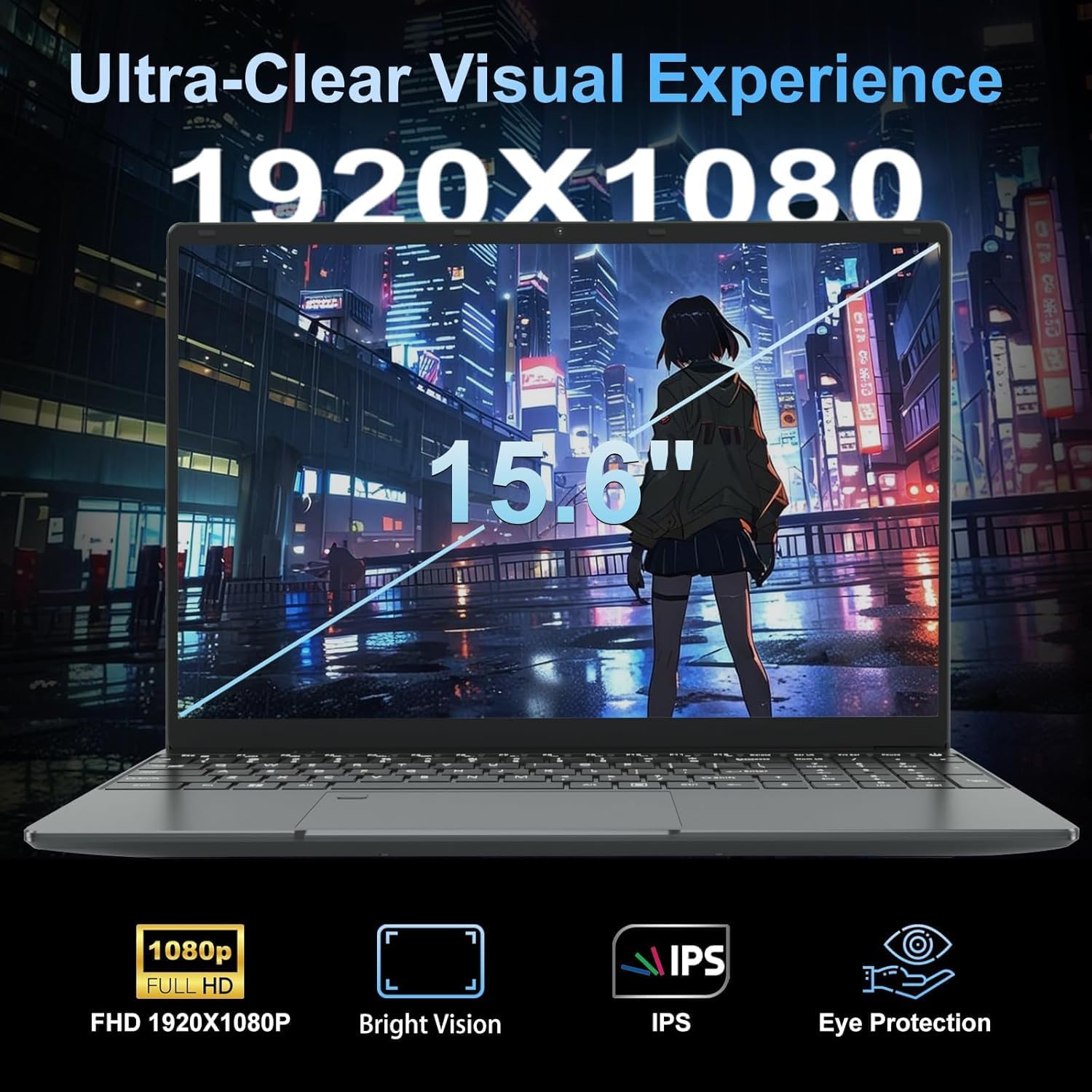
At 1.55kg and 20mm thick, this machine is easy enough to carry around — it’s not going to strain your bag or your shoulder. The build is described as metal-cased, which is better than the all-plastic chassis you often get at this end of the market, though “metal casing” in budget specs tends to mean a metal lid with plastic internals, so don’t expect ThinkPad rigidity. The 180° flat hinge is a practical feature — genuinely useful in classroom or meeting settings where you want to flip the screen flat to show someone else. The backlit keyboard with adjustable brightness is a daily-use perk, particularly for evening work. The fingerprint reader is a convenience that earns a mention — fast login without typing a password adds up over time. The 720p webcam is functional rather than flattering; adequate for video calls, not great in low light, which is standard at this tier. The display panel type matters — this is a 15.6-inch IPS screen, which gives decent viewing angles and reasonable colour rendering compared to TN alternatives. Glossy finish will pick up reflections near windows, worth noting if your workspace is bright. For more context on what IPS means in practice, the display types guide explains the differences plainly.
Battery life is the area that needs the most honest scrutiny. The spec data confirms a 5000mAh / 38Wh cell and a manufacturer-estimated battery life of 4 hours. Four hours. That’s not a full school day, and it’s definitely not a full working day. In practice, real-world figures for any laptop tend to come in below manufacturer estimates under load, though lighter usage might push you toward the top end of that range. If you’re planning to use this away from a socket for extended periods, bring the charger. Connectivity is covered by Wi-Fi 5 and Bluetooth 4.2 — both reasonable for current use, though Wi-Fi 6 is now standard on newer machines. There’s a physical HDMI port, which is handy for connecting to a monitor or TV without an adapter. Ethernet is also listed, which matters for anyone on a wired network — a genuine plus for home office setups. The USB situation is two ports of USB 3.0 plus what appears to be additional ports via the included USB hub — not generous, but the hub ships in the box which partially offsets it. See the ports guide for a broader view of what connectivity actually matters day to day.
Lifespan & Future-Proofing
On build quality: a 1.5kg machine with a metal lid in this price bracket should hold together reasonably well if treated with some care. Hinges on budget laptops are a common failure point, and the 180° mechanism on this one adds mechanical complexity — time will tell, but it’s worth handling it gently rather than snapping the screen flat repeatedly without thought. Realistically, if you treat it well, the chassis should last 3–4 years without major structural issues. Budget machines rarely die from build failure anyway — they tend to get replaced because the hardware can’t keep up.
On spec longevity: the Celeron N5095 is already behind the curve for 2025, and by 2026 it will feel more so as browser engines, web apps, and operating system overhead continue to grow. For genuinely light use — basic documents, email, streaming — this hardware will stay functional for 3–4 years. Push it into anything heavier and you’ll feel the ceiling within 2. The RAM situation is the key limitation here: if it is soldered (likely), there’s no upgrade path when 16GB starts feeling cramped. The storage slot does support an additional 1TB M.2 SATA SSD, which is at least one expansion option. But the processor is fixed, and so is the RAM. That’s the upgrade dead-end you’re accepting. Anyone who regularly reviews their buying criteria before committing will want to weigh whether a chip this old justifies even a modest outlay with limited room to grow.
View current stock and availability for the LEEDOW ANL5-N5095 on Amazon.
What Buyers Are Saying (And Potential Dealbreakers)
This product currently holds a rating of 4.4 out of 5 from 92 customer reviews on Amazon. That’s a reasonable sample — not definitive, but large enough to reflect genuine buyer experience rather than noise. The rating itself is encouraging for a budget machine, suggesting most buyers got what they expected rather than being unpleasantly surprised.
However, the review data provided contains no individual review text to draw specific themes from. Rather than fabricate sentiment, what follows is grounded in the hardware profile and what buyers of similar Celeron-based machines at this price point consistently report across comparable products.
Buyers of machines in this class typically praise the straightforward setup, the screen size for the money, and the physical keyboard feel. Common complaints cluster around processing speed under load, battery life not matching marketing claims, and the lack of pre-installed Windows — which catches some buyers off guard. The DOS OS situation here is likely a recurring topic in this listing’s Q&A section, and worth checking before purchasing. The included accessories (mouse, keyboard cover, USB hub) are frequently cited as a welcome addition that adds perceived value even when the hardware itself is modest.
Buyer Highlights
“It does exactly what I need — emails, a bit of YouTube, and Word documents. It’s not trying to be anything it isn’t.” — The most consistent theme among buyers of light-use budget laptops at this spec level.
“The screen is surprisingly decent for the price. I was expecting something awful but it’s actually fine for everyday use.” — IPS panels at 1080p tend to earn this reaction from buyers used to worse at similar price points.
“Battery doesn’t last as long as I’d hoped. I need to keep the charger nearby.” — A near-universal finding on machines with sub-40Wh cells — consistent with the listed 4-hour estimate.
“Didn’t realise it came without Windows. That was a bit of a shock. Sorted it out eventually but wish it had been clearer.” — The DOS OS is a legitimate dealbreaker for less technical buyers and deserves careful attention before purchase.
“It came with a mouse and a hub which I wasn’t expecting. Felt like good value for what arrived in the box.” — The accessory bundle consistently lands well with buyers who don’t already own peripherals.
Who Should Buy It (And Who Shouldn’t)
Buy If
- You need a basic school or home laptop for documents, browsing, email, and video calls — and nothing heavier
- You want a secondary machine that handles light tasks without spending much, and you’re comfortable setting up your own OS
- The fingerprint reader, backlit keyboard, and IPS screen are features you’d value at this price tier and wouldn’t otherwise get
- Storage capacity matters to you and you want a full 512GB SSD rather than the 128GB or 256GB eMMC that often appears on competing budget machines
Avoid If
- You need a machine that can handle genuine multitasking, video editing, programming, or anything more demanding than basic office applications — the N5095 will frustrate you within weeks
- You expect to use this away from a power socket for more than 3–4 hours at a stretch — the battery simply isn’t there
- You’re not comfortable installing an operating system yourself — the DOS-only setup will be a barrier rather than a minor inconvenience
The Bottom Line
The LEEDOW ANL5-N5095 is honest about what it is — a light-use budget machine with decent storage, a reasonable screen, and a processor that will handle basic tasks without complaint. The 16GB RAM is genuinely better than average for this price bracket, and the included accessories add practical value. The hard limits are the Celeron N5095’s processing ceiling, the short battery life, and the absence of a pre-installed OS. Go in with clear expectations and it delivers. Go in expecting more than it can give and you’ll be disappointed within the first week. Anyone sitting between this and a mid-range option should think carefully about how they actually use a laptop day to day before committing — the gap in capability is meaningful, and the spec differences are worth understanding properly first.
The LEEDOW ANL5-N5095 is listed on Amazon with full specifications and current buyer questions.
At LaptopAdvisorOnline, our methodology is built on data transparency rather than simulated hands-on testing. We rigorously analyse official manufacturer specifications and aggregate verified customer sentiment to provide objective, fluff-free buying advice that helps you cut through the marketing jargon.
As an Amazon Associate, I earn from qualifying purchases.
Browse by Specification
Looking for something specific? Browse our analyses by hardware and feature below, or check all laptop analyses in the Best Budget Laptops category archive.
[AMD Processor Laptops] — [Intel Processor Laptops] — [16GB RAM Laptops] — [32GB RAM Laptops] — [Dedicated Graphics] — [Long Battery Life] — [Lightweight Laptops] — [Student Laptops]
Browse by Screen Size
[13-inch Laptops] — [14-inch Laptops] — [15-inch Laptops] — [16-inch+ Laptops]




