
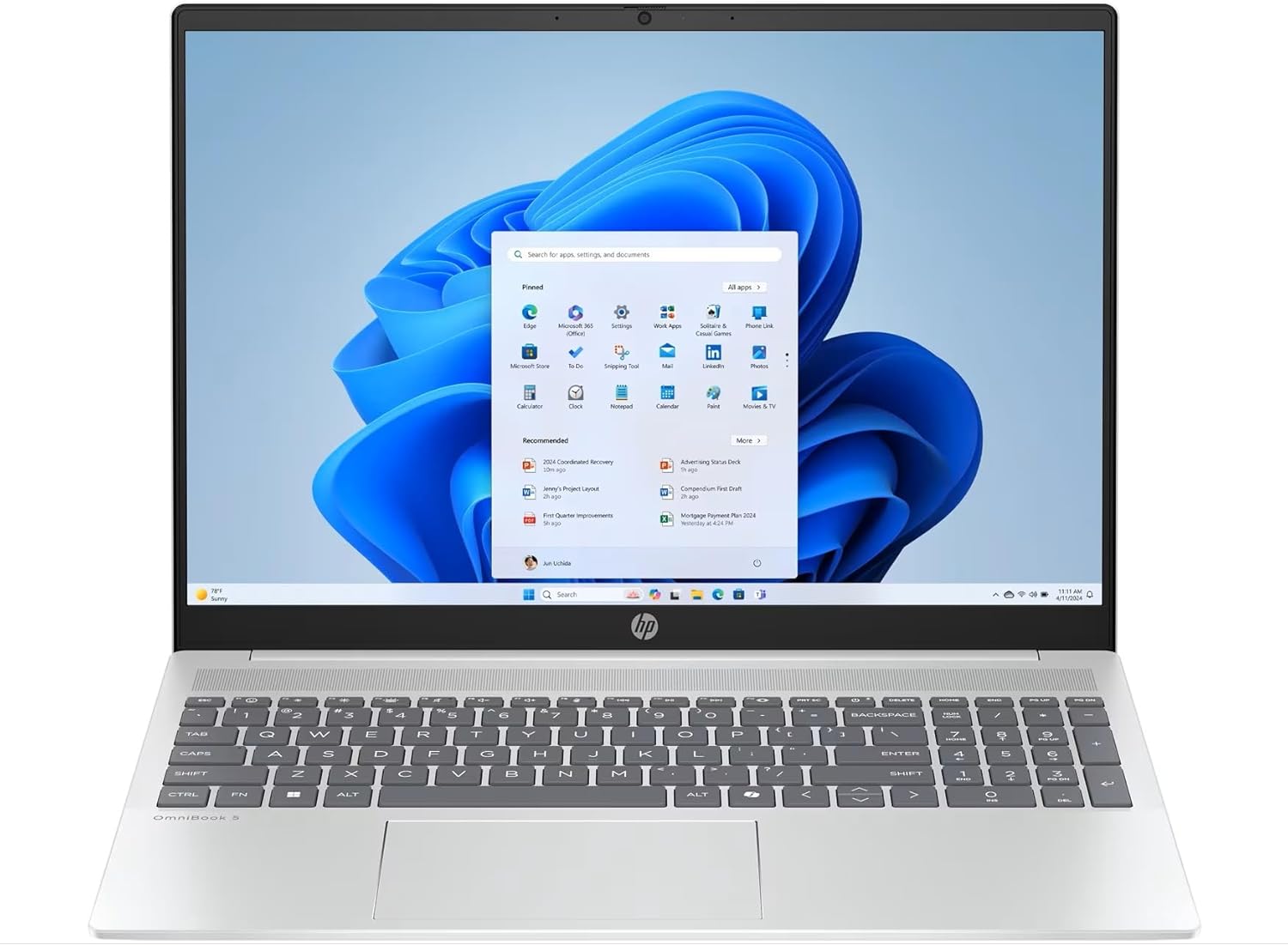
HP OmniBook 5 16-ba1004na Analysis: Battery Claims Tested
The Blunt Verdict
The HP OmniBook 5 16-ba1004na is a genuinely well-specified productivity machine aimed squarely at students, home workers, and anyone who spends most of their day in a browser, a spreadsheet, or a document. The headline strength is the combination of a 16-inch 1920 × 1200 display with a 16:10 aspect ratio, 16 GB of fast LPDDR5x RAM, and a 512 GB PCIe Gen4 NVMe SSD — that’s a genuinely useful configuration for everyday use, not a box-ticking exercise. The headline weakness is the display brightness: 300 nits is serviceable indoors but will struggle against direct sunlight, and the 62.5% sRGB colour coverage is mediocre if you care about colour accuracy.
Under the hood sits an Intel Core i5-1334U processor — a 13th Gen, 10-core chip with a max turbo of 4.6 GHz — paired with that 16 GB LPDDR5x-4800 MHz RAM running in what HP’s own spec sheet confirms can operate as dual-channel. Storage is a 512 GB Gen4 SSD, which is fast by any practical measure. Graphics are handled by Intel Iris Xe — integrated, no discrete GPU. The machine runs Windows 11 Home, weighs a genuine 1.77 kg, and carries a 59 Wh battery. That’s a solid mid-range budget laptop spec sheet on paper.
Buy this if you want a large-screen daily driver for office work, studying, or streaming, and you’re not planning to edit video or play games beyond the most casual titles. Avoid it if you need colour-accurate output for creative work, or if you expect to use it unplugged for a full eight-hour working day without access to a charger — the battery situation is more complicated than HP’s marketing suggests.
See the HP OmniBook 5 16-ba1004na listing and current availability on Amazon.
Pros and Cons
Pros
- 16 GB LPDDR5x RAM is genuinely useful headroom — not the 8 GB that most machines at this tier try to get away with
- PCIe Gen4 NVMe SSD means fast boot times and snappy file access in daily use
- 16:10 aspect ratio on a 16-inch panel gives noticeably more vertical space for documents and web pages
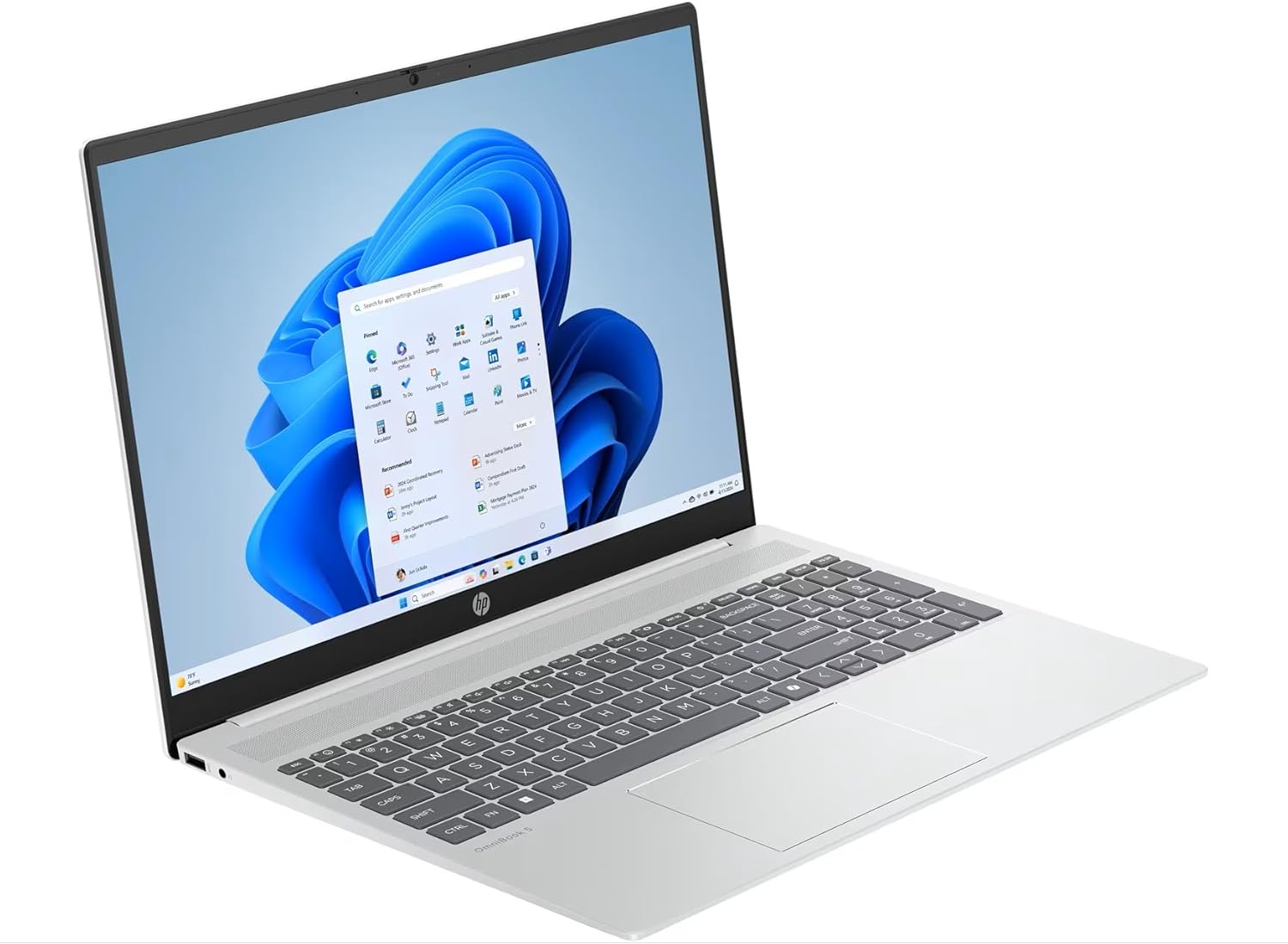
- Port selection is strong: two USB-C with DisplayPort 1.4a and Power Delivery, two USB-A, HDMI 2.1 — covered for most desks
- 1.77 kg actual weight is reasonable for a 16-inch chassis
- HP Fast Charge to 50% in approximately 30 minutes is a practical feature for busy schedules
Cons
- 300 nits peak brightness and 62.5% sRGB colour coverage are both below average — the display looks fine indoors but won’t impress anyone with high standards
- RAM is soldered — there is no upgrade path once you buy it
- Real-world battery life appears to fall significantly short of HP’s 13-hour claim based on early buyer feedback
Spec Breakdown
- Model: HP OmniBook 5 16-ba1004na (C1LL0EA#ABU)
- CPU: Intel Core i5-1334U, 13th Gen, 10 cores, 12 threads, up to 4.6 GHz
- RAM: 16 GB LPDDR5x-4800 MHz (onboard/soldered)
- Storage: 512 GB PCIe Gen4 NVMe M.2 SSD
- GPU: Intel Iris Xe Graphics (integrated)
- Display: 16-inch IPS, 1920 × 1200, 16:10, 300 nits, 62.5% sRGB, anti-glare, 60 Hz, no touch
- Battery: 3-cell, 59 Wh Li-ion polymer; up to 13 hours (claimed); Fast Charge to 50% in ~30 min
- OS: Windows 11 Home
- Weight: 1.77 kg
- Ports: 2 × USB-C (10 Gbps, Power Delivery 3.1, DisplayPort 1.4a, HP Sleep and Charge), 1 × USB-A (10 Gbps), 1 × USB-A (5 Gbps), 1 × HDMI 2.1, 1 × headphone/mic combo
- Connectivity: Wi-Fi 6 (802.11ax, 2×2), Bluetooth 5.4
- Keyboard: Full-size, backlit, soft gray, with numeric keypad
- Camera: HP True Vision 1080p FHD with temporal noise reduction and dual array digital microphones
- Dimensions: 35.77 × 25.48 × 1.79–1.86 cm
- Power Adapter: 65 W USB-C
Hardware & Performance Reality Check
The Intel Core i5-1334U is a U-series processor — that U matters. It’s a low-voltage chip designed for thin-and-light machines, prioritising efficiency over sustained heavy-load performance. For the tasks HP targets — office work, studying, streaming, light coding — it’s entirely adequate. You’ll run multiple browser tabs, video calls, and office apps without drama. Where it shows limits is sustained demanding workloads: long video exports, complex data processing, or anything that keeps all cores pegged for extended periods. One early buyer noted the processor felt slow on basic tasks initially, which likely reflects either early setup overhead or expectations calibrated against a higher-wattage chip. The 16 GB LPDDR5x RAM is genuinely good for this class — if you want to understand why RAM amount matters for everyday use, the RAM guide covers it clearly. The critical caveat: this RAM is soldered to the motherboard. What ships is what you’re stuck with, forever. No upgrade path.
The 512 GB PCIe Gen4 SSD is a genuine highlight. Gen4 is fast — faster than the Gen3 drives that still appear in many competing machines at this tier. You’ll notice it in boot times, app launches, and file transfers. Half a terabyte is reasonable for most users, though heavy media libraries or large game installs will eat into it quicker than you’d expect. Graphics are handled entirely by Intel Iris Xe — integrated, sharing system memory. It’s fine for 4K video playback, basic photo editing, and casual 2D gaming. It is categorically not a gaming GPU. Anyone expecting to run modern 3D titles at playable settings will be disappointed. For a breakdown of what integrated graphics actually means in practice, the specs guide is worth a read.
Putting it plainly for 2026 use cases: student work and office tasks — yes, without reservation. Light coding, Python scripts, web development — yes, the RAM headroom helps. Video editing — short clips only, and you’ll be waiting. Gaming beyond light indie titles or older releases — no. Graphic design requiring colour accuracy — the display makes this a poor choice regardless of the CPU. This sits comfortably in mid-range laptop territory for productivity; it’s not trying to be anything else.
The port configuration deserves a specific mention because it’s genuinely better than the class average. Two USB-C ports with full DisplayPort 1.4a and Power Delivery 3.1 means you can charge via either port and drive an external monitor without an adapter. HDMI 2.1 covers the other common monitor/TV connection. You get a proper port spread here — HP hasn’t stripped this down to two USB-C and called it minimalist design. There is no Ethernet port, which is worth noting for anyone who prefers a wired connection at a desk.
Check the full spec sheet and buyer Q&As for the HP OmniBook 5 16-ba1004na on Amazon.
Everyday Usability: Battery, Build & More
Battery life is the most contentious point on this machine, and HP’s marketing deserves to be called out directly. The claimed 13-hour figure is MobileMark benchmark territory — a controlled test that bears little resemblance to actual use. One buyer reported closer to three hours in practice, which is extreme but not implausible if brightness is turned up and the workload is demanding. A more realistic expectation for mixed use — browsing, documents, video — is probably somewhere in the five-to-seven-hour range. That’s enough for a half-day away from a socket, but not a full working day without a charger nearby. The Fast Charge feature (50% in roughly 30 minutes from the included **65 W USB-C** adapter) partially compensates, but only if you remember to charge it. The build itself is glacier silver aluminium with a matte finish — at 1.77 kg it’s not featherweight, but it’s acceptable for a 16-inch chassis. Multiple buyers noted the build feels premium and the machine is easy to set up out of the box.
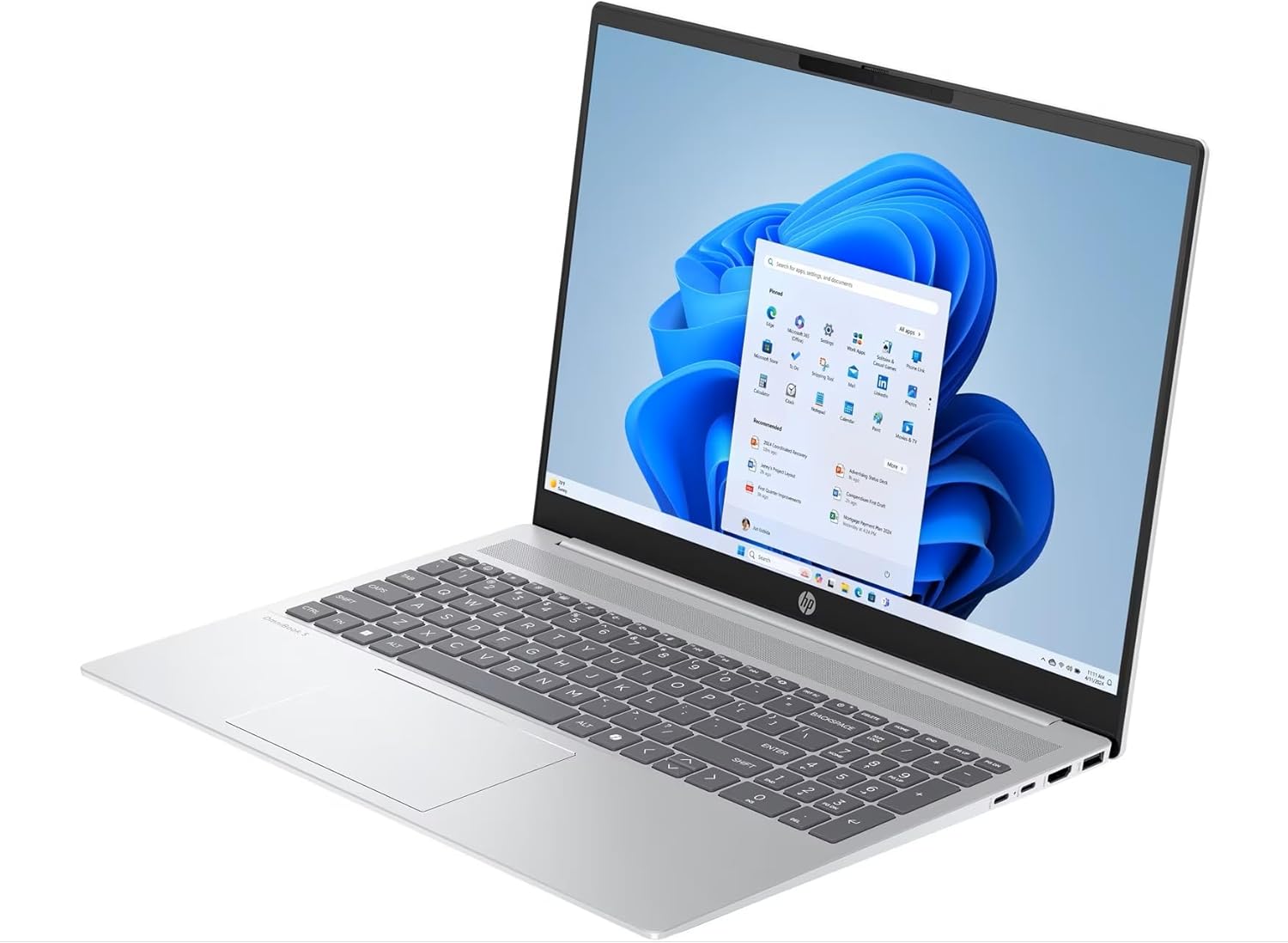
The display is an IPS anti-glare panel — good viewing angles, no gloss to fight reflections, and the 16:10 format gives you meaningfully more vertical space than a standard widescreen. That said, 300 nits is the limit here. It’s fine for office lighting or a dim room; put it near a window or outside and you’ll be fighting the screen. The 62.5% sRGB coverage is honest enough for documents and web browsing, but it’s not a content creation display — colours look slightly muted compared to better-calibrated panels. For more detail on what IPS means against other display types, it’s worth understanding before you buy. The 1080p webcam with temporal noise reduction is a genuine differentiator at this price point — video calls should look decent. There is a physical privacy shutter on the camera, which is a small but appreciated detail. The full-size backlit keyboard includes a numeric keypad, which is useful if you regularly input numbers. There is no fingerprint reader mentioned in the spec data. Speakers are dual-channel with DTS:X Ultra processing — adequate for casual media, not going to replace a Bluetooth speaker for music.
Lifespan & Future-Proofing
The aluminium chassis should hold up physically for four to five years of regular use, assuming it’s not being thrown around. HP’s build quality at this level is generally reliable — the OmniBook line is positioned as a step above their entry-tier consumer machines. The EPEAT Gold certification suggests HP has put some thought into component longevity and repairability standards, though that doesn’t necessarily mean easy self-repair in practice.
Spec longevity is a more complicated conversation. The 16 GB LPDDR5x RAM is sufficient for everyday tasks well into the next few years — that’s not the concern. The concern is that it’s soldered, so you cannot add more when software gets heavier. The 512 GB SSD may or may not be user-replaceable depending on the M.2 slot configuration — this would need verifying before purchase if storage expansion matters to you. The U-series i5 processor will start to feel dated for heavier workloads sooner than an H-series equivalent, but for the productivity use cases this machine targets, it should remain serviceable for three to four years without feeling genuinely painful. CPU longevity is worth understanding here — U-series chips age differently to their higher-wattage siblings. The lack of a discrete GPU means this machine ages out of gaming faster than almost anything else, but if you’re not buying it for gaming, that’s irrelevant.
View current stock and availability for the HP OmniBook 5 16-ba1004na on Amazon.
What Buyers Are Saying (And Potential Dealbreakers)
The HP OmniBook 5 16-ba1004na currently holds a rating of 4.6 out of 5 from 6 customer reviews on Amazon. That sample size is too small to draw firm conclusions — six buyers is not a meaningful data set. What follows treats the available reviews as directional signals rather than settled consensus, supplemented by hardware-based projections where the reviews are thin.
The split between the available reviews tells you something useful: the positive buyers highlight the screen quality, premium feel, and straightforward setup. The critical voice focuses almost entirely on battery life — specifically calling out the gap between HP’s 13-hour claim and the reported three-hour real-world figure. That’s a significant discrepancy, and while one data point isn’t conclusive, U-series processors in 59 Wh batteries typically land between five and eight hours under mixed use. Three hours suggests either a genuinely demanding workload, high brightness, or an outlying result. It’s worth taking seriously but not treating as definitive.
One buyer flagged that the processor felt slow initially on basic tasks — this may reflect the setup period where Windows runs indexing and background processes, or simply adjusted expectations. For the performance expectations this class of chip typically delivers, it’s broadly in line with what a U-series i5 does. There are no recurring complaints about build quality, which is mildly encouraging given the small sample.
Buyer Highlights
“Very thin and easy to set up — I already knew what I was buying from HP and this one didn’t disappoint.” — Consistent with HP’s general build reputation at this tier.
“The 2K screen is razor sharp and the Intel Iris graphics make it look great.” — The 16:10 IPS panel is one of the stronger points on this machine.
“The battery only lasted three hours — that’s nowhere near the 13 hours they claim.” — A dealbreaker flag worth taking seriously, even from a single reviewer.
“Good for usual work, simple coding, and entertainment — I’d recommend it for people who don’t need anything heavy.” — Accurately scopes what this machine is built for.
Who Should Buy It (And Who Shouldn’t)
Buy If
- You want a large-screen laptop for office work, studying, or content consumption and don’t need a dedicated GPU
- You regularly work with documents and spreadsheets and will appreciate the extra vertical space from the 16:10 panel and the numeric keypad
- You need a machine with a solid port spread — the dual USB-C with DisplayPort and HDMI 2.1 covers most desk setups without a hub
- You’re buying for a student who needs something that looks and feels substantial without the fragility of cheaper plastic builds
Avoid If
- You need to be genuinely unplugged for six or more hours — the battery situation is uncertain enough to warrant caution, and there is no confirmed reliable all-day result from buyers yet
- You do any colour-sensitive creative work — 62.5% sRGB and 300 nits are not acceptable for photo editing, graphic design, or video grading
- You want any meaningful gaming capability — Intel Iris Xe will handle very light titles only; for anything more, look at machines with dedicated graphics
The Bottom Line
The HP OmniBook 5 16-ba1004na gets the core productivity spec right — 16 GB RAM, a fast Gen4 SSD, a wide-format IPS display, and a decent port selection in a reasonably light aluminium chassis. It’s a sensible choice for students and home workers who spend most of their time in productivity applications and don’t need discrete graphics or colour-accurate output. The display brightness and sRGB coverage are genuinely mediocre, and the battery life claims should be treated with scepticism until more buyers report back. If those trade-offs sit comfortably within your use case, this is a machine worth considering. For a broader look at what’s available across this category, the laptop buying guide is worth checking before you commit.
At LaptopAdvisorOnline, our methodology is built on data transparency rather than simulated hands-on testing. We rigorously analyse official manufacturer specifications and aggregate verified customer sentiment to provide objective, fluff-free buying advice that helps you cut through the marketing jargon.
As an Amazon Associate, I earn from qualifying purchases.
Browse by Specification
Looking for something specific? Browse our analyses by hardware and feature below, or check all laptop analyses in the Best Budget Laptops category archive.
[AMD Processor Laptops] — [Intel Processor Laptops] — [16GB RAM Laptops] — [32GB RAM Laptops] — [Dedicated Graphics] — [Long Battery Life] — [Lightweight Laptops] — [Student Laptops]
Browse by Screen Size
[13-inch Laptops] — [14-inch Laptops] — [15-inch Laptops] — [16-inch+ Laptops]




