
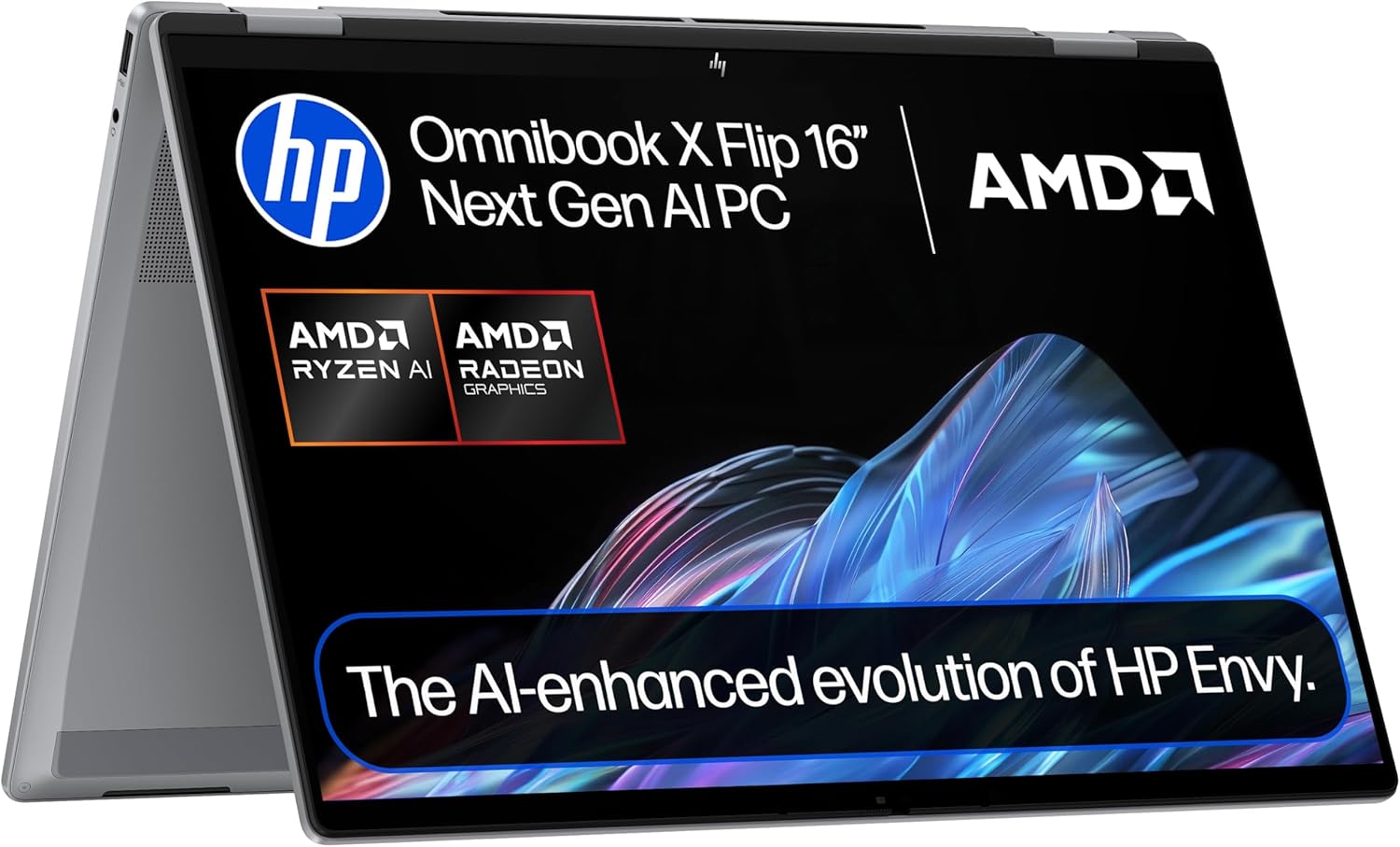
HP OmniBook X Flip 16-ar0004sa Analysis: Big Screen, Real Limits
The Blunt Verdict
The HP OmniBook X Flip 16-ar0004sa is a 2-in-1 convertible aimed squarely at the mid-range space — people who want a capable, flexible machine without going near the premium tier. The headline strength is the combination of AMD’s AI-capable silicon, a large touchscreen, and a claimed 21-hour battery. The headline weakness is a display resolution that doesn’t quite match the ambition of a 16-inch panel.
Under the lid you get an AMD Ryzen AI 5 340 processor, 16GB of LPDDR5x RAM, a 512GB SSD, and AMD Radeon 840M integrated graphics driving a 16-inch IPS touchscreen at 1920 x 1200 resolution. That’s a 16:10 aspect ratio, which is genuinely useful for productivity work. The machine ships with Windows 11 Home and weighs in at 1.89kg.
If you’re a home user, student, or someone who does mostly office-type work and wants the flexibility of tablet and tent modes, this machine has a reasonable case for itself. If you need colour-accurate work, any kind of gaming above browser-level, or a pixel-dense display for detailed creative work, look elsewhere.
See the HP OmniBook X Flip 16-ar0004sa listing and full specifications on Amazon.

Pros and Cons
Pros
- Four physical usage modes (clamshell, tent, tablet, reverse) with a capacitive touchscreen — genuinely useful, not just a gimmick
- AMD Ryzen AI 5 340 with NPU support means this qualifies as a Copilot+ PC, with on-device AI features baked in at the hardware level
- Wi-Fi 7 and Bluetooth 5.4 are ahead of most machines at this tier — future-proofed on the wireless front
- 16:10 aspect ratio on a 16-inch IPS panel gives noticeably more vertical screen space than the standard 16:9 crowd
- 68Wh battery with a claimed 21-hour runtime is ambitious — even at half that, you’re looking at a full working day
Cons
- 1920 x 1200 resolution on a 16-inch panel means pixel density is fairly average — not sharp enough for detail-heavy creative work
- 400 nits brightness and a 62.5% colour gamut are underwhelming for a touchscreen convertible — outdoor use will be a fight
- RAM is almost certainly soldered with a 16GB cap confirmed in specs — no upgrade path whatsoever
Spec Breakdown
- Model: HP OmniBook X Flip 16-ar0004sa (BM2X1EA#ABU)
- CPU: AMD Ryzen AI 5 340, up to 4.8GHz, 6-core, AMD Ryzen AI 300 Series
- RAM: 16GB LPDDR5x-SDRAM @ 7500MHz (max 16GB)
- Storage: 512GB SSD
- GPU: AMD Radeon 840M (integrated, shared VRAM)
- Display: 16-inch IPS touchscreen, 1920 x 1200, 16:10, 60Hz, 400 nits, capacitive touch
- Battery: 68Wh, 4-cell lithium polymer, up to 21 hours claimed
- OS: Windows 11 Home
- Weight: 1.89kg
- Ports: 1x HDMI, USB 3.2 Gen 2, headphone jack (5 ports total)
- Connectivity: Wi-Fi 7 (802.11be), Bluetooth 5.4
- Keyboard: Full-size, backlit
- Camera: 5MP front-facing
Hardware & Performance Reality Check
The AMD Ryzen AI 5 340 is part of AMD’s Ryzen AI 300 series — the current-generation architecture built around efficiency and on-device AI acceleration via its NPU. Six cores with a boost up to 4.8GHz is plenty for everyday multitasking, document work, browser sessions, and video streaming. For light content creation — photo editing in Lightroom, basic video trimming — it’ll handle things without drama. Paired with 16GB of LPDDR5x RAM at 7500MHz, this is a genuinely capable everyday setup. The bad news: that RAM is almost certainly soldered to the board. 16GB is a solid baseline today, but you cannot add more later. What you buy is what you live with.
The 512GB SSD is adequate for most users — that’s room for your OS, applications, a decent photo library, and a few years of documents before you start sweating. Whether it’s NVMe or SATA isn’t confirmed in the data, so don’t assume blistering transfer speeds; plan around it being functional rather than fast. The AMD Radeon 840M is integrated graphics — it shares system memory and is not designed for gaming. Light titles from a few years back, some indie games, and browser-based content is about the ceiling. If gaming is anywhere on your list beyond the most casual, this isn’t your machine — have a look at the budget gaming options that actually include dedicated GPUs.
For a 2026 daily workload — student assignments, Zoom calls, spreadsheets, Office 365 — this hardware is comfortably sufficient. Programming in lighter environments (Python, web dev) is fine. Heavier compilation work or running Docker containers alongside a full dev environment will push it. Video editing beyond 1080p timelines on short clips is marginal. This is not a machine for Adobe Premiere on 4K footage. Know that going in and you won’t be disappointed. Check our performance benchmarks guide if you want a clearer picture of where Ryzen AI 5-class chips sit in the broader landscape.
The port situation is worth a separate mention. Five ports total with confirmed HDMI and USB 3.2 Gen 2 is workable, but there’s no Ethernet port — so if you work in environments where you need a wired connection, you’ll need a dongle or a USB-C hub. The ports guide is worth a look if connectivity is high on your list of priorities.
Check the full spec sheet and buyer Q&As for the HP OmniBook X Flip 16-ar0004sa on Amazon.
Everyday Usability: Battery, Build & More
HP claims 21 hours of battery life from the 68Wh cell — take that with appropriate scepticism, since manufacturer figures are always measured under controlled conditions that bear little resemblance to actual use. Real-world mixed use will likely land somewhere between 8 and 13 hours depending on screen brightness, workload, and whether you’re running AI features. That’s still strong. Most users who want a machine that doesn’t need babysitting with a charger all day will be satisfied. At 1.89kg, it’s not what you’d call light for a 16-inch machine — it’s manageable, but you’ll feel it in a bag over a long commute. The recycled metal chassis is a nice detail and should contribute to durability, though build feel is impossible to confirm without handling a unit directly.

The 16-inch IPS touchscreen with 178-degree viewing angles is decent for sharing content or working in tablet mode — the wide-angle performance of IPS is genuine and makes tent mode actually useful. The 400 nit peak brightness and 62.5% colour gamut are the real-world limitations here. Outdoors in sunlight, this screen will struggle. For colour-sensitive photo or design work, the gamut coverage isn’t there. For general home use — streaming, productivity, browsing — it’s fine. The display panel breakdown is worth reading if you’re trying to compare this against other IPS options in this bracket. On the bloatware front, one buyer specifically flagged McAfee pre-installed on the system — HP has a long history of shipping with trial security software baked in, and Windows 11’s own Defender is more than adequate. Uninstall it on day one and move on. The 5MP front camera is above average for a laptop webcam and should handle video calls well. Two built-in speakers and a built-in microphone round out the multimedia setup — adequate rather than anything worth writing home about.
Lifespan & Future-Proofing
The recycled metal chassis suggests HP is positioning this above their purely plastic budget lines, and a metal build does generally translate to a longer physical lifespan — fewer flex points, better hinge durability over time. Realistically, you should expect 4–5 years of solid physical use before the chassis starts showing meaningful wear, assuming normal handling. The hinge on a convertible takes more abuse than a standard clamshell, which is worth bearing in mind.
On spec longevity: the Ryzen AI 5 340 is a current-generation chip with AI acceleration built in — that’s relevant because the Windows 11 AI feature set is only going to expand from here, and machines without NPU hardware will be left behind. 16GB of RAM is the right amount for 2025 use and should remain comfortable for everyday tasks through to 2028–2029. The hard ceiling is that 16GB is also the maximum — you cannot upgrade it. The 512GB of storage will feel tight for some users within three to four years, depending on how much local storage you accumulate. Wi-Fi 7 is properly future-proofed on wireless. The specs explained guide covers what these generational differences actually mean in practice if you want more context. The one-year warranty is standard and unremarkable — HP’s consumer warranties aren’t known for being generous.
View current stock levels for the HP OmniBook X Flip 16-ar0004sa on Amazon.
What Buyers Are Saying (And Potential Dealbreakers)
The HP OmniBook X Flip 16-ar0004sa has a rating of 3.5 out of 5 from just 9 customer reviews on Amazon. That sample is far too small to draw statistically meaningful conclusions — nine people is a handful of early adopters, not a representative cross-section of owners. Take the aggregated star rating with a generous pinch of salt. What we can do is flag what those buyers specifically mentioned, and project sensibly from the hardware specs where the data is thin.
The split is noticeable: two five-star reviews and two one-star reviews in the handful of responses, with very different experiences reported. The positive buyers highlight build quality, keyboard feel, and value relative to what the hardware delivers. The negative feedback clusters around two specific issues — McAfee pre-installed on the system (a recurring HP gripe across many models, not unique to this one) and no stylus included despite the touchscreen being a core selling point of a convertible machine. The pen omission is a legitimate frustration. HP does not include a stylus in the box, and active pens for this class of device aren’t cheap. If you planned to use this in tablet mode for note-taking or drawing, budget for that separately.
Hardware-based projections: the Ryzen AI 5 340 is a competent but not spectacular mid-range processor — expect performance consistent with other Ryzen AI 300-series chips at similar clock speeds. The display resolution concern is real and worth flagging independently of buyer sentiment. At 16 inches, 1920 x 1200 produces a pixel density that’s noticeably softer than WQXGA or 2.5K alternatives at the same screen size — buyers used to sharper panels may notice it.
Buyer Highlights
“Really good — better than I expected.” — Short, but reflects genuine satisfaction from a buyer who came in with calibrated expectations.
“Build quality, keyboard and trackpad are decent and it’s solidly made — unlike cheaper models.” — A point worth noting if you’re coming from a budget plastic machine and want something that feels more substantial.
“McAfee was embedded into the operating system and I couldn’t get rid of it — don’t buy it if you don’t want a yearly subscription.” — Windows Defender handles security perfectly well; uninstall McAfee on setup day and you’re done.
“I realised there was no pen — they’re expensive to buy separately.” — No stylus in the box is a meaningful omission for a convertible touchscreen machine; factor that cost in before purchasing.
Who Should Buy It (And Who Shouldn’t)
Buy If
- You want a flexible home machine — the four usage modes and large touchscreen make this genuinely useful across different settings and contexts
- You’re a student or home office worker who needs a full-day battery and reasonable processing power without carrying a charger everywhere
- Wi-Fi 7 matters to you — this machine is ahead of most competitors in its class on wireless connectivity, and that’s a real-world differentiator if your router supports it
- You want on-device AI features built in at the hardware level — the Ryzen AI 5 340’s NPU makes this a genuine Copilot+ PC, not just marketing
Avoid If
- You plan to use the stylus and tablet mode heavily for drawing or handwritten notes — there’s no pen in the box and compatible styli cost extra, which changes the value equation significantly
- You work with colour-critical images, video, or design — 62.5% colour gamut and 400 nits is not the right tool for professional creative work; look at the professional laptop options with wider gamut displays
- You want any meaningful gaming capability — the Radeon 840M integrated graphics simply can’t deliver it, and there’s no discrete GPU option here
The Bottom Line
The HP OmniBook X Flip 16-ar0004sa is a capable, well-specified convertible for general home and student use — the Ryzen AI 5 340, strong battery, Wi-Fi 7, and four usage modes give it a genuine case in the mid-range buying conversation. The soldered RAM ceiling, average display quality, and missing stylus are real limitations that will matter to some buyers and not at all to others. Know which camp you’re in before committing.
Read the latest buyer questions and answers for the HP OmniBook X Flip 16-ar0004sa on Amazon.
At LaptopAdvisorOnline, our methodology is built on data transparency rather than simulated hands-on testing. We rigorously analyse official manufacturer specifications and aggregate verified customer sentiment to provide objective, fluff-free buying advice that helps you cut through the marketing jargon.
As an Amazon Associate, I earn from qualifying purchases.
Browse by Specification
Looking for something specific? Browse our analyses by hardware and feature below, or check all laptop analyses in the Best Mid-Range Laptops category archive.
[AMD Processor Laptops] — [Intel Processor Laptops] — [16GB RAM Laptops] — [32GB RAM Laptops] — [Dedicated Graphics] — [Long Battery Life] — [Lightweight Laptops] — [Student Laptops]
Browse by Screen Size
[13-inch Laptops] — [14-inch Laptops] — [15-inch Laptops] — [16-inch+ Laptops]




