

Laptop Screen Replacement Cost — The Complete 2026 Decision Guide

Laptop screen replacement cost in the UK ranges from £49 at an independent repair shop for a standard Windows machine to well over £500 for an out-of-warranty MacBook Pro — and knowing which side of that range you fall on before you walk into a repair shop could save you a significant amount of money. More importantly, in March 2026, the decision of whether to repair or replace your broken laptop has shifted in a way that most cost guides haven’t accounted for yet.
New laptop prices have risen 15–30% over the past eighteen months due to the global memory shortage — what tech analysts are calling RAMageddon. Then the Iran conflict disrupted semiconductor supply chains and shipping routes further still, as we covered in our article on how rising laptop prices are affecting UK buyers. A mid-range laptop that cost £700 in 2024 now costs £850–£900 or more. That shift changes the repair maths — and makes laptop screen repair more financially sensible than it has been in years.
This guide covers the real UK pricing, the one test you must do before spending anything, the hidden problems that turn cheap repairs into expensive mistakes, and a clear decision framework you can use right now.
Do This Before You Spend a Penny
Before you commit to any repair, connect your laptop to an external monitor or TV via HDMI. This takes two minutes and can save you hundreds of pounds.
If the external display works perfectly — sharp, stable, no artefacts — your problem is almost certainly the screen panel or its cable. Both are affordable, straightforward fixes. If the external display shows the same issues as your laptop screen, the problem is your GPU or motherboard, and replacing the screen won’t fix anything.
Here’s a related diagnostic: take a screenshot. If the lines, flickering, or discolouration appear in the screenshot file when you open it on another device, the issue is software or GPU-related, not the panel. This one step catches misdiagnoses that waste money on unnecessary screen swaps.
Professionals flag two other things to check before any repair: hinge condition and overall laptop health. A screen that cracked near the hinge on a lid that was already stiff or wobbly almost certainly cracked because the hinge caused it — fit a new screen without fixing the hinge and it’ll crack again within months. And a five-year-old laptop with a dying battery, sluggish performance, and a broken screen probably isn’t worth repairing at all, regardless of screen cost.
What Laptop Screen Replacement Actually Costs in the UK
The UK repair market spans a wide range driven by three factors: panel technology, laptop brand, and whether you choose DIY, independent repair, or manufacturer service.
Standard Windows laptops are the sweet spot for affordable repair. Budget machines — HP Pavilion, Acer Aspire, Lenovo IdeaPad — cost £49–£120 at an independent UK shop for a full screen replacement including parts and labour. Mid-range laptops like Dell Inspirons, ThinkPads, and Asus VivoBooks run £85–£180. Premium ultrabooks with high-resolution or OLED panels — Dell XPS, HP Spectre, Asus ZenBook — push the cost to £130–£350. Gaming laptops with high-refresh-rate panels typically sit at £120–£250 depending on the panel spec.
The parts-versus-labour split tells the real story. A standard 15.6-inch FHD replacement panel costs just £30–£50 from UK specialist suppliers. Even a quality IPS panel rarely exceeds £80. Labour at independent shops runs roughly £40–£60 for a straightforward swap. You are paying broadly equal amounts for the part and the person fitting it — which is why DIY can cut your costs by 40–60% if your laptop is suited to it.
MacBooks are a different matter entirely. Apple’s laminated display assemblies, proprietary screws, and software calibration requirements mean repairs cost significantly more. At independent UK shops, expect £200–£280 for a MacBook Air (M1/M2/M3) and £300–£500 for a MacBook Pro 14 or 16-inch. Apple’s own out-of-warranty pricing runs from £400 to £700+. The one exception: AppleCare+ reduces screen repair to a flat £79 excess — the single strongest argument for buying AppleCare+ at the time of purchase.
| Laptop category | DIY (parts only) | Independent shop | Manufacturer |
|---|---|---|---|
| Budget (sub-£500 new) | £20–£50 | £49–£120 | Quote-based |
| Mid-range (£500–£1,000) | £40–£80 | £85–£180 | £150–£300 |
| Premium ultrabook (£1,000+) | £80–£250 | £130–£350 | £200–£400+ |
| MacBook Air M-series | £150–£300 | £200–£280 | £400–£550 |
| MacBook Pro 14/16-inch | £300–£500 | £300–£500 | £500–£750+ |
| Gaming (144Hz+) | £60–£100 | £120–£250 | Quote-based |
These figures are drawn from verified UK repair pricing at Atlantis HC, PC Macgicians, Gadgets N Repair, Dr IT Services, and Checkatrade‘s 2026 cost guide data.
View our Best Budget Laptops UK guide if you decide replacement makes more sense than repair.
Why 2026 Is the Best Year in Recent Memory to Repair Rather Than Replace
Most laptop screen repair guides treat new laptop prices as a fixed backdrop. In 2026, that backdrop has changed dramatically — and it matters to your decision.
The global memory shortage has pushed DRAM prices up approximately 172% through 2025, with TrendForce projecting further steep increases into 2026. Samsung, SK Hynix, and Micron — who together control over 90% of global DRAM production — diverted vast production capacity toward AI-grade memory for data centres, creating a squeeze on the consumer memory that goes into every laptop. Dell raised prices 15–20% in December 2025. Lenovo followed in January 2026. The Iran conflict then compounded the problem by disrupting shipping through the Strait of Hormuz and threatening helium supplies essential to chip manufacturing.
The practical result: a mid-range laptop that cost £700 eighteen months ago now costs £850–£900 or more. Some analysts estimate mid-range laptops could rise a further 20–40% through 2026, with no meaningful relief expected until 2028.
The professional rule of thumb for repair decisions — fix it if it costs less than 50% of replacement — now heavily favours repair. A screen repair costing £150 on a laptop whose replacement now costs £900 represents just 17% of replacement cost. Even a £300 MacBook screen repair on a machine whose replacement runs £2,000+ is clearly justified. With new prices elevated and repair costs broadly unchanged, the economic case for repairing your screen is unusually strong right now — and likely to remain so for the next 12–18 months at minimum.
What Type of Damage Do You Actually Have?
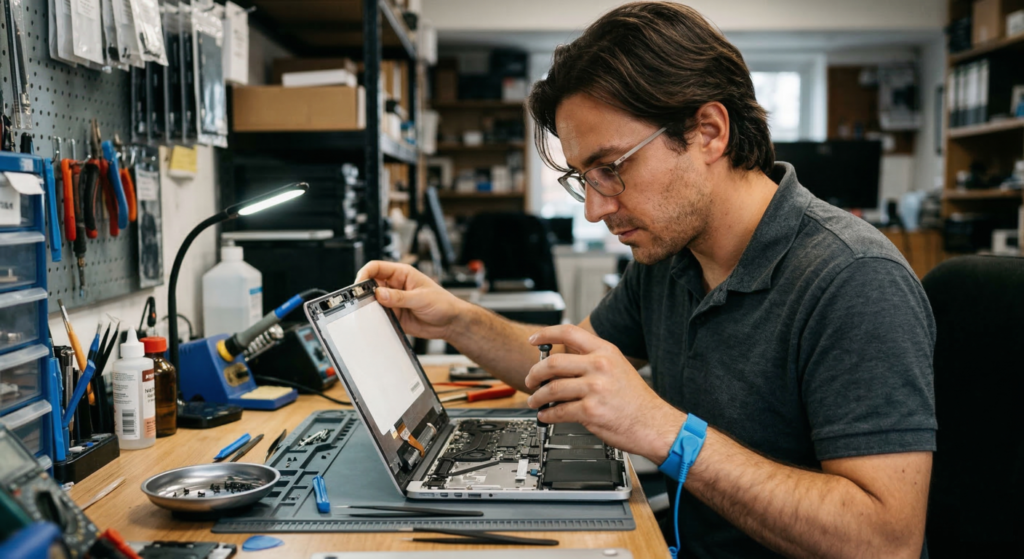
Different screen problems have different causes, different repair costs, and different implications for whether repair is worthwhile.
Cracked or shattered screens are the most common and most straightforward. The crack cannot be repaired — the panel must be replaced entirely. This is a clean, affordable fix on almost any Windows laptop under four to five years old, typically costing well under 30% of replacement value. The only caveat: if the crack resulted from a drop, test with an external monitor for GPU damage and check the hinges before committing.
Flickering screens are the trickiest to diagnose. Start with the cheapest possibility — outdated GPU drivers or a Windows display settings conflict, which costs nothing to fix. If that doesn’t resolve it, check whether the flickering changes with lid angle: if it does, the display cable running through the hinge is fraying — a £5–£20 part fix rather than a full screen replacement. If the flickering also appears on the external monitor, it is a GPU or motherboard issue that a new screen won’t resolve.
Vertical or horizontal lines follow a similar tree. Lines that shift when you adjust the lid angle indicate cable damage. Static lines fixed in position suggest panel failure. Lines on the external monitor signal GPU problems. A cable replacement costs £5–£20 plus labour versus £40–£200 for a panel — yet many repair shops default to panel replacement without testing the cable. Ask specifically whether the cable was checked.
Backlight failure presents as an extremely dim screen where you can faintly see the image with a torch. On modern laptops, the backlight is integrated into the panel and cannot be swapped separately — full panel replacement is required. On very old CCFL-backlit machines, the inverter board can sometimes be replaced for £10–£20.
Dead pixels are permanent transistor failures. Stuck pixels (showing a fixed colour rather than black) may respond to pixel-cycling software. Dead pixels cannot be repaired without panel replacement. Most manufacturers accept 2–5 dead pixels as within manufacturing tolerance — a handful in the corner rarely justifies the cost of a full swap.
The Hidden Problems That Turn Cheap Repairs Into Expensive Mistakes
Experienced repair technicians identify several issues that most screen cost guides overlook — factors that can make a seemingly sensible repair a waste of money.
Hinge damage is the most commonly missed root cause. When hinges seize from age and dust, the force of opening and closing the lid transfers directly to the panel and its mounting points. A screen crack near the hinge area, or a lid that was already stiff before the damage appeared, almost certainly means the hinge caused it. Replacing the screen without addressing the hinge means the new screen will crack again within months. UK hinge repair runs £50–£90 at specialists. On mid-range and premium machines, a combined hinge-and-screen repair — even at £200–£300 — remains significantly cheaper than replacement at current 2026 prices.
The display cable is overlooked constantly. The eDP ribbon cable running from the motherboard through the hinge to the screen frays gradually with use. Its symptoms — flickering, intermittent blackouts, dimness at certain angles — mimic panel failure almost exactly. A cable costs £5–£20 and the part alone solves the problem in many cases. Ask any repair shop whether the cable was independently tested before agreeing to a panel replacement.
Touchscreen and 2-in-1 laptops are far more expensive to repair. The additional digitiser layer laminated to the LCD means the entire assembly must be replaced as a unit. Where a standard swap costs £80–£150, a touchscreen replacement runs £150–£350+. If you rarely use the touch function, ask whether a non-touch panel can be fitted as a compatible, cheaper alternative.
Other failing components can make screen repair irrational. Before approving any repair on an older machine, check battery health (run powercfg /batteryreport in Windows), listen for unusual hard drive noises, and consider whether the laptop was already slow or unreliable before the screen broke. A machine with a dying battery, slow storage, and a broken screen is probably not the right candidate for a £150–£200 screen repair.
DIY Screen Replacement: When It Makes Sense and When It Doesn’t
DIY can cut your laptop screen replacement cost by 40–60%, but the gap between the easiest and hardest machines to work on is enormous.
The most DIY-friendly laptops are business-class machines designed for enterprise IT departments who need to service them at scale. Lenovo ThinkPads lead the field — the T-series ThinkPads scored a perfect 10/10 on iFixit’s repairability index, with Lenovo working directly with iFixit during development. Dell Latitude and HP EliteBook lines also score highly. For these machines, screen replacement typically takes 15–30 minutes with a Phillips screwdriver and a plastic spudger.
The hardest machines to attempt yourself are MacBooks (4–5/10 on iFixit), Microsoft Surface devices (historically 0–3/10, though improving), and many consumer ultrabooks with adhesive-bonded panels. Multiple UK repair specialists explicitly warn against DIY MacBook screen repair without significant experience.
The tools needed for a DIY-friendly machine are minimal: a small Phillips screwdriver, plastic spudger or guitar picks, and a small container for screws. An anti-static wrist strap is recommended but not essential. The critical step is sourcing the correct panel — match the exact part number printed on the back of your existing screen, not just the laptop model number. Check size, resolution, connector type (30-pin versus 40-pin), connector position, and finish (matte or glossy).
UK parts sources by reliability: laptop-lcd-screen.co.uk (free 2-year warranty, wide stock) and laptopscreen.co.uk (from £19, free delivery, lifetime warranty) are specialist suppliers with strong track records. Amazon UK stocks standard 15.6-inch FHD panels at £34–£44 with a good returns policy. eBay offers the widest selection at the lowest prices but with higher quality risk — label claims of “OEM” parts should be taken with some scepticism.
Your Rights Under UK Law
Standard manufacturer warranties do not cover accidental screen damage — this is universal. They cover manufacturing defects only. Accidental damage protection must be purchased separately.
AppleCare+ is the standout product for MacBook owners, reducing any screen repair to a flat £79 excess. Dell, HP, and Lenovo offer Accidental Damage Protection at roughly £30–£80 depending on device and term. Specialist UK gadget insurance from providers like Protect Your Bubble (from around £4/month) covers accidental damage with unlimited repairs.
The Consumer Rights Act 2015 provides meaningful protection when screens fail without accidental damage. Within 30 days of purchase, you can reject a faulty product for a full refund. Between 30 days and 6 months, you’re entitled to repair or replacement with the burden on the retailer to prove the fault wasn’t there at purchase. Beyond 6 months and up to 6 years, you retain rights — though the burden shifts to you. These rights are against the retailer, not the manufacturer, and they exist independently of any warranty.
John Lewis offers the best standard retailer warranty — a free 2-year guarantee on most electronics, the strongest baseline cover available from any major UK retailer.
What to Ask Before Handing Your Laptop to a Repair Shop
A reputable UK repair shop should offer a minimum 3-month warranty on parts and labour — better shops offer 6–12 months. They should provide a written quote before starting, offer free or low-cost diagnostics, and operate a no-fix-no-fee policy.
Five questions to ask before committing: What is the exact cost including parts and labour? What warranty do you provide on the repair? Will you test the cable and hinges, not just swap the screen? What parts will you use — OEM or aftermarket? What is your data privacy policy?
Back up your data before any repair. Log out of accounts. Consider creating a separate admin account for the technician. These steps take ten minutes and protect you against the very small but real risk of data access during repair.
For MacBook repairs specifically: if you’re under AppleCare+, use Apple or an Apple Authorised Service Provider. Out of warranty, independent MacBook specialists can save 40–60%. Check Trustpilot ratings and look for shops with consistent reviews over years, not months.
The Repair-or-Replace Decision Framework

Work through this in order:
Step 1 — Run the external monitor test. If the external display shows the same problems, skip screen repair and get a full diagnostic.
Step 2 — Assess overall laptop health. Battery, storage, performance. An older machine with multiple failing components is not a good repair candidate regardless of screen cost.
Step 3 — Check the hinges. If the damage is near the hinge or the lid was already stiff, factor in hinge repair alongside the screen.
Step 4 — Apply the 50% rule with 2026 pricing. Look up what a comparable new laptop costs today — not 2024 prices. If your total repair cost is under 50% of current replacement price, repair is almost certainly the right call. With prices up 15–30%, the threshold favours repair more than at any point in recent memory.
Step 5 — Consider the environmental cost. Manufacturing a new laptop produces roughly 300–400 kg of CO₂. The UK generates over 1.6 million tonnes of e-waste annually. Extending your laptop’s useful life by two or three years through a £100–£200 screen repair is one of the most tangible environmental decisions available to an individual consumer.
If You Decide to Replace: The Best Budget Options Right Now
If your laptop fails the framework above — it’s old, multiple components are failing, or the repair cost genuinely approaches replacement value — the refurbished market is worth serious consideration before buying new.
Refurbished business laptops coming off corporate leases have largely not tracked the memory price rises affecting new machines. A business-grade machine with a solid processor, 16GB RAM, and a 512GB SSD from a reputable source can represent genuinely strong value right now — and the screen will already be working.
The Lenovo ThinkPad T14 (Renewed) — with AMD Ryzen 5 PRO 4650U, 16GB RAM, 512GB SSD, and Windows 11 Pro — is available on Amazon UK and represents exactly the kind of business-grade machine that holds up well over years of use. Read our full Lenovo ThinkPad T14 review and check the current price on Amazon UK.
If you want something we’ve reviewed in detail, the Dell Latitude 5420 is a strong refurbished option — a proven business machine with solid build quality, good connectivity, and performance that handles everything from documents to video calls without difficulty.
For buyers who want a brand-new machine, our Best Budget Laptops UK guide covers the strongest currently available options with honest assessments. If your needs are more demanding, the Best Mid-Range Laptops UK guide covers the £500–£900 tier — where most of the best-value options now sit.
The Bottom Line
Laptop screen replacement cost in the UK in 2026 is £49–£180 at an independent shop for most Windows machines, and £200–£500 for MacBooks out of warranty. The repair is almost always worth doing on any laptop under five years old in otherwise good condition — and the economic case for repair has rarely been stronger than it is right now, with new laptop prices elevated by the memory crisis and supply chain disruption and no relief expected until 2028.
The single most important step before any repair: connect your laptop to an external monitor. Two minutes can tell you whether you need a £100 screen swap or a diagnosis of something much more serious. Do that first. Everything else follows from the answer.
I have spent years working in IT infrastructure and reviewing technology for British buyers. Affiliate relationships with Amazon do not influence scores or editorial assessments on this site.