

Finding the best mid-range laptops UK shops are stocking in 2026 is where the real work begins—and where manufacturers love to hide the compromises. This £500–£900 bracket is a massive battleground; you can get some cracking hardware here, but you can also easily get stung by confusing processor names that trick you into paying a premium for tech that’s already three years old.
If you get it right, this is where the major upgrades kick in. We’re moving away from dim, budget panels into proper OLED displays and chassis that don’t feel like they’re made of eggshells. You’ll see genuine 2026 specs here, like Wi-Fi 7 and Copilot+ AI support, which actually make a difference to your daily workflow rather than just looking good on the box.
It is also, more than any other price bracket, where confusing processor naming makes it easy to overpay for old hardware. The budget guide’s lessons about AMD re-badging apply just as much here — and in the mid-range, where the price differences are larger, so are the stakes. This guide names the processors that deserve their position and those that do not.
I’ve picked out seven machines that actually justify their price tags. Just like I did in my budget guide, I’ve evaluated these based on the technical hardware data and real-world buyer sentiment. I’m not pulling any punches with the downsides, either—even at £900, there’s usually a trade-off somewhere.
The Machines — Specifications at a Glance
| Machine | CPU | RAM | Storage | Display | Weight | Score |
|---|---|---|---|---|---|---|
| Lenovo IdeaPad Slim 3 14IAH8 | Intel Core i5-12450H | 16GB | 512GB | 14″ FHD IPS | 1.37kg | 7.2/10 |
| Lenovo IdeaPad Slim 5 16IRH10 | Intel Core i7-13620H | 16GB | 1TB | 16″ WUXGA IPS | ~1.86kg | 7.6/10 |
| Microsoft Surface Laptop | Snapdragon X Plus (8-core) | 16GB | 512GB | 13″ LCD Touch 60Hz | 1.34kg | 7.8/10 |
| Dell 16 DC16255 | AMD Ryzen 7 250 | 16GB DDR5 | 1TB | 16″ 2K IPS | 1.78kg | 8.0/10 |
| ASUS Vivobook S14 M3407HA | AMD Ryzen 9 270 | 32GB | 1TB | 14″ WQXGA 2.5K IPS | 1.55kg | 8.2/10 |
| Apple MacBook Air 13 M4 | Apple M4 (10-core) | 16GB | 256GB | 13.6″ Liquid Retina IPS | 1.24kg | 8.7/10 |
| ASUS Zenbook 14 OLED UX3405CA | Intel Core Ultra 9 285H | 32GB | 1TB | 14″ 3K OLED 120Hz Touch | 1.28kg | 9.1/10 |
#7 — Lenovo IdeaPad Slim 3 14IAH8 | 7.2/10
The value entry point to mid-range — honest about its limitations
The Lenovo IdeaPad Slim 3 14IAH8 sits at the lower edge of this guide and it is worth being direct about why: the Intel Core i5-12450H is a 12th Generation Alder Lake processor from 2022. In a guide published in 2026, that requires honest acknowledgement. You are buying a machine with a processor that is now several generations behind the current Intel Arrow Lake and AMD Zen 5 architectures.
That context established, the Slim 3 14IAH8 earns its place here because it does what it does reliably and without the rough edges that define cheaper machines. As Lenovo’s official spec sheet confirms, the i5-12450H is a genuine H-series chip — 4 performance cores and 4 efficiency cores, 8 total, running up to 4.4GHz — not a low-power U-series chip masquerading as a performance processor. For everyday productivity, web browsing, video calls, and office applications, the performance is solid and will remain adequate for typical use through to 2027 and beyond.
The 16GB LPDDR5 RAM is the correct specification at this tier. The 512GB SSD is sufficient for most buyers who use cloud storage for large files. The 14-inch 1920×1080 FHD display is a genuine IPS panel — the TÜV Low Blue Light certification is not marketing fiction, and independent UK reviewer Vivid Repairs’ hands-on assessment confirmed approximately 250 nits brightness and wide viewing angles, which is respectable at this price point. At 1.37kg, portability is genuinely good.
The honest caveats beyond the processor age: the display reaches 1920×1080 rather than the 16:10 1200p panels on many competitors above it, and the HDMI port is 1.4 rather than 2.0 or 2.1. The USB-C port supports USB 3.2 Gen 1 data transfer and display output but does not support Power Delivery charging — meaning you are dependent on the included proprietary charger. For buyers whose budget does not stretch further, this is a reliable, well-built everyday machine from a trusted manufacturer. For buyers who can stretch, the machines above it offer meaningfully better specifications.
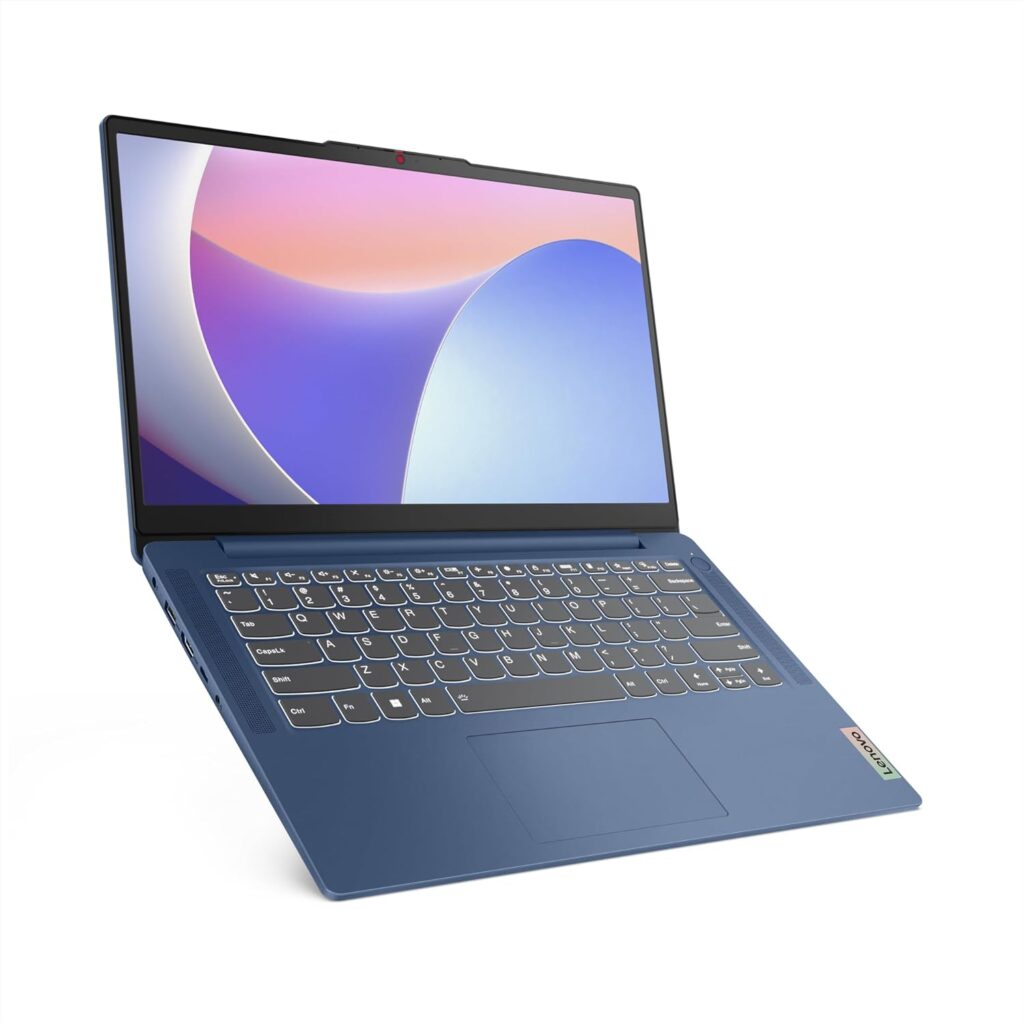
Specs: Intel Core i5-12450H (12th Gen, Alder Lake) | 16GB LPDDR5 | 512GB SSD | 14″ FHD 1920×1080 IPS | 1.37kg | Wi-Fi 6 | Windows 11 Home
Score: 7.2/10
Pros: Solid Lenovo build quality, genuine H-series processor, 16GB RAM standard, 1.37kg portability, TÜV Low Blue Light certified display, MIL-STD-810H durability rating
Cons: 12th Gen processor from 2022, 1080p display rather than 1200p 16:10, no USB-C Power Delivery charging, HDMI 1.4 only
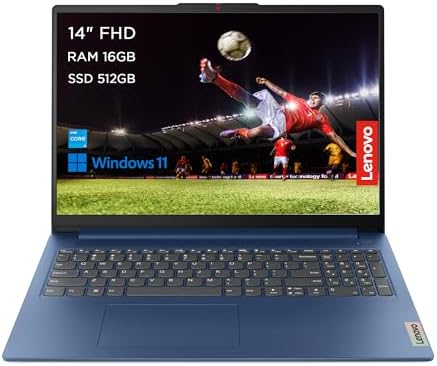
- Connections for all your needs: Wi-Fi 6 + Bluetooth, 2x USB 3.2 Gen 1, 1x USB-C 3.2 Gen 1, 1x HDMI 1.4, 1x Headphone / microphone combo jack (3.5mm), 1x Card reader, 1x Power connector
- Powerful performance – Engineered with military-grade quality, the IdeaPad Slim 3i Gen 8 laptop is ideal for on-the-go work, school, or entertainment. Powered by 12th Gen Intel Core i5 processors and 512GB of storage
- Immerse yourself in the experience – Narrow bezels and FHD stunning display, while yours stays focused on the 14-inch high-def wide-angle view. TÜV Certified Low Blue Light helps avoid eye fatigue. Dolby Audio ensures you’ll enjoy premium sound
#6 — Lenovo IdeaPad Slim 5 16IRH10 | 7.6/10
A genuinely capable 16-inch machine — but the processor caveat applies here too
The Lenovo IdeaPad Slim 5 16IRH10 steps up from the Slim 3 in meaningful ways: a larger 16-inch 1920×1200 WUXGA 16:10 display, the faster Intel Core i7-13620H, a 1TB SSD, and a build quality that LaptopMedia confirmed is genuinely well-finished for the price point.
The processor caveat applies directly to this machine, and it is worth naming plainly. The i7-13620H is a 13th Generation Raptor Lake-H chip, now sold in 2025 and 2026 against Zen 5 and Arrow Lake processors that were announced in 2024 and 2025. Lenovo is not misrepresenting the chip — it is clearly labelled i7-13620H — but the generational gap matters when you are deciding whether to stretch to a newer architecture. The i7-13620H performs well: 10 cores (6 performance + 4 efficiency), turbo up to 4.9GHz, and competitive with Intel Core Ultra 5 of the previous generation in multi-threaded workloads. It is a capable chip. It is simply not a current-generation chip.
What the Slim 5 16IRH10 offers that earns its position here is a combination of screen size, RAM, storage, and brand reliability that is difficult to match at this price. The 16-inch 1920×1200 16:10 WUXGA display provides considerably more working space than a 14-inch alternative — for spreadsheet work, coding, creative tasks, or simply having multiple windows open side by side, the size advantage is real. The 1TB SSD removes the storage anxiety that comes with 512GB machines. At approximately 1.86kg it is not the lightest machine in this guide, but for buyers who predominantly use their laptop at a desk or in a bag rather than one-handed in a meeting, the weight is acceptable.
Port selection is practical: USB-A (x2), USB-C 3.2 Gen 2, HDMI 1.4, card reader, and 3.5mm audio. Note that HDMI 1.4 is a limitation at this price point — connecting an external 4K monitor requires USB-C rather than the HDMI port. Wi-Fi 6 rather than Wi-Fi 6E is another minor concession compared to machines further up this list. Battery life on the i7-13620H varies in independent testing: real-world productivity use at mixed brightness should return 7–9 hours, consistent with the Lenovo-rated figures for this configuration.
For buyers who need a reliable, large-screen workhorse at a sensible price and are not fixated on having the newest processor generation, the Slim 5 16IRH10 is a genuinely solid machine. For buyers who prioritise current-generation architecture, the Dell 16 and ASUS machines above it offer that.
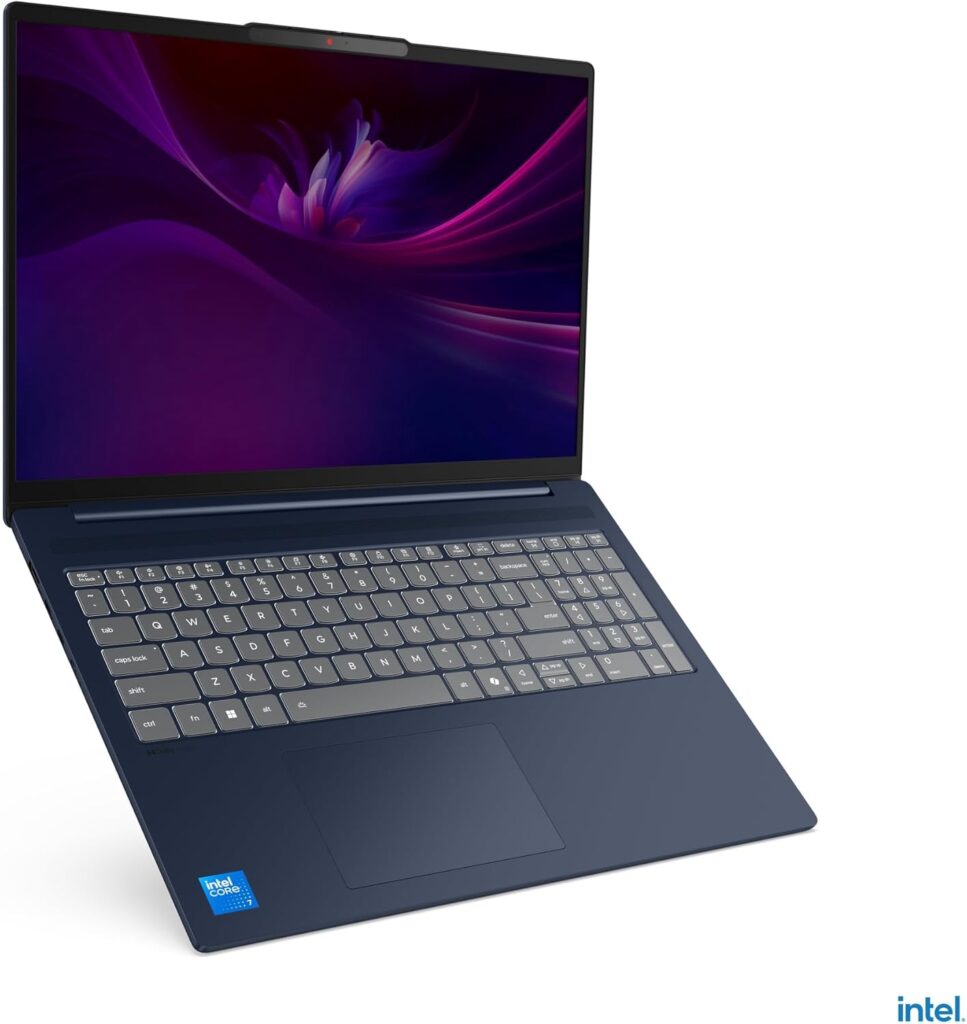
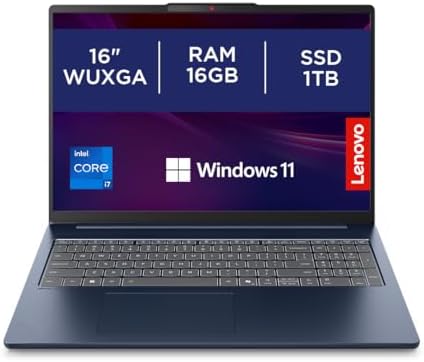
Specs: Intel Core i7-13620H (13th Gen, Raptor Lake-H) | 16GB RAM | 1TB SSD | 16″ WUXGA 1920×1200 16:10 IPS | ~1.86kg | Wi-Fi 6 | Windows 11 Home
Score: 7.6/10
Pros: Large 16-inch 16:10 display, 1TB storage, i7-13620H H-series performance, solid Lenovo build, 5MP IR webcam with Windows Hello on higher configs, 1TB SSD
Cons: i7-13620H is 2022/2023 architecture, Wi-Fi 6 rather than 6E, HDMI 1.4, approximately 1.86kg
- Secure your price for 6 months. If it drops, we will level the score (T&Cs apply)
- Seamless multitasking & performance with 13th Gen Intel Core processors
- 16” sleek, lightweight & durable laptop to withstand extreme conditions
#5 — Microsoft Surface Laptop (Snapdragon X Plus) | 7.8/10
Microsoft’s most elegant machine — with an important ARM caveat you need to read first
Before covering what the Microsoft Surface Laptop does well — and it does several things exceptionally well — there is a caveat that belongs at the top of this section rather than buried in the footnotes: this laptop runs Windows on ARM via Qualcomm’s Snapdragon X Plus processor, and that architecture requires honest assessment for UK buyers in 2026.
The overwhelming majority of software runs correctly on Windows on ARM through Microsoft’s Prism emulation layer, which has matured significantly since the troubled early Windows RT era. Microsoft 365, Chrome, Firefox, Zoom, Slack, Adobe Reader, and virtually all mainstream consumer applications run without issues. However, as NotebookCheck’s review confirmed, some legacy business software, older VPN clients, specialist industry tools, and software that depends on x86 architecture may not run at all or may run with reduced performance through emulation. If your workflow includes specialist software — accounting packages, older engineering tools, business VPN clients — verify compatibility before purchasing. If your workflow is Microsoft 365, web-based tools, and mainstream consumer software, the ARM caveat is largely irrelevant to your daily experience.
With that caveat clearly stated: the Surface Laptop is one of the most elegant Windows machines on the market. The aluminium chassis — available in Platinum — carries the premium tactile quality that Microsoft’s industrial design team has refined across multiple Surface generations. At 1.34kg it is the lightest Windows machine in this guide. The keyboard, which Microsoft has spent years perfecting, is one of the best typing experiences available on any Windows laptop. The 13-inch PixelSense LCD touchscreen at 2304×1440 resolution (which Microsoft calls the Copilot+ configuration) offers crisp, bright, accurate display quality — though at 60Hz and LCD rather than OLED, it is outpaced on display technology by the Zenbook 14 further up this list.
Battery life is where the Snapdragon X Plus genuinely earns its position. ARM architecture’s efficiency advantage over x86 Intel and AMD chips translates directly into real-world endurance. Microsoft’s official testing achieved up to 16 hours of video playback, and independent reviewers consistently report all-day battery life under mixed productivity workloads. For buyers who travel frequently, commute, or work away from power outlets regularly, this is a meaningful practical advantage over most Intel and AMD machines at this tier.
The 45 TOPS NPU qualifies this machine as a Copilot+ certified PC, enabling Microsoft’s full AI feature set including real-time image generation and live captions. The Surface Laptop’s port selection is minimal by design: two USB-C ports, one USB-A, and a 3.5mm audio jack. There is no HDMI and no card reader — buyers with older peripherals or who need direct card access will need a USB-C hub. USB-C fast charging at 60W is standard. Wi-Fi 7 on the 512GB configuration reviewed here is the fastest wireless standard available on any machine in this guide.
The NotebookCheck assessment noted that the Snapdragon X Plus — specifically the 8-core variant in this entry-level Surface configuration — performs below the 10-core and 12-core variants in the Surface 13.8 in sustained workloads. Cinebench 2024 multi-core performance is modest compared to the Intel and AMD H-series chips in the Dell and ASUS machines above it. For productivity tasks this matters little. For users who run demanding creative or coding workloads, the i7-13620H in the Slim 5 or the Core Ultra 9 285H in the Zenbook 14 delivers more sustained compute performance.
For buyers who want a premium, light, beautifully built Windows laptop with excellent battery life and mainstream software compatibility, the Surface Laptop is a strong choice. For buyers whose workflow demands maximum CPU performance or guaranteed legacy software compatibility, a machine further up this list is more appropriate.
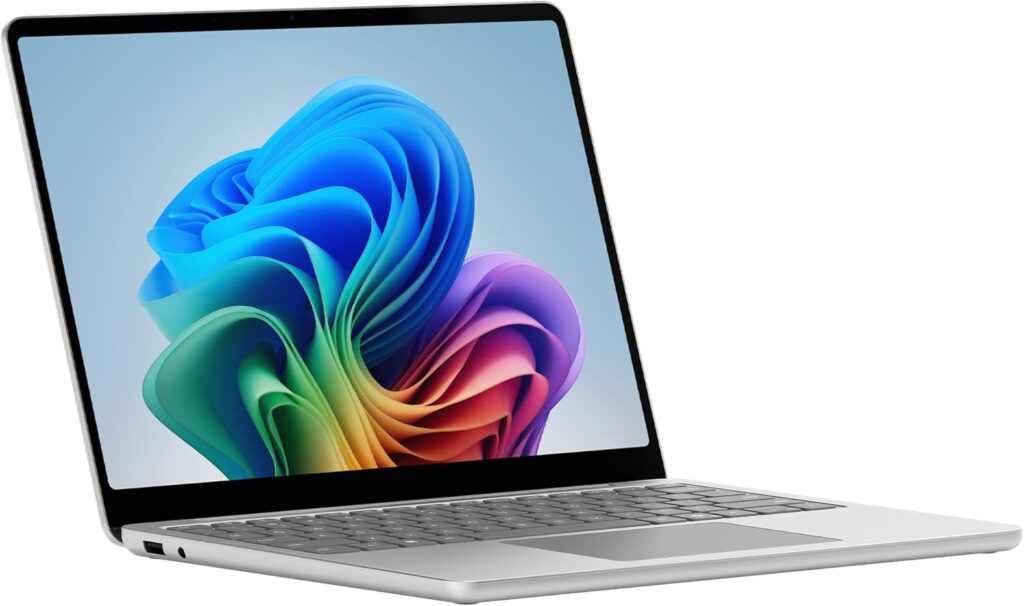
Specs: Snapdragon X Plus (8-core, 3.4GHz, 45 TOPS NPU) | 16GB LPDDR5X | 512GB SSD | 13″ PixelSense LCD Touch 2304×1440 60Hz | 1.34kg | Wi-Fi 7 | Bluetooth 5.4 | Windows 11 Home
Score: 7.8/10
Pros: Exceptional build quality, 1.34kg lightest Windows machine in this guide, outstanding battery life (14–16 hours real-world), Wi-Fi 7, Copilot+ certified, 45 TOPS NPU, USB-C fast charging, premium keyboard
Cons: ARM architecture — verify legacy software compatibility before purchasing, 60Hz LCD display rather than OLED, 8-core Snapdragon X Plus modest CPU performance, minimal ports (no HDMI, no card reader)
- Copilot+ PC | The fastest, most intelligent Surface laptops ever. Built with the latest Qualcomm Snapdragon X Plus processors, Surface Laptop delivers powerful performance and AI accelerated power.
- All-day Energy | Up to 23 hours of battery life¹ for local video playback for uninterrupted streaming.
- Brilliant Display | Immersive Brilliance or Incredible image quality: The 13″ PixelSense Flow touchscreen offers a vibrant and immersive viewing experience.
#4 — Dell 16 DC16255 | 8.0/10
Dell’s most honest mid-range offering — a large screen done properly
The Dell 16 DC16255 represents Dell’s consumer laptop line doing what Dell does well: a well-priced, properly specified machine without the confusion of misleading chip naming or cut-corner specifications. The AMD Ryzen 7 250 inside it warrants the same honest architectural note that NotebookCheck’s processor database confirms directly: the Ryzen 7 250 is a rebadged Ryzen 7 8840U, which is itself based on AMD’s Hawk Point architecture using Zen 4 cores. The 7000-series-adjacent naming is marketing — the architecture is genuinely Zen 4, which is a strong and capable architecture, but it is not the Zen 5 found in the HP Envy x360’s Ryzen AI 5 340 or the newer Krackan Point chips.
That caveat recorded, the Ryzen 7 250’s actual performance is solid mid-range. Eight Zen 4 cores running up to 5.1GHz, DDR5-5600 and LPDDR5x-7500 memory support, USB 4 compatibility, and the Radeon 780M integrated GPU with 12 compute units clocking at 2,700MHz — which NotebookCheck confirms is capable of running most 2024 games at 1080p on low settings. PassMark data places the Ryzen 7 250’s multi-threaded performance comfortably in the productive mid-range alongside Intel’s Core Ultra 5 series. For everyday work, the performance is more than adequate; for demanding multi-threaded workloads the eight Zen 4 cores perform well.
The Dell 16 DC16255’s defining characteristic is its 16-inch 2K 1920×1200 16:10 anti-glare display — a larger, sharper panel than the standard 1080p found on budget alternatives, with the 16:10 aspect ratio providing useful additional vertical space for document and spreadsheet work. At 1.78kg the machine is portable enough for daily bag transport without being among the ultralight options in this guide. Dell’s build quality at this tier — carbon black chassis, solid hinge, no flex in the lid — reflects the brand’s manufacturing experience at scale.
The 16GB DDR5 RAM is a meaningful specification upgrade over LPDDR4X or budget DDR4 alternatives — DDR5’s higher bandwidth benefits the Radeon 780M iGPU, which draws on system memory, and future-proofs the machine’s memory specification for several years. The 1TB SSD provides ample storage. Port selection on the DC16255 includes USB-A, USB-C (with USB 4 support on this configuration), HDMI, and a card reader — a comprehensive set that avoids the adapter dependency that thinner machines impose.
For buyers who want a reliable, properly branded large-screen laptop at a sensible mid-range price without the complexity of ARM compatibility or premium-tier pricing, the Dell 16 DC16255 is a straightforward, dependable recommendation.
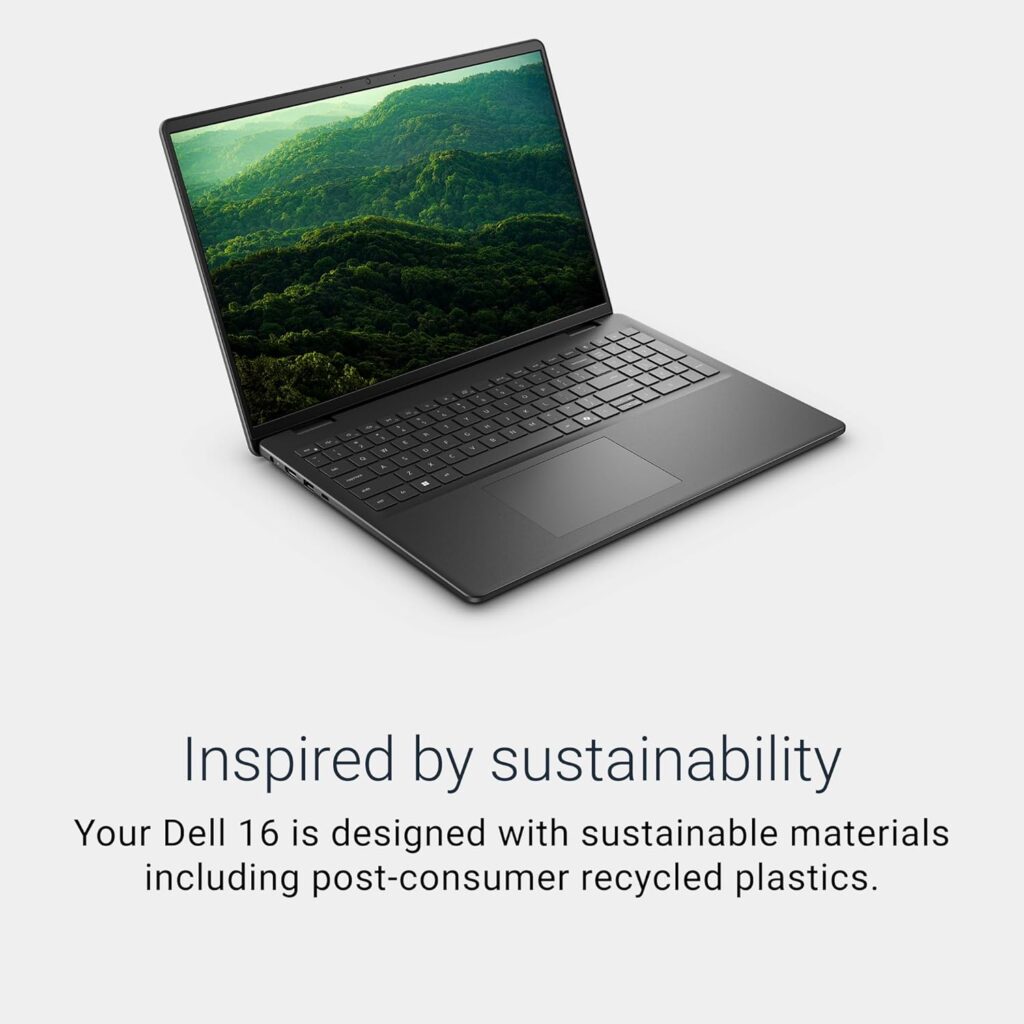
Specs: AMD Ryzen 7 250 (Zen 4, Hawk Point, rebadged 8840U) | 16GB DDR5 | 1TB SSD | 16″ 2K 1920×1200 16:10 IPS | 1.78kg | Wi-Fi 6E | Windows 11 Home
Score: 8.0/10
Pros: 16-inch 2K 16:10 display, DDR5 RAM, 1TB storage, Radeon 780M capable iGPU, USB 4 support, comprehensive ports including card reader, Dell build quality and brand reliability, fingerprint reader
Cons: Ryzen 7 250 is a rebadged 8840U (Zen 4, not Zen 5), no OLED display, approximately 1.78kg
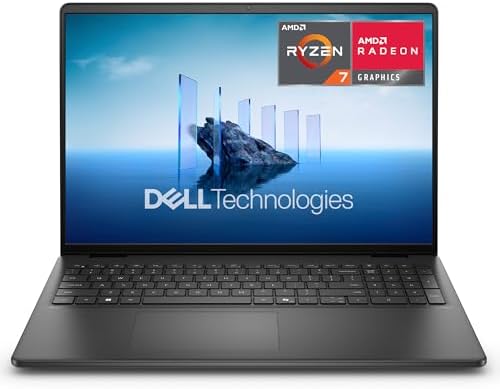
- LARGE AND VIVID DISPLAY 16-inch 2K (1920×1200) anti-glare screen with 300 nits brightness and wide-viewing angles delivers sharp, vibrant visuals for work, streaming, and study.
- POWERFUL AMD PERFORMANCE AMD Ryzen 7 250 processor with 8 cores (up to 5.1 GHz) paired with AMD Radeon Graphics ensures smooth multitasking, productivity, and multimedia experiences.
- FAST MEMORY AND STORAGE Comes with 16GB DDR5 5600MHz RAM and a 1TB PCIe NVMe SSD for fast boot times, quick app launches, and plenty of storage for large files and projects.
#3 — ASUS Vivobook S14 M3407HA | 8.2/10
The mid-range value champion — 32GB RAM and a 2.5K display at a remarkable price, with one caveat
The ASUS Vivobook S14 M3407HA presents a specification that would have been solidly premium-tier just two years ago: AMD Ryzen 9 270, 32GB RAM, 1TB SSD, 14-inch WQXGA 2.5K display, metallic chassis, 70Wh battery, and 1.55kg — all at a price that puts it firmly within this guide’s mid-range bracket. The raw numbers are genuinely impressive and the machine deserves its position near the top of this list.
The caveat applies at the processor level, and this site names it clearly: the AMD Ryzen 9 270, as ASUS’s own specification page confirms, uses AMD’s Hawk Point architecture with XDNA NPU rated at only 16 TOPS. This is the same generational positioning as the Dell’s Ryzen 7 250 — Zen 4 architecture, not Zen 5, and the 16 TOPS NPU does not meet the 40 TOPS threshold for Copilot+ certification. The Ryzen 9 number suggests a flagship processor; the Hawk Point architecture places it in the same generation as 2023-era AMD mobile chips. It is a fast Zen 4 chip — 8 cores, 16 threads, turbo to 5.2GHz — but buyers should not mistake the Ryzen 9 branding for next-generation positioning.
With that architectural context clearly established, the Vivobook S14 M3407HA earns its position through the combination of everything else. The 32GB RAM is the standout specification in this guide — no other machine at this price point ships with 32GB as standard, and the practical benefit for UK buyers is significant: running multiple demanding applications simultaneously, keeping dozens of browser tabs open without performance degradation, future-proofing the machine’s usability for 2028 and beyond. Amazon UK customer reviews consistently cite the RAM as the machine’s defining practical advantage, with verified UK buyers noting smooth performance across heavy multitasking workloads and media coursework.
The WQXGA 2.5K display at 2560×1600 provides noticeably sharper text and image rendering than standard 1080p or even 1200p panels — at the 14-inch size, the pixel density improvement is visible in daily use rather than only under close examination. The 70Wh battery is the largest in this guide among the non-Apple machines, and real-world usage from Amazon UK buyers reports 6 to 10+ hours depending on workload — consistent with the large battery capacity. The metallic chassis with CNC-engraved logo delivers a premium feel that the Vivobook S-series has consistently delivered above its price point. At 1.55kg it is comfortable for daily commuting.
The ASUS Vivobook S14 M3407HA is the best value proposition in this guide for buyers who prioritise RAM, display sharpness, storage, and battery life over having the newest processor generation. For buyers who specifically want Copilot+ AI certification or Zen 5 architecture, the HP Envy x360 (reviewed separately on this site) or the Zenbook 14 OLED serve that purpose. For buyers focused on maximum specification per pound, this machine is the guide’s value champion.
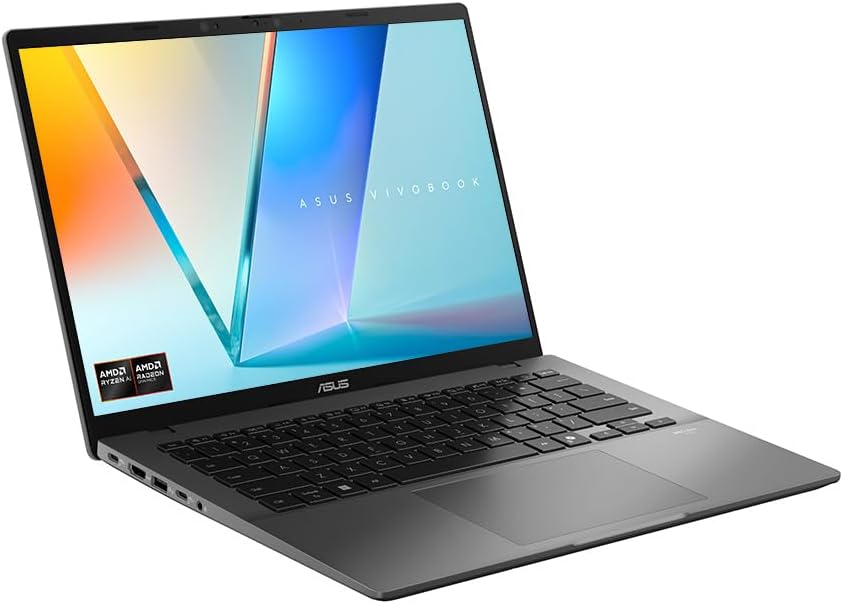
Specs: AMD Ryzen 9 270 (Zen 4, Hawk Point, 8 cores/16 threads, up to 5.2GHz) | 32GB RAM | 1TB SSD | 14″ WQXGA 2.5K 2560×1600 IPS | 1.55kg | Wi-Fi 6 | Windows 11 Home
Score: 8.2/10
Pros: 32GB RAM — outstanding at this price, 2.5K WQXGA display, 1TB SSD, 70Wh battery (largest non-Apple battery in this guide), metallic chassis, 1.55kg portability, exceptional value for spec
Cons: Ryzen 9 270 is Zen 4 Hawk Point (not Zen 5), 16 TOPS NPU — not Copilot+ certified, Wi-Fi 6 rather than 6E, no fingerprint reader

ASUS Vivobook S14 — 14″ 2.5K Display | AMD Ryzen 9 | 32GB RAM | 1TB SSD | Metal Chassis | Windows 11
- DESIGNED FOR LIFE – ASUS Vivobook S14 is stylish and modern, with an ultra-slim, lightweight, straight-line design that’s clean and simple outside, but packed with power inside. Its minimalist aesthetics are a perfect fit for any lifestyle, and the premium CNC-engraved logo adds a little touch of glamor. Experience seamless portability and stunning design, all without sacrificing performance.
- MORE CONNECTIVITY, LESS HASSLE – ASUS Vivobook S14 offers effortless connectivity, with all the essential ports you need. Say goodbye to annoying dongles and adapters — connect your devices seamlessly. It’s designed for your on-the-go lifestyle.
- POWER ALL DAY, EVERY DAY – No need to worry about running out of battery with ASUS Vivobook S14! Its high-capacity 70 Wh battery offers all-day stamina for seamless multitasking and entertainment, ensuring your laptop stays energised and ready for anything from dawn to dusk.
#2 — Apple MacBook Air 13 M4 | 8.7/10
The benchmark for ultraportable performance — with one storage caveat that matters
Every year, laptop reviewers spend considerable effort assessing whether Windows machines have finally caught up with the MacBook Air. In 2026, the gap has narrowed meaningfully — the Surface Laptop’s ARM battery life is genuinely competitive, and Qualcomm’s Snapdragon X Elite performance is closer to Apple silicon than any previous Windows ARM chip. The MacBook Air 13 M4 nevertheless remains the machine that other ultraportables in this price range are measured against, and the M4’s benchmark results explain why.
As confirmed across NotebookCheck’s review, TechRadar’s benchmarking, and LaptopMag’s independent testing, the Apple M4 achieves Geekbench 6 single-core scores of approximately 3,679 — placing it at least two generations ahead of any Windows processor in this guide in single-threaded tasks, and directly competitive with the M4’s multi-core performance figures of approximately 14,430 exceeding the Zenbook 14’s Core Ultra 9 285H score of 15,538 while using no active cooling. The M4 SoC runs completely fanlessly. No fan noise, no thermal throttling in typical use, no heat on the chassis surface under productivity workloads. That passively cooled performance consistency is something no Intel or AMD chip at this price point replicates.
Battery life confirms the efficiency advantage. LaptopMag’s test returned 15 hours and 30 minutes. Engadget achieved 18 hours and 15 minutes in video playback. Real-world mixed productivity use consistently returns 11–13 hours in independent assessments — the best battery life among all Windows machines in this guide at comparable weight. At 1.24kg and 11.3mm thin, the MacBook Air 13 is also the most portable machine here.
The M4 brings meaningful generational improvements over the M3: 16GB unified memory is now standard (the M3 shipped with 8GB as base), dual external display support with the lid open, an upgraded 12MP Center Stage webcam, and a new Sky Blue colour option. The price dropped by approximately £100 compared to the M3 at launch.
Now the storage caveat, and it requires direct treatment: the 256GB SSD configuration reviewed here (ASIN B0DZDD9ZKb) is the entry-level MacBook Air M4. For many buyers, 256GB is genuinely insufficient — a full macOS installation, typical application suite, and normal personal files will fill 256GB in 12–18 months without careful management. Apple’s memory and storage cannot be upgraded after purchase; whatever you buy is what you have for the machine’s lifetime. The 512GB configuration addresses this completely and costs approximately £200 more.
Who should buy the 256GB configuration: buyers who use iCloud Drive for the vast majority of their files and are disciplined about local storage, or buyers who are primarily web-based in their workflow and have limited local storage needs. Who should consider upgrading to 512GB: anyone who works with photos, videos, music production, creative projects, or simply prefers not to manage storage actively.
The other honest limitations: the display is a 60Hz IPS panel with a notch and thicker bezels that Apple’s competitors have largely eliminated from their premium displays. It is bright (500 nits) and accurate, but it is not an OLED display and it does not have the 120Hz refresh rate that Windows competitors including the Zenbook 14 OLED offer. macOS is not Windows — for buyers migrating from Windows, there is a genuine learning curve, and some Windows-specific software has no macOS equivalent. Verify your critical software has macOS versions before purchasing.
For buyers who have confirmed macOS compatibility with their workflow, the MacBook Air 13 M4 is the best combination of performance, battery life, build quality, and portability available at this price point. For buyers who need Windows, the Zenbook 14 OLED above is the guide’s recommendation.
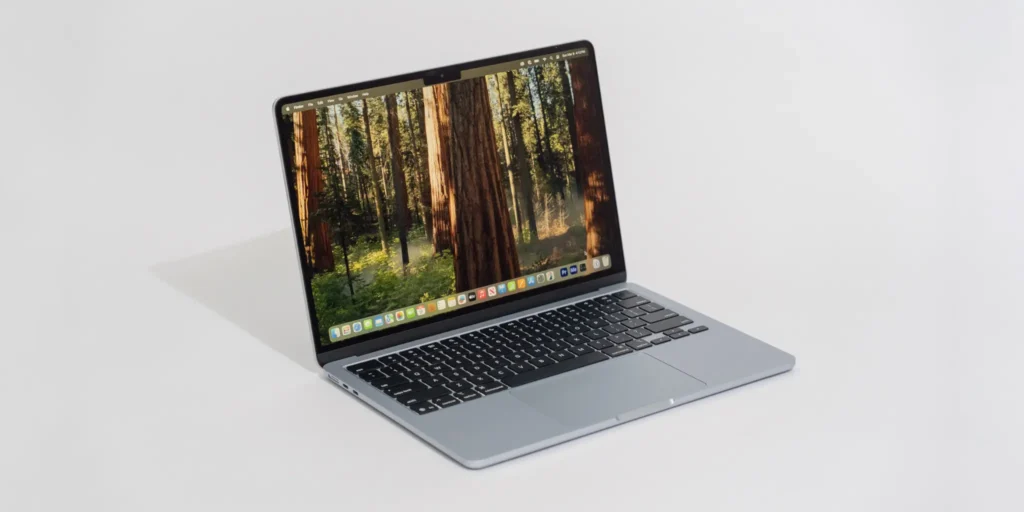
Specs: Apple M4 (10-core CPU, 10-core GPU, 16-core Neural Engine) | 16GB Unified Memory | 256GB SSD | 13.6″ Liquid Retina IPS 2560×1664 60Hz | 1.24kg | Wi-Fi 6E | Bluetooth 5.3 | macOS
Score: 8.7/10
Pros: Best single-core performance in this guide — Geekbench 6 single-core ~3,679, completely fanless (silent, no throttling), 15+ hours real-world battery life, lightest and thinnest machine in this guide at 1.24kg, 12MP Center Stage webcam, dual external display support (lid open), exceptional build quality, MagSafe charging plus dual Thunderbolt USB-C
Cons: 256GB storage — genuinely limiting for many buyers, consider 512GB configuration, macOS not Windows (verify software compatibility), 60Hz IPS display (not OLED, not 120Hz), no HDMI, no USB-A (requires adapter), higher UK street price may exceed £900 ceiling

- SPEED OF LIGHTNESS — MacBook Air with the M4 chip lets you blaze through work and play. With Apple Intelligence,* up to 18 hours of battery life* and an incredibly portable design, you can take on anything, anywhere.
- SUPERCHARGED BY M4 — The Apple M4 chip brings even more speed and fluidity to everything you do, like working between multiple apps, editing videos or playing graphically demanding games.
- BUILT FOR APPLE INTELLIGENCE — Apple Intelligence is the personal intelligence system that helps you write, express yourself and get things done effortlessly. With groundbreaking privacy protections, it gives you peace of mind that no one else can access your data — not even Apple.*
#1 — ASUS Zenbook 14 OLED UX3405CA | 9.1/10
The best mid-range laptop UK buyers can buy in 2026
The ASUS Zenbook 14 OLED UX3405CA earns the top position in this guide through a combination of specifications that no other Windows machine in this price range matches simultaneously: Intel’s Core Ultra 9 285H Arrow Lake processor, a 3K 120Hz OLED touchscreen, 32GB LPDDR5X RAM, 1TB PCIe Gen4 SSD, Wi-Fi 7, and a chassis that won the iF Design Award 2025 — all in a 1.28kg package.
The Intel Core Ultra 9 285H is Intel’s current-generation Arrow Lake-H flagship mobile processor, launched in 2024. As confirmed by LaptopMag’s benchmark review, the Zenbook 14 achieved a Geekbench 6 multi-core score of 15,538 — the highest of any machine in this guide, and stronger than the HP Elitebook x G1a with AMD Ryzen AI 9 HX Pro 375. The Core Ultra 9 285H integrates 6 performance cores running to 5.4GHz, 8 efficiency cores, and 2 low-power efficiency cores across 16 total cores, with Intel AI Boost NPU at 13 TOPS. For sustained demanding workloads — compiling code, working with large datasets, running demanding creative applications — this is the strongest processor available in the mid-range UK market. For our detailed explanation of what those benchmark figures mean in practice, see our Performance Benchmarks Explained guide and our Laptop CPU Guide.
The display is where the Zenbook 14 OLED separates itself from every other machine in this guide. The 14-inch 2880×1800 OLED panel at 120Hz is a fundamentally different viewing experience from any IPS panel — true blacks from OLED’s per-pixel illumination, contrast ratios that IPS cannot approach, colour accuracy and vibrancy that justify the technology’s premium positioning. At 120Hz, scrolling through documents and web pages is noticeably smoother than 60Hz alternatives. The touchscreen functionality works reliably — ASUS’s hinge executes touch input without the wobble that undermines lesser machines. ASUS Zenbook’s OLED panels have won the brand the Number 1 OLED laptop position globally for multiple consecutive years according to GFK and NPD combined retail data, a recognition earned through panel selection and calibration rather than marketing.
The only limitation that independent reviewers identify consistently is battery life. LaptopMag noted that the Zenbook 14 UX3405CA exhibited “poor longevity” — the OLED display and powerful Core Ultra 9 285H draw more power than their Intel Core Ultra U-series counterparts, and the 75Wh battery, while large, works harder to sustain both. Real-world mixed productivity use of 7–11 hours is the realistic range, with the lower end under demanding workloads and the higher end in lighter use — consistent with an individual Best Buy reviewer who confirmed approximately 11 hours during internet browsing and online course creation. This is acceptable rather than exceptional battery life, and buyers who need 14+ hour days without access to a charger should factor this into their decision.
Wi-Fi 7 is the fastest wireless standard available on any machine in this guide. The Intel Arc 140T integrated graphics — 8 GPU cores with 16GB dedicated VRAM shared with system memory — provides the strongest iGPU gaming performance in this guide, achieving 52 fps in Civilization VI at 1080p according to LaptopMag’s testing. It is not a gaming GPU in any meaningful sense, but for casual older titles and light creative workloads the Arc 140T performs meaningfully better than AMD’s Radeon 780M or 840M. The port selection includes Thunderbolt 4, USB-A, HDMI 2.1, card reader, and USB-C — comprehensive for a 14-inch machine. At 1.28kg the Zenbook 14 is among the lightest machines in this guide despite housing the most powerful processor.
The Zenbook 14 OLED UX3405CA is the best laptop in this guide for UK buyers who want maximum Windows performance, the best display available at this price point, 32GB RAM for heavy multitasking, and current-generation Intel architecture — and who can accept slightly shorter battery life as the trade-off for that combination.
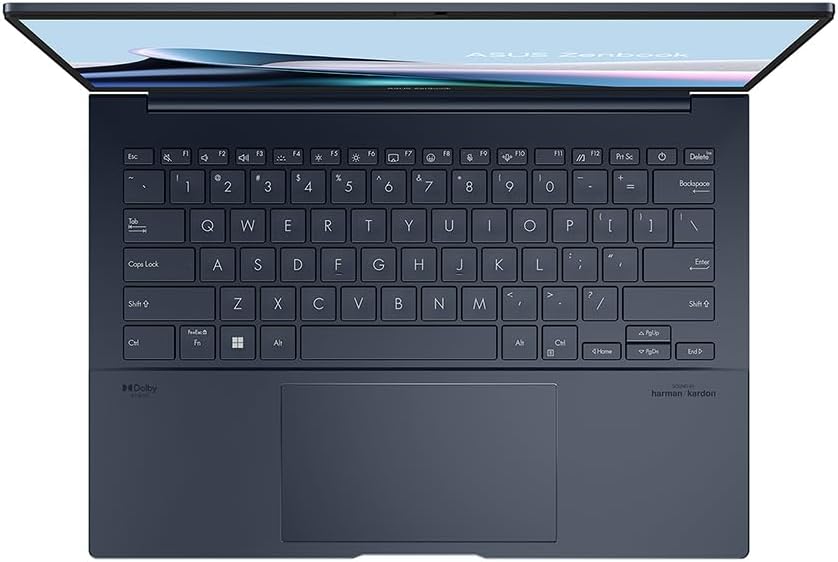
Specs: Intel Core Ultra 9 285H (Arrow Lake, 16 cores, up to 5.4GHz) | 32GB LPDDR5X | 1TB PCIe Gen4 SSD | 14″ 3K OLED 2880×1800 120Hz Touch | Intel Arc 140T iGPU | 1.28kg | Wi-Fi 7 | Bluetooth 5.4 | Windows 11 Home
Score: 9.1/10
Pros: Best CPU performance in this guide — Geekbench 6 multi-core 15,538, best display in this guide — 3K OLED 120Hz touchscreen, 32GB RAM, 1TB PCIe Gen4 SSD, Intel Arc 140T iGPU (strongest iGPU in guide), Wi-Fi 7, Thunderbolt 4, 1.28kg, iF Design Award 2025 winner
Cons: Battery life 7–11 hours — the guide’s trade-off for this level of performance and display quality, OLED display can be bright at maximum setting (standard for OLED class), Intel NPU at 13 TOPS — not Copilot+ certified despite powerful processor
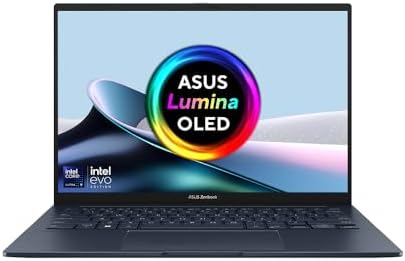
- VIEW THE INCREDIBLE – The ultra-vivid 1920 by 1200 ASUS Lumina OLED touchscreen display makes every moment incredible, with its up to 600-nit brightness, web-friendly 16:10 aspect ratio, and 87% screen-to-body ratio. And adaptive sync automatically adjusts the refresh rate for always-smooth visuals.
- ULTRA MOBILITY – Enjoy uncompromising mobility with the sleek, lightweight, and sturdy all-metal design. The specially crafted seamless finish on the sides offers a smoother touch experience. Zenbook 14 is always ready for any challenge, anywhere!
- ALL DAY EVERY DAY BATTERY – Untether yourself from the mains and be productive everywhere. Zenbook 14 has the day-long stamina you need, and more. And when it’s time for a top-up, USB-C Easy Charge makes it ultra-quick and ultra-convenient!
How to Choose — A Decision Framework
The right machine from this list depends on your actual priorities, not a generalised recommendation. Here is the decision framework:
Choose the ASUS Zenbook 14 OLED if: You want the best Windows performance and display available in this price range, you work at a desk or near power outlets regularly enough that 7–11 hour battery life is acceptable, and display quality matters to your daily experience.
Choose the MacBook Air 13 M4 if: You have confirmed macOS compatibility with your workflow, you need exceptional battery life (15+ hours), you prioritise absolute portability and silent operation, and 256GB storage is sufficient for your needs — or you are willing to pay for the 512GB configuration.
Choose the ASUS Vivobook S14 if: Maximum specification per pound is your priority, you want 32GB RAM at a price point that normally delivers 16GB, you are not specifically dependent on Copilot+ AI features, and you want the best battery among the Windows machines in this guide.
Choose the Dell 16 if: You want a reliable, large-screen Windows laptop from a trusted brand at a mid-range price, and the 16-inch display size suits your working style.
Choose the Surface Laptop if: You want the most elegant, portable Windows machine in this guide, battery life and build quality matter more to you than raw CPU performance, and you have verified your software runs on Windows on ARM.
Choose the Lenovo Slim 5 16 if: You need a large-screen capable machine and budget constraints prevent stretching to the Dell 16 or higher, accepting a 2022/2023 processor generation in exchange for competitive pricing.
Choose the Lenovo Slim 3 14 if: You are at the lower end of this guide’s price bracket and want a reliable Lenovo machine for everyday productivity without the premium features further up the list.
For a thorough explanation of every specification mentioned in this guide, our Laptop Buying Guide UK covers everything from CPU architectures to display technologies in plain English. For an explanation of what the processor benchmark numbers above mean in practical buying terms, see our Performance Benchmarks Explained guide.
For display technology context — including why OLED and IPS differ in daily use — our Laptop Display Guide covers the relevant detail. For buyers considering a step up to professional-grade machines, our Best Professional Laptops UK guide covers Thunderbolt 5, discrete GPU options, and enterprise build standards.
More Mid-Range Laptops
The machines above are the ones I’ve flagged as the most reliable all-rounders, but I’m always evaluating new best mid-range laptops as they hit the UK market. Every laptop in the feed below has gone through the same process: I’ve stripped back the spec sheet and vetted the buyer sentiment to see if they’re actually worth a look in 2026. If my top picks didn’t quite hit the mark, there might be something here that fits. Browse all mid-range laptop analyses in the Best Mid-Range Laptops category achive.
Browse by Specification
Looking for something specific? Browse our analyses by hardware and feature:
[AMD Processor Laptops] — [Intel Processor Laptops] — [16GB RAM Laptops] — [32GB RAM Laptops] — [Dedicated Graphics] — [Long Battery Life] — [Lightweight Laptops] — [Student Laptops]
Browse by Screen Size
[13-inch Laptops] — [14-inch Laptops] — [15-inch Laptops] — [16-inch+ Laptops]
Note: I don’t do lab tests or hands-on reviews. Instead, I tear down the technical specs and aggregate verified buyer reports to see how these laptops actually perform in the wild. As an Amazon Associate, I earn from qualifying links.
-
HP OmniBook X Flip 14-fm0005sa Analysis: Thin Wins, With Caveats
Reading Time: 9 minutesThe Blunt Verdict The HP OmniBook X Flip 14-fm0005sa is a convertible 2-in-1 aimed at students and independent professionals who
-
HP 14s-dq5007sa Analysis: Light Build, Dim Screen
Reading Time: 8 minutesThe Blunt Verdict The HP 14s-dq5007sa is a competent lightweight workhorse aimed squarely at students and home office users who
-
HP 14s-dq5010sa Analysis: The Touchscreen Lie
Reading Time: 8 minutesThe Blunt Verdict The HP 14s-dq5010sa is a competent everyday laptop that hits a sensible mid-range sweet spot for light
-
Lenovo IdeaPad Slim 5 14Q8X9 Analysis: ARM Worth It?
Reading Time: 9 minutesThe Blunt Verdict The Lenovo IdeaPad Slim 5 14Q8X9 is a genuinely interesting machine in a market full of identikit
-
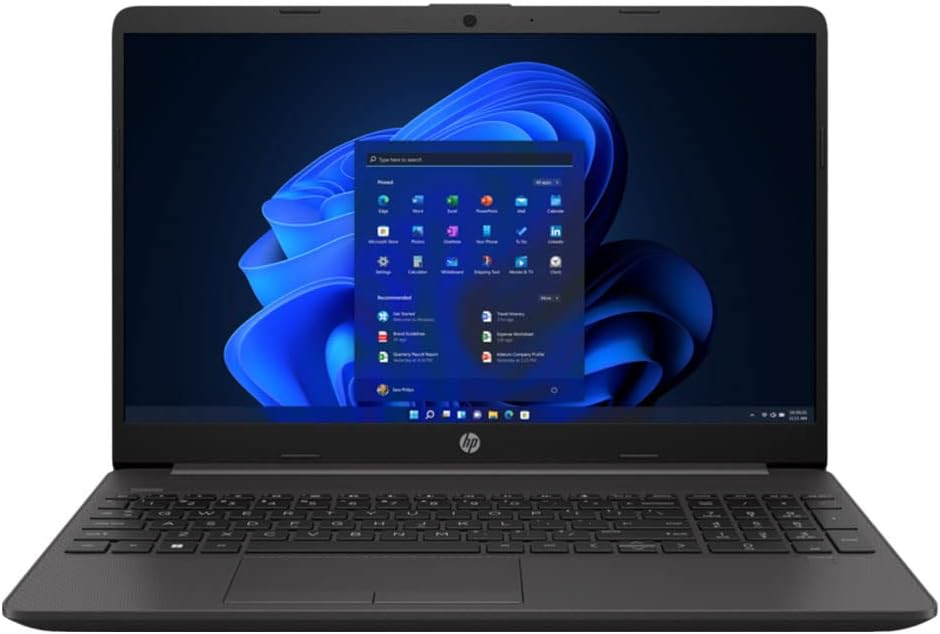
HP 250 G9 Analysis: The Windows Licence Problem
Reading Time: 9 minutesThe Blunt Verdict The HP 250 G9 is a business-class workhorse aimed squarely at office users and students who need