
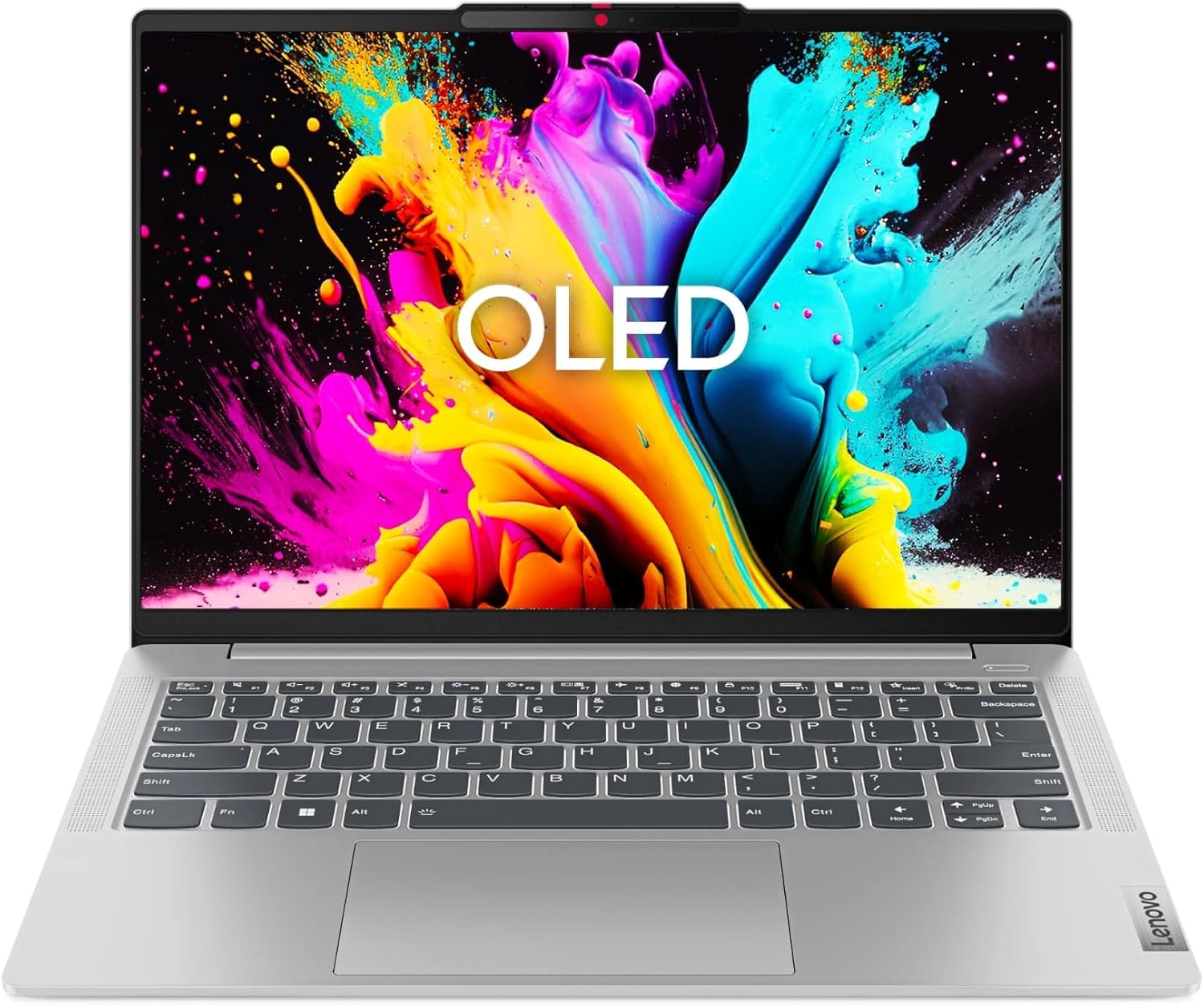
Lenovo IdeaPad Slim 5 14IRL8 Analysis: OLED Screen, Real Limits
The Blunt Verdict
The Lenovo IdeaPad Slim 5 14IRL8 is a genuinely attractive thin-and-light for students, writers, and office workers who want a proper OLED screen without spending flagship money. The headline strength is that display — a 14-inch WUXGA OLED panel with 100% DCI-P3 coverage at a 16:10 aspect ratio is genuinely rare at this tier, and it matters every single day. The headline weakness is the battery, which Lenovo lists at just 57Wh — and OLED panels are thirsty. If you’re expecting all-day untethered use, manage expectations now.
Under the hood you get an Intel Core i7-13620H, 16GB of LPDDR5 RAM, and a 1TB SSD. That’s a solid configuration for productivity work. The 13620H is a capable 13th-gen chip — 10 cores, 4.9GHz boost — not a slouch by any stretch. Storage is generous. RAM is on the right side of the minimum for modern multitasking. For anything outside of gaming or heavy video rendering, this machine has enough headroom to stay comfortable.
Buy it if you’re a student or professional who does documents, research, creative work, or coding and wants a screen that doesn’t look like a budget afterthought. Avoid it if you need all-day battery life without a charger nearby, or if you’re hoping to game on anything beyond browser-based stuff. For a broader look at machines in this category, our professional laptops roundup has more options worth comparing.
See the Lenovo IdeaPad Slim 5 14IRL8 listing and current availability on Amazon.

Pros and Cons
Pros
- OLED display with 100% DCI-P3 coverage and a 16:10 aspect ratio — genuinely excellent for this tier
- Intel Core i7-13620H gives strong sustained performance for productivity, coding, and creative tasks
- 1TB SSD storage is more than enough for most users and avoids the false economy of 512GB configs
- Wi-Fi 6E and four USB ports including two USB-C — connectivity is well above average for a 14-inch machine
- Rapid Charge Boost (two hours of use from a 15-minute charge) partially offsets the battery capacity concern
- Fingerprint reader and IR camera for Windows Hello — both included, no compromises on security
Cons
- 57Wh battery is modest for an OLED machine — real-world all-day use without a charger will be a stretch
- RAM is listed as non-upgradeable to a maximum of 16GB — what you buy is what you’re stuck with
- No Ethernet port — business users who rely on wired connections will need an adapter
Spec Breakdown
- Model: Lenovo IdeaPad Slim 5 14IRL8 (82XD005WUK)
- CPU: Intel Core i7-13620H (13th Gen, 10 cores, 4.9GHz boost)
- RAM: 16GB LPDDR5 (max 16GB — not upgradeable)
- Storage: 1TB SSD
- GPU: Intel Iris Xe Graphics (integrated)
- Display: 14-inch OLED, 1920×1200, 16:10 aspect ratio, 100% DCI-P3, glossy
- Battery: 57Wh lithium-ion, Rapid Charge Boost
- OS: Windows 11 Home
- Weight: 1.46kg
- Ports: 2× USB-A 3.2 Gen 1, 2× USB-C 3.2 Gen 1, 1× HDMI 1.4b, 1× microSD card reader
- Connectivity: Wi-Fi 6E (802.11ax), Bluetooth
- Keyboard: Backlit QWERTY
- Camera: FHD webcam with privacy shutter, IR camera for Windows Hello
- Security: Fingerprint reader (2-in-1 with power button)
Hardware & Performance Reality Check
The Intel Core i7-13620H is a proper H-series chip — not the neutered U-series processors Lenovo quietly drops into some of their thin-and-lights. It has 10 cores (6 performance, 4 efficiency) and a boost up to 4.9GHz, which translates to snappy application launches, smooth multitasking across a dozen browser tabs, and solid performance in productivity software like Excel, Photoshop, or even lighter video work. The 16GB of LPDDR5 RAM is the right amount for 2024 usage — enough for multitasking without constant swapping to disk. The catch: that RAM is soldered. The spec sheet lists the maximum at 16GB with no upgrade path. If you think you’ll want more later, you won’t be able to get it — so factor that in now. For more context on what RAM actually means for day-to-day use, see our guide on how much RAM you actually need.
The 1TB SSD is generous and a genuine selling point — you won’t be managing storage or shuffling files to external drives any time soon. Speed will depend on the specific SSD model inside, which Lenovo hasn’t confirmed in the spec sheet, so treat it as a standard NVMe rather than a top-tier PCIe 4.0 unit. The GPU is Intel Iris Xe Graphics — integrated, sharing system memory. It handles light photo editing, casual creative work, and video playback without complaint. Gaming is a non-starter for anything beyond older or very undemanding titles. If gaming matters even slightly, this isn’t the machine — look at our budget gaming laptops guide instead.
For real-world use heading into 2026: student coursework, office documents, video calls, browser research, coding in lightweight IDEs, and creative work like graphic design at non-export levels — the IdeaPad Slim 5 14IRL8 handles all of it without issue. Video editing at 4K export is where it starts to labour, not due to the CPU but because Iris Xe has no dedicated video encoding hardware worth leaning on. Programming in Python, JavaScript, or web development generally? Absolutely fine. The chip’s performance profile is well-matched to that workload. Check laptop performance benchmarks if you want to see where the i7-13620H sits against alternatives.
The port situation deserves a specific mention. Two USB-C 3.2 Gen 1 ports and two USB-A 3.2 Gen 1 ports alongside an HDMI 1.4b output and a microSD slot — that’s genuinely solid for a 14-inch machine. Both USB-C ports support full-function use including power delivery and display output. The absence of Thunderbolt and the older HDMI 1.4b spec (rather than 2.0 or 2.1) are worth noting if you’re driving a 4K monitor at high refresh rates, but for standard external monitor use it’s fine. No Ethernet — if you need wired networking, an adapter is a small but non-zero inconvenience. More on port standards in our ports guide.
Check the full spec sheet and buyer Q&As for the Lenovo IdeaPad Slim 5 14IRL8 on Amazon.
Everyday Usability: Battery, Build & More
At 1.46kg and 17.9mm thin, this is a genuinely portable machine — the kind you carry daily without noticing it in your bag. The aluminium-feel chassis is standard Lenovo IdeaPad fare: not ThinkPad-grade military spec, but not the plasticky flex-fest you find at the bottom of the market either. The 57Wh battery is where you need realistic expectations. On balanced power settings with a mix of browser and document work, expect five to seven hours. Heavy CPU tasks or high brightness on that OLED panel will push you toward four hours or less. The Rapid Charge Boost feature is a genuine lifeline — fifteen minutes gets you two hours of use, which means a quick charge over lunch is actually meaningful. That said, if your daily pattern is out of the house from 8am to 6pm with no charging opportunity, this will struggle. Carry the charger.

The OLED display is the reason to buy this machine. Full stop. OLED at this screen size means perfect blacks, colours that pop, and viewing angles that don’t shift as you tilt the screen. The 1920×1200 resolution at 16:10 gives you more vertical real estate than a standard 16:9 panel — meaningful for reading long documents or working in code editors. The glossy finish will pick up reflections in bright rooms, which is the usual OLED trade-off. For display types explained properly, see our laptop display types breakdown. There is no touchscreen. The keyboard is backlit with a layout that should suit most users — Lenovo’s IdeaPad keyboards are generally comfortable over long typing sessions. The FHD webcam with privacy shutter is a thoughtful inclusion; the privacy shutter in particular is something more manufacturers should make standard. Speaker quality via Dolby Audio tuning is reasonable for a machine this thin — fine for calls and background music, not a substitute for headphones during proper media consumption. Heat management from the i7-13620H in a 17.9mm chassis will involve fan spin under load — that’s physics, not a defect — but at idle and light work it should stay quiet.
Lifespan & Future-Proofing
The chassis is built to last three to four years of daily use with reasonable care — it’s not going to survive being sat on, but it’s not going to fall apart from normal bag-and-desk cycles either. The hinge design on IdeaPad Slim machines is generally reliable, though it’s worth handling it with a bit of respect rather than the one-handed yanking open some people do with sturdier ThinkPads. Lenovo’s one-year warranty is the floor — worth checking whether your purchase qualifies for extension.
On spec longevity: the Intel Core i7-13620H and 16GB LPDDR5 configuration will stay comfortable for everyday productivity tasks through to 2026 and likely a couple of years beyond that. The ceiling is the soldered RAM — 16GB maximum with no upgrade path means if software demands keep rising, you can’t compensate. For light-to-moderate use cases — documents, browsing, video calls, coding — 16GB will remain adequate for a good while. The 1TB SSD has room to grow into, and the Wi-Fi 6E is future-ready. The OLED panel doesn’t degrade noticeably in most usage patterns, though prolonged static images at high brightness can cause burn-in over years — keep the screensaver and auto-brightness enabled. No upgrade dead-ends beyond the RAM cap, though the practical lifespan is pegged to that ceiling more than anything else. If you’re comparing this against mid-range alternatives, factor in whether a machine with upgradeable RAM matters more to you long-term.
View current stock levels for the Lenovo IdeaPad Slim 5 14IRL8 on Amazon.
What Buyers Are Saying (And Potential Dealbreakers)
The Lenovo IdeaPad Slim 5 14IRL8 holds a rating of 4.4 out of 5 from 53 customer reviews on Amazon. That’s a decent sample size — enough to identify genuine patterns, though not so large that every edge case is covered. The overall sentiment is clearly positive, with buyers consistently landing on the display as the standout feature and the battery as the main gripe. No significant dealbreakers have surfaced at scale, which is reassuring for a machine in this configuration.
The recurring praise centres on screen quality — buyers who switched from IPS or TN panels to this OLED are almost uniformly impressed. The combination of vivid colour, contrast depth, and the extra vertical space from the 16:10 ratio gets mentioned repeatedly. Performance for office and student tasks draws consistent positive feedback — no complaints about lag, sluggishness, or thermal throttling under typical loads. The build quality and weight land well with buyers who prioritise portability. The fingerprint login and Windows Hello camera are called out as genuinely useful daily-use features rather than spec-sheet box-ticking.
On the negative side, battery life is the dominant complaint — buyers who expected all-day use from the 57Wh cell are frequently disappointed. A few buyers mention the glossy screen picking up reflections in brightly lit environments. No widespread hardware defect patterns have been flagged, which is worth noting positively.
Buyer Highlights
“The screen is genuinely stunning — I didn’t expect it to look this good at this kind of money.” — Consistent across multiple buyers comparing it to previous IPS displays.
“It’s light enough that I barely notice it in my bag on the commute.” — The 1.46kg weight is a recurring point of satisfaction for daily carriers.
“Battery doesn’t last as long as I’d hoped — I still need to carry the charger most days.” — The most commonly raised limitation, worth treating as a known trade-off rather than a defect.
“Boots up fast, handles everything I throw at it for uni work without any fuss.” — Student buyers specifically rate the responsiveness for coursework and research tasks.
“The fingerprint reader works every time, first try — small thing but I notice it on every login.” — Reliability of biometric login mentioned as a genuine daily quality-of-life win.
Who Should Buy It (And Who Shouldn’t)
Buy If
- You want an OLED screen at this tier and are prepared to keep the charger accessible — the display genuinely elevates the daily experience
- You’re a student or office worker who needs reliable performance for documents, research, video calls, and light creative work
- You prioritise portability and want something that doesn’t feel like a compromise in build or spec at 1.46kg
- You value security features — fingerprint reader, IR camera, and FHD webcam with physical privacy shutter are all present without needing extras
Avoid If
- You need genuine all-day battery life away from a socket — the 57Wh OLED combination will not get you through a full 8–10 hour day reliably
- You expect to game on anything modern — the Intel Iris Xe integrated GPU is not a gaming GPU in any meaningful sense
- You anticipate needing more than 16GB RAM within a few years — the soldered configuration offers no upgrade path whatsoever
The Bottom Line
The Lenovo IdeaPad Slim 5 14IRL8 earns its rating. The OLED display alone separates it from the majority of machines in this space, and the i7-13620H with 16GB LPDDR5 and a 1TB SSD is a configuration that handles real productivity workloads without compromise. The battery is the honest limitation — this is a charger-nearby machine, not a charger-optional one. If you can live with that, and you don’t need gaming capability or future RAM expansion, this is a well-rounded machine for students and professionals who want a screen that’s genuinely worth looking at every day. If you want to compare your options before committing, our laptop buying guide covers the key decisions worth making first.
Find the Lenovo IdeaPad Slim 5 14IRL8 on Amazon and read the latest buyer questions and answers.
At LaptopAdvisorOnline, our methodology is built on data transparency rather than simulated hands-on testing. We rigorously analyse official manufacturer specifications and aggregate verified customer sentiment to provide objective, fluff-free buying advice that helps you cut through the marketing jargon.
As an Amazon Associate, I earn from qualifying purchases.
Browse by Specification
Looking for something specific? Browse our analyses by hardware and feature below, or check all laptop analyses in the Best Professional Laptops category archive.
[AMD Processor Laptops] — [Intel Processor Laptops] — [16GB RAM Laptops] — [32GB RAM Laptops] — [Dedicated Graphics] — [Long Battery Life] — [Lightweight Laptops] — [Student Laptops]
Browse by Screen Size
[13-inch Laptops] — [14-inch Laptops] — [15-inch Laptops] — [16-inch+ Laptops]




