
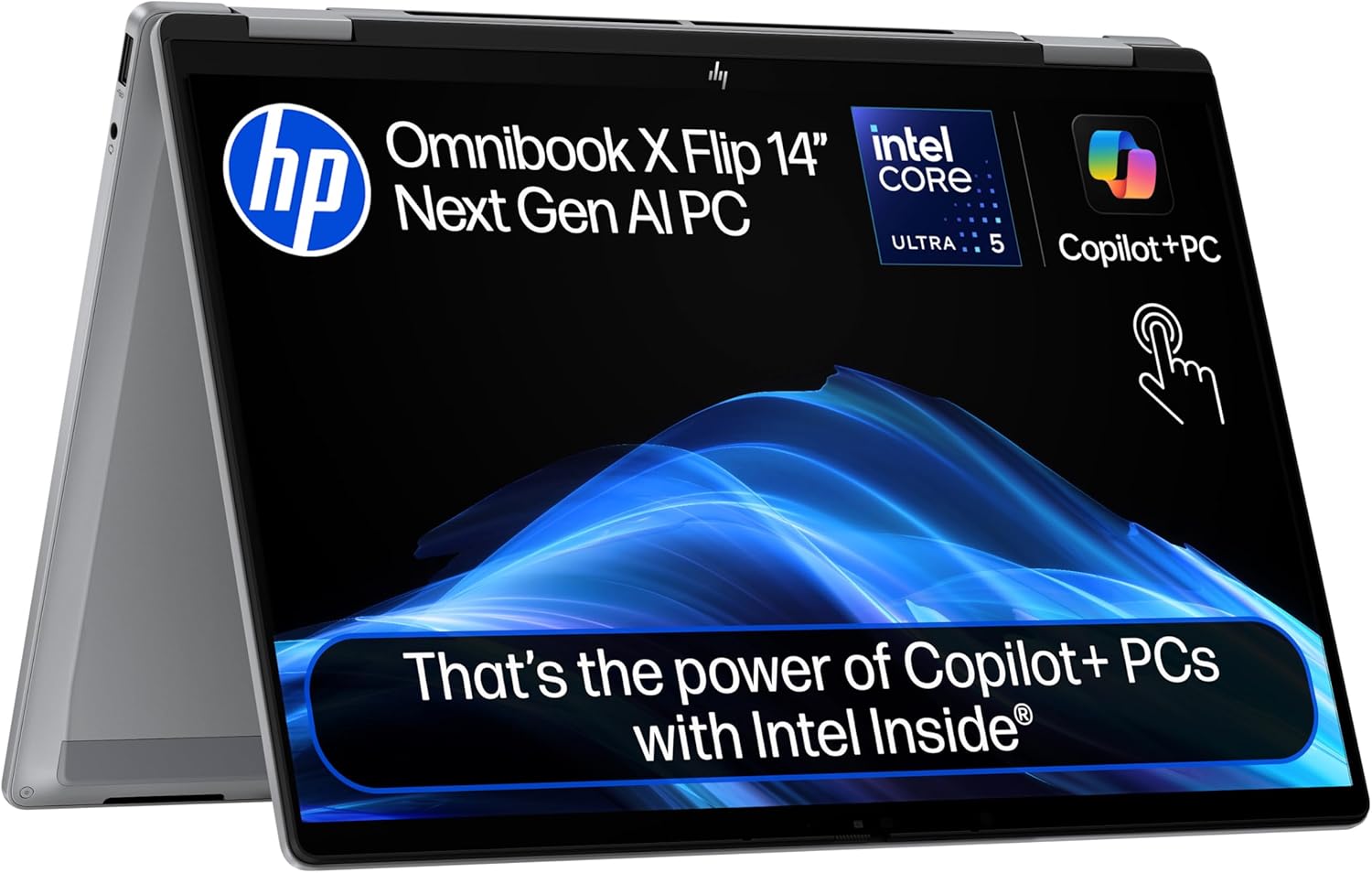
HP OmniBook X Flip 14-fm0005sa Analysis: Thin Wins, With Caveats
The Blunt Verdict
The HP OmniBook X Flip 14-fm0005sa is a convertible 2-in-1 aimed at students and independent professionals who want a thin, light machine with genuine all-day battery life and a touchscreen that actually works. The headline strength is the combination of Intel’s latest efficiency-first chip, a crisp display, and serious battery stamina. The headline weakness is a known software stability issue reported by at least one buyer — and with only seven reviews on Amazon, that single report carries more weight than it normally would.
Under the hood you get an Intel Core Ultra 5 226V processor, 16GB of LPDDR5x RAM, and a 512GB SSD. The display is a 2K IPS touchscreen running at 1920 x 1200 pixels — a sensible 16:10 aspect ratio that gives you more vertical space than the tired 16:9 standard. Battery capacity sits at 59Wh with HP claiming up to 22.75 hours, which is optimistic marketing maths, but real-world longevity should still be well above average for this class. The Intel Arc 130V GPU handles graphics duties — more on what that actually means shortly.
Buy this if you want a polished 2-in-1 for university, creative work, or a hybrid office setup, and you value battery life and screen quality over raw processing grunt. Avoid it if you need a machine that’s been battle-tested in volume — seven reviews is simply not enough to call this reliable across the board, and one of those reviews documents serious stability problems out of the box.
See the HP OmniBook X Flip 14-fm0005sa listing and current availability on Amazon.

Pros and Cons
Pros
- Intel Core Ultra 5 226V is built for efficiency — strong performance without destroying battery life
- 2K IPS touchscreen at 1920 x 1200 with 400 nits brightness is genuinely good for this class
- Wi-Fi 7 support means you’re not going to be the bottleneck on a modern router
- Thunderbolt 4 port gives you fast data transfer, external display support, and charging in one connector
- Four usage modes (clamshell, tent, tablet, reverse) give real flexibility for lectures, sketching, and presentations
- 1.38kg weight makes it one of the lighter convertibles in the 14-inch category
Cons
- RAM is soldered at 16GB maximum — there is no upgrade path once you hit that ceiling
- At least one buyer reports serious bugs including cursor jumping and unexpected shutdowns from new
- Only seven Amazon reviews — not enough volume to reliably gauge whether quality control is consistent
Spec Breakdown
- Model: HP OmniBook X Flip 14-fm0005sa (BM2T7EA#ABU)
- CPU: Intel Core Ultra 5 226V (Series 2), 8 cores, up to 4.5GHz
- RAM: 16GB LPDDR5x-8533 (soldered, not upgradeable)
- Storage: 512GB SSD
- GPU: Intel Arc 130V (8GB shared graphics memory)
- Display: 14-inch 2K IPS touchscreen, 1920 x 1200, 400 nits, capacitive touch
- Battery: 59Wh, 3-cell Lithium Polymer, HP Fast Charge (0–50% in ~30 mins)
- OS: Windows 11 Home
- Weight: 1.38kg
- Ports: 1x Thunderbolt 4, 1x HDMI, USB 3.2 Gen 2, headphone jack (5 ports total)
- Connectivity: Wi-Fi 7 (802.11be), Bluetooth 5.4
- Keyboard: Full-size backlit
- Camera: 5MP front-facing
- Form Factor: Convertible 2-in-1
- Dimensions: 31.3 x 21.9 x 1.5cm
Hardware & Performance Reality Check
The Intel Core Ultra 5 226V belongs to Intel’s Series 2 “Lunar Lake” lineup — an architecture rebuilt specifically around efficiency rather than peak clock speeds. It maxes out at 4.5GHz across 8 cores and includes a dedicated Neural Processing Unit (NPU) for the AI features HP keeps pushing in its marketing copy. In daily use, this chip handles web browsing, document editing, video calls, and light creative work without breaking a sweat. It’s not a chip you’d choose for sustained heavy workloads, but that’s not what it’s designed for. The 16GB of LPDDR5x RAM at 8533MHz is plenty for multitasking at this level — the problem is it’s soldered directly to the motherboard. If you want to understand why that matters for your purchase, the RAM guide explains it plainly. Short version: 16GB is fine now, but you can’t add more later, so if your needs grow, the whole machine gets replaced.
The 512GB SSD is a reasonable baseline — enough for an OS, a few applications, and a solid chunk of files before you’re reaching for external storage. On the graphics side, the Intel Arc 130V is classed as a dedicated GPU in the spec sheet because it has its own memory allocation (8GB shared), but don’t let that fool you. It’s an integrated-class GPU in practical terms. It’ll handle 4K video playback, light photo editing, and even some casual gaming at reduced settings — but it’s not built for serious gaming or GPU-accelerated video rendering. If you want to understand how this stacks up against other GPU options, the performance benchmarks page gives useful context. For the target audience here — students and professionals — it’s more than sufficient.
For 2026 and beyond, here’s the honest picture. Student work, Office 365, video calls, and general web use: handled easily, no concerns for several years. Office tasks including spreadsheets, presentations, and light coding: solid. Programming: fine for web development and scripting — not ideal for heavy compilation or large local environments. Video editing: basic timeline work in something like DaVinci Resolve is feasible, but export times will remind you this isn’t a workstation. Gaming: Minecraft, older indie titles, and lighter games will run; anything AAA released in the last two years probably won’t, at least not at playable settings. If gaming is a priority, look at a budget gaming machine instead.
The port selection deserves a specific mention because it affects daily life. You get one Thunderbolt 4 port, one HDMI, and three further USB 3.2 Gen 2 connections. That’s a genuinely useful spread for a slim convertible. No Ethernet port — wireless only — which is standard at this form factor but worth knowing. The ports guide covers why the Thunderbolt 4 slot is particularly valuable if you ever want to connect an external monitor or fast storage. The Wi-Fi 7 standard means this machine is ready for next-generation routers that most people don’t own yet, but it also guarantees excellent performance on any current Wi-Fi 6 or 6E network.
Check the full spec sheet and buyer Q&As for the HP OmniBook X Flip 14-fm0005sa on Amazon.
Everyday Usability: Battery, Build & More
Battery life is the headline claim HP leans on hardest — 22.75 hours sounds like marketing fiction, and to some extent it is. That figure comes from HP’s own test conditions: screen at low brightness, minimal load, specific usage patterns. Real-world figures for Lunar Lake chips in similar machines tend to land around 12–16 hours under mixed use, which is still genuinely excellent. The 59Wh battery with Fast Charge (0–50% in roughly 30 minutes) means that even if you run it down, you’re not waiting long to get back on the road. At 1.38kg and 1.5cm thick, this sits firmly in the category of machines you actually want to carry around all day rather than leave in a bag hoping you’re near a socket.
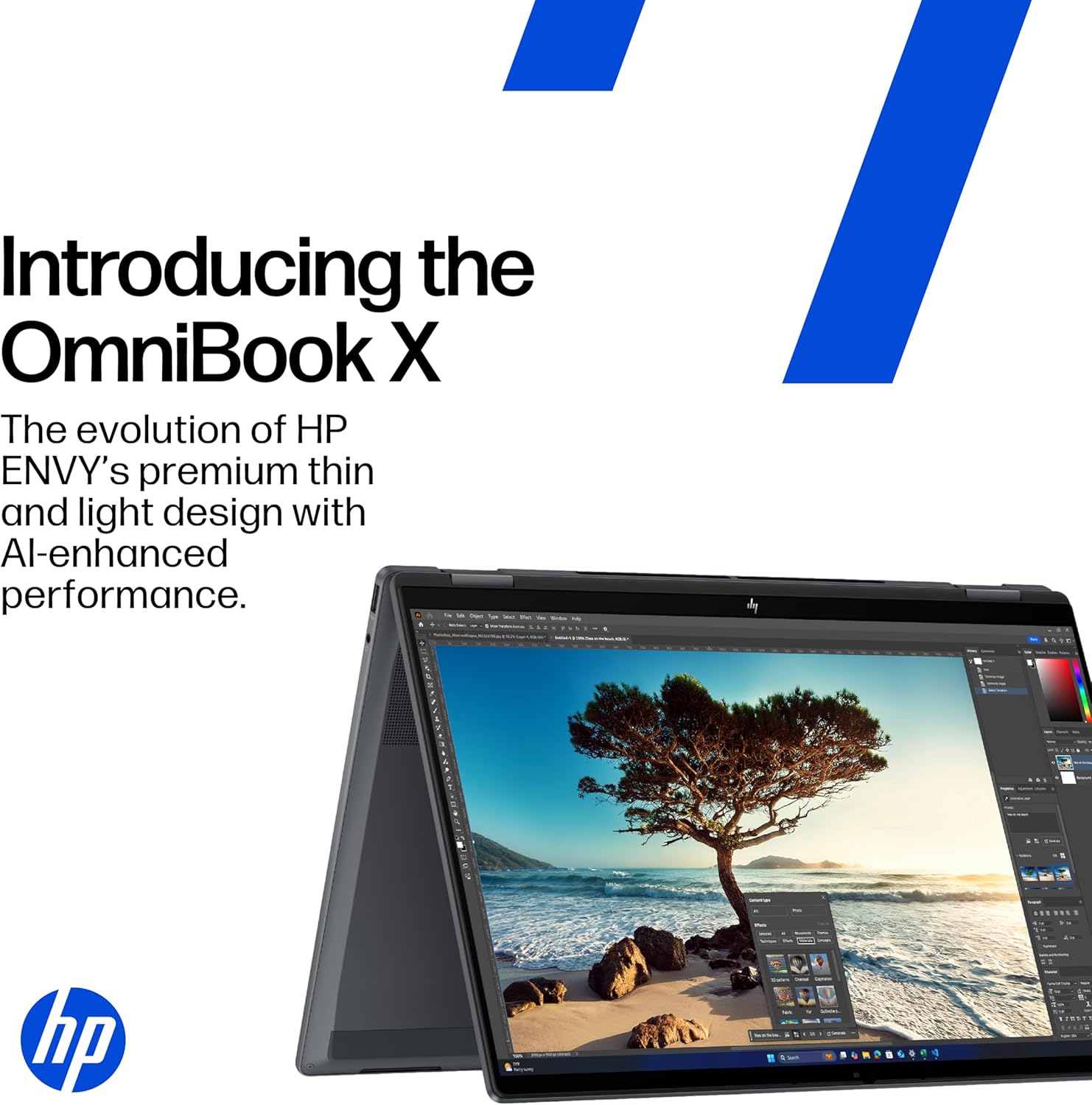
The display gets genuine praise in buyer feedback — and the specs support that. A 2K, 1920 x 1200 IPS panel at 400 nits is bright enough to use outdoors in decent conditions and the 16:10 ratio gives that extra slice of vertical space that makes a real difference when you’re working across documents or browsing long pages. For a full breakdown of why IPS panels matter and how they compare to other options, the display types guide covers it clearly. The capacitive touchscreen is responsive according to buyer feedback — and with four physical usage modes, this machine genuinely earns the “convertible” label rather than just having a hinge that rotates once and stays there. The keyboard is backlit and full-size, which buyers specifically called out as a positive. The 5MP webcam with Poly Camera Pro AI processing is a step above the 1080p units stuffed into most laptops at this level — useful if you’re regularly on video calls. Build quality sits in a firm but lightweight chassis; one returning HP buyer noted it feels noticeably more solid than previous Envy models they’d owned. No Ethernet port is the one genuine connectivity gap — if you need wired networking regularly, you’ll need a USB-C or Thunderbolt adapter. There’s no fingerprint reader listed in the specifications, which is a mild irritation on a machine marketed at professionals. The speaker setup is a basic stereo pair — functional, not a reason to buy.
Lifespan & Future-Proofing
On build quality longevity, the slim aluminium-finish chassis should hold up well under normal use for four to five years. HP’s OmniBook line is positioned above the entry-level Envy range, and the early buyer feedback supports the idea that construction quality has improved. The convertible hinge is always a potential weak point on 2-in-1 machines — there’s no long-term data on this specific model yet, so that’s a genuine unknown. A one-year limited warranty with no on-site repair is the baseline you get, which is standard and nothing more. If you want to understand how to frame a laptop purchase against longer-term use cases, the buying guide has useful framing.
On spec longevity, the Core Ultra 5 226V is a current-generation chip as of 2026, and 16GB of fast RAM is a comfortable baseline for the next three to four years of everyday use. The upgrade dead-end is real though — RAM is soldered at the maximum supported capacity, and there’s no indication the SSD is user-replaceable either. That means what you buy is what you keep. For light-to-moderate use, this machine should feel current until around 2028–2029 without issue. If your workloads intensify or you move toward heavier software, you’ll hit the ceiling sooner. The specs guide is worth reading if you want to think through what spec headroom actually means for your specific workflow before committing.
View current stock levels and delivery options for the HP OmniBook X Flip 14-fm0005sa on Amazon.
What Buyers Are Saying (And Potential Dealbreakers)
The HP OmniBook X Flip 14-fm0005sa currently holds a rating of 4.5 out of 5 from 7 reviews on Amazon UK. That sample size is too small to draw firm conclusions — seven opinions can swing wildly based on a single bad unit or a single enthusiastic fan. Treat what follows as directional signal, not statistical consensus. Where the reviews are thin, hardware knowledge fills the gaps.
The split in the existing reviews is sharper than the average score suggests. Five-star buyers are genuinely pleased — fast performance, vivid display, solid build quality are the consistent positives. One buyer who replaced two previous HP Envy laptops (both of which developed identical faults) specifically notes that the OmniBook feels like a meaningful quality step up. That’s useful context. The one-star review, however, documents multiple simultaneous faults: an erratic cursor, unexpected shutdowns, and audio problems — all from new. That reviewer also attributes some issues to Windows 11 instability, which is a fair point; Windows 11 has its own well-documented bugs, particularly around audio drivers. Whether the issues were hardware-specific or software-related isn’t clear from the review, but a machine that exhibits cursor jumping and random power-offs out of the box, regardless of cause, is a serious red flag that prospective buyers should not wave away.
Hardware-based projections for what you’d expect: the CPU and GPU combination should handle typical student and professional loads without thermal throttling in a chassis this thin — Lunar Lake chips were specifically designed to run cool at efficiency workloads. Display quality at 400 nits IPS is above average and should satisfy most users. The four-mode convertible hinge is a genuine differentiator for students who want tablet mode for note-taking. The mid-range category is competitive and this machine is positioning itself at the upper end of it, so expectations should be calibrated accordingly.
Buyer Highlights
“It’s a much better build quality than the Envy and it’s super fast with a fantastic vivid bright clear and responsive touchscreen.” — Worth noting from a buyer who had two previous HP models develop faults.
“Cursor jumps about all over the place, so absolutely useless for anything really — and it shuts off on its own.” — One buyer’s experience from new; whether hardware or software, it’s a dealbreaker-level issue if it repeats.
“Superb Omni book with lots of features — make sure you buy at the right price though.” — A satisfied buyer flagging that value perception matters here.
“Performance wise it seems to handle everything I ask it to do — a huge improvement over the Envy.” — Encouraging for anyone upgrading from older HP hardware.
Who Should Buy It (And Who Shouldn’t)
Buy If
- You’re a student or professional who needs a light, capable machine for lectures, video calls, documents, and creative work
- Battery life is a genuine priority and you can’t always guarantee access to a socket during the day
- You want a convertible 2-in-1 that covers tablet mode for sketching or note-taking without adding significant weight
- You’re upgrading from an older or lower-tier HP laptop and want a meaningful step up in display quality and build
Avoid If
- You want a machine with a larger review base and proven reliability track record before spending at this level — seven reviews is not that
- You need more than 16GB RAM now or expect to in the next three years — this machine cannot be upgraded
- Gaming beyond casual or indie titles is on your list — the Arc 130V won’t cut it for modern AAA games
The Bottom Line
The HP OmniBook X Flip 14-fm0005sa is a well-specced, genuinely thin and light convertible with a strong display, proper battery stamina, and a current-generation chip that handles everyday professional and student workloads comfortably. The locked RAM and minimal review pool are real concerns — one documents serious instability issues that can’t be dismissed. If you’re drawn to this machine for the convertible form factor, display quality, and efficiency-first CPU, those reasons are sound. Just go in with eyes open: this is a 2025 model with a short track record, and the return policy matters.
Read the latest buyer questions and answers for the HP OmniBook X Flip 14-fm0005sa on Amazon.
At LaptopAdvisorOnline, our methodology is built on data transparency rather than simulated hands-on testing. We rigorously analyse official manufacturer specifications and aggregate verified customer sentiment to provide objective, fluff-free buying advice that helps you cut through the marketing jargon.
As an Amazon Associate, I earn from qualifying purchases.
Browse by Specification
Looking for something specific? Browse our analyses by hardware and feature below, or check all laptop analyses in the Best Mid-Range Laptops category archive.
[AMD Processor Laptops] — [Intel Processor Laptops] — [16GB RAM Laptops] — [32GB RAM Laptops] — [Dedicated Graphics] — [Long Battery Life] — [Lightweight Laptops] — [Student Laptops]
Browse by Screen Size
[13-inch Laptops] — [14-inch Laptops] — [15-inch Laptops] — [16-inch+ Laptops]




