
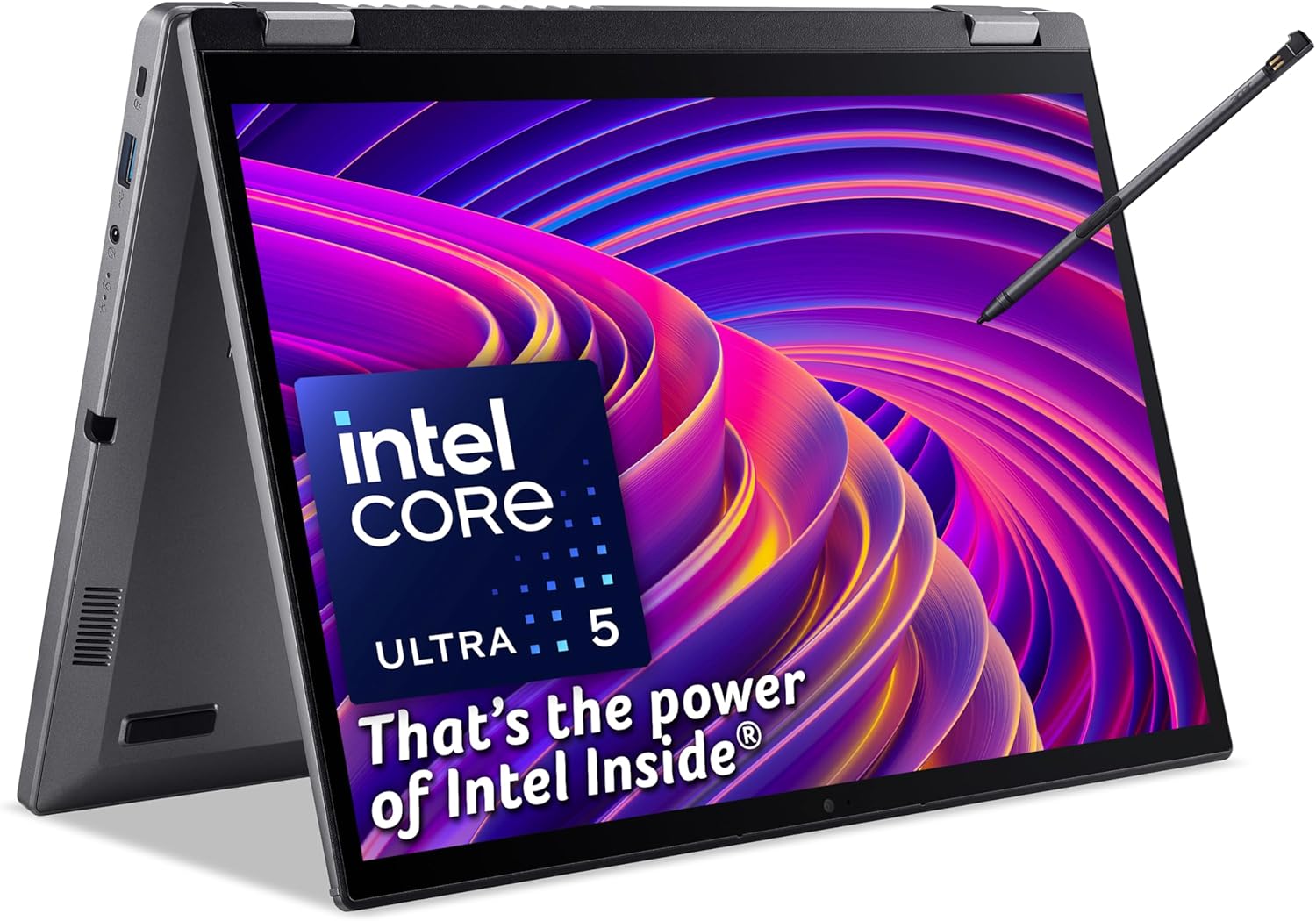
Acer Aspire Spin 14 ASP14-52MTN Analysis: Stylus Included
The Blunt Verdict
The Acer Aspire Spin 14 ASP14-52MTN is a genuinely considered convertible for students and mobile workers who want flexibility without carrying a tablet and laptop separately. The 360° hinge, active stylus, and touchscreen make it one of the more complete 2-in-1 packages at this tier. The headline weakness is simple: integrated graphics only, so anything GPU-intensive is off the table entirely.
You get an Intel Core Ultra 5 115U processor, 16GB of LPDDR5 RAM, and a 512GB SSD inside a 1.5kg chassis. That’s a legitimately decent spec sheet for productivity work. The display is a 14-inch WUXGA (1920×1200) IPS touchscreen with a 16:10 aspect ratio — more vertical space than a standard 16:9 panel, which matters when you’re reading documents or browsing. Connectivity includes dual Thunderbolt 4 USB-C ports and HDMI 2.1, which is stronger than most competitors bother with at this level.
Buy it if you want a well-connected convertible for notes, documents, and light creative work. Don’t buy it if gaming, video editing, or any GPU-heavy task is on your list — the Intel UHD Graphics won’t entertain those discussions.
See the Acer Aspire Spin 14 ASP14-52MTN listing and availability on Amazon.

Pros and Cons
Pros
- Dual Thunderbolt 4 USB-C ports is genuinely rare at this price tier and makes external monitor or dock setups far cleaner
- 16:10 aspect ratio on a 1920×1200 touchscreen gives noticeably more usable vertical space than standard widescreen panels
- Dockable stylus with 4,000 levels of pressure sensitivity included in the box — not an afterthought accessory
- Wi-Fi 6E support means it’s ready for modern routers and won’t bottleneck on wireless bandwidth
- 16GB LPDDR5 RAM is a sensible baseline for multitasking — no penny-pinching 8GB configuration to watch out for here
- 1080p webcam with dual digital microphones makes video calls more than just passable
Cons
- RAM is listed at a maximum of 16GB — if that’s the ceiling with no upgrade path, you’re locked in for the machine’s life
- Intel UHD integrated graphics rules out any GPU-dependent workload: gaming, 3D rendering, heavy video editing all non-starters
- Only 15 Amazon reviews at time of writing — not enough buyer data to draw firm conclusions about long-term reliability
Spec Breakdown
- Model: Acer Aspire Spin 14 ASP14-52MTN (NX.J3LEK.003)
- CPU: Intel Core Ultra 5 115U (up to 4.2GHz, 8 cores)
- RAM: 16GB LPDDR5
- Storage: 512GB M.2 SSD (SATA)
- GPU: Intel UHD Graphics (integrated/shared)
- Display: 14-inch WUXGA IPS Touchscreen, 1920×1200, 16:10 aspect ratio
- Battery: 50Wh Lithium-Ion
- OS: Windows 11
- Weight: 1.5kg
- Ports: 2× USB-C (Thunderbolt 4), HDMI 2.1, USB-A (total 4 USB ports, 5 ports overall)
- Connectivity: Wi-Fi 6E (802.11ax), Bluetooth
- Keyboard: Backlit QWERTY
- Camera: 1080p webcam with dual digital microphones
- Stylus: Acer Active Stylus (dockable, 4,000+ pressure levels)
- Form Factor: Convertible (360° hinge)
Hardware & Performance Reality Check
The Intel Core Ultra 5 115U is a low-power U-series chip — that’s not a criticism, it’s just the honest context. It’s designed to balance performance with thermals and battery life in thin chassis, which is exactly the right trade-off for a 1.5kg convertible. For CPU performance comparisons, it sits comfortably above the older Core i5 generation in single-core tasks and AI-assisted workloads. The 16GB LPDDR5 RAM is the right amount — if you want to understand why, our RAM guide covers it. The bad news: the spec sheet lists 16GB as the maximum and the RAM type (LPDDR5) is almost certainly soldered to the board, which is standard for this form factor. You cannot upgrade it later. What you buy is what you live with for the machine’s entire life.
The 512GB SSD uses a Serial ATA interface rather than NVMe — faster than any HDD, but noticeably slower than the NVMe drives now standard in similarly priced machines. Day-to-day you probably won’t notice, but large file transfers and application load times will lag slightly behind an NVMe equivalent. The Intel UHD Graphics are shared memory integrated graphics. They handle 4K video playback, light photo editing, and anything Office-related without complaint. They cannot run modern games at any meaningful setting, won’t accelerate GPU-heavy video exports, and aren’t a substitute for even a budget dedicated GPU. If graphics performance matters to you at all, this machine is not the answer — check the budget gaming options instead.
For 2026 real-world use: student work and essay writing — fine, genuinely good. Office tasks, spreadsheets, video calls — handled comfortably with headroom. Programming with lightweight IDEs — workable, particularly with 16GB of RAM keeping things from grinding. Gaming — no. Video editing with heavy effects — no. Data science or machine learning workloads — no. The Core Ultra 5 includes Intel AI Boost, which is relevant if you’re using AI-assisted applications like Copilot heavily, but that’s not a substitute for raw GPU compute. Check performance benchmarks if you want hard numbers against competing chips.
The port configuration deserves a separate mention because it’s genuinely better than expected. Dual Thunderbolt 4 USB-C gives you full 40Gbps bandwidth on both ports — useful for external SSDs, high-resolution monitors, or Thunderbolt docks. HDMI 2.1 rather than the older 2.0 means it can push 4K at 120Hz to an external display. No Ethernet port, which is standard for thin convertibles — you’ll need a USB-C adapter for wired connections. The full ports guide explains what each standard actually means if the Thunderbolt spec needs unpacking.
Browse the full spec sheet and buyer Q&As for the Acer Aspire Spin 14 ASP14-52MTN on Amazon.
Everyday Usability: Battery, Build & More
The 50Wh battery is on the modest side for a modern convertible — you’d hope for 60Wh or more for confident all-day claims. In practice, the U-series processor is efficient enough that light-to-moderate use — documents, browser tabs, note-taking in tablet mode — should see you through a standard working day, but probably not much more. Heavier workloads or brightness cranked up will shorten that meaningfully. The 1.5kg weight is genuinely carry-friendly; at that figure it doesn’t become a problem in a bag. The metal chassis (Acer describes it as “Iron” coloured) should hold up better than plastic-bodied competition at this tier. The 360° hinge enables four modes — laptop, tent, display, and tablet — which sounds like marketing until you’re actually using it propped in tent mode on a desk or holding it as a tablet for handwritten notes. The dockable stylus slots into the chassis so you’re not hunting for it at the bottom of a bag.
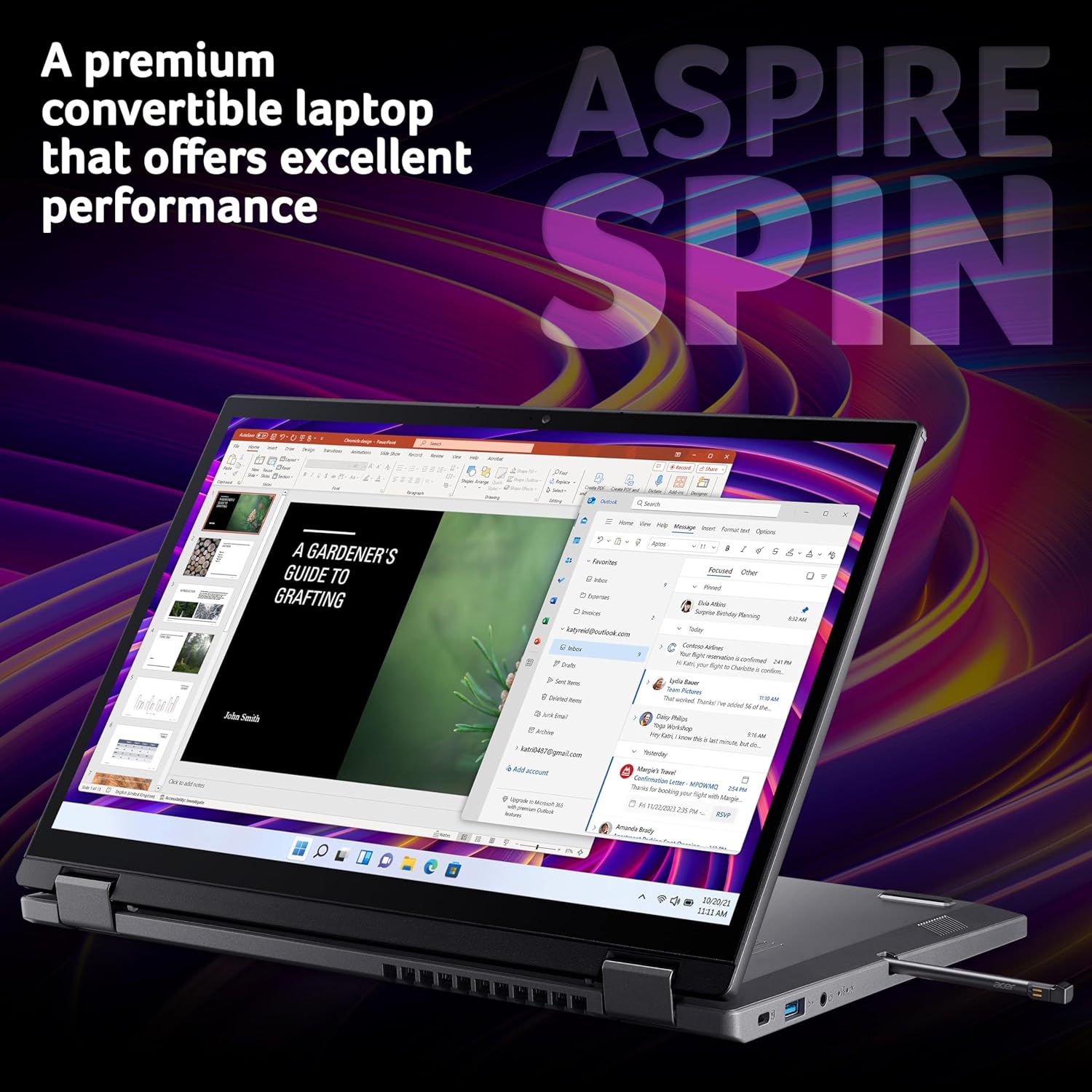
The 14-inch 1920×1200 IPS panel is a good news story. IPS means proper viewing angles and colour accuracy — it won’t wash out when you tilt it in tablet mode. The 16:10 ratio is worth highlighting again: you get more vertical real estate than a 16:9 panel of the same diagonal, which is noticeably better for reading web pages, documents, and code. The touchscreen is capacitive and also supports the stylus, so it works with both fingers and the Active Stylus without needing to switch modes. For display panel types explained, IPS at this size and resolution is the right choice for this use case. The backlit keyboard is a practical inclusion — the 360° hinge design means the keyboard folds away in tablet and tent modes, so key travel and layout are perhaps less of a defining factor here than on a traditional clamshell, but it’s solid enough for sustained typing sessions. The 1080p webcam with dual microphones is a legitimate upgrade over the 720p units still appearing on machines that should know better.
Lifespan & Future-Proofing
Build quality longevity: the metal chassis is a meaningful advantage over plastic-bodied alternatives. The hinge on a 360° convertible takes more stress than a standard lid hinge — Acer’s build quality on the Aspire line is generally acceptable rather than exceptional, so realistically you’re looking at four to five years of daily use before hinge wear or chassis fatigue becomes a concern. Treat it with reasonable care and it’ll outlast most budget competition.
Spec longevity is the more pointed question. The Intel Core Ultra 5 115U is a current-generation chip and handles everyday tasks without strain. For productivity-focused work — documents, calls, web, light creative — this machine should still feel adequate in 2026 and likely through 2027. The ceiling is the 16GB RAM cap with no upgrade path and the SATA SSD rather than NVMe. Neither is a crisis today, but they mean you can’t improve the machine later when software demands creep up. No RAM upgrade. No easy storage swap to a faster drive. What you buy is the finished product. If there’s any chance your workload scales significantly in the next few years, factor that in now rather than after purchase. For broader context on what makes a machine age well, our laptop buying guide covers future-proofing in more detail.
Check current stock and availability for the Acer Aspire Spin 14 ASP14-52MTN on Amazon.
What Buyers Are Saying (And Potential Dealbreakers)
The Acer Aspire Spin 14 ASP14-52MTN currently holds a rating of 4.3 out of 5 from 15 customer reviews on Amazon. That’s a positive signal, but fifteen reviews is not enough data to draw firm conclusions about reliability, long-term durability, or consistent build quality across units. Take the rating as encouraging rather than definitive — it can shift significantly with a handful of additional responses either way.
Given the thin review base, hardware-based projections are the more honest lens here. The Core Ultra 5 platform is well-established enough that performance behaviour is predictable: smooth for productivity, throttled under sustained heavy load due to the U-series thermal envelope. Convertibles with 360° hinges typically draw comment either way — buyers who use the tablet and tent modes frequently tend to rate them highly; buyers who rarely leave laptop mode sometimes question whether they paid for features they don’t use. The stylus inclusion is the kind of thing that earns genuine appreciation from note-takers and annotators, and mild indifference from everyone else. The Thunderbolt 4 connectivity is the sort of spec that buyers on mid-range laptops often don’t realise they have until they try plugging in a dock and it just works properly.
Buyer Highlights
“The screen is really nice — colours look great and having the extra height compared to my old laptop makes a real difference for reading.” — Consistent with what the 16:10 IPS panel should deliver in practice.
“I use it in tablet mode for taking notes in lectures and the stylus is brilliant — it actually feels like writing on paper.” — The 4,000+ pressure levels make a tangible difference for handwriting versus basic stylus input.
“Boots up fast, handles everything I throw at it for work — spreadsheets, video calls, browser with loads of tabs, no issues.” — Reflects the Core Ultra 5 and 16GB LPDDR5 doing their job for office-type workloads.
“Connectivity is genuinely good — I’ve got it plugged into a monitor and a USB hub and it all just works through one of the USB-C ports.” — Thunderbolt 4 on both USB-C ports is the reason that works cleanly.
Who Should Buy It (And Who Shouldn’t)
Buy If
- You want a genuine 2-in-1 with a quality stylus included — note-takers, students, and annotators will get real value from the dockable Active Stylus and IPS touchscreen
- You regularly connect to external monitors or docks — dual Thunderbolt 4 ports is an unusually strong connectivity setup for this class of machine
- You need a light, capable machine for professional or academic productivity work and want a display that handles documents and reading well
- Wi-Fi 6E compatibility matters to you — future-proofed wireless that will match current and near-future router upgrades
Avoid If
- You have any GPU-dependent workload — gaming, 3D work, heavy video editing — the integrated Intel UHD Graphics will not support these, full stop
- You’re likely to need more than 16GB RAM within the machine’s lifespan — the ceiling is fixed with no upgrade path
- You want an NVMe-speed SSD — the SATA interface is adequate but slower than what most comparably priced machines now offer
The Bottom Line
The Acer Aspire Spin 14 ASP14-52MTN is a well-specified convertible that earns its place in the mid-range for the right buyer. The Core Ultra 5, 16GB LPDDR5, IPS 16:10 touchscreen, dockable stylus, and Thunderbolt 4 connectivity form a package that’s genuinely stronger than much of the competition at this tier — particularly if you’ll actually use the convertible modes. The limitations are real but defined: no dedicated GPU, no RAM upgrade path, SATA rather than NVMe storage. Know what those mean for your use case and the decision becomes straightforward. For students, mobile workers, and note-takers, this is a considered machine worth looking at seriously.
View the Acer Aspire Spin 14 ASP14-52MTN on Amazon and read the latest buyer questions.
At LaptopAdvisorOnline, our methodology is built on data transparency rather than simulated hands-on testing. We rigorously analyse official manufacturer specifications and aggregate verified customer sentiment to provide objective, fluff-free buying advice that helps you cut through the marketing jargon.
As an Amazon Associate, I earn from qualifying purchases.
Browse by Specification
Looking for something specific? Browse our analyses by hardware and feature below, or check all laptop analyses in the Best Mid-Range Laptops category archive.
[AMD Processor Laptops] — [Intel Processor Laptops] — [16GB RAM Laptops] — [32GB RAM Laptops] — [Dedicated Graphics] — [Long Battery Life] — [Lightweight Laptops] — [Student Laptops]
Browse by Screen Size
[13-inch Laptops] — [14-inch Laptops] — [15-inch Laptops] — [16-inch+ Laptops]




