
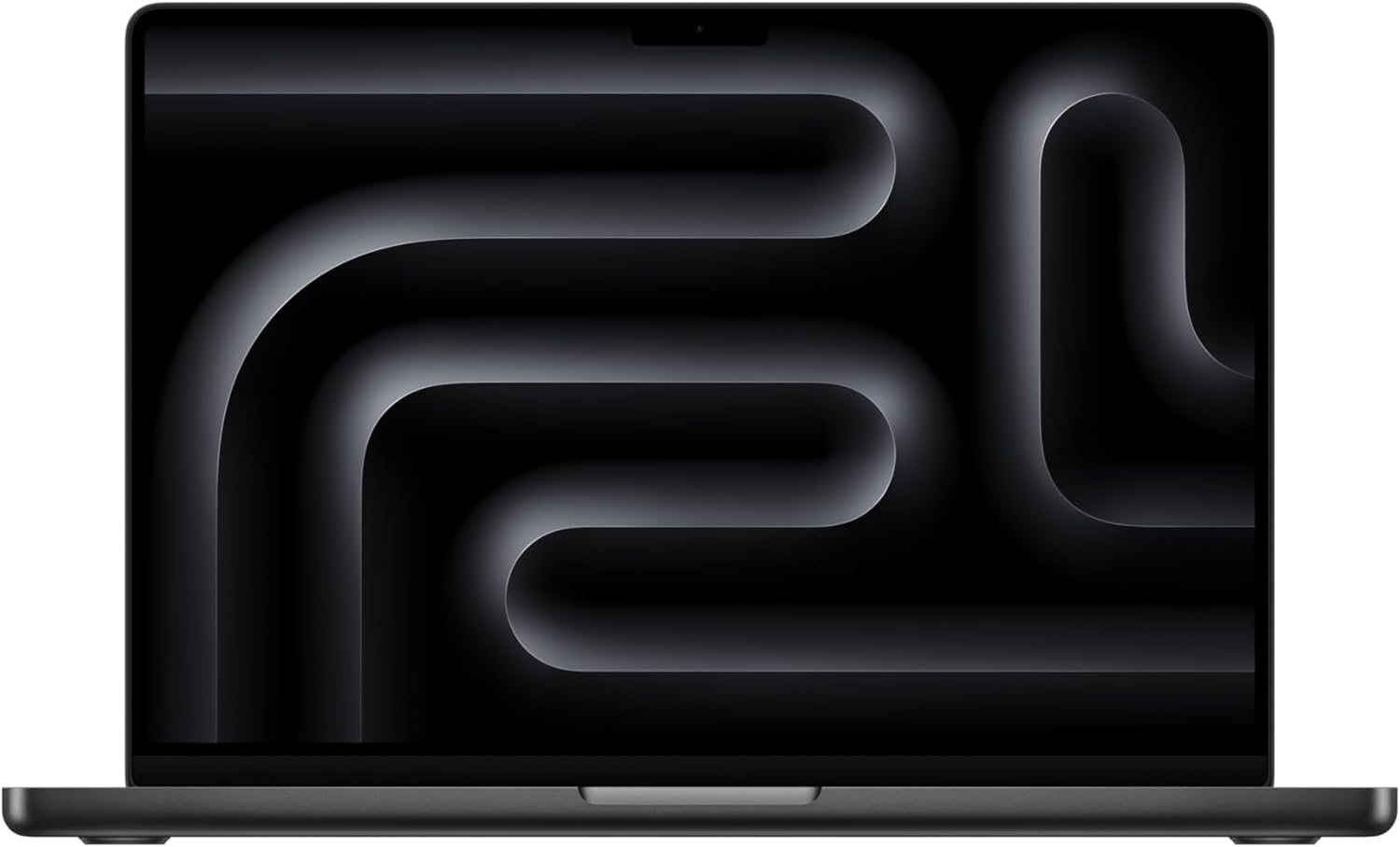
Apple MacBook Pro M4 Pro Analysis: Desktop Power, 14 Inches
The Blunt Verdict
The Apple MacBook Pro M4 Pro (2024) is the clearest answer to a specific question: what do you buy if you need a laptop that handles genuinely demanding professional work, runs all day on battery, and doesn’t make you compromise between portability and output quality? The answer is this. The M4 Pro chip, 24GB unified memory, and 512GB SSD inside a 14.2-inch chassis represent the sharpest combination of raw capability and real-world usability in the laptop market right now. This is not a machine for people who need a word processor. It’s built for people whose work actually stresses hardware.
The headline specs tell a clear story. A 12-core CPU and 16-core GPU on Apple silicon, paired with 24GB of unified memory, means video editors, developers, and creative professionals get desktop-class throughput from a machine that fits in a bag. The 14.2-inch Liquid Retina XDR display — not OLED, but genuinely excellent — delivers accurate colour reproduction at up to 1,000 nits for SDR content and peak brightness of 1,600 nits for HDR. Battery life is quoted at up to 24 hours. Real-world usage from buyers suggests it falls short of that under load, but still outruns virtually everything else in the category. Check our laptop performance benchmarks guide for context on how Apple silicon compares to x86 alternatives.
Who should buy it: creative professionals, software developers, video editors, and anyone whose livelihood depends on their laptop keeping up with serious workloads. Who shouldn’t: anyone who wants Windows, anyone gaming outside of the Apple ecosystem, and anyone expecting to upgrade the internals later. The RAM is soldered. The storage is soldered. What you configure at purchase is what you live with. If you’re not running demanding workflows, there are mid-range alternatives that cost considerably less and cover everyday tasks just as well.
See the Apple MacBook Pro M4 Pro on Amazon before reading further.

Pros and Cons
Pros
- M4 Pro chip handles 4K video editing, heavy software development, and multi-app workflows without breaking a sweat — confirmed repeatedly by buyers doing exactly that
- Battery life is exceptional for a machine at this performance tier — buyers report full working days on a single charge under moderate load
- 14.2-inch Liquid Retina XDR display is genuinely accurate for colour-critical work, with up to 1,600 nits peak brightness for HDR content
- Build quality is consistently praised — the Space Black aluminium chassis has zero flex, zero rattle, and is designed to outlast most of the competition on pure durability
- Unified memory architecture means 24GB here performs differently to 24GB on a Windows laptop — the GPU, CPU, and RAM share the same pool, which matters for creative workloads
- 12MP Center Stage camera and six-speaker Spatial Audio system are meaningfully better than anything comparable in the category
Cons
- RAM and storage are fully soldered — no upgrade path whatsoever, so if you configure too conservatively now, you’re stuck with it
- Gaming is a dead end — native macOS titles are limited, and Windows-first games via emulation are a workaround, not a solution
- The cost is significant — this is an expensive machine, and the premium over Windows alternatives is real, even when you account for Apple silicon’s efficiency advantage
Spec Breakdown
- Model: Apple MacBook Pro M4 Pro (2024), 14-inch, Space Black
- CPU: Apple M4 Pro, 12-core CPU
- GPU: Apple M4 Pro, 16-core GPU (integrated, unified memory architecture)
- RAM: 24GB unified memory (soldered)
- Storage: 512GB SSD (soldered)
- Display: 14.2-inch Liquid Retina XDR, up to 1,600 nits peak brightness (HDR), up to 1,000 nits SDR
- Battery: Up to 24 hours (manufacturer claim)
- Camera: 12MP Center Stage
- Audio: Six-speaker sound system with Spatial Audio, three-mic array
- OS: macOS
- Colour: Space Black
Hardware & Performance Reality Check
The M4 Pro chip is not a marketing exercise. The 12-core CPU and 16-core GPU on Apple’s unified memory architecture translate to genuinely fast outcomes in professional workflows — 4K timeline scrubbing, large Xcode projects, running Docker alongside a browser with 30 tabs open. Multiple buyers have confirmed this in real working conditions, including one professional editor who replaced a full desktop studio setup with this machine. That’s not hyperbole — that’s the architecture doing what Apple designed it to do. The 24GB unified memory is soldered to the board, full stop. There is no upgrade path. If you think you might need more memory in two years, configure for it now, or expect to buy a new machine. Our guide on how much RAM you actually need is worth reading before you commit to a configuration.
The 512GB SSD is fast and runs on Apple’s proprietary storage controller, which is noticeably quicker than most NVMe drives in Windows laptops at this tier. That said, 512GB fills up quickly for video professionals storing project files locally — external storage will almost certainly become necessary. The GPU here is integrated, sharing the unified memory pool with the CPU rather than operating as a discrete card. For creative work — video rendering, image processing, 3D modelling — it performs well above what integrated graphics typically means on a Windows machine. For gaming, forget it. The native macOS game library is thin, and most Windows-first titles either don’t run natively or require workarounds. If gaming matters to you, look at our premium gaming laptop options instead.
In 2026 real-world terms: for students and office workers, this is significant overkill — the hardware will outlast your patience with macOS before it struggles with the workload. For software development, it’s one of the strongest options available regardless of form factor. For video editing up to 4K, it’s a confirmed workhorse. For 3D rendering and ML workloads, the M4 Pro handles it, though the M4 Max configuration is the better call if that’s your primary use. For gaming, it’s the wrong tool entirely. Our CPU guide breaks down how Apple silicon compares to Intel and AMD chips for different use cases if you want more technical context.
One hardware point worth flagging separately: the port configuration. Apple has included three Thunderbolt 4 / USB 4 ports, an HDMI port, an SD card slot, a MagSafe 3 charging port, and a headphone jack. For a 14-inch machine, that’s a genuinely useful port selection — the SD card slot alone will matter to photographers and video professionals. If you want the full picture on connectivity, our laptop ports guide explains what Thunderbolt 4 actually enables beyond just data transfer.
Check the full spec sheet and buyer Q&As for the Apple MacBook Pro M4 Pro on Amazon.
Everyday Usability: Battery, Build & More
Battery life is the clearest differentiator in daily use. Apple claims up to 24 hours — real-world usage from buyers lands somewhere between “lasts all day comfortably on general tasks” and “drains faster under heavy editing or rendering,” which is exactly what you’d expect from any laptop. One buyer reports approximately two weeks of use between charges on light daily use, which sounds extreme but reflects how efficient Apple silicon is when the machine is ticking over. Under sustained load — sustained 4K export, for example — the drain is faster but still better than most Windows alternatives at equivalent performance levels. MagSafe 3 charging means you can keep Thunderbolt ports free while charging, which is a practical advantage over machines that charge via USB-C only.

The keyboard is Apple’s standard Magic Keyboard with backlight — buyers consistently describe it as comfortable for extended typing sessions with good key travel. The trackpad is large, responsive, and remains the reference point against which every other laptop trackpad is judged. No touchscreen — this is a clamshell laptop, not a convertible, and macOS doesn’t support touch input. The 14.2-inch display is not OLED, but the Liquid Retina XDR panel is accurate, bright, and genuinely suited to colour-critical work. One buyer noted it could be slightly brighter in specific conditions, but called it one of the best laptop screens they’d used overall. The 12MP Center Stage camera is the best webcam you’ll find in a laptop at any price point — it tracks you as you move and produces noticeably sharper output than standard 1080p webcams. Speaker performance is mentioned positively by multiple buyers — “solid and punchy” is one description — which is rare enough in a 14-inch chassis to be worth calling out. No Ethernet port natively, but Thunderbolt 4 adapters cover that gap. For a full rundown of panel technology differences, see our laptop display types guide.
Lifespan & Future-Proofing
On build quality: Apple’s aluminium unibody construction is genuinely durable. Buyers who’ve been in the Apple ecosystem for years consistently report machines lasting well beyond the typical three-to-four-year Windows laptop cycle. One buyer mentions using Apple Macs for nearly 20 years. That’s not marketing — that’s aluminium construction and software support policies doing what they’re supposed to. Realistically, the physical chassis of the Apple MacBook Pro M4 Pro should last five to seven years without structural problems under normal professional use. That’s a meaningful factor when you’re weighing the cost.
On spec longevity: the 24GB unified memory and M4 Pro chip are well ahead of current everyday demands — this hardware will handle professional workloads comfortably into the late 2020s. Apple typically provides macOS updates for around seven years from a machine’s release date, so you’re looking at software support into the early 2030s. The hard ceiling is the upgrade dead-end: RAM and storage are both soldered, so you cannot expand either. If 512GB storage feels tight now — and for video professionals it probably will — you’re looking at external drives or cloud storage as the only solutions. The specs explained guide covers what to look for if you’re unsure how to future-proof a laptop configuration before purchase. In 2026, this machine is still current generation — that won’t be true forever, but the architecture has runway.
View current stock and availability for the Apple MacBook Pro M4 Pro on Amazon.
What Buyers Are Saying (And Potential Dealbreakers)
The Apple MacBook Pro M4 Pro holds a rating of 4.7 out of 5 across 148 customer reviews on Amazon — a sample size large enough to draw genuine conclusions from. The sentiment is unusually consistent: every review in the available data is five stars, and the praise covers the same ground repeatedly — performance that handles demanding professional workloads, battery life that outlasts the competition, and build quality that earns trust over years rather than months.
Professional video editors are the most vocal positive group. The specific workflow mentioned — editing 4K LOG footage in both Premiere Pro and DaVinci Resolve simultaneously, with multiple layers and effects — is exactly the kind of workload that exposes thermal throttling and memory pressure on lesser machines. The consistent message is that this machine doesn’t flinch under that kind of load. Software developers report similar experiences: running multiple heavy development tools simultaneously without hitting memory pressure, which is the unified memory architecture working as designed.
The recurring criticism worth noting: 512GB of internal storage is tight for video professionals, and the cost is high without Windows-level competition at an equivalent specification. One buyer who upgraded from a 16-inch M1 MacBook notes the smaller screen size reduces screen real estate and that the audio, while good, doesn’t quite match the larger chassis. That’s a legitimate trade-off to consider if you’re moving down from a 16-inch machine.
No dealbreakers emerged from the reviews — no reports of hardware defects, display issues, or early failures. For buyers coming from a professional laptop background looking for context on where this sits in the wider market, that consistent quality feedback is worth taking seriously.
Buyer Highlights
“It handles everything I throw at it without slowing down — editing 4K LOG footage in both Premiere Pro and DaVinci Resolve, multiple layers, effects, large projects, all smooth.” — Consistent feedback from professional video editors running real workloads.
“I can run many applications and heavy software development tools without high memory pressure, and it does all this while on battery.” — Noteworthy if you’re a developer who needs sustained performance unplugged.
“Performance is blazingly fast, the sound quality is solid and punchy, and I get around two weeks use on battery with average use.” — Battery claims vary by workload, but light daily use genuinely stretches the charge significantly.
“It feels capable of replacing a full studio setup for a lot of workflows — I use it while travelling and it gives me the same confidence as working on a desktop.” — Worth knowing if portability without a performance compromise is the actual use case.
“It’s an expensive laptop and there’s no competition that offers the same at a lower price.” — Blunt summary from a buyer who weighed the alternatives carefully before purchasing.
Who Should Buy It (And Who Shouldn’t)
Buy If
- Your work involves video editing, software development, 3D work, or any creative workflow that regularly maxes out laptop hardware — this chip handles it without throttling
- You need professional-grade battery life alongside professional-grade performance — most Windows alternatives force a compromise between the two
- You’re already in the Apple ecosystem, or you’re open to macOS — the integration with iPhone, iPad, and other Apple devices is a genuine workflow advantage for many professionals
- You need accurate colour reproduction for creative output — the Liquid Retina XDR display with pro reference modes is built for exactly that
Avoid If
- Gaming is a meaningful part of your use case — macOS native titles are limited, Windows-first titles require workarounds, and there are far better options at lower cost if gaming is the priority
- You need Windows software specifically — macOS doesn’t run Windows natively, and Rosetta handles many cross-platform apps but not everything
- You’re using it primarily for general tasks like browsing, documents, and email — the hardware is substantial overkill, and there are other options that serve everyday needs at a fraction of the cost
The Bottom Line
The Apple MacBook Pro M4 Pro is a machine that earns its cost if — and only if — your work actually demands it. For creative professionals, developers, and anyone who needs desktop-level output from a laptop they can carry through an airport, this is genuinely the strongest option in the 14-inch category. The M4 Pro chip, 24GB unified memory, and Liquid Retina XDR display form a combination that handles demanding workflows daily without complaint. The caveats are real: it’s expensive, the storage and RAM are locked at purchase, gaming is a non-starter, and if your work doesn’t stress hardware, you’re paying for capability you won’t use. But for the buyer it’s designed for, there’s very little else worth considering.
At LaptopAdvisorOnline, our methodology is built on data transparency rather than simulated hands-on testing. We rigorously analyse official manufacturer specifications and aggregate verified customer sentiment to provide objective, fluff-free buying advice that helps you cut through the marketing jargon.
As an Amazon Associate, I earn from qualifying purchases.
Browse by Specification
Looking for something specific? Browse our analyses by hardware and feature below, or check all laptop analyses in the Best Professional Laptops category archive.
[AMD Processor Laptops] — [Intel Processor Laptops] — [16GB RAM Laptops] — [32GB RAM Laptops] — [Dedicated Graphics] — [Long Battery Life] — [Lightweight Laptops] — [Student Laptops]
Browse by Screen Size
[13-inch Laptops] — [14-inch Laptops] — [15-inch Laptops] — [16-inch+ Laptops]




