
Acer Chromebook Plus Spin 514 CP514-4HN Analysis: Chrome OS Done Right
The Blunt Verdict
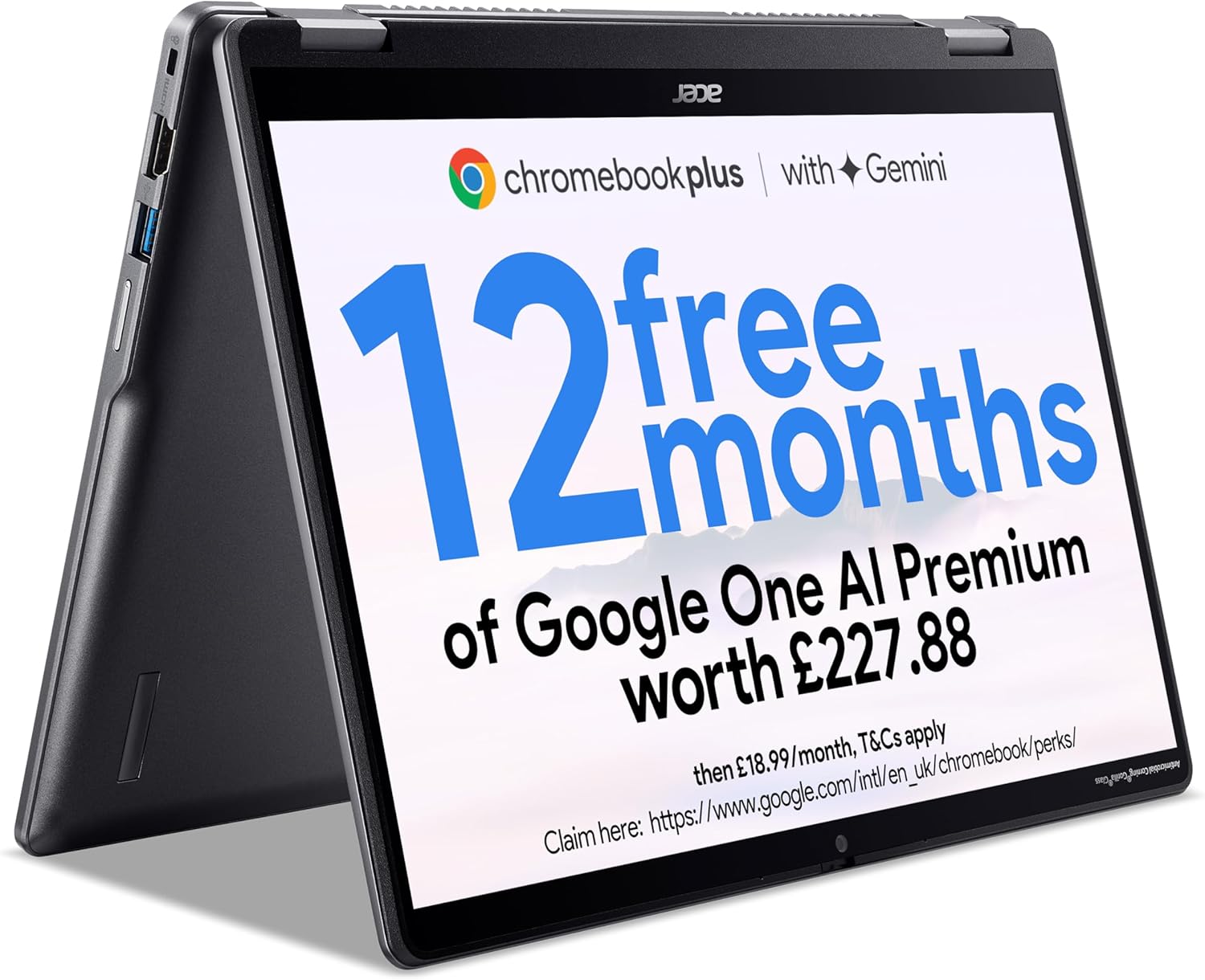
The Acer Chromebook Plus Spin 514 CP514-4HN is a 2-in-1 convertible Chromebook aimed squarely at students, light home users, and anyone who lives inside Google’s ecosystem. It’s not a Windows machine and it was never meant to be — and that distinction matters more here than almost anywhere else in the budget laptop market. If you’re comfortable with Chrome OS and want a well-built, portable convertible for browsing, documents, and media consumption, this is a genuinely decent option. If you need Windows applications, full desktop software, or anything remotely demanding in terms of processing, walk away now.
The headline spec combination — an Intel Core i3-1315U, 8GB of LPDDR5 RAM, 128GB UFS storage, and a 14-inch WUXGA (1920×1200) IPS touchscreen — is solid for what Chrome OS asks of it. The 16:10 aspect ratio display gives you a slightly taller canvas than the standard 16:9, which is genuinely useful when reading documents or scrolling web pages. The 53Wh battery is quoted at up to 10 hours, and the machine weighs in at 1.5kg — light enough to carry without thinking about it.
Buy this if you’re a student, a light home user, or someone who wants a travel machine that doesn’t involve antivirus faff, Windows Update roulettes, or bloatware. Avoid it if you need desktop applications, want upgradeable components, or are even remotely interested in gaming. Chrome OS is fast and secure by design — but it is a real constraint, not just a footnote.
See the Acer Chromebook Plus Spin 514 CP514-4HN listing on Amazon before reading further.

Pros and Cons
Pros
- WUXGA 1920×1200 IPS touchscreen with 16:10 aspect ratio — noticeably more screen real estate than standard 1080p panels for documents and web use
- 360° convertible hinge with stylus support adds genuine flexibility for note-taking and media consumption in tablet mode
- LPDDR5 RAM and UFS storage keep Chrome OS snappy with everyday workloads — buyers consistently flag the machine feels fast
- MIL-STD-810H military-grade durability certification — meaningful reassurance for a machine likely to be chucked in a bag regularly
- Chrome OS means zero bloatware, automatic background updates, and no antivirus overhead — the machine is ready to go straight out of the box
- Wi-Fi 6E and dual USB-C ports with USB 3.2 Gen 2 speeds — the connectivity spec punches above what you’d expect at this level
Cons
- Chrome OS is a hard limit — no Windows apps, no desktop software, no option to switch OS without voiding your setup entirely
- RAM is soldered with no upgrade path — 8GB is the ceiling, full stop, and that becomes relevant as web apps get heavier over time
- Two buyers reported the unit stopped working within weeks, which is a reliability flag worth acknowledging even on a small review sample
Spec Breakdown
- Model: Acer Chromebook Plus Spin 514 CP514-4HN (NX.J27EK.003)
- CPU: Intel Core i3-1315U (13th Gen, 6-core)
- RAM: 8GB LPDDR5 (soldered, not upgradeable)
- Storage: 128GB UFS
- GPU: Intel UHD Graphics (integrated)
- Display: 14-inch WUXGA IPS Touchscreen, 1920×1200, 60Hz, Capacitive/In-cell
- Battery: 53Wh Lithium-Ion (up to ~10 hours quoted)
- OS: Chrome OS
- Weight: ~1.5kg
- Ports: 2× USB 3.2 Gen 2 Type-C, 1× USB 3.2 Gen 1 Type-A, HDMI, DisplayPort
- Connectivity: Wi-Fi 6E (802.11ax), Bluetooth 5.2
- Keyboard: Backlit QWERTY
- Camera: 1080p front-facing webcam (QHD listed in description — data is inconsistent; treat as 1080p minimum)
- Colour: Iron
Hardware & Performance Reality Check
The Intel Core i3-1315U is a 13th-generation chip with a hybrid architecture — two performance cores and four efficiency cores, giving it six cores total. For Chrome OS this is overkill in the best possible sense. Chrome OS is lightweight by design, and this CPU handles multiple tabs, Google Workspace tasks, YouTube streaming, and Android apps without breaking a sweat. If you want to understand more about how this architecture compares in broader context, our CPU guide breaks it down clearly. The 8GB LPDDR5 RAM is soldered — meaning no slot to swap, no upgrade, ever. For most Chrome OS users today that’s fine. Whether it’s still fine in four or five years as Progressive Web Apps and browser-based tools get greedier is a harder question. If you’re weighing whether 8GB is enough for your use case, our RAM guide has a direct answer.
The 128GB UFS storage is modest but appropriate for a Chromebook — Chrome OS itself is lean, and the assumption is that your documents live in Google Drive rather than locally. UFS is faster than standard eMMC, so app launches and file handling feel responsive. The Intel UHD Graphics integrated GPU handles video playback, Google Photos editing, and basic Android gaming without complaint. What it absolutely won’t do is run demanding games, render video at anything approaching useful speeds, or handle any workload that needs a discrete GPU. This is not a gaming machine — not even at the budget gaming end of things.
In 2026 terms, the Acer Chromebook Plus Spin 514 CP514-4HN handles student coursework, Google Docs, Sheets, Slides, and video calls comfortably. Office tasks via Microsoft 365 in the browser work fine — Acer is upfront that you can’t install desktop Microsoft 365, but the web versions cover most needs. Programming is possible for lightweight, browser-based tools and some Linux app support via Chrome OS’s built-in Linux environment, but serious development work is a stretch. Video editing beyond basic Google Photos touch-ups is off the table. If you’re comparing this to similarly priced Windows machines, check our performance benchmarks page for context on where this CPU tier sits.
The port selection deserves a mention. Two USB-C ports running at USB 3.2 Gen 2 speeds, one USB-A port, a full-size HDMI output, and DisplayPort via USB-C — that’s a well-equipped set for a machine this thin. No Ethernet port, which is standard for this form factor. No Thunderbolt either, but that’s not a Chrome OS concern. The full rundown on what each port type means in practice is in our ports guide.
Check the full spec sheet and buyer Q&As for the Acer Chromebook Plus Spin 514 CP514-4HN on Amazon.
Everyday Usability: Battery, Build & More
Battery life is quoted at up to 10 hours by Acer, tested under their own controlled conditions — real-world use with screen brightness up and active tabs will land closer to 7–8 hours for most people. That’s still enough for a full working day without hunting for a plug, which is the relevant benchmark. The machine weighs 1.5kg and measures 20.9mm thick — genuinely light and thin enough to carry daily. The aluminium chassis gives it a quality feel, and the MIL-STD-810H certification means it’s been tested against drops, vibration, and temperature extremes — not just a marketing badge in this case, it’s an independent certification. One buyer flagged that an AC adapter wasn’t included in the box, which is worth checking when your order arrives; Acer apparently sorted this when contacted.

The 14-inch IPS touchscreen with a 1920×1200 resolution looks solid on paper and the 16:10 aspect ratio is a practical advantage — more vertical space for web pages and documents compared to the standard 16:9 widescreen format. If you want to understand why panel type matters here, our display guide covers the differences. The touchscreen is capacitive and responsive by design — buyers confirm it works well in tablet mode. The 360° hinge lets you flip to tent or tablet mode reliably, and the Gorilla Glass covering is antimicrobial, which is a minor but genuine practical feature. Stylus support exists, but one buyer flagged that their USI pen didn’t work with it — Acer appears to use a proprietary active stylus standard rather than the universal USI spec, so check compatibility before assuming your existing stylus will pair. The backlit keyboard gets no major complaints — buyers describe it as comfortable rather than exceptional. Speakers are described by one buyer as “a little thin,” which matches what you’d expect from a slim chassis — serviceable for casual use, not for anything you’d want to actually listen to music on. The webcam is listed as 1080p (the product description also mentions 1440p QHD in one place — treat 1080p as the confirmed floor), and buyers don’t flag it as a problem, which puts it ahead of many budget machines. Chrome OS itself means zero bloatware out of the box — the machine is usable within minutes of first boot, which is a genuine quality-of-life advantage over Windows alternatives at this tier.
Lifespan & Future-Proofing
On build quality, the aluminium chassis and MIL-STD-810H certification suggest this machine will physically hold up well over several years of daily use. Convertible hinges are generally the weakest point on 2-in-1 machines, but there are no buyer complaints about hinge durability here. A realistic chassis lifespan of 4–6 years with normal use is reasonable to expect.
On spec longevity, the picture is more nuanced. Chrome OS receives automatic updates and Google has committed to long-term update support for Chromebook Plus models — this matters far more than on Windows, where a fixed update window is a known issue. The i3-1315U and 8GB LPDDR5 combination will handle Chrome OS comfortably for several years yet. The constraint is the soldered RAM — you can’t expand beyond 8GB, and the 128GB local storage has no upgrade path either. As browser-based applications continue to demand more memory, 8GB will start to feel tight before the hardware itself becomes obsolete. If you treat this as a 4–5 year machine rather than a long-haul investment, the spec sits appropriately. Anyone wanting a machine to last closer to 7 years should factor in that constraint honestly. For a broader view of what to consider when buying for longevity, our laptop buying guide covers the key decision points.
View current stock levels for the Acer Chromebook Plus Spin 514 CP514-4HN on Amazon.
What Buyers Are Saying (And Potential Dealbreakers)
The Acer Chromebook Plus Spin 514 CP514-4HN holds a rating of 4.2 out of 5 from 29 customer reviews on Amazon. That’s a small sample — small enough that a couple of bad units can meaningfully skew the numbers in either direction. Take the overall rating as directionally positive, not as a statistically reliable signal.
The majority of buyers are clearly satisfied, with several returning specifically to praise the speed, build quality, and general usability. The common thread among positive reviews is that this machine does exactly what it promises — it’s fast for Chrome OS tasks, feels solid, and the touchscreen works well. One buyer noted strong sync functionality with their Pixel phone, which isn’t surprising given Google’s ecosystem integration but is worth calling out for Android users specifically.
The negative reviews are harder to dismiss. Two buyers report the machine stopped working within weeks — one within an hour of setup, one after a few weeks of use. That’s two out of 29 reviews describing hardware failure, which is a higher rate than you’d want to see. The return process was described by one buyer as difficult. That’s a real flag, not a statistical blip. It doesn’t mean every unit will fail, but it means you should absolutely buy from a seller with a clear returns policy and ideally with additional warranty cover.
One minor but specific gripe worth flagging separately: the USI stylus incompatibility. One buyer discovered their existing USI pen didn’t work with the machine despite the product being marketed as stylus-supported. Acer uses an active stylus spec rather than the universal USI standard — if you want to use a stylus, confirm the exact compatible model before buying.
Buyer Highlights
“For my specific needs this is a perfect secondary laptop — something to bring when travelling or just to consume online content at home.” — A recurring use case among satisfied buyers who aren’t using this as their primary machine.
“The build quality is excellent for the price, keyboard and touchpad are fine, and battery can last a day if you don’t strain the CPU.” — Consistent with the broader sentiment that the hardware feels more expensive than it is.
“The processor is fast, the hardware is solid, and the touchscreen is very usable — a very happy purchase.” — Worth noting this comes from a buyer who specifically called out hardware solidity, not just software experience.
“My USI pen didn’t work with it — that was the only disappointment.” — A specific compatibility issue that could catch stylus users off guard if they assume USI is supported.
“Stopped working after a few weeks and returning it was a nightmare.” — A minority but documented experience that underlines the importance of purchasing from a seller with a reliable returns process.
Who Should Buy It (And Who Shouldn’t)
Buy If
- You’re a student or light home user who lives in Google Docs, Sheets, YouTube, and web browsers — Chrome OS is built for exactly this and the hardware runs it well
- You want a travel-friendly or secondary machine that’s lightweight, quick to boot, and doesn’t need babysitting with antivirus software or Windows updates
- You’re in the Google ecosystem — Android phone, Google Photos, Gmail — and want seamless integration without extra setup
- You need a 2-in-1 convertible for note-taking or media consumption in tablet mode without paying a premium for the form factor
Avoid If
- You need any Windows desktop software — there is no workaround on Chrome OS, and this is a hard incompatibility, not a minor inconvenience
- You want to future-proof with upgradeable RAM or storage — the soldered 8GB LPDDR5 and fixed 128GB UFS mean this machine ships at its ceiling spec
- You’re looking for a primary machine for programming, video editing, or anything that demands sustained processing power — look instead at mid-range Windows laptops or professional-grade machines
The Bottom Line
The Acer Chromebook Plus Spin 514 CP514-4HN is a well-specified, well-built Chromebook that does its job honestly. If Chrome OS works for your use case — and for a meaningful chunk of students and light users it genuinely does — this machine delivers a fast, clean, no-nonsense experience in a solid aluminium chassis with a good screen. The hardware reliability reports from a small number of buyers are worth keeping in mind, so buy with a clear returns window. If you need Windows, this is the wrong machine. If you don’t, it’s one of the better options at this end of the market.
Find the Acer Chromebook Plus Spin 514 CP514-4HN on Amazon and check current availability.
At LaptopAdvisorOnline, our methodology is built on data transparency rather than simulated hands-on testing. We rigorously analyse official manufacturer specifications and aggregate verified customer sentiment to provide objective, fluff-free buying advice that helps you cut through the marketing jargon.
As an Amazon Associate, I earn from qualifying purchases.
Browse by Specification
Looking for something specific? Browse our analyses by hardware and feature below, or check all laptop analyses in the Best Budget Laptops category archive.
[AMD Processor Laptops] — [Intel Processor Laptops] — [16GB RAM Laptops] — [32GB RAM Laptops] — [Dedicated Graphics] — [Long Battery Life] — [Lightweight Laptops] — [Student Laptops]
Browse by Screen Size
[13-inch Laptops] — [14-inch Laptops] — [15-inch Laptops] — [16-inch+ Laptops]




