
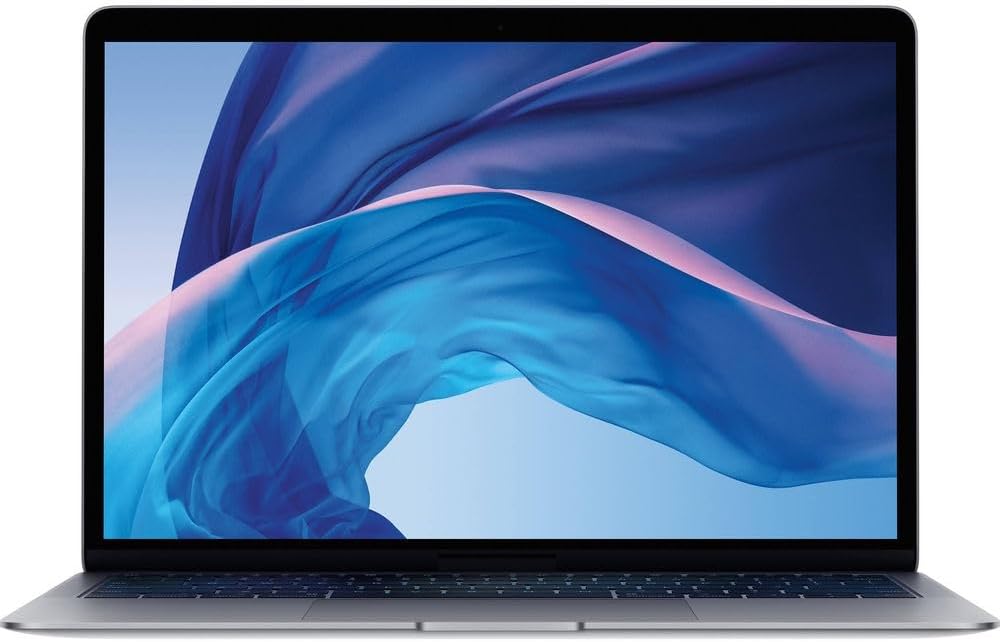
2020 Apple MacBook Air M1 (Renewed) Analysis: Gamble or Gem?
The Blunt Verdict
The 2020 Apple MacBook Air M1 (Renewed) is one of the most genuinely compelling second-hand laptop purchases available right now. It’s a four-year-old machine that still outpaces plenty of new Windows laptops in everyday tasks, has battery life that embarrasses most of the competition, and runs completely silently because there’s no fan. The catch is that it’s a renewed unit — which means the hardware you receive depends heavily on the condition grade you select and the luck of the draw. More on that in a moment.
The key specs: Apple M1 chip with an 8-core CPU and 7-core GPU (integrated), 8GB of unified memory, 256GB SSD storage, and a 13-inch Retina display at a native resolution of 2560 x 1600 pixels. That chip was a genuine step-change when it launched, and it hasn’t aged badly. If you’re curious about what makes the M1 stand out at the silicon level, there’s more context in our laptop CPU guide. The 8GB of unified memory is the one figure that will frustrate power users — it’s soldered, it cannot be upgraded, and it’s shared between CPU and GPU tasks.
If you want a macOS machine for university, general office work, media consumption, or light creative tasks, and you don’t want to spend over a grand on a new model, this is your best route in. If you need Windows, need more than 256GB of local storage, or are buying this for any kind of serious gaming — look elsewhere. If you’re exploring your budget laptop options more broadly, it’s worth knowing this renewed MacBook Air M1 sits at the sharper end of what the budget category can offer in terms of raw daily performance.
See the listing and current availability for the 2020 Apple MacBook Air M1 (Renewed) on Amazon.

Pros and Cons
Pros
- The M1 chip delivers snappy, lag-free performance for everyday tasks — students and office workers genuinely won’t find themselves waiting for anything
- Up to 18 hours of claimed battery life; multiple buyers report 15 hours or more in actual use, which is extraordinary for a laptop this size
- Fanless design means it runs silently even under sustained load — no fan noise, ever
- Native Retina display at 2560 x 1600 is sharp, well-calibrated, and dramatically better than the spec sheet’s misleading 1280 x 720 listed resolution (that figure refers to something else — the native resolution is what counts)
- Multiple buyers received units in better physical condition than expected, with battery health often reported at 93–100%
- Fingerprint reader (Touch ID) included and works reliably
Cons
- 8GB of unified memory is soldered — there is no upgrade path, and it will become a bottleneck for anyone running browser-heavy workloads or creative software simultaneously
- 256GB SSD fills up faster than most people expect — cloud storage or an external drive will likely be necessary within a year
- Renewed condition is not guaranteed consistent — one verified buyer received a unit with liquid-damaged keys, a broken keycap, and a battery dying at 20%, despite ordering “Excellent” condition
Spec Breakdown
- Model: Apple MacBook Air (Late 2020) — MGN63B/A
- CPU: Apple M1, 8-core (4 performance + 4 efficiency)
- RAM: 8GB unified memory (DDR4-equivalent, soldered)
- Storage: 256GB SSD
- GPU: Integrated 7-core GPU (Apple M1)
- Display: 13-inch IPS Retina, 2560 x 1600 native resolution
- Battery: Lithium Ion, up to 18 hours claimed
- Operating System: macOS
- Connectivity: Wi-Fi, Bluetooth
- Keyboard: Backlit, QWERTY English layout (this listing)
- Colour: Space Gray
- Condition: Renewed (refurbished)
Hardware & Performance Reality Check
The Apple M1 chip changed what people expected from thin, fanless laptops. Its 8-core CPU splits into four performance cores and four efficiency cores, which means it handles a burst of heavy work without throttling the way Intel chips in fanless designs historically did. For day-to-day use — browser tabs, documents, spreadsheets, video calls, email — this chip simply doesn’t break a sweat. The 8GB of unified memory is shared between CPU and GPU operations, and while Apple’s memory architecture is more efficient than traditional DDR setups, 8GB is still the floor. If you’re the kind of person who has 20+ browser tabs open alongside Spotify, a video call, and a PDF editor, you’ll occasionally feel it. The RAM is soldered to the board — there is no slot, no upgrade, no workaround. What you buy is what you’re stuck with. If you want to read more about how RAM actually affects daily use, our guide on how much RAM you need breaks it down clearly.
The 256GB SSD is fast — Apple’s NVMe storage is genuinely quick for read/write speeds — but 256GB is small. Once macOS takes its share and you factor in apps, photos, and a few downloads, many users find themselves at capacity within 12–18 months. Budget for an external drive or a cloud subscription from day one. The GPU is integrated into the M1 die — there is no discrete graphics card here. The 7-core integrated GPU is better than anything Intel’s integrated graphics has managed at this tier, and it handles light photo editing, 4K video playback, and even casual gaming reasonably well. But it’s not a gaming GPU. Anyone expecting to run demanding titles at decent settings will be disappointed — if gaming is a priority, you’d be better served looking at budget gaming laptops built around dedicated graphics. For benchmark context, the M1 consistently punches above its weight class versus Intel and AMD chips of the same era.
For a 2026 reality check: this is a 2020 chip on a 2020 machine. For student work, Office applications, Netflix, light photo editing, and general web use, the hardware still feels current — it does not feel dated in the way a 2020 Intel Core i5 ultrabook would. Programming workloads are well-handled for most languages and frameworks; the M1 became a favourite of developers quickly after launch. Video editing in Final Cut Pro runs well, though export times on longer timelines will remind you this is 8GB of RAM and not the M1 Pro. Gaming on macOS remains limited regardless of the hardware — game library availability is the bigger constraint than raw GPU power here.
One hardware characteristic worth flagging separately: the display. The spec sheet lists a resolution of 1280 x 720 under one field and 2560 x 1600 pixels under another — the 2560 x 1600 is the actual Retina panel resolution. The lower figure appears to be a data error in the listing. The real panel is a proper IPS Retina display with excellent colour accuracy, which is genuinely one of this machine’s strongest selling points. For more context on what display specs actually mean in use, see our display types guide.
Check the full spec sheet and buyer Q&As for the 2020 Apple MacBook Air M1 (Renewed) on Amazon.
Everyday Usability: Battery, Build & More
Battery life is the headline usability win here. Apple claims 18 hours; buyers report 15 hours or more under normal mixed use. Multiple reviewers noted charging the machine twice in over a week. That’s not marketing spin — it’s consistent with how the M1 chip handles power consumption across efficiency and performance cores. For students moving between lectures, libraries, and home without a charger, this is a genuine quality-of-life upgrade over almost anything Windows-based in this tier. The fanless design is equally notable in day-to-day terms: this machine produces zero fan noise under normal workloads because there is no fan. It manages heat passively through the chassis, and multiple buyers confirm it doesn’t run hot to the touch even under sustained use.

The keyboard is Apple’s Magic Keyboard — a significant improvement over the butterfly mechanism Apple used for several years before this model. It’s backlit, has proper key travel, and buyers describe it as responsive. The 13-inch Retina display at 2560 x 1600 looks sharp and well-lit; colours are accurate enough for light creative work, and text rendering is noticeably better than most Windows displays at this size. There is no HDMI port — the machine has two Thunderbolt/USB-C ports only, which means dongle life is a real consideration if you use external displays or legacy USB-A devices regularly. No Ethernet port either. There is no touchscreen — this is not a touchscreen machine and never has been. Wi-Fi and Bluetooth are present; the Wi-Fi standard isn’t explicitly confirmed in the data but the M1 MacBook Air shipped with Wi-Fi 6 (802.11ax). Audio from the built-in speakers is good for a laptop of this size — several buyers note it positively. The webcam is a 720p FaceTime HD camera, which is functional but not impressive by current standards.
Lifespan & Future-Proofing
MacBook Air chassis are well-made. Apple’s aluminium unibody construction holds up better over years of use than most plastic-bodied laptops at any price point. If the renewed unit you receive is in good physical shape, there’s no structural reason it shouldn’t last another four to five years of regular use. The caveat is that renewed units vary — some buyers have received near-mint machines, others have had units with visible dents, scratches, or worse. The chassis lifespan is a function of how the previous owner treated it, which is unknowable at the point of purchase.
On spec longevity: the M1 chip will remain capable for everyday tasks into the back half of this decade. Apple’s own macOS support cycle tends to run around seven years from release date, so the 2020 MacBook Air should continue receiving security and OS updates for a few more years at minimum. The hard limits are the 8GB RAM ceiling — genuinely unupgradeable — and the 256GB of storage. Neither can be expanded. As software bloat increases and browser engines consume more memory, the 8GB ceiling will eventually become the machine’s defining constraint. For most everyday users that’s still a few years away. For heavy multitaskers or anyone running memory-intensive creative applications, it may already be a problem. Our laptop buying guide covers upgrade dead-ends and what to watch for when assessing long-term value. If you’re weighing this against newer mid-range options with more headroom, the comparison is worth making before committing.
View current stock and condition grades for the 2020 Apple MacBook Air M1 (Renewed) on Amazon.
What Buyers Are Saying (And Potential Dealbreakers)
This listing holds a rating of 4.2 out of 5 from 523 customer reviews — a large enough sample to draw meaningful conclusions. The dominant sentiment is positive surprise: buyers who were nervous about purchasing a renewed machine report receiving units in better condition than expected, with battery health figures typically landing between 93% and 100%. Multiple buyers across different months and condition grades noted the packaging was solid and the device arrived without damage.
The strongest recurring praise covers three areas. First, battery life — it consistently exceeds expectations in real use. Second, general snappiness — buyers coming from older Windows machines or older Intel MacBooks are frequently caught off-guard by how fast the M1 feels for everyday tasks. Third, value for money — the consensus is that buying renewed gets you meaningfully more hardware than buying new at the same spend. One buyer who compared the experience directly to a 2025 MacBook model noted you won’t notice the difference unless you’re actively stress-testing it.
The dealbreaker territory is the renewed condition lottery. One buyer’s “Excellent” grade unit arrived with liquid damage to the keyboard, a broken keycap, and a battery that cut out at 20% charge. That’s not a minor cosmetic imperfection — that’s a faulty machine. It’s a single review against a tide of positive ones, but it’s a real risk that anyone considering this purchase needs to factor in. A separate complaint — from both a UK buyer and a German one — flags that the QWERTY keyboard layout isn’t always what arrives, despite the listing specifying it. The listing title does state QWERTY English, but reviews suggest this isn’t guaranteed on every unit. Worth raising with the seller before dispatch if keyboard layout matters to you.
Buyer Highlights
“I bought the excellent version and it’s literally good as new — 100% battery health with 32 cycle count.” — Battery condition on the better condition grades has been consistently strong across multiple buyers.
“Having used a brand new 2025 MacBook, unless you’re pushing it to its absolute limits you won’t notice a difference.” — A direct comparison that puts the M1’s staying power in concrete terms.
“I got 94% battery health on an acceptable condition unit and the device was better than expected — bargain.” — Even lower condition grades have surprised buyers on the upside.
“It arrived with liquid damage to the keyboard, sticky keys, a broken keycap, and it died at 20% — despite being ordered as excellent condition.” — The outlier experience that represents the real risk of buying renewed.
“Setup was straightforward — just make sure to delete the admin account and reset the Mac for your own security before putting your details in.” — Practical advice that multiple buyers echo: don’t skip the factory reset step.
Who Should Buy It (And Who Shouldn’t)
Buy If
- You want macOS for university, office work, or light creative use and don’t want to spend new-MacBook money
- Battery longevity is a priority — 15+ hours of real-world use is rare at any price and essentially unmatched in this category
- You work in quiet environments and fan noise from conventional laptops genuinely bothers you
- You’re comfortable buying renewed, will verify the condition on arrival, and are prepared to raise a return if the unit doesn’t match its listed grade
Avoid If
- You need Windows — this runs macOS only, and the M1 chip complicates virtualisation for Windows applications
- You’re a heavy multitasker or run memory-intensive software — 8GB soldered RAM with no upgrade path is a hard ceiling you cannot buy your way out of later
- Storage is a concern — 256GB fills up quickly and there is no internal expansion; factor in cloud storage or external drives as an ongoing cost
- You’re not prepared to gamble on the renewed condition lottery — the risk of receiving a substandard unit is real, even on higher condition grades
The Bottom Line
The 2020 Apple MacBook Air M1 (Renewed) is a genuinely strong machine hamstrung by one unavoidable variable: you’re buying a used product, and used products aren’t consistent. When the unit is good — and most are, based on the evidence — you’re getting a fast, silent, beautifully-screened laptop with extraordinary battery life for a fraction of new-MacBook money. When it’s bad, it can be genuinely bad. Order the highest condition grade you can justify, do the factory reset immediately, and verify the battery health and keyboard on arrival. If it checks out, you have one of the better budget laptop picks currently available — renewed or otherwise. If it doesn’t, return it without hesitation. For anyone who wants to understand the full spec picture before committing, the time spent is worthwhile.
Read the latest buyer questions and answers for the 2020 Apple MacBook Air M1 (Renewed) on Amazon.
At LaptopAdvisorOnline, our methodology is built on data transparency rather than simulated hands-on testing. We rigorously analyse official manufacturer specifications and aggregate verified customer sentiment to provide objective, fluff-free buying advice that helps you cut through the marketing jargon.
As an Amazon Associate, I earn from qualifying purchases.
Browse by Specification
Looking for something specific? Browse our analyses by hardware and feature below, or check all laptop analyses in the Best Budget Laptops category archive.
[AMD Processor Laptops] — [Intel Processor Laptops] — [16GB RAM Laptops] — [32GB RAM Laptops] — [Dedicated Graphics] — [Long Battery Life] — [Lightweight Laptops] — [Student Laptops]
Browse by Screen Size
[13-inch Laptops] — [14-inch Laptops] — [15-inch Laptops] — [16-inch+ Laptops]




