
Lenovo IdeaPad Chromebook Duet 11M889 Analysis: Tablet Hybrid, Real Limits
The Blunt Verdict
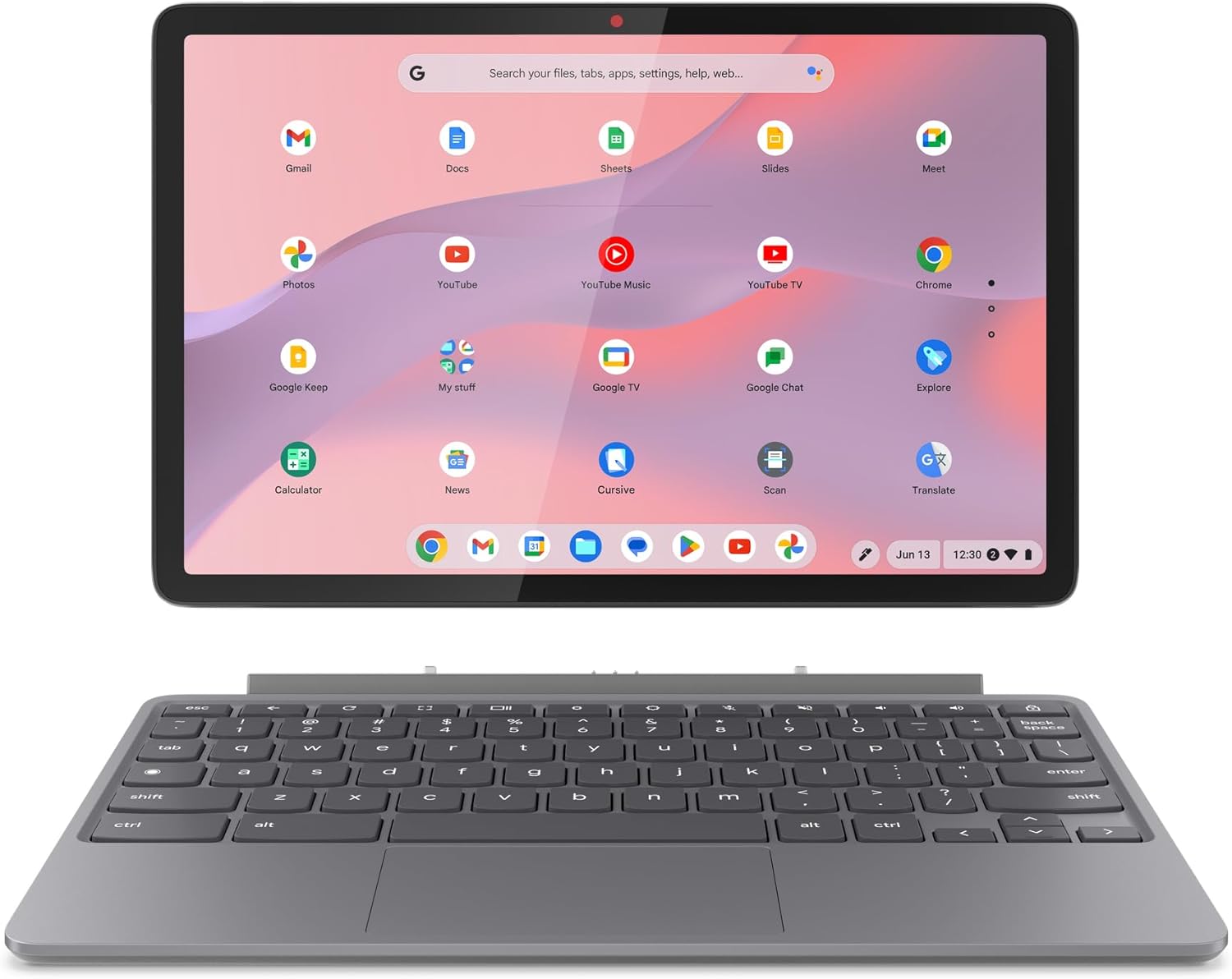
The Lenovo IdeaPad Chromebook Duet 11M889 is a 2-in-1 Chromebook tablet aimed squarely at students, light travellers, and anyone who wants a compact secondary device that won’t give them backache. It’s not a laptop replacement. It’s not trying to be. What it is: a well-specced little machine that converts between tablet and laptop modes, ships with a keyboard, folio stand, and stylus in the box, and runs Chrome OS — which is either a feature or a dealbreaker depending entirely on how you work.
The headline specs are a MediaTek Kompanio 838 processor, 4GB of LPDDR4X RAM, 128GB eMMC storage, and a 10.95-inch 1920×1200 IPS touchscreen. That’s a decent setup for Chrome OS — more than enough for web browsing, Google Workspace, Android apps, and light sketching. The 29Wh battery is small in absolute terms, but Chrome OS is efficient enough that Lenovo claims up to 12 hours. It weighs 510g, which is genuinely light.
Buy it if you want a compact, all-in-one tablet-laptop hybrid for notes, streaming, and web-based work. Avoid it if you need offline functionality, Windows software, or anything resembling a workload. This sits firmly in the budget options category, and it earns its place there honestly.
See the current listing and availability for the Lenovo IdeaPad Chromebook Duet 11M889 on Amazon.
Pros and Cons
Pros
- Keyboard, folio stand, and stylus all included — no extras to buy on top
- 1920×1200 IPS touchscreen is sharp and bright for this class of device
- Genuinely light at 510g — a credible travel and commute companion
- Wi-Fi 6 support keeps it current for wireless connectivity
- Detachable keyboard instantly switches into a proper Android tablet experience
- 5MP front camera with a physical privacy shutter — a thoughtful touch
Cons
- 4GB RAM is tight — one buyer noted it behaves closer to 3GB available under load, and it will bottleneck heavy multitasking
- Chrome OS is heavily internet-dependent — offline capability is genuinely limited and will frustrate commuters without a reliable connection
- eMMC storage is slower than SSD and cannot be upgraded — what you buy is what you keep
Spec Breakdown
- Model: Lenovo IdeaPad Chromebook Duet 11M889 (83HH000SUK)
- CPU: MediaTek Kompanio 838 (8-core, up to 2.6GHz)
- RAM: 4GB LPDDR4X (soldered, non-upgradeable)
- Storage: 128GB eMMC
- GPU: Integrated (MediaTek)
- Display: 10.95-inch IPS, 1920×1200, 60Hz, glossy, capacitive touchscreen
- Battery: 29Wh lithium polymer, up to 12 hours claimed
- OS: Chrome OS
- Weight: 510g (tablet only)
- Ports: 2x USB Type-C (video output capable)
- Connectivity: Wi-Fi 6 (802.11ax), Bluetooth
- Keyboard: Folio keyboard (detachable, included)
- Camera: 5MP front, physical privacy shutter
- Stylus: Lenovo USI Pen 2 (included)
- Colour: Luna Grey
Hardware & Performance Reality Check
The MediaTek Kompanio 838 is an ARM-based chip built for efficient, light-duty computing — not speed records. Paired with 4GB of LPDDR4X RAM, it handles Chrome OS comfortably for typical use: a handful of browser tabs, Google Docs, YouTube, email. One buyer flagged that realistically available RAM hovers around 3GB once the OS takes its cut, which tracks with how ARM Chromebooks behave. The RAM is soldered — there is no upgrade path whatsoever. If you want to understand what that means long-term, this breakdown on RAM is worth a look. For 4GB, Chrome OS manages better than Windows would — but it’s still a ceiling you’ll hit if you pile on tabs or run demanding Android apps simultaneously.
Storage is 128GB eMMC. That’s not flash SSD — eMMC is slower for read/write operations, though in day-to-day Chrome OS use (where most data lives in the cloud anyway) the difference is less noticeable than it would be on Windows. You can’t expand it. There’s no microSD slot listed in the spec data. The integrated GPU is shared with system RAM — fine for streaming 4K to an external display via USB-C, hopeless for anything that calls itself a game. If gaming matters to you at all, even casually, look elsewhere. Budget gaming options exist that actually handle it.
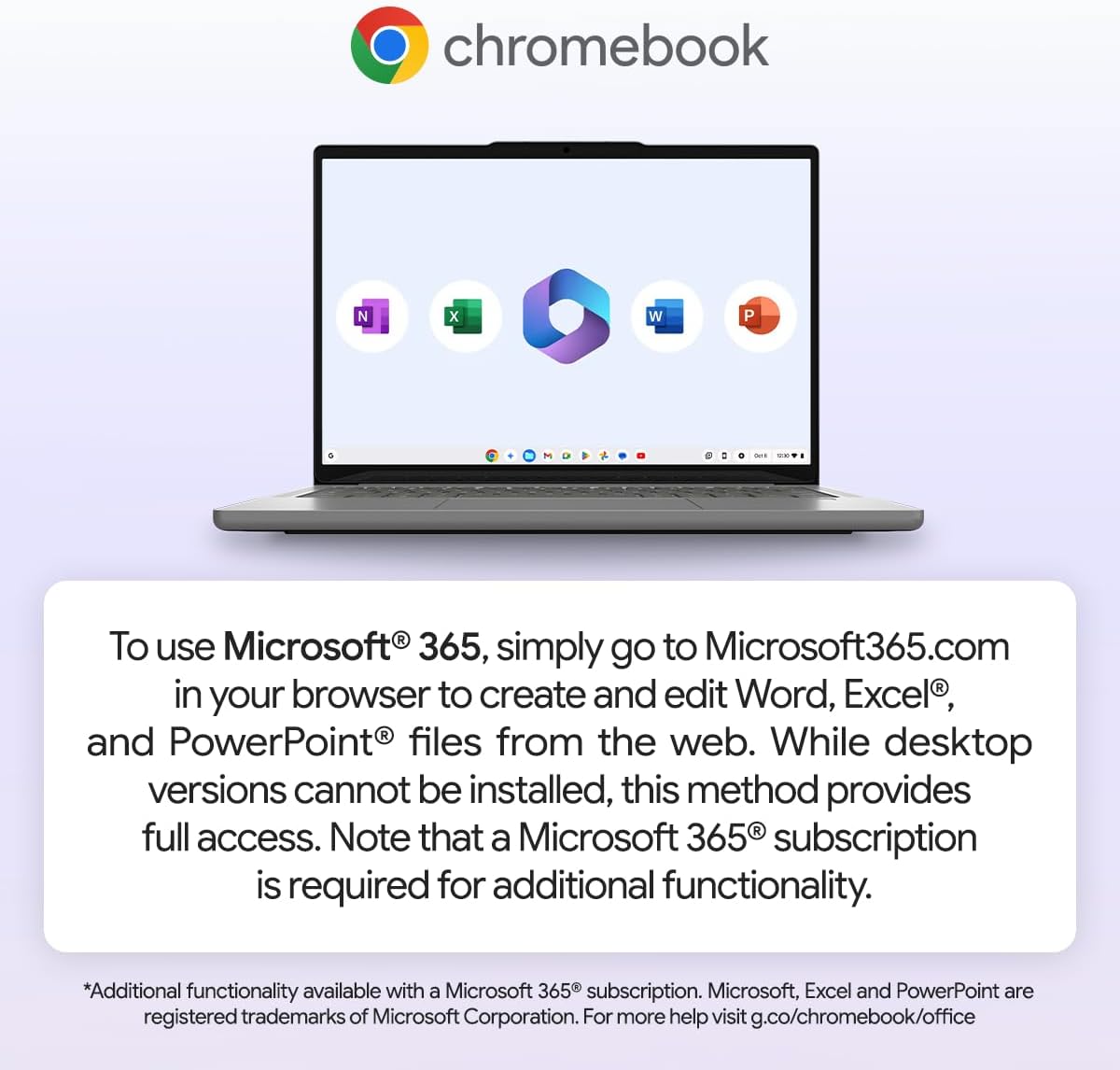
For 2026 real-world use: student note-taking and essay writing — yes, completely fine. Office tasks via Google Workspace — yes. Microsoft 365 — web versions only, and you’ll need a subscription. Video editing — no. Programming beyond basic web-based tools — no. Offline use on a commute — limited and will frustrate you, as multiple buyers found. Gaming — the integrated GPU rules this out entirely. This machine has a specific lane. Stay in it and it delivers. Wander outside it and you’ll be disappointed.
One additional point worth flagging: connectivity is USB-C only, two ports total. There is no headphone jack listed in the spec data, no HDMI, no Ethernet, and no USB-A. If you rely on legacy peripherals or wired internet, you’ll need a USB-C hub. That’s not unusual for a device this thin, but it’s worth knowing before you buy. For a full picture of what ports matter and why, this ports guide covers the ground.
Check the full spec sheet and buyer Q&As for the Lenovo IdeaPad Chromebook Duet 11M889 on Amazon.
Everyday Usability: Battery, Build & More
At 510g and just 7.6mm thick in tablet mode, this thing is genuinely easy to carry. It’s one of the lighter devices in this form factor and multiple buyers flagged it as a travel and commute companion specifically — not incidentally. The folio keyboard attaches securely and feels solid according to buyer feedback, though at this size you’re typing on a compact layout rather than anything approaching a full desktop experience. The screen — a glossy 1920×1200 IPS panel — gets consistent praise for sharpness and brightness. Colours look good. The glossy finish will cause glare in direct sunlight, which is worth knowing if you plan to use this outdoors. The 60Hz refresh rate is standard for this class. Touchscreen is capacitive and responsive, and the included Lenovo USI Pen 2 works well for sketching and handwriting according to buyers who bought it specifically for that purpose.

Battery life comes in at a claimed 12 hours off a 29Wh cell — modest in capacity but Chrome OS squeezes more from less. Buyers haven’t specifically flagged battery as a problem, which suggests the claims are at least plausible in light use. Heat shouldn’t be an issue with an ARM chip running Chrome OS — this isn’t the kind of platform that throttles under sustained load in the way an x86 chip can. There’s no fan noise to speak of. The 5MP front camera with a physical shutter is a genuinely useful feature for video calls — the shutter adds real peace of mind rather than relying on software. Audio uses Lenovo’s SmartAMP with Waves Audio processing, which is better than the bare-minimum speaker setup you’d normally expect on a device this thin. No Ethernet port. No HDMI. No fingerprint reader listed. For a deeper look at display panel types and what IPS means in practice, that’s worth reading before you commit.
Lifespan & Future-Proofing
Build quality on Chromebooks from Lenovo is generally solid for the category — the spill-proof chassis is a genuine practical benefit, not just marketing copy. Physically, this should hold up for three to five years of careful use without issues. It’s not a rugged device, but it’s not flimsy either.
Spec longevity is a different conversation. The 4GB RAM ceiling is already tight in 2026 — Chrome OS manages it well today, but as Android apps and web applications grow heavier, that ceiling will close in. The 128GB eMMC storage is fixed, and with no expansion slot, you’re relying on cloud storage for anything that doesn’t fit locally. The MediaTek Kompanio 838 is capable for current Chrome OS tasks, but ARM Chromebook chips don’t have upgrade paths — what you’ve got is what you’ve got for the life of the device. Realistically, expect three to four years of comfortable use before the hardware starts to feel like it’s fighting the software. Chrome OS update support from Google is worth checking for this specific model — Chromebooks have a defined Auto Update Expiry date, and that’s a harder limit than gradual performance decline. Worth confirming before purchase.
View current stock and availability for the Lenovo IdeaPad Chromebook Duet 11M889 on Amazon.
What Buyers Are Saying (And Potential Dealbreakers)
The Lenovo IdeaPad Chromebook Duet 11M889 holds a rating of 4.2 out of 5 from 38 customer reviews on Amazon. That sample is small enough that one or two outliers move the needle meaningfully, so treat the headline number with appropriate caution. The direction of the feedback is useful even if the volume isn’t yet definitive.
Positive sentiment clusters around three things: the screen quality, the value-for-money impression, and how naturally the tablet/laptop conversion works. Several buyers specifically mention they bought it for drawing and sketching — and the included stylus and responsive touchscreen are doing that job well. Buyers using it for basic web-based work, communication apps, and streaming are happy. One buyer tested a 3D flight simulator app in tablet mode and reported it running without issue, which gives you a rough floor for what the hardware can handle beyond web browsing.
The dealbreaker — and it is a real one — is the Chrome OS offline limitation. One buyer who purchased specifically for commuting found it nearly useless without a stable Wi-Fi connection. Microsoft 365 desktop apps don’t install. Kindle and similar apps had stability issues. If your use case involves being away from reliable internet, this is a genuine problem, not a minor inconvenience. There’s also a RAM flag from one buyer: effective available RAM sits closer to 3GB in practice, and some Android apps are sluggish as a result. Worth knowing before you assume 4GB means 4GB free to use.
Buyer Highlights
“Once you detach the keyboard it instantly turns into an Android tablet — and unlike a real tablet you still get full desktop functionality for websites and Google apps.” — The hybrid workflow is the core use case and it genuinely delivers on it.
“Screen is beautiful, sharp, bright and responsive, and the included pencil is working brilliantly for drawing and sketching.” — Consistent across multiple buyers who bought it specifically as a drawing device.
“Unless you can guarantee being connected to stable Wi-Fi 24/7, I’d go with another option.” — The most important warning in the entire review set, and it’s worth taking seriously.
“Some apps are sluggish due to the 3GB of RAM — NOT 4GB — but OK for occasional use.” — Available RAM after OS overhead is less than the headline figure suggests.
“Battery perfect. Size perfect. Value for money — above all expectations.” — A sentiment that appears across multiple buyers in different words.
Who Should Buy It (And Who Shouldn’t)
Buy If
- You want a compact tablet-laptop hybrid for web browsing, Google Workspace, and light Android apps — and you have reliable Wi-Fi access most of the time
- You need a digital note-taking and sketching device and don’t want to buy a stylus separately — the USI Pen 2 is included
- You’re a student looking for a lightweight device for lectures, notes, and web-based coursework on a tight budget — this is among the better-equipped options in that space
- You want something genuinely light to travel with — 510g in tablet mode is hard to argue with
Avoid If
- You frequently work offline or commute without reliable internet — Chrome OS’s offline limitations will make this actively frustrating
- You need Windows software, desktop Microsoft 365, or any application that doesn’t exist as a web or Android app — Chrome OS does not support it
- You’re considering this as a primary work machine for anything beyond light tasks — the 4GB RAM ceiling and eMMC storage make it unsuitable, and mid-range alternatives exist that handle proper workloads
The Bottom Line
The Lenovo IdeaPad Chromebook Duet 11M889 is a focused device that does its specific job well. Compact, light, well-screened, and bundled with everything you need to use it out of the box — keyboard, stand, and stylus included. Chrome OS keeps it fast and battery-efficient within its constraints. Those constraints are real: offline capability is limited, 4GB RAM is a ceiling not a comfort zone, and this is no replacement for a proper laptop. But if your needs fit — student, occasional traveller, secondary device for web work and sketching — it’s a genuinely good option at this end of the market. Go in with clear expectations and it won’t let you down. Go in expecting a Windows laptop and you’ll be back on Amazon inside a month.
Find the Lenovo IdeaPad Chromebook Duet 11M889 and read the latest buyer questions on Amazon.
At LaptopAdvisorOnline, our methodology is built on data transparency rather than simulated hands-on testing. We rigorously analyse official manufacturer specifications and aggregate verified customer sentiment to provide objective, fluff-free buying advice that helps you cut through the marketing jargon.
As an Amazon Associate, I earn from qualifying purchases.
Browse by Specification
Looking for something specific? Browse our analyses by hardware and feature:
[AMD Processor Laptops] — [Intel Processor Laptops] — [16GB RAM Laptops] — [32GB RAM Laptops] — [Dedicated Graphics] — [Long Battery Life] — [Lightweight Laptops] — [Student Laptops]
Browse by Screen Size
[13-inch Laptops] — [14-inch Laptops] — [15-inch Laptops] — [16-inch+ Laptops]




