
LEEDOW ANL5-N5095 Analysis: Know the Limits
The Blunt Verdict
The LEEDOW ANL5-N5095 is a bare-bones entry-level machine built for people who need a laptop that does the basics and nothing more. Web browsing, documents, email, light spreadsheets — yes. Anything heavier than that — no. It’s cheap, light, and honest about what it is, which is more than can be said for most budget machines that pretend to be something they’re not.
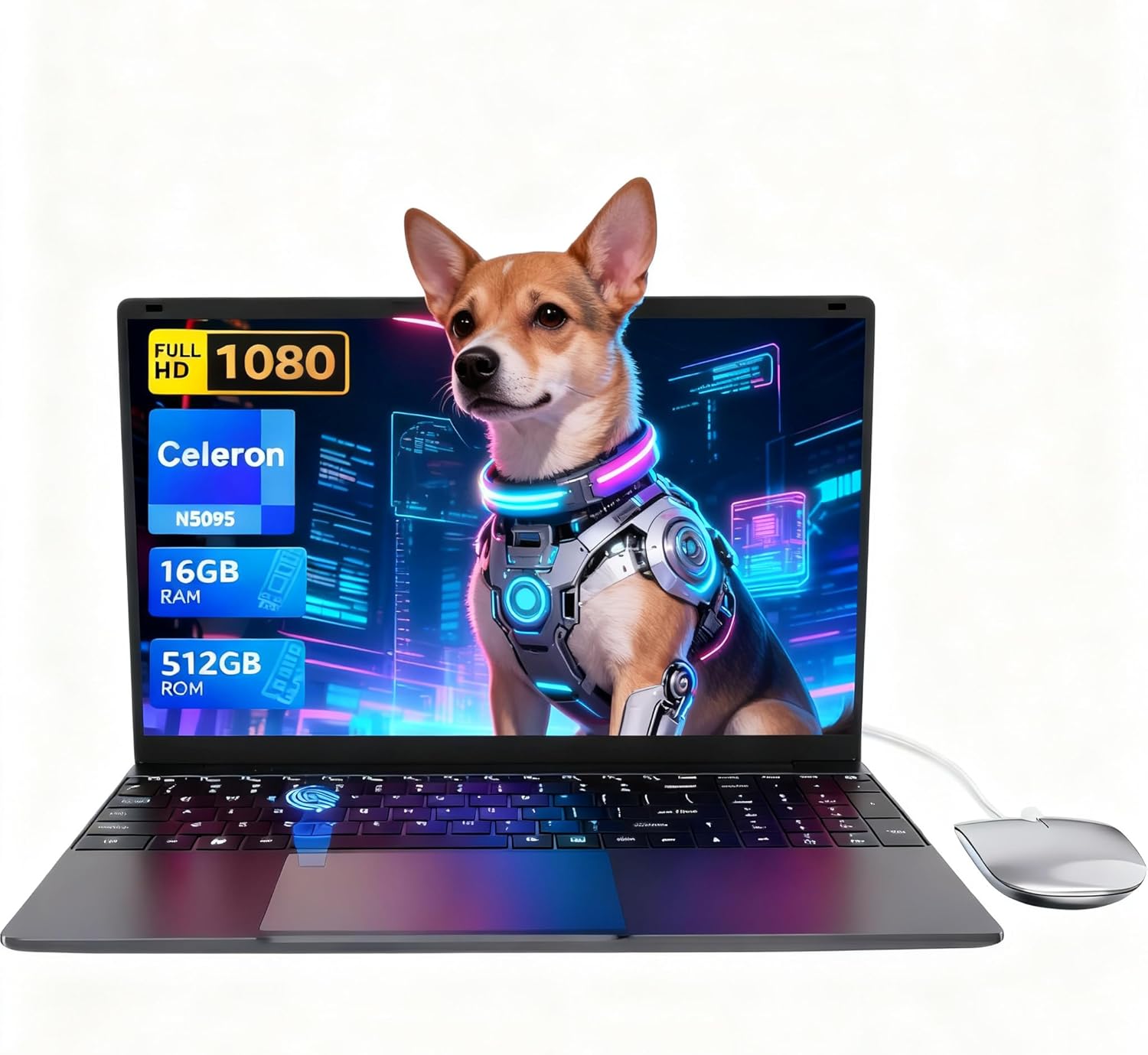
The headline specs: Intel Celeron N5095 processor running up to 2.9GHz, 16GB of LPDDR4 RAM, a 512GB SSD, and a 15.6-inch 1920×1080 IPS display. On paper that RAM figure looks generous for this chip tier — and it is, relatively speaking. But the N5095 is a four-core Jasper Lake chip from Intel’s budget cellar, and no amount of RAM turns that into a workhorse. It’s paired with integrated UHD graphics, a 38Wh battery, and ships with Wi-Fi 5 and Bluetooth 4.2.
Students who need a note-taking and assignment machine, or anyone who just wants something for low-demand tasks without spending much — this is a reasonable option. Anyone considering it for video editing, programming, gaming, or running Windows 11 at speed should look elsewhere. This is a budget option in the truest sense: priced low, specced low, suited for low-demand use.
See the LEEDOW ANL5-N5095 listing and current availability on Amazon.

Pros and Cons
Pros
- 16GB LPDDR4 RAM is unusually generous for a Celeron-class machine and reduces multitasking lag on light workloads
- 512GB SSD gives meaningful storage headroom at this tier — expandable via M.2 2280 B-key SATA slot
- Full HD 1080p IPS panel on a machine this cheap is a legitimate plus for text clarity
- Fingerprint reader included — a feature that rarely appears at this price point
- Backlit keyboard with adjustable brightness and a 180-degree hinge are practical bonuses
- Weighs 1.55kg — light enough to carry daily without drama
Cons
- The Celeron N5095 CPU is genuinely weak — it will struggle with anything beyond basic office tasks and light media
- Battery capacity of 38Wh is small; the listed 4-hour life should be treated as a best-case ceiling, not an expectation
- Ships on DOS, not Windows — you’ll need to factor in a Windows licence or be comfortable with a third-party OS from the start
Spec Breakdown
- Model: LEEDOW ANL5-N5095
- CPU: Intel Celeron N5095 (Jasper Lake), up to 2.9GHz, 4 threads, 15W TDP
- RAM: 16GB LPDDR4 (2933MHz)
- Storage: 512GB SSD; M.2 2280 B-key SATA expansion slot available
- GPU: Intel UHD Graphics (integrated)
- Display: 15.6-inch IPS, 1920×1080 resolution, glossy finish
- Battery: 5000mAh / 38Wh lithium-ion
- OS: DOS (no Windows included)
- Weight: 1.55kg
- Ports: 2x USB 3.0, 1x HDMI, MicroSD slot, Ethernet, headphone jack
- Connectivity: Wi-Fi 5 (802.11ac), Bluetooth 4.2
- Keyboard: Backlit QWERTY with adjustable brightness
- Camera: 720p front webcam
- Biometrics: Fingerprint reader
Hardware & Performance Reality Check
The Intel Celeron N5095 is a CPU designed for the absolute bottom of the consumer laptop market. Four threads, a 15W TDP, and a maximum turbo of 2.9GHz — this chip dates from Intel’s 2021 Jasper Lake lineup and was never intended for demanding workloads. Pairing it with 16GB of LPDDR4 memory does genuinely help with multitasking in the context this machine is built for — keeping a dozen browser tabs open, running a word processor alongside a PDF, that sort of thing. The RAM won’t feel wasted here. Whether it’s soldered or upgradeable isn’t confirmed in the spec sheet, but at this tier and chassis size, assume it’s soldered and plan accordingly.
The 512GB SSD is the other headline and it’s legitimately useful — you won’t be clearing out files every month. Storage speed will be SATA-class rather than NVMe given the M.2 B-key slot specification, which means read/write speeds in the 500MB/s range rather than 3000MB/s+. Fine for the workloads this machine handles. The Intel UHD Graphics are integrated and share system memory — they’ll handle display output and basic video playback without issue. Don’t expect smooth performance from any game released in the last decade. YouTube, Netflix, and standard media playback are the ceiling for GPU-adjacent tasks here.
For 2026 real-world use: student document work and web browsing — yes, manageable. Standard office productivity — yes, with patience on heavier files. Gaming — no, full stop. Even budget gaming machines need far more than this chip can offer. Video editing beyond basic cuts — no. Python scripting and light coding — technically possible but slow. Programming IDEs like VS Code will run but feel sluggish under any real project load. Check performance benchmarks for the N5095 if you want numbers — they’re not flattering, but they’re honest.
One thing worth flagging: the OS situation. The spec sheet lists DOS — not Windows, not even Windows 11 Home. That means you either arrive with a licence key already purchased, install a Linux distro, or rely on whatever third-party OS the seller has pre-loaded. For non-technical buyers, this is a meaningful friction point that LEEDOW’s product listing glosses over. Budget for a Windows licence if you need it, and factor that into the real cost.
Check the full spec sheet and buyer Q&As for the LEEDOW ANL5-N5095 on Amazon.
Everyday Usability: Battery, Build & More
Portability is the LEEDOW ANL5-N5095’s most credible selling point. At 1.55kg and 20mm thin, it’s genuinely light for a 15.6-inch machine — lighter than most mainstream competitors at this screen size. Carrying it to a lecture or a coffee shop won’t wear you out. The battery, however, is a problem. A 38Wh cell is small. LEEDOW claims four hours, which likely reflects low-brightness, light-load conditions. Under typical mixed use — browser, email, some video — expect three hours or less. This is not an all-day machine. If you’re away from a plug for extended periods, that’s a real limitation worth taking seriously before buying. The included USB hub at least expands the two USB-A ports, though having only 2x USB 3.0 natively in 2025 is tight.
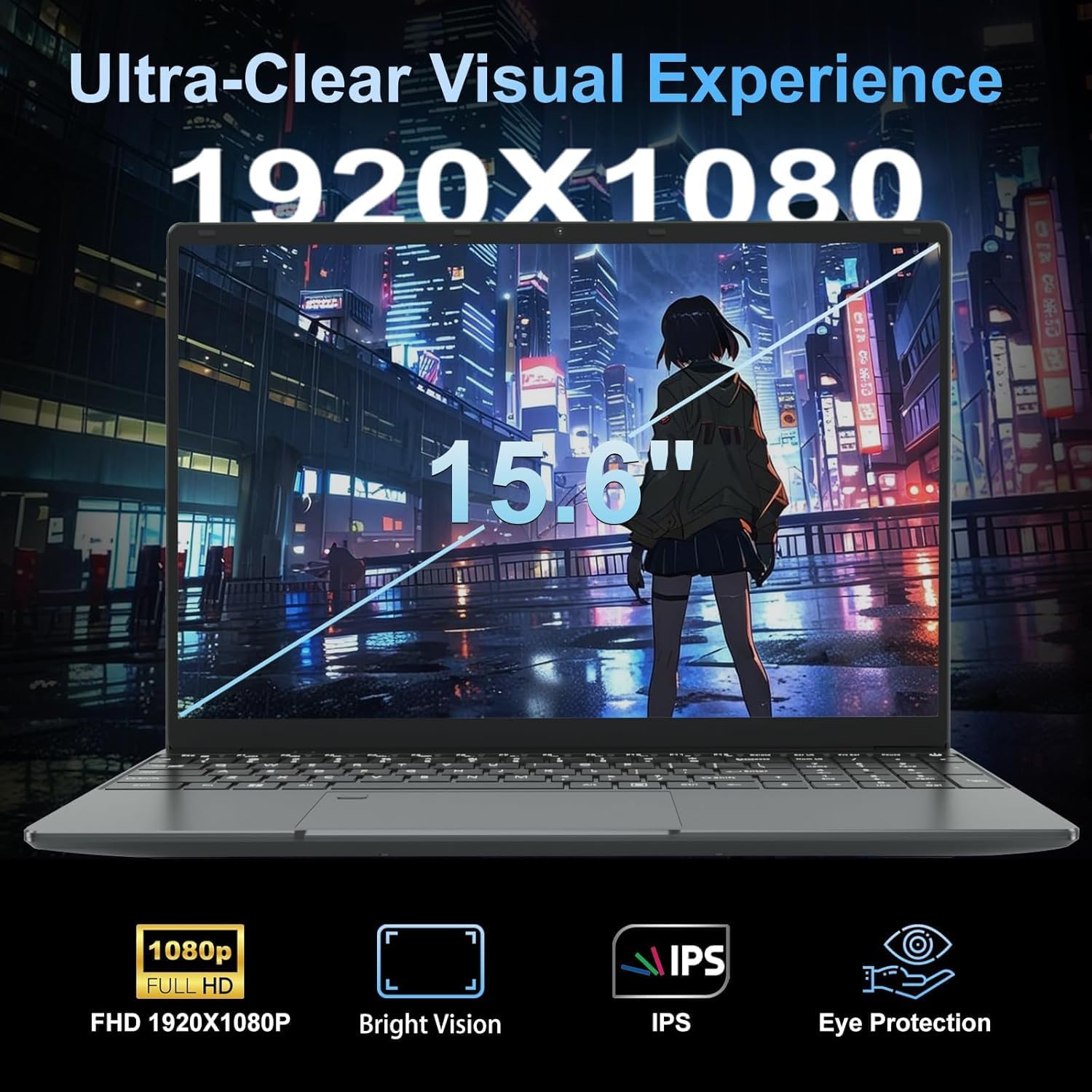
The display is a 1920×1080 IPS panel with a glossy finish — text will look sharp indoors, but expect reflections in bright environments. IPS technology means reasonable viewing angles, which is where that 180-degree hinge becomes genuinely useful for sharing a screen. The backlit keyboard with adjustable brightness is a welcome touch, and the fingerprint reader is a genuine convenience feature. The 720p webcam is functional — fine for video calls, not flattering. The single HDMI output means you can connect an external monitor without needing an adapter, which is sensible. Connectivity via ports is limited overall, but the included USB hub partially compensates. Thermals on a 15W chip should be manageable — expect a quiet fan or even passive cooling under light load, though extended CPU-heavy tasks may trigger warmth on the underside.
Lifespan & Future-Proofing
Build quality at this price is an unknown — LEEDOW is not an established brand with a proven track record, and the chassis materials aren’t confirmed beyond the thin-and-light profile. Aluminium accents or full plastic: impossible to say from the spec sheet alone. Realistically, budget machines in this segment have a chassis lifespan of two to four years under daily use if treated carefully. Drop it once badly and that estimate changes. The 24-month manufacturer warranty is a positive signal — at least LEEDOW is prepared to stand behind it for two years.
Spec longevity is the harder problem. The Celeron N5095 was already behind the curve when it launched in 2021. By 2026, it will be a five-year-old budget chip, and the gap between it and current mainstream processors will be significant. For web browsing and documents it’ll still function, but any creep in software bloat — browser updates, heavier web apps, more demanding cloud tools — will make the limitation more noticeable each year. The upgrade path is limited: the M.2 storage slot gives you one future expansion option, but if RAM is soldered (likely at this tier), that’s fixed forever at 16GB. There’s no path to a CPU upgrade on a budget laptop chassis. Plan for three useful years and consider anything beyond that a bonus. If you need a machine to grow with you, this isn’t it — look at the mid-range instead, or read the full buying guide before committing.
View current stock levels for the LEEDOW ANL5-N5095 on Amazon.
What Buyers Are Saying (And Potential Dealbreakers)
The LEEDOW ANL5-N5095 holds a rating of 4.4 out of 5 from 92 customer reviews on Amazon. That’s a reasonable sample size, though 92 reviews is still relatively modest for drawing firm statistical conclusions — treat the sentiment as directional rather than definitive. At this rating level, the machine is clearly not a disaster in buyers’ hands, and serious recurring complaints about hardware failure or misrepresentation aren’t dominant in the feedback pool.
The recurring praise centres on value for money at the entry level — buyers who wanted something cheap and functional for basic tasks report getting exactly that. The light weight and clean design get positive mentions, and the keyboard backlight is noted as a pleasant surprise at this tier. The fingerprint reader gets credit as a convenience feature buyers didn’t expect to find here.
The recurring concerns are predictable and mostly consistent with the hardware on paper. Speed under any kind of load gets flagged — buyers who pushed it beyond documents and light browsing noticed the limitations quickly. Battery life is the other frequent complaint, with several buyers reporting real-world figures below the claimed four hours. The DOS/OS situation is a genuine gotcha for buyers who didn’t read the small print — a handful of reviews mention surprise at having to sort out an operating system themselves.
Buyer Highlights
“Does exactly what I need for college — notes, browsing, streaming. Nothing more, nothing less.” — Exactly the use case this machine is built for.
“Battery doesn’t last as long as I hoped, but I’m usually near a plug so it’s fine.” — If you rely on unplugged use, manage your expectations before buying.
“Surprisingly light. I carry it every day and barely notice it in my bag.” — The 1.55kg weight is a genuine advantage for daily commuters.
“Wasn’t expecting a fingerprint reader on something this cheap — makes logging in much faster.” — A small feature that buyers genuinely appreciate in daily use.
“Had to sort out Windows myself which I wasn’t expecting. Not a big deal once you know, but catch people off guard.” — Worth reading the OS situation carefully before purchasing.
Who Should Buy It (And Who Shouldn’t)
Buy If
- You need a lightweight machine purely for documents, email, and web browsing — and you know that going in
- You’re a student looking for a secondary device for note-taking and assignment writing and already have access to a main machine for heavier work
- You want a cheap, light laptop for travel or low-risk situations where you’d rather not carry anything expensive
- You’re comfortable sorting out a Windows installation yourself, or are happy running Linux
Avoid If
- You expect to use this for video editing, gaming, programming with IDEs, or any sustained CPU-heavy task — the N5095 will frustrate you within weeks
- You need reliable all-day battery life away from a socket — the 38Wh cell simply isn’t up to it
- You’re buying this as a primary work machine for professional use where speed and reliability actually matter
The Bottom Line
The LEEDOW ANL5-N5095 is what it is: a cheap, light, no-frills machine for the most basic of computing tasks. The 16GB RAM and 512GB SSD are genuinely decent inclusions at this tier, the weight is competitive, and the fingerprint reader is a pleasant extra. But the Celeron N5095 CPU keeps a hard ceiling on what this machine can do, the battery is small, and the DOS-only OS is a friction point for anyone who doesn’t notice it upfront. Buy it with clear eyes — assign it light tasks, keep it near a charger, and it’ll serve a certain kind of user well enough. Ask anything more of it and you’ll be disappointed fast. If you want to understand what the specs actually mean before making a final call, it’s worth five minutes of your time.
Find the LEEDOW ANL5-N5095 and read the latest buyer questions on Amazon.
At LaptopAdvisorOnline, our methodology is built on data transparency rather than simulated hands-on testing. We rigorously analyse official manufacturer specifications and aggregate verified customer sentiment to provide objective, fluff-free buying advice that helps you cut through the marketing jargon.
As an Amazon Associate, I earn from qualifying purchases.
Browse by Specification
Looking for something specific? Browse our analyses by hardware and feature below, or check all laptop analyses in the Best Budget Laptops category archive.
[AMD Processor Laptops] — [Intel Processor Laptops] — [16GB RAM Laptops] — [32GB RAM Laptops] — [Dedicated Graphics] — [Long Battery Life] — [Lightweight Laptops] — [Student Laptops]
Browse by Screen Size
[13-inch Laptops] — [14-inch Laptops] — [15-inch Laptops] — [16-inch+ Laptops]




