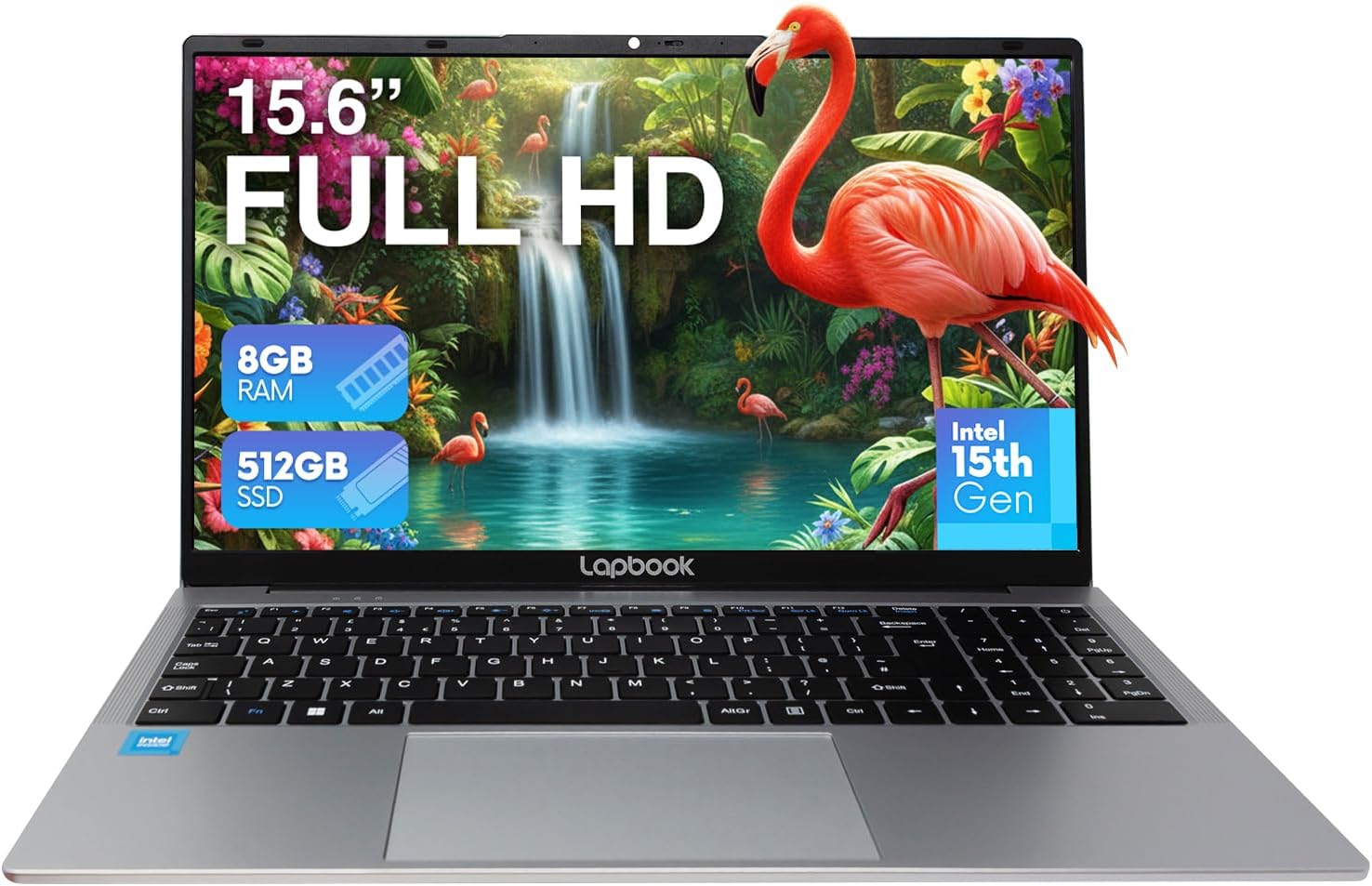
Lapbook S15 N6 Intel 15th Gen 8GB 512GB Analysis: Small Battery, Big Storage
The Blunt Verdict
The Lapbook S15 N6 Intel 15th Gen 8GB 512GB is a no-frills Windows 11 laptop aimed squarely at people who need a functional machine for light daily use without spending much. It’s sold by Fusion5, a British electronics brand that’s been around since 2010 — not a household name, but not a fly-by-night operation either. The headline strength here is straightforward: a full-size 15.6-inch display, a decent 512GB of storage, and a genuinely competitive weight at 1.73kg. The headline weakness is equally straightforward: the Intel N150 processor is an efficiency chip, not a performance chip, and the 8GB of RAM has nowhere to go if you need more.
In practical terms, the Intel N150 quad-core chip tops out at 3.6GHz and pairs with Intel UHD Graphics 600 — integrated graphics that handle everyday tasks fine but draw a firm line at anything graphically demanding. The 8GB DDR4 RAM running at 2400MHz is adequate for a browser, a few documents, and a video stream running simultaneously. The 512GB M.2 SSD is the standout spec at this tier — you’re not squeezing everything onto a cramped 128GB drive, which is a genuine quality-of-life win. The display is a 1920×1080 IPS panel with a claimed 500 nit brightness, which on paper is solid for the money. Connectivity is reasonable: USB 3.0, USB 2.0, USB-C, HDMI, and an RJ45 Ethernet port — that last one alone puts it ahead of machines that have stripped it out to save a penny.
Buy this if you want a light everyday machine for web browsing, email, video calls, streaming, and basic productivity. Don’t buy it if you do anything that needs muscle — video editing, programming with heavy compilation, or any gaming beyond browser-based stuff. This is a budget option and it behaves like one. That’s not an insult — it just means knowing exactly what you’re paying for.
See the current listing and buyer Q&As for the Lapbook S15 N6 Intel 15th Gen 8GB 512GB on Amazon.

Pros and Cons
Pros
- 512GB M.2 SSD is genuinely generous at this price point — plenty of room for photos, documents, and installed software without immediately reaching for external storage
- RJ45 Ethernet port included — useful for stable connections where Wi-Fi is unreliable, and not something every budget laptop bothers with
- 1.73kg body makes it light enough to carry daily without issue
- Full HD webcam built in — more useful than the sub-720p cameras often bundled on cheap machines, particularly for video calls
- Full numeric keypad — a practical addition for anyone doing data entry or financial work
- USB-C port supports both charging and external display output — adds flexibility to the port layout
Cons
- RAM is capped at 8GB with only one slot and no indication it’s user-upgradeable — if the spec sheet’s “maximum 8GB” is accurate, you’re locked in permanently
- 18Wh battery capacity is tiny — real-world battery life will disappoint anyone expecting a full working day unplugged; one buyer confirmed roughly 2.5 hours
- Intel N150 is a low-power efficiency chip — it handles light tasks well but hits a wall fast under anything sustained or multithreaded
Spec Breakdown
- Model: Lapbook S15 N6 Intel 15th Gen 8GB 512GB
- CPU: Intel N150 Quad-Core, up to 3.6GHz (15th Gen)
- RAM: 8GB DDR4 SDRAM, 2400MHz, 1 slot
- Storage: 512GB M.2 SSD
- GPU: Intel UHD Graphics 600 (integrated)
- Display: 15.6-inch IPS, 1920×1080, 60Hz, 500 nit (claimed)
- Battery: 18Wh Lithium Polymer
- OS: Windows 11 Home
- Weight: 1.73kg
- Ports: USB 3.0, USB 2.0, USB-C (charging + display), HDMI, RJ45 Ethernet, headphone jack
- Connectivity: Dual-Band Wi-Fi (802.11ac), Bluetooth 5.0, 1Gbps Ethernet
- Keyboard: Chiclet, QWERTY, full numeric keypad
- Camera: Integrated Full HD webcam with built-in microphone
- Warranty: 12 months limited
Hardware & Performance Reality Check
The Intel N150 is an efficiency-first chip — low power draw, low heat, and enough horsepower for the tasks most people actually do: browsing with multiple tabs open, writing documents, spreadsheets, video calls, streaming. What it isn’t is a chip you push. Sustained workloads — exporting files, loading large datasets, compiling code — will expose its limits quickly. Pair that with 8GB of DDR4 RAM and you have a machine that runs Windows 11 Home comfortably at idle, handles moderate multitasking reasonably well, but starts to slow noticeably if you stack too many applications. Understanding how much RAM you actually need matters here — 8GB is the functional floor for Windows 11 in 2025, not a headroom-rich starting point. The spec sheet lists maximum RAM as 8GB, which means there’s no upgrade path. What you buy is what you keep.
The 512GB M.2 SSD is a genuine high point. Budget machines at this tier often ship with eMMC storage or tiny drives that fill up in months — this doesn’t have that problem. M.2 SSD means fast boot times and snappy application loading relative to the CPU’s capability. The Intel UHD Graphics 600 is strictly integrated — no dedicated VRAM, no GPU acceleration for anything heavy. Video playback and light photo editing are fine. Anything involving 3D rendering, serious video exports, or gaming beyond casual browser titles is not. If you want to understand what integrated graphics means day-to-day, the specs explained guide covers it without the jargon.
For 2026 use cases: student essay writing and research, yes. Office email and Teams calls, yes. Light spreadsheet and data entry work, yes. Programming in Python or web development with a local server running, probably fine for learning but not for heavy projects. Video editing in Premiere or DaVinci Resolve, no — the chip and integrated GPU aren’t built for that. Gaming of any real variety, no. If your workload sits in the first category, this machine does the job. If it sits in the second, look at something with more CPU headroom — check the CPU guide for context on where the N150 sits in the broader hierarchy.
The port layout deserves a specific mention because it’s one area where Lapbook made sensible decisions. Four USB ports across three standards, HDMI out, RJ45 Ethernet, and a USB-C port that doubles as a charging and display port. That’s a more complete set than many competitors at this tier who drop Ethernet entirely. A full ports breakdown explains the practical difference between USB 2.0 and 3.0 if you’re moving large files regularly — short version: use the USB 3.0 port for anything where speed matters.
Everyday Usability: Battery, Build & More
The battery situation needs to be said plainly: an 18Wh cell is small. One buyer confirmed approximately 2.5 hours unplugged on standard settings. That’s not a laptop you take to a coffee shop expecting to work all afternoon — bring the charger. The build itself comes in a silver aluminium-finish chassis at 1.73kg, which buyers consistently described as light and well-made for the price. Dimensions sit at 37.5cm x 24cm with a 1.4cm thickness — genuinely slim for a 15.6-inch machine. The keyboard is a full chiclet layout with a numeric pad, and multiple buyers called it comfortable to type on. That matters, because cheap keyboards are one of the first places corners get cut.

The 1920×1080 IPS display with a claimed 500 nit peak brightness is a bold number for this price. Buyers called it “crystal clear” for photos and video. IPS panels generally handle colour reproduction and viewing angles better than the TN panels often found on budget machines — if the brightness claim is even partially accurate, outdoor legibility should be reasonable. There is no touchscreen — this is a traditional display only. The integrated Full HD webcam stands out as a practical upgrade over budget-norm VGA cameras; video call quality should be noticeably better than older machines. The 802.11ac dual-band Wi-Fi covers the current standard, though it won’t do Wi-Fi 6. Bluetooth 5.0 is present for wireless peripherals. Fan noise and thermal behaviour aren’t specifically called out in buyer feedback, which usually means the N150’s low thermal envelope is doing its job — this chip doesn’t run hot under everyday load. No fingerprint reader is present.
Lifespan & Future-Proofing
Build quality longevity: the silver finish chassis drew genuine praise from multiple buyers and the 1.73kg frame doesn’t feel like it’s held together with wishful thinking. Fusion5 has a 12-month warranty and an established UK service team, which is worth something. Realistically, a machine this light and simply built should survive 3–4 years of daily carry without structural problems, provided it’s not being thrown around. The hinge design isn’t independently verified, but the form factor suggests standard durability for the category.
Spec longevity is a shorter conversation. The Intel N150 is already at the lower end of what Windows 11 runs comfortably on today. By 2026–2027, as browser engines and background services continue to bloat, 8GB of RAM with no upgrade path will start feeling tight. The RAM ceiling being fixed at 8GB is the key problem — if you could slot in 16GB, this machine would have another two or three years in it. As it stands, you’re looking at a realistic productive lifespan of 3–4 years for light use, maybe less if your workload grows. For anyone considering buying guidance on longevity, the honest answer is this: it’s a capable machine now for what it does, but it’s not a long-term investment. The 512GB SSD at least means you won’t run out of storage and be forced to upgrade early — that’s a meaningful reprieve on the lifespan front.
View current stock and availability for the Lapbook S15 N6 Intel 15th Gen 8GB 512GB on Amazon.
What Buyers Are Saying (And Potential Dealbreakers)
The Lapbook S15 N6 Intel 15th Gen 8GB 512GB currently holds a rating of 4.7 out of 5 from 29 Amazon customer reviews. That sample size is on the smaller side — worth keeping in mind — but the consistency of feedback across buyers with clearly different use cases does suggest a genuine pattern rather than outlier noise.
The recurring themes are speed (relative to older machines buyers were replacing), weight, screen quality, and keyboard feel. Multiple reviewers specifically mentioned upgrading from HP laptops — an HP Probook and an older HP of unspecified model — and finding the Lapbook faster, lighter, and better screened. That’s not a universal truth about the hardware, but it does suggest this machine compares well against aging mid-range laptops that haven’t aged gracefully. The word “speed” appearing repeatedly from buyers who press the button and get an immediate response is almost certainly the fast SSD doing heavy lifting rather than the CPU being particularly powerful — but the end result is the same: the machine feels snappy for everyday tasks.
The one concrete weakness mentioned by a buyer was battery life — approximately 2.5 hours unplugged. No other significant complaints emerged: no reports of overheating, no screen quality issues, no connectivity failures. For a budget machine in its first months on the market, that’s a cleaner feedback profile than many competitors. The performance benchmarks context is useful here — N150-class machines perform predictably and well within understood parameters for light use.
Buyer Highlights
“I press a button and it does it straight away — it knocks the socks off my two-year-old HP.” — The SSD-driven boot speed is making a strong impression on buyers coming from older spinning-disk or slower eMMC machines.
“Faster, lighter, better screen, nicer keyboard, longer battery life and a better price than my previous well-known brand laptop.” — Context matters here: this was a comparison to a mainstream brand machine that failed after four weeks, but the hardware difference is real.
“512GB of space was exactly what I needed to store my photos and genealogy program.” — Storage capacity is landing well with buyers who’ve been burned by under-specced budget machines before.
“The battery with full original settings lasts unplugged for about 2.5 hours, which is more than I need.” — Useful calibration: if your use pattern involves near-constant mains access, this is fine. If you need half a day unplugged, it’s a problem.
“Windows 11 Home was up and running in no time — original set-up was very easy.” — Consistent across multiple buyers. No reports of bloatware headaches or complex first-run configuration.
Who Should Buy It (And Who Shouldn’t)
Buy If
- You need a light daily machine for browsing, email, streaming, video calls, and office documents — and you’re nearly always near a power outlet
- You want a machine with generous storage (512GB) and a full-size keyboard including numeric pad without paying mid-range money — this fits the budget laptop category well
- You’re replacing an ageing laptop that’s slow to boot and running out of drive space — the SSD speed difference alone will feel like a significant upgrade
- You’re a student or a non-technical home user who wants something that works out of the box with Windows 11 already set up and a 12-month warranty backing it
Avoid If
- You need to work unplugged for more than a couple of hours — 18Wh is a hard constraint and no amount of power saving changes the fundamentals there
- Your workload includes video editing, programming with heavy compilation, running virtual machines, or any gaming — the N150 and integrated graphics have a firm ceiling that this chip simply can’t exceed; something from the mid-range bracket would be more appropriate
- You’re planning to upgrade RAM later — the spec sheet shows a maximum of 8GB and one slot, meaning you’re buying a machine that can’t grow with you
The Bottom Line
The Lapbook S15 N6 Intel 15th Gen 8GB 512GB does what it says on the tin, for the people it’s designed for. Light, fast to boot, well-connected with that welcome RJ45 port, and running a proper 512GB SSD rather than the paltry storage that plagues most machines in this tier. The battery life is the honest dealbreaker — if you need to work untethered, this isn’t the machine. If you spend most of your time near a plug and just want something capable and lightweight for everyday tasks, it earns its place. Fusion5 isn’t a brand that generates much buzz, but the buyer feedback here is consistent enough to take seriously. Just go in with clear eyes on the RAM ceiling and battery limits, and this is a sensible purchase.
At LaptopAdvisorOnline, our methodology is built on data transparency rather than simulated hands-on testing. We rigorously analyse official manufacturer specifications and aggregate verified customer sentiment to provide objective, fluff-free buying advice that helps you cut through the marketing jargon.
As an Amazon Associate, I earn from qualifying purchases.
Browse by Specification
Looking for something specific? Browse our analyses by hardware and feature:
[AMD Processor Laptops] — [Intel Processor Laptops] — [16GB RAM Laptops] — [32GB RAM Laptops] — [Dedicated Graphics] — [Long Battery Life] — [Lightweight Laptops] — [Student Laptops]
Browse by Screen Size
[13-inch Laptops] — [14-inch Laptops] — [15-inch Laptops] — [16-inch+ Laptops]