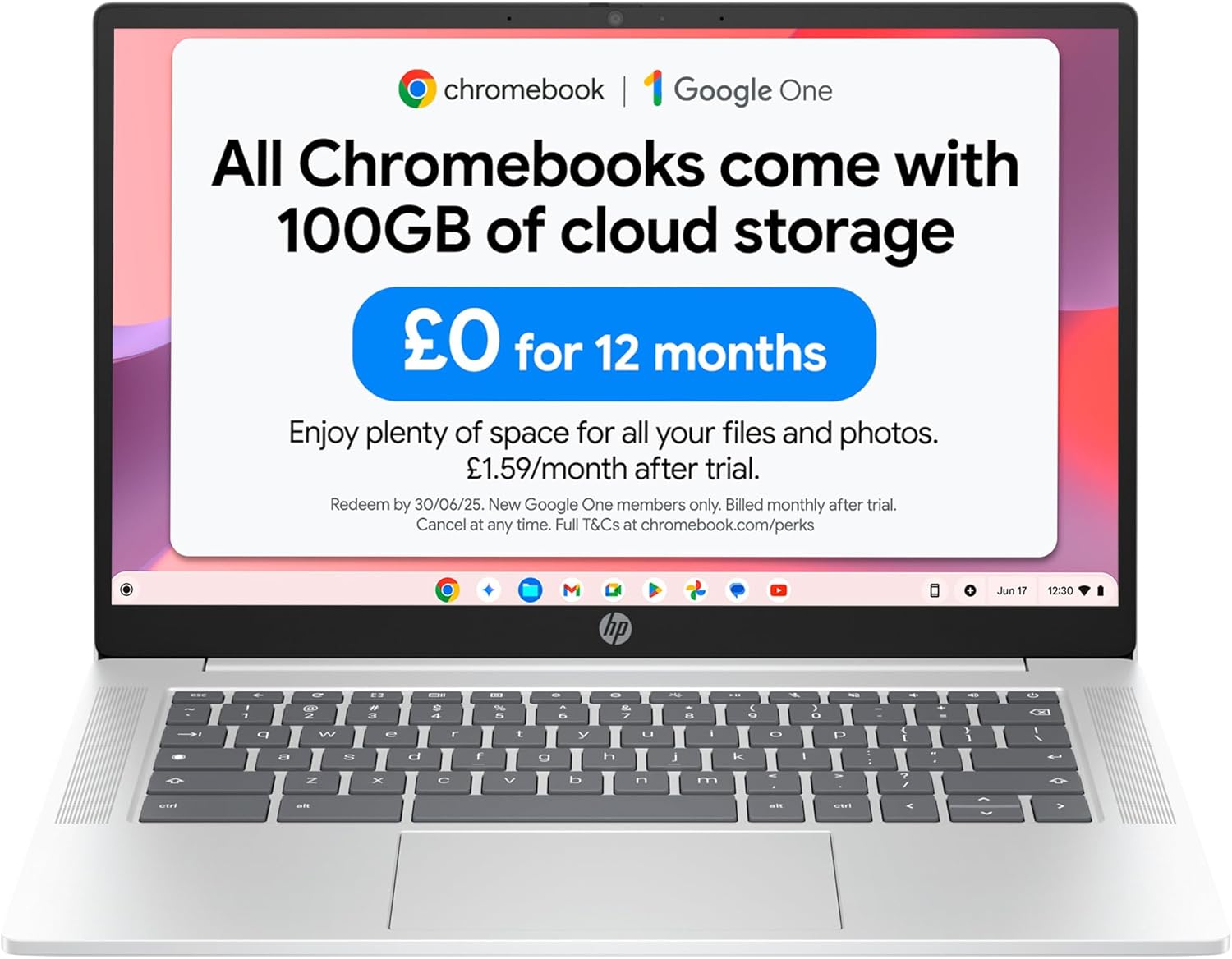
HP Chromebook 14a-nf0002sa Analysis: Worth It?
The Blunt Verdict
The HP Chromebook 14a-nf0002sa is a no-nonsense browsing and productivity machine aimed squarely at people who live inside a browser. Students, light home users, anyone who’s been burned by slow Windows updates and bloated antivirus software — this is worth your attention. It won’t run desktop apps, it won’t handle video editing, and it won’t pretend to. What it does do is boot in seconds, stay out of your way, and last most of a day on a single charge.
Under the hood: Intel N100 processor, 4GB of LPDDR5 RAM, 128GB flash storage, and a 14-inch display at 1366 × 768 resolution. Chrome OS keeps the overhead low enough that the N100 punches above what the raw numbers suggest. The display resolution is the weakest link on paper — 720p is 2015-era sharpness — but for Google Docs, YouTube, and social media it’s functional.
Buy it if your computing life is 90% browser-based and you want something fast, light, and low-maintenance. Avoid it if you need Microsoft Office desktop apps, local file storage beyond documents, or anything close to gaming. This is not a Windows replacement for power users. It is a very good tool for people who’ve accepted — or actively prefer — the cloud-first approach.
The HP Chromebook 14a-nf0002sa Amazon listing is worth a look before you read on.

Pros and Cons
Pros
- Intel N100 delivers genuinely snappy Chrome OS performance for web-based tasks — buyers consistently report no noticeable lag during normal use
- Sub-5-second boot times confirmed across multiple buyers — a meaningful daily quality-of-life improvement over Windows machines
- Wi-Fi 6E connectivity future-proofs wireless performance on faster routers
- 128GB of flash storage is generous for a Chromebook at this level — more than enough for offline files alongside cloud use
- Automatic background updates mean you’re never sitting through a 20-minute Windows-style update again
- Lightweight at 1,450g and a compact form factor that multiple buyers call genuinely grab-and-go friendly
Cons
- 4GB RAM is the ceiling — the spec sheet confirms maximum 4GB with one slot, so there’s no upgrade path; pushing multiple heavy tabs simultaneously will hit a wall
- 1366 × 768 display is noticeably soft compared to even mid-range Windows laptops in 2025
- Chrome OS is a hard dealbreaker for anyone who needs desktop software — no native Microsoft Office, no Adobe suite, no Windows-only tools
Spec Breakdown
- Model: HP Chromebook 14a-nf0002sa (9Z6X9EA#ABU)
- CPU: Intel Processor N100, 4-core, up to 3.4GHz, 12th Gen
- RAM: 4GB LPDDR5 (4800MHz, soldered, non-upgradeable)
- Storage: 128GB Flash (SSD interface)
- GPU: Intel UHD Graphics (integrated, shared memory)
- Display: 14-inch LCD, 1366 × 768 (720p), 60Hz, 250 nits, anti-glare coating
- Battery: 47Wh lithium polymer, rated up to 12 hours
- OS: Chrome OS
- Weight: 1,450g
- Ports: 2× USB 3.2 Gen 1, headphone jack; DisplayPort output
- Connectivity: Wi-Fi 6E (802.11ax), Bluetooth 5.3
- Keyboard: Full-size keyboard
- Camera: Front-facing webcam with privacy switch
- Dimensions: 32.6 × 21.6 × 1.8cm
Hardware & Performance Reality Check
The Intel N100 is a 4-core efficiency chip built on Intel’s 12th-gen architecture. It’s not a performance processor in any traditional sense — it’s designed to do a lot of light work on very little power. On Chrome OS, that’s actually a decent match. The OS is lean, processes are managed tightly, and the browser is doing the heavy lifting remotely. Day-to-day, that means tabs open quickly, Google Docs and Sheets run without stutter, and YouTube plays without buffering issues. The 4GB of LPDDR5 RAM is soldered directly to the board — there is one available memory slot but the spec sheet confirms the maximum is 4GB, so what you buy is what you keep. If you’re curious about how much RAM actually matters for different use cases, that’s worth reading before deciding. For Chrome OS, 4GB is acceptable; push it with 15+ tabs and a streaming video and you’ll feel it.
The 128GB flash storage sits on a solid-state interface, which means fast read/write speeds for what’s there — local file access is snappy. For a Chromebook this is actually a reasonable amount; most storage lives in Google Drive anyway, and offline files don’t pile up the way they do on Windows. The Intel UHD Graphics is fully integrated, sharing system memory. That rules out any meaningful gaming, local video rendering, or graphics work. Cloud gaming through Xbox Cloud Gaming is a different story — one buyer specifically called this out as working well, because the processing happens on Microsoft’s servers rather than this chip. For an overview of what integrated graphics actually means day-to-day, the specs explained guide covers it without jargon.
For 2026 use cases: student work and office tasks via browser — yes, without reservation. Video calls, Google Meet, Zoom via browser — fine. Local video editing — no. Programming via cloud IDE (like GitHub Codespaces or Replit) — workable. Local development environments — not really. Gaming — cloud only, and that depends entirely on your internet connection. This is a machine defined by what it doesn’t try to do. If your workload fits inside that scope, the performance expectations are actually better than the numbers suggest for a Chrome OS device.
The port situation is worth flagging directly. You get 2× USB 3.2 Gen 1 ports and a headphone jack. No USB-C is listed in the spec data. No HDMI port is listed — the output is DisplayPort, so connecting to a monitor or projector will require an adapter. No Ethernet port, no fingerprint reader, no SD card slot. For a machine this compact, that’s expected — but if you regularly need wired connections or external displays, check the ports guide and factor in a hub.
Everyday Usability: Battery, Build & More
At 1,450g this doesn’t feel heavy in a bag. The clamshell form factor at 1.8cm thick keeps it genuinely slim. Battery life is rated at 12 hours on the 47Wh cell, and buyers generally back that up — “good battery life” comes up consistently in the feedback without any outliers complaining of it dying mid-afternoon. For school runs, commutes, and full working days away from a desk, that’s a real differentiator versus budget Windows machines that often struggle past 5–6 hours under load. The keyboard is described by multiple buyers as comfortable with good feel — one long-term user specifically mentioned it suited their typing style after coming from a MacBook. Trackpad feedback is mixed but leans positive; “not the worst I’ve used” was the most diplomatic phrasing, which in Chromebook land is actually fine.

The 14-inch display has an anti-glare coating, which helps outdoors and under office lighting — that’s practical rather than decorative. The 250 nit peak brightness is low by modern standards; it’ll be fine indoors but can wash out in direct sunlight. Resolution at 1366 × 768 is the honest weakness — text and video are noticeably softer than anything running at 1080p. For the target use case it’s functional, but if you’re used to a sharp IPS panel you’ll notice the step down. For context on what panel type differences actually mean, the display types breakdown is worth a skim. This is not a touchscreen — no touch input, standard clamshell only. The dual stereo speakers are noted as “fine” by most buyers — serviceable for YouTube and casual music, not impressive for anything more. The webcam includes a physical privacy switch, which is a genuinely useful inclusion given how many video calls people make on machines like this.
Lifespan & Future-Proofing
Build quality on the HP Chromebook 14a-nf0002sa reads as mid-tier plastic — not flimsy, not premium. Multiple buyers describe it as feeling “solid” and “nice quality” without anyone calling it exceptional. Realistically, treat the chassis as a 3–4 year machine under normal home or student use. It won’t survive being thrown into a bag without a case repeatedly, but it should handle daily use without hinge or keyboard failures if treated reasonably.
Spec longevity is a more specific concern here. The 4GB RAM ceiling is non-negotiable — you cannot upgrade it later. Chrome OS is kind to low-spec hardware and Google’s OS updates keep it running efficiently longer than Windows would on equivalent specs, but by 2027–2028 you’ll likely feel the constraint as web apps get heavier. Worth knowing: Google provides automatic software updates and Chrome OS support guarantees; check HP’s listed support end date for this specific model before buying, as Chromebooks have a defined Auto Update Expiry (AUE) after which they stop receiving OS security updates. The Intel N100 is a competent chip for the task, but the RAM is the bottleneck that will define the useful lifespan. There’s no upgrade path — this is a budget category device and the tradeoffs are priced in accordingly. Buy it with a 3-year horizon, not 5.
Current stock and availability for the HP Chromebook 14a-nf0002sa are listed on Amazon UK.
What Buyers Are Saying (And Potential Dealbreakers)
The HP Chromebook 14a-nf0002sa holds a rating of 4.5 out of 5 from 680 customer reviews — that’s a solid sample with meaningful consistency. The sentiment is overwhelmingly positive, and crucially the praise is specific rather than generic.
The most recurring theme across reviews is the setup experience. Buyers who came from Windows laptops — particularly those whose previous machine died unexpectedly — describe the Chrome OS setup as almost shockingly simple. Ten minutes from box to working is mentioned more than once. This isn’t marketing copy; it’s people who expected pain and got none. For non-technical users, that genuinely matters.
Performance for the stated use case — browsing, streaming, document editing, social media — is consistently praised. The N100 / Chrome OS combination draws specific credit from one longer-term user who noted the machine “positively zips along” for daily tasks, with the caveat to not push it too hard simultaneously. A parent buying it for a college-age daughter notes multiple open tabs without slowdown. For the intended audience, that’s exactly what they need to hear. Honest feedback from buyers suggests the CPU is well-matched to the OS here.
The limited I/O gets a mention from one buyer but is explicitly called “not a dealbreaker” for portable use. No buyer raised the display resolution as a complaint — which suggests either the target audience isn’t bothered by it or the screen looks fine in practice at arm’s length for casual use. No recurring complaints about heat, build failures, or connectivity problems across the sample.
Buyer Highlights
“It boots up in under 5 seconds and any updates are done automatically and quietly in the background — no long updates that slow you down like Windows does.” — Repeated sentiment from Windows converts across multiple reviews.
“Even with only 4GB of RAM, ChromeOS positively zips along on the Intel N100 — just don’t push it too hard or ask it to do too much at once.” — An honest assessment from a buyer who uses it as their daily driver.
“My daughter uses it for college work and has many tabs open at once and it doesn’t slow down.” — Worth knowing for student buyers and parents shopping for one.
“I was up and running within 10 minutes after an initial charge — genuinely shocked at how simple it was.” — Consistent feedback from buyers switching from more complex operating systems.
“It even does a good job on Xbox cloud gaming.” — Useful datapoint if casual cloud gaming is part of your use case.
Who Should Buy It (And Who Shouldn’t)
Buy If
- Your daily computing is web browsing, Google Workspace, social media, and video streaming — the N100 and Chrome OS handle this combination without complaint
- You want a student laptop that boots instantly, updates itself, and doesn’t require IT knowledge to maintain — this is as low-friction as laptops get
- You’ve been stuck on a slow, virus-prone Windows machine and want out — Chrome OS’s security model and update process are a genuine step up for casual users
- Portability and battery life matter more than raw power — 1,450g and up to 12 hours on a charge is a strong combination at this level
Avoid If
- You need any desktop software — Microsoft Office natively, Adobe apps, Windows-only tools, or local development environments simply don’t run on Chrome OS; browser-based alternatives exist but they’re not the same thing
- You’re buying this expecting to grow into it — the soldered 4GB RAM ceiling means this machine cannot be upgraded, and heavier multitasking will show its limits sooner than a Windows machine with upgradeable RAM
- Screen quality matters to you — if you’re coming from a 1080p or higher display, the 1366 × 768 panel will feel like a noticeable downgrade
The Bottom Line
The HP Chromebook 14a-nf0002sa does exactly what a well-designed budget Chromebook should: it gets out of the way and lets you use the internet without fuss. The Intel N100 is a good match for Chrome OS, the battery life backs up the spec sheet in real-world feedback, and the setup experience is genuinely one of the easiest in the laptop market. The 720p display and 4GB RAM ceiling are real constraints — not dealbreakers for the right buyer, but hard limits for anyone whose needs stretch beyond the browser. If your computing life fits inside that frame, this earns a straightforward recommendation. If it doesn’t, look at a mid-range Windows machine or check the buying guide to clarify what you actually need before spending anything.
At LaptopAdvisorOnline, our methodology is built on data transparency rather than simulated hands-on testing. We rigorously analyse official manufacturer specifications and aggregate verified customer sentiment to provide objective, fluff-free buying advice that helps you cut through the marketing jargon.
As an Amazon Associate, I earn from qualifying purchases.
Browse by Specification
Looking for something specific? Browse our analyses by hardware and feature:
[AMD Processor Laptops] — [Intel Processor Laptops] — [16GB RAM Laptops] — [32GB RAM Laptops] — [Dedicated Graphics] — [Long Battery Life] — [Lightweight Laptops] — [Student Laptops]
Browse by Screen Size
[13-inch Laptops] — [14-inch Laptops] — [15-inch Laptops] — [16-inch Laptops]