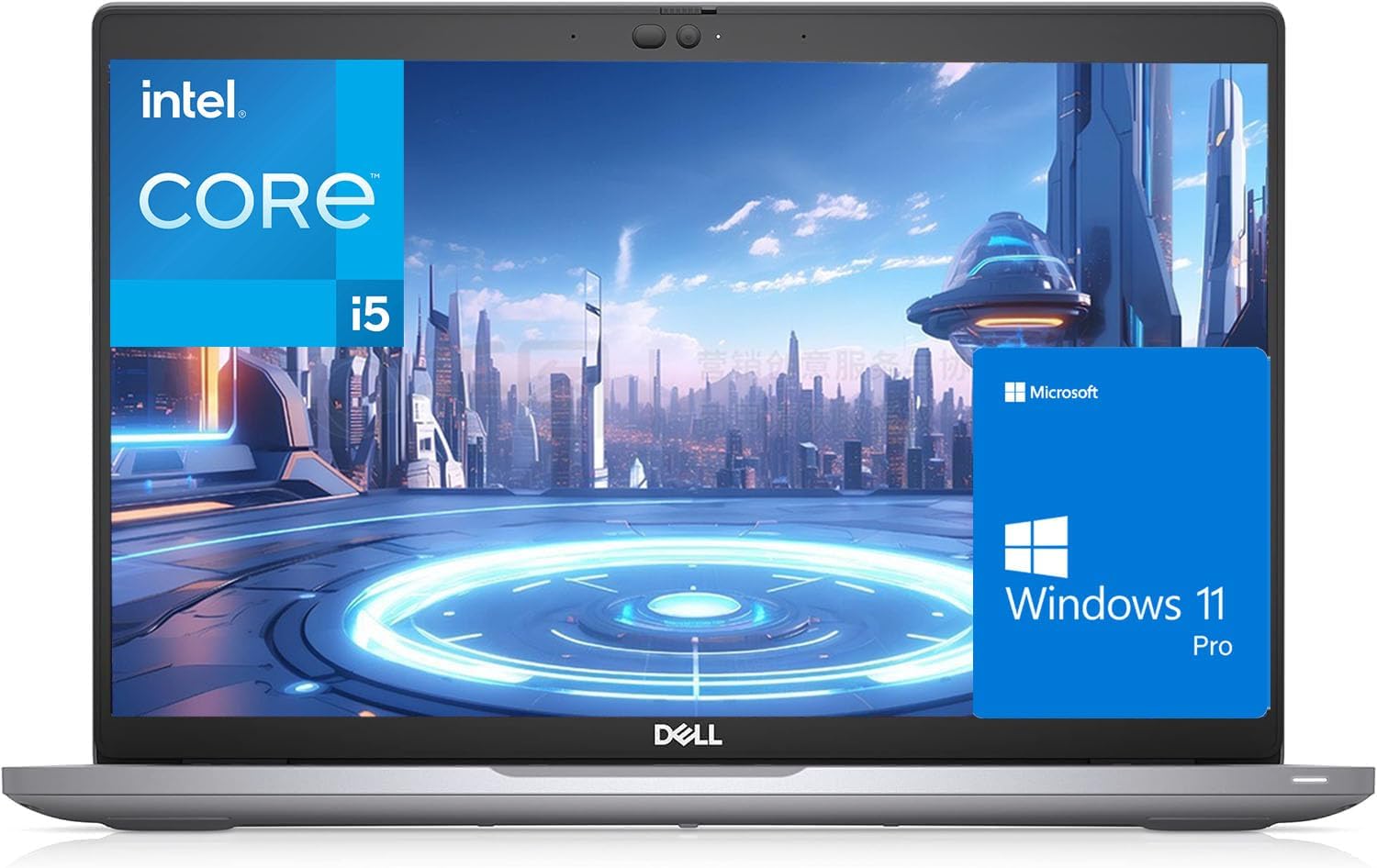
Dell Latitude 5420 Business Laptop Analysis: Desk-Bound Bargain
The Blunt Verdict
The Dell Latitude 5420 Business Laptop (Renewed) is a refurbished business machine that makes a reasonable case for itself if you need a capable, no-nonsense work laptop without paying new-laptop money. It ships with 16GB of DDR4 RAM, a 512GB SSD, and an Intel Core i5-1135G7 — enough to handle the office workload the vast majority of people actually throw at a laptop. The headline weakness is that it’s a refurbished unit from a third-party seller, and with that comes variability in condition, battery life, and whether what arrives matches what was advertised.
The 14-inch FHD (1920×1080) display, Thunderbolt 4 ports, and Windows 11 Pro out of the box are genuinely good specs for a machine at this tier. The i5-1135G7 is an 11th-gen chip running up to 4.2GHz — not cutting-edge in 2025, but more than adequate for documents, spreadsheets, video calls, and browser-heavy work. The 42Wh battery is the honest concern here. Listed battery life is minimal, and buyer reports are all over the place.
Buy it if you want a solidly-built Dell business chassis for day-to-day professional use and you’re comfortable with the refurbished lottery. Avoid it if you need guaranteed all-day battery, or if the thought of receiving a machine that hasn’t been factory reset before shipping makes your eye twitch — because that’s happened to at least one buyer.
See the current listing and availability for the Dell Latitude 5420 Business Laptop on Amazon.

Pros and Cons
Pros
- Thunderbolt 4 on a refurbished machine at this price point is genuinely unusual — most competitors don’t get near it
- 16GB DDR4 RAM is confirmed upgradeable (one buyer swapped in 32GB without issue) — not soldered, which matters
- Multiple buyers received units in near-immaculate condition, some describing them as indistinguishable from new
- Windows 11 Pro included — not Home, not a stripped edition — which is worth something for business users
- Backlit keyboard confirmed on some units, a welcome surprise for buyers who didn’t expect it
Cons
- Battery life is the most inconsistent variable — the 42Wh cell is small, and real-world reports range from just over an hour to around three hours depending on use
- At least one buyer received a US keyboard layout despite the listing advertising a UK QWERTY — a straightforward breach of what was advertised
- One unit arrived with the bottom case spray-painted rather than replaced — cosmetic, but indicative of variable refurb standards
Spec Breakdown
- Model: Dell Latitude 5420 (Renewed)
- CPU: Intel Core i5-1135G7, 11th Gen, 2.4GHz base / 4.2GHz boost
- RAM: 16GB DDR4 SDRAM
- Storage: 512GB SSD
- GPU: Intel Iris Xe Graphics (integrated)
- Display: 14-inch FHD, 1920×1080, LED
- Battery: 42Wh, Lithium Ion
- OS: Windows 11 Pro 64-bit
- Ports: 2× USB 3.1, 2× Thunderbolt 4, HDMI 2.0, RJ-45 (Ethernet), Audio Combo Jack
- Connectivity: Wi-Fi 802.11a/b/g/n/ac, Bluetooth
- Keyboard: QWERTY UK layout, backlit (on some units)
- Webcam: Yes
- Dimensions: 32 × 21 × 2.5 cm
Hardware & Performance Reality Check
The Intel Core i5-1135G7 is an 11th-gen Tiger Lake chip with four cores and a boost clock of 4.2GHz. In daily use — emails, spreadsheets, video calls, light browser multitasking — it handles everything without fuss. Buyers consistently report smooth operation with no lag or hanging. For anything more demanding, like sustained video encoding or running heavy virtual machines, you’ll feel it. But for the target audience of a business workhorse, the CPU is genuinely adequate. The 16GB DDR4 RAM is the right amount for 2025 office use, and critically, it’s not soldered — one buyer successfully upgraded to 32GB by swapping in modules from another machine. If you want to understand how much RAM you actually need, 16GB is the comfortable minimum for modern multitasking.
The 512GB SSD is a meaningful spec here — boot times are fast, application launches are snappy, and file transfers are quick compared to any spinning-disk alternative. Buyers noticed it immediately. Storage is also sufficient for most users; if you work heavily with large media files you’ll want external storage, but for documents, apps, and a few downloads you’re fine. The GPU is Intel Iris Xe integrated graphics — no dedicated card here. That means light photo editing is workable (one buyer confirmed it), casual budget gaming at low settings on older titles is possible, but anything demanding is off the table. For office and creative light work, it’s appropriate. For serious gaming or 3D rendering, it’s not.
In 2026 real-world terms: student assignments, office productivity, web research, video streaming, light photo editing — all handled. Programming with a standard IDE — fine for most languages. Video editing — basic trimming in something like DaVinci Resolve is possible, but render times will test your patience. Gaming at medium-to-high settings on modern titles — no. The performance expectations here are solidly mid-tier productivity, not content creation or gaming.
The port configuration deserves a specific mention. Two Thunderbolt 4 ports alongside USB 3.1, HDMI 2.0, and a proper RJ-45 Ethernet jack is an unusually complete set for this tier. Thunderbolt 4 means you can drive high-resolution external displays, connect to docking stations, or transfer large files at speed. The Ethernet port means you’re not dependent on Wi-Fi for stable connections — relevant for home office users. If you want a full picture of what these ports actually do, it’s worth a read before deciding.
Check the full spec sheet and buyer Q&As for the Dell Latitude 5420 Business Laptop on Amazon.
Everyday Usability: Battery, Build & More
Battery life is the one area where honest expectations management matters most. The 42Wh cell is small by modern standards, and the official figure of around an hour is a worst-case number. Real-world buyer reports range from just over an hour under load to around three hours for lighter tasks like browsing and document work. One buyer got through an extended setup session — including YouTube streaming — and was still at 70% charge, which is encouraging. Another buyer’s testing certificate showed 60 minutes but got 120 in practice. The honest summary: don’t expect a full working day unplugged. Plan around having a charger nearby. If all-day battery is a genuine requirement, look elsewhere or consult the buying guide for alternatives. The build itself is the classic Latitude story — solid, understated, no flex in the chassis that buyers have commented on. Multiple reviewers described receiving units that looked and felt brand new.

The 14-inch 1920×1080 display is an LED panel — nothing extraordinary, but buyers have generally been positive. One reviewer noted it looked better than their Apple iPad Pro 2nd generation, which is a reasonable data point on colour accuracy. Brightness is described as adequate but on the dimmer side by at least one buyer who noted colours looked accurate even if the backlight wasn’t dazzling. There is no touchscreen. The keyboard is listed as QWERTY UK layout and several buyers confirmed a backlit keyboard, though this doesn’t appear to be guaranteed across all units. Fan noise and thermal performance haven’t been flagged as issues by buyers, which is consistent with the Latitude 5420’s reputation as a well-cooled chassis. A webcam is present — standard for video calls — though no buyers commented specifically on quality. One buyer had a faulty power supply resolved promptly by the seller with a next-day replacement, suggesting at least some sellers on this listing provide decent post-sale support. The Wi-Fi 802.11ac is confirmed; no Wi-Fi 6 here, but for home and office networks it’s not a practical limitation.
Lifespan & Future-Proofing
The Latitude 5420 chassis was built for the enterprise market, which means it was designed to take punishment and keep going. Dell’s business-grade construction tends to outlast consumer-grade alternatives meaningfully — three to five years of solid use from the chassis is a realistic expectation, and this is a machine that was already built to last before it went through a refurb cycle. The clamshell design, reinforced hinges, and business-grade keyboard deck are all factors that contribute to physical longevity.
Spec longevity is the more interesting question. The i5-1135G7 is an 11th-gen chip released in 2020. It’s not going to feel cutting-edge going into 2026 and beyond, but for document-based work, web browsing, and standard office applications, it has a few more years of comfortable use ahead. The RAM is upgradeable — confirmed by buyers — which extends the useful life when 16GB starts feeling tight. Storage can also be swapped. The Wi-Fi is 802.11ac rather than Wi-Fi 6 or 6E, which won’t cause problems today but may feel dated by the end of a five-year ownership cycle. Overall: if you’re buying this for two to three years of reliable office work, the spec longevity holds up. If you’re hoping to squeeze five years of heavy use, manage your expectations on the CPU side. For anyone weighing this against newer machines in a similar bracket, the mid-range alternatives are worth a look for longer-term investment.
View current stock and availability for the Dell Latitude 5420 Business Laptop on Amazon.
What Buyers Are Saying (And Potential Dealbreakers)
The Dell Latitude 5420 Business Laptop carries a rating of 3.9 out of 5 from 138 customer reviews on Amazon. That’s a reasonable sample size — enough to draw genuine conclusions about the pattern of experience buyers are having. The split here is fairly binary: buyers who receive a unit in excellent condition tend to be effusively positive; buyers who receive one with a cosmetic shortcut or the wrong keyboard layout are understandably frustrated.
The dominant theme among positive reviews is condition. Multiple buyers described receiving machines that looked and felt brand new — clean trackpads, unmarked chassis, tight ports with no signs of wear. Several made the point unprompted that the unit felt indistinguishable from a brand-new laptop. Performance got consistent praise too, with buyers noting quick startup, smooth multitasking, and no lagging or hanging in daily use. One buyer who already knew the Latitude 5420 from their NHS work laptop described it as a known-good machine and confirmed their expectations were met.
The negative reviews cluster around two specific issues. First, a buyer received a US keyboard layout despite the listing explicitly advertising a UK QWERTY — that’s a direct mismatch between what was advertised and what was delivered, and it’s worth being aware of. Second, one buyer received a unit with the bottom case spray-painted rather than properly refurbished — functional, but an obvious corner cut. A third recurring concern is the Windows setup state: at least one buyer powered on to find the machine hadn’t been factory reset and booted into a pre-existing Windows account. They resolved it in 15 minutes with a clean install, but it’s a reasonable gripe for a device that should be sold ready to set up from scratch.
Battery feedback, as noted elsewhere, is inconsistent. Most buyers using it primarily at a desk haven’t flagged it as an issue. Those relying on battery have found it limited. Check the spec explanations if you want to understand what a 42Wh battery realistically delivers.
Buyer Highlights
“It doesn’t just look like it’s never been touched, it feels like it too — even the trackpad and the ports.” — A recurring theme from buyers pleasantly surprised by the physical condition of their unit.
“I swapped the 16GB for 32GB from my old laptop and it’s been running really smoothly and very silently since.” — Confirms the RAM is user-upgradeable, which extends the machine’s useful life considerably.
“It booted straight into Windows with an account named ‘abc’ already on there — not great, but a factory reset took 15 minutes and sorted it.” — Worth knowing: factory reset before first use is a sensible precaution with any refurbished unit.
“The LED screen is actually looking better than my Apple iPad Pro 2nd generation — I was genuinely surprised.” — Useful data point on display quality from a buyer with a direct comparison to hand.
“The bottom case was spray painted — that’s a weird solution instead of just replacing it.” — An isolated but specific dealbreaker for buyers who care about cosmetic condition.
Who Should Buy It (And Who Shouldn’t)
Buy If
- You need a capable office machine for document work, video calls, and browser multitasking and don’t want to pay new-laptop prices for it
- You’ll be plugged in at a desk most of the time — battery limitations become almost irrelevant if you work near a socket
- You want Thunderbolt 4 and a full port set including Ethernet without paying a premium for it — this connectivity spec is unusual at this tier, and the port options are genuinely strong
- You’re comfortable doing a factory reset on arrival as standard practice with any refurbished machine
Avoid If
- You need reliable unplugged battery life for meetings, travel, or working away from a desk — the 42Wh cell simply can’t deliver that consistently
- You’re buying for gaming or anything GPU-intensive — the integrated Intel Iris Xe has hard limits, and this is not the machine for it
- Receiving a US keyboard layout instead of UK would be a dealbreaker for you — it’s happened, it’s on record, and there’s no guarantee it won’t happen again
The Bottom Line
The Dell Latitude 5420 Business Laptop (Renewed) is a sensible purchase for the right buyer in the right situation. Solid chassis, respectable specs for office work, upgradeable RAM, and a port set that punches well above what most machines at this tier offer. The refurbished lottery is real — condition varies, the keyboard layout discrepancy is a documented issue, and battery life is short enough to matter if you work unplugged. If you go in with clear expectations and a desk and charger nearby, this is one of the more capable options in the budget laptop space. If you need all-day untethered use or a guaranteed out-of-box experience, it’s the wrong tool.
Browse the full listing and buyer questions for the Dell Latitude 5420 Business Laptop on Amazon.
At LaptopAdvisorOnline, our methodology is built on data transparency rather than simulated hands-on testing. We rigorously analyse official manufacturer specifications and aggregate verified customer sentiment to provide objective, fluff-free buying advice that helps you cut through the marketing jargon.
As an Amazon Associate, I earn from qualifying purchases.
Browse by Specification
Looking for something specific? Browse our analyses by hardware and feature, or check all laptop analyses in the Best Budget Laptops category archive:
[AMD Processor Laptops] — [Intel Processor Laptops] — [16GB RAM Laptops] — [32GB RAM Laptops] — [Dedicated Graphics] — [Long Battery Life] — [Lightweight Laptops] — [Student Laptops]
Browse by Screen Size
[13-inch Laptops] — [14-inch Laptops] — [15-inch Laptops] — [16-inch+ Laptops]