

Finding a genuinely good budget laptop in the UK in 2026 is harder than it looks. The price tags have crept upward — machines that cost £300 three years ago now cost £400, and the £300 bracket has filled with compromised configurations that look appealing on paper and disappoint in practice. Meanwhile, the marketing language has not kept pace with reality. “Powerful,” “fast,” and “perfect for everyday tasks” appear on spec sheets for laptops that struggle to run a dozen browser tabs comfortably.
This guide cuts through that. Seven laptops currently available on Amazon.co.uk, covering the full budget range from around £170 to just under £500, reviewed with real benchmark data from independent sources and ranked from worst to best. The scoring methodology accounts for performance, value for money, build quality, display quality, battery life, and port selection — because a laptop that excels at one of those things but fails at the others is not a good budget laptop, it is a one-trick machine with a competitive price tag.
A note on the Chromebook in this list: one of the seven machines runs ChromeOS rather than Windows. If you need Windows software — specific applications for work, games, professional tools — the Chromebook is not suitable and you should skip it. If your entire computing life lives in a browser and Google’s ecosystem, it may be the best option in the price range for what you actually need.
The price range covered in this guide runs from approximately £200 to £500. Anything above £500 moves into mid-range territory, which is covered separately in our Best Mid-Range Laptops UK guide.
How We Score Budget Laptops
Each laptop receives a score out of ten based on six weighted criteria. Performance — how the machine actually handles daily workloads, backed by independent benchmark data from NotebookCheck and LaptopMedia, not manufacturer claims. Value for money — what the specification and quality level delivers relative to the asking price. Build quality — chassis rigidity, hinge quality, and long-term durability signals. Display quality — brightness, colour coverage, and panel type, because you look at this thing for hours every day. Battery life — real-world UK usage figures, not manufacturer claims. Port selection — whether the machine can connect to the peripherals you actually use without requiring an adapter.
No laptop on this list was selected because a manufacturer paid for placement. Affiliate relationships with Amazon do not influence scores or rankings.
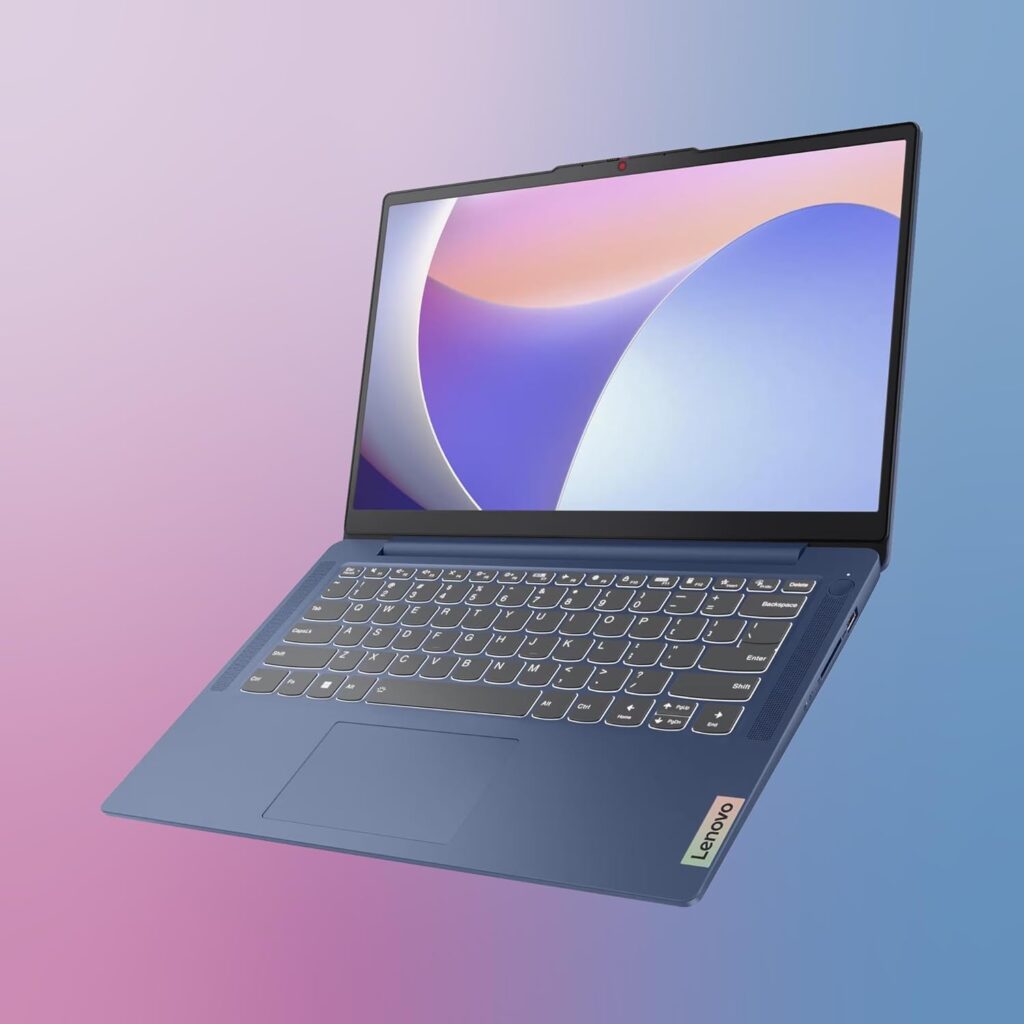
7. Lenovo IdeaPad Slim 3 14IAN8 — 6.2/10
The one sentence summary: The cheapest Windows laptop on this list, and the specs make clear why it is the cheapest.
| Spec | Detail |
|---|---|
| CPU | Intel Processor N100 |
| RAM | 4GB LPDDR5 |
| Storage | 128GB SSD |
| Display | 14″ FHD 1920×1080 IPS, 250 nits |
| Weight | 1.41 kg |
| Battery | 38Wh |
| OS | Windows 11 Home in S mode |
The Intel N100 is a competent processor for a machine at this price. It is efficient, runs cool, boots quickly, and handles the basics — web browsing, word processing, video streaming — without drama. Amazon customer reviews confirm this: buyers who purchased it for light use, students, and as a secondary machine consistently report satisfaction. As one Amazon reviewer put it, at £168 on sale it is a best-seller for a reason.
The problem is not the processor. It is the 4GB of RAM and the 128GB of storage, both of which are genuinely inadequate for Windows 11 in 2026. Microsoft’s own documentation lists 4GB as the minimum specification for Windows 11, meaning this machine is configured at the absolute floor. With 4GB of RAM, Windows 11 itself consumes most of the available memory before you have opened a single application. Google Chrome with five tabs open will push this machine to its limit. The TechRadar review of the IdeaPad Slim 3i series is blunt about this: the base configuration feels like an economy car that looks sleeker than it performs.
The 128GB of storage is equally constraining. Windows 11 and its updates alone occupy 40–50GB, leaving fewer than 80GB for applications, files, and downloads. If you stream everything and use cloud storage exclusively, this is survivable. If you want to install Office, a few applications, and keep any local files, you will hit the ceiling quickly.
The 250-nit display is dim by current standards — usable indoors in controlled lighting, challenging near windows, and essentially unreadable outdoors. The LaptopMedia review of the IdeaPad Slim 3 series is titled “a screen you’ll want to avoid” — which tells you what you need to know about budget display compromises.
Battery life is the genuine bright spot. The efficient N100 processor delivers real-world battery life in the 8–10 hour range, which is exceptional at this price point. The machine is also light at 1.41kg and compact enough for a school bag without complaint.
The honest assessment: For a child’s first laptop, a student who only needs a browser and Google Docs, or a household backup machine for occasional light use, the IdeaPad Slim 3 14IAN8 is adequate. For anyone expecting it to function as a primary Windows laptop for daily work, the 4GB RAM and 128GB storage will generate frustration within weeks.
Pros:
- Genuinely excellent battery life for the price
- Lightweight and compact at 1.41kg
- Intel N100 handles basic tasks without drama
- Very affordable entry point to Windows 11
Cons:
- 4GB RAM is the minimum Windows 11 will run on — not comfortable for daily use
- 128GB storage fills up quickly with Windows updates and basic applications
- 250-nit display is too dim for bright environments
- Ships in Windows 11 S mode — installing non-Microsoft Store apps requires switching mode manually
Best for: Children, students with very light needs, secondary or backup machines.

- Built for on-the-go impact – Designed for those who are constantly on the go and impacting their lives, the IdeaPad Slim 3 is built for lightness and thinness – up to 10% slimmer than the last generation.
- Design and Military Grade – Available in Abyss Blue, this sturdy device is built in military-grade quality, withstanding shocks, dust, and extremes of travel in more hostile conditions.
- Immerse yourself in the experience – Narrow bezels and FHD stunning display, while you stay focused on the 14-inch display. TÜV Certified Low Blue Light helps avoid eye fatigue. Dolby Audio ensures you’ll enjoy premium sound.
- No waiting required – With its rapid-charging technology, the laptop delivers 2 hours of use on a 14-minute charge.
- Connections for all your needs: Wi-Fi 6 + Bluetooth, 2x USB 3.2 Gen 1, 1x USB-C 3.2 Gen 1, 1x HDMI 1.4, 1x Headphone / microphone combo jack (3.5mm), 1x Card reader, 1x Power connector.
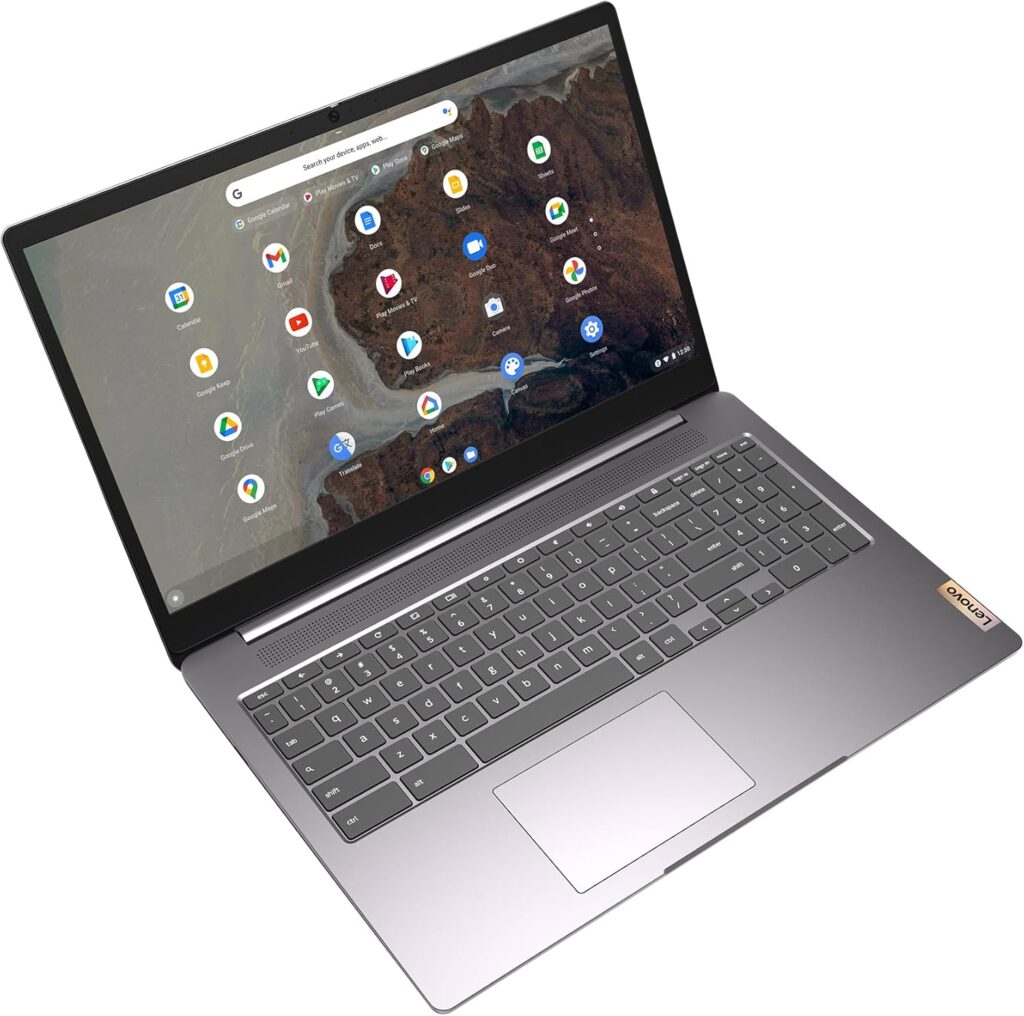
6. Lenovo IdeaPad 3 Chromebook 15IJL6 — 6.8/10
⚠ Important: This laptop runs ChromeOS, not Windows. Read this before continuing.
ChromeOS is not a version of Windows. It is Google’s operating system, designed around the Chrome browser and Google’s app ecosystem. It does not run Windows software — no Microsoft Office desktop app (though Office 365 works in the browser), no Adobe Photoshop, no specialist work applications that require Windows installation files. If any of your essential software requires a Windows installation, stop here and move to the next review.
If your computing life consists of web browsing, streaming, email, Google Docs, Google Sheets, video calls, and cloud-based tools, read on — because within those boundaries, this machine is considerably better than its price suggests.
| Spec | Detail |
|---|---|
| CPU | Intel Celeron N4500 |
| RAM | 4GB |
| Storage | 64GB eMMC |
| Display | 15.6″ FHD 1920×1080, 250 nits |
| Weight | 1.7 kg |
| Battery | Up to 10 hours |
| OS | ChromeOS |
The Intel Celeron N4500 is a modest dual-core processor, but ChromeOS is exceptionally efficient compared to Windows — it requires significantly less RAM and processing power to run smoothly because it is not carrying Windows’ background processes and services. A 4GB Chromebook genuinely feels faster in everyday browser use than a 4GB Windows machine, which is a direct result of the operating system being lighter. The RTINGS review of the IdeaPad Slim 3i Chromebook confirms this: the machine handles practical everyday tasks comfortably within its ChromeOS environment.
The 64GB of storage sounds alarming, but ChromeOS stores most data in Google Drive by default. If you have a reliable internet connection most of the time and are comfortable with cloud-first storage, 64GB is workable — though tighter than we would like.
Battery life is the headline achievement. Real-world usage consistently hits 9–10 hours, making this one of the longest-lasting machines in the entire budget category. The IT Pro review of the Lenovo Slim 3i Chromebook gave it particular credit for battery performance and wireless connectivity, noting it was well beyond most Chromebooks at this price.
The 15.6-inch screen is physically large for a budget machine, which some buyers will appreciate for comfort at a desk. The display is 250 nits — the same limitation as the IdeaPad Slim 3 Windows model above. For desk use with ambient lighting, perfectly fine. Near a window, limiting.
Security is a genuine and underrated ChromeOS advantage. Automatic updates, sandboxed applications, and Google’s verified boot process make Chromebooks inherently more resistant to malware than Windows machines. For buyers — particularly parents buying for children, or elderly users — who want a machine that simply works without requiring security management, this is a meaningful practical benefit.
The honest assessment: A very capable machine within ChromeOS’s boundaries. The 10-hour battery life, automatic security management, and lightweight feel for browser-based work make it the right choice for the right user. The wrong choice for anyone who needs Windows software or prefers local file storage.
Pros:
- Exceptional battery life — genuine 9–10 hours real-world
- ChromeOS runs smoothly on modest hardware
- Inherently secure — automatic updates, malware-resistant by design
- Large 15.6-inch screen at this price point
Cons:
- Does not run Windows software — a hard limit, not a workaround
- 64GB storage is very tight even for ChromeOS use
- Intel Celeron N4500 will struggle with more than 10 browser tabs simultaneously
- ChromeOS updates eventually end — check the Auto Update Expiry date before buying
Best for: Students living in Google’s ecosystem, casual home users, elderly users who want a simple and secure device.

- Power and performance – the Intel Pentium N6000 processor and 8 GB of LPDDR4 memory. Get things done with even more speed and responsiveness with up to 128 GB eMMC storage on the streamlined Chrome OS.
- Made for ease of use – Watch shows with fewer distractions on a 15″ FHD IPS display with narrow bezels for more screen real estate and wider viewing angles.
- Audio – Stream audio that’s remarkably loud and clear from IdeaPad 3 Chromebook’s user-facing stereo speakers, while its privacy shutter gives you security after video calls.
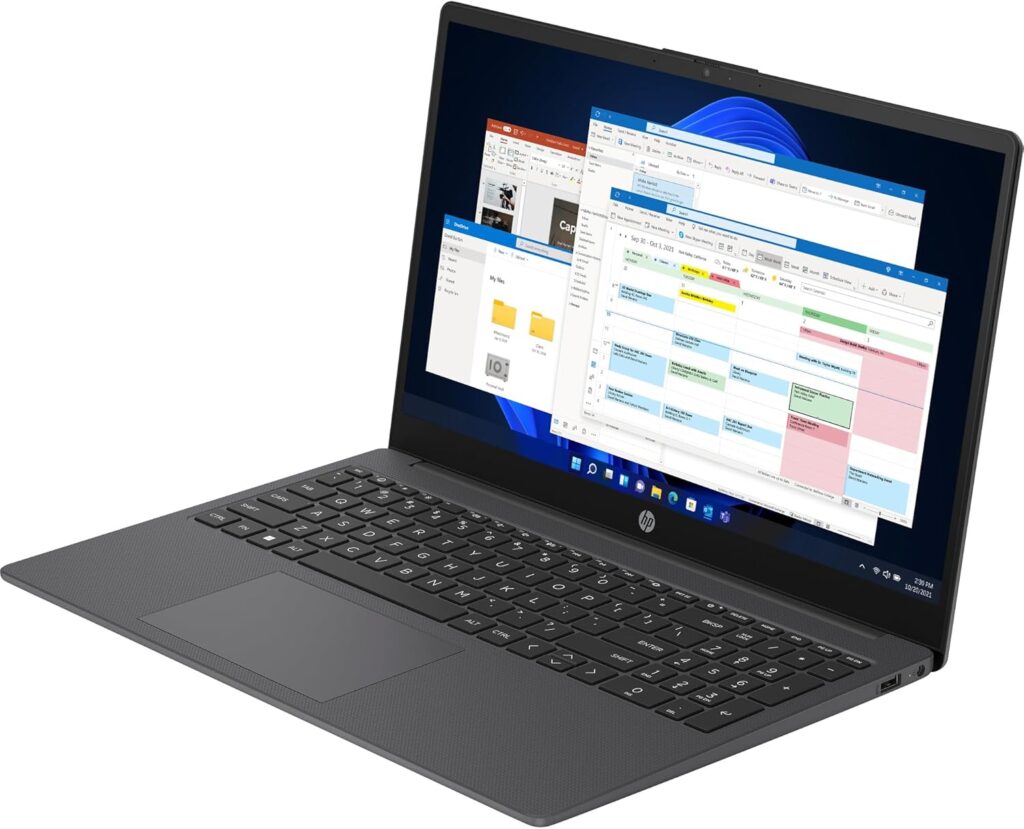
5. HP 255 G10 (8B2R3EA) — 7.4/10
The one sentence summary: A solid lightweight business machine let down by an ageing CPU architecture and a display that underperforms its price tier.
| Spec | Detail |
|---|---|
| CPU | AMD Ryzen 3 7330U (Zen 3, 4 cores) |
| RAM | 16GB DDR4 |
| Storage | 512GB SSD |
| Display | 15.6″ FHD 1920×1080 IPS, 250 nits, 45% NTSC |
| Weight | 1.59 kg |
| Battery | Approximately 6 hours real-world |
| OS | Windows 11 |
The HP 255 G10 is a business-oriented budget machine that gets several things right. At 1.59kg it is lighter than most 15.6-inch laptops. The 16GB RAM and 512GB SSD configuration is exactly what a budget laptop should be offering in 2026 — there is no RAM compromise here, and the storage is genuinely generous. The port selection includes USB-A, USB-C, HDMI, and a headphone jack, covering the practical minimum without requiring adapters for everyday use.
Performance is adequate rather than impressive. The AMD Ryzen 3 7330U uses Zen 3 cores — solid architecture but not the latest generation — delivering smooth performance for office applications, web browsing, video streaming, and light multitasking. The ITC review of the HP 255 G10 found it handled everyday workloads comfortably, describing it as a balanced option for students and small business users. Geekbench 6 results for the Ryzen 3 7330U configuration place it clearly in the mainstream budget tier — not fast, but not frustratingly slow.
Where the HP 255 G10 falls short is its display. The 250-nit IPS panel with 45% NTSC colour coverage is one of the dimmest and most colour-restricted on this list. At 250 nits, indoor use is comfortable in controlled lighting but challenging in bright rooms. The 45% NTSC colour coverage means colours appear washed out compared to the real world — entirely adequate for office documents and web browsing, but noticeably poor for photos, video, or any visual work where accurate colour matters. NotebookCheck’s database on the HP 255 G10 confirms the display as the machine’s consistent weak point across independent reviews.
Battery life lands around six hours in real-world mixed use — adequate for a working day if you have a charger nearby, but not strong enough for all-day untethered use. The pcgearreviews assessment notes fast-charge capability that brings the battery to 50% in roughly 30 minutes, which partially offsets the modest capacity.
One important specification note: the version confirmed on Amazon.co.uk uses the AMD Ryzen 3 7330U. Some HP 255 G10 configurations available internationally use the Ryzen 5 7530U, which produces meaningfully better benchmark scores. When purchasing, confirm the CPU specification matches the ASIN B0C6B7WVHT — the Ryzen 3 version is what has been reviewed here.
The honest assessment: A reliable, lightweight machine with the right RAM and storage for 2026, let down by a dim display and modest CPU performance. If you use your laptop primarily for documents, spreadsheets, email, and web browsing in a controlled lighting environment, the HP 255 G10 is perfectly capable. If display quality matters to you, look further up this list.
Pros:
- Lightweight at 1.59kg for a 15.6-inch machine
- 16GB RAM and 512GB SSD — the right configuration for 2026
- Good port selection for the price
- Fast-charge capability
Cons:
- 250-nit display is dim, 45% NTSC is poor colour coverage
- Ryzen 3 7330U is Zen 3 architecture — not the latest generation
- Battery life around 6 hours real-world — not enough for all-day untethered use
- No USB-C charging on all configurations — check before purchasing
Best for: Home office and remote workers who spend most time on documents and calls in controlled lighting.

- A POWERFUL, SLEEK LAPTOP FOR GETTING THINGS DONE EVERY DAY. The HP 15.6″ Laptop PC comes feature-packed for productivity and making your wallet – and the planet – happy. Built with recycled materials, this powerful HP laptop features an AMD Processor, ample storage, and mesmerizing graphics – plus, its 85% screen-to-body ratio and 3-sided narrow bezel offer plenty of room to do and see more that matters.
- STAY CONNECTED ON YOUR TERMS. Be seen and heard clearly and securely with a HP True Vision camera and background noise-reducing microphones.
- YOUR ALL-DAY, ANYWHERE PRODUCTIVITY POWERHOUSE. Face the day with an AMD Processor[1], long battery life, ample storage, and fast wireless connections.
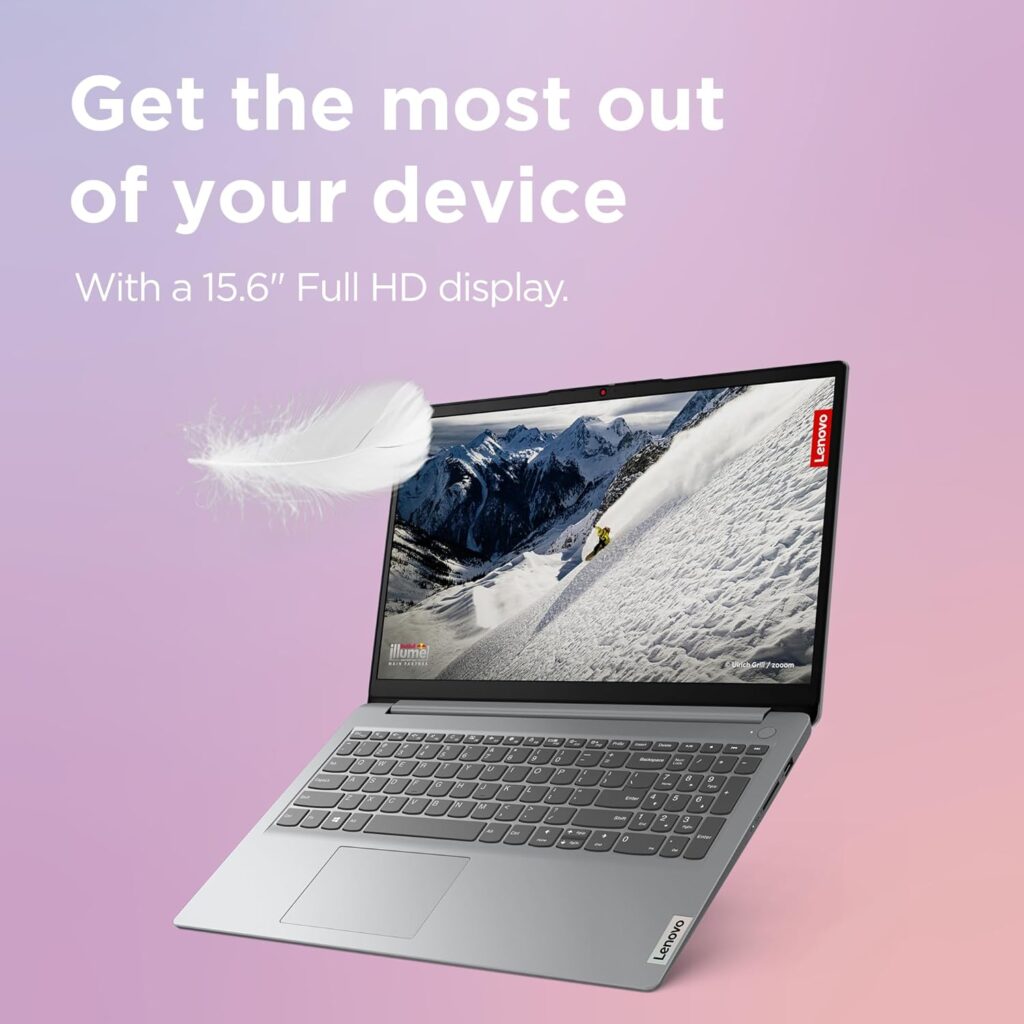
4. Lenovo IdeaPad 1 15AMN7 — 7.6/10
The one sentence summary: An efficient, well-rounded everyday laptop with a Ryzen badge that requires a significant asterisk.
| Spec | Detail |
|---|---|
| CPU | AMD Ryzen 5 7520U (Zen 2, 4 cores) |
| RAM | 8GB LPDDR5 |
| Storage | 512GB SSD |
| Display | 15.6″ FHD 1920×1080 TN, 220 nits |
| Weight | 1.58 kg |
| Battery | 42Wh, up to 9–10 hours |
| OS | Windows 11 Home |
The IdeaPad 1 15AMN7 carries AMD’s Ryzen 7000 branding, and in 2026 that label still carries a performance expectation. The asterisk: the Ryzen 5 7520U in this machine uses Zen 2 cores — the same architecture as AMD’s 2020 Ryzen 4000 series — not the Zen 4 cores found in genuine Ryzen 7000 chips like those in the ASUS Vivobook further up this list. AMD placed these Mendocino-platform chips inside the 7000 series numbering as a budget tier, but they are architecturally two generations behind what the name implies. NotebookCheck’s database scores this configuration at 65% overall, with performance rated at 60% — firmly entry-level performance despite the Ryzen 7000 label.
In real-world use, the Zen 2 architecture performs competently for the tasks this machine is designed for. The LaptopMedia review of the IdeaPad 1 found the machine affordable and efficient, with Ryzen processing sufficient for everyday tasks and iGPU adequate for casual use in dual-channel memory configuration. The Flip to Start feature — the laptop powers on when you open the lid — is a practical quality-of-life detail at this price.
Battery life is the IdeaPad 1’s genuine competitive advantage. The efficient Zen 2 cores and Lenovo’s power management deliver real-world battery life in the 9–10 hour range, meaningfully better than most machines at this price. Lenovo’s own data shows over 17 hours of local video playback at 150 nits — which is a manufacturer figure and should be treated sceptically, but the real-world efficiency is confirmed by independent reviewers.
The display is a clear weakness. The 220-nit TN panel is the dimmest screen on this list and the only TN technology present — TN panels have narrower viewing angles and less accurate colours than IPS panels. Viewing off-axis causes colour shift and brightness loss, making shared viewing or working at an angle noticeably worse than on an IPS display. For single-user desk use with the screen directly in front of you, it is functional. For anything requiring colour accuracy or shared viewing, it falls short.
The 8GB RAM is adequate for Windows 11 comfortable daily use — a significant step up from the 4GB configurations at the bottom of this list — but 16GB would future-proof this machine considerably better. If you are comfortable with a screwdriver, the RAM is not soldered on all configurations, though the 15AMN7 should be verified before purchasing if upgradability matters.
The honest assessment: A genuinely efficient everyday machine with outstanding battery life, undermined by a dim TN display and a CPU that does not perform at the level its branding implies. Honest value for money once you know what you are actually buying.
Pros:
- Exceptional battery life — among the best in the budget category
- 512GB SSD — generous storage for the price
- Lightweight at 1.58kg
- Flip to Start convenience feature
Cons:
- Ryzen 5 7520U uses Zen 2 cores — two architectural generations behind genuine Ryzen 7000 chips
- 220-nit TN display is dim and has narrow viewing angles
- Only 8GB RAM — adequate but not future-proof
- AMD Radeon 610M iGPU is weaker than Intel Iris Xe at equivalent price points
Best for: Students and light home users who prioritise battery life above all else.

- Watch shows on a more expansive screen with a thin frame for an 87% Active Area Ratio—the amount of screen compared with the size of its borders—and Full-HD on select models
3. Acer Aspire 3 A315-59 — 7.9/10
The one sentence summary: The performance-per-pound winner in the mid-budget tier, with a port selection that shames machines twice its price — if you can live with the display.
| Spec | Detail |
|---|---|
| CPU | Intel Core i5-1235U (12th Gen, 10 cores) |
| RAM | 16GB DDR4 |
| Storage | 512GB SSD |
| Display | 15.6″ FHD 1920×1080 IPS, 60Hz |
| Weight | 1.77 kg |
| Battery | 50Wh, approximately 5–6 hours real-world |
| OS | Windows 11 |
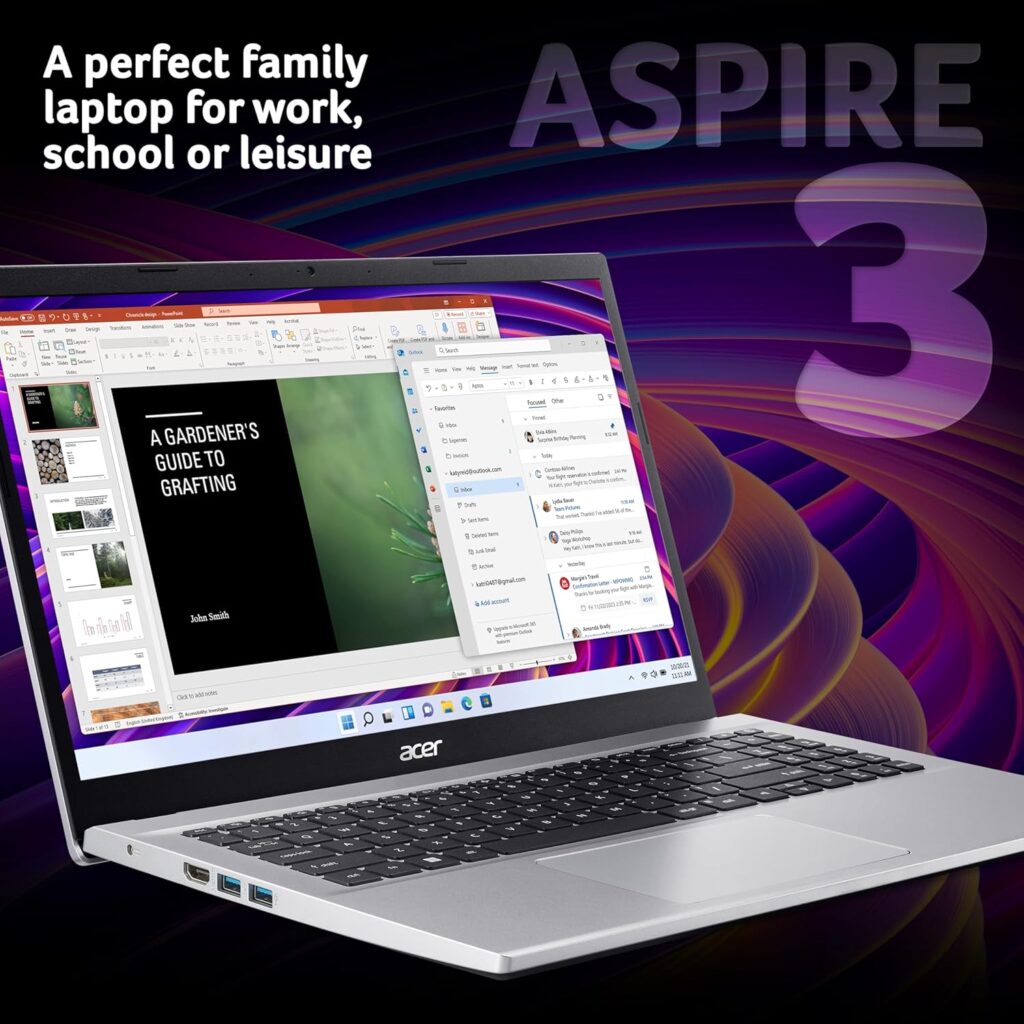
The Acer Aspire 3 A315-59 makes a compelling case as the value pick of this entire list. The Intel Core i5-1235U is a genuinely capable 12th Gen processor with 10 cores (2 performance + 8 efficiency) and a hybrid architecture that handles bursty workloads — loading applications, compiling documents, video calls — significantly better than the entry-level chips in the machines below it. LaptopMedia’s review found the cooling setup surprisingly capable: the i5-1235U reaches 45W in the first ten seconds of load and maintains 28W in sustained use, running at 70°C — meaning this machine does not throttle aggressively the way many budget laptops do.
Benchmark results confirm the performance advantage. Geekbench 6 single-core scores of approximately 2,184 and multi-core of 5,597 put the i5-1235U configuration meaningfully ahead of the Ryzen 3 and Zen 2 machines below it on this list. Which?’s review of the A315-59 tested this specific configuration and confirmed the performance level as strong for the price.
The port selection is the Aspire 3’s unexpected highlight. Three USB-A 3.2 ports, an RJ-45 Ethernet port, an HDMI port, and a 3.5mm audio jack — a richer port selection than the more expensive laptops higher up this list. This is one of the clearest examples in the budget market of a manufacturer making practical choices over aesthetic ones. The RJ-45 Ethernet port alone is absent from several laptops at double this price — confirmation that thinness has been prioritised over usability in the premium segment at the expense of the buyers who actually need it. For a clear explanation of why this matters in practice, see our Laptop Ports Guide.
The display is where the Aspire 3’s budget origins show clearly. Independent reviews including PCWorld’s Aspire 3 assessment note adequate 1080p IPS quality for everyday use but flag below-average brightness — limiting in bright rooms. Colour coverage is modest. The NotebookCheck Aspire 3 A315-59 library page references multiple reviews citing the display as the machine’s consistent weak point. This is the recurring theme of budget laptops — the display is always where the cost cutting lands.
Battery life is modest at 5–6 hours real-world, the weakest on this list alongside the HP 255 G10. For a machine used primarily at a desk with a charger available, this is manageable. For all-day portable use without a charger, plan accordingly.
One connectivity limitation worth noting explicitly: the Aspire 3 A315-59 has no USB-C port at all on the Amazon UK configuration. This is unusual in 2026 and worth knowing before purchase — USB-C charging and accessories are becoming standard. Acer’s cost-cutting landed on USB-C omission rather than RAM or storage reduction, which is an interesting priority choice that buyers should weigh up for their own needs.
The honest assessment: Pound for pound, the strongest performer on this list for general Windows use. The 12th Gen i5 with 16GB RAM and a rich legacy port selection makes this a genuinely capable machine for students, home office workers, and everyday users who primarily work at a desk. The display and battery limitations are real but manageable in context.
Pros:
- Intel Core i5-1235U delivers strong performance for the price
- 16GB RAM — the right specification for comfortable Windows 11 use in 2026
- Three USB-A ports plus Ethernet — exceptional port selection for a budget machine
- Does not throttle aggressively under sustained load
Cons:
- No USB-C port — increasingly unusual and limiting in 2026
- Display brightness and colour coverage below average even for the budget tier
- Battery life around 5–6 hours — not suited for all-day portable use
- 1.77kg — heavier than some competitors at this price
Best for: Students, home office workers, and everyday users who work primarily at a desk and value performance and ports over portability.
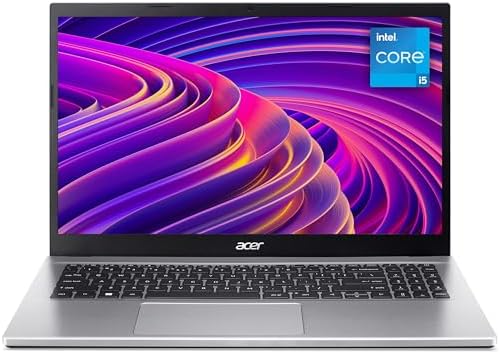
- PERFECT ALL-ROUNDER: The Aspire 3 lets you power through your daily tasks, such as working from home or remote learning, with the Intel Core i5 CPU and 8GB of RAM
- VISIBLY STUNNING: The 15.6″ Full HD IPS screen combines incredibly sharp detail, vivid lifelike colours and wide viewing angles for a brilliant visual experience
- PLENTY OF STORAGE: With a 256GB SSD, you get plenty of room for all your apps, documents and media as well as lightning-fast performance
2. Dell Latitude 5420 (Certified Renewed) — 8.0/10
The one sentence summary: A certified refurbished business machine that offers better build quality, connectivity, and keyboard than any new laptop on this list — at a budget price.
| Spec | Detail |
|---|---|
| CPU | Intel Core i5-1135G7 (11th Gen, 4 cores) |
| RAM | 16GB DDR4 |
| Storage | 512GB SSD |
| Display | 14″ FHD 1920×1080 IPS, matte anti-glare |
| Weight | 1.4 kg |
| Battery | 63Wh, 8–10 hours real-world |
| OS | Windows 11 Pro |
Before the review: this is a certified renewed machine, not a new laptop. It was originally a premium enterprise laptop that sold for over £1,000 when new. It has been professionally inspected, cleaned, and tested — Amazon’s Renewed programme requires full functionality before listing — and it carries a minimum 90-day warranty. For buyers who are comfortable with certified refurbished hardware, the value proposition is exceptional. For buyers who specifically require a brand new machine, the ASUS Vivobook at number one is the recommendation.
With that transparency established: the Dell Latitude 5420 is the best-built machine on this entire list by a significant margin.
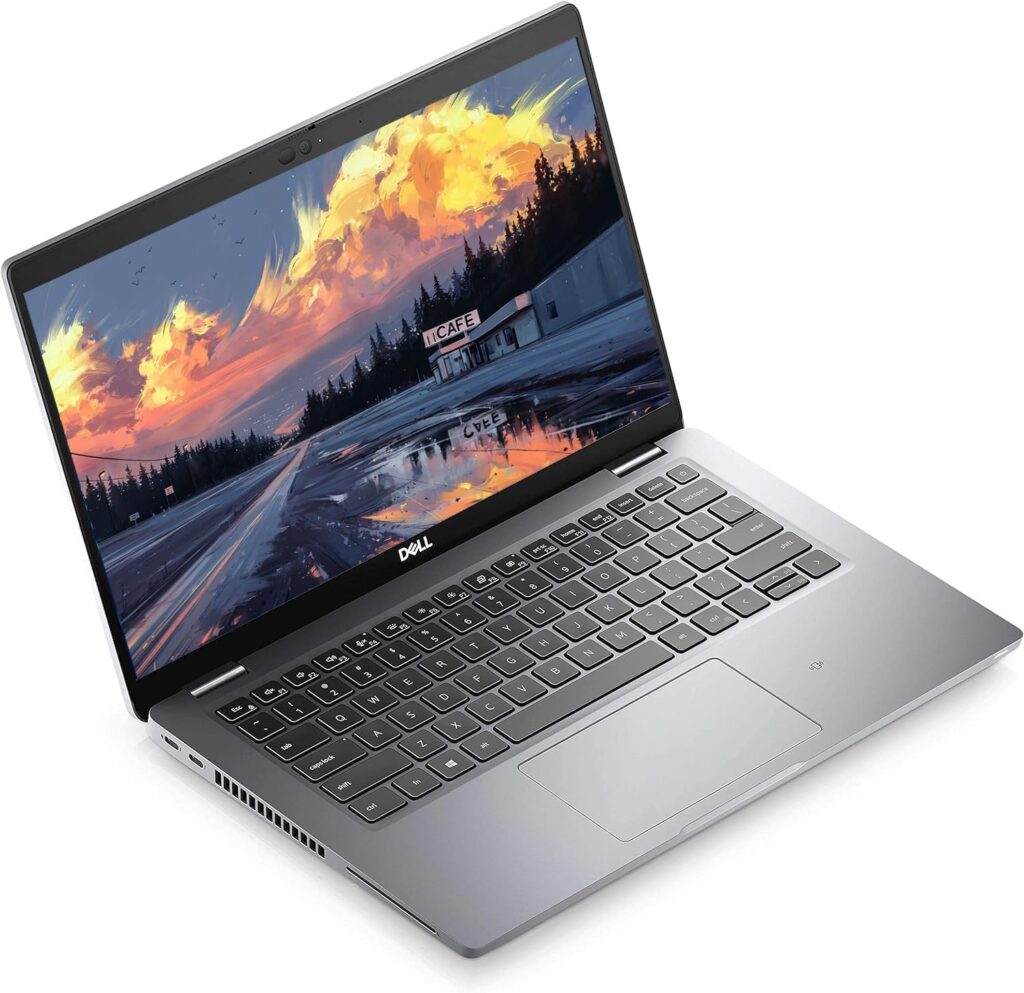
The carbon fibre and magnesium reinforced chassis is tested to MIL-STD-810H standards — the same military-grade durability certification used by enterprise equipment. The chassis does not flex under load. The hinge opens smoothly and holds position. The build quality communicates something that no new budget laptop on this list can match: this machine was engineered for daily professional use over multiple years, not for a retail price point.
The keyboard is the Latitude 5420’s secret weapon. Budget laptop keyboards are consistently one of the least satisfying aspects of inexpensive machines — shallow travel, poor feedback, key registration that requires deliberate effort. The Latitude 5420’s keyboard is a business-grade typing experience with proper key travel, clear tactile feedback, and the kind of feel that makes extended writing or data entry genuinely comfortable rather than merely tolerable. Anyone who spends significant time writing will notice this difference immediately.
Performance from the 11th Gen Intel Core i5-1135G7 is solid for everyday professional work. The NotebookCheck full review found it capable for sustained business workloads, with the thermal design managing heat responsibly under prolonged load. The LaptopMedia review gave it particular praise for battery life — the 63Wh battery delivers genuinely close to two full working days in light use.
Connectivity is where the Latitude 5420 separates itself entirely from the rest of this list. Two Thunderbolt 4 ports with Power Delivery and DisplayPort, two USB-A 3.2 ports, HDMI 2.0, Gigabit Ethernet, microSD card reader, 3.5mm audio, smart card reader, and NFC. This is a port selection that premium 2026 ultrabooks at £1,500 frequently fail to match. For an explanation of why Thunderbolt 4 in particular represents a significant connectivity advantage, see our Laptop Ports Guide.
The display covers only 53% of sRGB — modest by any standard — but the matte anti-glare IPS panel has no PWM flicker, comfortable viewing angles, and good contrast for a business display. The reviewed.com assessment is honest about the camera quality being poor — 720p that produces washed-out images — which matters if video calls are a significant part of your work. The webcam shutter is a useful privacy feature, but the image quality itself is below current expectations.
The honest assessment: If you are comfortable with certified refurbished hardware, the Dell Latitude 5420 represents the most capable machine on this list in terms of build quality, keyboard, connectivity, and battery life. The trade-off is the original 2021 hardware generation and the modest display. For professional and business users who type a lot and value durability over cutting-edge specifications, nothing at this price comes close.
Pros:
- MIL-STD-810H certified chassis — significantly better build quality than any new budget laptop here
- Outstanding keyboard — business-grade typing experience
- Dual Thunderbolt 4 ports, Ethernet, HDMI — exceptional connectivity
- 63Wh battery delivers 8–10 hours real-world
- Windows 11 Pro included
Cons:
- Certified renewed, not new hardware — 2021 vintage
- 11th Gen Intel i5 — older generation than new machines at similar prices
- Display covers only 53% sRGB — modest colour accuracy
- 720p webcam produces poor image quality for video calls
Best for: Professional and business users who value durability, keyboard quality, and connectivity, and are comfortable with certified refurbished hardware.

- Dell Latitude 5420 Business Laptop with Webcam, Bluetooth.This pre-owned product has been professionally inspected, tested and cleaned by Amazon qualified vendors.
- Renewed Dell Latitude 5420 Laptop with 14-Inch Display resolution for stunning clear visuals.for regular office work, web browsing, watching videos and playing games.
- Refurbished Dell Latitude 5420 Laptop equit with Intel Core i5-1135G7 2.4 GHz up to 4.2 GHz, Windows 11 Pro 64Bit-Multi-language surpports English/Spanish/French.
1. ASUS Vivobook 15 X1504VA — 8.3/10
The one sentence summary: The most complete new budget laptop available in the UK in 2026 — a genuine all-rounder that earns its position at the top of this list without any obvious compromise.
| Spec | Detail |
|---|---|
| CPU | Intel Core i5-1355U (13th Gen, 10 cores) |
| RAM | 16GB DDR4 |
| Storage | 512GB SSD |
| Display | 15.6″ FHD 1920×1080 IPS, 60Hz |
| Weight | 1.7 kg |
| Battery | 42Wh, 6–8 hours real-world |
| OS | Windows 11 Home |
The ASUS Vivobook 15 X1504VA earns the top position on this list for a straightforward reason: it does nothing poorly. Every other machine on this list has a meaningful weakness that defines the purchase decision — insufficient RAM, a throttling CPU, a dim display, poor build quality, or missing connectivity. The Vivobook 15 has weaknesses, but they are minor relative to the price, and its strengths are genuine.
The Intel Core i5-1355U is the strongest CPU on this list. 13th Gen Intel’s 10-core hybrid architecture (2 performance + 8 efficiency) delivers multi-core performance that NotebookCheck places in the mainstream range — a significant step up from the Zen 2 architecture in the IdeaPad 1, the Ryzen 3 in the HP 255 G10, and roughly equivalent to or better than the 12th Gen i5 in the Acer Aspire 3 with newer architecture benefits. The LaptopMedia review of the ASUS Vivobook 15 X1504 is subtitled “inexpensive laptop that performs well” — not a review title that appears often in the budget category.
Thermal management is handled by a single heat pipe and fan, which is modest hardware for a 10-core processor. The i5-1355U runs at 28W sustained under load — LaptopMedia’s stress testing shows this class of Intel processors maintaining turbo frequencies for sustained periods, and the Vivobook’s cooling keeps the machine quiet in everyday use. Under heavy, sustained loads — video encoding, large file compression, extended rendering — you will hear the fan, but it manages temperature without aggressive throttling.
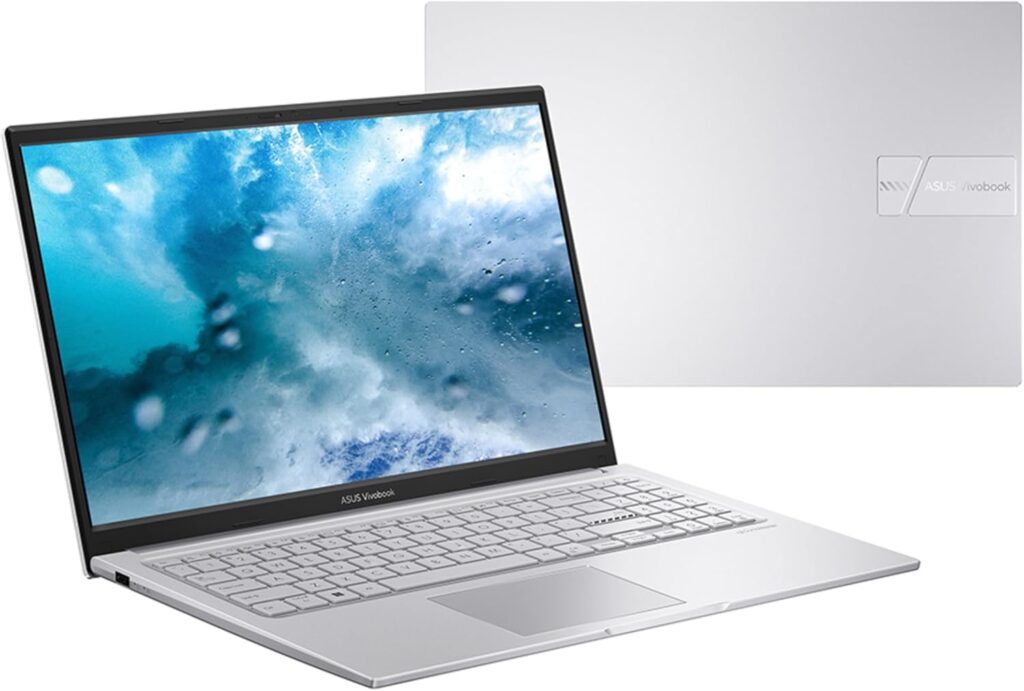
Build quality is the Vivobook’s most surprising achievement at this price. The chassis carries MIL-STD-810H certification — the same military-grade durability standard as the Dell Latitude 5420 reviewed above, at a fraction of the original cost. This is not a sticker put on a flimsy plastic chassis. MIL-STD-810H requires testing for drops, shock, vibration, temperature extremes, and humidity. For a budget laptop at this price, this certification is genuinely meaningful — it communicates a chassis designed to survive daily bag transport, accidental drops, and temperature variation without failure.
The fingerprint reader and backlit keyboard both contribute to a machine that feels considerably more complete than its price suggests. A backlit keyboard is a practical feature at this price — working in a dim room or on a plane without straining to see keys is not a luxury, it is basic usability. The fingerprint reader replaces the password unlock ritual with an instant tap, and Windows Hello integration makes it seamless from the first setup.
The display is the Vivobook’s most debated specification in independent reviews. The LaptopMedia assessment notes below-average colour accuracy and modest brightness — the IPS panel is not the limiting TN technology found in the IdeaPad 1, and viewing angles are good, but the brightness and colour saturation fall short of what a mid-range machine would offer. For documents, web browsing, streaming, and everyday productivity, it is entirely adequate. For photo editing, graphic design, or colour-critical work, you will want to look at a higher-specification display — and accept the higher price that comes with it.
Port selection is practical without being exceptional: USB 2.0, two USB 3.2 Gen 1 ports, HDMI, and a 3.5mm audio jack. Note there is no USB-C port on all configurations of the X1504VA — verify the specific Amazon listing matches your connectivity needs before purchasing. The Laptop Ports Guide explains what to look for when evaluating port selection for your specific workflow.
Battery life lands at 6–8 hours in real-world mixed use — adequate for a working day with moderate use, though the 42Wh battery is smaller than we would like for a 2026 machine. The 65W USB-C charging (on configurations that include it) charges relatively quickly. This is the one area where the Dell Latitude 5420’s larger 63Wh battery gives it a genuine advantage despite its older hardware generation.
The UK Amazon configuration (ASIN B0FC6V7HK8) confirms 16GB RAM and 512GB SSD — the right specification for confident Windows 11 performance in 2026, well clear of the 4GB and 8GB compromises that define the lower entries on this list.
The honest assessment: The ASUS Vivobook 15 X1504VA is the best new budget laptop currently available in the UK. MIL-STD-810H build quality, 13th Gen Intel i5 performance, 16GB RAM, backlit keyboard, and fingerprint reader at this price point represents genuine value. The display is the primary limitation, and it is a real one — but for the overwhelming majority of budget laptop use cases, it is entirely sufficient. If this is your primary machine for work, study, or home use, it will serve you well.
Pros:
- Intel Core i5-1355U — strongest CPU on this list
- MIL-STD-810H military-grade build certification
- 16GB RAM — properly specified for Windows 11 in 2026
- Backlit keyboard and fingerprint reader — features usually absent at this price
- Lightweight at 1.7kg for a 15.6-inch machine
Cons:
- Display brightness and colour accuracy below mid-range standards
- 42Wh battery — adequate but not exceptional
- No USB-C on all configurations — verify before purchasing
- Intel Iris Xe integrated graphics — handles everyday tasks but not gaming or creative work
Best for: Students, home office workers, and everyday users who want the most capable, durable, well-specified new budget laptop available in the UK.

- DESIGN: ASUS VivoBook 15 features a sleek and modern laptop design, perfect for both work and entertainment
- PORTABILITY: Slim and lightweight construction makes it an ideal companion for professionals and students on the move
- DISPLAY: 15-inch screen delivers crisp visuals and comfortable viewing experience for extended use
Which Budget Laptop Should You Buy?
Every laptop on this list was chosen because it does something well. The right choice depends entirely on what your daily use looks like.
Buy the ASUS Vivobook 15 if you want the best all-round new machine — the one that does everything adequately and nothing embarrassingly. For most people reading this guide, this is the recommendation.
Buy the Dell Latitude 5420 if you type a lot, value extreme durability, and are comfortable with certified refurbished hardware. The keyboard and build quality are in a different league from everything else on this list.
Buy the Acer Aspire 3 if performance and port selection matter more than portability and you will primarily use it at a desk with a charger nearby.
Buy the HP 255 G10 if lightweight portability is your primary criterion and you work mostly in controlled indoor lighting where the dim display will not frustrate you daily.
Buy the Lenovo IdeaPad 1 if battery life is the single most important specification and you can live with the TN display.
Buy the Lenovo Chromebook if your entire computing life runs in a browser and Google’s ecosystem, and you never need Windows software.
Buy the Lenovo IdeaPad Slim 3 14IAN8 only if budget is the absolute primary constraint and you have minimal expectations — light browsing, occasional documents, nothing demanding.
For buyers whose needs extend above this price range, our Best Mid-Range Laptops UK guide covers the £500–£900 bracket where display quality, build, and performance take a meaningful step forward. For a thorough explanation of every specification mentioned in these reviews, our Laptop Buying Guide UK covers everything from CPU architectures to RAM types in plain English.
External Resources
For independent benchmark data and technical depth beyond this guide: NotebookCheck and LaptopMedia are the two most rigorous independent laptop review sources available. RTINGS provides excellent display and battery testing with consistent methodology across machines. Which? offers UK-specific lab testing and consumer rights context.
For CPU performance comparisons across all machines in this guide, Tom’s Hardware’s CPU hierarchy and PassMark’s CPU comparison tool allow direct side-by-side benchmarking between any processors mentioned here.
I bring years of experience in IT infrastructure and tech reviews for British buyers. Any affiliate links on this site do not shape our evaluations.
As an Amazon Associate, I earn from qualifying purchases made through links on this page.