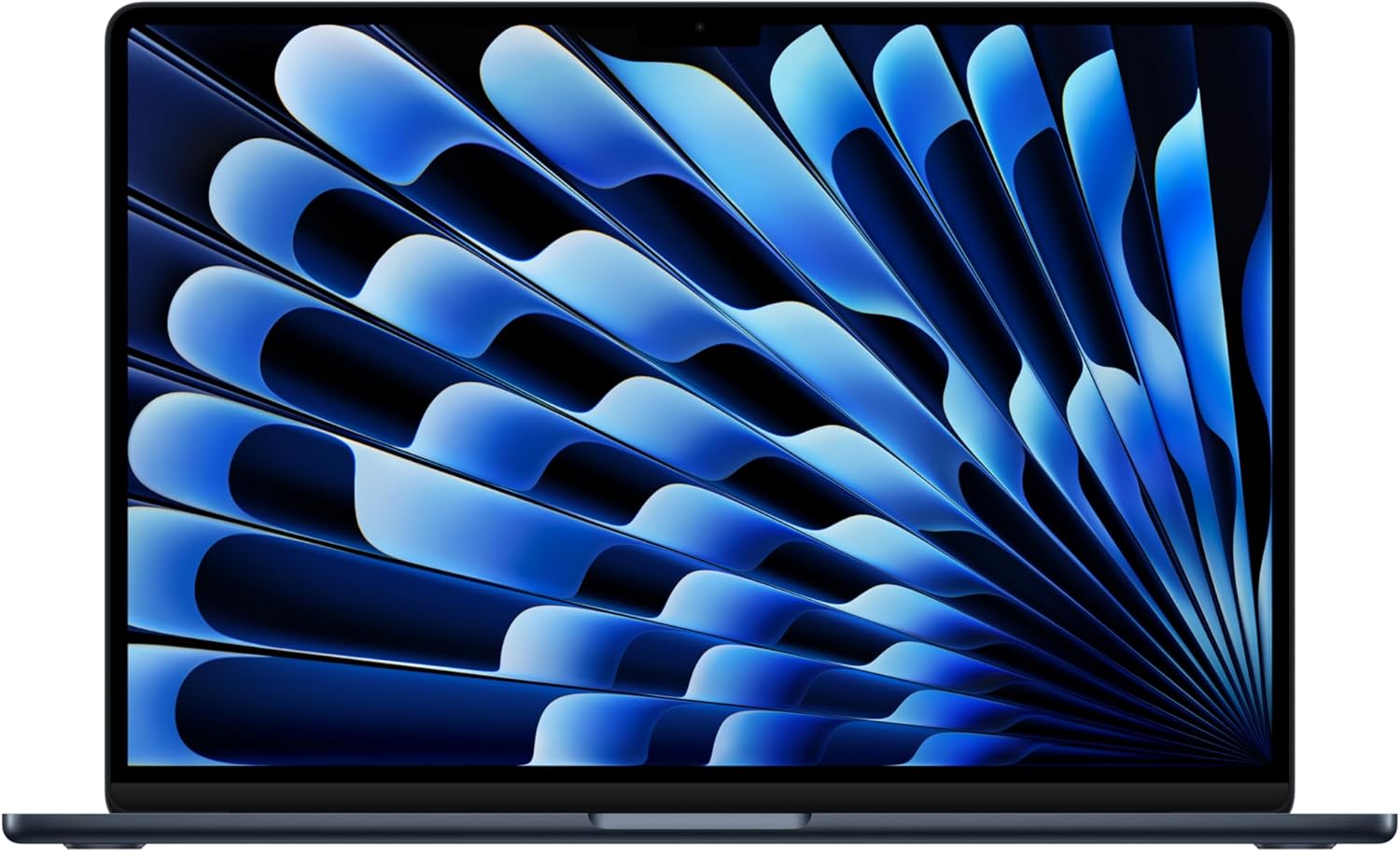
Apple MacBook Air 15-inch M4 Analysis: 256GB Problem
The Blunt Verdict
The Apple MacBook Air 15-inch M4 is the machine to buy if you want a large-screen laptop that genuinely won’t exhaust you by lunchtime — battery, weight, or otherwise. It’s aimed squarely at professionals, students, and creatives who want macOS on a bigger canvas without stepping up to the MacBook Pro’s price tag or fan noise. The Apple MacBook Air 15-inch M4 earns that position honestly. The headline weakness is equally straightforward: 256GB of base storage is tight by 2025 standards, and you cannot upgrade anything after purchase.
Under the lid sits Apple’s M4 chip paired with 16GB of unified memory — soldered, as always on Apple Silicon machines. The 15.3-inch Liquid Retina display covers the full package visually. Connectivity runs through two Thunderbolt 4 ports, a MagSafe charging port, a headphone jack, and Wi-Fi 6E with Bluetooth 5.3. Battery life is rated at up to 18 hours. On paper that’s ambitious; in practice, buyers consistently report a full working day with headroom.
Buy it if you’re a professional, developer, or content creator who lives in the Apple ecosystem and wants a fanless large-screen machine that handles demanding tasks quietly. Skip it if you need Windows, local storage above 256GB without paying extra for it, or a higher refresh rate display — the panel runs at 60Hz and there’s no way around that.
See the Apple MacBook Air 15-inch M4 listing and current availability on Amazon.

Pros and Cons
Pros
- M4 chip handles multitasking, video editing, and developer workloads without breaking a sweat — and completely silently, no fans
- 15.3-inch Liquid Retina display with 1 billion colour support looks genuinely great for photo work, video, and long reading sessions
- Battery life rated at up to 18 hours; buyers consistently report full-day unplugged use with charge to spare
- Two Thunderbolt 4 ports plus MagSafe charging means you’re not burning a data port just to keep the machine alive
- 12MP Centre Stage webcam is a meaningful step up from the grainy 720p cameras that haunt most competitors at this level
- Runs completely fanless — no throttling under sustained load, no fan noise ever
Cons
- Base 256GB SSD storage is genuinely insufficient for anyone with a media library, large project files, or a big app collection — budget for external storage or pay up for a higher-capacity config
- 60Hz display refresh rate is noticeable compared to 90Hz or 120Hz panels; buyers have flagged this directly
- Both Thunderbolt 4 ports sit on the same side of the chassis — awkward if your desk setup has peripherals on both sides
Spec Breakdown
- Model: Apple MacBook Air 15-inch M4 (2025), Midnight
- CPU: Apple M4
- RAM: 16GB Unified Memory (soldered, non-upgradeable)
- Storage: 256GB SSD
- GPU: Integrated (Apple M4 GPU)
- Display: 15.3-inch Liquid Retina, 1 billion colours, 60Hz
- Battery: Up to 18 hours (Apple rated)
- OS: macOS
- Ports: Two Thunderbolt 4 (USB-C), MagSafe 3 charging port, 3.5mm headphone jack
- Connectivity: Wi-Fi 6E, Bluetooth 5.3
- Camera: 12MP Centre Stage
- Special Features: Backlit keyboard, Touch ID fingerprint reader, fanless design
Hardware & Performance Reality Check
The Apple M4 chip is a genuinely capable piece of silicon. For a full breakdown of how Apple Silicon stacks up against Intel and AMD alternatives, the CPU guide covers the architecture differences in plain English. In daily use terms: the M4 handles browser tabs, document editing, Zoom calls, Lightroom catalogues, and moderate video timelines without complaint. The 16GB of unified memory is shared between CPU and GPU tasks — Apple’s unified architecture uses it more efficiently than traditional LPDDR5 setups, so 16GB here goes further than 16GB on most Windows machines. That said, it’s still the entry config. If you’re regularly working with large video projects, large virtual machine setups, or heavy audio production, you’d want to consider 24GB. And if you want to know how much RAM you actually need, that’s worth reading before you commit. Critically: this RAM is soldered. You cannot upgrade it. Ever. What you buy is what you’re keeping.
The 256GB SSD is where this machine’s value story wobbles. Apple’s SSD speeds are fast — consistently among the quickest in any laptop category — but 256GB fills up faster than people expect. Install macOS, a few creative apps, and your photo library, and you’re already rationing. Cloud storage and an external drive become necessities rather than optional extras. The GPU is integrated within the M4 chip itself — there’s no discrete card here. That means no ray tracing, no VRAM-heavy workloads. What it does mean is that the GPU handles 4K video playback, light gaming (titles optimised for Apple Silicon), and image editing without issue. For serious gaming, this is not the machine — full stop.
For 2026 use cases: student work is completely covered with room to spare. Office productivity — spreadsheets, presentations, email, video calls — handled trivially. Gaming is limited to titles available on macOS and optimised for Apple Silicon, which narrows your library substantially. Programming is a legitimate strength — one buyer is a software engineer who switched from Linux and called it the best laptop he’s owned, citing the UNIX-based environment and stability. Video editing up to 4K in Final Cut Pro runs well on the M4; DaVinci Resolve on Apple Silicon is also solid. Where you’ll hit limits: heavy 3D rendering, machine learning training workloads, and anything that expects a dedicated GPU. Check performance benchmarks if you need specifics on M4 numbers against comparable silicon.
The display panel deserves its own note. At 15.3 inches with Liquid Retina rendering, text is sharp and colours are accurate — this is a better panel than most Windows laptops at equivalent or higher prices. The 60Hz refresh rate, however, is a real limitation that buyers notice. Scrolling isn’t as smooth as it would be on a 90Hz or 120Hz display. If you’re coming from a phone or tablet with a high-refresh screen, you’ll feel it. For a full picture of what different display panel types actually mean in practice, that’s worth a look before deciding whether 60Hz is a dealbreaker for you.
Check the full spec sheet and buyer Q&As for the Apple MacBook Air 15-inch M4 on Amazon.
Everyday Usability: Battery, Build & More
Apple rates battery life at up to 18 hours. Take that with appropriate scepticism — Apple’s battery testing methodology isn’t exactly taxing. What buyers actually report is a full working day without plugging in, consistently. A developer using it heavily. A creative professional upgrading from a 2019 MacBook Pro who noticed immediate improvement in battery behaviour. That tracks with what the M4’s efficiency cores are designed to do. The machine is also fanless — there is no cooling fan. Under sustained load it runs warm but quiet, because there’s no fan to spin up. Thermal throttling on M4 is minimal compared to fanless Intel designs of years past; Apple Silicon handles sustained workloads without the dramatic performance drops that used to define passive cooling.
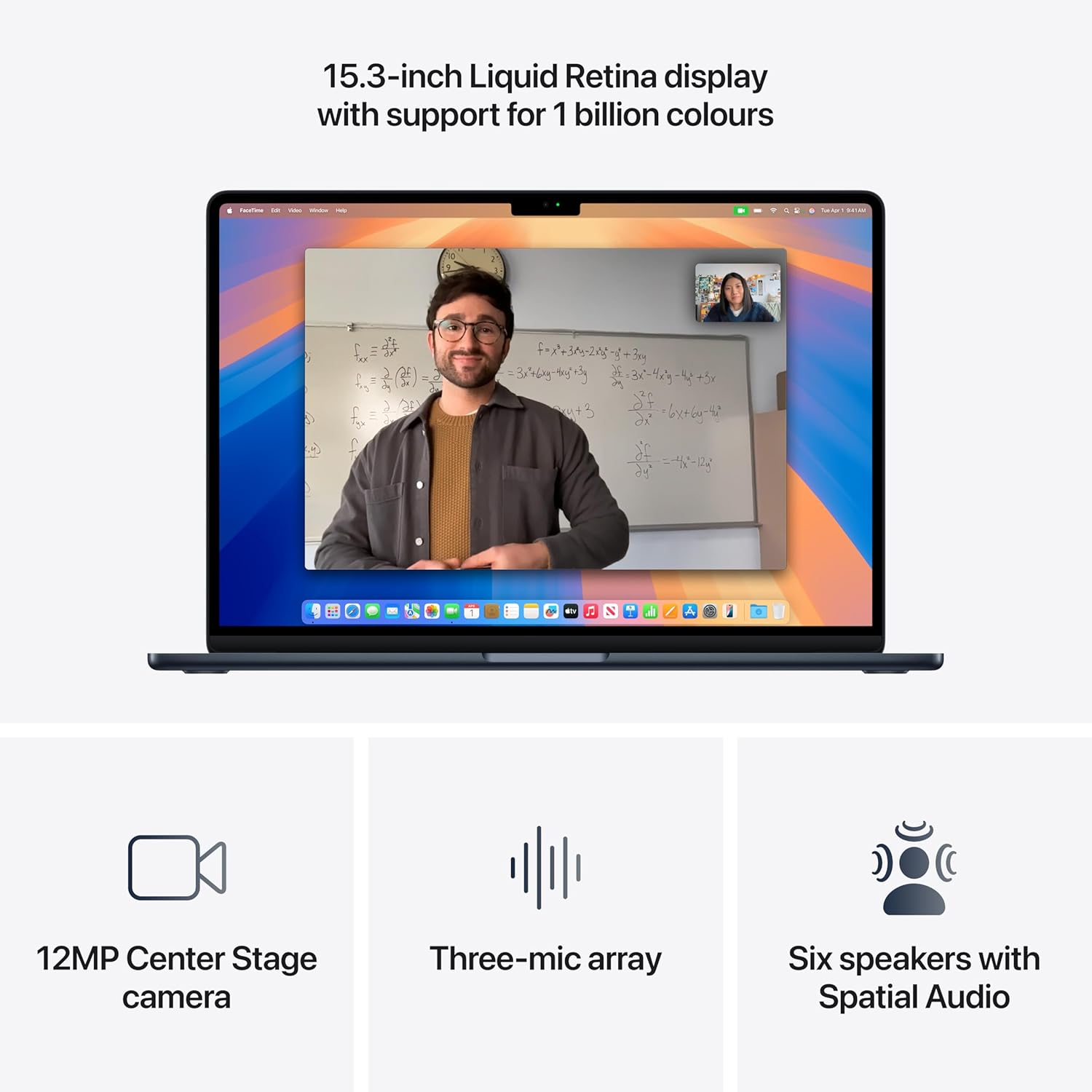
Connectivity is minimal by design, and that’s a deliberate Apple choice. Two Thunderbolt 4 ports handle data transfer, display output, and charging if you use a hub. The dedicated MagSafe port means you don’t have to sacrifice a data port to charge — a genuine quality-of-life improvement over single-port setups. There is no HDMI port. There is no SD card slot. There is no Ethernet port. If any of those matter to your workflow, budget for the relevant adapters. For a clear picture of what the port situation means practically, the ports guide lays it out. One quirk buyers noted: both USB-C/Thunderbolt ports are on the same side of the chassis, with MagSafe on the other. If you connect peripherals from both sides of your desk, that will irritate you. The Touch ID fingerprint reader is built into the power button and works reliably. There is no touchscreen — this is a standard clamshell Mac. The keyboard uses scissor-switch keys (not the old butterfly mechanism), and buyers consistently praise the typing feel. The six-speaker array with Spatial Audio is legitimately good for a laptop — notably better than what you get on the 13-inch Air, and several buyers flagged this specifically. The 12MP webcam is a clear step up from the competition; Centre Stage automatically keeps you framed during calls, which is either useful or slightly uncanny depending on your tolerance for that sort of thing.
Lifespan & Future-Proofing
Apple’s aluminium unibody construction is one of the genuine strengths of the MacBook line. The chassis on these machines holds up well over years of daily use — several buyers in the reviews have owned multiple generations going back to 1999, which is as much of a durability endorsement as you’ll find in casual feedback. Realistically, the physical build should last five to seven years without issues beyond cosmetic wear. The Midnight finish does pick up fingerprints; that’s a known Apple issue with this colourway.
Spec longevity is where you need to think carefully. The M4 chip is current-generation silicon as of 2026, and Apple Silicon has aged well — M1 machines from 2020 still handle everyday tasks without struggling. The 16GB unified memory and 256GB SSD are the constraints. Neither can be upgraded after purchase. 16GB will serve everyday users comfortably for four to five years. Heavy users working with large files may feel the ceiling sooner. The storage issue is more pressing — 256GB is tight now, and will only feel tighter. Plan for external or cloud storage from day one. macOS software support is another strength: Apple typically supports its hardware with OS updates for seven or more years. You’re not buying a machine that falls off the update cliff in two years. For a broader picture of what to look for in a long-term laptop purchase, that guide covers the key questions to ask before committing.
View current stock and configuration options for the Apple MacBook Air 15-inch M4 on Amazon.
What Buyers Are Saying (And Potential Dealbreakers)
The Apple MacBook Air 15-inch M4 holds a rating of 4.7 out of 5 across 317 customer reviews on Amazon — a large enough sample to be meaningful. The sentiment is almost uniformly positive, which is unusual enough to be worth noting. The recurring themes are consistent: chip speed, battery life, display quality, and build quality all draw repeated praise. There are no recurring complaints about hardware failures or quality control issues. The honest criticisms that surface — the 60Hz refresh rate, the port placement, the base storage — are all known Apple design choices rather than defects.
The software engineer who switched from Linux is worth flagging for developers specifically. His point about the UNIX-based environment being stable and polished without the constant library-wrangling of Linux is a real consideration for that audience. Several buyers upgraded from older MacBook models and found the performance difference noticeable even from M2. One buyer with eight MacBooks going back to 1999 called this the one they’ve been happiest with — which, from someone with that frame of reference, carries some weight. The only mild structural complaint across multiple reviews: port placement. Both data ports on one side is a desk ergonomics issue that won’t affect everyone but will irritate some.
A number of buyers purchased through Amazon Resale as “Like New” and reported the condition was effectively indistinguishable from new — worth knowing if you’re weighing that option. Delivery speed also drew consistent positive comments, which is Amazon doing its job rather than Apple doing anything special, but worth noting for urgency-driven purchases.
Buyer Highlights
“Tasks that used to feel demanding — multitasking, handling large media files, running intensive software — are now smooth, instantaneous, and virtually silent.” — Consistent across multiple buyers coming from older MacBook and Windows machines.
“I’ve never owned a Mac before and I’m sure glad I did. It’s fast, quiet and just works — and the battery lasts forever.” — From a software engineer making their first switch from Linux; useful signal if you’re on the fence about the ecosystem jump.
“I do wish it had a higher refresh rate for smoother scrolling — I can definitely notice a difference — but it’s an absolutely beautiful screen.” — The 60Hz panel is a real limitation; this buyer named it directly while still giving five stars, which puts it in perspective.
“Both USB ports are on one side, and the headphone jack is on the right side which always runs cables the wrong way.” — Minor but genuinely annoying for some desk setups; worth knowing before you commit.
“I bought a Like New version through Amazon Resale and honestly, with the exception of the packaging, you’d have thought it was brand new.” — Reassuring if you’re considering that route to save some money.
Who Should Buy It (And Who Shouldn’t)
Buy If
- You’re a professional — developer, designer, writer, or knowledge worker — who wants a large-screen Mac that handles demanding tasks silently without fan noise
- Battery life is non-negotiable: you need genuine all-day unplugged use, not just a few hours of buffer
- You’re already in the Apple ecosystem and want seamless continuity with iPhone, iPad, and other Apple services
- You want a bigger screen than the 13-inch Air but aren’t ready to pay MacBook Pro prices or live with its extra weight
Avoid If
- You need more than 256GB of local storage and aren’t prepared to pay Apple’s upgrade premium or carry an external drive — this base config will fill up quickly
- You game seriously and expect a wide library of titles: macOS game support is limited, and the integrated GPU has no path to upgrade
- A 60Hz display bothers you — if you’ve been using a 120Hz screen on a phone or laptop, the difference in scroll smoothness is real and there’s no fix for it here
The Bottom Line
The Apple MacBook Air 15-inch M4 is a genuinely well-made machine that earns its high rating. The M4 chip, battery life, display, and build quality all deliver on what Apple promises — which isn’t always the case with manufacturer claims. The base storage is the honest sticking point, and the 60Hz panel is a known compromise you either accept or you don’t. If neither of those is a dealbreaker for your use case, this is one of the stronger mid-to-upper range laptop options available in its category right now, and the buyer satisfaction data backs that up clearly.
Browse the full Apple MacBook Air 15-inch M4 listing and buyer questions on Amazon.
At LaptopAdvisorOnline, our methodology is built on data transparency rather than simulated hands-on testing. We rigorously analyse official manufacturer specifications and aggregate verified customer sentiment to provide objective, fluff-free buying advice that helps you cut through the marketing jargon.
As an Amazon Associate, I earn from qualifying purchases.
Browse by Specification
Looking for something specific? Browse our analyses by hardware and feature below, or check all laptop analyses in the Best Professional Laptops category archive.
[AMD Processor Laptops] — [Intel Processor Laptops] — [16GB RAM Laptops] — [32GB RAM Laptops] — [Dedicated Graphics] — [Long Battery Life] — [Lightweight Laptops] — [Student Laptops]
Browse by Screen Size
[13-inch Laptops] — [14-inch Laptops] — [15-inch Laptops] — [16-inch+ Laptops]